
TPMS Sensor Relearn Failure Troubleshooting Guide
Follow these steps to check
Solution
1.Vehicle Compatibility Check
Confirm your vehicle is supported by the
tool.Unsupported vehicles cannot be relearned.
2.Tool Self-Check
• Verify batteries are installed with correct
polarity.
• Remove the insulating sheet between
batteries and metal contacts.
• Low battery voltage weakens LF signal and
fails to activate sensors.
• Contact support for tool hardware defects.
3.Vehicle Not in Relearn Mode
• Failed to follow correct steps to enter
Relearn Mode.
• Dashboard does NOT show “Tire Learning
Active”.
• The vehicle horn usually beeps when
Relearn Mode is activated successfully.
4.Sensor Not Activated/Awakened (Most
Common)
• Tool is too far from the valve stem → weak
signal.
• Green light lit but poor battery quality / low
power → weak LF signal.
• Sensor battery depleted or sensor defective
→ no RF transmission.
• Non-OEM sensor or protocol mismatch.
• Inflate tires to standard pressure before
testing.
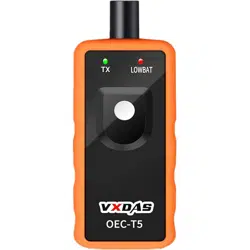
• Hold the tool’s black antenna directly
facing
the valve stem; or point antenna at the
tire side closest to the valve stem.

5.Wrong Relearn Sequence or Operation
(Most Common)
• GM models MUST follow: Left Front → Right
Front → Right Rear → Left Rear.
• Incorrect order → no horn beep, relearn
failure.
• Relearn session timed out → system exits
mode automatically.
• Overly frequent operations cause system
abnormal.
• Tools with Cancel button: Cancel current
status before activating the next tire.
6.Signal Interference & Blocking
• Lower all windows fully during relearn.
• Park vehicle in open, unobstructed area.
• Hold tool close to the tire sidewall near the
valve stem during activation.
7.Vehicle TPMS System Malfunction
• RCDLR / BCM internal receiver failure.
• TPMS antenna wire broken or connector
loose.
8.Abnormal Dashboard Data
Caused by activating sensors in incorrect
order.
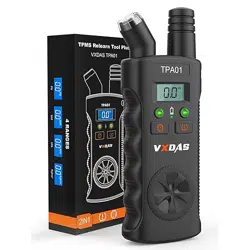
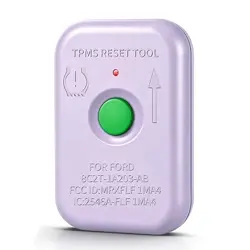
9.Indicator Light Guide (TP 2in1 Tool for
GM / Ford)
• Blinking light: GM activation mode
• Solid light: Ford activation mode