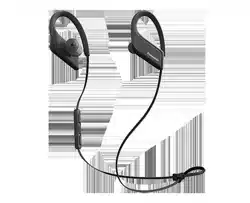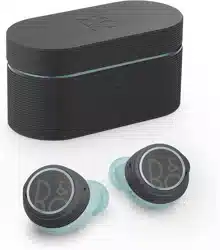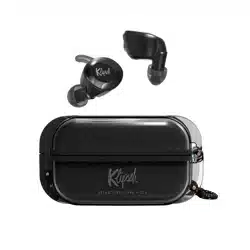
USER MANUAL
Packing List
Earphones ×1 Pair
Charging Case ×1
Type-C Charging Cable ×1
Ear Tips ×4 Pairs
User Manual ×1
01
Product Oveiew
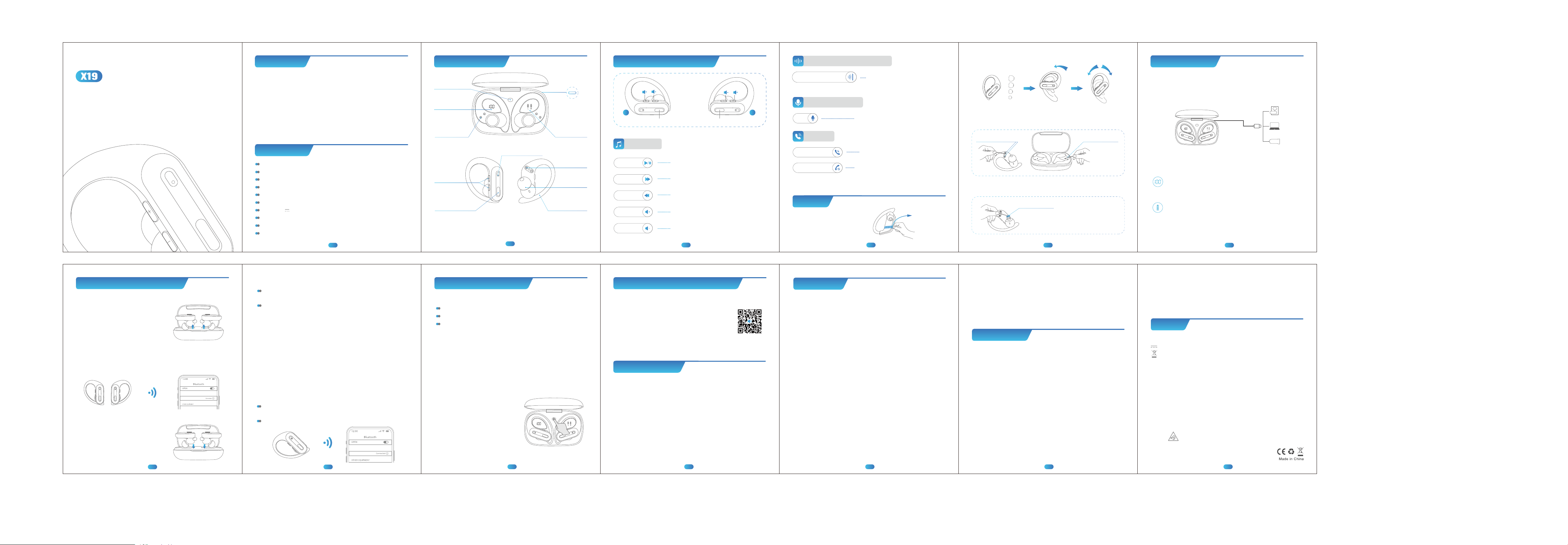
Charging Case
Power Display
Earbud
Power Display
Charging Pins
Type-C
Charging Port
Reset Button
02
* Please kindly note that the wireless charging area is on the bottom
of the charging case.
Multi-function
Button(MFB)
Volume +/-
Button
Earbud LED Light/
Built-in Mic
Flexible
Ear Hook
Ear Tips
Charging
Contact
03
Click MFB Button Once on L/R Earbud
Multi-function Operations
MFB Button MFB Button
L R
For Music
Play/Pause
Click "+" once on L/R Earbud
Click "-" once on L/R Earbud
Long Press "+" Button on L/R Earbud
Long Press
"-" Button on L/R Earbud
Next Track
Volume-
Volume+
Last Song
04
For Call
Voice Assistance
Click MFB Button Once on L/R Earbud
Long Press MFB Button 2s on L/R Earbud
Double-click MFB Button on L/R Earbud
Answer/End Call
Reject Call
Siri
(Non-Playing and Non-Calling)
Caution
Tear off the
protective film
Remove me
Protective Grille
4. Please clean the protective grille of both earbuds if the sound
becomes low.
* To make sound louder
05
2. Choose suitable ear tips & Wear correctly to enhance sound
quality.
3. Please clean the magnet charging contact on earbud and charging
pin on the charging case with alcohol wipes if the headphones can't
be charged.
Charging PinCharging Contacts
* To fix charging issue
+
S
M
L
XS
Type-C Charging
Place earbuds into charging case properly, then use the included USB-C
charging cable to connect the charging case, and plug the other end
into power supply with a 5V/1A adapter (not included), they will start
charging.
06
How to Charge ?
(* The USB-C charging cable is in the black paper box.)
Show the remaining battery percentage of charging case from
0-100. "0" means charging case need charging while "100" means
the charging case is fully charged.
Flash down and up when earbud is charging; Stop flashing
when earbud is fully charged.
LED Power Display
Earbud’s LED light: Red light up means "being charged", Red light
go off means “fully charged".
07
How to power on/o & pair?
(Make sure the earbuds and charging case
have power.)
Automatically Power on/off & Pairing
1. Take out earbuds from the
charging case, the earbuds will auto
power on and enter pairing mode.
3. Put the earbuds back into the charging
case, the earbuds will disconnect & power
off automatically.
Note: If the earbuds are not connected to your device over 5 minutes,
the earbuds will power off automatically.
X19
2. For first time pairing: Activate Bluetooth setting on your phone, search
and connect "X19".
For the second time use, when you take out the earbuds from the charging
case, they will connect to your device automatically.
Specication
Product Name: ANC Wireless Sport Earphone
Model Name: X19
Bluetooth Version: V5.3
Support: AAC/A2DP/HFP/HSP/AVRCP
Transmission Range: 33 feet(without obstacle)
FCC ID: 2ATJ2-X19
Input: 5V 500mA
Charging Time: about 2H
Headphones Battery Capacity: 3.7V 50mAh/0.185Wh
Charging Case Battery Capacity: 3.7V 600mAh/2.22Wh
08
Manually Power on/off
If the earbuds are out of the charging case and power off, just
press & hold then ( both earbuds ) for 2s, they will power on.
Disconnect the bluetooth on your device, press & hold either earbud
for 5s, both earbuds will power off at the same time.
Pair with Other Device
X19 Sports Headphones have memory connect function, they always
auto connect to the last paired device.
Thus, if you want to pair them with other device, you should
disconnected "X19" from the last paired device, then search and
connect "X19" on your new device, it will work properly.
Single Mode
You can leave one earbud in the charging case and use one earbud
alone.
Only take one earbud out of the charging case, then search &
connect "X19" on your device.
When in Dual mode, put one earbud into the charging case.
09
X19
10
Facto Restore Setting
When only one side play music
When you can’t find "X19" on your device
Occur connection issues.
When should I reset?
How to reset?
1. Delete all "X19" on your phone and deactive the bluetooth setting.
2. Put the two earbuds in the charging case, keep them in the charging
statu.
10
3. Long press the Reset Button on the charging case for about 10s,
the LED display flash 3 times and the earbuds flash red and green
alternately, which means both earbuds have reset completely.
4. Now, pick up the earbuds to turn
them on, activate the bluetooth setting
on your device and select "X19" to
connect, it should work properly.
If not, please put the earbuds back to
the charging case and repeat the steps
above.
1312
How to sync volume on Android?
To protect users from potential hearing damage, Android’s limit on max
volume is quite low for Bluetooth audio devices.
If you feel the volume is too low, please access developer
options and enable absolute volume, so you ‘ll able to
max the volume at your own volition and to the full
capabilities of your Bluetooth earphones.
(Scan this QR code to watch a video to learn more details.)
11
Batte Warning
FCC Caution
ISED Warning
Caution
Using the wrong battery can cause fire and other hazards (for
example, in the case of some lithium battery types)
1. Disposal of a battery into fire or a hot oven, or mechanically
crushing or cutting of a battery, that can result in an explosion
2. Do not leaving a battery in an extremely high temperature
surrounding environment that can result in an explosion or the
leakage of flammable liquid or gas.
3. A battery subjected to extremely low air pressure that may result
in an explosion or the leakage of flammable liquid or gas.
Any Changes or modifications not expressly approved by the party
responsible for compliance could void the user's authority to
operate the equipment.
This device complies with part 15 of the FCC Rules. Operation is
subject to the following two conditions:
(1) This device may not cause harmful interference,and
(2) This device must accept any interference received,including
interference that may cause undesired operation.
Note: This equipment has been tested and found to comply with the
limits for a Class B digital device, pursuant to part 15 of the FCC
Rules. These limits are designed to provide reasonable protection
against harmful interference in a residential installation. This
equipment generates, uses and can radiate radio frequency energy
and, if not installed and used in accordance with the instructions,
may cause harmful interference to radio communications. However,
there is no guarantee that interference will not occur in a particular
installation. If this equipment does cause harmful interference to radio
or television reception,which can be determined by turning the
equipment off and on, the user is encouraged to try to correct the
interference by one or more of the following measures:
— Reorient or relocate the receiving antenna.
— Increase the separation between the equipment and receiver.
— Connect the equipment into an outlet on a circuit different from that
to which the receiver is connected.
— Consult the dealer or an experienced radio/TV technician for help.
This equipment complies with FCC radiation exposure limits set forth
for an uncontrolled environment.
This transmitter must not be co-located or operating in conjunction
with any other antenna or transmitter.
This device complies with Industry Canada licence-exempt RSS
standard(s).
Operation is subject to the following two conditions:
(1) this device may not cause interference, and
(2) this device must accept any interference, including interference
that may cause undesired operation of the device.
Le présent appareil est conforme aux CNR d'Industrie Canada
applicables aux appareils radio exempts de licence. L'exploitation est
autorisée aux deux conditions suivantes:
(1) l'appareil ne doit pas produire de brouillage, et
(2) l'utilisateur de l'appareil doit accepter tout brouillage radioélec-
trique subi, même si le brouillage est susceptible d'en compromettre
le fonctionnement.
The device is compliance with RF exposure guidelines, users can
obtain Canadian information on RF exposure and compliance.
Le présent appareil est conforme
Après examen de ce matériel aux conformité ou aux limites d’intensité
de champ RF, les utilisateurs peuvent sur l’exposition aux radiof-
réquences et la conformité and compliance d’acquérir les informations
correspondantes.
The symbol indicates DC voltage
RECYCLING
DISPOSE OF USED BATTERIES ACCORDING TO THE INSTRUCTIONS
This product bears the selective sorting symbol for Waste electrical
and electronic equipment (WEEE). This means that this product must
be handled pursuant to European directive 2012/19/EU in order to
be recycled or dismantled to minimize its impact on the environ-
ment. User has the choice to give his product to a competent
recycling organization or to the retailer when he buys a new
electrical or electronic equipment.
This product can be used across EU member states.
The device is low power device, it can meet the requirement of the RF
exposure.
NOTES:
1. High Sound Pressure
2. Hearing Damage Risk
3. Do not listen at high volume levels for long periods.
V2.1 2025.11.11
X19说明书
尺寸:82*96mm
材料:108g铜版纸,不过膜
1. Please remove the protective
film before use, otherwise the
headphone will not be able to
start and charge.
Note: The X19 is equipped with an advanced chip for single-ear
control, thus you can always control all functions from one earbud.
Noise Cancelling Control
ANC mode /Normal /
Transparency mode
(* The voice prompt "ANC Off" signals normal mode activation.)
Triple-Click MFB Button on L/R Earbud