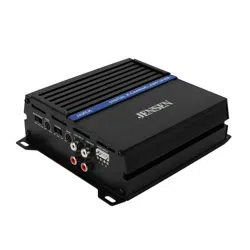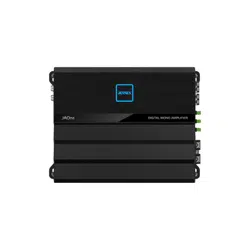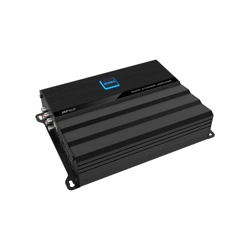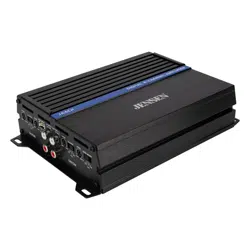
JA1CH JA2CH JA4CH JA5CH
JA SERIES
NSC0625-V02
2025
JA SERIES
Please read entire manual before installation. Due to the technical nature
of ampliers, it is highly recommended that your amplier is installed by a
professional installer or an authorized dealer.
Before You Start
• Disconnect negative battery terminal. (consult a qualied technician for
instructions)
• Avoid installing the amplier where it would be subject to high temperatures, such
as from direct sunlight, or where it would be subject to dust, dirt or excessive
vibration.
• Use extreme caution when drilling holes to avoid damaging fuel lines or existing
vehicle wiring.
• All amplier installations require power, signal and speaker wires (not included).
• An amplier installation kit (sold separately) is highly recommended to facilitate
the installation. Consult your dealer for recommendations.
Mounting Location
• Choose a mounting location for the amplier. Suggested locations include under a
seat or in the trunk.
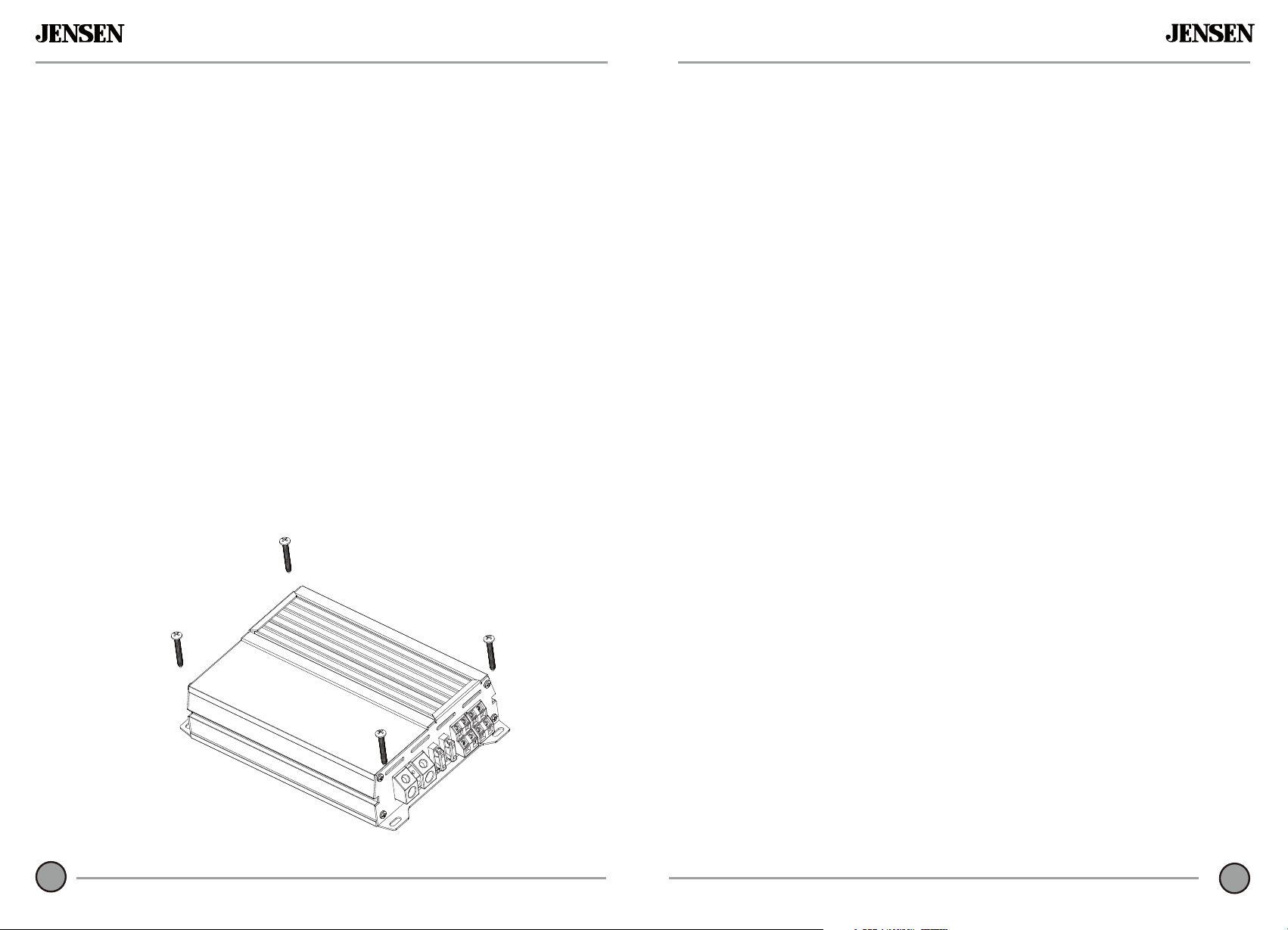
• The amplier can be mounted horizontal (recommended) or vertical. For optimum
performance, make sure to provide at least 1" of space around all sides. Do not
mount the amplier under carpets or where airow is restricted.
• Do not install the
amplier where it may be exposed to moisture.
• The optimum mounting location varies between vehicles. Remember to test all
amplier functions before completing the nal mounting procedure.
1
JA SERIES
What to do?
This warranty gives you specific legal rights.
You may also have other rights which vary from
state to state.
Jensen warrants this product to the original
purchaser to be free from defects in material
and workmanship for a period of two years from
the date of the original purchase.
Jensen agrees, at our option, during the warranty
period, to repair any defect in material or
workmanship or to furnish an equal new, renewed,
or comparable product (whichever is deemed
necessary) in exchange without charges, subject
to verification of the defect or malfunction and
proof of the date of purchase. Subsequent
replacement products are warranted for the
balance of the original warranty period.
What is covered? This warranty covers all defects
in the material and workmanship in this product.
The following are not covered: software,
installation/removal costs, damage resulting from
accident, misuse, abuse, neglect, product
modification, improper installation, incorrect line
voltage, unauthorized repair, or failure to follow
instructions supplied with the product, or damage
occurring during return shipment of the product.
Specific license conditions and copyright notices
for the software can be found via
www.jensenmobile.com.
Warranty Coverage
* Limited 2-year warranty. (Proof of purchase
required)
Extend your warranty from 2 years to 3 years
when you register online at
www.jensenmobile. com
1. Before you call for service, check the
troubleshooting guide in your owner's manual. A
slight adjustment of any custom controls may save
you a service call.
2. If you require service during the warranty period,
you must carefully pack the product (preferably in
the original package) and ship it by prepaid
transportation with a copy of the original receipt
from the retailer to an authorized service center.
3. Please describe your problem in writing and
include your name, a return UPS shipping address
(P.O. Box not acceptable), and a daytime phone
number with your shipment.
4. For more information and for the location of the
nearest authorized service center please contact us
by one of the following methods:
• Call us toll-free at 1-888-921-4088
(Monday-Friday, 9:00 am, to 5:00 pm, EST)
• E-mail us at [email protected]
Exclusion of Certain Damages: This warranty is
exclusive and in lieu of any and all other warranties,
expressed or implied, including without limitation
the implied warranties of merchantability and
fitness for a particular purpose and any obligation,
liability, right, claim or remedy in contract or tort,
whether or not arising from the company's
negligence, actual or imputed. No person or
representative is authorized to assume for the
company any other liability in connection with the
sale of this product. In no event shall the company
be liable for indirect, incidental, or consequential
damages
TYPICAL
MOUNTING
METHOD
14
Preparation
Limited Two Year* Warranty
JA SERIES
JA SERIES
s
NOTE:
Be sure to follow specific instructions included with your amplifier installation kit
(not included with this amplifier). The information below should be used as a general
guideline only.
Power Wire (+12V)
• Disconnect negative battery terminal before proceeding. Consult a qualied
technician for instructions if you are unsure.
• Plan wire routing before cutting any wires to length. Begin by routing the power
+12V wire from the battery to the amplier location. Use a grommet when running
wires through the rewall or metal openings. Avoid running the power wire near
existing vehicle wiring to prevent induced noise from entering the audio system.
• Use extreme caution when drilling holes to avoid damaging fuel lines or existing
vehicle wiring.
• The +12V wire MUST be fused within 18" of the battery for protection of the vehicle’
electrical system.
Ground Wire (GND)
• The amplier ground wire should be as short as possible (no more than 36" or
1 meter). Choose a clean unpainted section of metal or the vehicle chassis when
attaching the ground connection. Be sure to clean the area of any dirt or grease.
Remote Turn-on Wire (REM)
• The remote turn-on wire connects to the head unit's amplier turn-on lead or
power antenna output.
Speaker Wires
• Choose adequate gauge speaker wire depending on your exact amplier/speaker
combination. Be sure to observe polarity when connecting.
• Do not ground any speaker wires or connect any speaker wires together.
Input Signal
• The amplier's input signal connects to the head unit's low level (RCA) or high level
(speaker wire) outputs.
• Low level input signals deliver the best performance. If unavailable, use the high
level inputs - when interfacing with factory head unit for instance.
Power / Protect Indicators
• Colored LED indicators illuminate from the plastic power terminal.
• The blue LED illuminates during normal operation (POWER) and the red
LED indicator is visible when the amplier detects a fault (PROTECT).
CAUTION
• Do not use both low and high level inputs at the same time. Connect only one or the
other.
• Keep low level inputs away from any power wires to avoid engine noise.
• N
ever run any wires underneath or outside the vehicle.
2
13
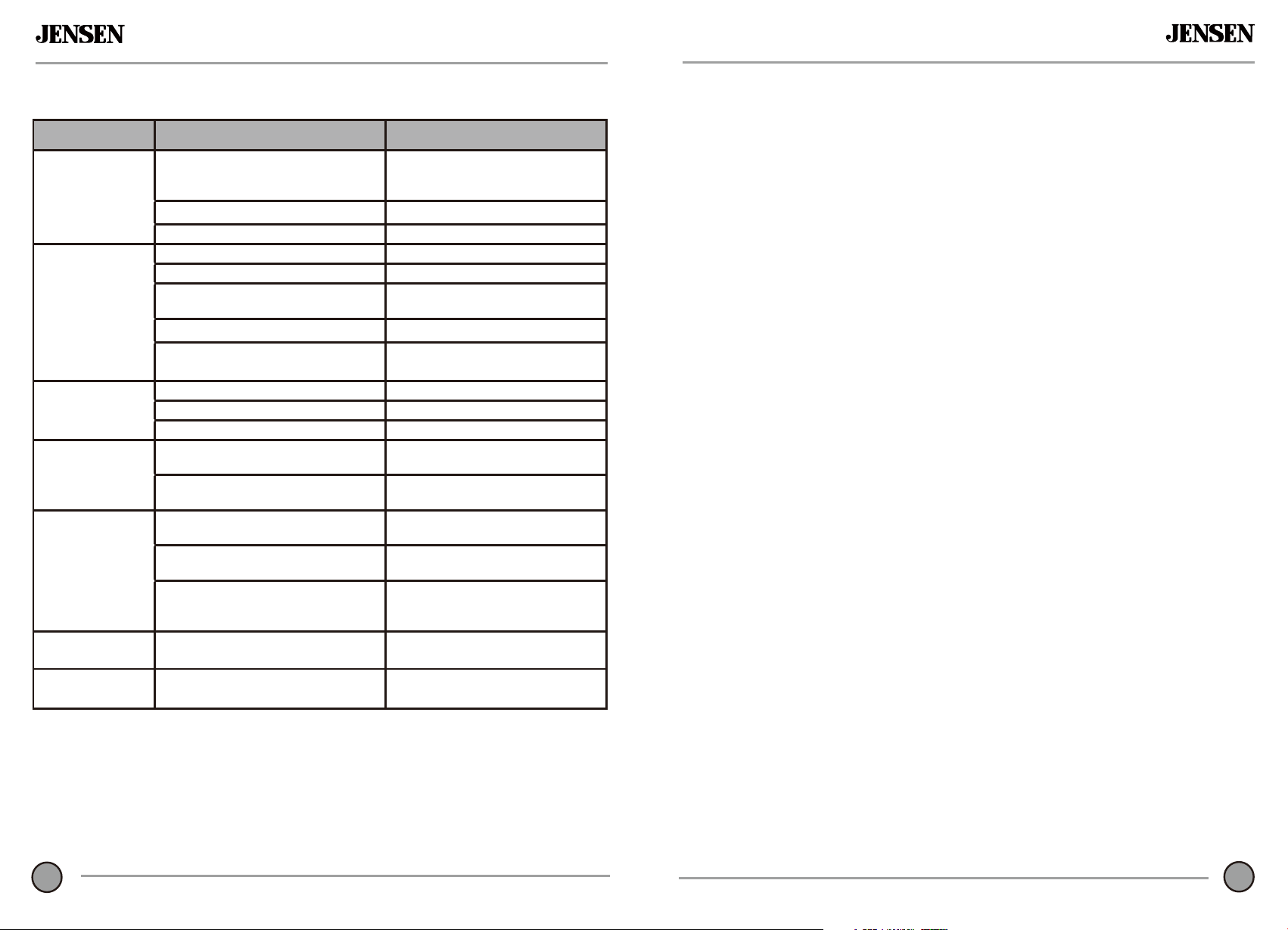
Problem Cause Action
Unit will not turn on
(no power LED
indicator)
+12V wire not connected or incorrect
voltage. REM wire not connected or
incorrect voltage
Check connections for proper voltage
(11~16VDC)
GND wire not connected Check connection to ground
Fuse(s) blown Replace fuse(s)
Unit has power -
LED is green (but
no sound)
Speaker wires not connected Check connections at speakers
Volume turned all the way down Increase volume level at head unit
One or more speaker wires touching
each other or touching chassis ground
Insulate all bare speaker wires from
each other and chassis ground
Speaker(s) defective or damaged Check/replace speaker(s)
Input signal not connected
Check high or low level inputs for
proper connection
Unit blows fuse(s)
Incorrect fuse rating Use fuse(s) with correct rating
+12V wire touching chassis ground Check for pinched wire
Speaker(s) defective or damaged Check/replace speaker(s)
Engine noise
Bad ground connection
Make sure amplier is grounded to
clean bare metal
Signal ground loop or RFI (radio
frequency interference)
Re-route RCA cables from existing
high
current wiring
LED illuminates red
(protect mode)
One or more speaker wires touching
each other or touching chassis ground
Insulate all bare speaker wires from
each other and chassis ground
Speaker(s) defective or
damaged internally (shorted)
Check/replace speaker(s)
Speaker load less than 2 ohms (stereo).
Speaker load less than 4 ohms (bridged)
Adjust speaker load - amplier will
not operate at less than 4 ohms when
bridged
Distorted audio
output
Incorrect input signal type or
input level too high
Check connections and reduce/adjust
input level
Low audio output
Incorrect input signal type or
input level too low
Check connections and increase/adjust
input level
Connection DescriptionsTroubleshooting
JA SERIES
JA SERIES
JA1CH
JA2CH
JA4CH
3
12
JA5CH
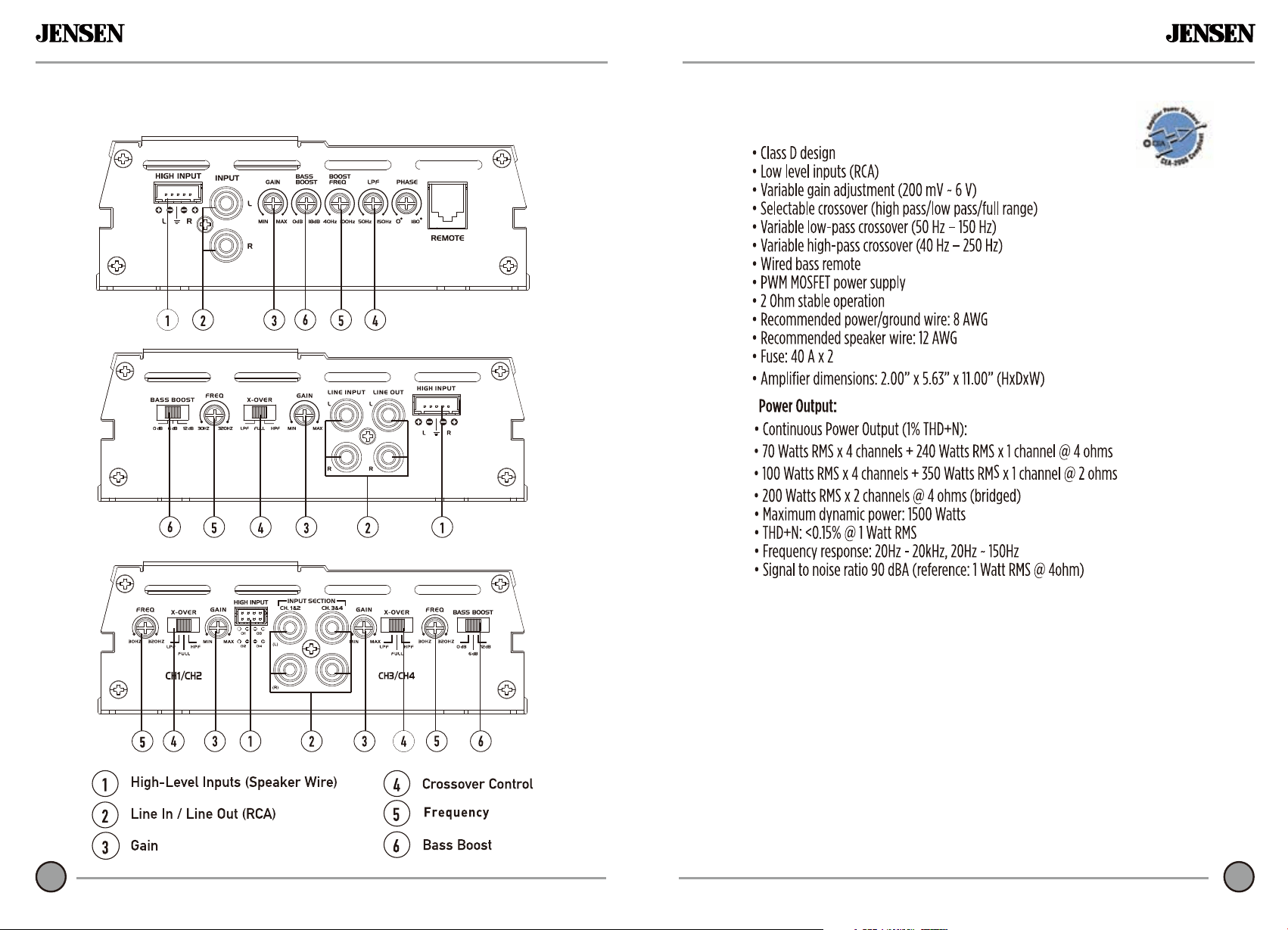
Audio Inputs and Controls
Specifications
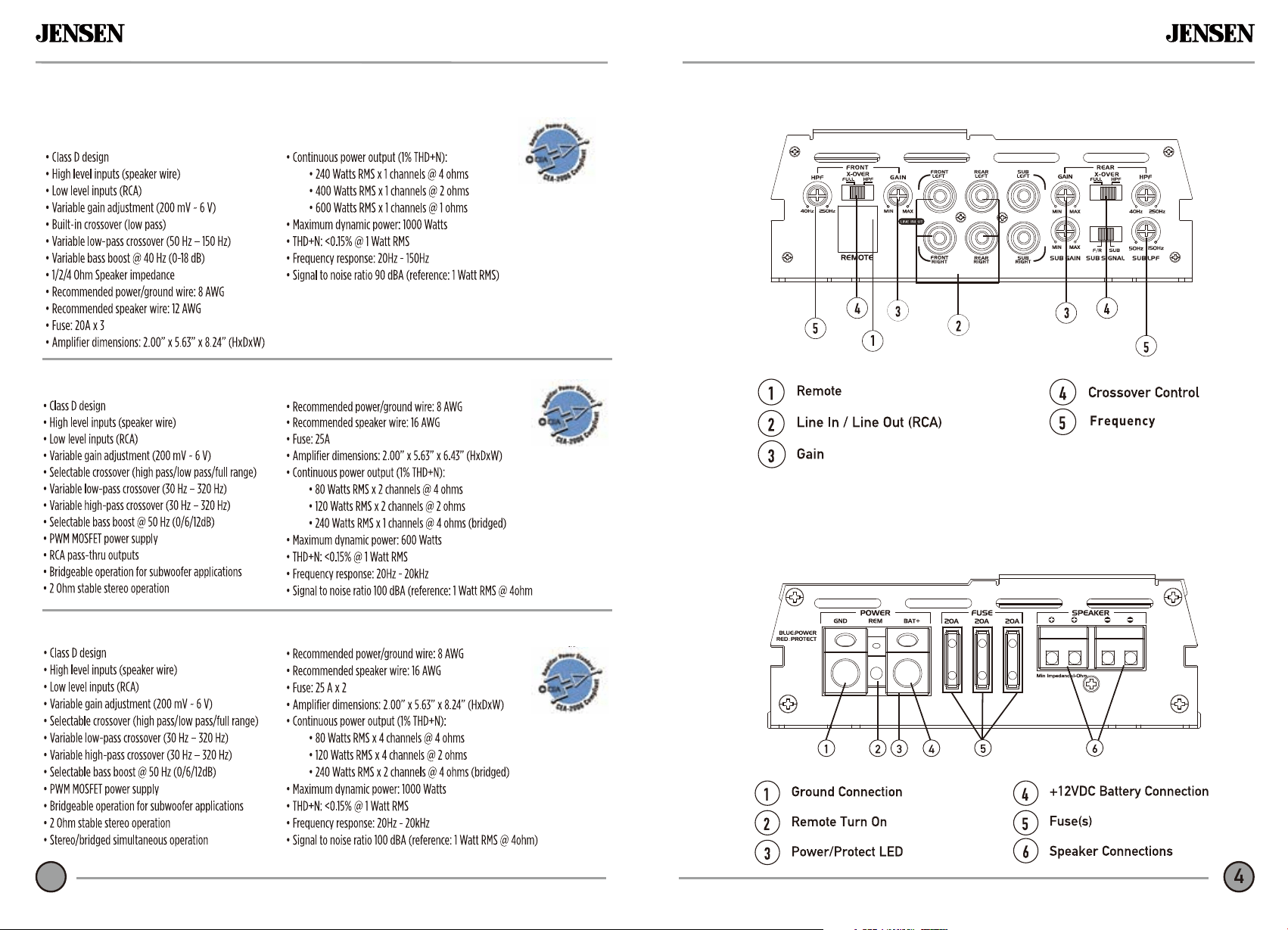
Audio Inputs and Controls
JA SERIES
Specifications
11
4
JA1CH
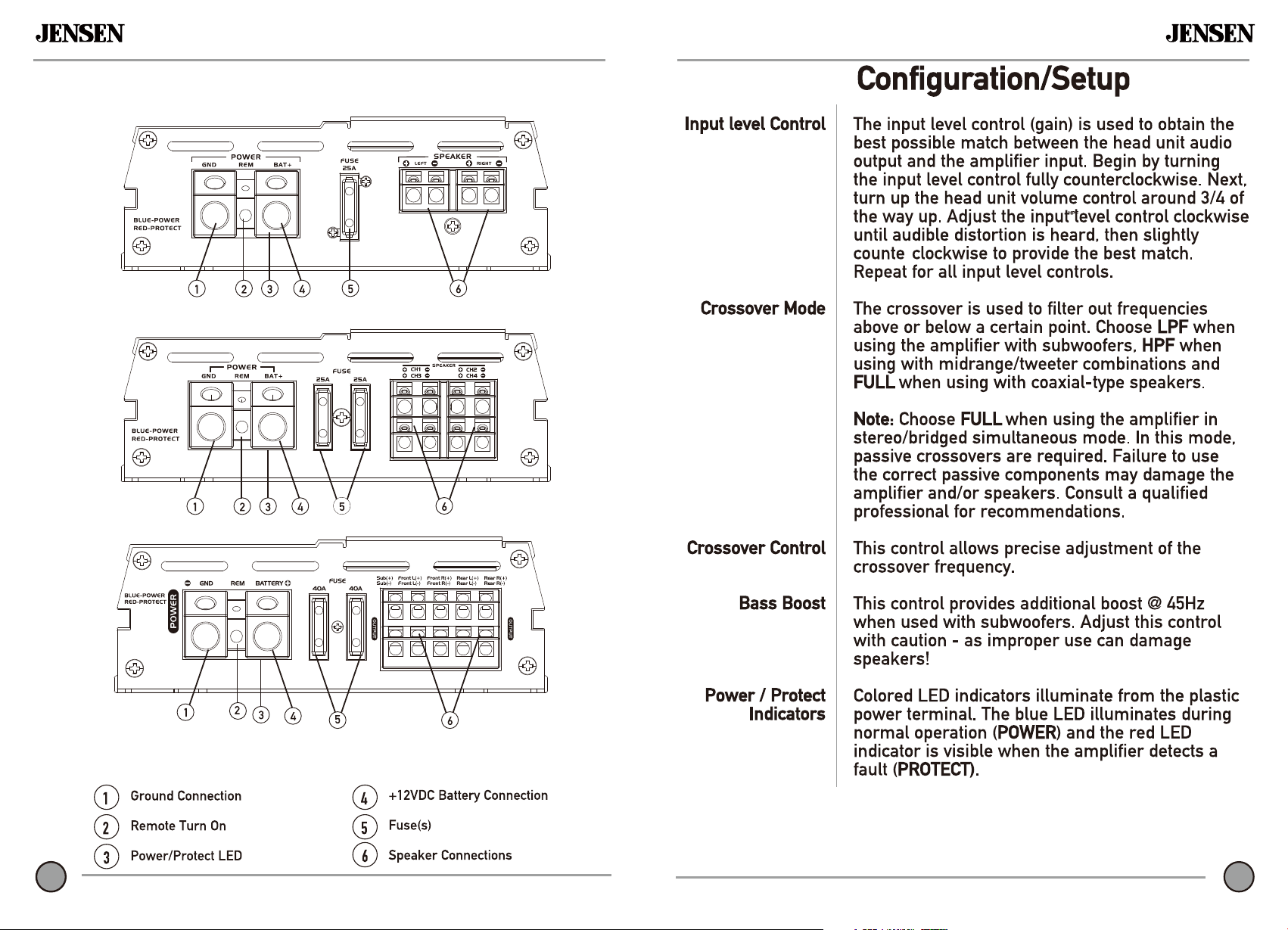
Power and Speaker Connections
JA5CH
JA4CH
JA1CH
JA2CH
4
11
11
JA SERIES
JA4CH
JA2CH
JA5CH
10
5
Power and Speaker Connections
JA SERIESJA SERIES
JA SERIES
6
JA SERIES
9
6
JA1CH
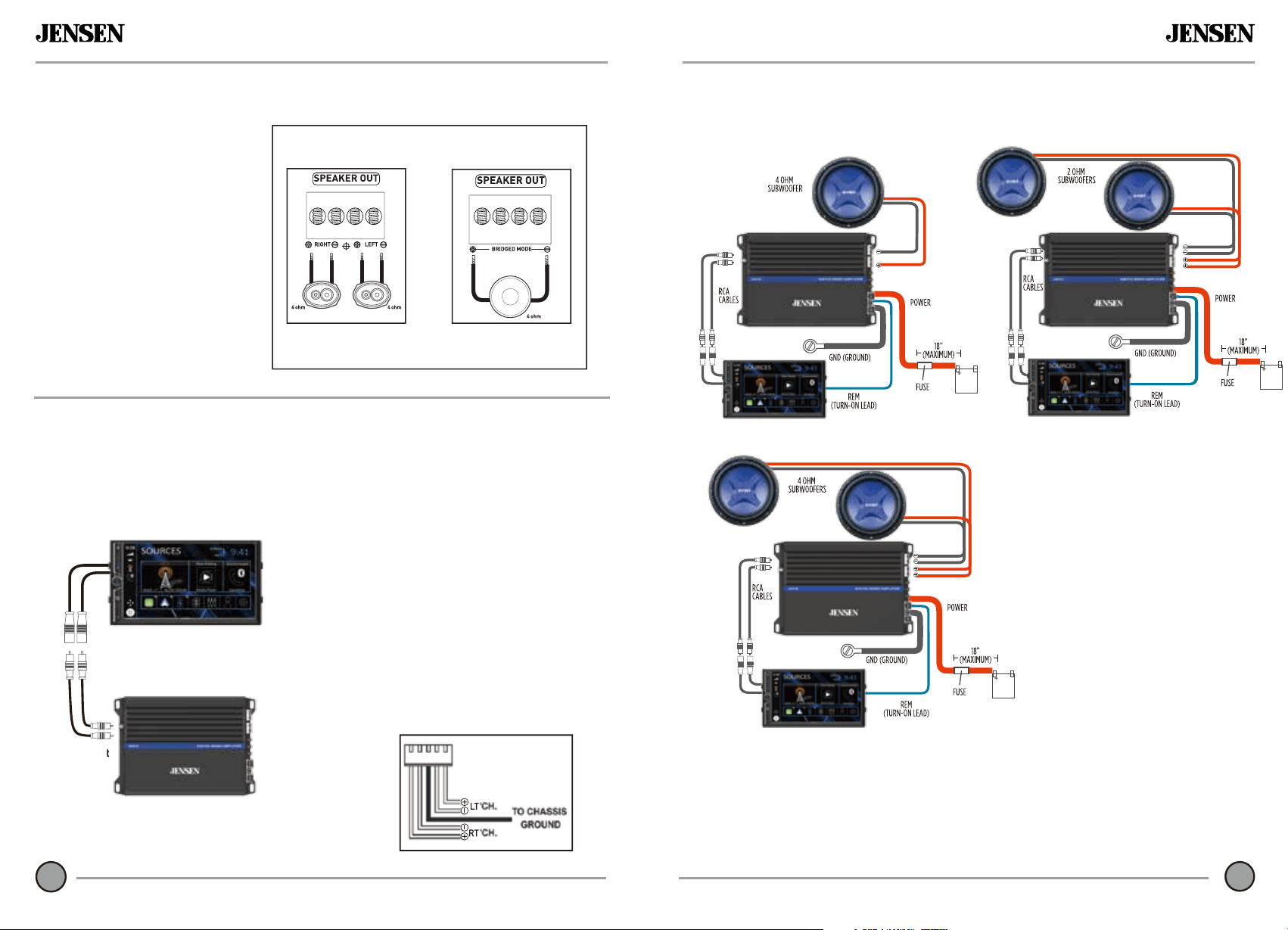
Input Signal Connections
Low Level Input
(RCA)
Low level (RCA) input signal is preferred for best performance. Typical trunk-mount
amplier installations require a 17-20 foot RCA cable. Most trucks and under-seat
applications require a 6-9 foot RCA cable. Using twisted pair construction RCA
cables will minimize noise.
Speaker Connections
Connect speaker wires
observing polarity. The
minimum impedance load
for the ampliers is 2 ohms
stereo and 4 ohms bridged.
Use of loads lower than these
is not recommended and may
cause amplier damage. The
ampliers can be wired for
stereo, bridged or stereo/
bridged simultaneous
operation.
Note:
Do not use both low
and high level inputs
at
the
same time - connect
only one or the other.
Low-Level Input
(RCA)
High Level Input
(Speaker Wire)
High level inputs should only be used
when RCA outputs are not available from
the head unit. Connect the head unit
speaker outputs to the high level input
connector as shown below. The black wire
(signal reference ground) may or may not
require a connection to chassis ground -
depending on your particular installation.
Typical speaker connections shown
Speakers (bridged)
Typical Bridged Wiring
(4 ohms minimum)
2 Speakers (stereo)
Typical Stereo Wiring
(2 ohms minimum)
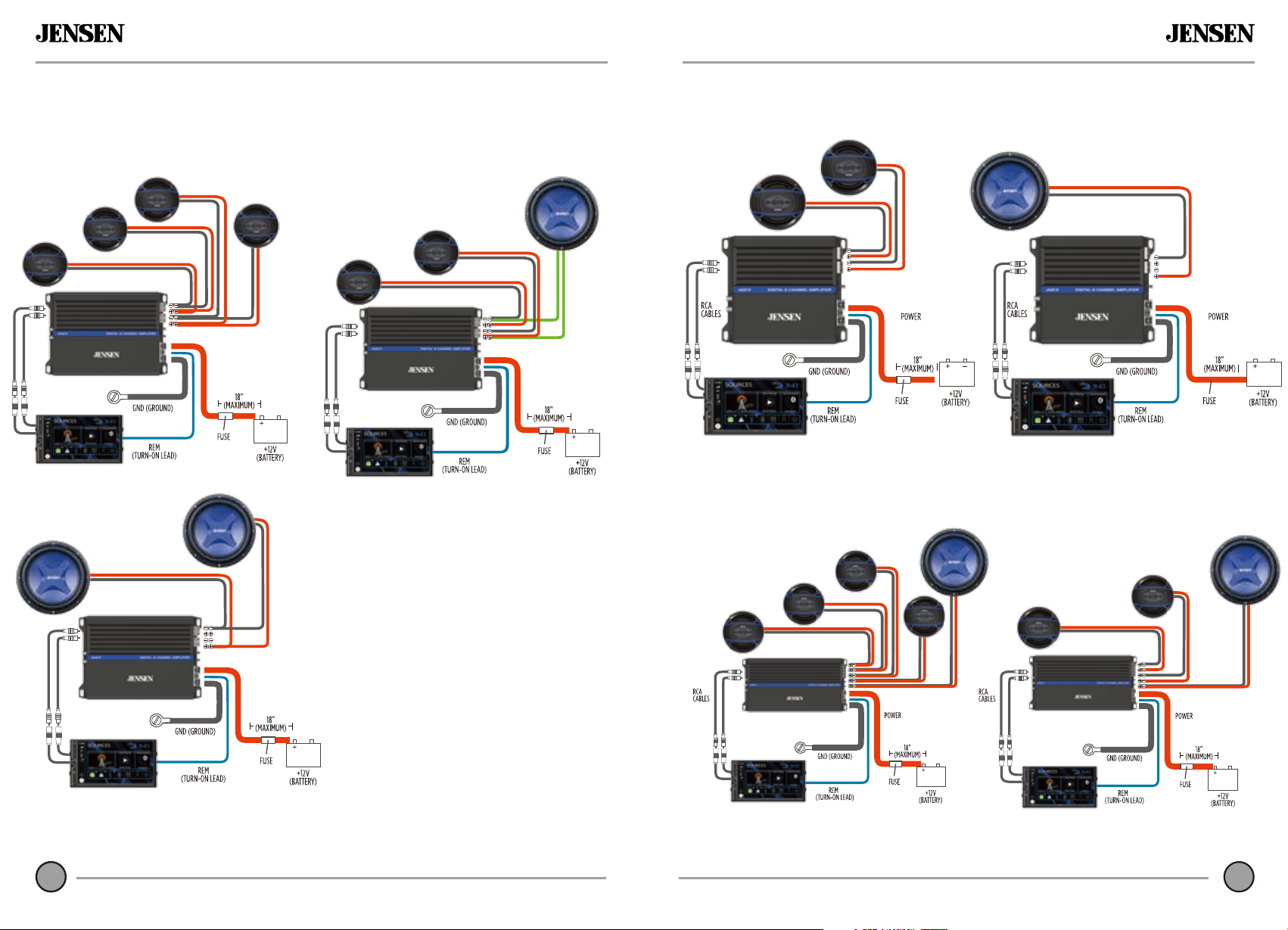
Typical Wire Routing
Amplifier Connections
JA SERIES
7
JA SERIES
8
JA4CH
JA2CH
JA5CH
Typical Wire RoutingWireTypical Routing