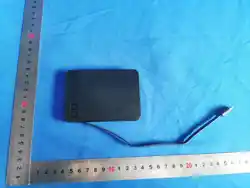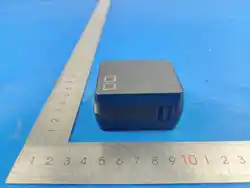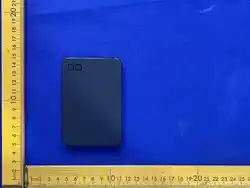
Warranty / LINE / YouTube
PRODUCT WARRANTY / SUPPORT
Use the corresponding approved English
common text from the existing
instruction-manual master.
LINE / YouTube
Retain the existing official QR-code
blocks and common English labels.
Note: Warranty wording must remain
consistent with the NovaCore C3 cycle-
limit conditions.
11. Frequently Asked Questions
Q. Can I continue using the product after
the cycle limit has been exceeded?
A. Yes. Perform the operation below.
Unlock: Press the button 10 times within
[TBD] seconds.
Products used beyond the cycle limit are
not eligible for replacement under the
warranty service.
Note: The CIO collection discount service
is available only if the product is not
swollen.
Q. Can I use the product without the app?
A. Yes. Basic functions can be operated
using the button on the product. Without
the app, charging status and various
settings cannot be checked or changed
on a smartphone.
Q. The leftmost LED is red. Is this a
malfunction?
A. No. It indicates the cycle count.
Clear caution indication: Press the button
3 times within [TBD] seconds.
Clear warning/unlock indication: Press
the button 10 times within [TBD]
seconds.
FCC Warning Statement
FCC WARNING STATEMENT
This device complies with part 15 of the
FCC Rules. Operation is subject to the
following two conditions: (1) This device
may not cause harmful interference, and
(2) this device must accept any
interference received, including
interference that may cause undesired
operation.
Any changes or modifications not
expressly approved by the party
responsible for compliance could void the
user's authority to operate the
equipment.
NOTE: This equipment has been tested
and found to comply with the limits for a
Class B digital device, pursuant to Part
15 of the FCC Rules. These limits are
designed to provide reasonable
protection against harmful interference in
a residential installation. This equipment
generates, uses and can radiate radio
frequency energy and, if not installed and
used in accordance with the instructions,
may cause harmful interference to radio
communications.
FCC Warning Statement
However, there is no guarantee that
interference will not occur in a particular
installation.
If this equipment does cause harmful
interference to radio or television
reception,
which can be determined by turning the
equipment off and on, the user is
encouraged to try to correct the
interference by one or more of the
following measures:
-- Reorient or relocate the receiving
antenna.
-- Increase the separation between the
equipment and receiver.
-- Connect the equipment into an outlet
on a circuit different
from that to which the receiver is
connected.
-- Consult the dealer or an experienced
radio/TV technician for help.
FCC Radiation Exposure Statement
The device has been evaluated to meet
general RF exposure requirement.
7. Charging a Device
Connect this product to your device
wirelessly or using a USB-C cable.
During wireless charging, the leftmost
LED indicator lights solid purple.
Note: This product and the smartphone
may become warm during wireless
charging.
Note: This product does not support
simultaneous charging of two devices. If
wireless and wired charging are used at
the same time, wired charging takes
priority.
Low Current Mode
Connect a small device such as wireless
earphones using a USB-C cable. Press
and hold the button for 3 seconds. The
purple LED flashes. Charging stops after
approximately 2 hours, or when the
button is pressed twice.
8. Connecting to the App
Download the app to your smartphone or
tablet to check the remaining battery
level and product status through a wired
connection.
Note: A registered account (email
address and password) is required.
If you do not have an account or have
forgotten your password, register or reset
it through the CIO official website.
[QR: Operation instructions] [QR: iOS]
[QR: Android]
iOS is a trademark or registered
trademark of Cisco in the U.S. and other
countries and is used under license.
Android is a trademark of Google LLC.
9. Package Contents / 10.
Specifications
Package Contents
• Power bank
• Instruction manual
• USB-C to USB-C cable
Product Name: SMARTCOBY ULTRA
SLIM SS 5K
Model: CIO-MB20W1C-SS5K-USWL7
Battery Capacity: 5000mAh / 3.85V /
19.25Wh
Rated Capacity: 2800mAh (5V⎓3A)
USB-C Input: 5V⎓3A / 9V⎓1.67A
USB-C Output: 5V⎓3A / 9V⎓2.22A
PPS: 5-11V⎓1.8A
Wireless Output: 5W / 7.5W / EPP 15W
Dimensions: Approx. 101.4 × 69.4 ×
6.83 mm
Weight: Approx. 112 g
Cycle Limit: Approx. 300 cycles
Charging Time: Approx. 120 minutes
4. NovaCore C3 Overview
What is NovaCore C3?
NovaCore C3 is a battery life
management system that manages
battery life based on the cycle count.*
When the specified number of cycles is
reached, the function for charging
connected devices will stop to help
ensure safer use.
* One cycle is counted when an amount
of power equivalent to 100% of the
battery capacity has been used. This
differs from the actual number of
charging sessions or cable connections.
After the Charging Function Stops
If the charging function stops,
discontinue use. If temporary use is
necessary, check the product for swelling
or physical damage before performing the
specified unlock operation. After
unlocking, a notification is displayed
every 20 cycles.
Note: Products that have reached the
specified cycle count are no longer
covered by the product warranty.
5. Parts and Functions
LED Indicator Status
Purple, solid: Charging a device
Purple, flashing (approx. once per
second): Low Current Mode
Purple, rapidly flashing: Foreign Object
Detection (FOD) active
Blue, solid: Connected to the app
Red, flashing or solid: Cycle count
indication
Four white LEDs: Remaining battery level
/ cycle count
[Product illustration and callout labels to
be inserted from final artwork.]
6. Charging the Power Bank
Use the included USB-C cable to connect
this product to a USB charger and charge
the power bank.
About Pass-Through Charging
When using pass-through charging,
charging the power bank itself will take
longer than during normal charging.
Note: Please use a USB charger that
supports an output of 20 W or higher.
Cover
SMARTCOBY ULTRA SLIM SS 5K
Instruction Manual
Model: CIO-MB20W1C-SS5K-USWL7
Contents
Contents
3. Product Overview
4. NovaCore C3 Overview
5. Parts and Functions
6. Charging the Power Bank
7. Charging a Device
8. Connecting the Product to the App
9. Package Contents
10. Specifications
11. Frequently Asked Questions
FCC Warning Statement
Product Warranty / LINE / YouTube
3. Product Overview
Supports Wireless and Wired Charging
This product supports both wireless and
wired charging.
Note: Simultaneous wireless and wired
charging of two devices is not supported.
This product also supports pass-through
charging, allowing you to wirelessly
charge a device while charging the power
bank itself.
Equipped with NovaCore C3
NovaCore C3 manages battery life based
on the cycle count. When the specified
number of cycles is reached, the device
charging function will stop for safer use.
Check Battery Status with the App
The dedicated app allows you to check
the remaining battery level and cycle
count.
*The USB-C output and
wireless output of the power
bank cannot be output
simultaneously.