DO NOT RETURN THIS PRODUCT TO THE STORE
If you have questions or need assistance, please call customer service at 855-944-3571.
User
Manual
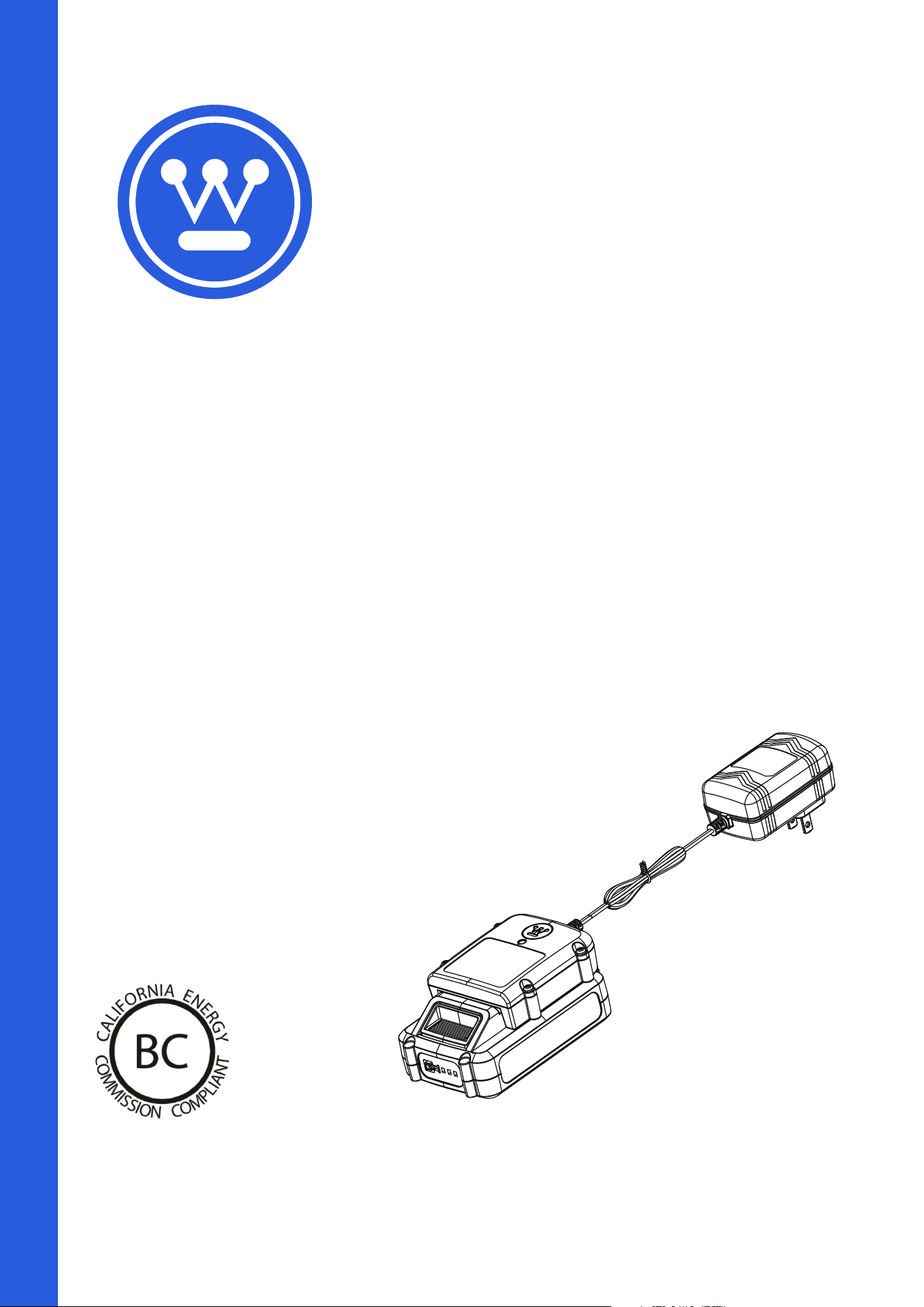
W20V1AMP
Battery Charger
2
|
English
TABLE OF CONTENTS
Introduction ........................................................................................................................................................................................2-3
Safety ..................................................................................................................................................................................................4-5
Assembly ...............................................................................................................................................................................................6
Operation ............................................................................................................................................................................................6-7
Customer Service / Company Address .....................................................................................................................................Back Page
INTRODUCTION
WARNING
Operating, servicing, and maintaining this equipment may expose you to chemicals which are known to
the State of California to cause cancer and birth defects or other reproductive harm. To minimize exposure, wear gloves or wash
your hands frequently when servicing this equipment. For more information go to www.P65warnings.ca.gov.
DISCLAIMERS
All information, illustrations, and specifications in this manual were in effect at the time of publishing. The illustrations used in this manual
are intended as representative reference views only. We reserve the right to make any specification or design change without notice.
ALL RIGHTS RESERVED
All rights reserved. No reproduction allowed in any form without written permission from Westinghouse Outdoor Power Equipment.
DANGER
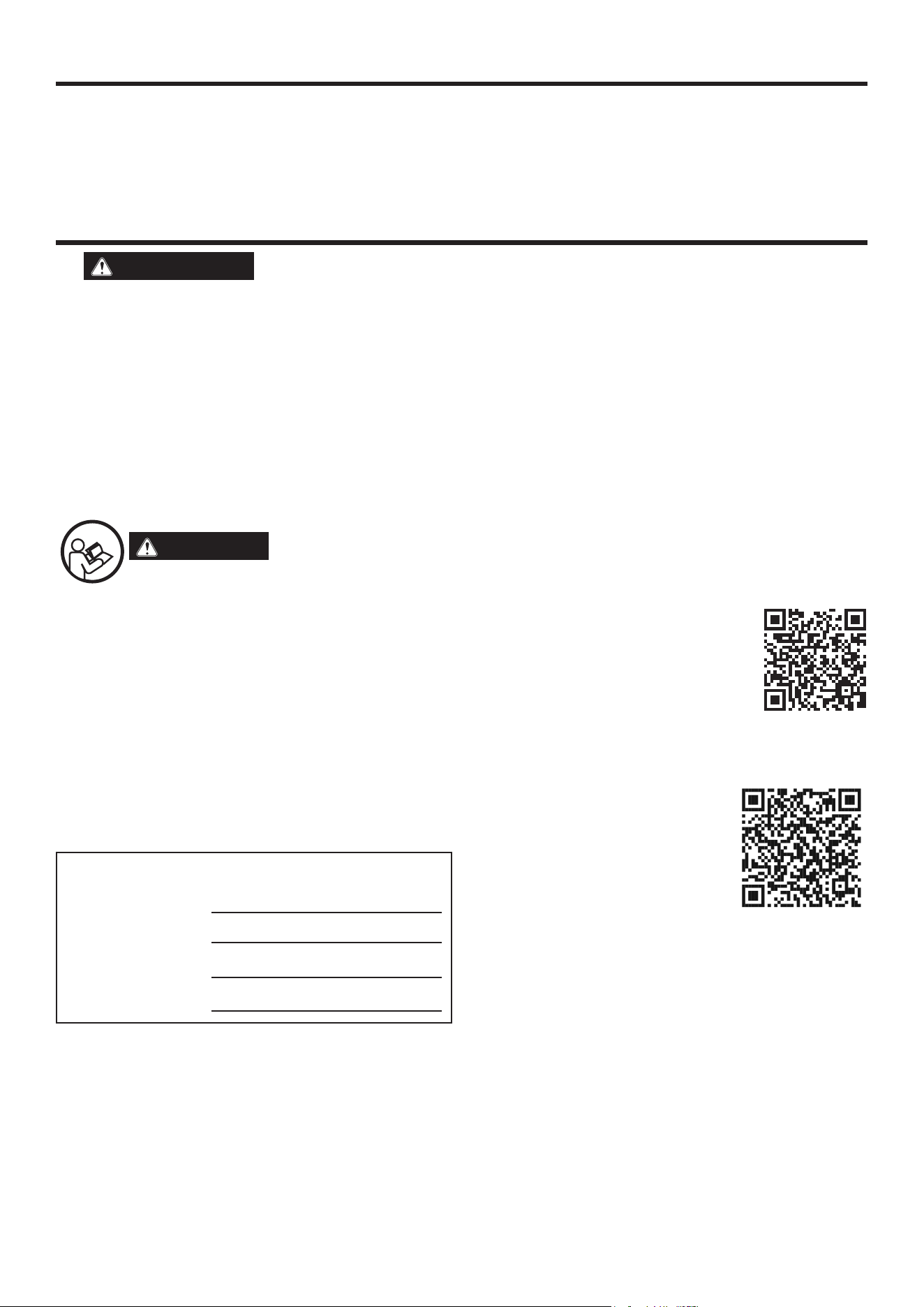
Read this manual before using or performing maintenance on this product. Failure to follow the
instructions and safety precautions in this manual can result in serious injury or death.
UPDATES
The latest User Manual for Westinghouse products can be found under the support tab: westinghouse.com/pages/
manuals
Or scan the following QR code with a smartphone camera to be directed to the link.
PRODUCT REGISTRATION
For trouble-free warranty coverage, it is important to register the Westinghouse product.
Register by:
• Completing and mailing the product registration card included in the carton.
• Going online to: westinghouse.com/register
• Scanning the following QR code with a smartphone camera to be directed to the mobile registration link.
For Your Records
Date of Purchase:
Model Number:
Serial Number:
Place of Purchase:
• Sending the following product information to:
Westinghouse Outdoor Power
Warranty registration
777 Manor Park Drive
Columbus, OH 43228
IMPORTANT: Keep the purchase receipt for trouble-free warranty coverage.

English
|
3
INTRODUCTION
NOTICE
This product is designed and rated for continuous operation at ambient temperatures above 14°F (–10°C). If
needed, this product can be operated in extremely cold temperatures for short periods. If the product is exposed to extreme tem-
peratures during storage, it should be brought back within the optimal temperature range before operation.
NOTICE
Thank you for choosing Westinghouse! PLEASE READ BEFORE RETURNING THIS PRODUCT FOR ANY REASON.
If you have a question or experience a problem with your Westinghouse purchase, call us at 1-855-944-3571 to speak with an
agent.
SAVE THIS MANUAL FOR FUTURE REFERENCE.
HAVE QUESTIONS?
Email us at ser[email protected]
or call 1-855-944-3571
4
|
English
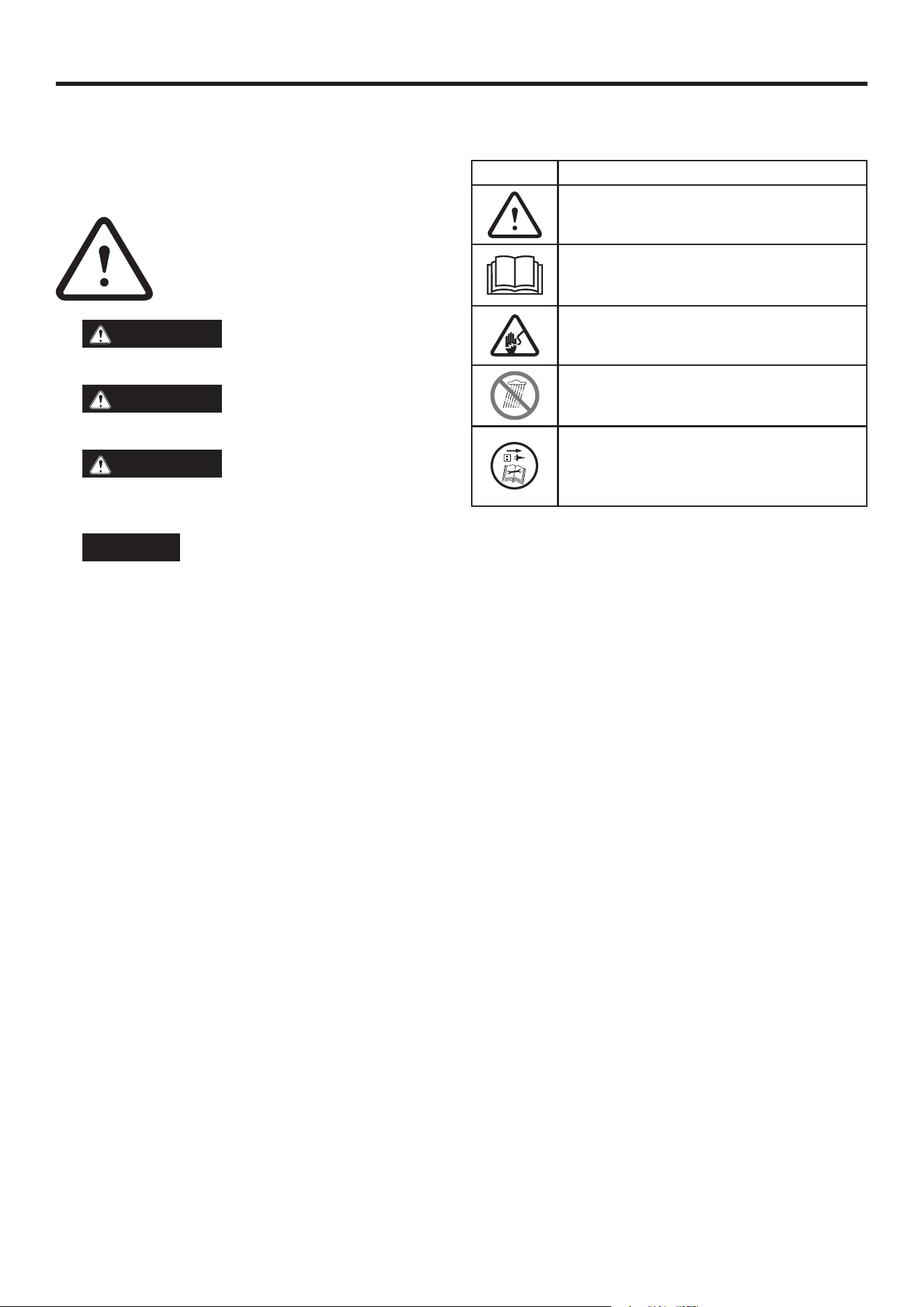
SAFETY DEFINITIONS
The words DANGER, WARNING, CAUTION, and NOTICE are used
throughout this manual to highlight important information. Be sure
that the meanings of this safety information are known to all who
operate, perform maintenance on, or are near the product.
This safety alert symbol appears with most
safety statements. It means attention, become
alert, safety is involved! Please read and abide
by the message that follows the safety alerts
symbol.
DANGER
Indicates a hazardous situation
which, if not avoided, will result in death or serious injury.
WARNING
Indicates a hazardous situation
which, if not avoided, could result in death or serious injury.
CAUTION
Indicates a hazardous situation
which, if not avoided, could result in minor or moderate in-
jury.
NOTICE
Indicates a situation which can cause dam-
age to the product, personal property, and/or the environ-
ment, or cause the equipment to operate improperly.
NOTE: Indicates a procedure, practice or condition that
should be followed for the unit to function in the manner in-
tended.
SAFETY SYMBOLS
Follow all safety information within this user manual.
SYMBOL
DESCRIPTION
Safety Alert Symbol. Indicates a potential personal
injury hazard.
Read User Manual. To reduce the risk of injury,
the user must read and understand user manual
before using this product.
WARNING! Electrical shock hazard.
Wet Conditions Alert. Do not expose to water or
rain.
WARNING! Turn the machine OFF and discon-
nect it from the power supply before inspecting,
cleaning, changing accessories, or any other
maintenance task.
SAFETY

English
|
5
SAFETY
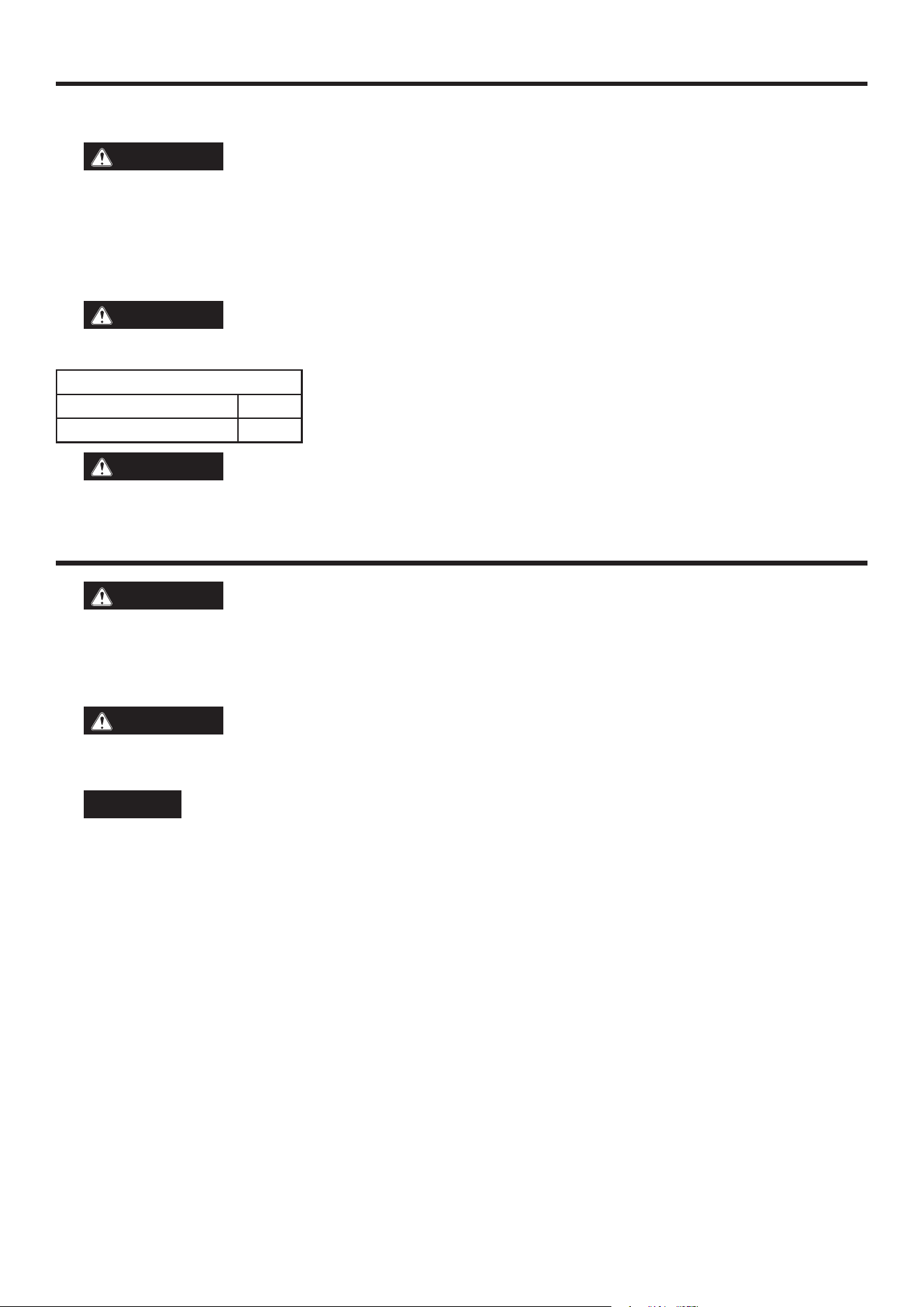
WARNING
READ AND UNDERSTAND ALL INSTRUCTIONS. Failure to follow all instructions listed below and on the
machine may result in electric shock, fire, and/or serious personal injury.
• Read the user manual carefully. Learn the applications and limitations of the product, as well as the specific potential hazards
related to its use. Following this rule will reduce the risk of electric shock, fire, or serious injury.
WARNING
Charge only one lithium-ion rechargeable battery per charging port at a time. Other types of batteries may
burst, causing personal injury or damage.
• Do not use the charger outdoors or expose to wet or damp conditions. Water entering the charger increases the risk of electric
shock.
• Use of an attachment not recommended or sold by the battery charger manufacturer may result in a risk of fire, electric shock, or
injury to persons.
• Do not abuse the cord or charger. Never use the cord to carry the charger. Do not pull the charger cord when disconnecting from
receptacle. Damage to the cord or charger could occur and create an electric shock hazard. If the cord or charger is damaged call
customer service.
• Be sure the cord is located where it will not be stepped on, tripped over, contact sharp edges or moving parts, or otherwise be
subjected to damage or stress. This will reduce the risk of injury and damage to the cord.
• Keep the cord and charger from heat to prevent damage to housing and internal parts.
• Do not let gasoline, oil, or petroleum-based products come in contact with plastic parts.
• Always wear eye protection with side shields marked to comply with ANSI Z87.1. Failure to wear the appropriate eye protection
may result in serious injury.
• An extension cord should not be used unless necessary. Use of an improper extension cord could result in a risk of fire and
electric shock. If an extension cord must be used, be sure:
a. That the pins on the plug of the extension cord are the same number, size and shape as those of the plug on the charger.
b. The extension cord is properly wired and in good electrical condition; and
c. That the wire size is large enough for AC ampere rating of charger as specified below:
Cord Length (Feet) 25’ 50’ 100’
Cord Size (AWG) 16 16 16
• Do not operate the charger with a damaged cord or plug. If the charger is damaged, call customer service.
• Do not operate the charger if it has been dropped or damaged.
• Do not disassemble the charger. Call customer service when service or repair is required. Incorrect reassembly may result in a risk
of electric shock or fire.
• Unplug the charger from the power source before performing any maintenance or cleaning.
• Disconnect charger from the power supply when it is not in use.
• Do not touch the uninsulated portion of output connector or uninsulated battery terminal.
• Retain these instructions. Refer to them frequently and use them to instruct others who may use this product.
6
|
English
ASSEMBLY
REMOVING CARTON CONTENTS
WARNING
This product does not require assembly. Do not attempt to operate this product if it is not completely
assembled. Using an improperly assembled product can be hazardous and could result in serious personal injury.
• Open the carton.
• Remove and inspect the carton contents. Confirm that all the items in the INCLUDED LIST are present and undamaged.
• Recycle or dispose of the packaging materials.
If any parts are missing, contact our service team at ser[email protected] or call 1-855-944-3571.
WARNING
Do not alter or modify this product unless instructed otherwise in this manual or by the manufacturer. Do
not use attachments or accessories that are not recommended for use with this product. Making unauthorized modifications and
using incompatible accessories can damage the unit and may void the warranty.
WARNING
Always wear eye protection with side shields marked to comply with ANSI Z87.1. Failure to do so could
result in objects being thrown into your eyes resulting in possible serious injury.
APPLICATIONS
Use this product for the following purpose:
• Charging Westinghouse 20 volt lithium-ion batteries
CAUTION
If at any point during the charging process none of the LEDs are lit, remove the battery pack from the
charger to avoid damaging the product. DO NOT insert another battery. Check the GFCI plug, as the issue could be due to a tripped
breaker. If the problem persists, contact customer service for troubleshooting assistance.
NOTICE
Be sure to use this product in a well-ventilated area. Do not block charger vents. Keep the charger vents clear to
allow proper ventilation.
CHARGING PROCEDURE:
Battery packs are shipped in a low charge condition to prevent possible problems. Charge battery packs to full charge (indicated by
a solid green light) before first use. If the charger does not charge the battery pack under normal circumstances, contact customer
support for troubleshooting assistance or to arrange for a replacement of the battery.
Charge time varies and is dependent upon the amp hour capacity of battery pack.
• Be sure the power supply is normal household voltage, 120 volts, AC only, 60 Hz.
• Connect the charger to a power supply.
• Attach the battery pack to the charger by aligning the raised ribs on the battery pack with the grooves in the charger, then slide the
battery pack onto the charger.
• Press down on the battery pack, be sure the contacts on the battery pack engage properly with the charger.
• Do not place the charger in an area of extreme heat or cold. It will work best at normal room temperature.
• The battery pack will become slightly warm to the touch while charging. This is normal and does not indicate a problem.
• After charging is complete, the green LED will remain on.
• To remove the battery pack from the charger, pull up on the battery pack.
CHARGING A HOT BATTERY PACK
When using a tool continuously, the battery pack may become hot. A hot battery pack may be placed directly onto the charger port
but charging will not begin until the battery temperature cools to within acceptable temperature range. When a hot battery pack is
INCLUDED LIST
Item Quantity
Battery Charger 1
WARNING
Do not alter or modify this product unless instructed otherwise in this manual or by the manufacturer. Do
not use attachments or accessories that are not recommended for use with this product. Making unauthorized modifications and
using incompatible accessories can damage the unit and may void the warranty.
OPERATION

English
|
7
placed on the charger, the green LED will turn OFF and the red LED will be FLASHING. Remove the battery for 30 minutes and allow
it to cool down, then place it back on the charger.
CHARGING A COLD BATTERY PACK
A cold battery pack may be placed directly onto the charger port but charging will not begin until the battery temperature warms to
within acceptable temperature range. When a cold battery pack is placed on the charger, the green LED will turn OFF and the red LED
will be FLASHING. The charger will automatically begin charging when the battery pack warms.
LED FUNCTIONS
GREEN LED RED LED MODE BATTERY PACK ACTION
ON -
SOLID
OFF Standby Battery Pack Not Inserted Ready to charge the bat-
tery pack.
ON -
FLASHING
OFF Charging Battery Pack Inserted The battery is being
charged.
ON -
SOLID
OFF Charged/ Energy Save
Mode
Battery Pack Inserted The battery pack is fully
charged and the charger is
in Energy Save mode.
OFF
ON -
(FLASH 1 Hz)
Temperature Delay
Battery Pack Inserted When the battery pack
is too hot, it must reach
a cooler temperature.
Remove the battery pack
from the charger and allow
it to cool down. When
the battery pack is in the
appropriate temperature
range, the charger will
begin to charge.
Battery Pack Inserted When the battery pack is
too cold, it must reach
a warmer temperature.
Remove the battery pack
from the charger and
allow it to warm up. When
the battery pack is in the
appropriate temperature
range, the charger will
begin to charge.
OFF ON
Error Battery Pack Inserted Remove the battery pack
from the charger.Inspect
the battery pack and the
charger. Insert the battery
pack to the charger. If the
error persists, call custom-
er service.
Alternating Flash (0.5 Hz)
Communication Error Battery Pack Inserted Remove the battery pack
from the charger.Inspect
the battery pack and the
charger. Insert the battery
pack to the charger. If the
error persists, call custom-
er service.
• Repeat the conditions a second time by removing and reinstalling the battery pack. If the LED Error status repeats a second time, charge a different battery.
• If a different battery charges normally, dispose of the pack that received the Error (see your battery pack manual for instructions).
• If a different battery also indicates Error, replace the charger.
OPERATION

NOTES/NOTAS
2
|
Español
TABLA DE CONTENIDO
Introducción ....................................................................................................................................................................................... 2-3
Seguridad ........................................................................................................................................................................................... 4-5
Asamblea .............................................................................................................................................................................................. 6
Operación ........................................................................................................................................................................................... 6-7
Atención al cliente / Dirección de la empresa ................................................................................................................ Página posterior
INTRODUCCIÓN
ADVERTENCIA
La operación, el mantenimiento y la reparación de este equipo pueden exponerlo a sustancias quími-
cas que el Estado de California reconoce como causantes de cáncer, defectos congénitos u otros daños reproductivos. Para
minimizar la exposición, use guantes o lávese las manos con frecuencia al realizar el mantenimiento de este equipo. Para obtener
más información, visite www.P65warnings.ca.gov.
DESCARGOS DE RESPONSABILIDAD
Toda la información, ilustraciones y especificaciones de este manual estaban vigentes al momento de su publicación. Las ilustraciones
utilizadas en este manual son solo una referencia representativa. Nos reservamos el derecho de realizar cualquier cambio en las espe-
cificaciones o el diseño sin previo aviso.
RESERVADOS TODOS LOS DERECHOS
Todos los derechos reservados. Prohibida la reproducción en cualquier formato sin la autorización escrita de Westinghouse Outdoor
Power Equipment.
PELIGRO
Lea este manual antes de usar o realizar mantenimiento a este producto. No seguir las instruc-
ciones y precauciones de seguridad de este manual puede provocar lesiones graves o la muerte.
ACTUALIZACIONES
El último manual de usuario de los productos Westinghouse se puede encontrar en la pestaña de soporte: westing-
house.com/pages/manuals
O escanee el siguiente código QR con la cámara de un teléfono inteligente para ser dirigido al enlace.
REGISTRO DEL PRODUCTO
Para una cobertura de garantía sin problemas, es importante registrar el producto Westinghouse.
Registrarse por:
• Completar y enviar por correo la tarjeta de registro del producto incluida en la caja.
• Conectarse en línea a: westinghouse.com/register
• Escanee el siguiente código QR con la cámara de un teléfono inteligente para ser dirigido al enlace de
registro móvil.
Para sus registros
Fecha de compra:
Número de modelo:
Número de serie:
Lugar de compra:
• Enviando la siguiente información del producto a:
Energía para exteriores Westinghouse
Registro de garantía
777 Manor Park Drive
Columbus, Ohio 43228
IMPORTANTE: Conserve el recibo de compra para disfrutar de una cobertura de garantía sin problemas.

Español
|
3
INTRODUCCIÓN
AVISO
Este producto está diseñado y clasificado para funcionar continuamente a temperaturas ambiente superiores a
–10 °C (14 °F). Si es necesario, puede utilizarse en temperaturas extremadamente frías durante periodos cortos. Si el producto se
expone a temperaturas extremas durante el almacenamiento, debe ajustarse a la temperatura óptima antes de volver a utilizarlo.
AVISO
¡Gracias por elegir Westinghouse! LEA ESTE COMPROBANTE ANTES DE DEVOLVER ESTE PRODUCTO POR
CUALQUIER MOTIVO.
Si tiene alguna pregunta o experimenta un problema con su compra de Westinghouse, llámenos al 1- 855- 944- 3571 para hablar
con un agente.
GUARDE ESTE MANUAL PARA FUTURA REFERENCIA.
¿TIENES PREGUNTAS?
Envíenos un correo electrónico a ser[email protected]
o llame al 1-855-944-3571
4
|
Español
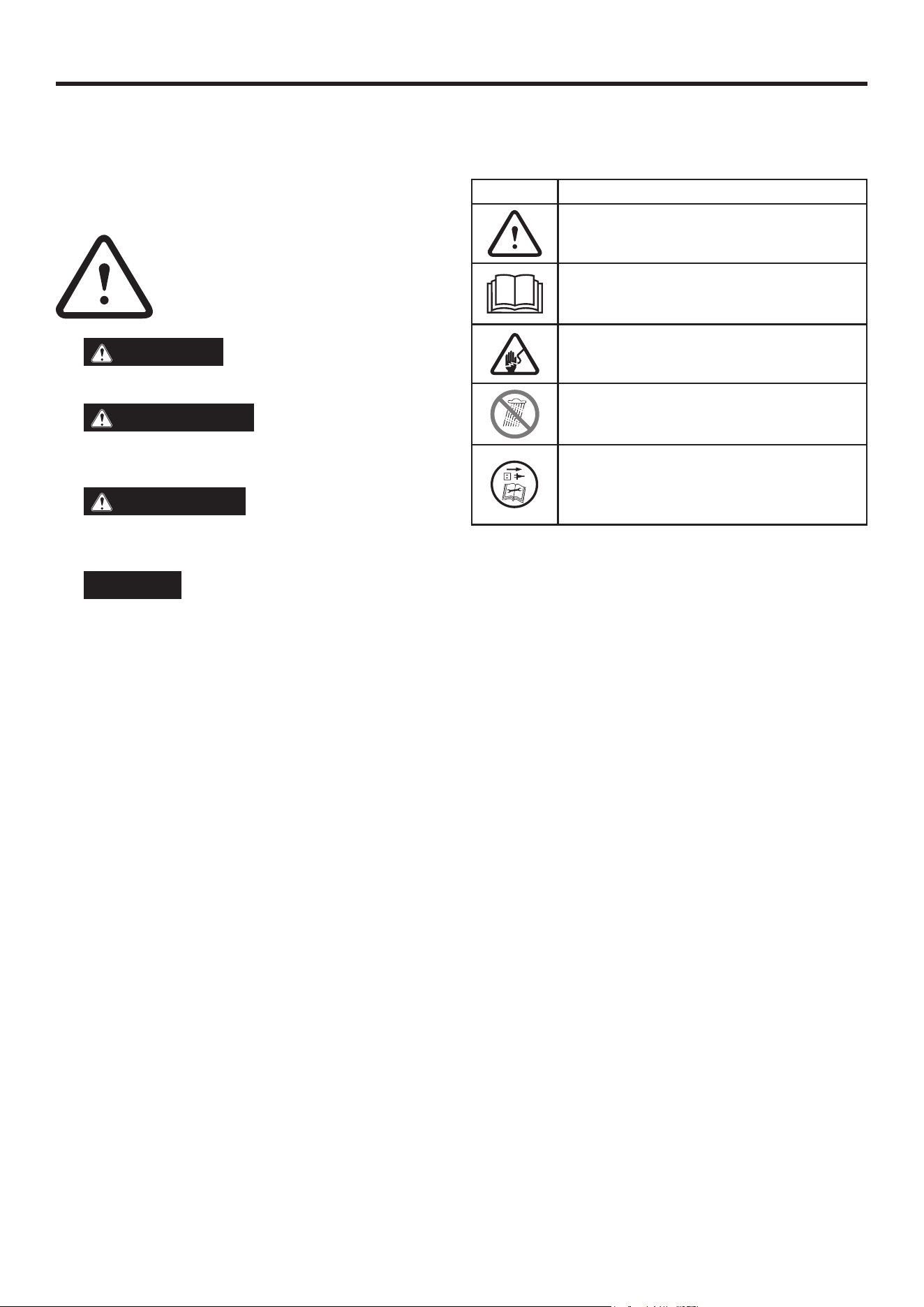
DEFINICIONES DE SEGURIDAD
Las palabras PELIGRO, ADVERTENCIA, PRECAUCIÓN y AVISO se
utilizan a lo largo de este manual para destacar información impor-
tante. Asegúrese de que todas las personas que operen, realicen
mantenimiento o se encuentren cerca del producto conozcan el
significado de esta información de seguridad.
Este símbolo de alerta de seguridad aparece en
la mayoría de las declaraciones de seguridad.
Significa atención, ¡esté alerta! ¡Se trata de
seguridad! Lea y respete el mensaje que sigue
al símbolo de alerta de seguridad.
PELIGRO
Indica una situación peligrosa que, si
no se evita, provocará la muerte o lesiones graves. lesión.
ADVERTENCIA
Indica una situación peligrosa
que, si no se evita, podría provocar la muerte o lesiones
graves.
PRECAUCIÓN
Indica una situación peligrosa
que, si no se evita, podría provocar lesiones leves o mod-
eradas.
AVISO
Indica una situación que puede provocar
daños al producto, a la propiedad personal y/o al medio am-
biente, o provocar que el equipo funcione incorrectamente.
NOTA: Indica un procedimiento, práctica o condición que
se debe seguir para que la unidad funcione de la manera
prevista.
SÍMBOLOS DE SEGURIDAD
Siga toda la información de seguridad incluida en este manual
del usuario.
SÍMBOLO
DESCRIPCIÓN
Símbolo de alerta de seguridad. Indica un posible
peligro de lesión personal.
Lea el manual del usuario. Para reducir el riesgo
de lesiones, el usuario debe leer y comprender el
manual del usuario antes de usar este producto.
¡ADVERTENCIA! Peligro de descarga eléctrica.
Alerta de humedad. No exponer al agua ni a la
lluvia.
¡ADVERTENCIA! Apague la máquina y desconécte-
la de la fuente de alimentación antes de inspec-
cionarla, limpiarla, cambiar accesorios o realizar
cualquier otra tarea de mantenimiento.
SEGURIDAD

Español
|
5
SEGURIDAD
ADVERTENCIA
LEA Y ENTIENDA TODAS LAS INSTRUCCIONES. El no seguir todas las instrucciones que se enumer-
an a continuación y en la máquina puede provocar una descarga eléctrica, un incendio y/o lesiones personales graves.
• Lea atentamente el manual del usuario. Conozca las aplicaciones y limitaciones del producto, así como los posibles riesgos espe-
cíficos relacionados con su uso. Seguir esta regla reducirá el riesgo de descarga eléctrica, incendio o lesiones graves.
ADVERTENCIA
Cargue solo una batería recargable de iones de litio por puerto de carga a la vez. Otros tipos de bat-
erías podrían explotar y causar lesiones o daños personales.
• No utilice el cargador en exteriores ni lo exponga a la humedad. La entrada de agua en el cargador aumenta el riesgo de descarga
eléctrica.
• El uso de un accesorio no recomendado o vendido por el fabricante del cargador de batería puede resultar en riesgo de incendio,
descarga eléctrica o lesiones a las personas.
• No maltrate el cable ni el cargador. Nunca lo use para transportarlo. No tire del cable al desconectarlo del tomacorriente. Podría
dañarse y causar una descarga eléctrica. Si el cable o el cargador están dañados, llame al servicio de atención al cliente.
• Asegúrese de que el cable esté ubicado en un lugar donde no pueda ser pisado, tropezado, en contacto con bordes afilados o
piezas móviles, ni expuesto a daños o tensión. Esto reducirá el riesgo de lesiones y daños al cable.
• Mantenga el cable y el cargador alejados del calor para evitar dañar la carcasa y las partes internas.
• No permita que la gasolina, el aceite o los productos derivados del petróleo entren en contacto con las piezas de plástico.
• Utilice siempre protección ocular con protectores laterales marcados según la norma ANSI Z87.1. No usar la protección ocular
adecuada puede provocar lesiones graves.
• No se debe usar un cable alargador a menos que sea necesario. El uso de un cable alargador inadecuado podría provocar riesgo
de incendio y descarga eléctrica. Si es necesario usar un cable alargador, asegúrese de lo siguiente:
a. Que las clavijas del enchufe del cable alargador sean del mismo número, tamaño y forma que las del enchufe del cargador.
b. El cable de extensión está correctamente cableado y en buenas condiciones eléctricas; y
c. Que el tamaño del cable sea lo suficientemente grande para la clasificación de amperios de CA del cargador como se especifica
a continuación:
Longitud del cable (pies) 25' 50' 100'
Tamaño del cable (AWG) 16 16 16
• No utilice el cargador si el cable o el enchufe están dañados. Si el cargador está dañado, llame al servicio de atención al cliente.
• No utilice el cargador si se ha caído o está dañado.
• No desmonte el cargador. Llame al servicio de atención al cliente si necesita servicio o reparación. Un montaje incorrecto puede
provocar riesgo de descarga eléctrica o incendio.
• Desconecte el cargador de la fuente de alimentación antes de realizar cualquier mantenimiento o limpieza.
• Desconecte el cargador de la fuente de alimentación cuando no esté en uso.
• No toque la parte no aislada del conector de salida ni el terminal no aislado de la batería.
• Conserve estas instrucciones. Consúltelos con frecuencia y utilícelos para instruir a otras personas que puedan utilizar este
producto.
6
|
Español
ASAMBLEA
RETIRADA DEL CONTENIDO DEL CARTÓN
ADVERTENCIA
Este producto no requiere ensamblaje. No intente operarlo si no está completamente ensamblado. Usar
un producto mal ensamblado puede ser peligroso y causar lesiones personales graves.
• Abra la caja.
• Retire e inspeccione el contenido de la caja. Confirme que todos los elementos en la LISTA INCLUIDA están presentes y sin daños.
• Recicle o deseche los materiales de embalaje.
Si falta alguna pieza, comuníquese con nuestro equipo de servicio al ser[email protected] o llame al 1-855-944-3571 .
ADVERTENCIA
No altere ni modifique este producto a menos que se indique lo contrario en este manual o por el
fabricante. No utilice accesorios no recomendados para este producto. Realizar modificaciones no autorizadas y usar accesorios
incompatibles puede dañar la unidad y anular la garantía.
ADVERTENCIA
Utilice siempre protección ocular con protectores laterales marcados según la norma ANSI Z87.1. De lo
contrario, podrían salirle objetos a los ojos y causarle lesiones graves.
APLICACIONES
Utilice este producto para el siguiente propósito:
• Carga de baterías de iones de litio de 20 voltios de Westinghouse
PRECAUCIÓN
Si en algún momento durante el proceso de carga no se enciende ningún LED, retire la batería del
cargador para evitar dañar el producto. NO inserte otra batería. Revise el enchufe GFCI, ya que el problema podría deberse a un
disyuntor disparado. Si el problema persiste, contacte con el servicio de atención al cliente para obtener ayuda.
AVISO
Asegúrese de usar este producto en un área bien ventilada. No bloquee las rejillas de ventilación del cargador.
Manténgalas despejadas para una ventilación adecuada.
PROCEDIMIENTO DE CARGA:
Las baterías se envían con poca carga para evitar posibles problemas. Cargue las baterías por completo (indicado por una luz verde
fija) antes del primer uso. Si el cargador no carga la batería en circunstancias normales, contacte con atención al cliente para obtener
ayuda con la resolución de problemas o para solicitar un reemplazo.
El tiempo de carga varía y depende de la capacidad de amperios hora del paquete de baterías.
• Asegúrese de que la fuente de alimentación sea de voltaje doméstico normal, 120 voltios, solo CA, 60 Hz.
• Conecte el cargador a una fuente de alimentación.
• Conecte el paquete de baterías al cargador alineando las nervaduras elevadas del paquete de baterías con las ranuras del cargador,
luego deslice el paquete de baterías sobre el cargador.
• Presione el paquete de baterías hacia abajo , Asegúrese de que los contactos del paquete de baterías encajen correctamente con el
cargador.
• No coloque el cargador en una zona con calor o frío extremos. Funcionará mejor a temperatura ambiente.
• La batería se calentará ligeramente al tacto durante la carga. Esto es normal y no indica ningún problema.
• Una vez completada la carga, el LED verde permanecerá encendido.
• Para retirar el paquete de baterías del cargador, tire del paquete de baterías hacia arriba.
LISTA INCLUIDA
Artículo Cantidad
Cargador de batería 1
ADVERTENCIA
No altere ni modifique este producto a menos que se indique lo contrario en este manual o por el
fabricante. No utilice accesorios no recomendados para este producto. Realizar modificaciones no autorizadas y usar accesorios
incompatibles puede dañar la unidad y anular la garantía.
OPERACIÓN

Español
|
7
CARGA DE UN PAQUETE DE BATERÍAS CALIENTE
Al usar una herramienta continuamente, la batería puede calentarse. Si la batería está caliente, colóquela directamente en el puerto
del cargador, pero la carga no comenzará hasta que la temperatura de la batería alcance un rango aceptable. Al colocar la batería
caliente en el cargador, el LED verde se apagará y el LED rojo parpadeará. Retire la batería durante 30 minutos, deje que se enfríe y
luego vuelva a colocarla en el cargador.
CARGA DE UN PAQUETE DE BATERÍAS FRÍO
Se puede colocar una batería fría directamente en el puerto del cargador, pero la carga no comenzará hasta que la batería alcance
una temperatura aceptable. Al colocar una batería fría en el cargador, el LED verde se apagará y el LED rojo parpadeará. El cargador
comenzará a cargar automáticamente cuando la batería se caliente.
FUNCIONES DEL LED
LED VERDE LED ROJO MODO PAQUETE DE BATERÍAS ACCIÓN
EN -
SÓLIDO
APAGADO Apoyar La batería no está inser-
tada
Listo para cargar la batería.
EN -
BRILLANTE
APAGADO Cargando Paquete de batería inser-
tado
La batería se está cargan-
do.
EN -
SÓLIDO
APAGADO Modo de carga/ahorro de
energía
Paquete de batería inser-
tado
La batería está comple-
tamente cargada y el
cargador está en modo de
ahorro de energía.
APAGADO
EN -
(DESTELLO 1 Hz )
Retraso de temperatura
Paquete de batería inser-
tado
Cuando la batería esté
demasiado caliente, debe
alcanzar una temperatura
más baja. Retire la batería
del cargador y deje que se
enfríe. Cuando la batería
alcance la temperatura
adecuada, el cargador
comenzará a cargar.
Paquete de batería inser-
tado
Cuando la batería esté
demasiado fría, debe
alcanzar una temperatura
más alta. Retire la batería
del cargador y deje que se
caliente. Cuando la batería
alcance la temperatura
adecuada, el cargador
comenzará a cargar.
APAGADO EN
Error Paquete de batería inser-
tado
Retire la batería del car-
gador. Inspeccione la bat-
ería y el cargador. Inserte
la batería en el cargador.
Si el error persiste, llame
al servicio de atención al
cliente.
Flash alterno (0,5 Hz)
Error de comunicación Paquete de batería inser-
tado
Retire la batería del car-
gador. Inspeccione la bat-
ería y el cargador. Inserte
la batería en el cargador.
Si el error persiste, llame
al servicio de atención al
cliente.
• Repita las condiciones una segunda vez retirando y reinstalando la batería. Si el LED de error se repite una segunda vez, cargue una batería diferente.
• Si una batería diferente se carga normalmente, deseche el paquete que recibió el error (consulte el manual de su paquete de baterías para obtener instrucciones).
• Si una batería diferente también indica Error, reemplace el cargador.
OPERACIÓN

NOTES/NOTAS
2
|
Français
TABLE DES MATIÈRES
Introduction ....................................................................................................................................................................................... 2-3
Sécurité .............................................................................................................................................................................................. 4-5
Assemblée ............................................................................................................................................................................................ 6
Opération ........................................................................................................................................................................................... 6-7
Service client / Adresse de l'entreprise ................................................................................................................................ Page arrière
INTRODUCTION
AVERTISSEMENT
L'utilisation, l'entretien et la maintenance de cet équipement peuvent vous exposer à des produits
chimiques reconnus par l'État de Californie comme pouvant causer des cancers, des anomalies congénitales ou d'autres troubles
de la reproduction. Pour minimiser l'exposition, portez des gants ou lavez-vous les mains fréquemment lors de l'entretien de cet
équipement. Pour plus d'informations, consultez le site www.P65warnings.ca.gov.
AVERTISSEMENTS
Toutes les informations, illustrations et spécifications de ce manuel étaient en vigueur au moment de sa publication. Les illustrations
utilisées dans ce manuel sont fournies à titre indicatif uniquement. Nous nous réservons le droit d'apporter toute modification aux
spécifications ou à la conception sans préavis.
TOUS DROITS RÉSERVÉS
Tous droits réservés. Toute reproduction, sous quelque forme que ce soit, est interdite sans l'autorisation écrite de Westinghouse
Outdoor Power Equipment.
DANGER
Veuillez lire ce manuel avant d'utiliser ou d'entretenir ce produit. Le non-respect des instructions et
des consignes de sécurité de ce manuel peut entraîner des blessures graves, voire mortelles.
MISES À JOUR
Le dernier manuel d'utilisation des produits Westinghouse est disponible sous l'onglet Assistance: westinghouse.
com/pages/manuals
Ou scannez le code QR suivant avec l'appareil photo d'un smartphone pour être dirigé vers le lien.
ENREGISTREMENT DU PRODUIT
Pour une couverture de garantie sans problème, il est important d'enregistrer le produit Westinghouse.
Inscrivez-vous avant le :
• Remplir et envoyer par la poste la carte d'enregistrement du produit incluse dans le carton.
• Aller en ligne pour : westinghouse.com/register
• Scannez le code QR suivant avec l'appareil photo d'un smartphone pour être dirigé vers le lien d'inscription
mobile.
Pour vos archives
Date d'achat :
Numéro de modèle :
Numéro de série:
Lieu d'achat :
• Envoi des informations produit suivantes à :
Westinghouse Outdoor Power
Enregistrement de la garantie
777 Manor Park Drive
Columbus, OH 43228
IMPORTANT: Conservez le reçu d’achat pour une couverture de garantie sans problème.

Français
|
3
INTRODUCTION
AVIS
Ce produit est conçu et homologué pour un fonctionnement continu à des températures ambiantes supérieures à
–10 °C (14 °F). Si nécessaire, il peut être utilisé à des températures extrêmement froides pendant de courtes périodes. Si le produit
est exposé à des températures extrêmes pendant son stockage, il doit être ramené à la température optimale avant utilisation.
AVIS
Merci d'avoir choisi Westinghouse ! VEUILLEZ LIRE CE TICKET AVANT DE RETOURNER CE PRODUIT POUR
QUELQUE RAISON QUE CE SOIT.
Si vous avez une question ou rencontrez un problème avec votre achat Westinghouse, appelez-nous au 1- 855- 944- 3571 pour
parler à un agent.
CONSERVEZ CE MANUEL POUR RÉFÉRENCE ULTÉRIEURE.
AVEZ-VOUS DES QUESTIONS?
Envoyez-nous un e-mail à ser[email protected]
ou appelez le 1-855-944-3571
4
|
Français
DÉFINITIONS DE SÉCURITÉ
Les termes DANGER, AVERTISSEMENT, ATTENTION et AVIS sont
utilisés tout au long de ce manuel pour souligner des informations
importantes. Assurez-vous que la signification de ces consignes
de sécurité est connue de tous ceux qui utilisent, entretiennent ou
se trouvent à proximité du produit.
Ce symbole d'alerte de sécurité apparaît avec
la plupart des consignes de sécurité. Il signifie
« Attention ! Soyez vigilants, la sécurité est en
jeu ! » Veuillez lire et respecter le message qui
suit le symbole d'alerte de sécurité.
DANGER
Indique une situation dangereuse qui,
si elle n'est pas évitée, entraînera la mort ou des blessures
graves. blessure.
AVERTISSEMENT
Indique une situation dan-
gereuse qui, si elle n’est pas évitée, pourrait entraîner la mort
ou des blessures graves.
PRUDENCE
Indique une situation dangereuse qui,
si elle n’est pas évitée, pourrait entraîner des blessures mi-
neures ou modérées.
AVIS
Indique une situation qui peut causer des
dommages au produit, aux biens personnels et/ou à l'en-
vironnement, ou entraîner un mauvais fonctionnement de
l'équipement.
NOTE: Indique une procédure, une pratique ou une con-
dition qui doit être suivie pour que l'unité fonctionne de la
manière prévue.
SYMBOLES DE SÉCURITÉ
Suivez toutes les informations de sécurité contenues dans ce
manuel d’utilisation.
SYMBOLE
DESCRIPTION
Symbole d'alerte de sécurité. Indique un risque
potentiel de blessure.
Lire le manuel d'utilisation. Afin de réduire les
risques de blessure, l'utilisateur doit lire et com-
prendre le manuel d'utilisation avant d'utiliser ce
produit.
AVERTISSEMENT! Risque de choc électrique.
Alerte humidité. Ne pas exposer à l'eau ou à la
pluie.
AVERTISSEMENT! Éteignez la machine et débran-
chez-la de l'alimentation électrique avant de l'in-
specter, de la nettoyer, de changer des accessoires
ou d'effectuer toute autre tâche de maintenance.
SÉCURITÉ

Français
|
5
SÉCURITÉ
AVERTISSEMENT
LISEZ ET COMPRENEZ TOUTES LES INSTRUCTIONS. Le non-respect de toutes les instructions
répertoriées ci-dessous et sur la machine peut entraîner un choc électrique, un incendie et/ou des blessures graves.
• Lisez attentivement le manuel d'utilisation. Familiarisez-vous avec les applications et les limites du produit, ainsi qu'avec les dan-
gers potentiels spécifiques liés à son utilisation. Le respect de cette règle réduira les risques de choc électrique, d'incendie ou de
blessures graves.
AVERTISSEMENT
Ne chargez qu'une seule batterie lithium-ion rechargeable à la fois par port de charge. Les autres
types de batteries pourraient exploser et provoquer des blessures ou des dommages.
• N'utilisez pas le chargeur à l'extérieur et ne l'exposez pas à l'humidité. La pénétration d'eau dans le chargeur augmente le risque
de choc électrique.
• L’utilisation d’un accessoire non recommandé ou vendu par le fabricant du chargeur de batterie peut entraîner un risque
d’incendie, de choc électrique ou de blessures corporelles.
• Ne pas utiliser le cordon ou le chargeur de manière abusive. Ne jamais utiliser le cordon pour transporter le chargeur. Ne pas tirer
sur le cordon du chargeur pour le débrancher de la prise. Un dommage au cordon ou au chargeur pourrait entraîner un risque
d'électrocution. Si le cordon ou le chargeur est endommagé, contacter le service client.
• Assurez-vous que le cordon est placé à un endroit où il ne risque pas d'être piétiné, de faire trébucher, d'entrer en contact avec
des bords tranchants ou des pièces mobiles, ou d'être soumis à des dommages ou à des contraintes. Cela réduira les risques de
blessures et d'endommagement du cordon.
• Gardez le cordon et le chargeur à l’abri de la chaleur pour éviter d’endommager le boîtier et les pièces internes.
• Ne laissez pas l’essence, l’huile ou les produits à base de pétrole entrer en contact avec les pièces en plastique.
• Portez toujours des lunettes de protection munies de protections latérales conformes à la norme ANSI Z87.1. Le non-port d'une
protection oculaire appropriée peut entraîner des blessures graves.
• Une rallonge ne doit être utilisée que si nécessaire. L'utilisation d'une rallonge inappropriée peut entraîner un risque d'incendie et
de choc électrique. Si une rallonge est indispensable, assurez-vous :
a. Que les broches de la fiche de la rallonge ont le même nombre, la même taille et la même forme que celles de la fiche du
chargeur.
b. La rallonge est correctement câblée et en bon état électrique ; et
c. Que la taille du fil est suffisamment grande pour l'ampérage nominal CA du chargeur comme spécifié ci-dessous :
Longueur du cordon (pieds) 25' 50' 100'
Taille du cordon (AWG) 16 16 16
• N'utilisez pas le chargeur si le cordon ou la fiche sont endommagés. Si le chargeur est endommagé, contactez le service client.
• N’utilisez pas le chargeur s’il est tombé ou s’il est endommagé.
• Ne démontez pas le chargeur. Contactez le service client si une intervention ou une réparation est nécessaire. Un remontage
incorrect peut entraîner un risque de choc électrique ou d'incendie.
• Débranchez le chargeur de la source d’alimentation avant d’effectuer tout entretien ou nettoyage.
• Débranchez le chargeur de l’alimentation électrique lorsqu’il n’est pas utilisé.
• Ne touchez pas la partie non isolée du connecteur de sortie ou la borne de batterie non isolée.
• Conservez ces instructions. Consultez-les fréquemment et utilisez-les pour former d’autres personnes susceptibles d’utiliser ce
produit.
6
|
Français
ASSEMBLÉE
RETRAIT DU CONTENU DU CARTON
AVERTISSEMENT
Ce produit ne nécessite aucun assemblage. N'essayez pas de l'utiliser s'il n'est pas entièrement
assemblé. L'utilisation d'un produit mal assemblé peut être dangereuse et entraîner des blessures graves.
• Ouvrez le carton.
• Retirez et inspectez le contenu du carton. Assurez-vous que tous les articles du LISTE INCLUSE sont présents et non endommagés.
• Recyclez ou jetez les matériaux d’emballage.
Si des pièces manquent, contactez notre équipe de service à ser[email protected] ou appelez le 1-855-944-3571 .
AVERTISSEMENT
Ne modifiez pas ce produit, sauf indication contraire dans ce manuel ou par le fabricant. N'utilisez
pas d'accessoires non recommandés pour ce produit. Toute modification non autorisée ou l'utilisation d'accessoires incompati-
bles peut endommager l'appareil et annuler la garantie.
AVERTISSEMENT
Portez toujours des lunettes de protection munies de protections latérales conformes à la norme
ANSI Z87.1. Le non-respect de cette consigne pourrait entraîner la projection d'objets dans les yeux et des blessures graves.
APPLICATIONS
Utilisez ce produit aux fins suivantes :
• Chargement des batteries lithium-ion Westinghouse 20 volts
PRUDENCE
Si, à un moment donné pendant la charge, aucune LED ne s'allume, retirez la batterie du chargeur pour
éviter d'endommager le produit. N'insérez PAS une autre batterie. Vérifiez le disjoncteur différentiel, car le problème pourrait pro-
venir d'un disjoncteur déclenché. Si le problème persiste, contactez le service client pour obtenir de l'aide.
AVIS
Assurez-vous d'utiliser ce produit dans un endroit bien aéré. Ne bloquez pas les orifices d'aération du chargeur.
Maintenez-les dégagés pour une ventilation adéquate.
PROCÉDURE DE CHARGE :
Les batteries sont livrées faiblement chargées afin d'éviter tout problème. Chargez-les complètement (voyant vert fixe) avant la
première utilisation. Si le chargeur ne charge pas la batterie dans des conditions normales, contactez le service client pour obtenir
une assistance dépannage ou un remplacement de la batterie.
Le temps de charge varie et dépend de la capacité en ampères-heures de la batterie.
• Assurez-vous que l'alimentation électrique est une tension domestique normale, 120 volts, CA uniquement, 60 Hz.
• Connectez le chargeur à une alimentation électrique.
• Fixez la batterie au chargeur en alignant les nervures surélevées de la batterie avec les rainures du chargeur, puis faites glisser la
batterie sur le chargeur.
• Appuyez sur la batterie , assurez-vous que les contacts de la batterie s'engagent correctement avec le chargeur.
• Ne placez pas le chargeur dans un endroit extrêmement chaud ou froid. Il fonctionnera mieux à température ambiante.
• La batterie devient légèrement chaude au toucher pendant la charge. Ce phénomène est normal et n'indique aucun problème.
• Une fois la charge terminée, la LED verte restera allumée.
• Pour retirer la batterie du chargeur, tirez sur la batterie.
LISTE INCLUSE
Article Quantité
Chargeur de batterie 1
AVERTISSEMENT
Ne modifiez pas ce produit, sauf indication contraire dans ce manuel ou par le fabricant. N'utilisez
pas d'accessoires non recommandés pour ce produit. Toute modification non autorisée ou l'utilisation d'accessoires incompati-
bles peut endommager l'appareil et annuler la garantie.
OPÉRATION

Français
|
7
CHARGER UNE BATTERIE CHAUDE
Lors d'une utilisation continue d'un outil, la batterie peut chauffer. Une batterie chaude peut être placée directement sur le port du
chargeur, mais la charge ne commencera que lorsque la température de la batterie sera revenue à une température acceptable.
Lorsqu'une batterie chaude est placée sur le chargeur, le voyant vert s'éteint et le voyant rouge clignote. Retirez la batterie pendant
30 minutes pour la laisser refroidir, puis remettez-la sur le chargeur.
CHARGER UNE BATTERIE FROIDE
Une batterie froide peut être placée directement sur le port du chargeur, mais la charge ne commencera que lorsque la température
de la batterie sera dans la plage acceptable. Lorsqu'une batterie froide est placée sur le chargeur, la LED verte s'éteint et la LED
rouge clignote. Le chargeur commencera automatiquement la charge lorsque la batterie sera chaude.
FONCTIONS LED
LED VERTE LED ROUGE MODE BATTERIE ACTION
SUR -
SOLIDE
DÉSACTIVÉ Attendre Batterie non insérée Prêt à charger la batterie.
SUR -
CLIGNOTANT
DÉSACTIVÉ Chargement Batterie insérée La batterie est en cours de
charge.
SUR -
SOLIDE
DÉSACTIVÉ Mode chargé/économie
d'énergie
Batterie insérée La batterie est com-
plètement chargée et le
chargeur est en mode
économie d'énergie.
DÉSACTIVÉ
SUR -
(ÉCLAIR 1 Hz )
Retard de température
Batterie insérée Lorsque la batterie est trop
chaude, elle doit atteindre
une température plus
basse. Retirez la batterie
du chargeur et laissez-la
refroidir. Lorsque la bat-
terie atteint la température
appropriée, le chargeur
commence à charger.
Batterie insérée Lorsque la batterie est trop
froide, elle doit atteindre
une température plus
élevée. Retirez la batterie
du chargeur et laissez-la
chauffer. Lorsque la bat-
terie atteint la température
appropriée, le chargeur
commence à charger.
DÉSACTIVÉ SUR
Erreur Batterie insérée Retirez la batterie du char-
geur. Inspectez la batterie
et le chargeur. Insérez la
batterie dans le chargeur.
Si l'erreur persiste, contac-
tez le service client.
Flash alternatif (0,5 Hz)
Erreur de communication Batterie insérée Retirez la batterie du char-
geur. Inspectez la batterie
et le chargeur. Insérez la
batterie dans le chargeur.
Si l'erreur persiste, contac-
tez le service client.
• Répétez les conditions une deuxième fois en retirant et en réinstallant la batterie. Si l'état d'erreur du voyant LED se répète une deuxième fois, chargez une autre
batterie.
• Si une autre batterie se charge normalement, jetez le pack qui a reçu l’erreur (consultez le manuel de votre pack batterie pour obtenir des instructions).
• Si une autre batterie indique également une erreur, remplacez le chargeur.
OPÉRATION

NOTES/NOTAS

www.westinghouse.com
Service Hotline (855) 944-3571
777 Manor Park Drive, Columbus, OH 43228
and Westinghouse are trademarks of Westinghouse Electric Corporation.
Used under license by Westinghouse Outdoor Power Equipment.
© 2025 Westinghouse Outdoor Power Equipment, All Rights Reserved.
07/25
PF130037