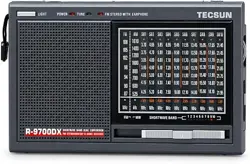

R·9700DX
FM
STEREO/MW/SW
DUAL
CONVERSION
WORLD
RECEIVER
OPERATING MANUAL
1. CONTROL LOCATIONS
2.
BATTERYS
Open the battery compartment and insert 4 batteries (AA or UM-3) according
to the polarity marked next to the compartment. If the sound becomes low
or
distorted, replace with new batteries. If the set is not used for a long time,
remove all the batteries to prevent to possible battery leakage.
3.
AC
POWER
To
operate
the
rece
i
ver
by
using
AC
power, you need an
external
AC/DC
adaptor
and
connecting
it
to
the
DC
jack
(15). (See
belows)
This receiver can incorporate the rechargeable batteries that can be
recharged by the external adaptor.
- 1 -

1.Switch the power selector
to
the off
position.
2.lnstall the
re
chargeable batteries
inside the compartment (13).
3.Plug the adaptor into a standard
AC
outlet.
4.lnsert the barrel plug into the
receiver's DC jack (15).
4. POWER ON/OFFNOLUME
Switch the power selector to ON
position and slide the volume control bar
until a desired listening level Is heard.
5. LISTEN TO FM
(14
JPcwtHoo'olf
Select the
FM
band by using the band selector switch(11). Use the tuning
knob(S), tune the radio to the desired frequency. When a strong signal is
found, the tune LED indicator(5) will light.
If
you are using an earphone to
listen to FM stereo, the LED for
FM
stereo(6) will light.
6. LISTEN TO MW/SW1
..
10
Select the desired band (MWISW1..10) by using the band selector switch
(11). Tum the tuning knob(S) to the desired frequency. When a strong
signal is found, the tune LED indicator(5) will light.
7.ANTENNA
i ) For MW(AM), the receiver uses the internal antenna for the
MW
band.
Rotate the reveiver for best reception.
ii ) For FM/SW, fully extend the antenna (3) and rotate
it
for the best
reception.
8. DX/LOCAL SWITCH
i ) Set the DX/Local Switch (18) to DX location for normally uses.
ii)
Set the DX/Local Switch (18) to Local position when there
is
strong noise.
9.EXTERNAL ANTENNA
To improve the FM/SW
reception, an external
antenna can be connected
to the antenna jack(20)
on the left side
of
the
receiver.
Wi
ndow
Wa
ll
-2-


12. SPECIFICATION
1). Frequency
FM
87.
5-
108 MHz
MW 525 - 1610 kHz
SW 3.
90-21
.85 MHz
Shortwave
Meter
Band
SW1
3.
90-
4.00
SW2
4.
75-
5.06
SW3 5.
95-
6.20
SW4 7.
10
- 7.30
SW5
9.
50-
9.90
2). Sensitivity
FM
<
MW <
SW
<
MHz
MHz
MHz
MHz
MHz
10 µV
1 mV/m
30 µV
SW6
SW7
SW8
SW9
SW10
3). Power DC 6 V
Battery 4 x UM3 or AA
DC jack 6 V(
E&-C--B
)
4). Speaker 16 Ohm 250 mW
5). Earphone D 3,5 mm
6). Size
181x116
x
31
mm
7)
. Weight (battery not included) 400 g
PRECAUTIONS
• Must escape from burning and impact.
11
.
65-12
.05
13.
60-
13
.80
15.10-15
.60
17
.
55-
17
.90
21
.45 -
21
.85
•
Do
not use any abrasive powder
to
clean the cabinet.
MHz
MHz
MHz
MHz
MHz
• Wipe it with a soft cloth moistened wi
th
a mild soap and water
solution.
•
Do
not leave the unit in a location near heat sources. or in a place
subject
to
direct sunlight, excessive dust or mechanical shock.
• If the sound becomes low or distorted, replace all the batteries wi
th
new.
•
Do
not use old and new batteries together.
• If the set is not used for a long lime, remove all the batteri
es
to prevent
to possible battery leakage.
-4-