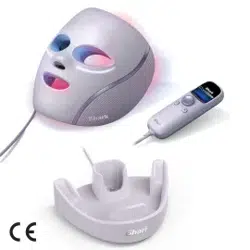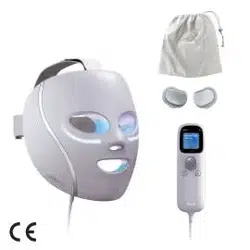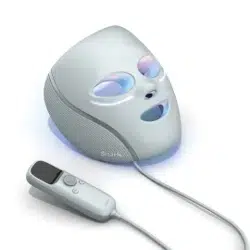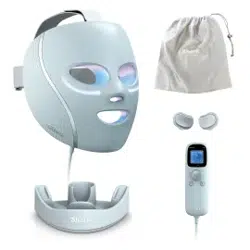
The Shark
™
CryoGlow
™
LED mask emits energy in the red and infrared light spectrum for the treatment of fine lines and
wrinkles and in the red, blue, and infrared light spectrum for the treatment of mild-to-moderate inflammatory acne.
USER GUIDE
Or visit sharkbeauty.com for more.
SCAN TO GET STARTED
GET TO KNOW YOUR SHARK
TM
CRYOGLOW
TM
MASK
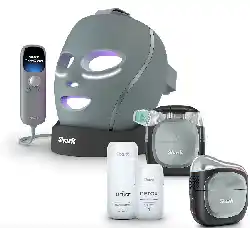
WHAT’S IN THE BOX
CONTRAINDICATIONS
WARNINGS & PRECAUTIONS
LED PARAMETERS
GUIDANCE & MANUFACTURER’S DECLARATION – EMC
GETTING STARTED
FITTING THE MASK
TIPS FOR BEST RESULTS
PROGRESS TRACKER
GET TO KNOW THE REMOTE
REMOTE SETTINGS
LED SKIN ROUTINES
UNDER-EYE COOLING
LEDS & HOW THEY WORK
UNDER-EYE CHILL PADS AND HOW THEY WORK
RUNNING A SESSION
SELECTING A ROUTINE
COOLING DURING A ROUTINE
SELECTING UNDER-EYE COOLING
SETTINGS, MASK CARE & BATTERY CHARGING
FAQ
TROUBLESHOOTING
ERROR MESSAGES
ICON EXPLANATIONS
WARRANTY
EXPECTED SERVICE LIFE
480 LEDS for broad,
even coverage
TABLE OF CONTENTS
3
3
4
6
8
8
10
11
12
13
14
15
16
17
18
19
20
21
22
23
24
25
26
28
29
30
31
YOUR SHARK
™
CRYOGLOW
™
MASK
MOUTH & NOSE HOLES
for breathability
SHIELD DESIGN for
even LED coverage
ACTIVE UNDER-EYE COOLING
to soothe under-eyes
FOREHEAD PADDING
for a comfortable fit
SILICONE EYE SHIELDS for
LED light blocking
and comfort
AUTO-DIM feature lowers
light level when mask is
not close to the face
Quick Start Guide + User Guide
Shark
™
CryoGlow
™
Mask + Straps
Pre-Assembled
Universal USB-C Charging Cable + Charging Brick
Clip-on Chill Pads
Remote Control with LCD Screen + Control Buttons
Storage Bag*
3
WHAT’S IN THE BOX
Accessories and colors may vary by model
GET TO KNOW
ADJUSTABLE STRAPS
designed for optimal
fit and comfort

Do not use the Shark
TM
CryoGlow
TM
Mask if you are taking:
Do not apply the Shark
TM
CryoGlow
TM
Mask’s cooling treatments on the eyeball or upper eyelid.
Do not use the Shark
TM
CryoGlow Mask’s cooling treatments if you have any of the following
medical conditions:
PRECAUTIONS: Consult a medical professional before using the Shark
TM
CryoGlow Mask if:
Immediately stop using the device if you experience any discomfort.
Do not use the Shark
TM
CryoGlow Mask if you have any of the following medical conditions:
Do not use the Shark
TM
CryoGlow Mask if you have any of the following conditions on the
face, hairline, ears, or neck:
54
• Medication or supplements that cause sensitivity to light (photosensitivity), for
example, medications for severe inflammatory acne (i.e. isotretinoin or doxycycline).
• Retinal and/or macular disease, ocular
albinism, or any eye condition that
causes sensitivity to light
• Pregnant, nursing, or maybe pregnant
• Pacemaker or other electronic
implanted device
• Implants in the face
• Lack of sensation (e.g., numbness)
• Light sensitive skin disorder (e.g.,
lupus, porphyria)
• Recent facial surgery (until you have
been cleared by your doctor)
• Suspicious lesions or skin cancer
• Eczema
• Psoriasis
• Irregularly shaped, new, or changing
brown spots
• Birthmarks
• Broken skin, skin rash, or blisters
• Extreme light sensitivity of the eyes
(i.e., photophobia)
• Light-induced headaches
• Albinism
• Melasma (i.e., condition that causes
patches and spots)
• Sensitivity or allergy to plastic,
aluminum, or self-fastening material
• Tissue inflammation
• Skin infection, cold sore, or warts
• Active current outbreak of herpes
simplex virus (cold sores)
• History of herpes outbreaks without
receiving preventative treatment
• Facial treatment where the skin has
not fully healed, including neurotoxin,
dermal filler, micro needling, laser, or
chemical peel
• Cold hypersensitivity
• Cold urticaria (i.e., hives brought on by cold temperatures)
• Circulatory insufficiency
• You have bruising on the face.
• You are experiencing skin sensitivity or irritation with retinol or benzoyl peroxide.
CONTRAINDICATIONS CONTRAINDICATIONS, CONTINUED

76
To reduce the risk of fire, thermal and chemical burns, electric shock, serious injury, or death, follow the
precautions in this section and the procedures in this manual. The remote control contains a rechargeable lithium-
ion battery. If damaged, the battery can overheat, catch fire, or leak a chemical that can burn skin and eyes.
USE SAFELY.
KEEP DRY.
SUPERVISION AND INTENDED USERS:
CHARGE SAFELY.
PROTECT THE REMOTE’S BATTERY FROM DAMAGE.
• This equipment is not intended for use by persons with reduced physical, sensory, or mental
capabilities, unless they have been given supervision or instruction concerning use of the
equipment. Please refer to the contraindications before use.
• Do not use if any of the conditions in “Contraindications” (pages 4-5) apply to you.
• Do not leave the equipment unattended when it is powered on.
• This equipment is not intended for use by children. Children should be supervised to ensure
they do not play with the equipment.
• To reduce the risk of entanglement and potential strangulation, keep cords out of
reach of children.
• Small parts can be inhaled or swallowed by children—if any small parts break o or
detach from the product, dispose of safely.
• This equipment is only intended to be used by one person. This person is the intended
operator of the equipment
• The mask limits your vision. Do not wear while doing anything (such as driving) where limited
vision poses a risk.
• CAUTION: The light emitted from this device may be harmful to the eyes. Infrared emitted
from this device may cause eye irritation. Do not stare at the light source.
• Do not use the device when it has been left outdoors.
• If you are travelling by air, the mask should be carried in carry-on baggage and not checked
in. The device must be completely switched o.
• Do not use the mask outdoors. Only use mask indoors under the following environmental conditions:
• Temperature: between 50°F (10°C) and 86°F (30°C)
• A relative humidity range of 15% to 90%, non-condensing, but not requiring a water
vapor partial pressure greater than 50 hPa.
• An atmospheric pressure range of 700 hPa to 1060 hPa.
• Do not store or charge the mask face down.
• Skin dryness, irritation, or redness may occur when using an LED routine. Apply a facial
moisturizer if dryness occurs.
• To avoid the risk of temporary dry skin or hyperpigmentation, do not run back-to-back LED routines.
CHECK THE PRODUCT FOR DAMAGE BEFORE EACH USE.
CLEAN PROPERLY.
DO NOT REPAIR OR MODIFY.
DISPOSAL
POTENTIAL ELECTROMAGNETIC INTERFERENCE.
• Inspect the inside of the mask and strap for cleanliness, cracks, or sharp edges.
• Check the chill pads for signs of corrosion.
• These conditions can irritate or damage your skin.
• Clean the mask with a damp cloth.
• Avoid using chemical or alcohol-based cleaners.
• Do not attempt to repair or modify the mask or remote.
• Do not crush or dispose of in fire.
• Dispose of the device according to local laws and requirements surrounding lithium-ion
battery disposal.
• WARNING: Use of this equipment adjacent to or stacked with other equipment should be
avoided because it could result in improper operation. If such use is necessary, this equipment
and the other equipment should be observed to verify that they are operating normally.
• WARNING: Use of accessories, transducers and cables other than those specified or provided
by the manufacturer of this equipment could result in increased electromagnetic emissions or
decreased electromagnetic immunity of this equipment and result in improper operation.
• WARNING: Portable radio frequency communications equipment (including peripherals such
as antenna cables and external antennas) should be used no closer than 12 inches (30 cm)
to any part of the mask system, including cables specified by the manufacturer. Otherwise,
degradation of the performance of this equipment could result.
• WARNING: Do not leave mask exposed in direct sunlight.
• Keep the remote control dry. If it gets wet, do not charge or use the battery, as it may be
damaged. Follow disposal instructions.
• Water and electricity are a dangerous combination!
• Do not use this equipment in wet surroundings (e.g., in a bathtub, shower, or swimming pool).
• Do not let water run into the device.
• It is very important to keep the device dry. Any contact with water could damage the
device. Do not use or store the device in the bathroom or near water.
• Do not charge or use the device if it has been left outdoors.
• Follow the charger manufacturer’s instructions.
• Only charge the equipment with the provided USB-C cable and charging brick: Dongguan Yinli
Electronics, model YLJXA-T050200. Do not use any other USB-C cable or charging brick.
• Check if the voltage indicated on the equipment corresponds to the local mains voltage before
you connect the equipment to avoid risk of electrocution or permanent damage to the equipment.
• If the wall socket used to power the equipment has poor connections, the plug will become
hot. Make sure you plug the equipment into a properly installed wall socket.
• Do not charge the device in the bathroom or near water.
• Do not charge the remote after contact with water.
• Always position the equipment so the charger is easy to reach while charging.
• Store USB-C cable properly after charging.
• Do not try to open the remote or replace the battery.
• Do not crush, drop, or damage the remote.
• Stop use or disconnect charging cable if the remote feels unusually hot or emits smoke or a bad smell.
• If liquid leaks from the remote, avoid contact. If liquid touches skin or eyes, wash with large
amounts of water and seek medical advice.
• Follow disposal instructions.
WARNINGS & PRECAUTIONS WARNINGS & PRECAUTIONS, CONTINUED
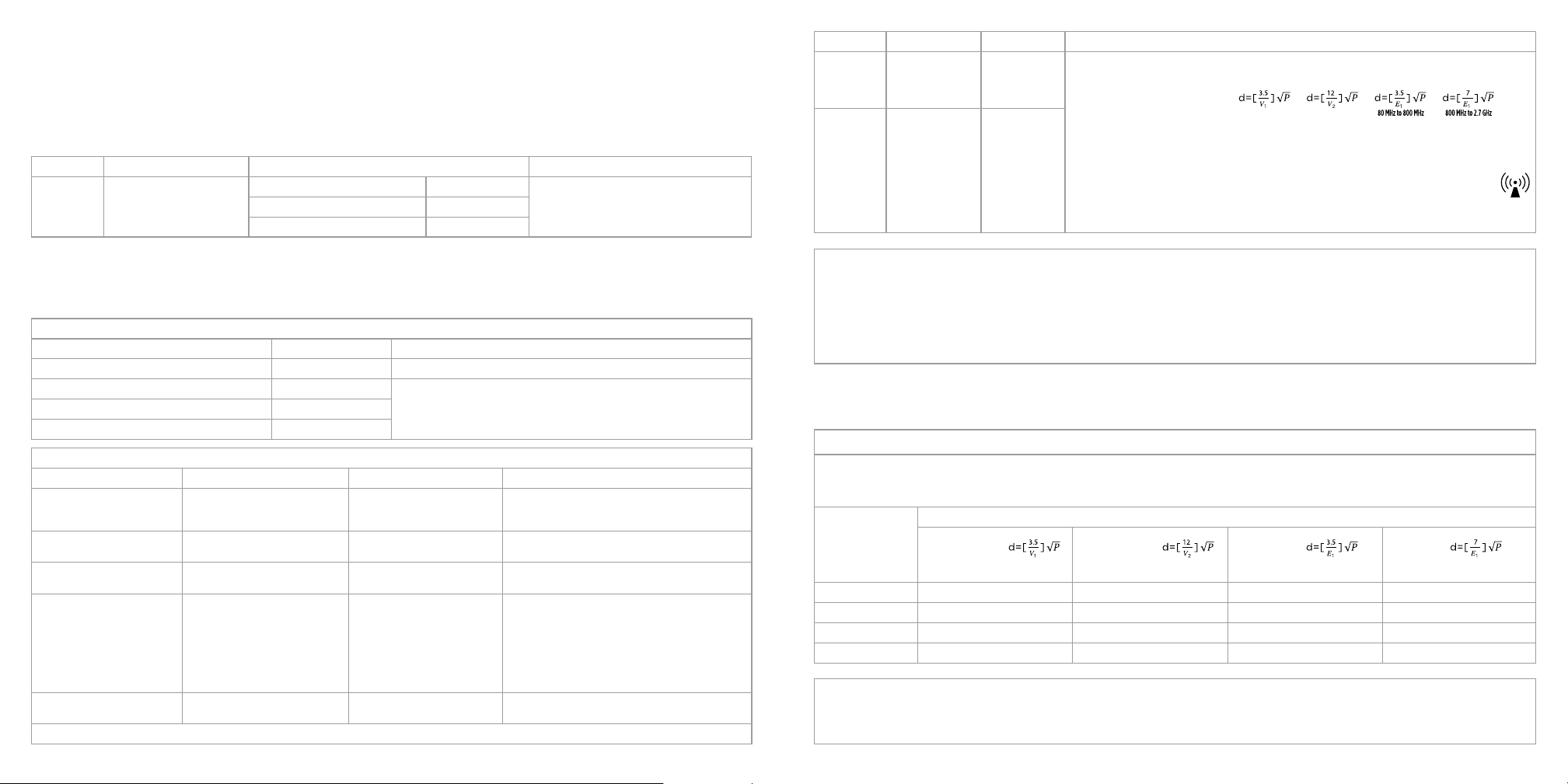
Mode Better Aging Skin Clearing Skin Sustain
Power (mW/
cm2)
Red 64 ± 5mW/cm2, IR 64 ± 5 mW/cm2
Total mode = 128 mW/cm2
Step 1: Blue 64 ± 8mW/cm2, IR 64 ± 5 mW/cm2 Total mode = 128 mW/cm2 Blue 59.8 ± 7mW/cm2, Red 17 ± 5mW/cm2, IR 51.2 ± 5 mW/cm2
Total mode = 128 mW/cm2
Step 2: Blue 55 ± 6mW/cm2, Red 73 ± 5 mW/cm2 Total mode = 128 mW/cm2
Step 3: Red 73 ± 5mW/cm2, IR 55 ± 5 mW/cm2 Total mode = 128 mW/cm2
98
TRANSPORT AND STORAGE CONDITIONS
LED PARAMETERS
IMMUNITY TEST IEC 60601 TEST LEVEL COMPLIANCE LEVEL
ELECTROMAGNETIC ENVIRONMENT - GUIDANCE
Conducted RF
IEC 61000-4-6
150KHz - 80MHz
- Test level: 3V & 6V
- Modulation: AM
1KHz 80%
- 150KHz - 80MHz
- Test level: 3V & 6V
- Modulation: AM
1KHz 80%
Portable and mobile RF communications equipment should be used no closer to any part of the Shark CryoGlow Mask,
including cables, than the recommended separation distance calculated from the equation applicable to the frequency of
the transmitter.
Recommended separation distance:
where p is the maximum output power rating of the transmitter in watts (W) according to the transmitter manufacturer
and d is the recommended separation distance in metres (m).
b
Field strengths from fixed RF transmitters, as determined by an electromagnetic site survey
a
. Should be less than the compliance level in
each frequency range.
b
Interference may occur in the vicinity of equipment marked with the following symbol:
NOTE 1 At 80 MHz and 800 MHz, the higher frequency range applies.
NOTE 2 These guidelines may not apply in all situations. Electromagnetic is aected by absorption and reflection from structures,
objects and people.
Radiated RF
IEC 61000-4-3
80MHz - 2.7GHz
- Test level: 10V/m
- Modulation: AM
1KHz 80%
- 80MHz - 2.7GHz
- Test level: 10V/m
- Modulation: AM
1KHz 80%
a) The ISM (industrial, scientific and medical) bands between 150 kHz and 80 MHz are 6,765 MHz to 6,795 MHz; 13,553 MHz to 13,567 MHz; 26,957 MHz to 27,283 MHz; and 40,66 MHz to 40,70 MHz. The amateur radio
bands between 0,15 MHz and 80 MHz are 1,8 MHz to 2,0 MHz, 3,5 MHz to 4,0 MHz, 5,3 MHz to 5,4 MHz, 7 MHz to 7,3 MHz, 10,1 MHz to 10,15 MHz, 14 MHz to 14,2 MHz, 18,07 MHz to 18,17 MHz, 21,0 MHz to 21,4 MHz, 24,89
MHz to 24,99 MHz, 28,0 MHz to 29,7 MHz and 50,0 MHz to 54,0 MHz.
b) Field strengths from fixed transmitters, such as base stations for radio (cellular/cordless) telephones and land mobile radios, amateur radio, AM and FM radio broadcast and TV broadcast cannot be predicted
theoretically with accuracy. To assess the electromagnetic environment due to fixed RF transmitters, an electromagnetic site survey should be considered. If the measured field strength in the location in which
the Shark CryoGlow Mask is used exceeds the applicable RF compliance level above, the TheraFace Mask should be observed to verify normal operation. If abnormal performance is observed, additional
measures may be necessary, such as reorienting or relocating the Shark CryoGlow Mask.
c) Over the frequency range 150 kHz to 80 MHz, field strengths should be less than 3V/m.
Recommended separation distances between portable and mobile RF communications equipment and the Shark CryoGlow Mask
The Shark CryoGlow Mask is intended for use in an electromagnetic environment in which radiated RF disturbances are controlled. The customer or the user of the Shark CryoGlow Mask can help prevent
electromagnetic interference by maintaining a minimum distance between portable and mobile RF communications equipment (transmitters) and the Shark CryoGlow Mask as recommended below,
according to the maximum output power of the communications equipment
Rated maximum output
of transmitter
(W)
Separation distance according to frequency of transmitter (m)
150 kHz to 80 MHz
outside ISM and
amateur radio
bands
150 kHz to 80 MHz
outside ISM and
amateur radio
bands
80 MHz to
800 MHz
80 MHz to
800 MHz
0.01 0.12 .020 0.035 0.07
0.1 0.38 0.63 0.11 0.22
1 1.2 2.00 0.35 0.70
10 3.8 6.32 1.10 2.21
For transmitters rated at a maximum output power not listed above the recommended separation distance d in metres (m) can be estimated using the equation applicable to the frequency
of the transmitter, where P is the maximum output power rating of the transmitter in watts (W) according to the transmitter manufacturer.
NOTE 1 At 80 MHz and 800 MHz, the separation distance for the higher frequency range applies.
NOTE 2 These guidelines may not apply in all situations. Electromagnetic propagation is aected by absorption and reflection from structures, objects and people.
• Only transport and store the device in the following environmental conditions:
• Keep between -4°F (-20°C) and 113°F (45°C). For storage longer than 3 months, keep between 32°F (0°C) and 77°F (25°C).
• Keep between 41°F (5°C) to 89.6°F (32°C) at a relative humidity up to 85%, non-condensing.
• Keep between 95°F (35°C) to 140°F (60°C) at a water vapour pressure up to 50 hPa.
• Atmospheric pressure range: 700 hPa to 1060 hPa.
Recommended separation distances between portable and mobile RF communications equipment and the EQUIPMENT or SYSTEM - for EQUIPMENT and SYSTEMS
The Shark CryoGlow Mask is intended for use in the electromagnetic environment specified below. The customer or the user of The Shark CryoGlow Mask should assure that it is used in such an environment.
IMMUNITY TEST IEC 60601 TEST LEVEL COMPLIANCE LEVEL ELECTROMAGNETIC ENVIRONMENT - GUIDANCE
Electrostatic discharge (ESD)
IEC 61000-4-2
Up to 8 kV contact
Up to 15 kV air
Up to ± 8 kV contact
Up to ± 15 kV air
Floors should be wood, concrete or ceramic tile. If floors are
covered with synthetic material, the relative humidity should
be at least 30 %.
Electrostatic transient / burst
IEC 61000-4-4
±2kV for main power lines ±2kV for main power lines Mains power quality should be that of a typical commercial or
home environment.
Surge
IEC 61000-4-5
±0.5kV 1.5kV dierential mode ±0.5 kV to 1.5kV dierential mode Mains power quality should be that of a typical commercial or
home environment.
Voltage dips, short interruptions
and voltage variations on power
supply input lines IEC 61000-4-11
0% UT; 0,5 cycle
g)
At 0
o
, 45
o
, 90
o
, 135
o
180
o
, 225
o
, 270
o
, & 315
0q)
.................................................................................................................................
0% UT; 1 cycle and
70%
o
, UT; 25/30 cycles
h)
Single phase: at 0
o
.................................................................................................................................
0% UT; 250/300 cycle
h)
0% UT; 0,5 cycle
g)
At 0
o
, 45
o
, 90
o
, 135
o
180
o
, 225
o
, 270
o
, & 315
0q)
.................................................................................................................................
0% UT; 1 cycle and
70%
o
, UT; 25/30 cycles
h)
Single phase: at 0
o
.................................................................................................................................
0% UT; 250/300 cycle
h)
Mains power quality should be that of a typical commercial or
home environment. If the user of the Shark CryoGlow Mask
requires continued operation during power mains interruptions, it is
recommended that the Shark CryoGlow Mask be powered from an
uninterruptible power supply or a battery.
Power frequency (50/60 Hz magnetic
field) IEC 61000-4-8
30 A/m at 50-60Hz 30 A/m at 50-60Hz
Power frequency magnetic fields should be at levels characteristic
of a typical location in a typical commercial or home environment.
NOTE U
t
is the a.c. mains voltage prior to application of the test level.
The Shark
TM
CryoGlow Mask
TM
is intended for use in the electromagnetic environment specified below. The customer or the user of The Shark CryoGlow Mask should assure that it is used in such an environment.
EMISSIONS TEST COMPLIANCE ELECTROMAGNETIC ENVIRONMENT - GUIDANCE
RF emissions CISPR 11 Home healthcare environment
RF emissions CISPR 11 Home healthcare environment
Harmonic emissions IEC 61000-3-2
Voltage function / flicker emissions IEC 61000-3-3
GUIDANCE & MANUFACTURER’S DECLARATION –
ELECTROMAGNETIC EMISSION
The device is Risk Group 1 as defined in IEC 62471.
Please visit
sharkbeauty.com
for more helpful
images and videos.
11
Plug small end of USB-C cable into charging port on top of remote.
Plug large end of USB-C into power adapter. Plug power adapter into wall outlet.
Allow remote to charge fully (this should take about 3 hours). The remote screen will
show your charging progress.
Once charged, unplug power adapter and disconnect USB-C cable from remote.
NOTE: Unplug before using face mask.
Mask will not work when plugged into wall outlet.
ON: To turn on your mask and remote,long-press the
remote’s dial/center button for 2 seconds.
OFF: To turn o, long-press the dial/center button.
AUTOMATIC SHUT-OFF: If the device is not manually
turned o, the mask and remote will automatically shut
o after completing a session.
The mask fans will continue to run for 60 seconds
while the mask is powering down after a session.
Charge fully before first use
Powering ON/OFF
10
Pro Tips:
GETTING STARTED FITTING THE MASK
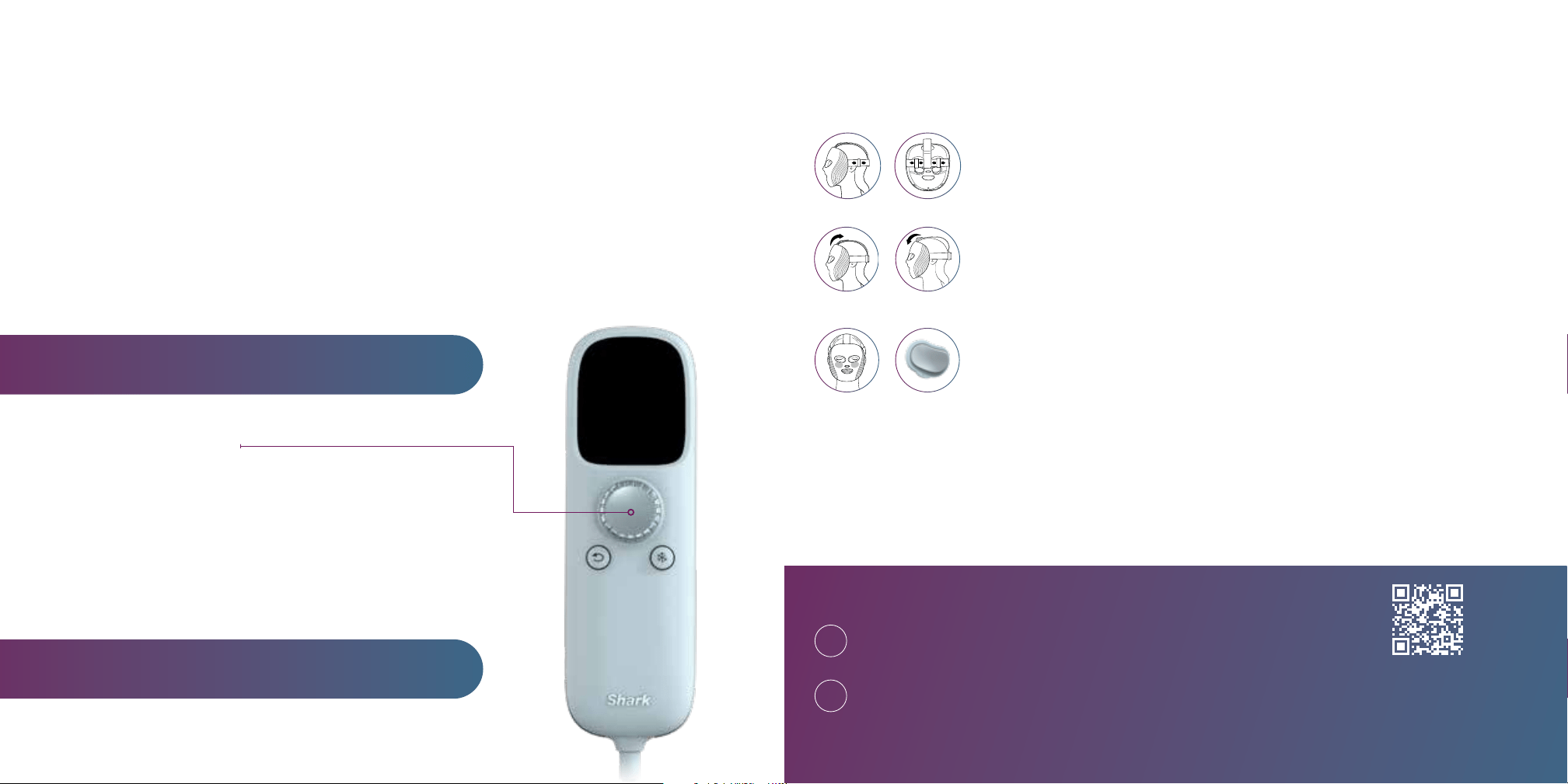
NOTE: Demo video will run upon first use of the remote—please watch it for further fit and comfort
instructions. You can also rewatch this video by heading to the remote’s settings.
NOTE: LEDs work best when they are not in contact with your skin.
This is why the mask sits at a slight distance from your face.
Step 1 / Adjust the back strap
Start by adjusting the back strap (with the buckles). To tighten or loosen,
slide the buckles simultaneously together or apart. This strap may cover the
top of your ears—adjust until this feels comfortable.
Step 2 / Adjust the top strap
To adjust the mask up or down on your face, loosen or tighten the
self-fastening strap on the top of your head. Ensure the strap sits in
the center of your head (following a center part).
Tighten Loosen
Step 3 / Adjust chill pad fit (optional)
The chill pads should sit under your eyes, on top of your cheekbones.
If the chill pads have poor or inconsistent contact with your under-eye area,
add the clip-on chill pads to improve fit and comfort.
Remove the mask and take the additional clip-on chill pads out of the box. They
are marked “L” and “R”—make sure the letters are pointing toward the chin
of the mask. Align the clip-on chill pads with the original chill pads (that are
permanently attached to the mask) and snap them in place. You’ll feel a click
when they are properly attached.
Use one hand to hold the back strap in position and the other hand
to adjust the top self-fastening strap until the mask is positioned
comfortably and securely on your head.
The back strap should sit parallel to the floor, and your eyes should
be centered in the eye holes.
1
2
Please read the Warnings, Instructions, and Countraindications before first use.
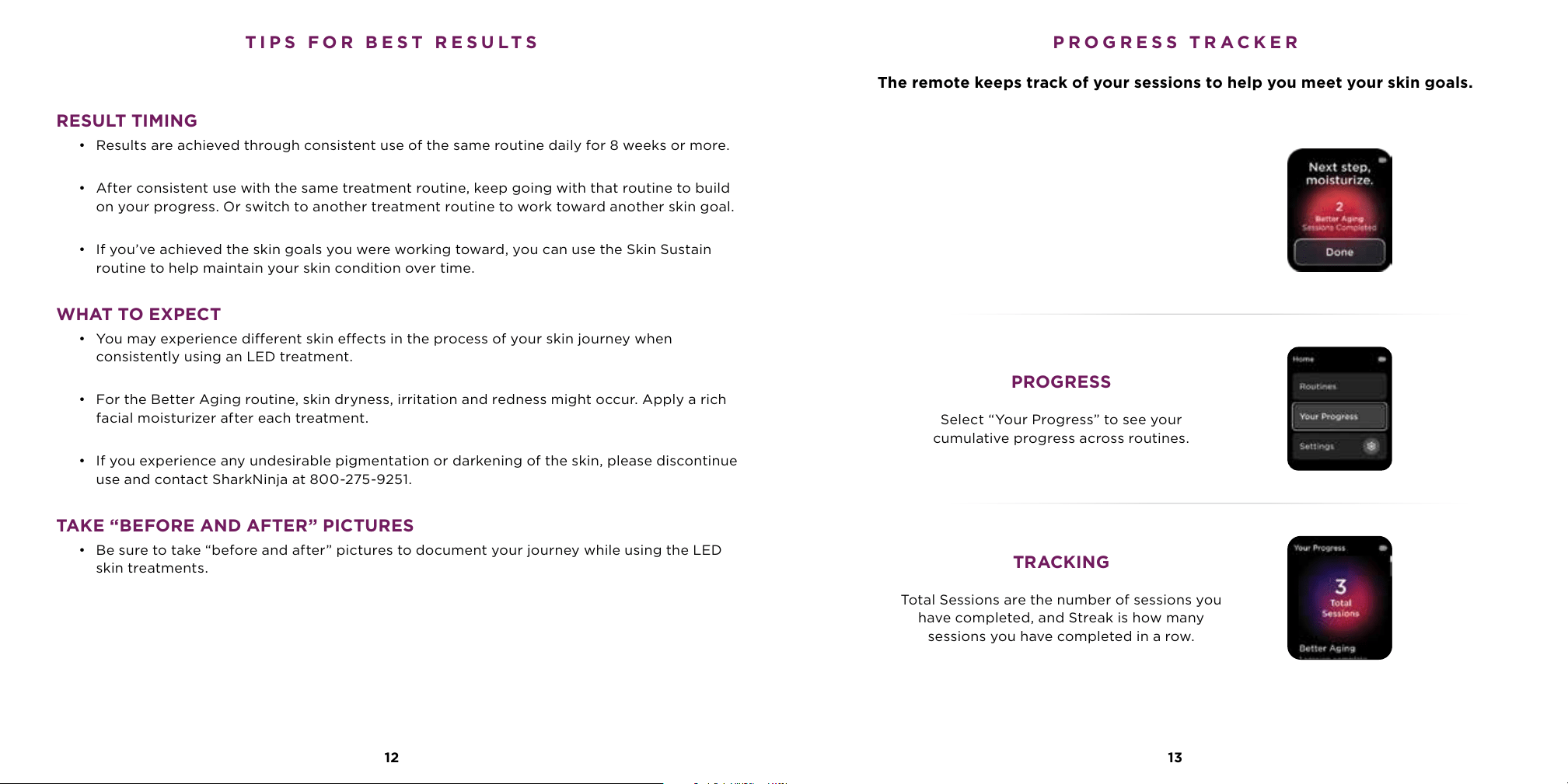
PROGRESS
Select “Your Progress” to see your
cumulative progress across routines.
TRACKING
Total Sessions are the number of sessions you
have completed, and Streak is how many
sessions you have completed in a row.
RESULT TIMING
• Results are achieved through consistent use of the same routine daily for 8 weeks or more.
• After consistent use with the same treatment routine, keep going with that routine to build
on your progress. Or switch to another treatment routine to work toward another skin goal.
• If you’ve achieved the skin goals you were working toward, you can use the Skin Sustain
routine to help maintain your skin condition over time.
WHAT TO EXPECT
• You may experience dierent skin eects in the process of your skin journey when
consistently using an LED treatment.
• For the Better Aging routine, skin dryness, irritation and redness might occur. Apply a rich
facial moisturizer after each treatment.
• If you experience any undesirable pigmentation or darkening of the skin, please discontinue
use and contact SharkNinja at 800-275-9251.
TAKE “BEFORE AND AFTER” PICTURES
• Be sure to take “before and after” pictures to document your journey while using the LED
skin treatments.
The remote keeps track of your sessions to help you meet your skin goals.
1312
TIPS FOR BEST RESULTS PROGRESS TRACKER
YOUR ROUTINE
After you finish a treatment, the total
number of sessions completed in that routine
will appear on the remote’s screen.
A reminder will appear above your prior
completed treatment when you return.
14
1. Turn ON the mask using the remote.
2. Turn the dial to view Settings and click the dial button to select.
3. Select Language and use the dial to select the language of your choice.
4. After selecting a language, you will be sent back to the main menu.
1. Turn ON the mask using the remote.
2. Turn the dial to view Settings and click the dial button to select.
3. Select Reset Progress, then click the dial button to select Confirm.
4. After confirming, you will be sent back to the main menu.
1. Turn ON the mask using the remote.
2. Turn the dial to view Settings and click the dial button to select.
3. Select Factory Reset, then click the dial button to select Confirm.
4. After confirming, you will be sent back to the main menu.
Changing Language
Reset Progress
Factory Reset
15
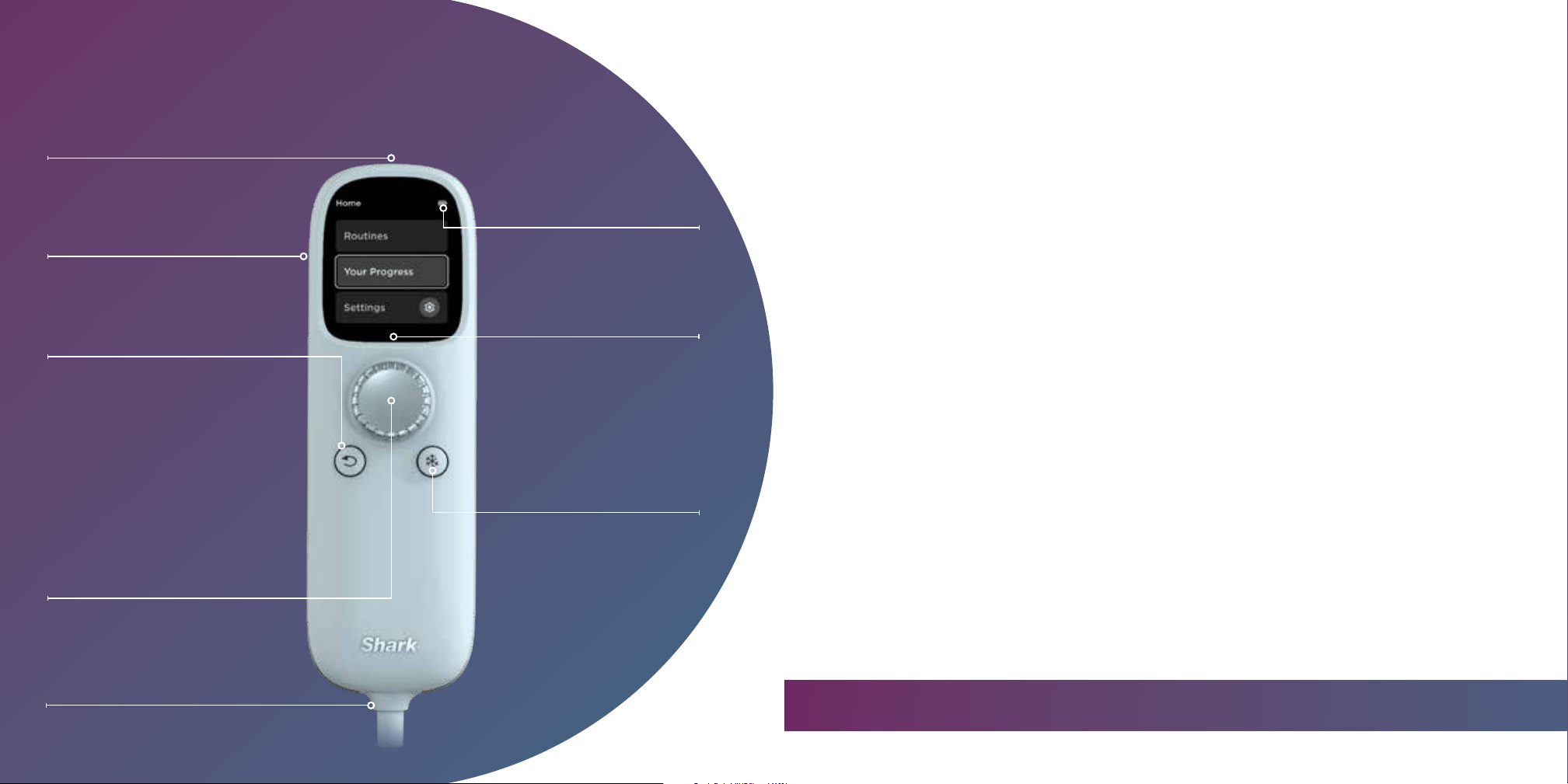
USB-Charging Port
Battery Life
Appears on the main menu and
active treatment screen.
Dial (Power/Select)
Long-press center of dial
for 2 seconds to turn
the mask on or o.
Rotate dial left or right
to navigate the screen.
A quick press selects menu items
or goes to the next screen.
Mask Connection Cord
Back Button
Press to go to
previous screen.
Belt Clip
Use to attach to clothing for a
hands-free experience.
LCD Display
Main menu is displayed
currently.
Chill Button
Turn on/o/adjust cooling
anytime during routines.
1. Turn ON the mask using the remote.
2. Turn the dial to view Settings and click the dial button to select.
3. Select Screen Brightness, then use the dial to increase or decrease the brightness.
4. Click the dial button to make your selection.
5. After selecting a brightness level, you will be sent back to the main menu.
Changing Brightness
GET TO KNOW THE REMOTE
USING THE REMOTE
Pro Tip: You can replay the demo video on the remote and access our support page through settings.
TREATMENT ROUTINES
The Shark
™
CryoGlow
™
LED mask emits energy in the red and infrared light spectrum for the treatment
of fine lines and wrinkles and in the red, blue, and infrared light spectrum for the treatment of
mild-to-moderate inflammatory acne. For results, select the Better Aging or Skin Clearing routine
below, and use your selection once daily for a minimum of 8 weeks.
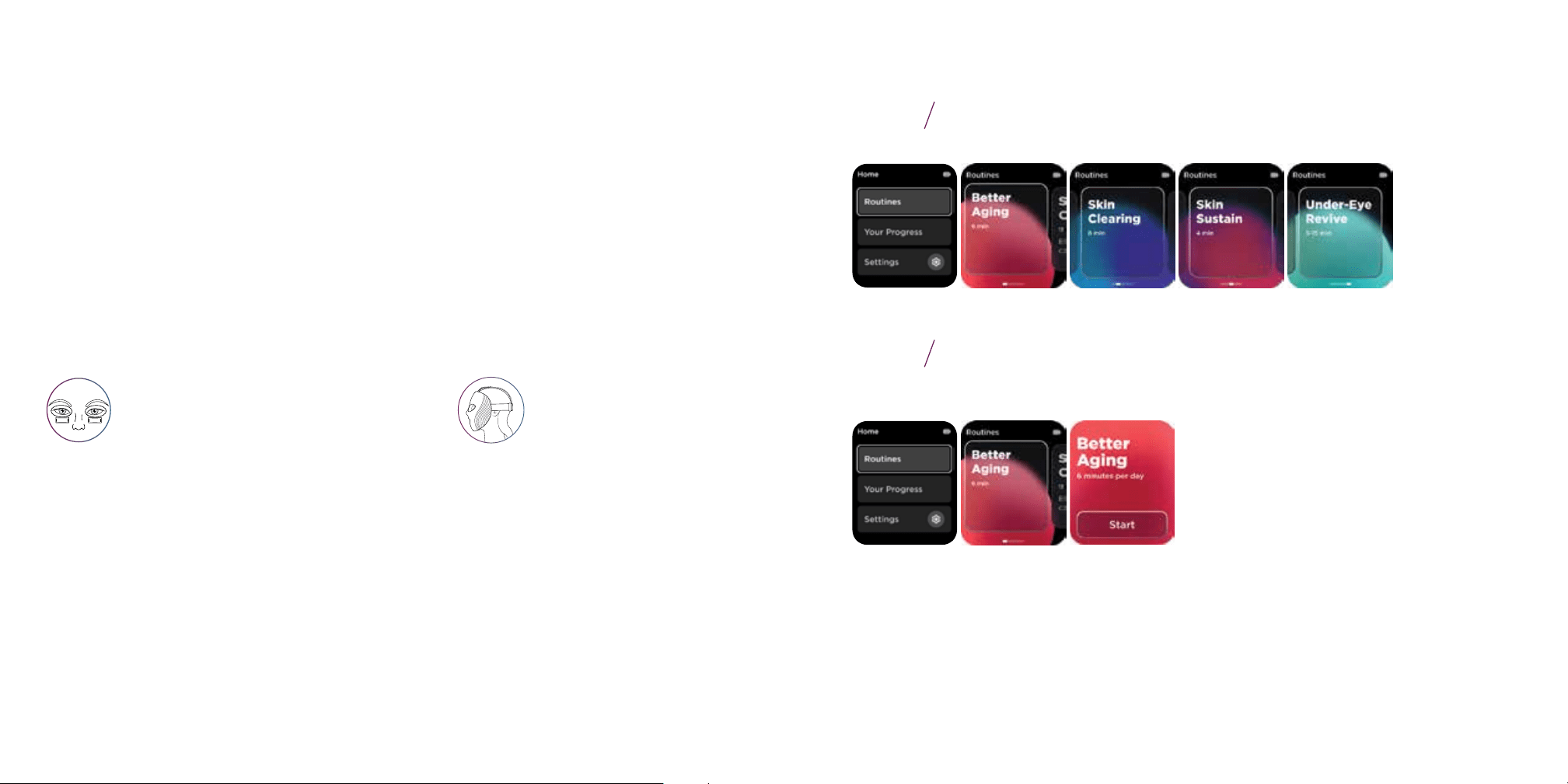
Better Aging (6 MINUTES)
Enhances skin’s appearance by smoothing
wrinkles, tightening sagging areas, and balancing
texture for a radiant, even look.
Skin Sustain (4 MINUTES)
Helps to boost brightening and helps maintain complexion with daily use.
Skin Clearing (8 MINUTES)
Helps treat mild to moderate inflammatory acne
and soothes skin for a clearer and calmer
complexion with an automated 3-phase routine.
The mask oers 3 LED routines to choose from, whether
your goals are treating your skin or maintaining it.
MAINTENANCE ROUTINE
Once you have achieved your target results with a treatment routine,
use Skin Sustain once daily to help maintain your results.
No UV light is emitted from this mask.
16
LED SKIN ROUTINES
Did you loose your streak? Don’t worry!
Readjust your goals and continue with your skincare journey.
For more information on LEDs, please see page 18.
1 2
3
Use cooling in the morning to help soothe your
under-eyes and in the evening to relax.
UNDER-EYE COOLING
LED + COOLING
COOLING ONLY
Under-Eye Revive (5, 10 or 15 minutes)
An adjustable under-eye cooling ONLY routine (no LEDS) for a
soothing and refreshing experience designed for optimal relaxation.
FIND YOUR PERFECT ROUTINE
Scan the QR code to take our quiz to find the best routine for your skin concerns.
Under-eye cooling will automatically start with any LED routine and
has the option to be turned o. Use the remote’s chill button to cycle
through 3 temperatures to quickly soothe your under-eye area.
13 19
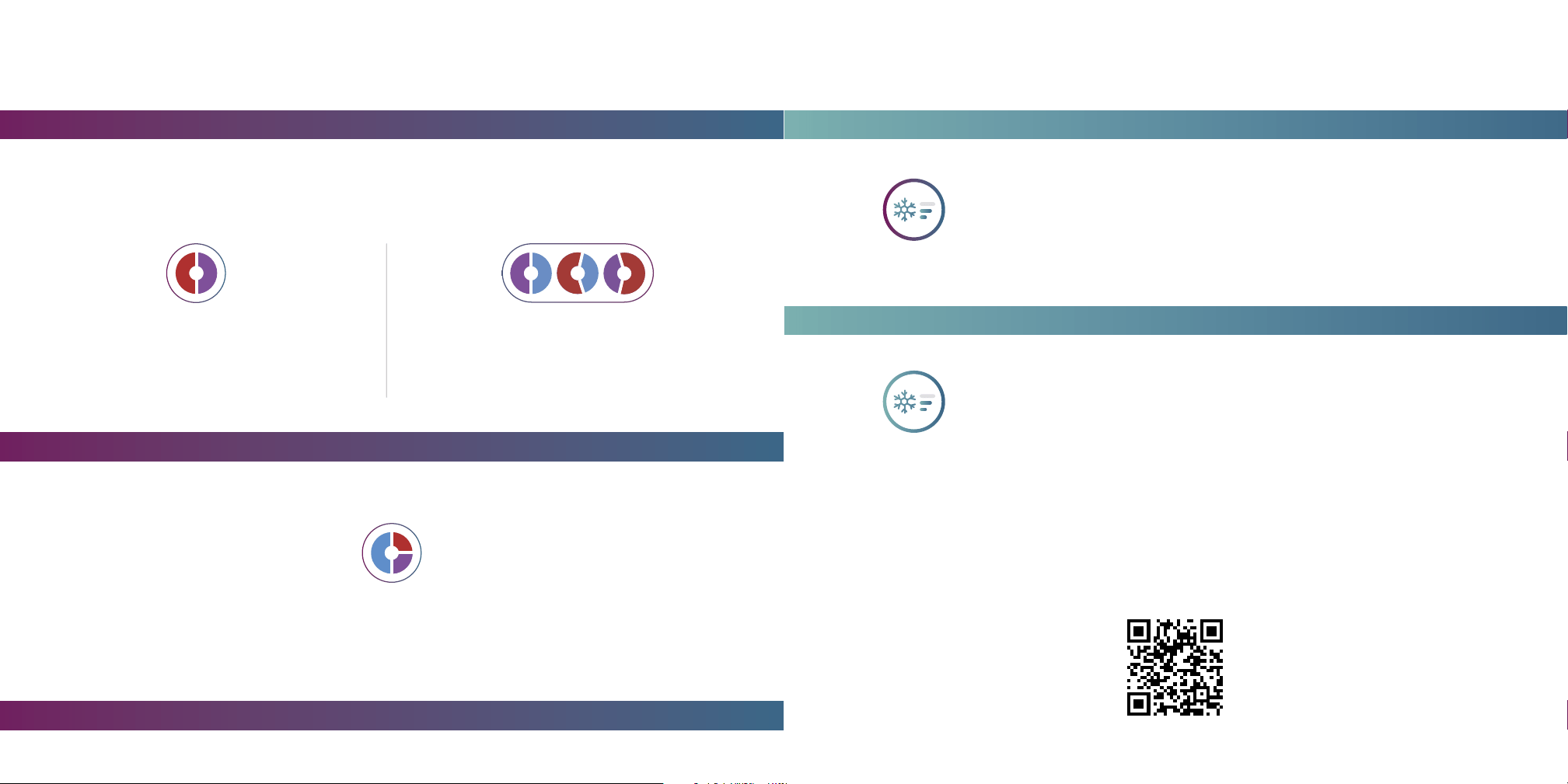
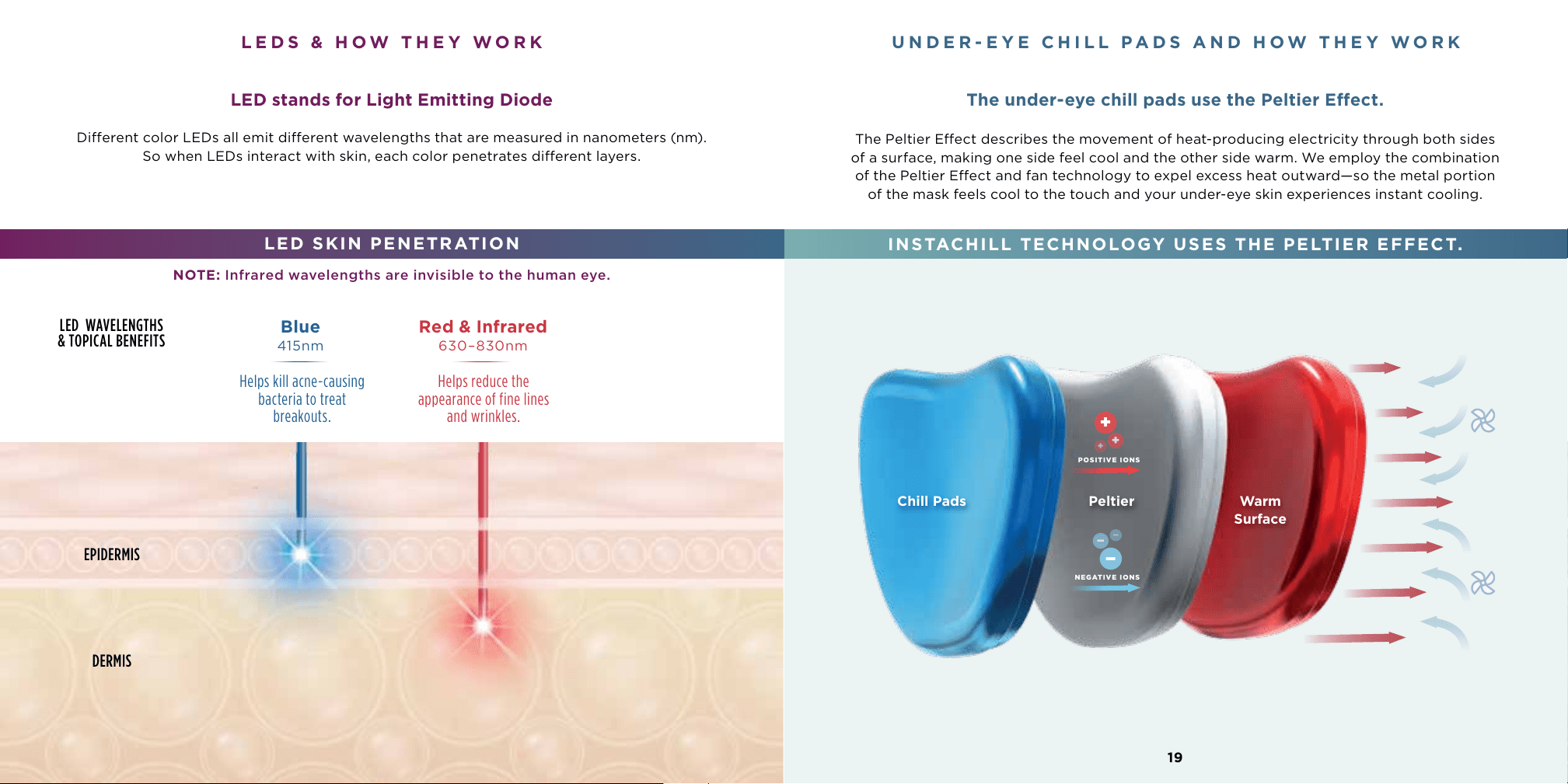
The Peltier Eect describes the movement of heat-producing electricity through both sides
of a surface, making one side feel cool and the other side warm. We employ the combination
of the Peltier Eect and fan technology to expel excess heat outward—so the metal portion
of the mask feels cool to the touch and your under-eye skin experiences instant cooling.
UNDER-EYE CHILL PADS AND HOW THEY WORK
The under-eye chill pads use the Peltier Eect.
INSTACHILL TECHNOLOGY USES THE PELTIER EFFECT.
Chill Pads Peltier Warm
Surface
−
−
−
+
+
+
POSITIVE IONS
NEGATIVE IONS
DERMIS
EPIDERMIS
LED WAVELENGTHS
& TOPICAL BENEFITS
LED stands for Light Emitting Diode
Dierent color LEDs all emit dierent wavelengths that are measured in nanometers (nm).
So when LEDs interact with skin, each color penetrates dierent layers.
LED SKIN PENETRATION
LEDS & HOW THEY WORK
NOTE: Infrared wavelengths are invisible to the human eye.
630–830nm415nm
Blue Red & Infrared
Helps reduce the
appearance of fine lines
and wrinkles.
Helps kill acne-causing
bacteria to treat
breakouts.
18
20
Use the dial on the remote to go to Routines and scroll through the dierent
LED and Cooling routines available.
Use the dial to select from one of the 3 available LED routines or
1 cooling-only routine. Select your routine by clicking the dial button.
Under-eye cooling will automatically start with an LED routine.
Step 1
Step 2
21
RUNNING A SESSION SELECTING A ROUTINE
Note: Please read the Warnings, Instructions, and Contraindications before first use.
Make sure the mask has been fully charged before first use (this could take up to 3 hours).
HOW TO FIT SHARK
™
CRYOGLOW
™
INTO YOUR ROUTINE
Take the time with your first few uses to experiement with how the Shark CryoGlow Mask can best
fit into your existing routine. Give it a try in the morning to help you feel fresh for the day. If this
doesn’t work, try it in the evening to help you wind down and relax when you have more time.
Step 1 / Put on the mask
Begin with a clean, bare, and dry face.
Step 2 / Adjust the back and top straps (Full instructions on page 11.)
Adjust the straps to position mask comfortably on your face. Slide buckles simultaneously to
adjust the back strap. To adjust the positioning of the back strap on your head, release the top
self-fastening strap and gently pull the back strap so it sits parallel to the floor.
Step 3 / Power on
Turn on the mask by pressing and holding the remote’s dial button for 2 seconds. On first use, a short
demo video on the remote screen will show you how to fit the mask and interact with the remote.
Step 4 / Select and run a routine
Use the remote to choose a routine and begin by selecting “Start.” Under-eye cooling will
automatically turn on. Adjust the under-eye chill pads’ intensity to your desired level with the
remote’s chill button.
Step 5 / Remove and clean the mask
When your session is complete, remove the mask. Fans will run for 60 seconds to power down the
chill pads, then the mask will shut o automatically. Once you have taken o
the mask, clean the mask with a damp cloth. Continue with your daily skincare routine.
The top strap should be
positioned in the center of
your head, while the back
strap should be parallel to
the floor.
Chill pads should be positioned under
the eyes, making light contact with skin.
You may need to attach the optional
clip-on chill pads available in the box
to achieve the best fit.
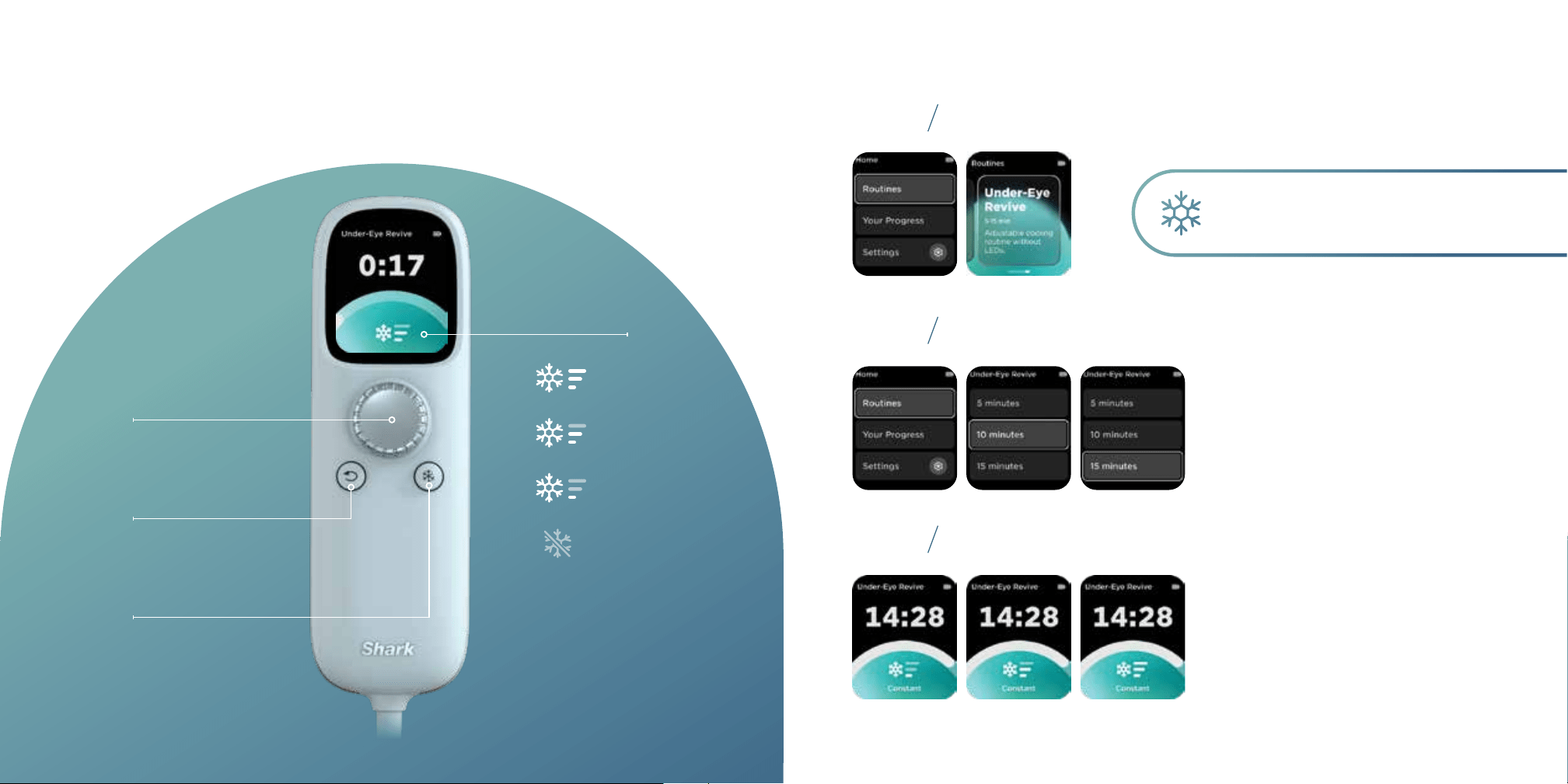
Use the dial on the remote to scroll to Under-Eye Revive.
Then use the dial to scroll through run-time options.
Choose one and click the dial button.
Use the chill button to select your preferred temperature.
Mask will automatically shut o at the end of the selected duration.
23
During a routine, you have options to adjust the under-eye chill level,
and to pause or end your routine.
PAUSE
Click dial button
to pause session.
BACK
Press to go to
previous screen.
CHILL
Press to adjust
chill level.
22
INSTACHILL TREATMENT
Use this cooling function to quickly refresh,
and soothe the under-eye area.
COOLING DURING A ROUTINE SELECTING UNDER-EYE COOLING
Level 3
Level 2
Level 1
O
Step 1
Step 2
Step 3
CHILL LEVELS
Remote settings
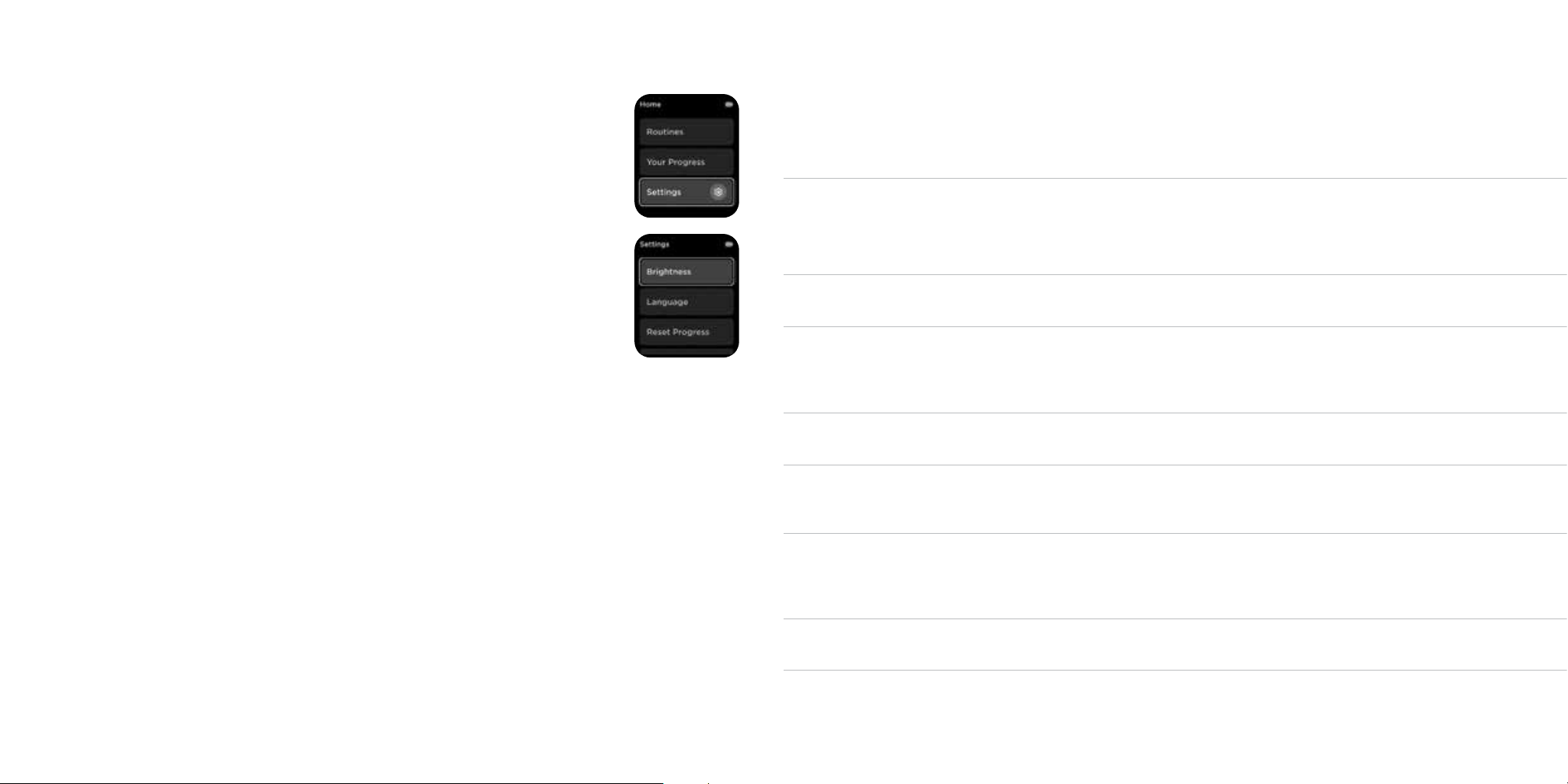
• The remote settings are available to adjust from the main menu.
• Replay tutorial: Replay demo video shown at first use.
• Support: Scan QR code to access our support page.
• Brightness: Adjust the brightness of the remote screen.
• Language: Choose your preferred language.
• Reset Progress: Option to reset your progress level.
• Factory Reset: Option to reset your remote/mask.
Mask care
• Your mask should be cleaned after each use.
• Make sure the mask is turned o and unplugged from any
power source.
• Clean the mask with a damp cloth to wipe the interior and exterior of the mask after each
use. The cloth should not be dripping wet, as it could damage the electrical components.
Ensure the chill pads are fully dry before adding clip-on pads.
• Allow mask to dry completely before using again.
• NOTE: Do not use chemical or alcohol-based cleansers.
Battery charging
• The run time of a fully charged battery depends on the types of sessions being run.
Select the best LED routine for your skin needs and do not stack routines.
• It should take about 3 hours to fully charge the mask. The mask does not work
while charging.
• To make sure your mask is always ready for a full session, we recommend charging
it after every 2 or 3 uses.
What happens if I miss a day?
• Consistency is key for results. However, don’t be discouraged—just pick up where you left o.
2524
SETTINGS, MASK CARE & BATTERY CHARGING FAQ
Is the mask
safe to use?
• Auto-timer: Mask will shut o automatically after 60 seconds of inactivity
once a session is complete.
• Temperature regulation: Cooling temperature
of the chill pads is regulated.
Is the mask safe
for the eyes?
• Yes, the mask has features to ensure eye safety with LED use.
• Auto-Dim: LED lights automatically dim when the device is not close to the
face while on.
• Silicone eye guards: Ensures safe use with closed or open eyes.
Does the mask
emit UV light?
• No, UV light is not emitted from in this mask. Blue and red LEDs combined
can appear purple but do not mimic the eects of UV light.
How long should
I wear the mask?
• The mask’s longest LED session is 8 minutes. The longest cooling-
only session is 15 minutes. We recommend using only one LED routine
per day. Using multiple LED routines per day could lead to dry skin or
hyperpigmentation.
How often should
I use the mask?
• For results, use the same LED routine once a day for a minimum of 8 weeks.
To maintain results, continue daily usage with Skin Sustain routine.
When should
I see results?
• Results depend on your skin’s starting state. With daily use, you may see
improvements in about 8 weeks. See page 18 for more information on the
biology of your skin when treated with LEDs.
How do I travel with
the mask?
• Please make sure to use a power adapter usable in the country you are
traveling in. The mask uses a lithium-ion battery rated at 2.35Ah, 16.92Wh. If
you are travelling by air, the battery should be carried in carry-on baggage
and not checked in. The device must be completely switched o.
Whom can I contact
for support?
• Should you have any questions or issues with your mask, please contact us
by visiting support.sharkclean.com.
Is the battery
removable?
• No, the battery is not removable or replaceable. Should you have any
questions or issues with the battery, please contact us by visiting
support.sharkclean.com.
2726
Battery level low
Device still will not power on
Battery level low
The ambient temperature
is too high or too low
Chill pads still do not power on
Possible defective battery
Defective charging cable
Wrong power adapter
Charge the device using the provided
USB-C cable.
Long-press the dial button for 2 seconds.
If device still will not turn on, please visit
support.sharkclean.com.
Battery level too low to power the chill
pads. Please charge the device using the
provided USB-C cable.
Turn o the device and let sit for
90 seconds before turning back on.
If issue still occurs, stop use and visit
support.sharkclean.com.
Please contact Shark Customer Service.
Please visit support.sharkclean.com.
Please visit support.sharkclean.com
or replace with a Shark USB-C cable
and adapter.
Make sure to use a 120V power adapter.
THE DEVICE DOES NOT POWER ON
THE CHILL PADS DO NOT POWER ON
THE BATTERY WILL NOT CHARGE
THE BATTERY TAKES MORE THAN 3 HOURS TO CHARGE
Possible cause
Possible cause
Possible cause
Possible cause
Possible cause
Possible cause
Corrective action
Corrective action
Corrective action
Corrective action
Corrective action
Corrective action
Device is powering down
The straps are not properly
placed/fitted on your head
Wait 60 seconds for the device to power
down after the end of your cooling
session.
Revisit the “Fitting the Mask” section of this
User Guide for step-by-step instructions.
The chill pads should only lightly contact
your under-eye area.
THE COOLING FANS KEEP RUNNING AFTER THE SESSION ENDS
THE CHILL PADS ARE DIGGING INTO MY UNDER-EYE AREA
TROUBLESHOOTING TROUBLESHOOTING
Report any adverse events or issues to customer support at support.sharkclean.com.
We monitor safety and performance continually and address any reported issues
to maintain high safety standards.
ERROR MESSAGES ICON EXPLANATIONS
Error message Solution
Remote Over Temperature. Let remote cool
down before using.
Let remote cool down before using. The
mask should not be used in temperatures
higher than 86°F (30°C).
Remote Under Temperature. Let remote
warm up before using.
Let remote warm up before using. The mask
should not be used in temperatures lower
than 32°F (0°C).
Remote error A3. Call Customer Service. Call Customer Service.
Charger not recognized.
Use the provided Shark USB-C charging
cable and wall plug to charge the mask.
Remove remote from charger.
The mask’s battery is charged; remove it
from the charger.
Low Battery. Charge before use. The mask’s battery is low; please charge it.
Battery error B1. Call Customer Service. Call Customer Service.
Remote error B2. Charge the remote before
next use.
Charge the remote before next use using the
provided Shark USB-C charging cable and
wall plug.
Charging error C1. Disconnect and reconnect
to charge.
Disconnect and reconnect the remote to
charger using the provided Shark USB-C
charging cable and wall plug provided.
Fan error F1. Call Customer Service. Call Customer Service.
Error A1. Call Customer Service. Call Customer Service.
Error A2. Call Customer Service. Call Customer Service.
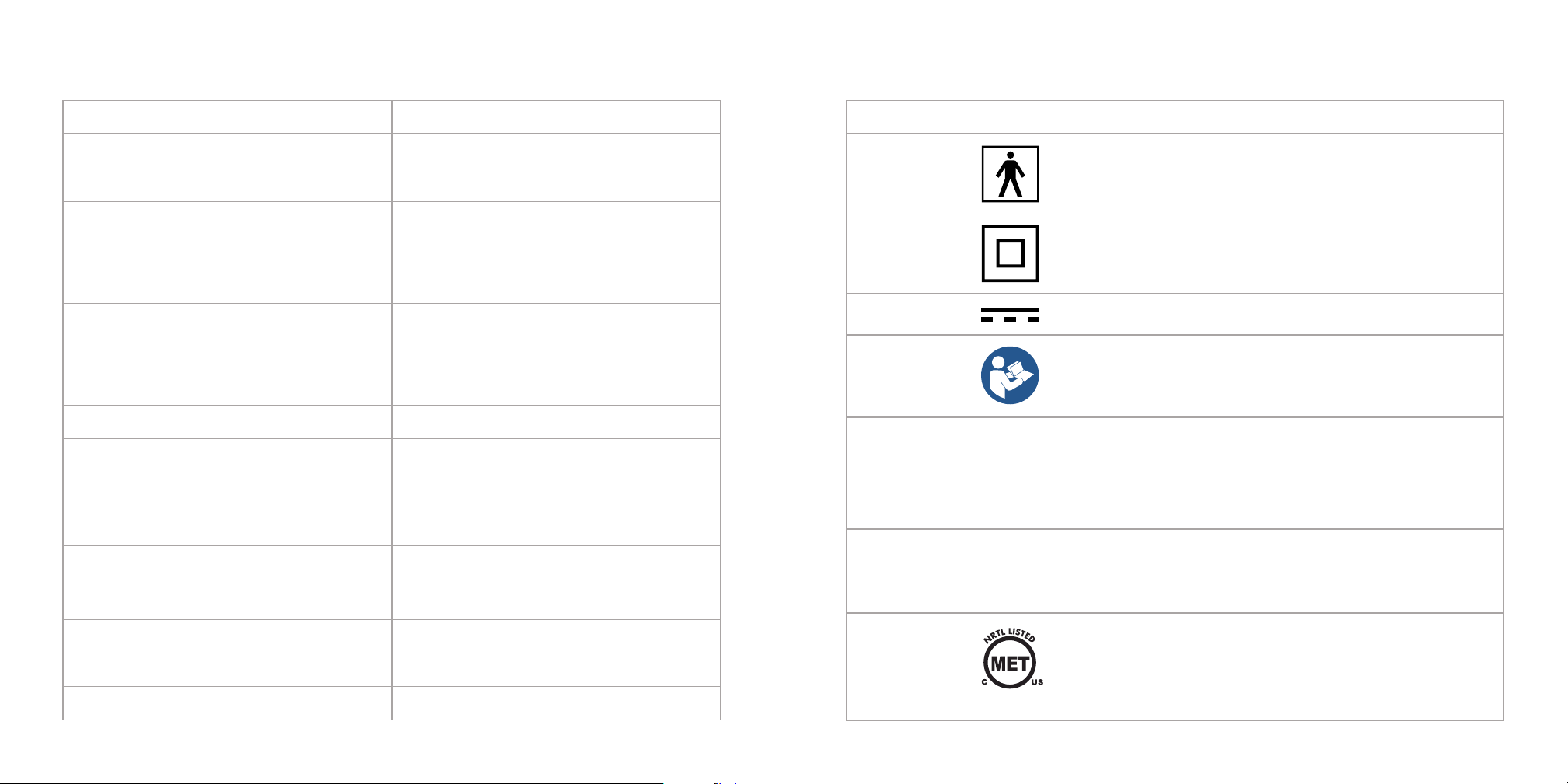
Symbol Explanation
Type BF Applied Part
Class II Equipment
Direct Current
Refer to User Guide
Protection against ingress:
IP2X: Protected against solid foreign objects
of 12.5 mm Ø and greater
IPX2: Protection against vertically falling water
drops when ENCLOSURE tilted up to 15˚
Compliant with Medical Standards
IP22
2928
AS TO ELECTRICAL SHOCK, FIRE AND MECHANICAL HAZARDS
ONLY IN ACCORDANCE WITH AAMI ES 60601-1:2005/A2:2021;
CAN/CSA-C22.2 No. 60601-1:14(Rearmed 2022);
IEC 60601-1-11:2015/AMD1:2020; IEC 60601-2-83:2019/AMD1:2022
E116132
The Two (2) Year Limited Warranty applies to
purchases made from authorized retailers of
SharkNinja Operating LLC. Warranty coverage
applies to the original owner and to the original
product only and is not transferable.
SharkNinja warrants that the unit and battery
shall be free from defects in material and
workmanship for a period of two (2) years from
the date of purchase when it is used under normal
household conditions and maintained according
to the requirements outlined in the Owner’s
Guide, subject to the following conditions and
exclusions:
California Residents Only: The Two (2) Year
Limited Warranty period begins on the original
data of delivery or pick up.
What is covered by this warranty?
1. The original unit and/or non-wearable parts
deemed defective, in SharkNinja’s sole
discretion, will be repaired or replaced up to
two (2) years from the original purchase date.
2. In the event a replacement unit is issued,
the warranty coverage ends six (6) months
following the receipt date of the replacement
unit or the remainder of the existing warranty,
whichever is later. SharkNinja reserves the
right to replace the unit with one of equal or
greater value.
What is not covered by this warranty?
1. Normal wear and tear of wearable parts
(such as accessories), which require regular
maintenance and/or replacement to ensure
the proper functioning of your unit, are not
covered by this warranty. Replacement parts
are available for purchase at sharkbeauty.com.
2. Any unit that has been tampered with or used
for commercial purposes.
3. Damage caused by misuse, abuse, negligent
handling, failure to perform required
maintenance (e.g., failure to keep the well
of the motor base clear of food spills and
other debris), or damage due to mishandling
in transit.
4. Consequential and incidental damages.
5. Defects caused by repair persons not
authorized by SharkNinja. These defects
include damages caused in the process of
shipping, altering, or repairing the SharkNinja
product (or any of its parts) when the repair is
performed by a repair person not authorized
by SharkNinja.
6. Products purchased, used, or operated outside
North America.
How to get service
If your appliance fails to operate properly while
in use under normal household conditions within
the warranty period, visit sharkbeauty.com for
product care and maintenance self-help. Our
Customer Service Specialists are also available at
800-275-9251 to assist with product support and
warranty service options, including the possibility
of upgrading to our VIP warranty service options
for select product categories. So we may better
assist you, please register your product online at
registeryourshark.com and have the product on
hand when you call.
SharkNinja will cover the cost for the customer to
send in the unit to us for repair or replacement.
A fee of $20.95 (subject to change) will be
charged when SharkNinja ships the repaired or
replacement unit.
How to initiate a warranty claim
You must call 800-275-9251 to initiate a warranty
claim. You will need the receipt as proof of
purchase. We also ask that you register your
product online at registeryourshark.com and
have the product on hand when you call, so
we may better assist you. A Customer Service
Specialist will provide you with return and
packing instruction information.
How state law applies
This warranty gives you specific legal rights, and
you also may have other rights that vary from state
to state. Some states do not permit the exclusion
or limitation of incidental or consequential
damages, so the above may not apply to you.
FCC WARNINGS
This equipment has been tested and
found to comply with the limits for a
Class B digital device, pursuant to parts
15 of the FCC Rules. These limits are
designed to provide reasonable protection
against harmful interference in a residential
installation.
This equipment generates, uses, and can
radiate radio frequency energy and, if not
installed and accordance with the instructions,
may cause harmful interference to radio
communications. However, there is no
guarantee that interference will not occur
in a particular installation. If this equipment
does cause harmful interference to radio or
television reception, which can be determined
by turning the equipment o and on, the user
is encouraged to try to correct the interference
by one or more of the following measures:
1
Reorient or relocate the receiving antenna.
2
Increase the separation between the equipment
and receiver.
3
Connect the equipment into an outlet on a
circuit dierent from that to which the receiver
is connected.
4
Consult the dealer or an experienced radio/TV
technician for help.
This device complies with part 15 of the FCC rules.
Operation is subject to the following conditions:
1
This device may not cause harmful interference.
2
This device must accept any interference
received, including interference that may cause
undesired operation.
Changes or modifications not expressly approved
by the party responsible for compliance could
void the user’s authority to operate this device.
ISED Statement
This device complies with Industry Canada license-
exempt RSS standard(s). Operation is subject to the
following two conditions: (1) this device may not
cause interference, and (2) this device must accept
any interference, including interference that may
cause undesired operation of the device.
TWO (2) YEAR LIMITED WARRANTY TWO (2) YEAR LIMITED WARRANTY (Continued)
3130
EXPECTED SERVICE LIFE
Two Years
E116132
Compliant with
Medical Standards

250417
FW312_INSRT_UserGuide_510k_MB_Mv2
SHARK BEAUTY and SHARK CRYOGLOW are trademarks of SharkNinja Operating LLC.
© 2025 SharkNinja Operating LLC.
Model: FX3XXXXXXX
89 A St #100, Needham, MA 02494