1. Default standard sound eect. Double press ' ' to switch EQ, Standard
Outdoor 3D sound eect.
2. The Blue indicator light will flash when switch EQ on Bluetooth mode. The
green indicator light will flash when switch EQ on Aux mode. The white
indicator light will flash when switch EQ on USB mode.
1. Short press ' ' to increase volume, short press ' ' to decrease
volume;
Note: When its volume increase to maximum volume, you will hear 'Beep'
voice prompt.
2. Long press ' ' for 2 seconds to play next song, long press ' ' for 2
seconds to play previous song.
3. Short press ' ' to pause playing, press again to resume playing;
Note: This unit is set to play music by half volume once it powers on. If you
want to use maximum volume, please increase the volume from the paired
device (mobile phone) and speaker at maximum.
Bluetooth Connection
When call coming, short press ' ' to pick up, press again to hang up.
Press button twice quickly to reject the call.
Mode Switch
Default Bluetooth Mode. Short press
USB mode
' '
to switch Mode, Bluetooth Aux
MEGABOX
Bluetooth
My Device
成品尺寸:90x123mm
材质:128G双铜,正反面单色印刷 ,折页
正面反面
Bluetooth Music Play
Handsfree Call
Power Button
Blue Indicator light
When there is no bluetooth pairing in 10 minutes, the speaker will shut down
automatically to reduce power consumption.
Power Savings
Your speaker has an integrated USB port which has two functions:
1. For playing music files stored on a USB drive. Simply insert a USB drive with
pre-loaded mp3/audio files into your speaker’s USB port. A white LED will
illuminate when in USB disk mode.
2. For charging smartphones and USB-powered devices. Simply insert your
device’s USB charging cable into the speaker’s USB port to charge your
device. The charging output is 2A. Please use this feature only as a last resort
(if your phone’s battery is about to run out) as it will deplete the battery of
the speaker thus reducing the music playback time.
3. Short press the power button before using USB-A function if speaker is in
o status.
USB Port Features
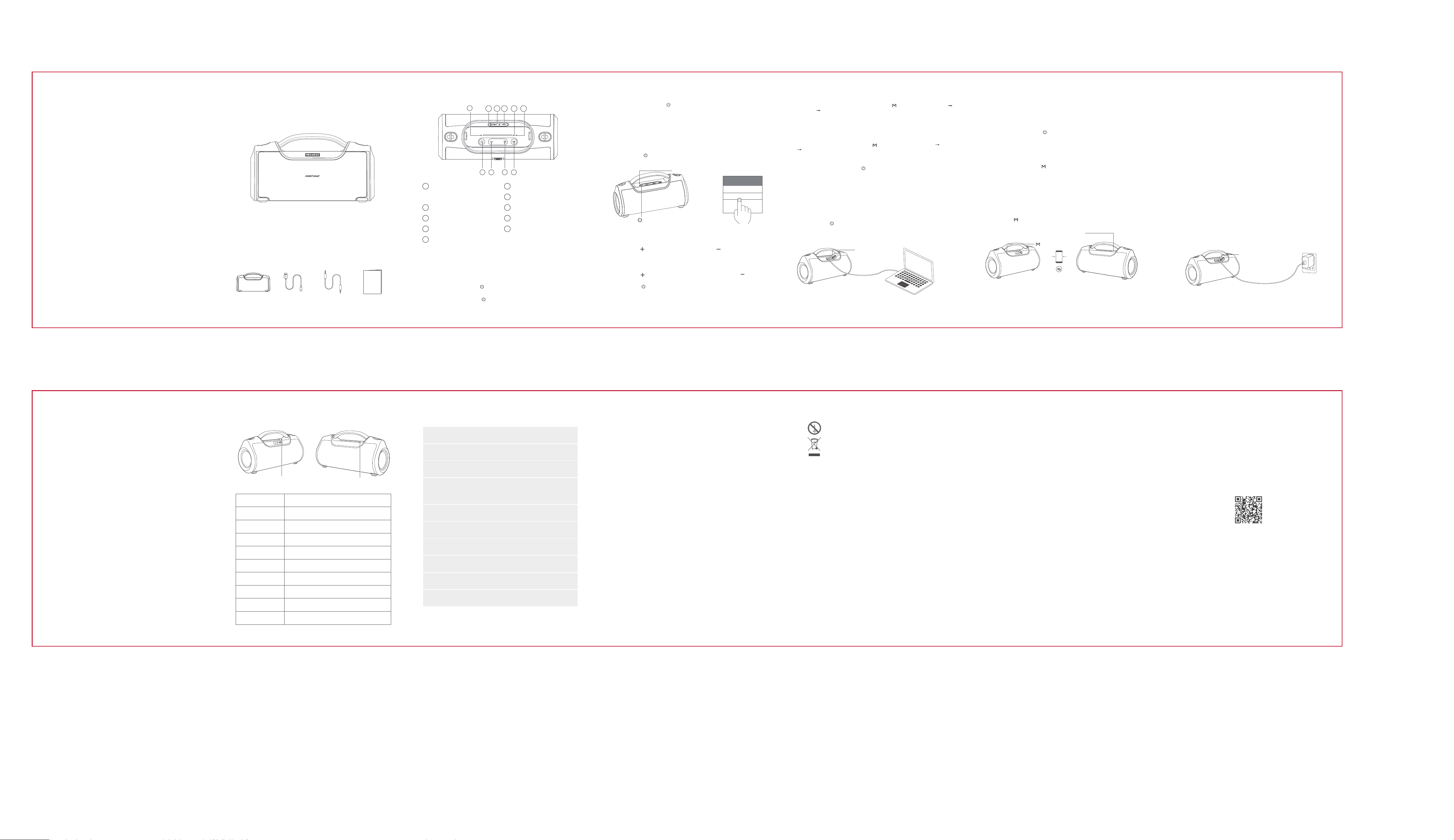
1
2
3
4
5
Power on / O
Track Play / Pause
BT Connect / Disconnect
Volume Down / Previous Track
Volume Up / Next Track
M Button ( MODE/TWS/EQ )
AUX Audio Input Port
6
Type C Charging Port
7
8
9
10
Working Status LED
TWS Indicator Light
Microphone
USB-A Port / U Disk Port
(Support USB, 5V/2A output)
If you have two pieces MEGABOX, you can use TWS to achieve wireless
stereo combined playing music.
Note: Before TWS pairing, make sure the two MEGABOX speakers are not
connected over bluetooth.
1. Long press power button ' ' for 2 seconds to power on both of them.
2. After you turn on the device, you should make sure neither are connected
to any bluetooth since both will automatically reconnect to your previous
device. So you should disconnect existing device first or just turn o
bluetooth on your devices.
3. Long press each of their ' ' button, TWS indicator light will flash in
white. Two seconds later they will connect to each other automatically. After
they connected successfully, you will hear a confirmation tone, both of their
white indicator light will turn solid. The master model’s blue indicator light will
keep flashing, the sub-master model’s blue indicator light will turn solid.
4. Activate the bluetooth function and select 'MEGABOX' on your Bluetooth
device to finish the pairing, the blue light on the master speaker will turn solid
once connection is finished. Right now, you can enjoy the experience of true
wireless stereo.
5. Long press ' ' button for 2 seconds to disconnect the TWS connection.
TWS Indicator light
Working status LED
1 2 3 4
6 5
7
8 9
Frequently Asked Questions
10
Aux-In Mode
1. Use 3.5mm Aux cable to connect 'MEGABOX' to device, it will switch to
Aux mode automatically, the green indicator light will turn on. Then you can
play music immediately.
2. Short press ' ' to mute, press again to resume playing.
3. In Aux-in Mode, if you want to change a song, you need to control it by
your mobile phone or your other connected device.
Noted:
- Before charging, be sure the speakr is at room temperature, between 46° F
(8° C) and 102° F (39° C).
- Use this product only with an agency approved power supply which meets
local regulatory requirements (e.g., UL, CSA, VDE, CCC) which support 5V /
2A or above.
- Use inlcuded charging cable to charge the speaker.
- For the first use, please fully charge the product.
1. Connect the type c end of the included charging cable to the charging port
on your speaker. Then plug the other end of the USB charging cable into a
suitable USB port on your computer ( or with a standard cell phone charger)
to recharge your speaker’s internal rechargeable battery.
2. You should charge the speaker when hearing low battery prompt voice.
Speaker will power o automatically when battery lower than 10%.
3. Red indicator is on when charging, and it is o after fully charged.
Note: It may take several minutes for your speaker to begin charging when it's
drained. The battery needs to charge to a minimum voltage before the system
can boot up. In order to extend battery's life please don't play the music while
the speaker is charging.
Charging Your Speaker TWS Function
Green Indicator light
Red Indicator light
Q: What kind of charger should we use for the speaker?
A: Use this product only with an agency approved power supply which meets
local regulatory requirements (e.g., UL, CSA, VDE, CCC) which support 5V /
2A or above 2A.
Q:Why does the speaker not charge?
A:Make sure the charging cable is correctly aligned with the port on the
speaker. Secure both ends of the charging cable.
Try another charging cable.
To help extend the battery life, please avoid playing music while it's charging.
In case you do have need, don't use more than 50% volume to play the music.
Try another wall charger.
If the speaker has been exposed to high or low temperatures, let the speaker
return to room temperature between 46° F (8° C) and 102° F (39° C)
Q: What if there is noise or discontinuous sound during playing?
A: The speaker can be normally used within 10m under no obstruction
environment. If it is beyond 10m or with obstruction, there might be noise or
discontinuous sound.
Q: Why the speaker power o automatically after power on but no Bluetooth
disconnection ?
A: When there is no bluetooth pairing in 10 minutes, the speaker will shut
down automatically to reduce power consumption.
Q: Why does the speaker cannot connect the once-paired cellphone?
A: First, remove the speaker's paired name from the cellphone’s Bluetooth
List and then restart pairing.
Q: What is the working sequence of the speaker?
A: Default mode is Bluetooth mode but when insert in AUX in cable,it will be
AUX IN mode.
Q: The speaker cannot be started up in a normal situation.
A: Please plug in the charger and try in a few minutes or try to long press
power button 10-30s to reset.
Red indicator light will keep flashing.
Working status LED will turn solid red.
Working status LED will flash in blue.
Working status LED will flash in blue.
Working status LED turn solid blue.
Working status LED will turn solid green.
Working status LED will turn solid white.U Disk Mode
Power On
AUX Mode
TWS indicator light will flash in white.
TWS indicator light turn solid white.
TWS Pairing
TWS Connected
Charging
Fully Charged
Low Battery
BT Connected
BT Disconnected
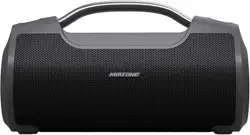
A. 1 X Miatone MEGABOX Bluetooth speaker
B. 1 X Type - C Charging cable
C. 1 X 3.5mm AUX cable
D. 1 X User manual
Package Contents
Status Indicator
Specifications
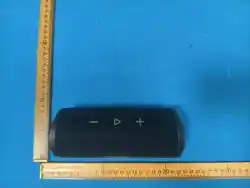
Product Diagram
Power On / Power Off
Product Name MEGABOX
Bluetooth Version 5.0
Battery Capacity 8000mAh
Playing Time
Charging Time 3~4h
Speaker Unit 20Wx2 + 10Wx2 = 60W
Charging Current 5V/2A
USB-A Port 5V/2A output (max.)
Product Size 12 x 6 x 4.6 (in)
Product Weight 4.8 (lb)
Care and Maintance
1.
2.
This logo means that no naked flames, such as a candle can be
placed on or near the device.
The electrical and electronic equipment are part of a
separate collection. Do not throw electrical or electronic
equipment away with unsorted municipal waste, but
ensure that it is collected separately. Collection systems and
locations (sorting centres, rubbish dumps) are provided for you by local
councils and retailers. By entrusting your end-of-life product to the
proper recycling process, you are helping to protect the environment
and your health.
3. Use this device in temperate climates only.The maximum ambient
temperature should not exceed 39°C.
4. This device may be used by children aged 8 years or older and by those
with reduced physical, sensory or mental abilities, or those lacking experience
or knowledge, provided they are correctly supervised, or if the instructions
related to the use of the device have been adequately given and if the risks
involved have been understood. Children must not play with this device.
Children should not clean or maintain the device without supervision.
5. Always unplug the device before cleaning it.
6. Clean the device with a soft dry cloth only. Never use solvents.
7. Attention should be drawn to the environmental aspects of battery
disposal.
8. The battery (batteries or battery pack) shall not be exposed to excessive
heat such as sunshine, fire or the like.
9. Use the apparatus in moderate climate only.
10. Keep this product and its charging cable away from excessive heat.
11. Do not disassemble your device.
12. When the product is fully charged, do not connect it to the charger for
further long time charging.
13. Only use your device on a flat, stable surface.
FCC Statement
Changes or modifications not expressly approved by the party responsible
for compliance could void the user's authority to operate the equipment.
This equipment has been tested and found to comply with the limits for a
Class B digital device, pursuant to Part 15 of the FCC Rules. These limits are
designed to provide reasonable protection against harmful interference in a
residential installation. This equipment generates uses and can radiate radio
frequency energy and, if not installed and used in accordance with the
instructions, may cause harmful interference to radio communications.
However, there is no guarantee that interference will not occur in a particular
installation. If this equipment does cause harmful interference to radio or
television reception, which can be determined by turning the equipment o
and on, the user is encouraged to try to correct the interference by one or
more of the following measures:
-- Reorient or relocate the receiving antenna.
-- Increase the separation between the equipment and receiver.
-- Connect the equipment into an outlet on a circuit dierent from that
to which the receiver is connected.
-- Consult the dealer or an experienced radio/TV technician for help
This device complies with part 15 of the FCC rules. Operation is subject to the
following two conditions (1)this device may not cause harmful interference,
and (2) this device must accept any interference received, including
interference that may cause undesired operation.
FCC Radiation Exposure Statement
The device has been evaluated to meet general RF exposure requirement.
The device can be used in portable exposure condition without restriction.
Copyright © 2021 MIATONE Inc. All rights reserved.
Bluetooth is a registered trademark of Bluetooth SIG, Inc.
MIATONE products are registered trademark of MIATONE in the US.
Service contact: [email protected]
MIATONE Inc.Oxnard, CA 93022
1. Long press power button ' ' for 3 seconds to power on the speaker.
Working status LED will flash in blue.
2. Long press power button ' 'for 3 seconds to power o the speaker. Blue
indicator light will turn o.
EQ Switch
Welcome to MIATONE MEGABOX
1. Long press power button ' ' for 3 seconds to power on the speaker,
Working status LED will flash in blue.
2. Activate the Bluetooth function on your Bluetooth device (phone or music
device). Please refer to the manufacturer’s instructions.
3. Search for Bluetooth devices and select 'MEGABOX'.
4. The speaker will beep when the device are paired. The blue indicator light
will turn solid and your device will show the connected Bluetooth icon. Then
you can start to play your music.
5. Double press ' ' quickly to disconnect Bluetooth connection.
Hello
TWS
White TWS lndicator light
button
C
BA
D
3-5h playtime at 100% volume
10h playtime at 60% volume
20-25h playtime at 30% volume
Red indicator light will turn o.
Register your order to get our
Lifeme Full Service
miatone.com/support
www.miatone.com
MIATONE