PEDPF1400
This product has been manufactured and sold under the responsibility of
CURTIS INTERNATIONAL LTD.
PROSCAN, and the PROSCAN logo are trademarks used under license by
CURTIS INTERNATIONAL LTD. – further information at www.proscan-brand.com.
All other products, services, companies, trademarks, trade or product names and
logos referenced herein are the property of their respective owners.
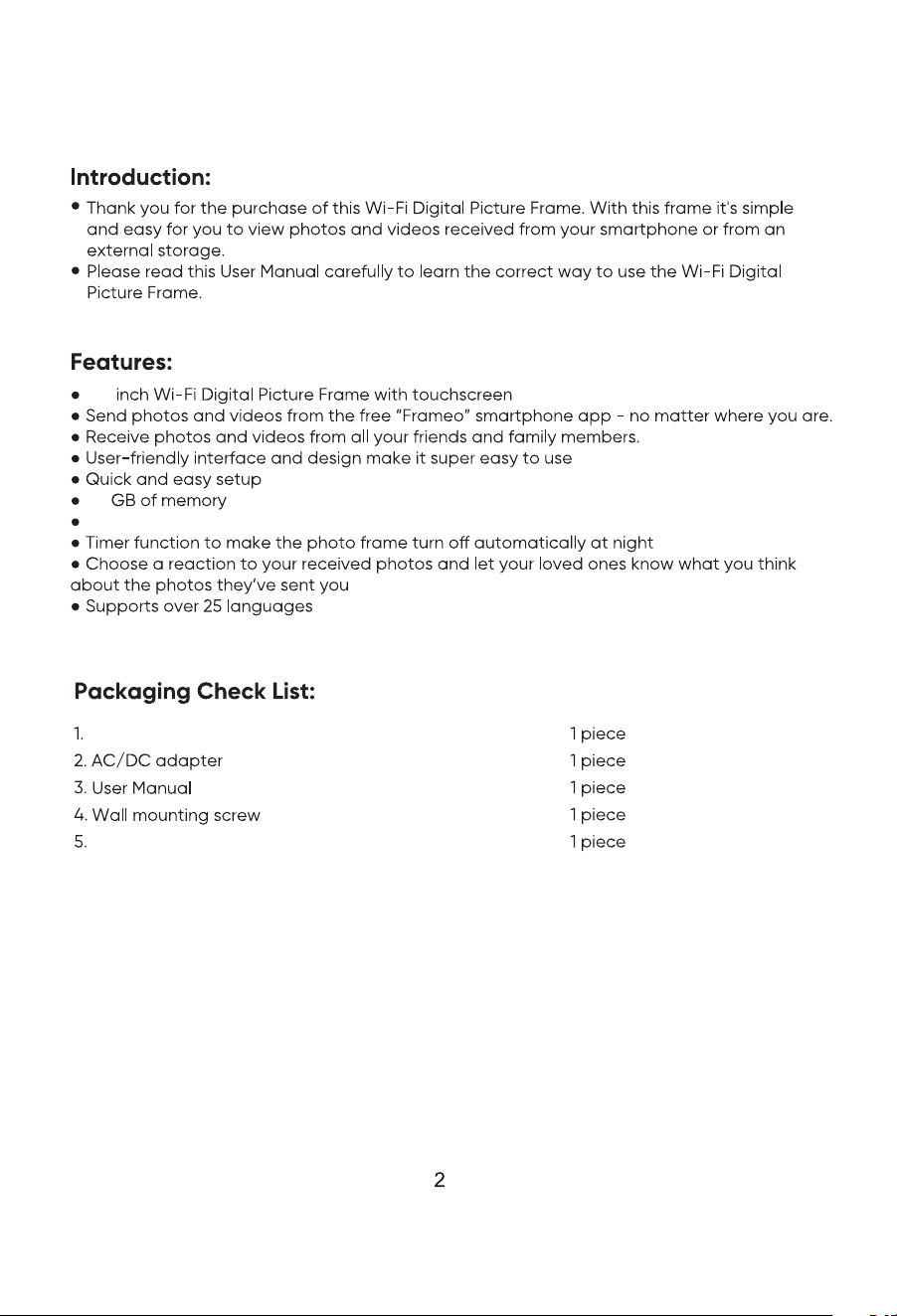
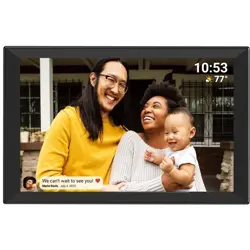
14.1’’ digital picture frame
Set the display time to show each photo for 1 second to 24 hours.
14.1
32
Stand
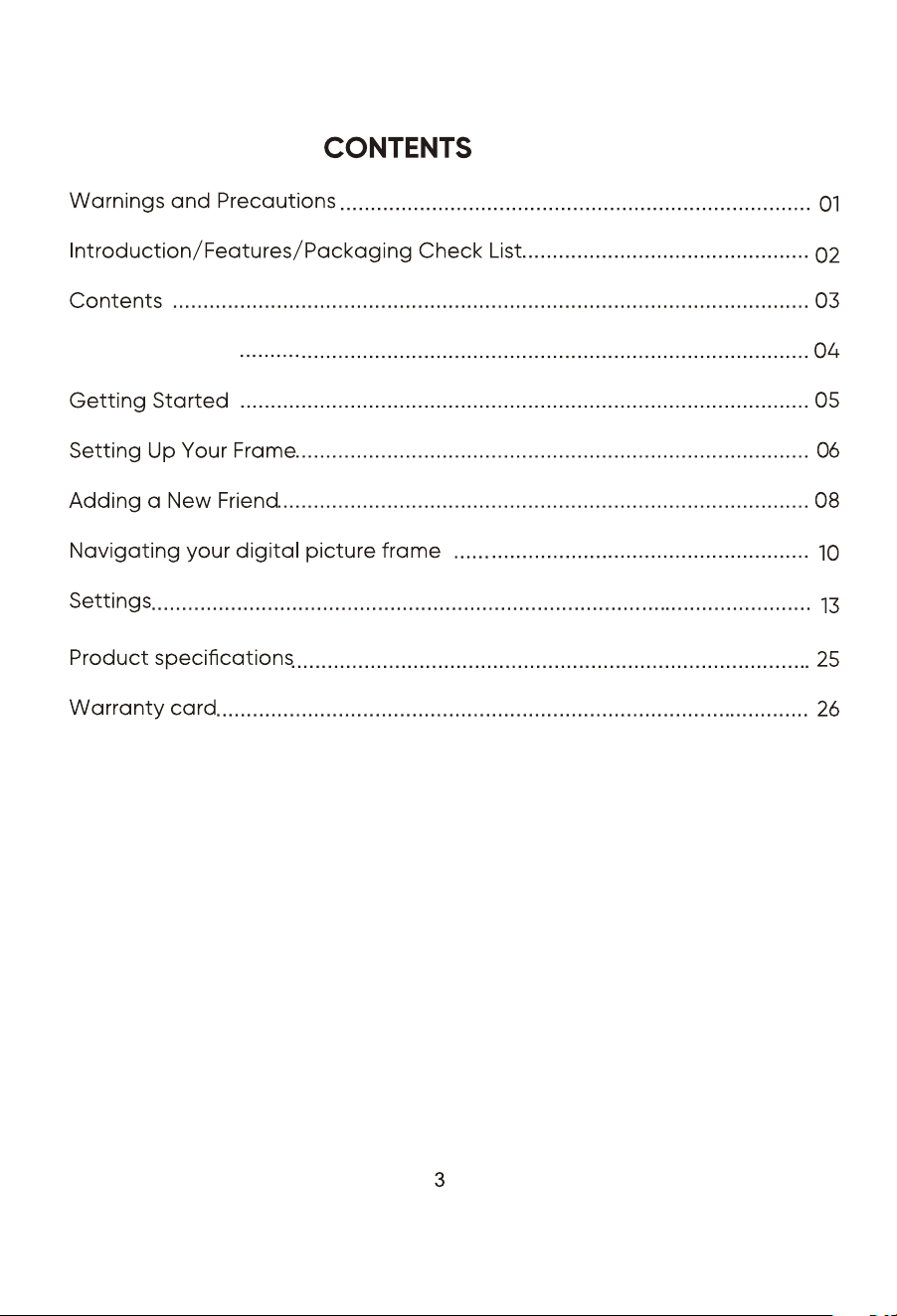
Product Diagram
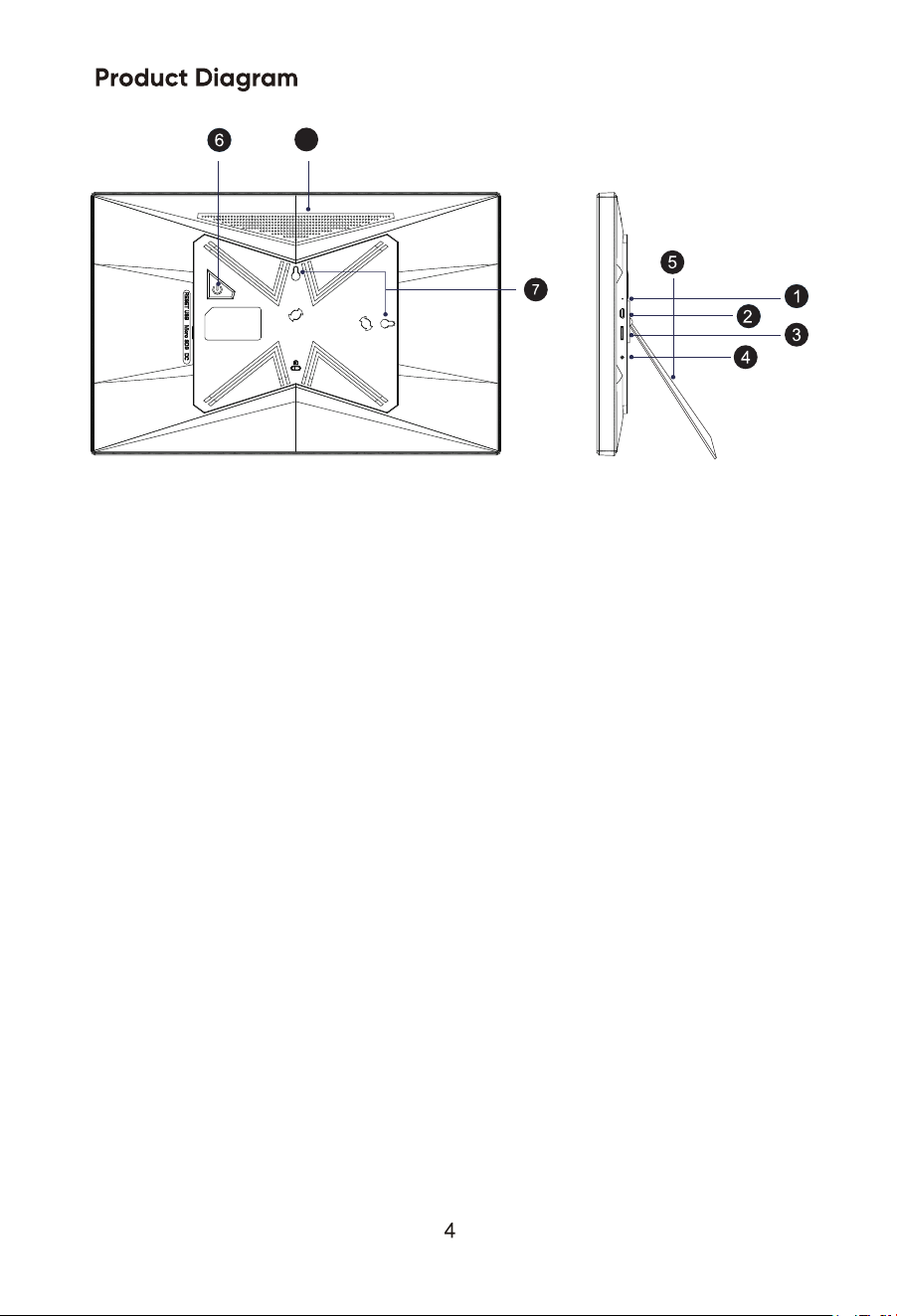
1.Reset
If the frame freezes or becomes unresponsive, use a pin or paperclip to reset
the frame.
2.Micro USB Port
The micro USB port is only for software upgrading by the factory, not for charging
or data transfering.
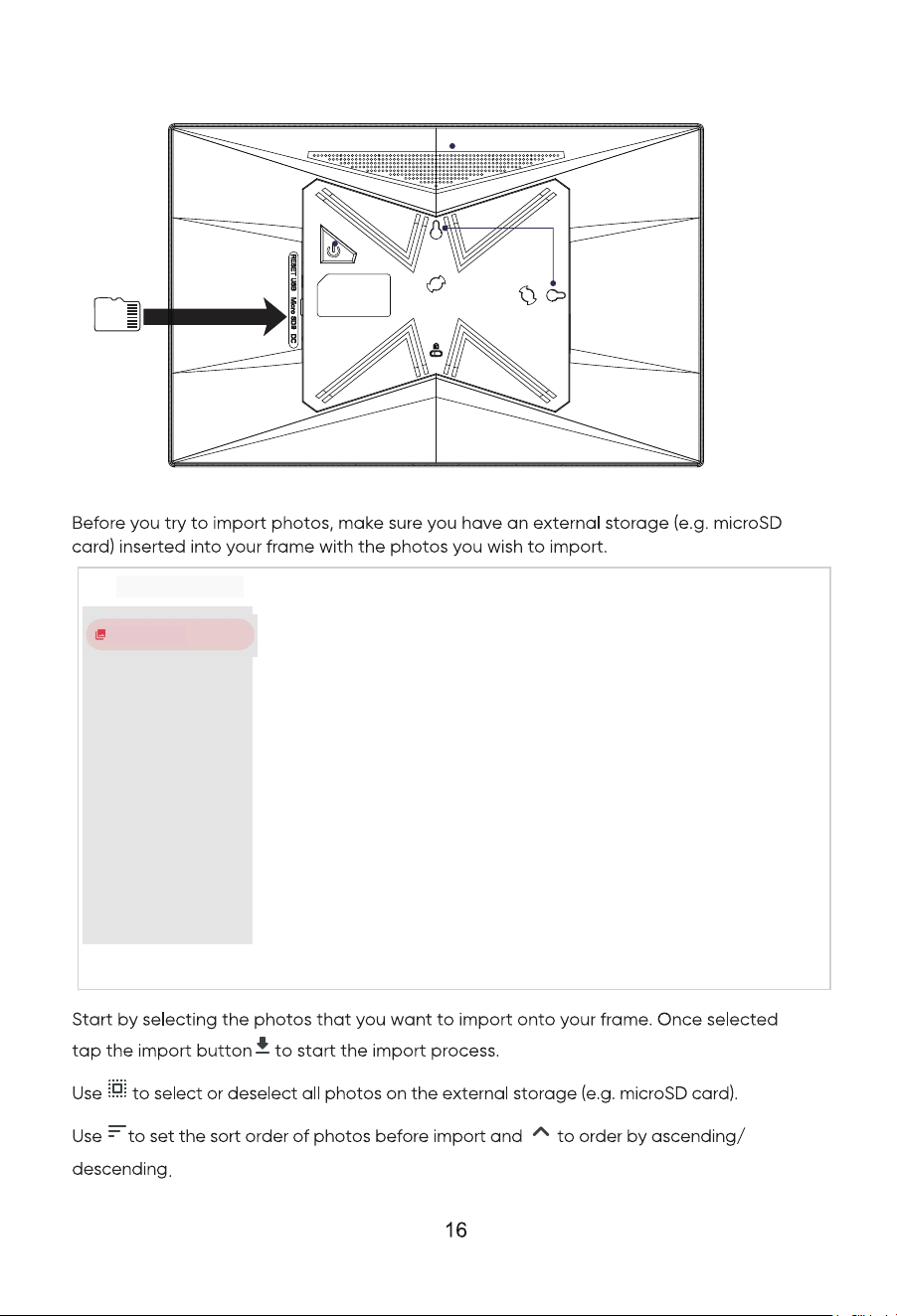
3.Micro SD Card Slot
Insert external microSD memory cards here to import photos, export photos or
to play photos directly from the microSD card.
4.DC Power Port
Connect the DC adapter to power-on the device.
5.Stand
Use the plastic stand to hold the frame.
6.Power button
After connecting the power adapter, the unit will power-on automatically for the
first time. When it is on, press and hold the power button for approximately 3
seconds to access the reboot and power-o menu.
Short press on the power button will turn o/on only the screen (but leave the
photo frame turned on).
7.Wall Mount Hole
Use the screw to mount the frame on a wall - both portrait and landscape is
possible.
8.Speakers
Equipped with two speakers.
1.Reset
2.Micro USB Port
3.Micro SD Card Slot
4.DC Power Port
5. Stand
6.Power Button
7.Wall Mount Hole
8.Speakers
8
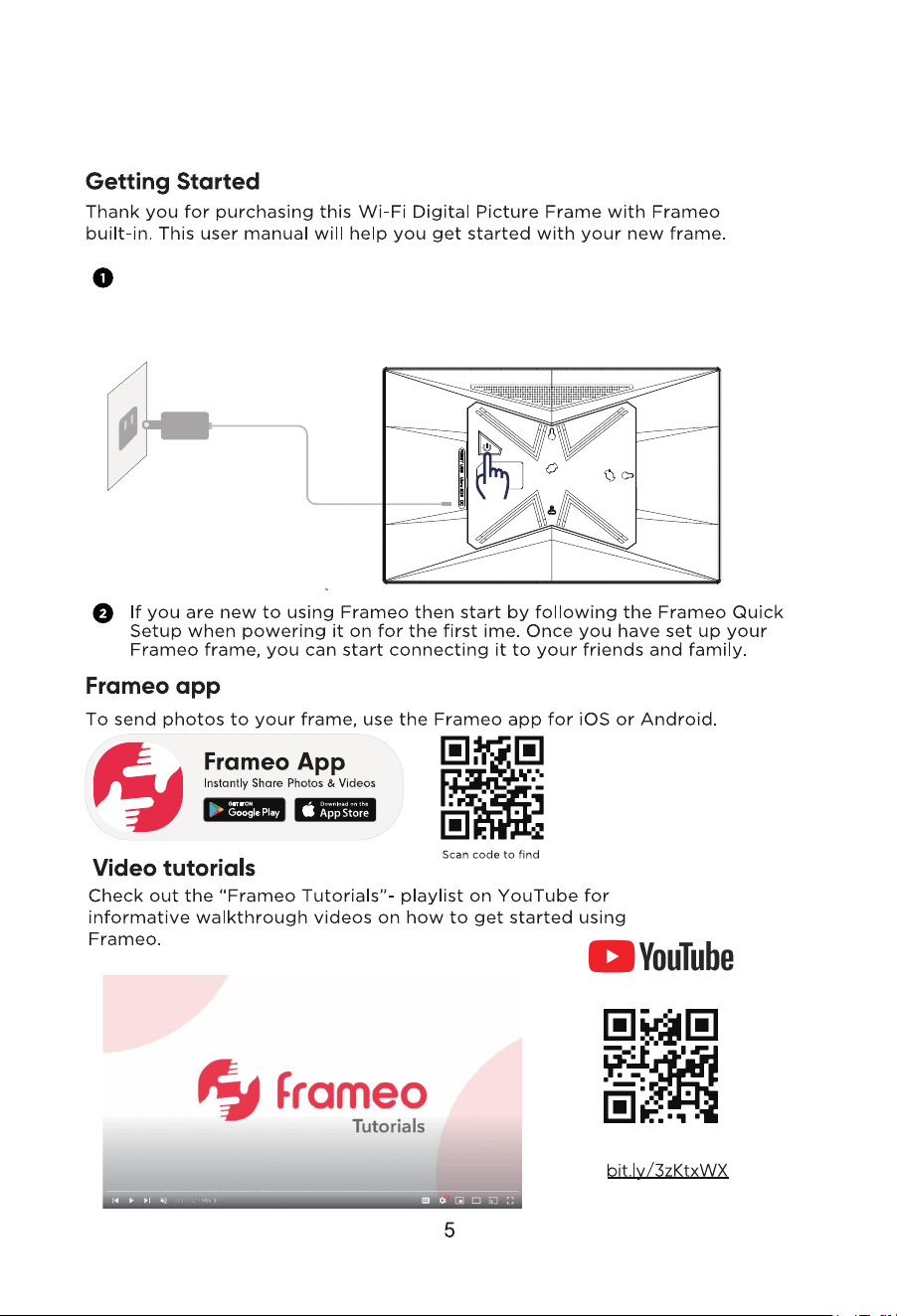
Extend the foldable stand and lay it flat,then plug one end of the AC adapter
into a standard 110-240V AC power outlet, and plug ther other end into the
DC IN slot on the left side of the photo frame.
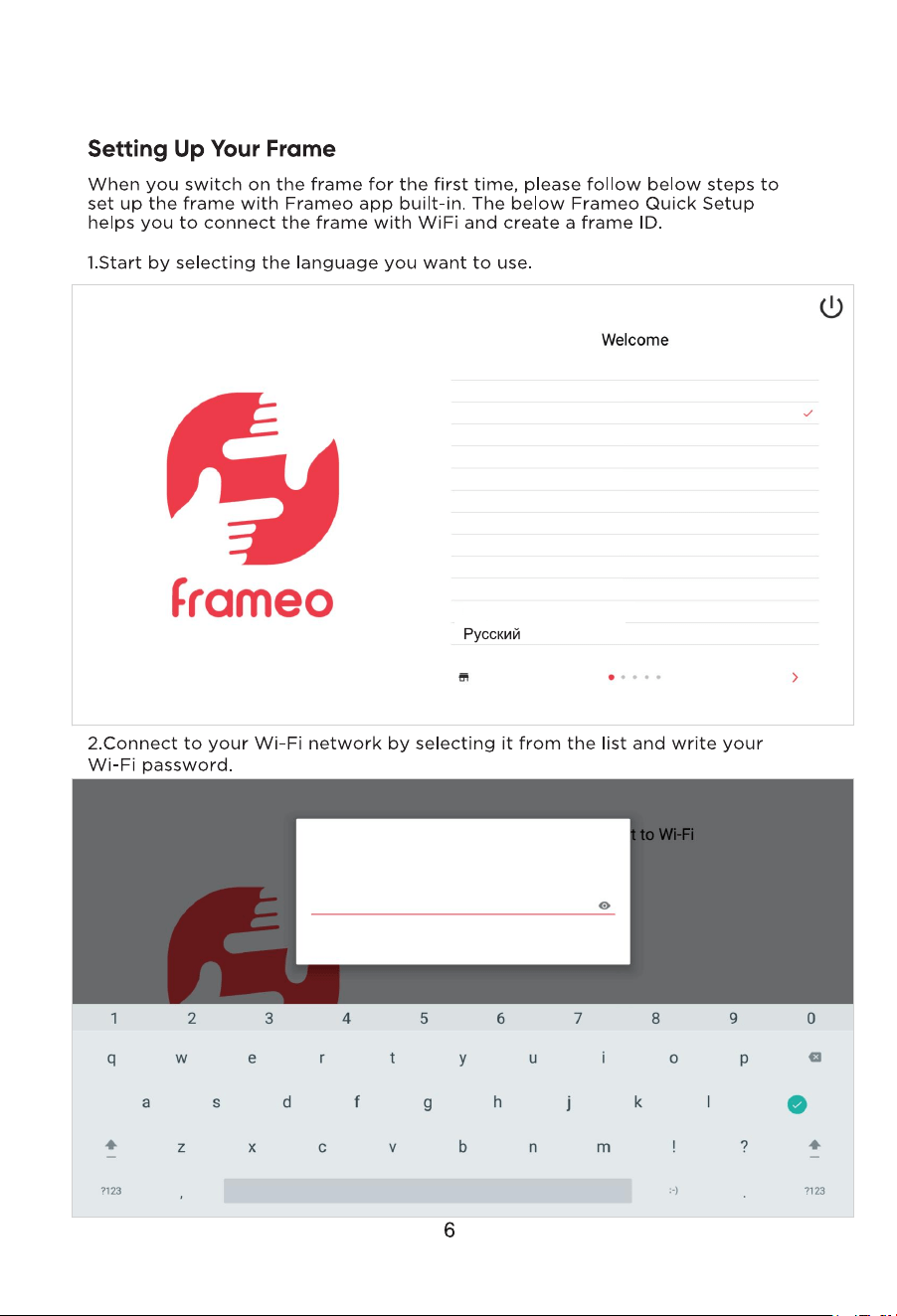
Dansk
Deutsch
English
Español
Français
Hrvatski
Italiano
Magyar
Nederlands
Norsk
Polski
Português
Slovenski jezik
RETAIL MODE
Connect to Wi-Fi
The frame is trying to connect to Frameo
Please enter the password for the Wi-Fi below.
Password
CANCEL OK
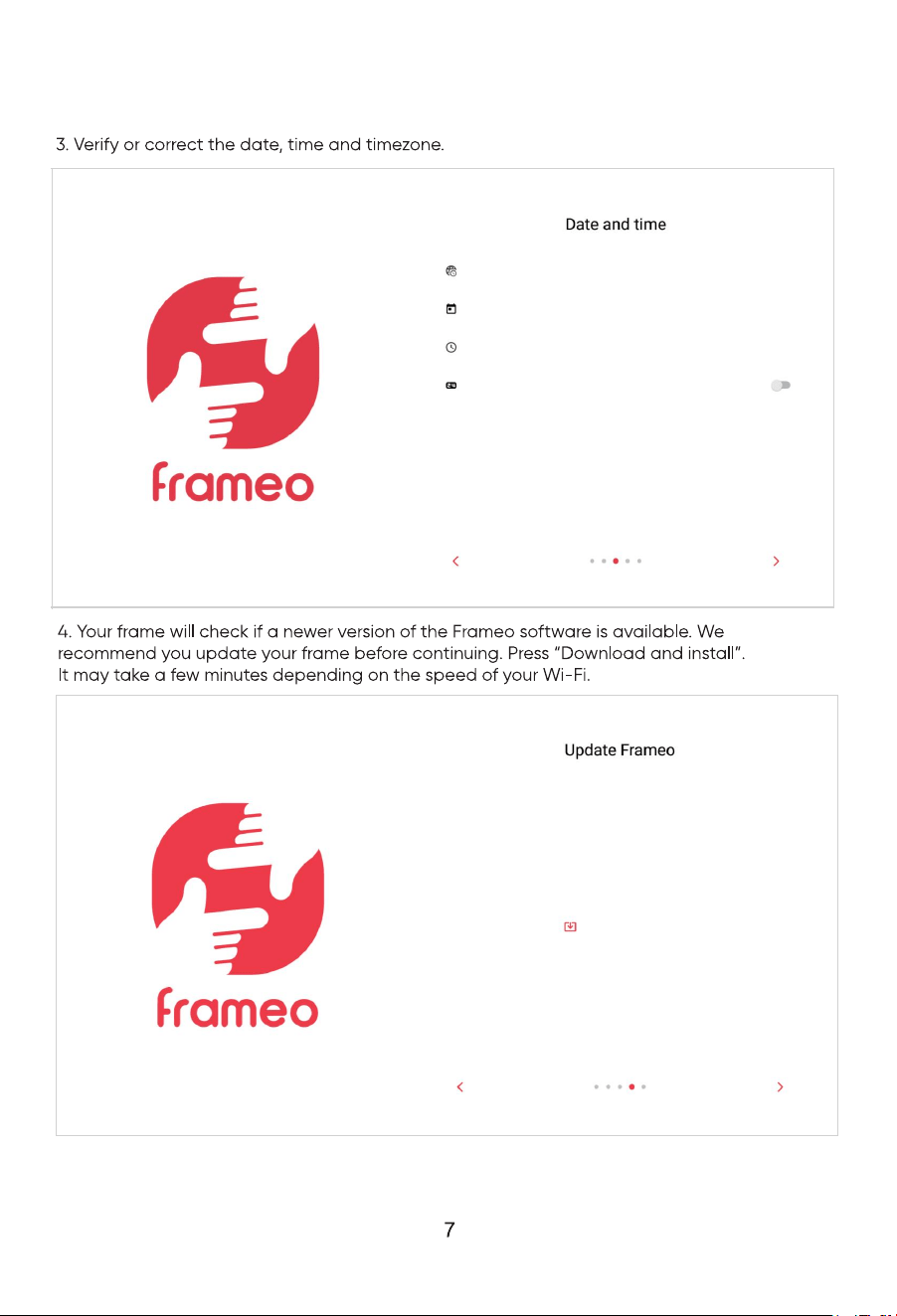
Time zone
Pacific time(US and Canada)GMT-07:00
Date
16 June 2022
Time
4:09 a.m.
Use 24-hour format
Update available
DOWNLOAD AND INSTALL
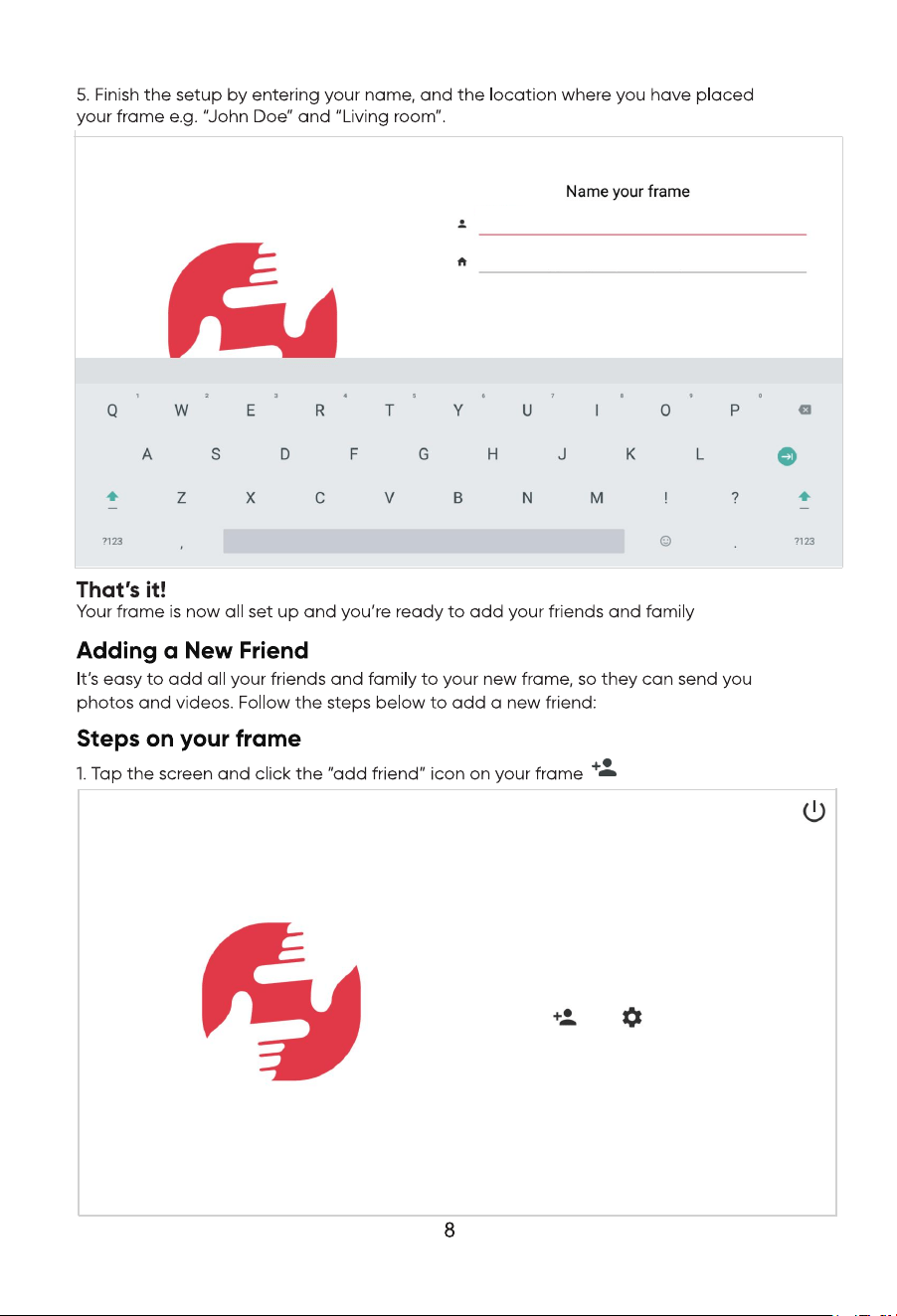
Your full name
Frame location(e.g. Living room, Kitchen, Work)
You have not received any photos yet.
Tap the “friend icon” to add more friends.
Add friend Settings
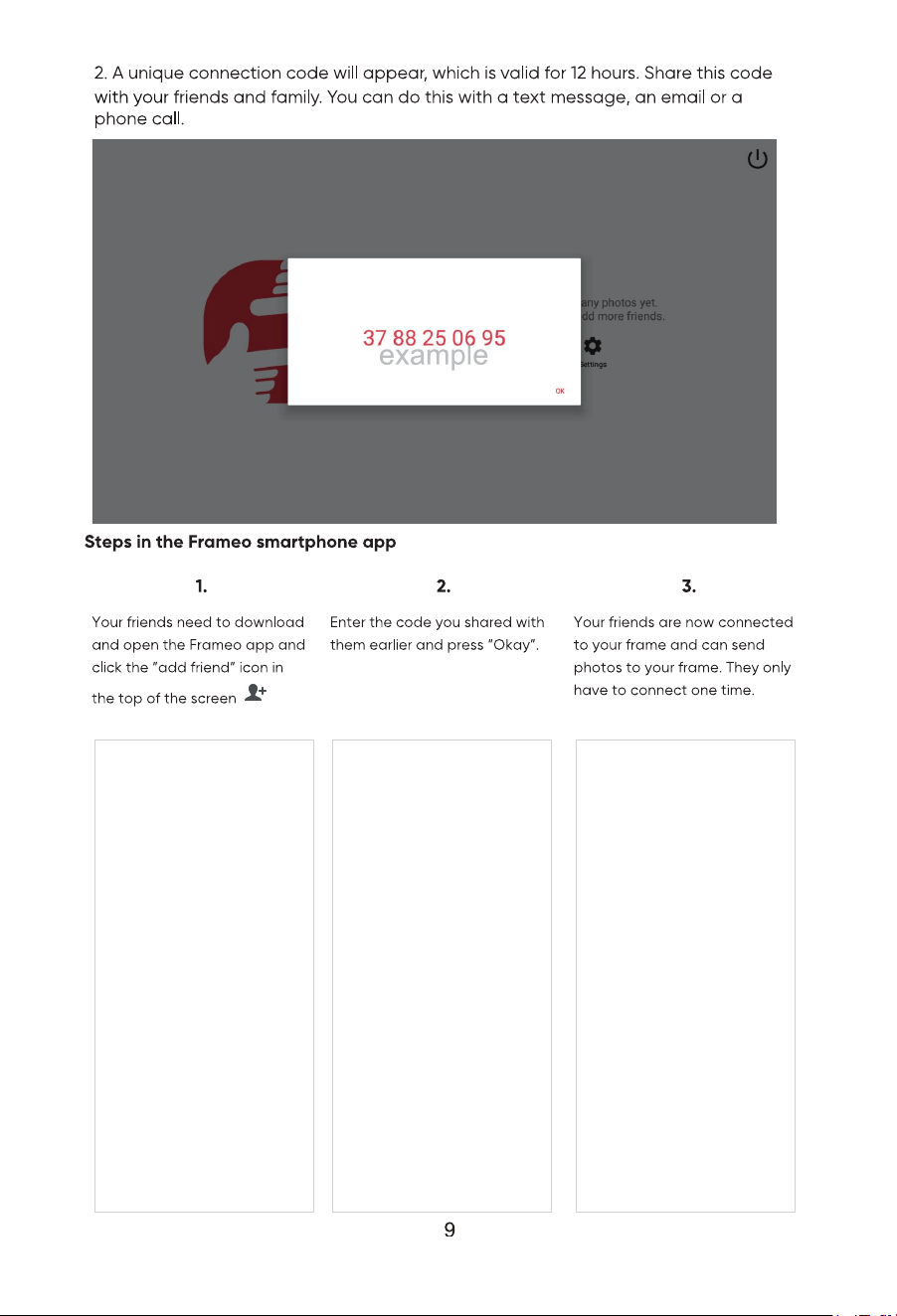
Add friend
Share this code with your friend to let them pair with your
frame. Once connected your friend will be able to send
photos to your frame.
Your friend only needs to do this once!
This code is valid until: 16 Jun 2022, 4:43 p.m.
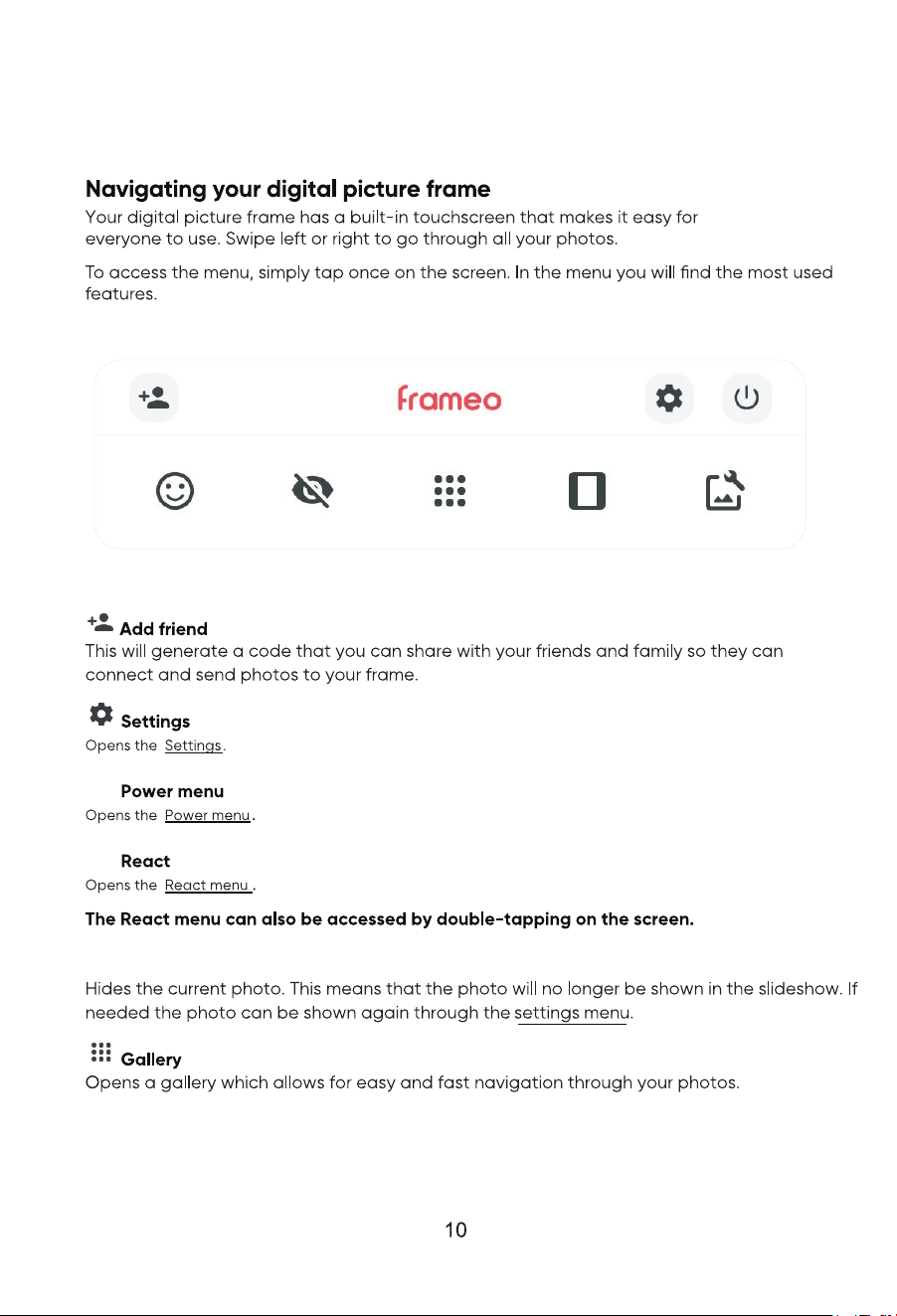
Hide photo
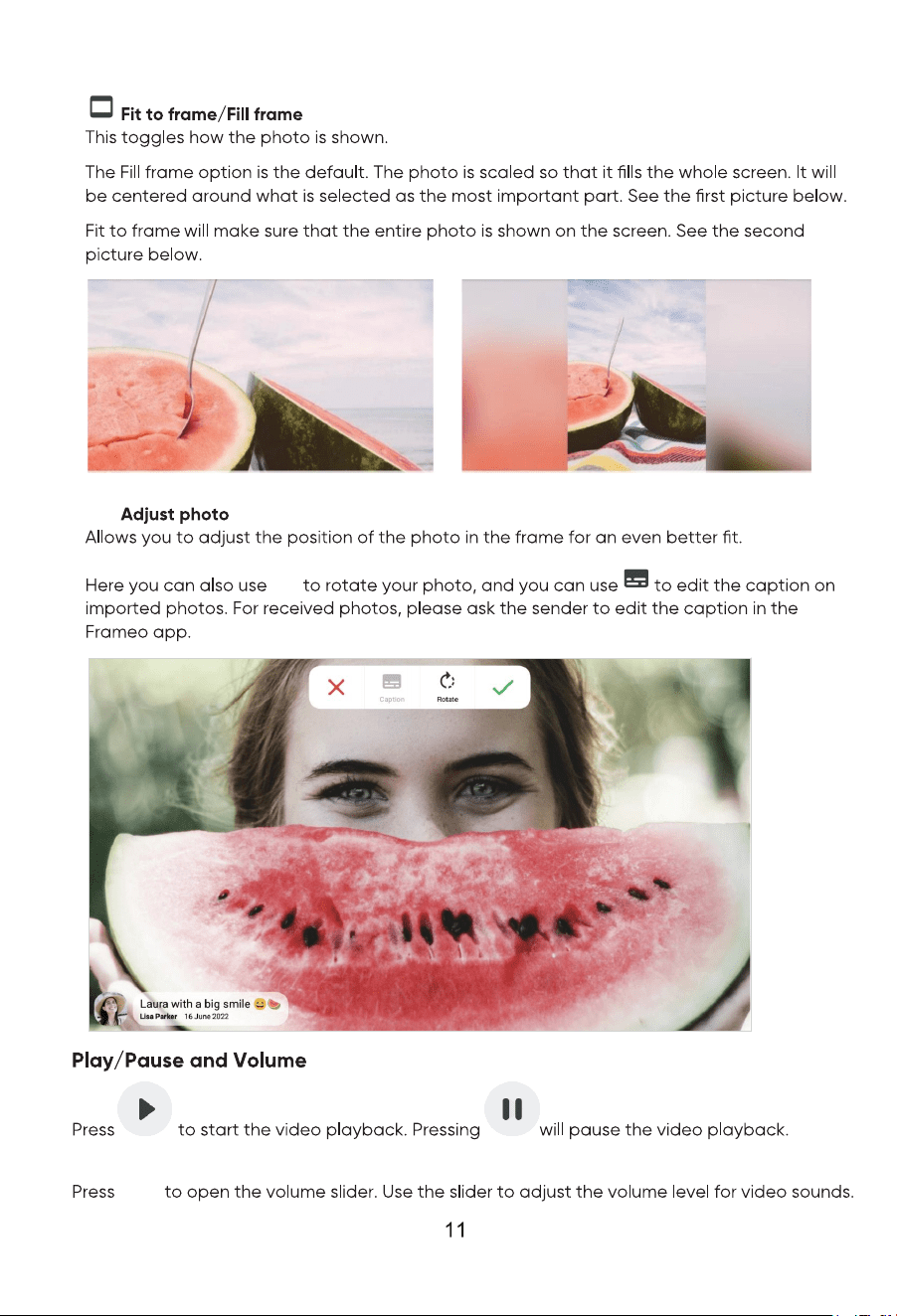
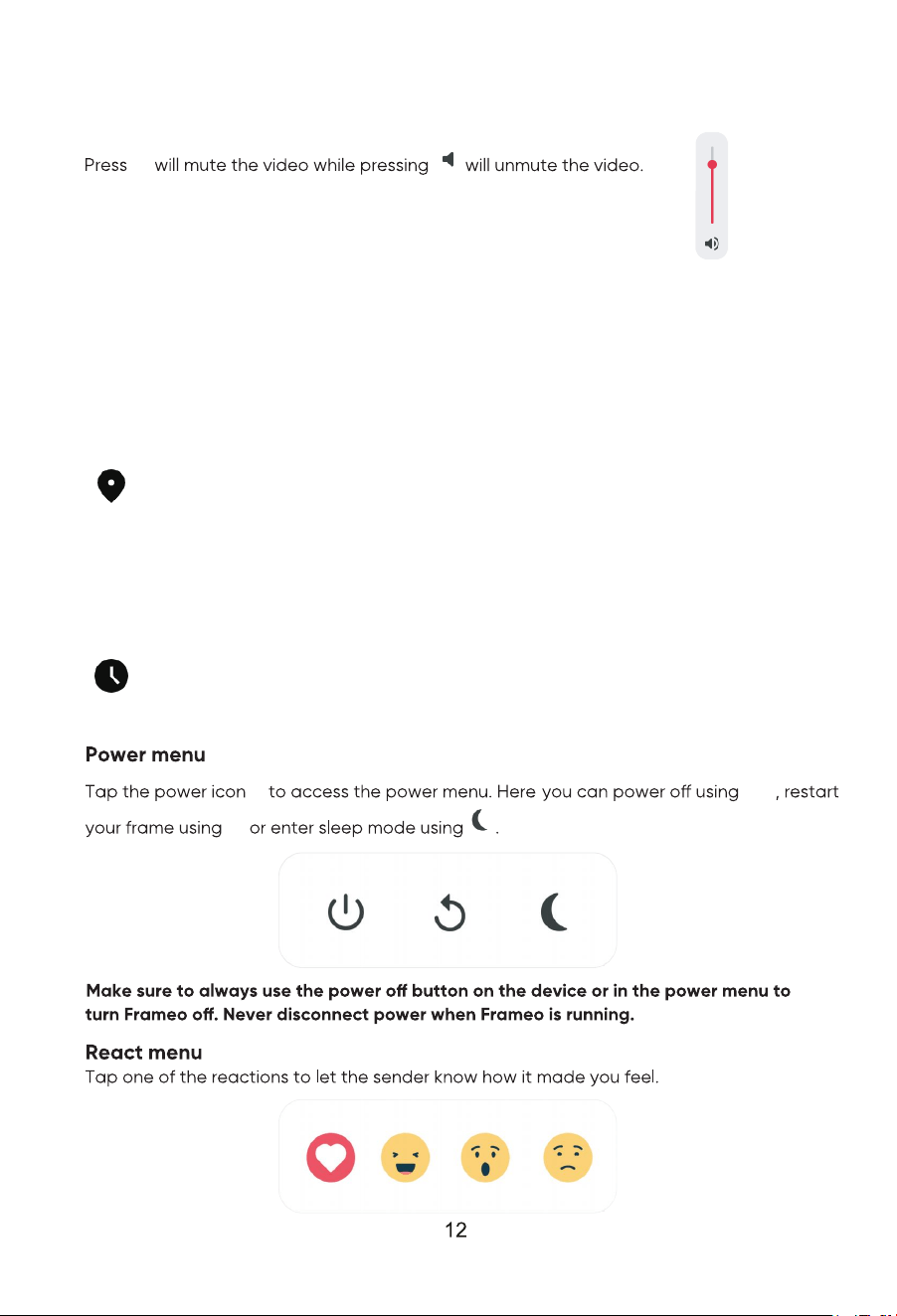
Clock and Weather widgets
The current time and weather will appear in the upper-right corner of the frame when the
frame has received at least one photo. Tapping either of these will open the weather menu.
Weather menu
The weather menu contains more detailed weather forecasts and has shortcuts to weather
-related settings.
Shows the weather location of your frame. Tap to access the weather location settings.
1 DAY
1-day forecast which includes weather conditions for time periods of the day.
4 DAY
4-day forecast. Tap to see the weather forecast for the next four days.
Displays the frame’s current time. Tap to access the time settings.
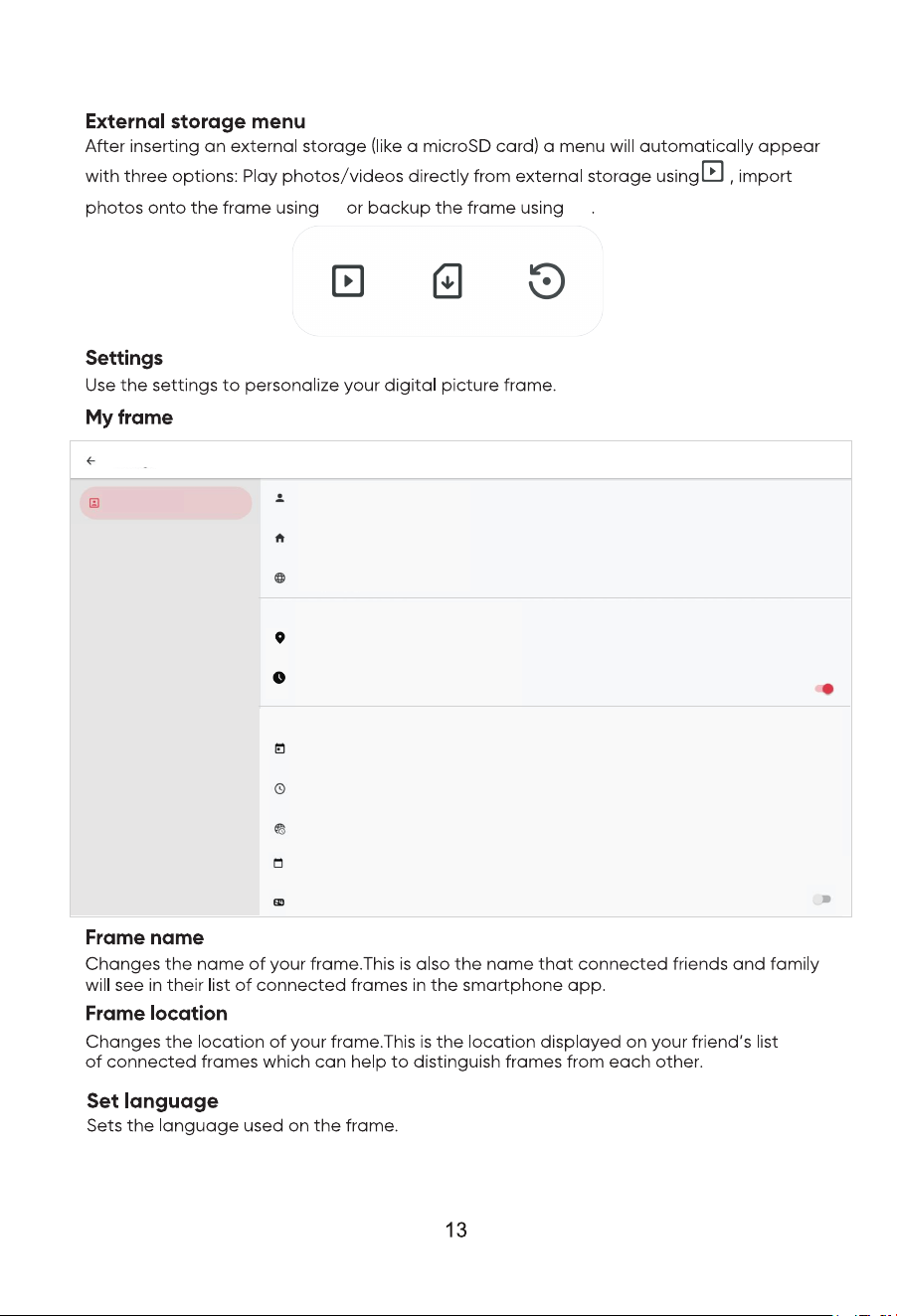
Frame name
Lisa Parker
Frame location
Living room
Set language
Change language from: English
Weather location
Set location for weather
Weather
Temperature unit
Celslus
Time zone
Pacific Time(US and Canada) GMT-07:00
Use 24-hour format
Settings
My frame
Weather location
Sets the location for the frame's weather feature, ensuring that your frame displays the
appropriate weather forecast for you.
Date
16 June 2022
Date and time
Time
5:07 a.m.
Time zone
Pacific Time(US and Canada) GMT-07:00
Set first day of week
The week starts on a Sunday
Use 24-hour format
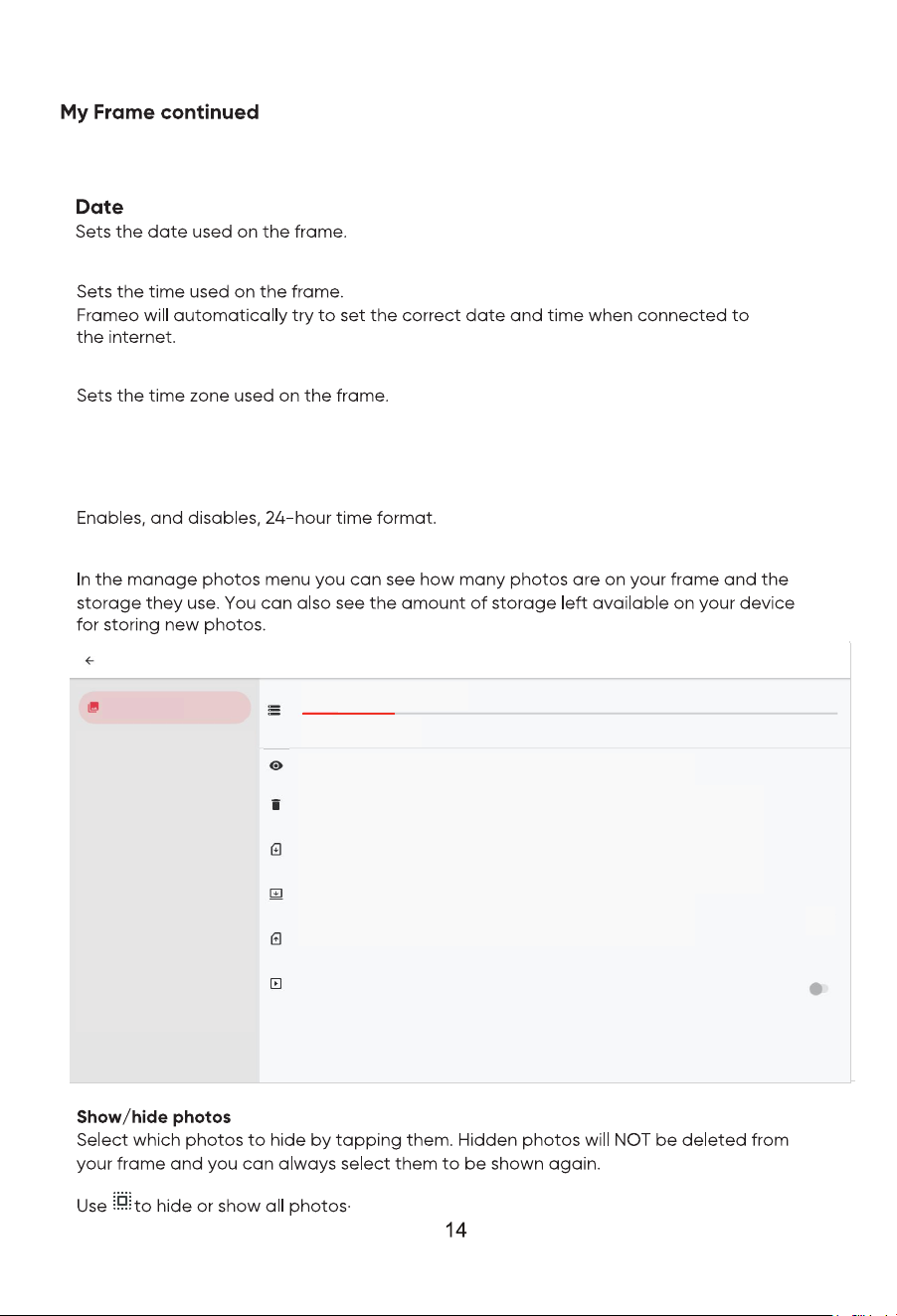
Set first day of week
Sets which day of the week is considered the first.
Temperature unit
Toggles between the Fahrenheit and Celsius temperature scales.
Time
Time zone
Enables, and disables, 24-hour time format.
Manage photos
Manage photos
Settings
Show/hide photos
Delete photos
Play from external storage
Play photos directly from external storage(e.g.microSD card)
Export photos
Export photos to external storage(e.g.microSD card)
Import photos
Delete one or multiple photos
Import photos from external storage(e.g.microSD card)
28 photos stored
4.94 GB used of 32 GB
0.69 GB videos
0.01 GB photos
4.24 GB system
Transfer from computer
Transfer photos using USB connection
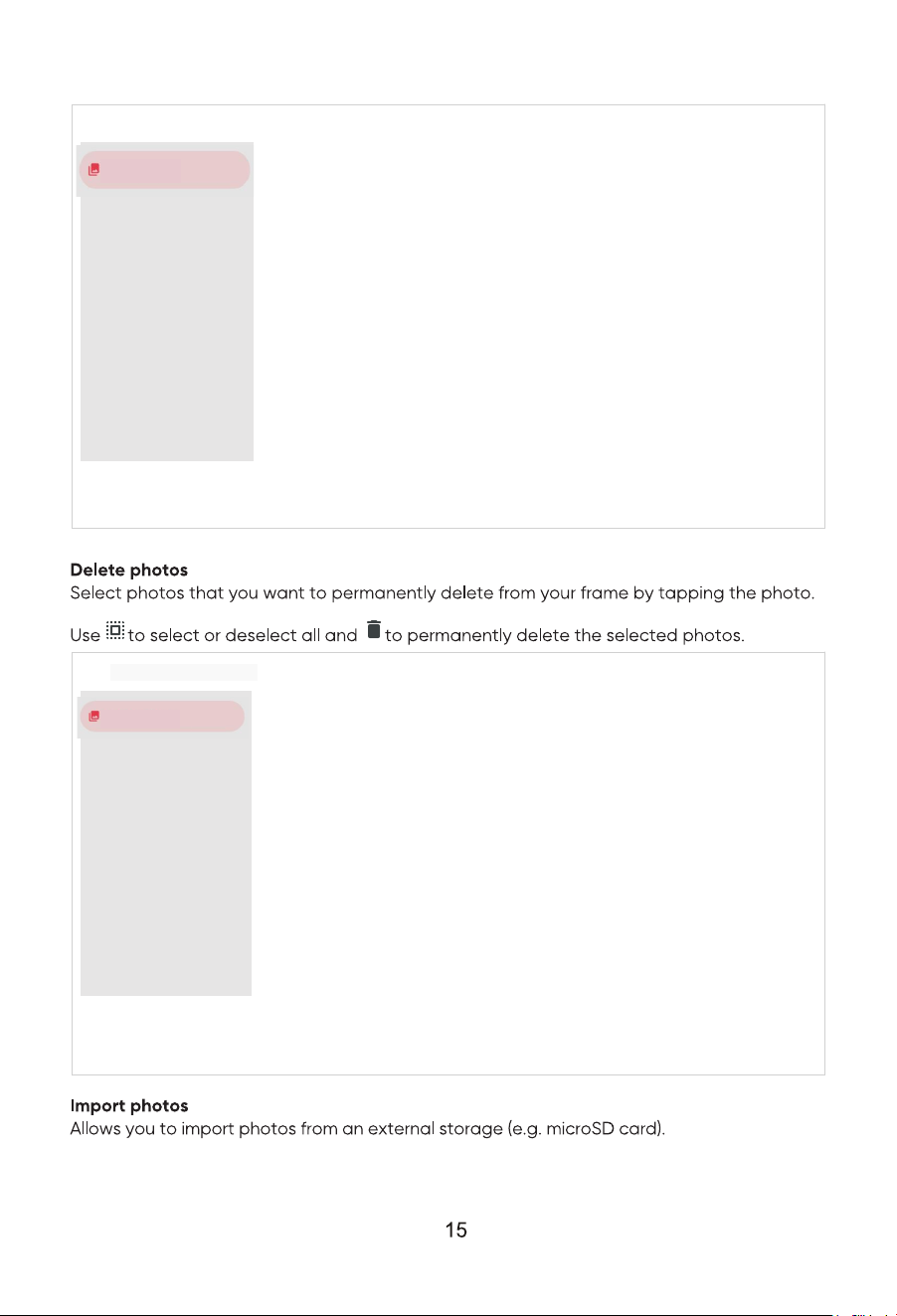
Manage photos
6 photos selected
Manage photos
Show/hide photos
Manage photos
4 photos selected
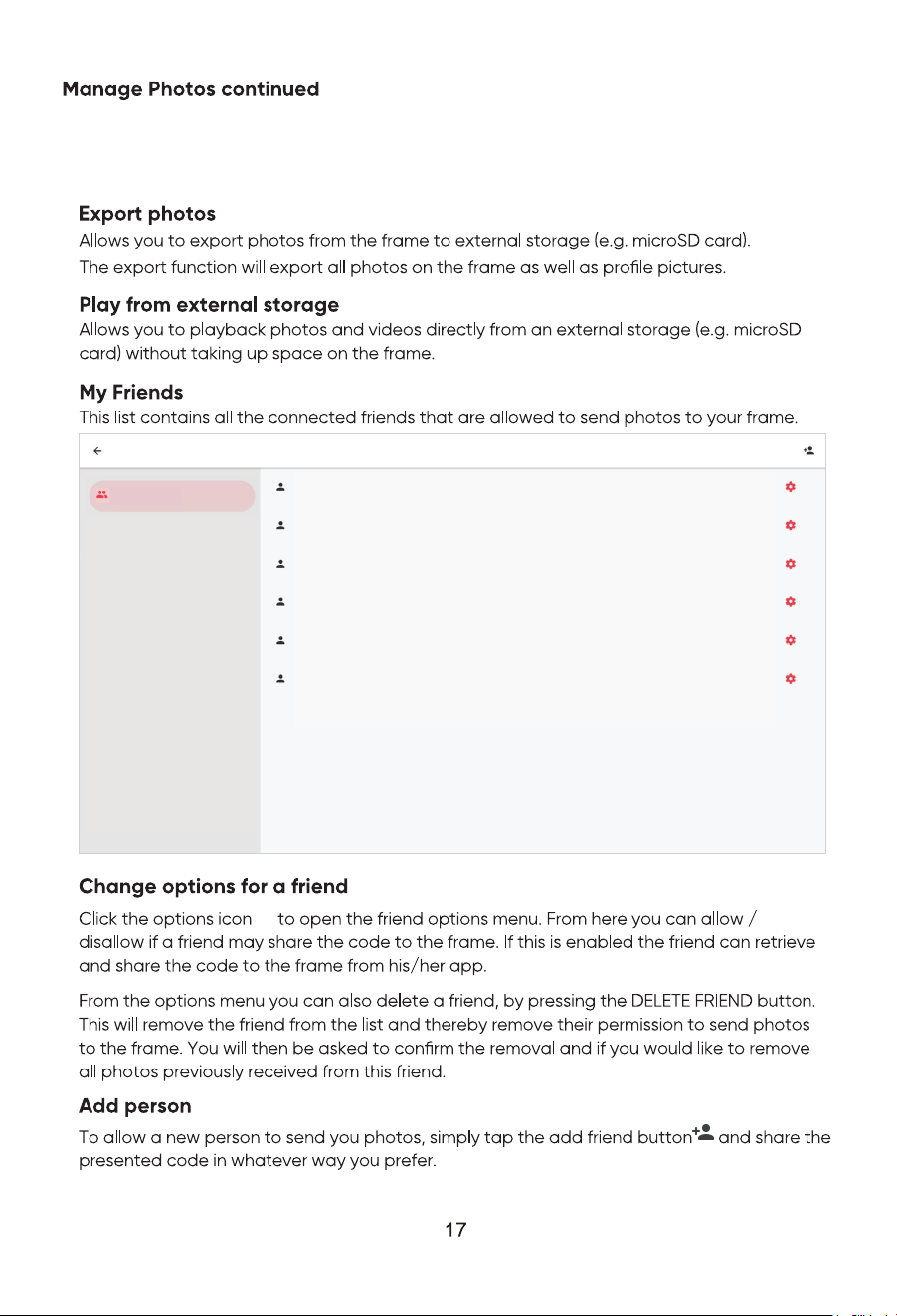
My Friends
Settings
Peter Parker 5 days ago
Lisa Parker 6 days ago
Sarah Paulsen 2 days ago
Allowed to share code
Thomas Williams 5 days ago
Allowed to share code
Michelle Brown 27 days ago
Michael Parker 5 days ago
Transfer from computer
Allows you to transfer photos from a computer using a USB cable. Enable the feature and
then follow the on-screen guide for step-by-step instructions on how to transfer photos
to your frame.
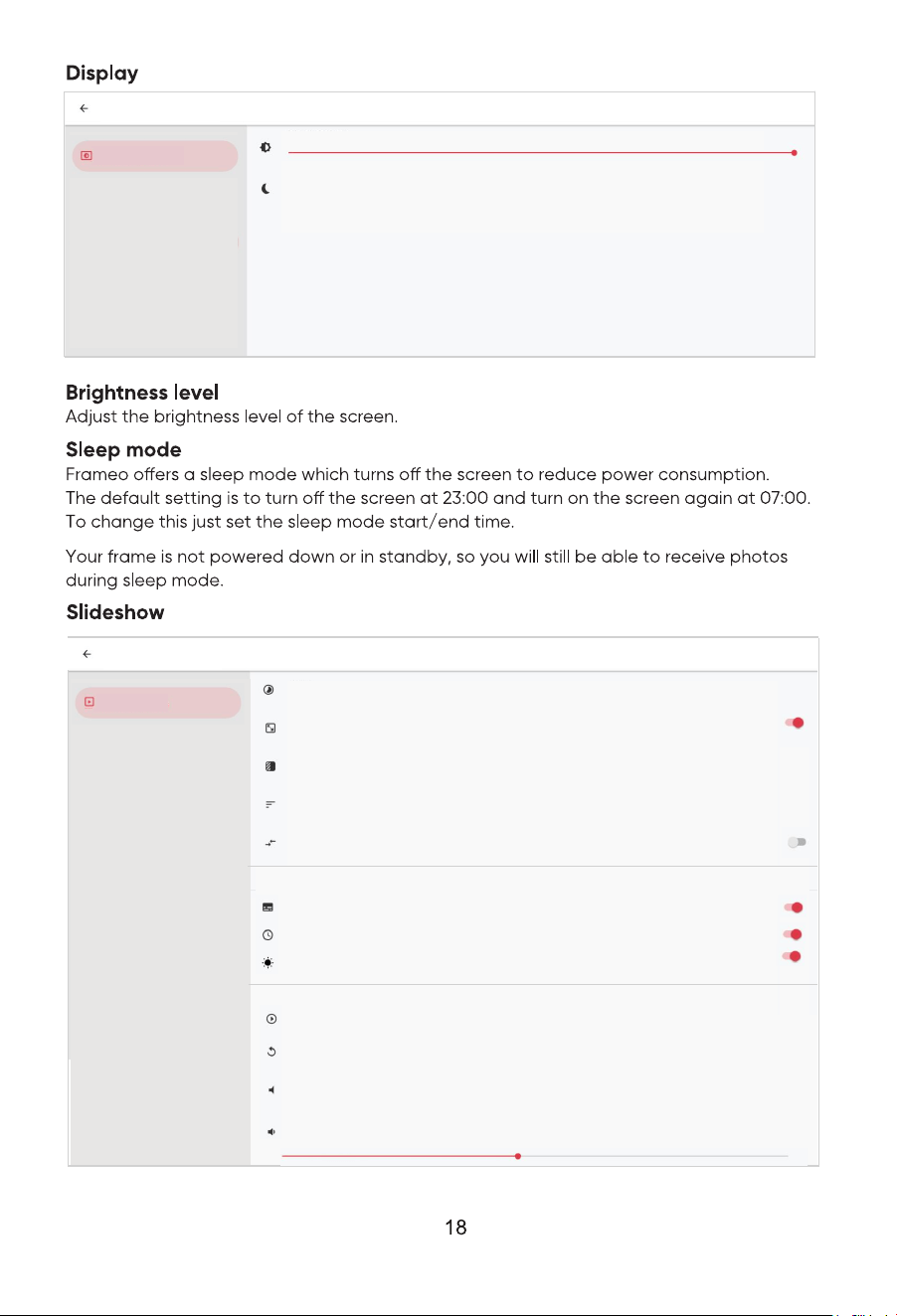
Display
Settings
Sleep mode
Sleep mode starts at 23:00 and ends at 07:00 each day
Brightness level
Slideshow
Settings
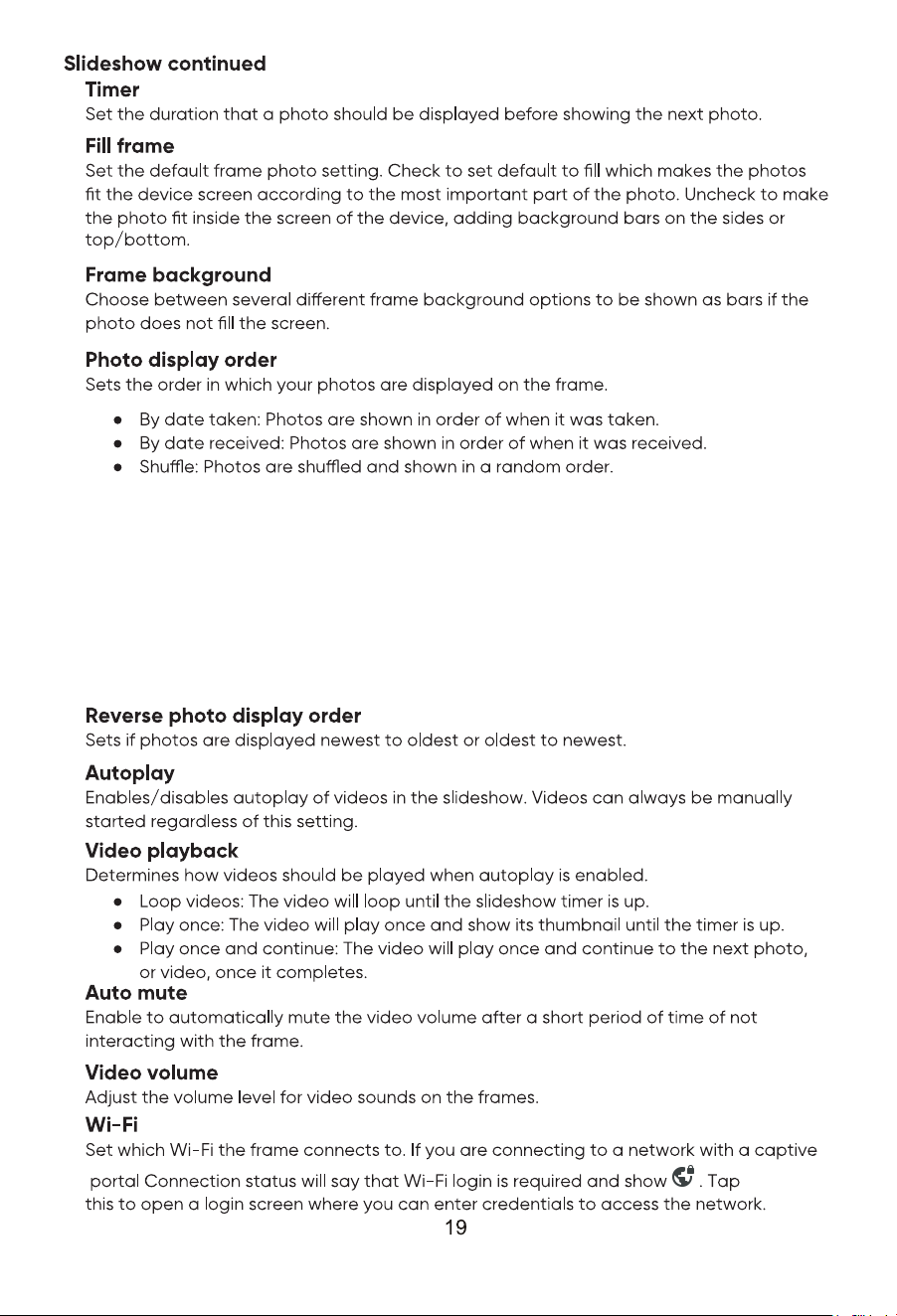
Timer
Show each photo for:30s
Fill frame
Photos are fit to the frame by default.
Frame background
The frame background is filled with Colored gradient bars
Photo display order
Photos are ordered: By date received
Reverse photo display order
Photos are displayed newest to oldest
Show clock
Video
Autoplay
Video playback
Loop videos
Auto mute
Automatically mute video volume after 10 minutes
Video volume
Slideshow widgets
Show caption
Show weather
Show caption
Set whether or not to display the captions that your friends have sent with the
photo. Check to display captions. Uncheck to hide captions.
Show weather
Set whether or not to display the weather widget in the upper-right corner of the
slideshow.
Show clock
Set whether or not to display the clock widget in the upper-right corner of the
slideshow.
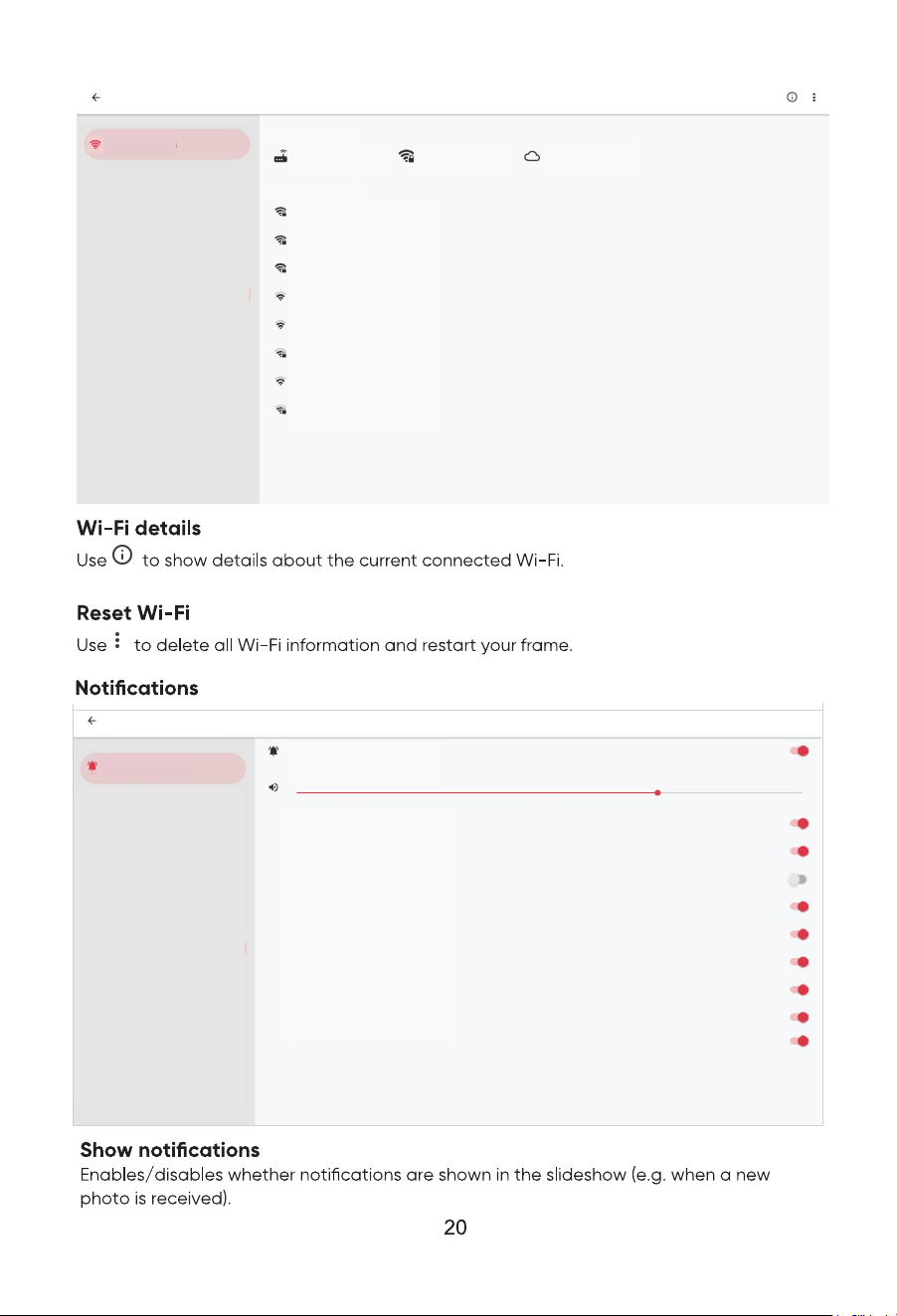
Wi-Fi
Settings
Current network
Wi-Fi 1
Connected
Signal strength
Amazing
Connection status
Connected
Available network
Wi-Fi 1
Wi-Fi 2
Wi-Fi 3
Wi-Fi 4
Wi-Fi 5
Wi-Fi 6
Wi-Fi 7
Wi-Fi 8
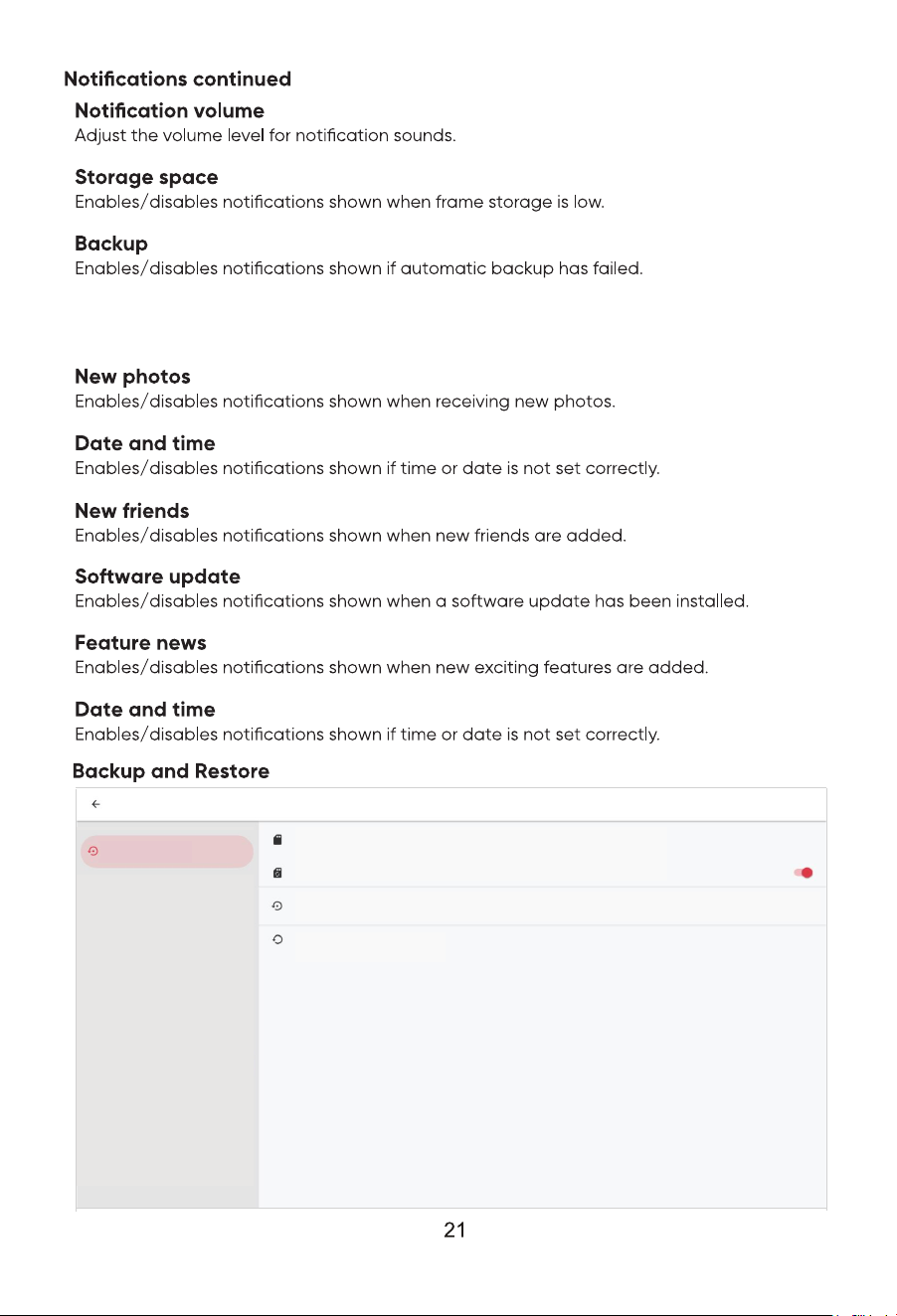
Notifications
Settings
Show notifications
Notification volume
Storage space
Backup
Network connection
New photos
New friends
Software update
Feature news
Date and time
Transfer from computer
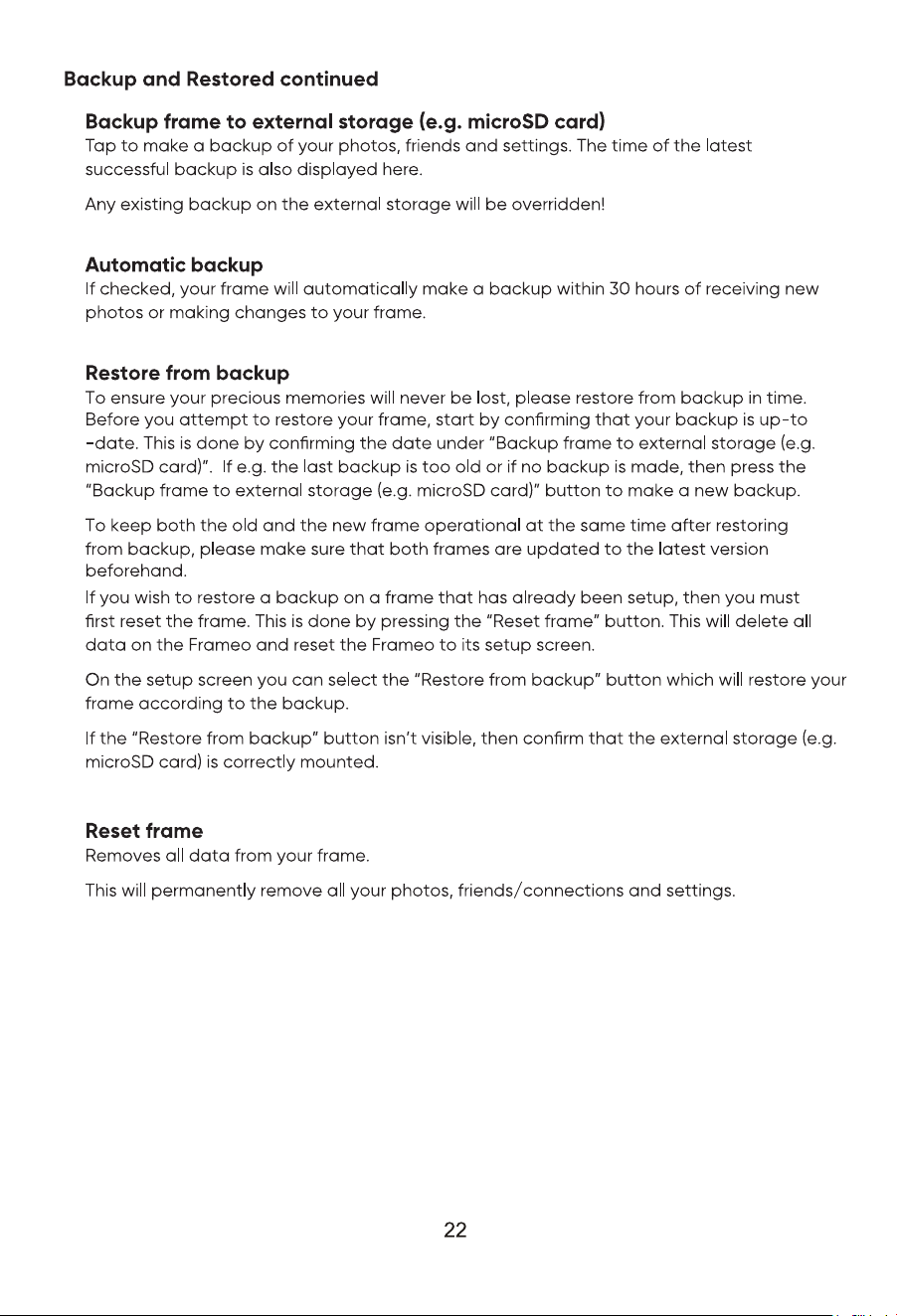
Backup and Restore
Settings
Backup frame to external storage(e.g.microSD card)
Warning. You have not created a backup yet.
Automatic backup
Restore from backup
You can only restore a backup from a reset frame. To restore a backup to this frame you must first reset it.
Reset frame
Transfer from computer
Enables/disables notifications shown when transferring from computer.
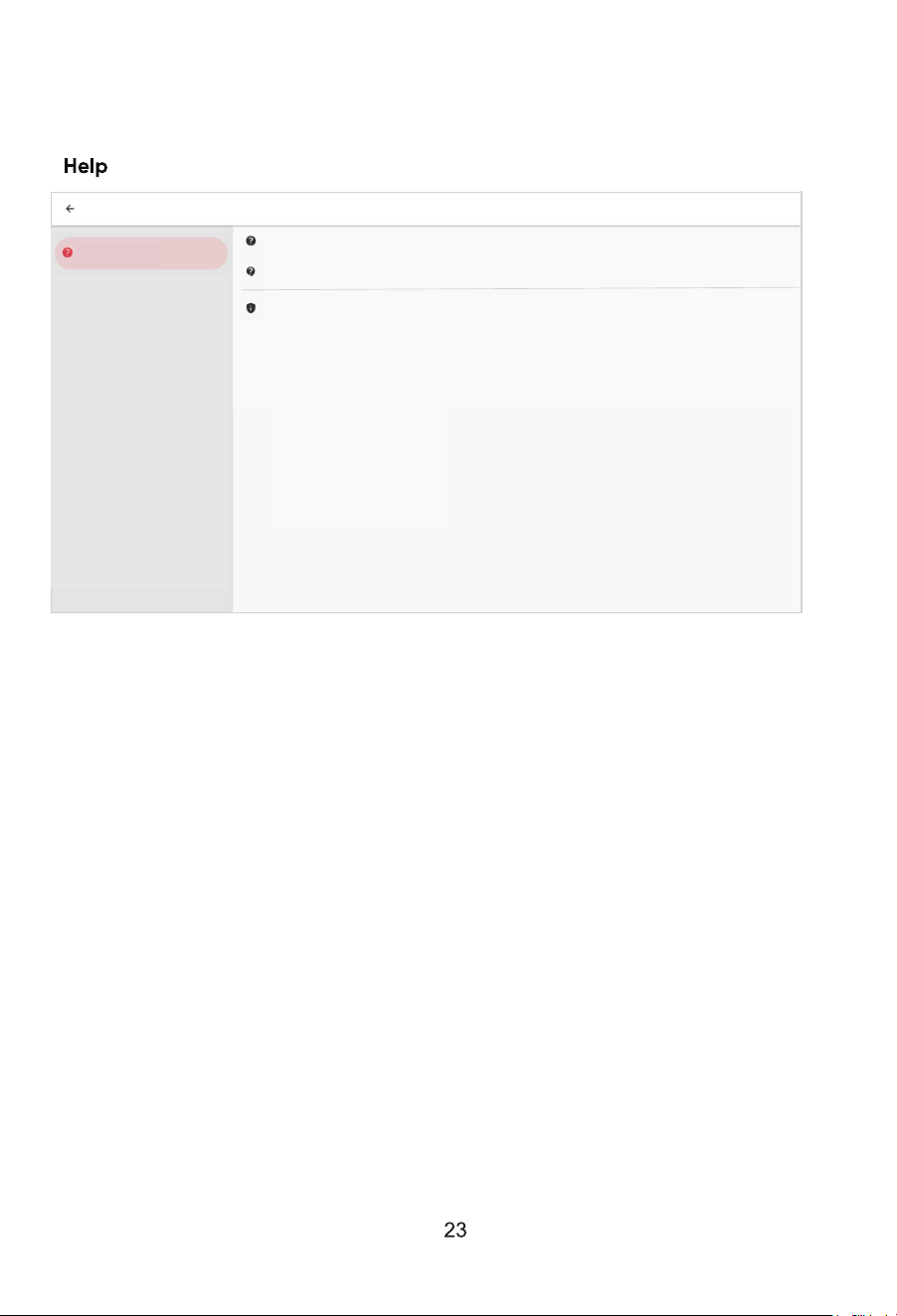
Help
Settings
Support
View frame information and get Frameo support.
Guide
Privacy policy
Please visit the website privacy. frameo.net to read our privacy policy and terms of use.
Guide
Shows the quick start guide, which was shown when you first started the frame.
Support
Find contact information for Frameo’s support team, and find technical device
information.
The menu features a special QR code that is there for our support sta to scan.
It contains additional device details and information, enabling our support team to
eciently address your specific concerns and provide accurate assistance.
Simply take a photo of the QR code and share it with our support sta.
Third party attributions
Open source libraries
Opens a list of open source libraries used in the app and their licenses
Share anonymous analytics data
Sharing anonymous analytics data helps us tremendously to improve the Frameo
software. We understand if you do not wish to share this data with us. Keep it
checked if you wish to help us improve Frameo. Set unchecked to deny the sharing
of anonymous analytics data.
About
Settings
Beta Program
Join the Beta program to try out new features before they are released to everyone.
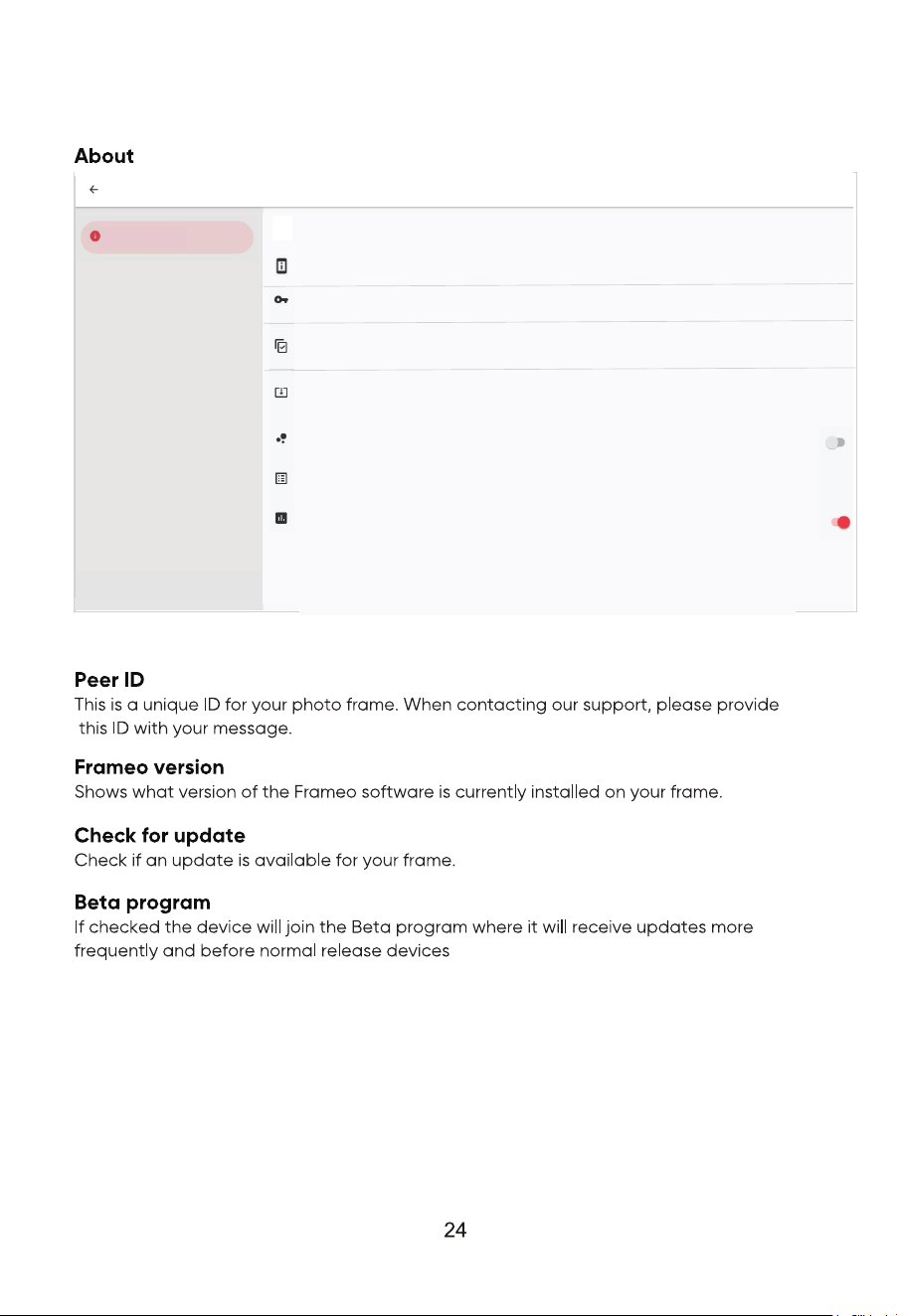
Peer ID
241e02d46ff0f6530e61b9645e9eb9fc
Check for update
Last check for update: 16 June 2022, 05:37
Beta Program
Join the Beta program to try out new features before they are released to everyone.
Third party attributions
Share anonymous analytics data
Thank you for sharing analytics data with Frameo
Frameo version
v1.19.5(36540)
Model
PEDPF1400
Brand
PROSCAN ELITE
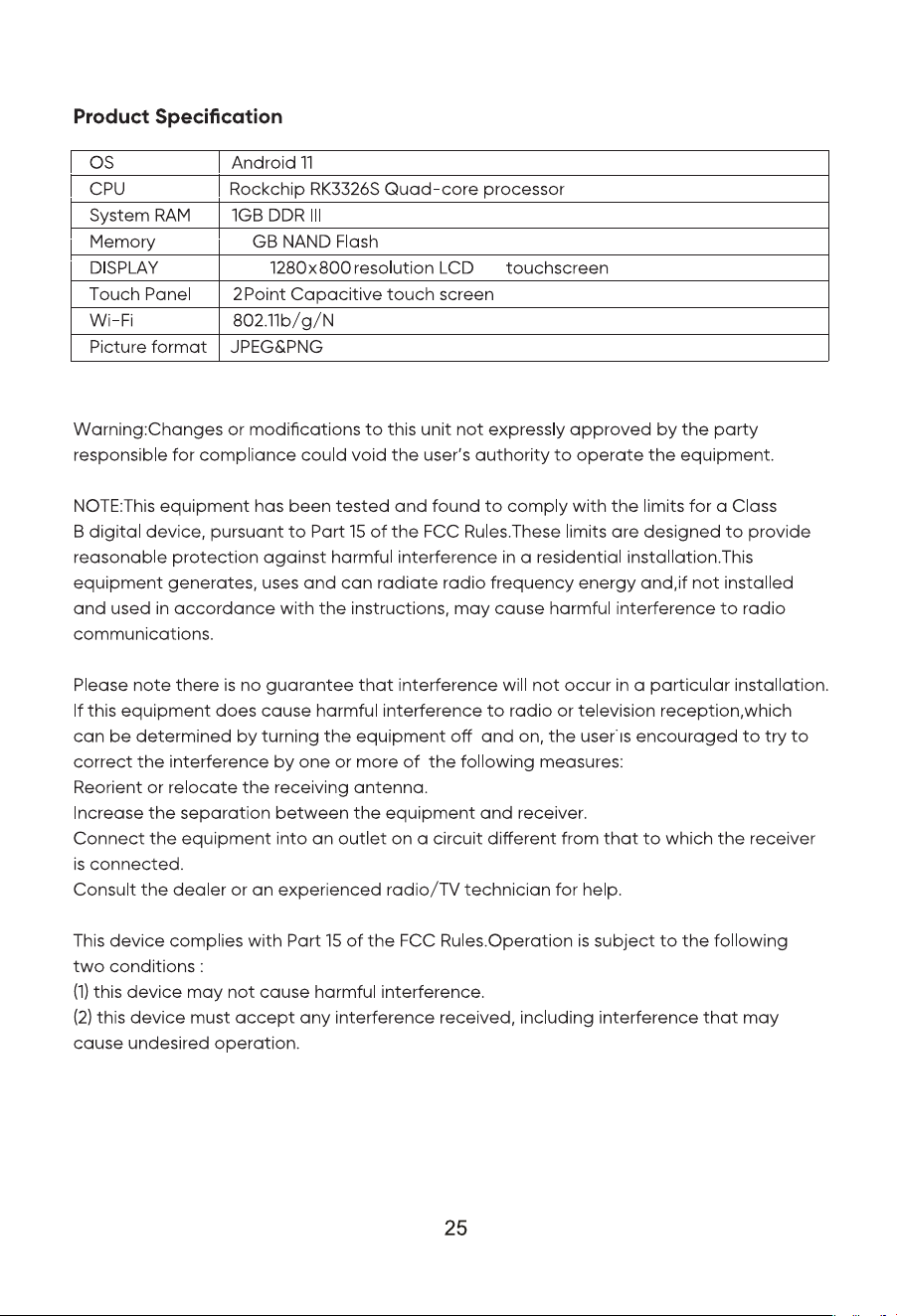
14.1’’
32
TN
Radiation Exposure Statement
This equipment complies with FCC radiation exposure limits set forth for an uncontrolled
environment. This equipment should be installed and operated with minimum distance
20cm between the radiator and your body.
90 day Warranty
This product is warranted to be free from defects in material and workmanship for a period of
ninety (90) days from the date of original delivery to the consumer. During this period, your
exclusive remedy is repair or replacement of this product or component found to be defective,
at our option; however, you are responsible for all costs associated with returning the product
to us. If the product or component is no longer available, we will replace with a similar one
of equal or greater value. Prior to a replacement being sent, the product must be rendered
inoperable or returned to us.
This warranty does not cover glass, filters, wear from normal use, use not in conformity with
the printed directions., or damage to the product resulting from accident, alteration, abuse,
or misuse. This warranty extends only to the original consumer purchaser or gift recipient. Keep
the original sales receipt, as proof of purchase is required to make a warranty claim. This
warranty is void if the product is used for other than single-family household use or subjected
to any voltage and waveform other than as on the specified rating on the label (e.g., 120V~
60Hz).
We exclude all claims for special, incidental, and consequential damages caused by breach of
express or implied warranty. All liability is limited to the amount of the purchase price. Every
implied warranty, including any statutory warranty or condition of merchantability or fitness
for a particular purpose, is disclaimed except to the extent prohibited by law, in which case
such warranty or condition is limited to the duration of this written warranty. This warranty
gives you specific legal rights. You may have other legal rights that vary depending on where
you live. Some states or provinces do not allow limitations on implied warranties or special,
incidental, or consequential damages, so the foregoing limitations may not apply to you.
For faster service, locate the model, type, and serial numbers on your appliance.