Quick Start
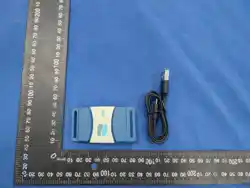
Charge the sensor first
□ Open the App Store on your
iPhone or iPad, search for
Aspire Motion, and download
and install the app.
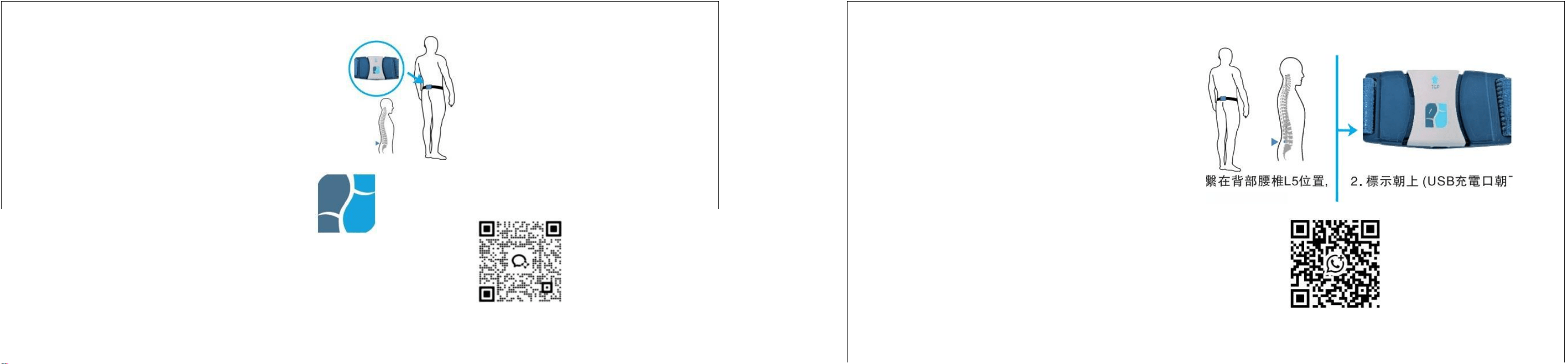
Wear a belt
Sensor direction:
1. The belt is fastened
at the L5 level of the
lumbar spine, with the
image-facing side facing
outward.
2.
Label up
(USB charging port facing
down)
Quick Start
iPhone or iPad, search for
Aspire Motion, and download
■ Charging the intelligent sensor
Open the App Store on your
the app.
Enter your username and password to log in to the APP
On the APP settings page,
select "Device" to
automatically search for
nearby sensors and pair
them
Pay attention to the orientation of the
sensor when wearing the belt
The image side faces outward
Contact customer service via
WhatsApp or phone: 35902685
Enter your username and password to
log in to the APP
For any questions, contact WeCom customer service.
On the APP settings page,
click "Device" to
automatically search for
nearby sensors and pair
them
Click "New Visitor" to create a new
user profile and start the test
evaluation
FCC Statement
This equipment has been tested and found to comply with the limits for a Class B
digital device, pursuant to Part 15 of the FCC Rules.Any changes or modifications not expressly approved by the party responsible for compliance could void the user's authority to operate the equipment. These limits are
designed to provide reasonable protection against harmful interference in a residential installation.This equipment generates, uses and can radiate radio frequency energy and, if not installed and used in accordance with the
instructions, may cause
harmful interference to radio communications. However, there is no guarantee that
interference will not occur in a particular installation. lf this equipment does cause
harmful interference to radio or television reception, which can be determined by
turning the equipment off and on, the user is encouraged to try to correct the
interference by one or more of the following measures:
-Reorient or relocate the receiving antenna.
Increase the separation between the equipment and receiver.
-Connect the equipment into an outlet on a circuit different from that to which
the receiver is connected.
-Consult the dealer or an experienced radio/TV technician for help.
Radiation Exposure Statement
This device complies with FCC radiation exposure limits set forth for an
uncontrolled environment and it also complies with Part 15 of the FCC RF Rules.
This device complies with part 15 of the FCC Rules. Operation is subject to the following two conditions: (1) This device may not cause harmful interference, and (2) this device must accept any interference received, including
interference that may cause undesired operation.
Changes or modifications not expressly approved by the party responsible for compliance could void the user’s authority to operate the equipment.