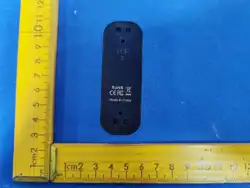
- User manual -
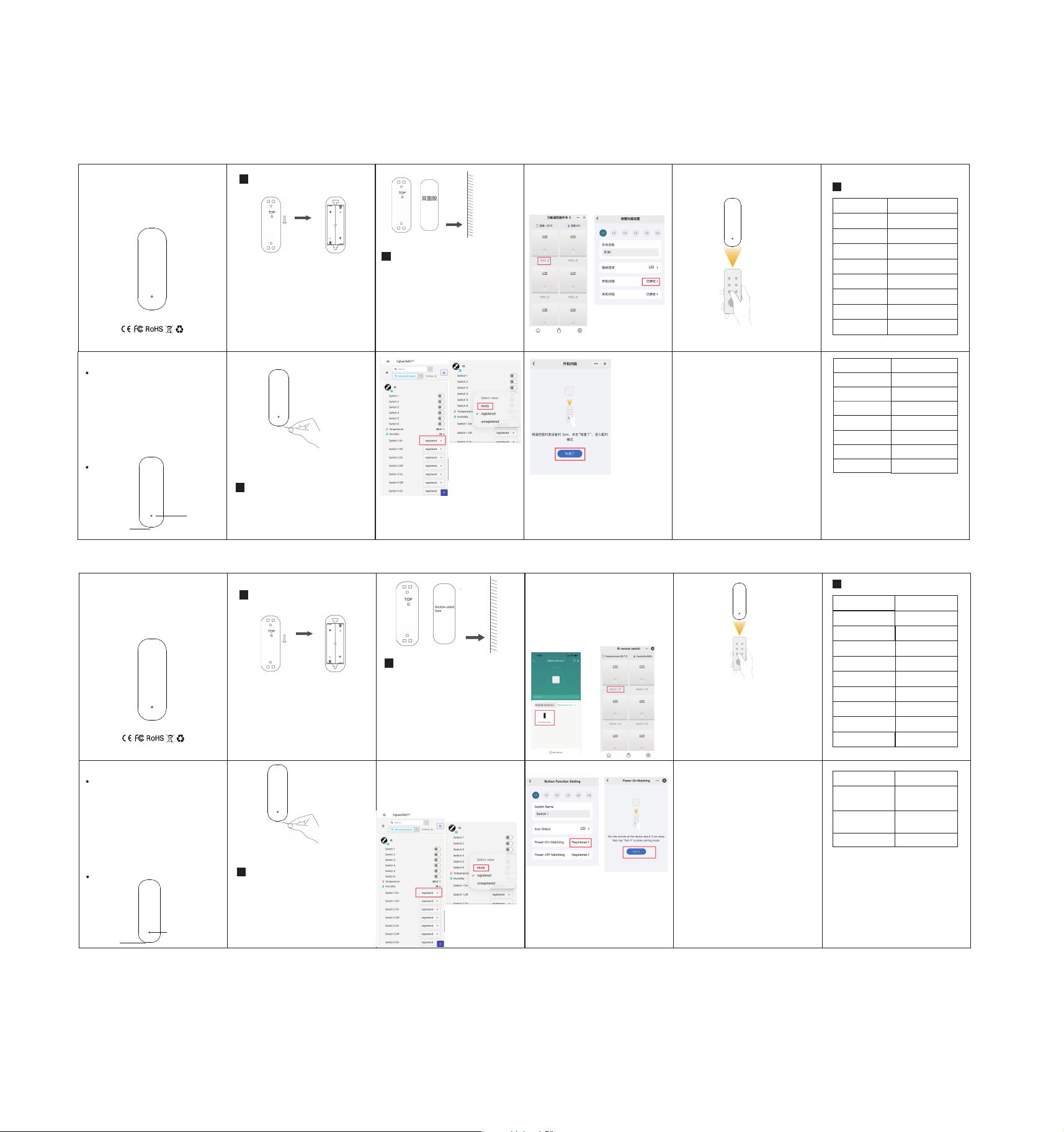
Installation Instructions
2
Network Configuration
1
1. Use a 3M sticker to affix the product to
the target position.
*
Status indicator
Reset Key
1. Power on the product.
2. Press the RESET button for 3s and
release, the red LED will flash for network
configuration.
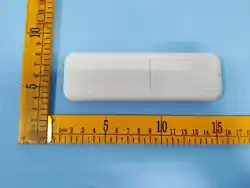
IR Remote Control
Please read the manual carefully and
use the product correctly
Product description
Thank you for purchasing and using this
product. Before using the product, please
read the manual carefully and use the
product correctly. In order to avoid damage
to the equipment, such as all consequenc-
es caused by abnormal operation, The
company will not bear any responsibility.
The pictures in this manual are used to
guide the user's operation and are for
reference only. Please refer to the actual
product for details.
Push down to open the battery
back cover,Install 2 AAA(LR03) batteries.
成品尺寸:38mm*48mm
工艺:正反面,双面黑白印刷,按风琴纸折叠
材质:105g铜版纸
页码:8P(正面英文,背面中文,折叠后英文朝上)
安装说明
2
�. 使用 双面胶直接粘贴在所需位置。
�. 本产品采用红外光线控制,与被控设备
不能有遮挡
待机时长 ≥ �个月
工作温度 -��~ ��℃
工作湿度 max ��%RH
产品尺寸 ��×��.�×��mm
�. 长按配网按键 � 秒后松开
,红色指
示灯闪烁
,
传感器进入配网状态。
- 使用说明书 -
Zigbee 红外遥控器
产品介绍
使用本产品前,请仔细阅读本产品说明
书
感谢您购买和使用本产品。在使用产品前,
请您认真阅读产品说明书,并正确使用产
品,以免造成设备损坏,如因非正常操作
导致的一切后果,本公司将不承担任何责
任。
本说明书中的图片用于指导用户操作,仅供
参考,具体请以实物为准。
*
指示灯
配网按键
网络配置
1
向下推打开电池盖
装入两节AAA(�号)电池
�. 设备通电
产品参数
4
产品名称 Zigbee红外遥控器
无线连接 Zigbee�.�
温度分辨率 �.�℃
湿度分辨率 �%
温度测量精准度 ±�.�℃
湿度测量精准度 ±�%
工作电压 DC �.�V
电池类型 LR�� AAA
待机电流 ≤��uA
Zigbee设备需要配合Zigbee
网关使用。
If it is a zigbee device, it must be used
in conjunction with the zigbee gateway
hub.
IR频率 ��KHz / ���nm
IR距离
<��米
IR角度
���°
本产品支持 Zigbee�mqtt。
This product fully supports Zigbee�mqtt,
学习开/关机红外编码
3
本产品支持 �路 红外 开/关机编码学习;
必须先学习红外编码才能通过红外遥控设备。
仅支持 ��KHz 编码的红外遥控器。
* Zigbee�Mqtt 操作方法
�. 将Zigbee�Mqtt更新到最新版本,参考配网
说明将本产品添加到Zigbee�Mqtt。
�. 在产品功能界面,点击 Study 按钮进入红
外遥控器学习状态,此时设备指示灯常亮。
将红外遥控器对准设备按下遥控器开机键,
设备指示灯将快闪�次,表明学习成功。
* 涂鸦/智能生活 APP操作方法
(仅包装盒上有标记 Works with Tuya的产品支持)
�. 将设备添到涂鸦Zigbee网关/APP。
�. 在APP设备列表点击设备,进入产品界面,
点进开/关名称进入对应的开/关 设置。
将红外遥控器对准设备按下遥控器开/关机键,
设备指示灯将快闪�次,表明学习成功。
特别注意!设备指示灯常亮时才可以学习。
如果红外遥控器状态是相反的,需在�秒内重
新按一次遥控开机键进行学习。
每路开/关必须学单独习遥控器的开机码和
关机码。
指示灯快闪�次,表示学习成功,学习成功后,
在�秒内可以重复学习,�秒后将记录最后一
次学习的红外编码。
常见问题:
a.学习了遥控器后不能控制?
�.请重复多次学习,确定有提示学习成功.
�.如果多次学习都不能使用, 表明不兼容此遥
控器.
b.点击学习后,会自己闪烁LED,�秒后就退
出了?
�. 可能环境有���nm红外信号干扰, 到另外一
个环境进行学习操作
Learn PWR On/Off IR Code
3
This product supports learning of �-channel
infrared power on/off codes.
The infrared codes must be learned first
before the device can be controlled via infra-
red remote control.
Only infrared remote controls with ��KHz
carrier frequency are supported.
* Zigbee�MQTT Usage Instructions
�. Update Zigbee�MQTT to the latest version,
and add this device to Zigbee�MQTT accordi-
ng to the network configuration instructions.
�.On the product function page, click the
[Study]button to enter the infrared remote
control learning state; the device indicator
light will stay on steadily at this time.
* Tuya/Smart Life APP Usage Instructions
(Only products with the "Works with Tuya" label
on the package are supported.)
�. Add the device to the Tuya Zigbee Gatew-
ay / APP.
�. Tap the device in the APP device list to
enter the product page, then tap the switch
name to enter the corresponding switch se-
ttings.
Point the infrared remote control at the
device and press the Power On/Off key on
the remote.The device indicator light will
flash rapidly � times, indicating that the
learning is successful.
Important Note!
�.IR code learning is only available when
the device indicator light stays solid on.
If the infrared remote control works in
reverse state, press the power button on
the remote again within � seconds to
relearn the code.
�. Each on/off channel must separately learn
the power-on IR code and power-off IR
code from the remote control.
�. The indicator flashes rapidly � times to
indicate successful learning. After success-
fullearning, relearning can be repeated
within � seconds; after � seconds, the last
learned IR code will be saved automatically.
FAQ:
a.
IR code learning succeeded, but control is
invalid?
�.Please retry IR Code learning several times.
�.If control still fails after successful retries,
the IR remote is incompatible.
b.After clicking "Study", the LED flashes
right away and the process exits automat-
ically in � seconds.
�. There is ���nm infrared signal interferen-
ce in the environment. Please move to
another location to perform the IR learning
operation.
Product Specifications
4
Product Name
IR Remote Control
Wireless Type Zigbee�.�
Temp. Accuracy ±�.�℃
Hum. Accuracy ±�%
IR Frequency H��KHz / ���nm
IR Control Distance
<��m
IR Radiation Angle
���°
Battery Type LR��
Standby Current <��uA
Battery Life >� Months
Operating Voltage DC�.�V
Operating
Temperature
-��~ ��℃
Operating
Humidity
max ��%RH
Product Size
����.���mm
If your Zigbee gateway does not support
this device and it only shows as a switch
or light in the APP, you can perform
learning via the key button.
�. Press the Reset Key once, the indicator
light stays on, and the device enters
power-on IR Code learning mode.
�Double-click the Reset Key, the indicator
stays steady on, and it enters Power-off IR
Code Learning mode.
如果你的Zigbee网关不兼容此设备,绑定后为
一个开关或者灯,请可以手动学习红外遥控进
行单路控制.
�. 单击 配网按键 进入 开机码学习.
�. 双击 配网按键 进入 关机码学习.

FCC Caution.
This device complies with part 15 of the FCC Rules. Operation is subject to the following two
conditions:
(1) This device may not cause harmful interference, and
(2) this device must accept any interference received, including interference that may cause
undesired operation.
Any Changes or modifications not expressly approved by the party responsible for compliance
could void the user's authority to operate the equipment.
Note: This equipment has been tested and found to comply with the limits for a Class B digital
device, pursuant to part 15 of the FCC Rules. These limits are designed to provide reasonable
protection against harmful interference in a residential installation. This equipment generates
uses and can radiate radio frequency energy and, if not installed and used in accordance with the
instructions, may cause harmful interference to radio communications. However, there is no
guarantee that interference will not occur in a particular installation. If this equipment does
cause harmful interference to radio or television reception, which can be determined by turning
the equipment off and on, the user is encouraged to try to correct the interference by one or
more of the following measures:
-Reorient or relocate the receiving antenna.
-Increase the separation between the equipment and receiver.
-Connect the equipment into an outlet on a circuit different from that to which the receiver is
connected.
-Consult the dealer or an experienced radio/TV technician for help.
* RF warning for Portable device:
The device has been evaluated to meet general RF exposure requirement. The device can be used
in portable exposure condition without restriction.