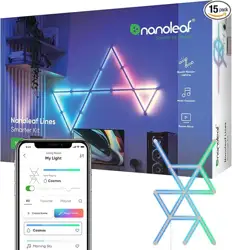
NL59-K-6003LW-15PK Nanoleaf Lines Smart LED Wall Lights, Music & Screen Sync RGBW Light Bar with 16M+ Color, WiFi Wall Lights Work with Alexa & Google Assistant for Gaming and Home Decor, 60 Degree Smarter Kit 15 Lines

Product's Documents

Below are documents related to this product, you can read online or download:

User Manual

This is the main product document for model NL59-K-6003LW-15PK. Additionally, the document applies to other SYNC models: NL59-K-6003LW-15PK

The file format is pdf, 46 pages, you can download this manual here .

background
Nanoleaf Lines
User Manual
English
Español
Français
Italiano
Deutsch
background
Nanoleaf Lines
User Manual
background
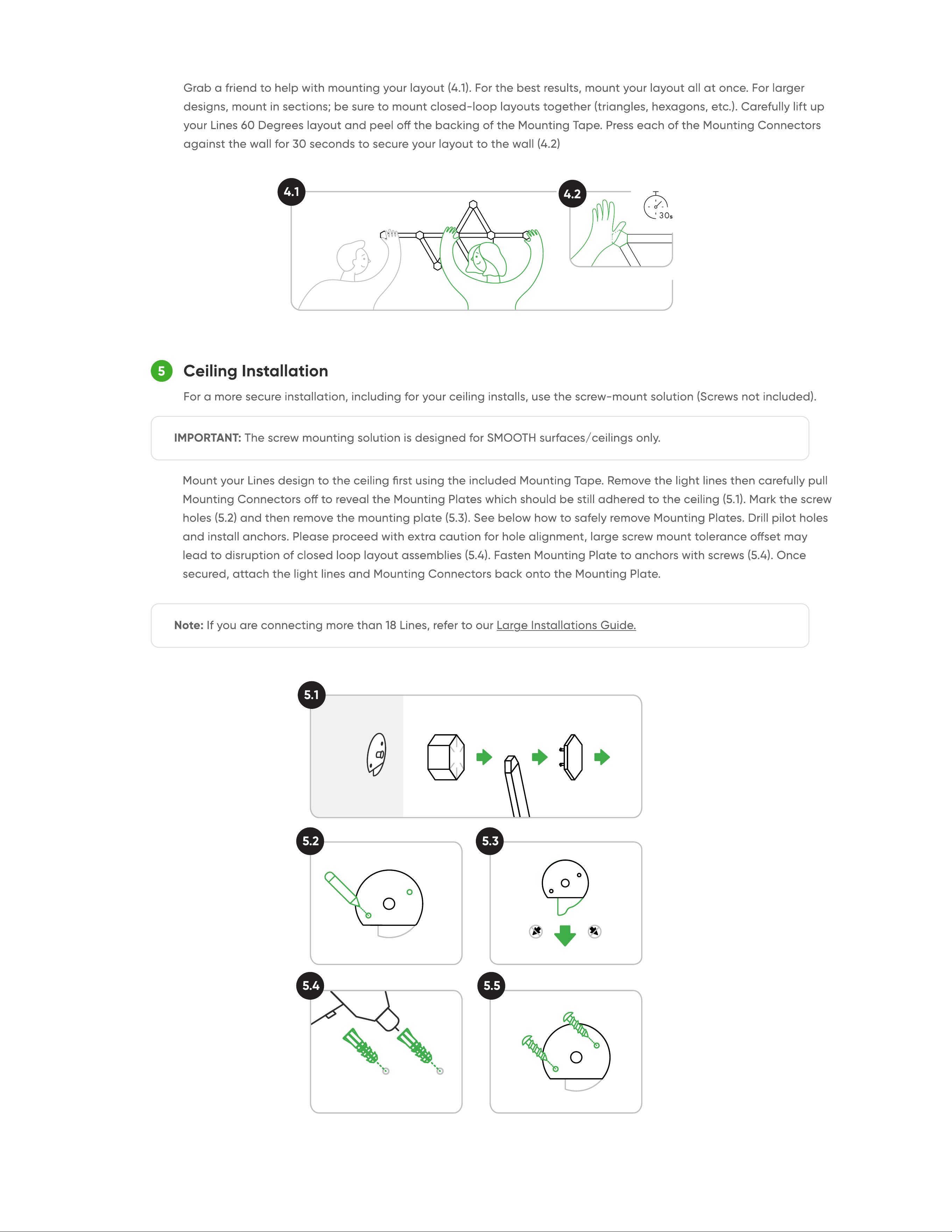
1 Download Nanoleaf Mobile App
2 Set up Nanoleaf Lines
Design Your Layout
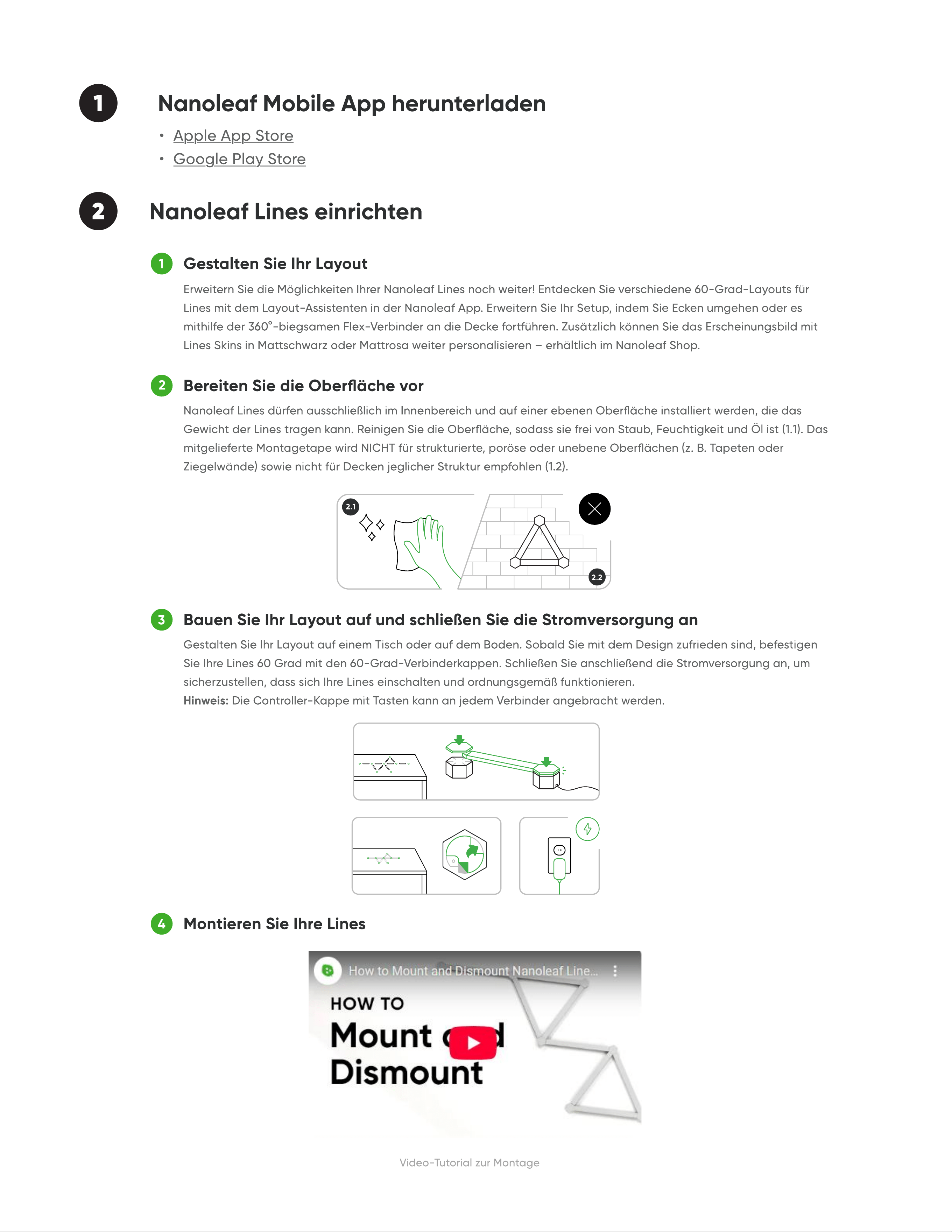
Prepare Your Surfac
Build Your Layout and Connect the Power Supply
Mount Your Line
1
2
3
4
Video tutorial for mounting
2.1
2.2
background
Ceiling Installatio
5
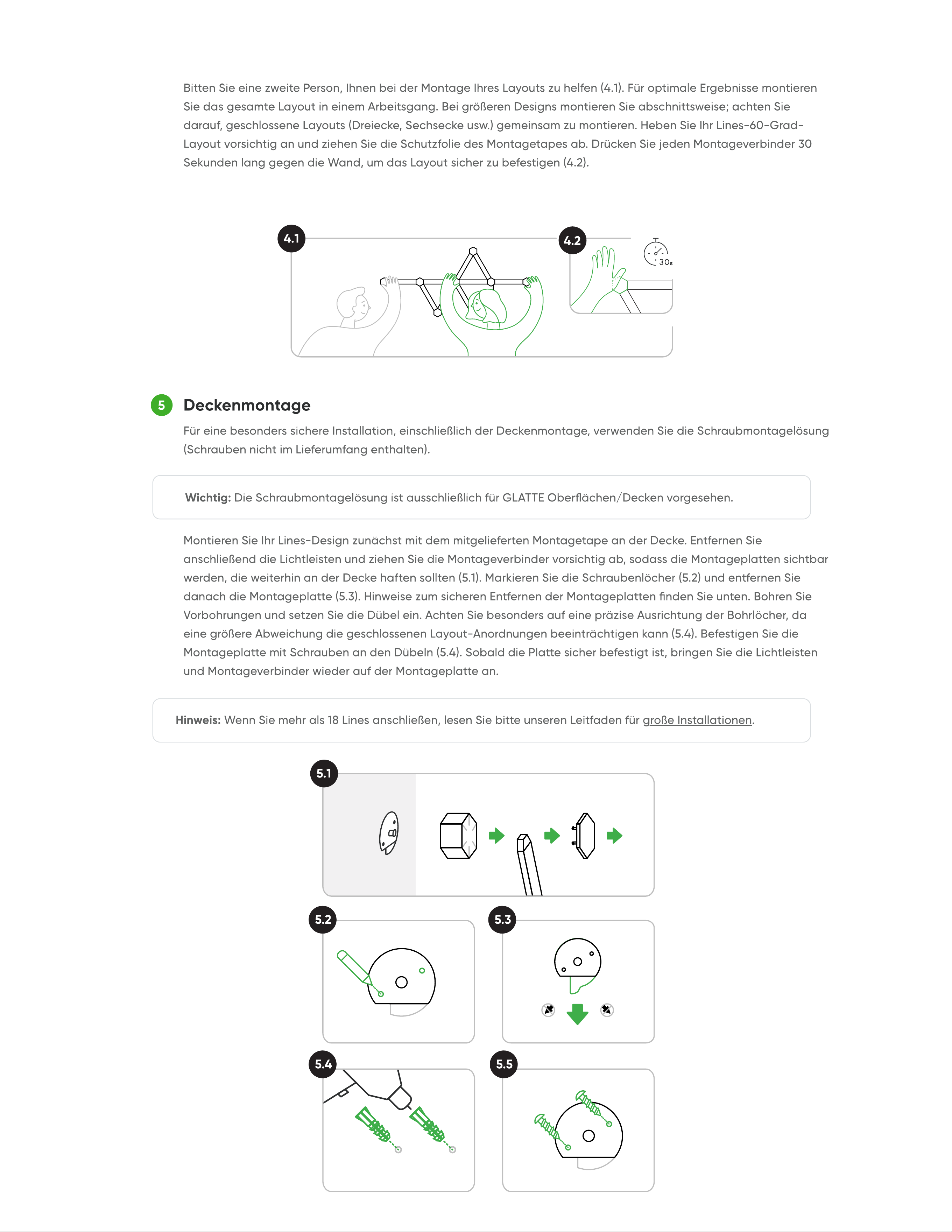
4.1
4.2
5.1
5.2
5.4 5.5
5.3
background
3 Start Pairing Process
Add to Your Masterpiece!
BUY EXPANSION PACKS
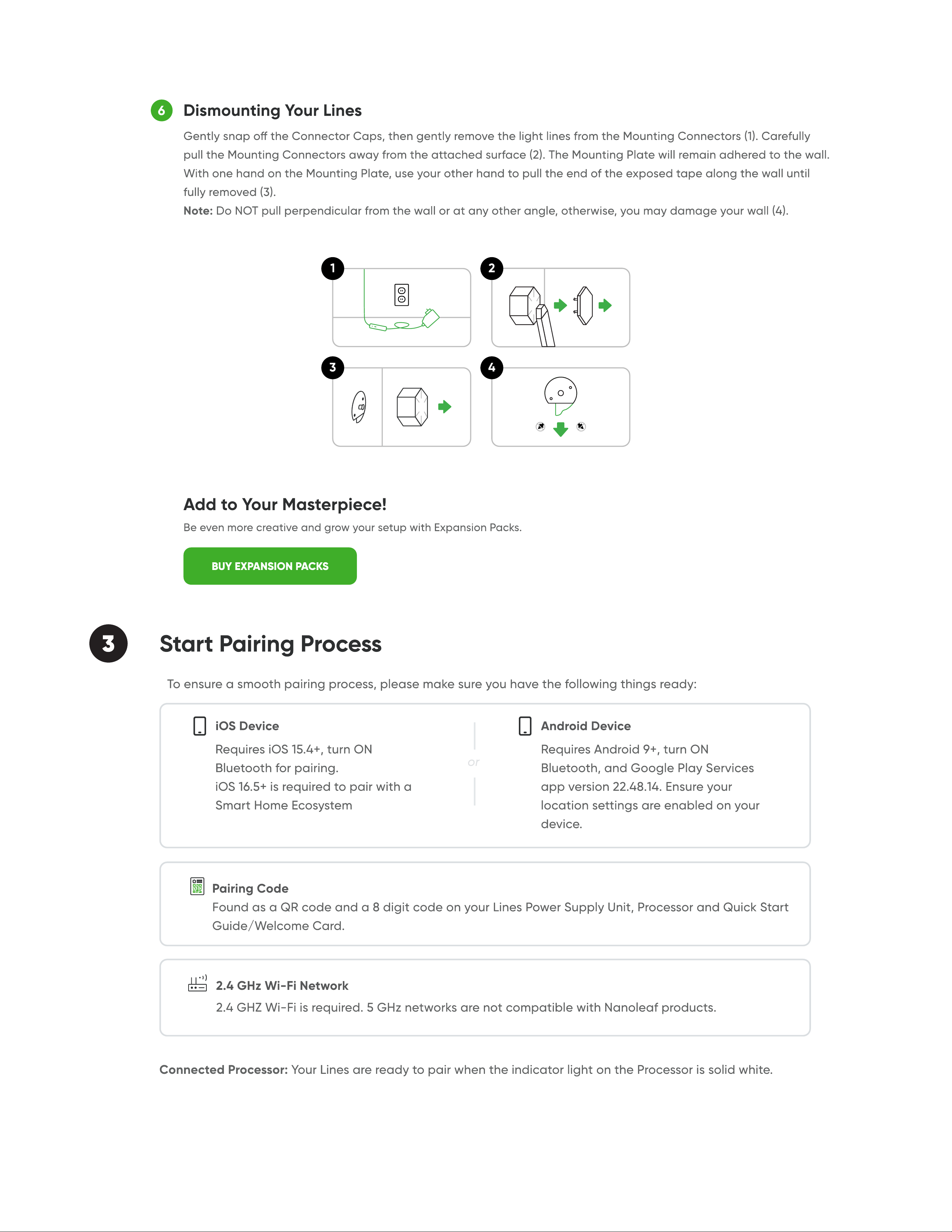
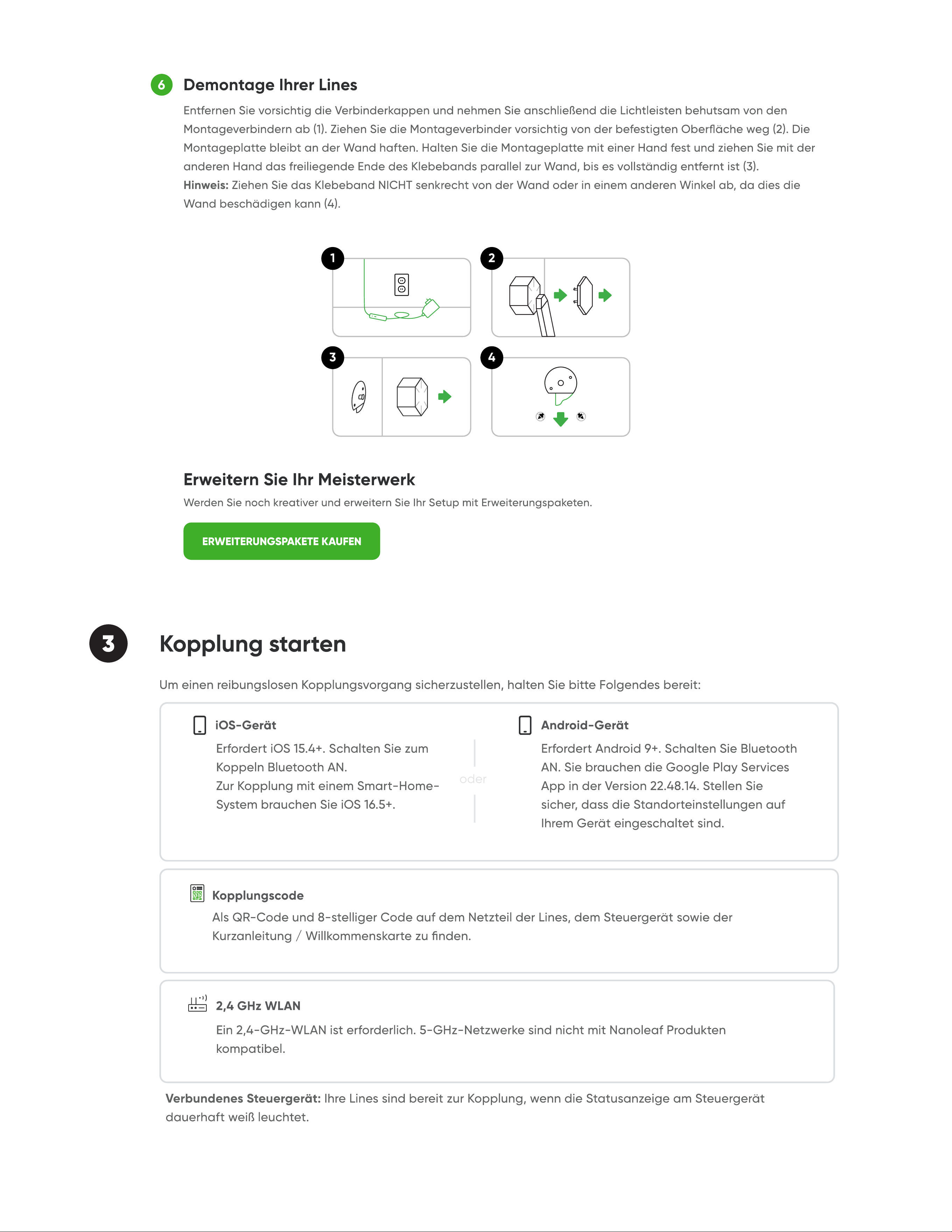
Dismounting Your Line
6
3
2
4
1
background
5 Control Lines
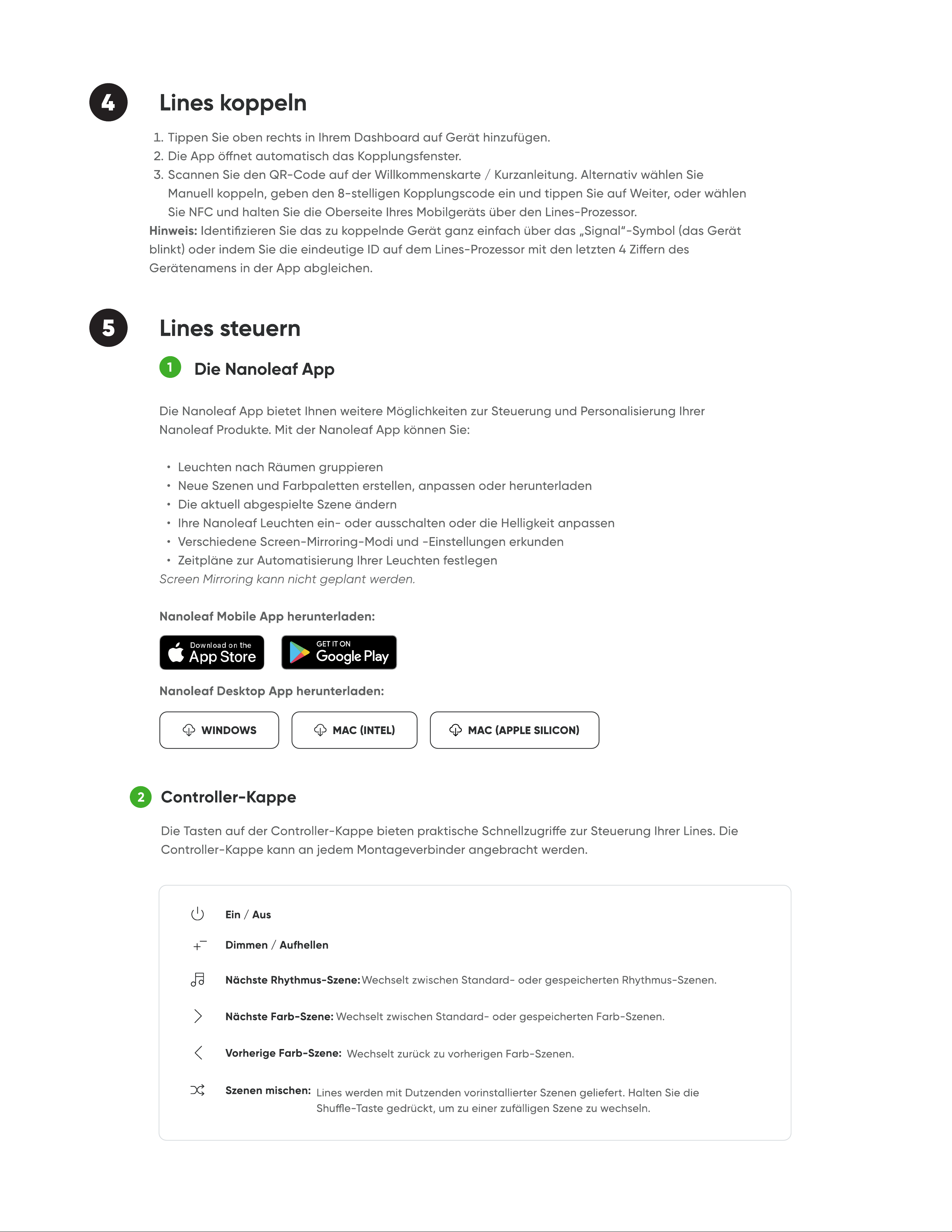
The Nanoleaf App
MAC (INTEL)WINDOWS MAC (APPLE SILICON)
1
2
Controller Ca
Power ON/OFF
Dim/Brighten
Next Colour Scene:
Previous Colour Scene:
Shue Scenes:
Next Rhythm Scene:
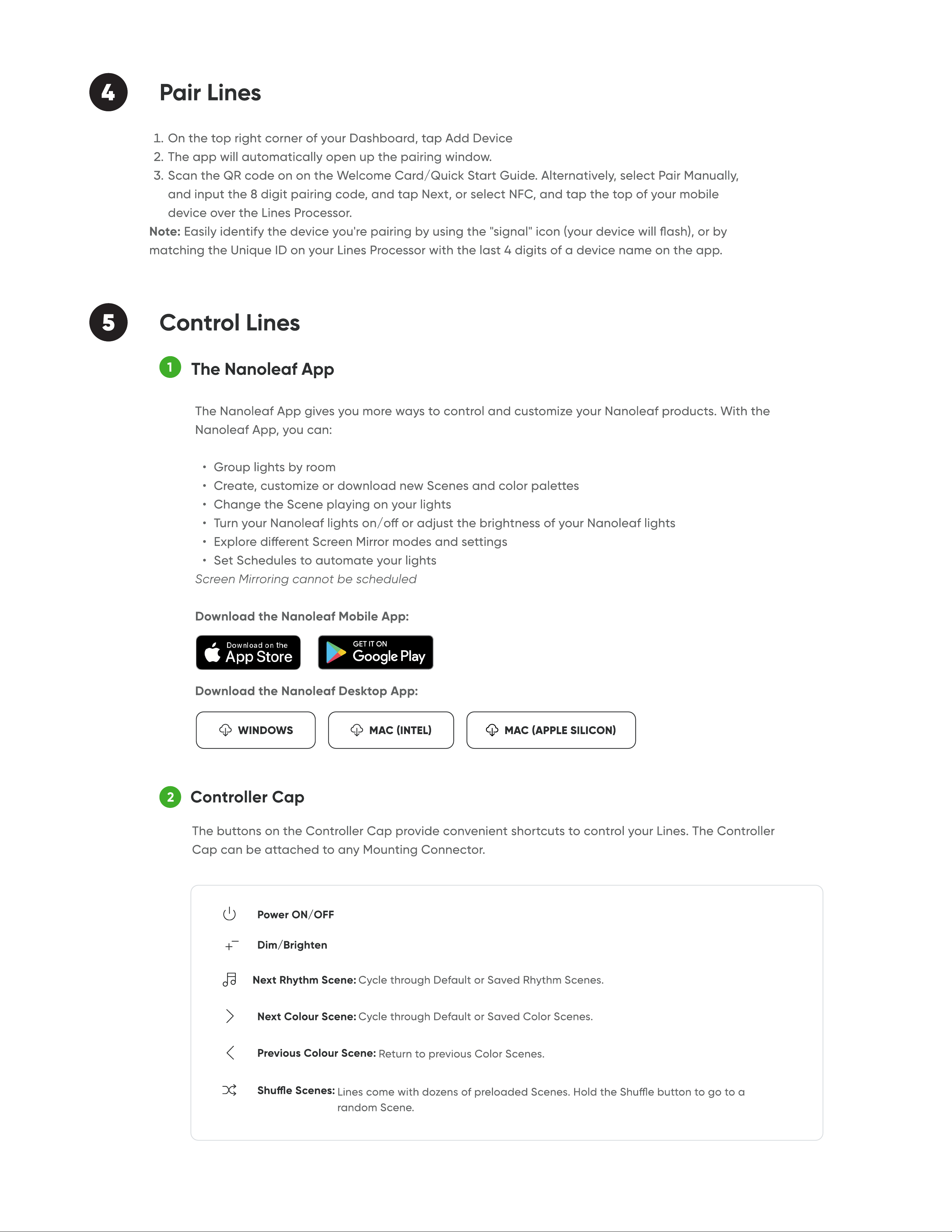
4 Pair Lines
background
3
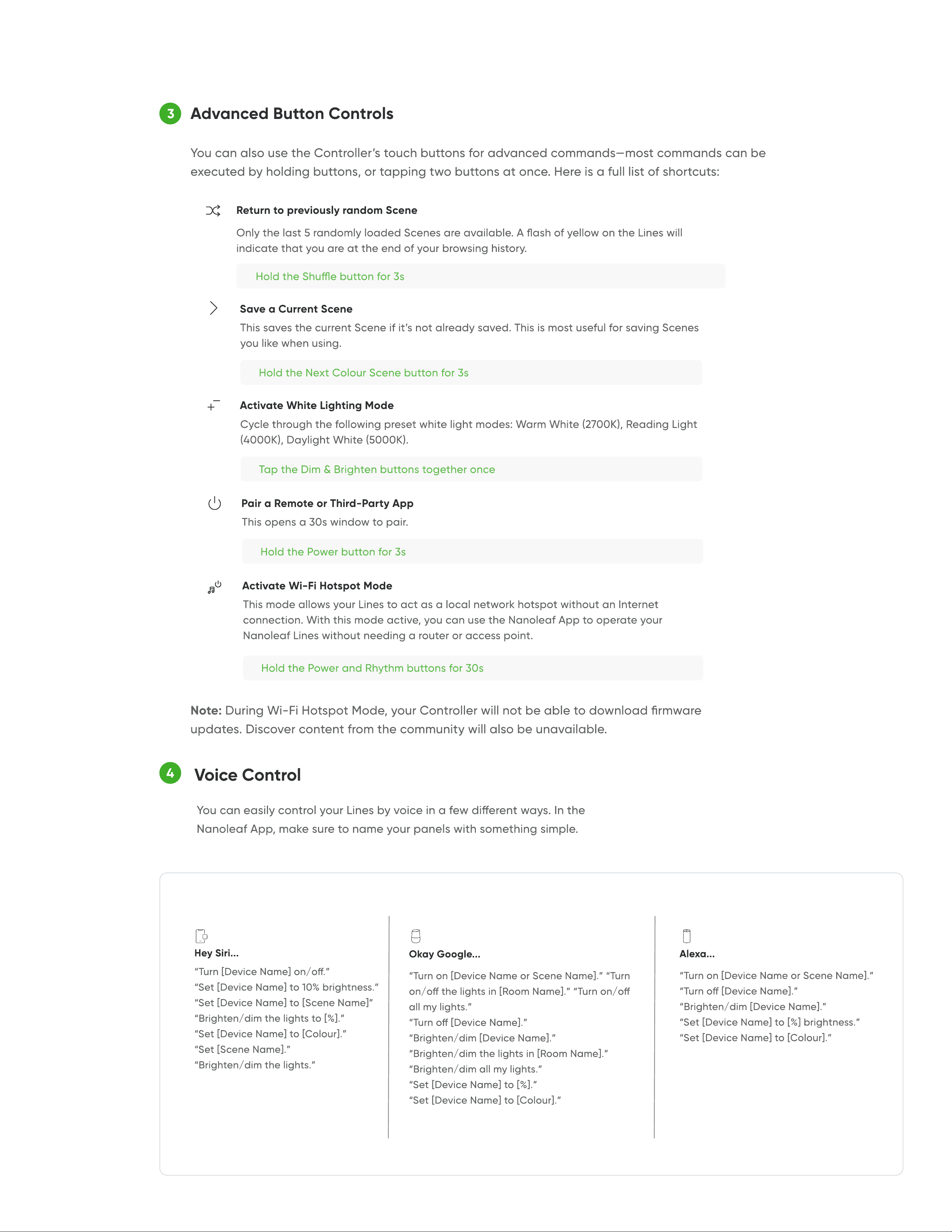
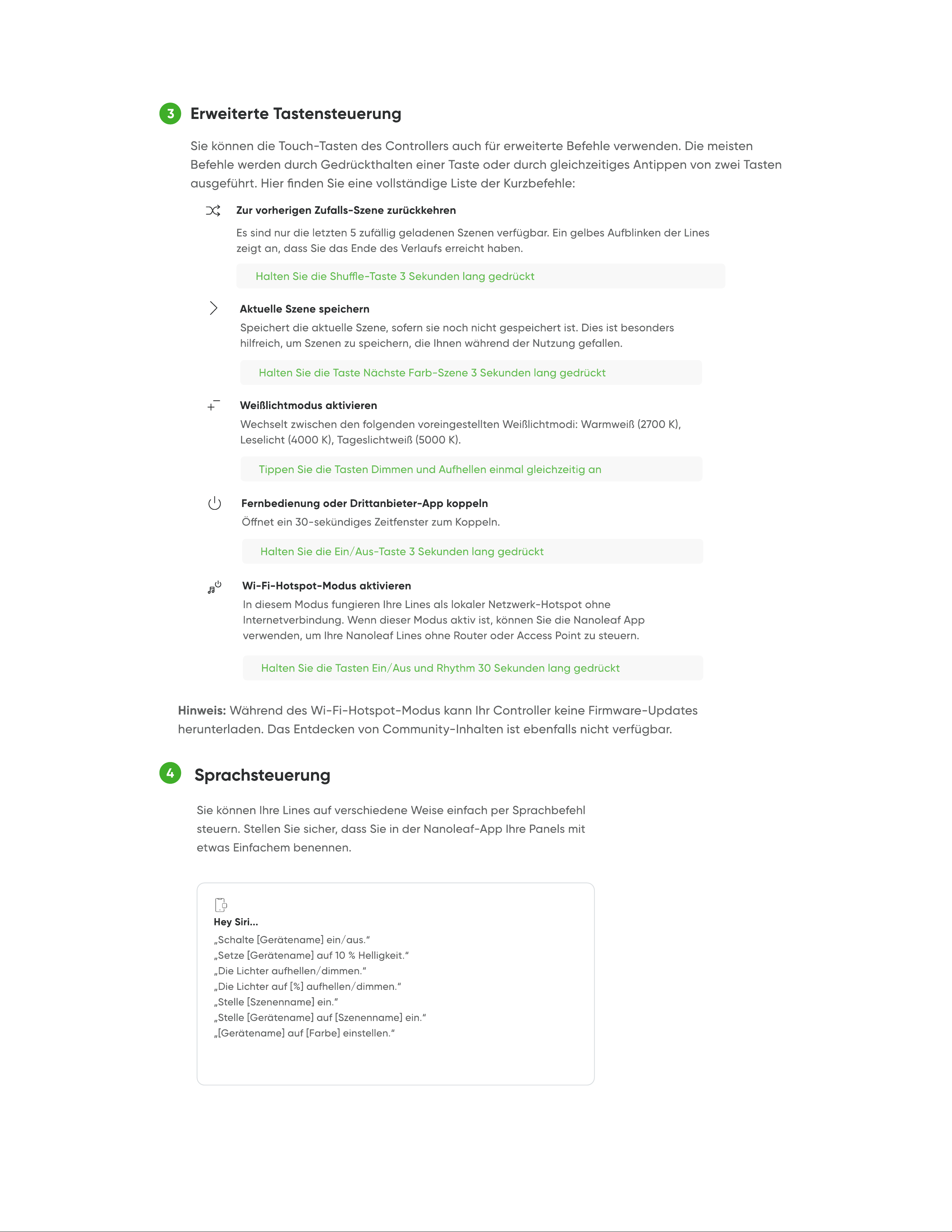
Advanced Button Controls
Return to previously random Scene
Save a Current Scene
Activate White Lighting Mode
Activate Wi-Fi Hotspot Mode
Pair a Remote or Third-Party App
Voice Control
4
Hey Siri...
Okay Google...
Alexa...
background
Nanoleaf Open API
SIGN IN
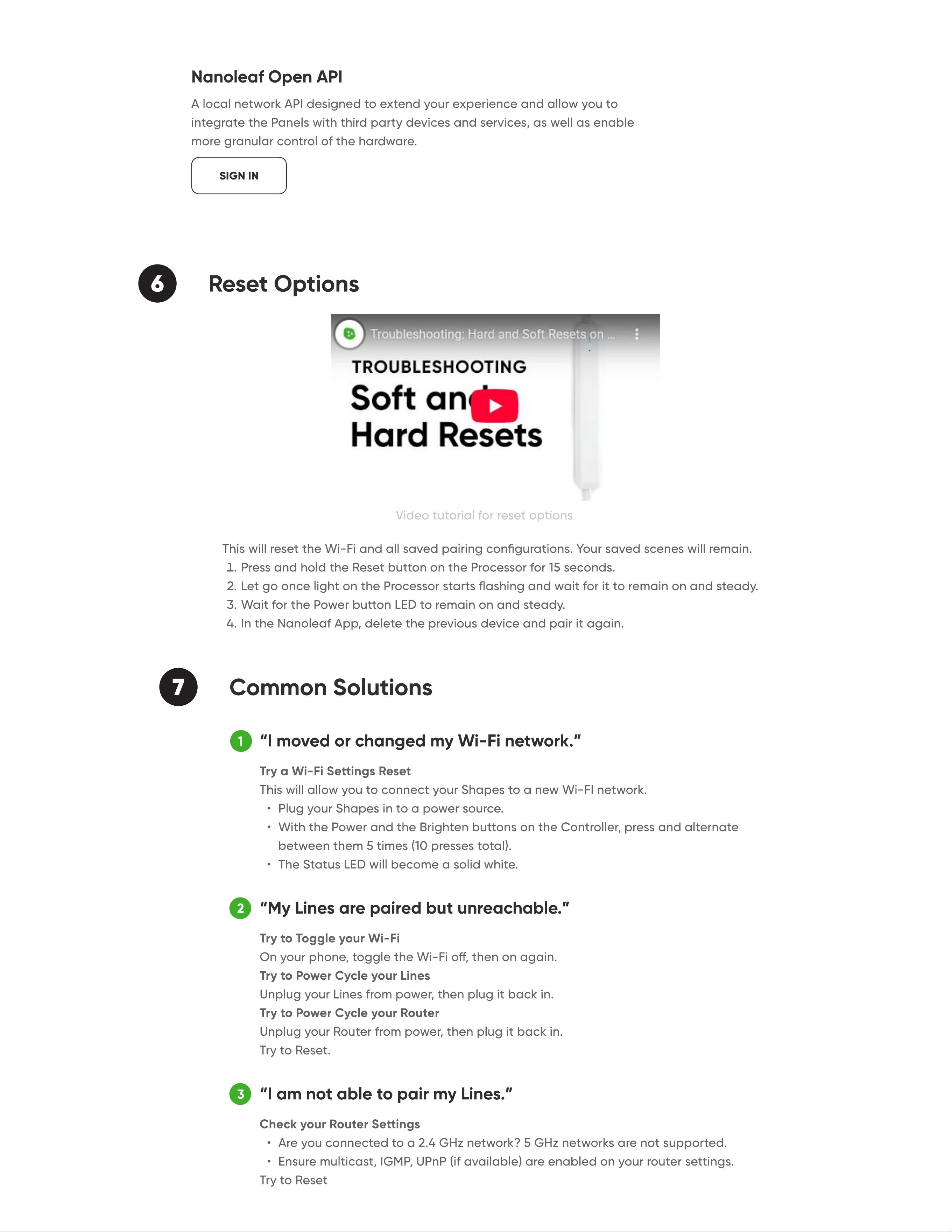
6 Reset Options
7 Common Solutions
2
3
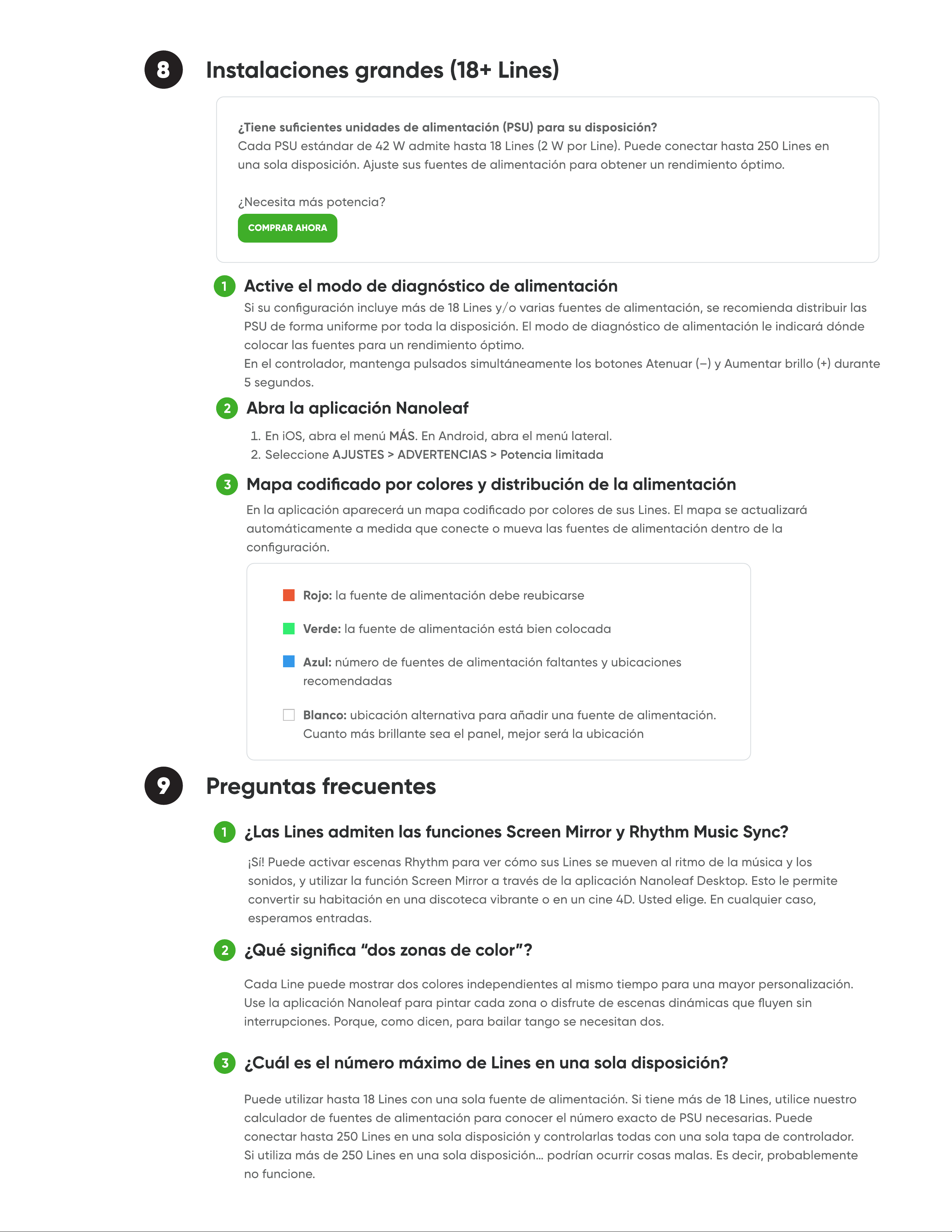
“I moved or changed my Wi-Fi network.
“My Lines are paired but unreachable.”
“I am not able to pair my Lines.
1
background
4
1
2
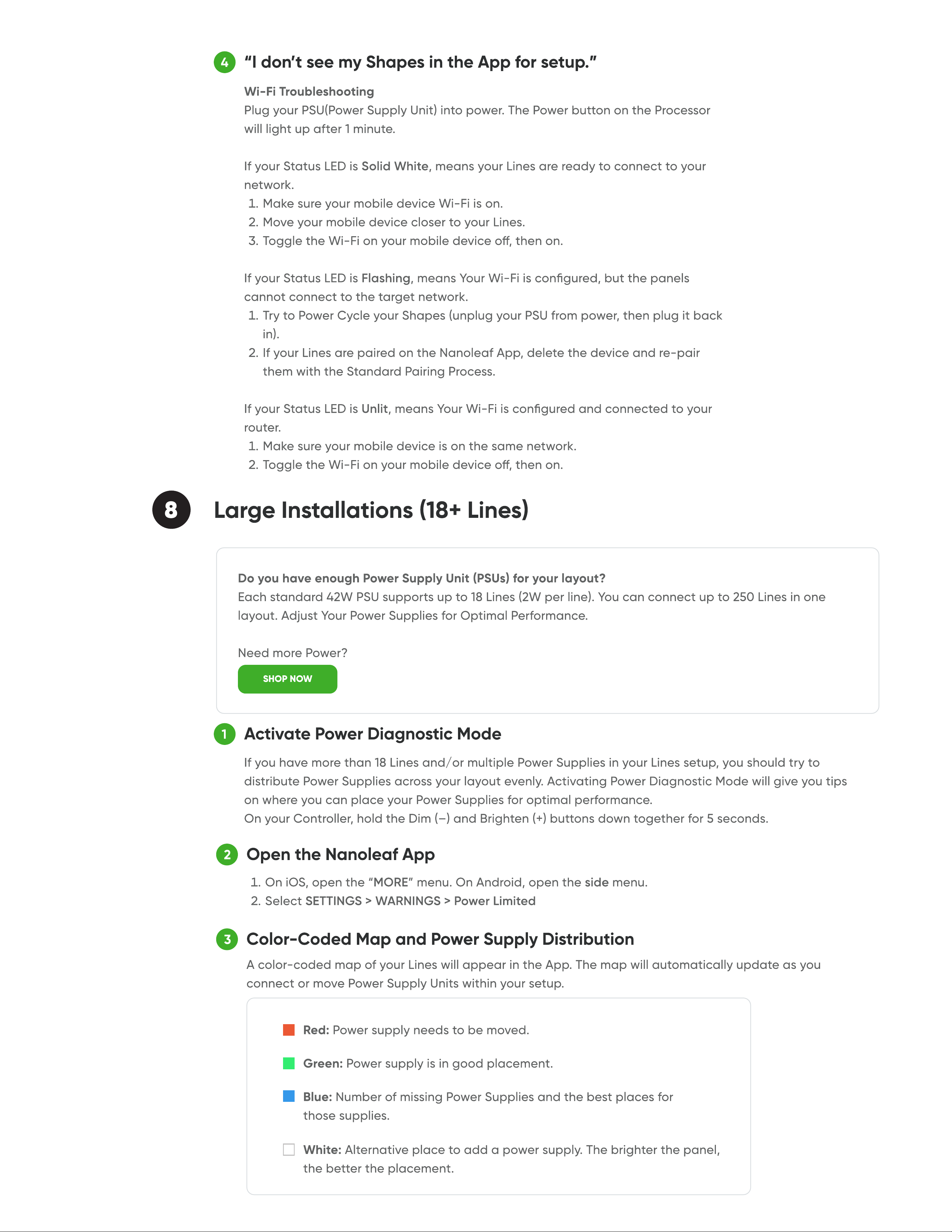
“I don’t see my Shapes in the App for setup.
Activate Power Diagnostic Mod
Open the Nanoleaf Ap
8 Large Installations(18+ Lines
SHOP NOW
3
Color-Coded Map and Power Supply Distributio
background
1
2
3
Do Lines support Screen Mirror and Rhythm Music Sync features
What does “two colour zonesmean
What is the maximum number of Lines I can have in one layout
9 FAQ
background
Nanoleaf Lines
Manuel de lutilisateur
background
1 Téléchargez l’application mobile Nanoleaf
2 Congurez vos Nanoleaf Lines
Concevez votre agencement
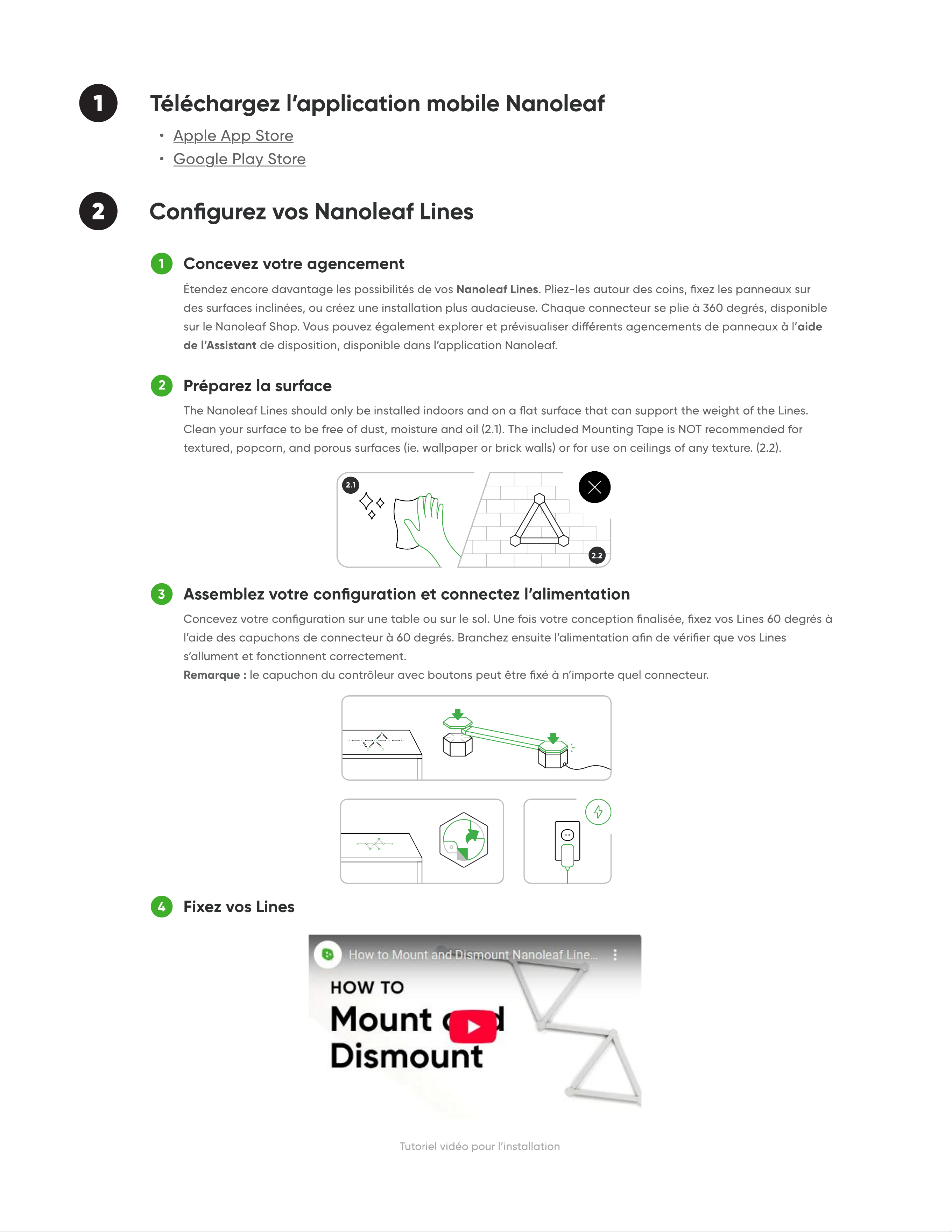
Préparez la surfac
Assemblez votre conguration et connectez lalimentation
Fixez vos Line
1
2
3
4
Tutoriel vidéo pour linstallation
2.1
2.2
background
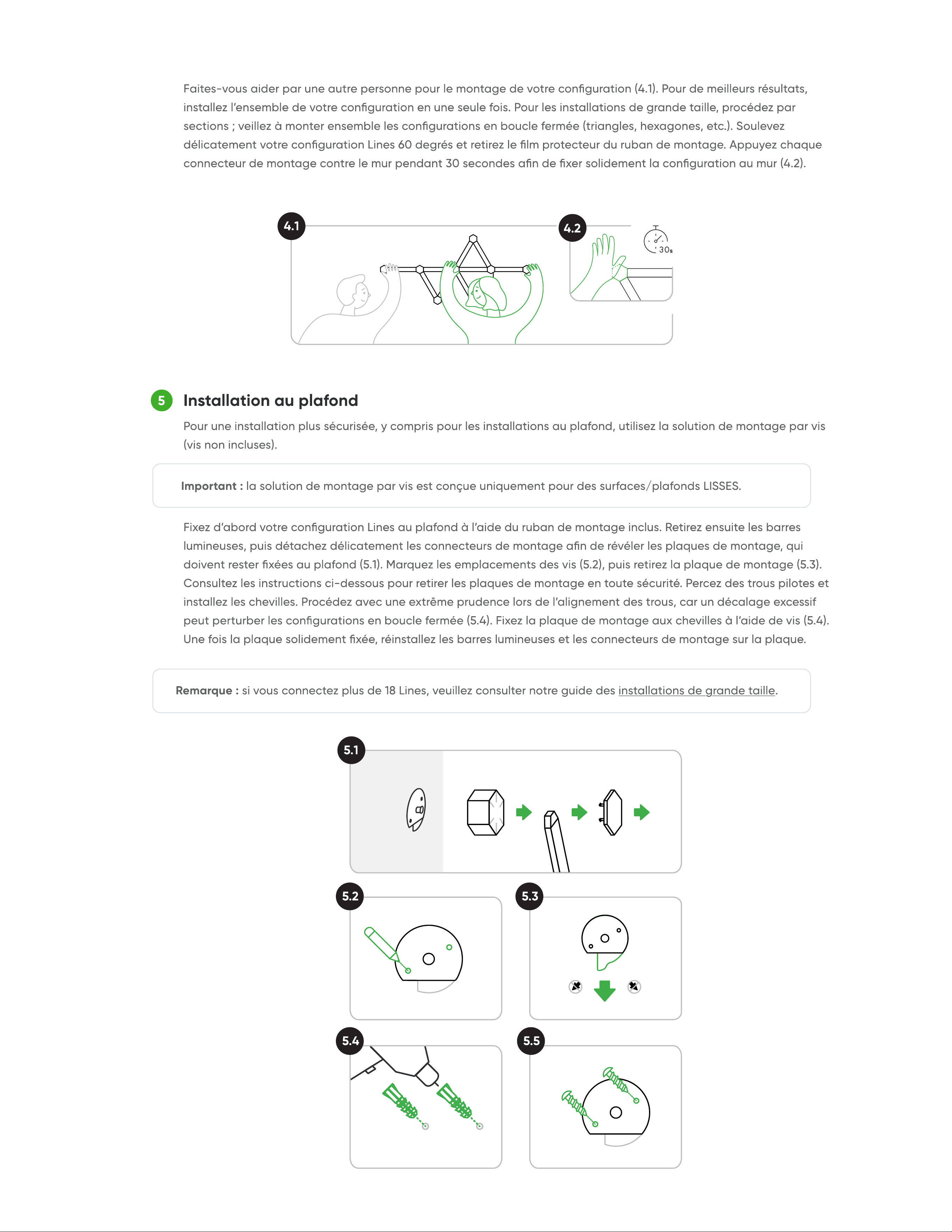
Installation au plafon
5
4.1
4.2
5.1
5.2
5.4 5.5
5.3
background
Ajoutez à votre chef-dœuvre !
ACHETER DES PACKS D’EXTENSION
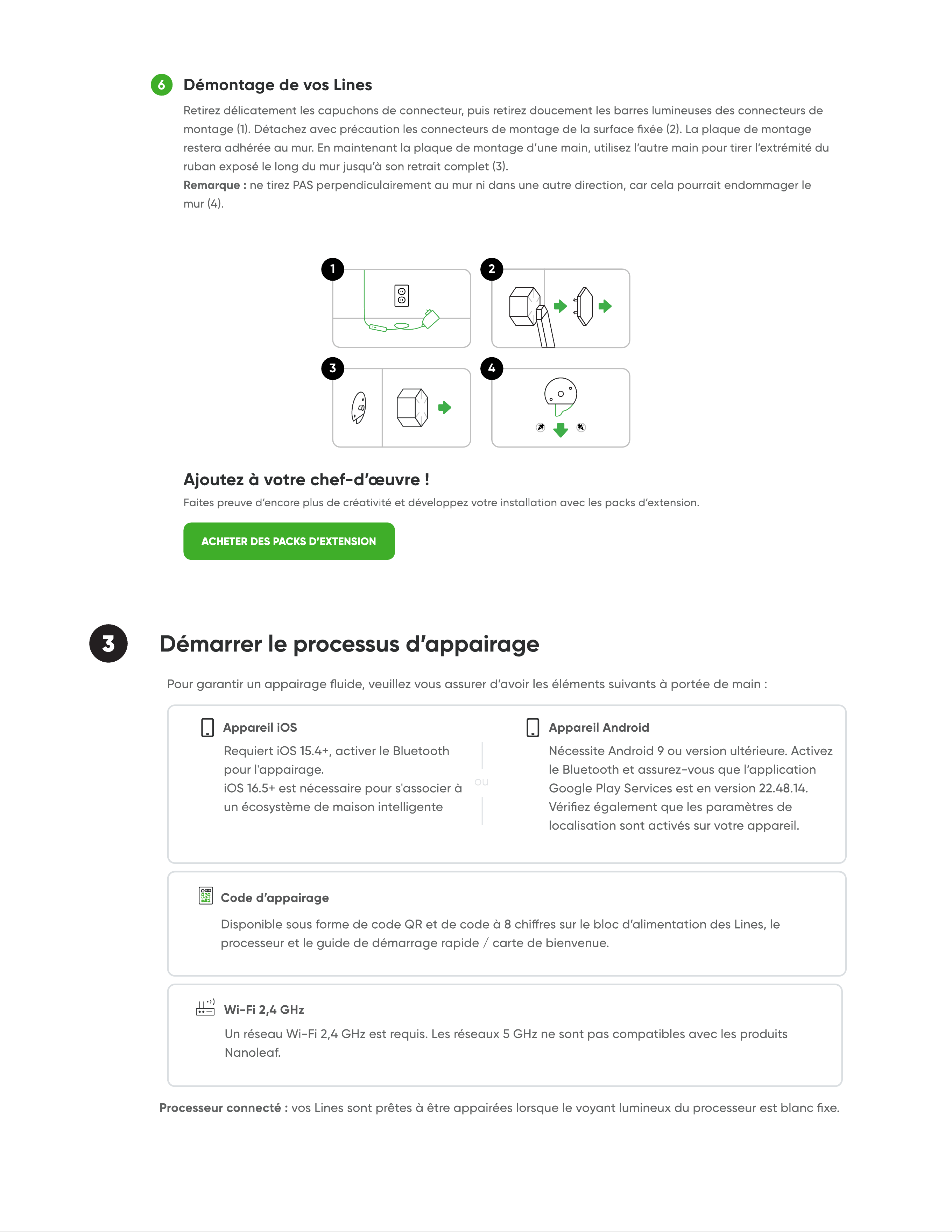
Démontage de vos Line
6
3 Démarrer le processus d’appairage
3
2
4
1
background
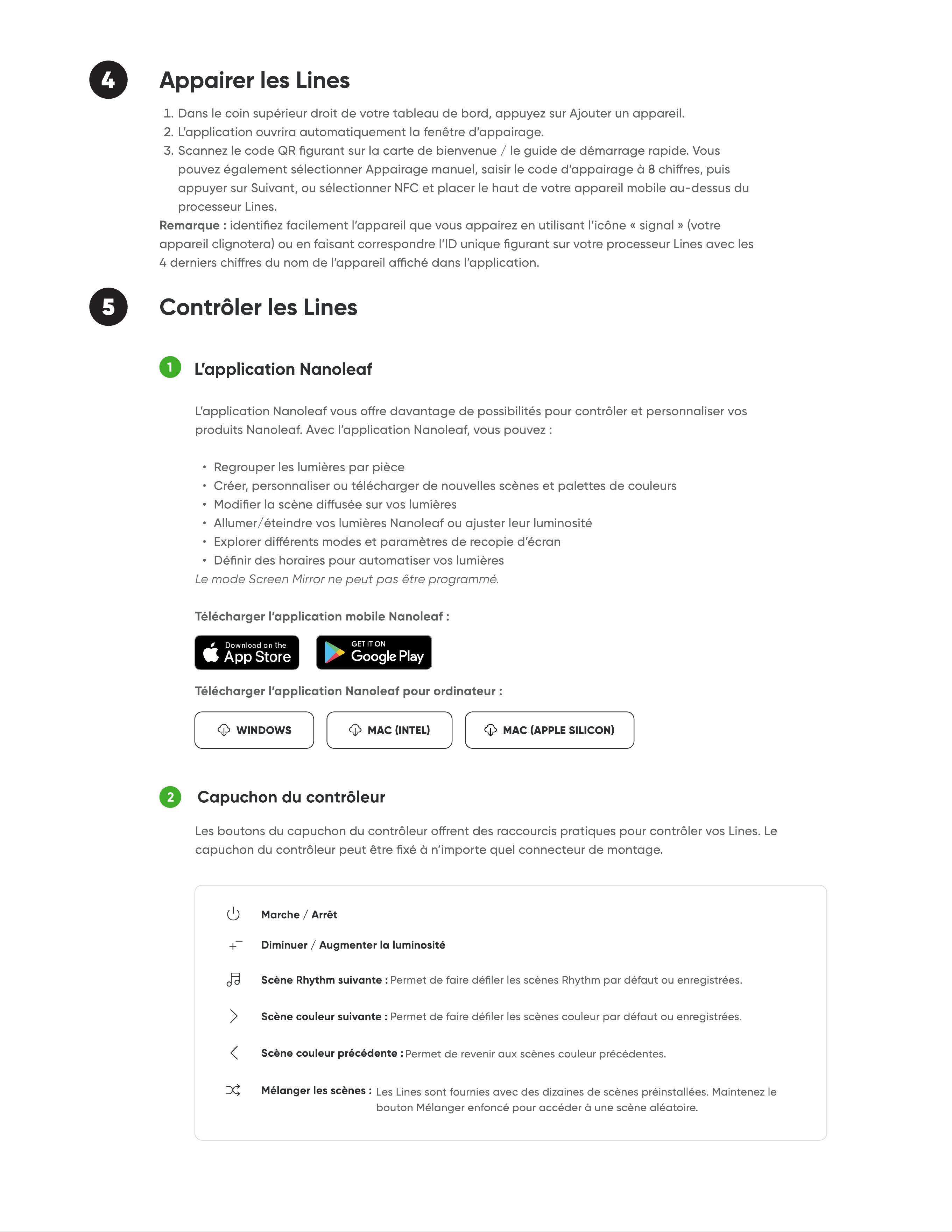
5 Contrôler les Lines
Lapplication Nanoleaf
MAC (INTEL)WINDOWS MAC (APPLE SILICON)
1
2
Capuchon du contrôleu
Marche / Arrêt
Diminuer / Augmenter la luminosité
Scène couleur suivante
Scène couleur précédente
Mélanger les scènes
Scène Rhythm suivante
4 Appairer les Lines
background
3
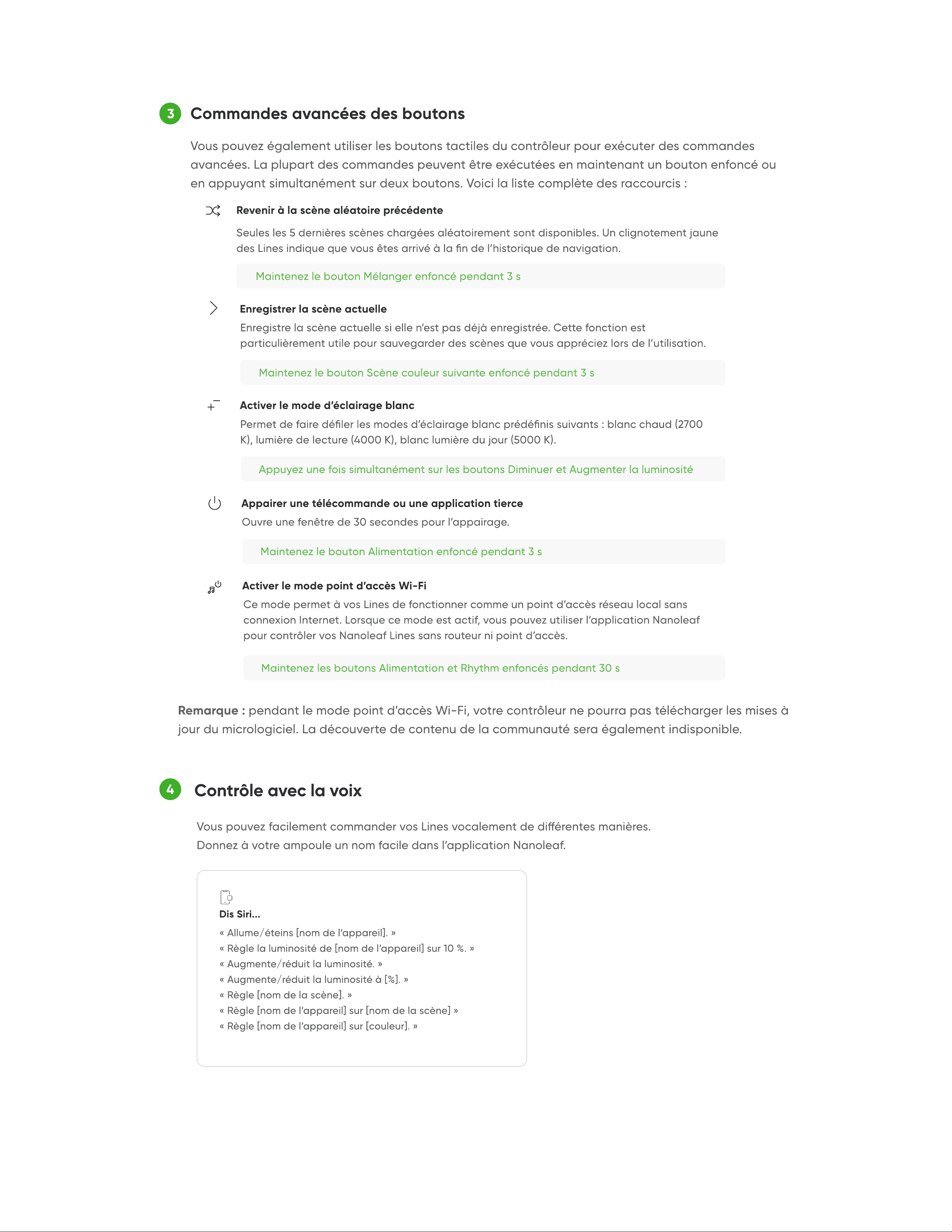
Commandes avancées des boutons
Revenir à la scène aléatoire précédent
Enregistrer la scène actuell
Activer le mode déclairage blan
Activer le mode point daccès Wi-F
Appairer une télécommande ou une application tierc
Contrôle avec la voix
4
Dis Siri...
background
6 Options de réinitialisation
OK Google...
Alexa...
API ouverte Nanolea
CONNECTEZ-VOUS
background
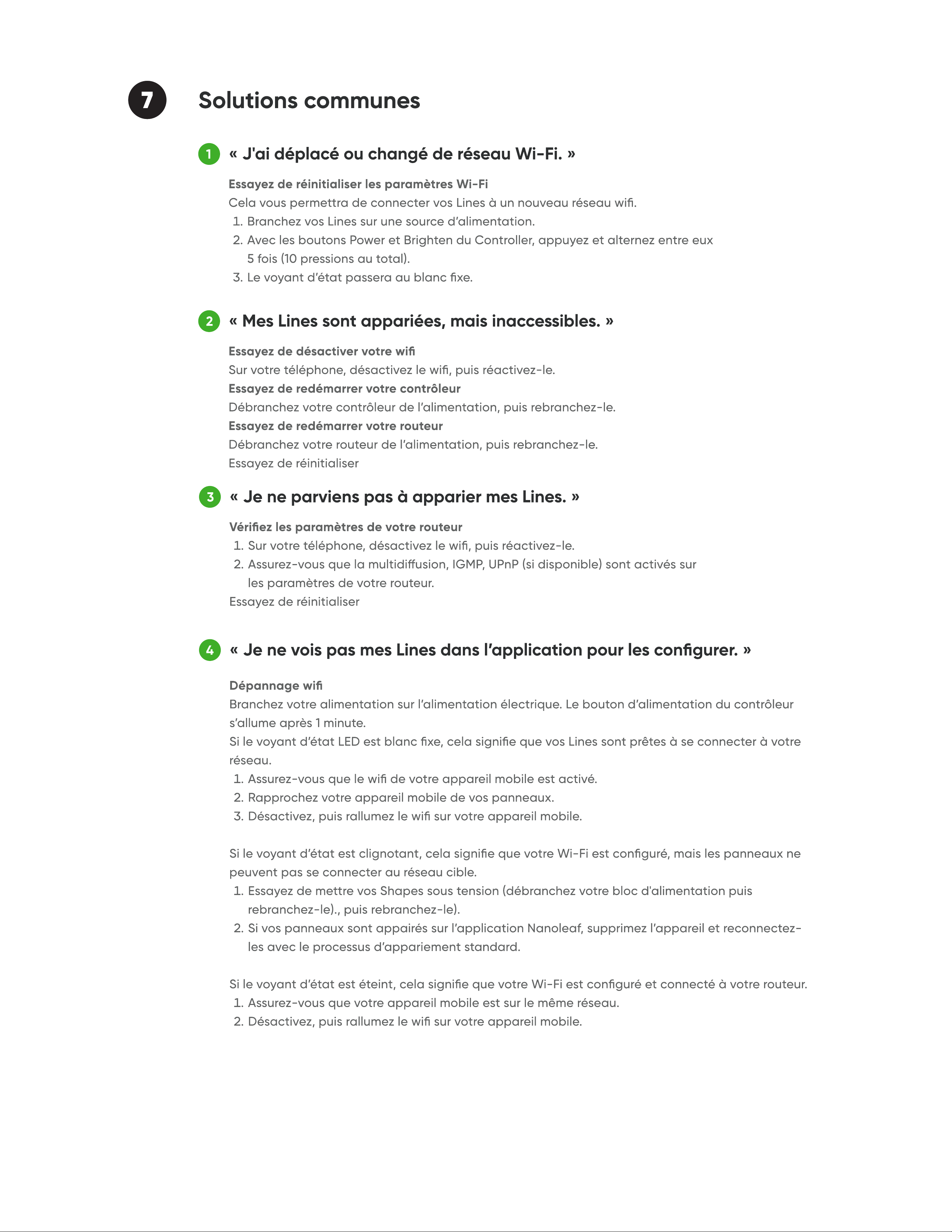
4
«Je ne vois pas mes Lines dans l’application pour les congurer.
3
«Je ne parviens pas à apparier mes Lines.
7 Solutions communes
1
2
«J'ai déplacé ou changé de réseau Wi-Fi.
«Mes Lines sont appariées, mais inaccessibles.
background
1
2
3
Les Lines prennent-elles en charge les fonctions Screen Mirror et Rhythm
Music Sync
Que signie « deux zones de couleur »
Quel est le nombre maximum de Lines dans une seule conguration
9 FA
2
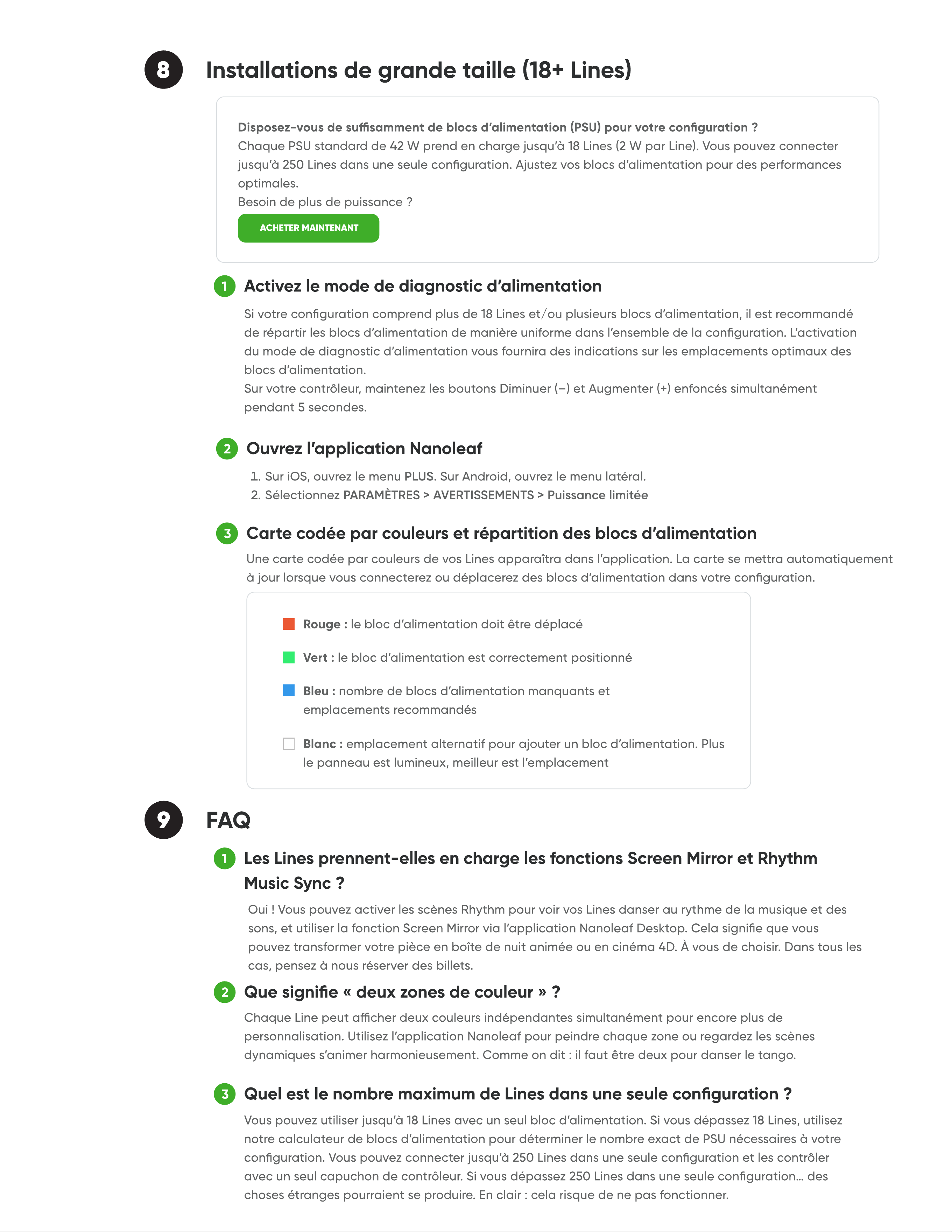
Ouvrez l’application Nanolea
3
Carte codée par couleurs et répartition des blocs dalimentation
1
Activez le mode de diagnostic dalimentatio
8 Installations de grande taille (18+ Lines
ACHETER MAINTENANT
background
Nanoleaf Line
Benutzerhandbuch
background
1
2 Nanoleaf Lines einrichten
Gestalten Sie Ihr Layout
Bereiten Sie die Oberäche vo
Bauen Sie Ihr Layout auf und schließen Sie die Stromversorgung an
Montieren Sie Ihre Lines
1
2
3
4
Video-Tutorial zur Montage
Nanoleaf Mobile App herunterladen
2.1
2.2
background
Deckenmontag
5
4.1
4.2
5.1
5.2
5.4 5.5
5.3
background
Erweitern Sie Ihr Meisterwerk
ERWEITERUNGSPAKETE KAUFEN
Demontage Ihrer Line
6
3 Kopplung starten
3
2
4
1
background
5 Lines steuern
Die Nanoleaf App
MAC (INTEL)WINDOWS MAC (APPLE SILICON)
1
2
Controller-Kapp
Ein / Aus
Dimmen / Aufhellen
Nächste Farb-Szene
Vorherige Farb-Szene
Szenen mischen
Nächste Rhythmus-Szene
4 Lines koppeln
background
3
Erweiterte Tastensteuerung
Zur vorherigen Zufalls-Szene zurückkehre
Aktuelle Szene speicher
Weißlichtmodus aktiviere
Wi-Fi-Hotspot-Modus aktiviere
Fernbedienung oder Drittanbieter-App koppel
Sprachsteuerung
4
Hey Siri...
background
6 Zurücksetzungsoptionen
Okay Google...
Alexa...
Nanoleaf Open API
ANMELDEN
background
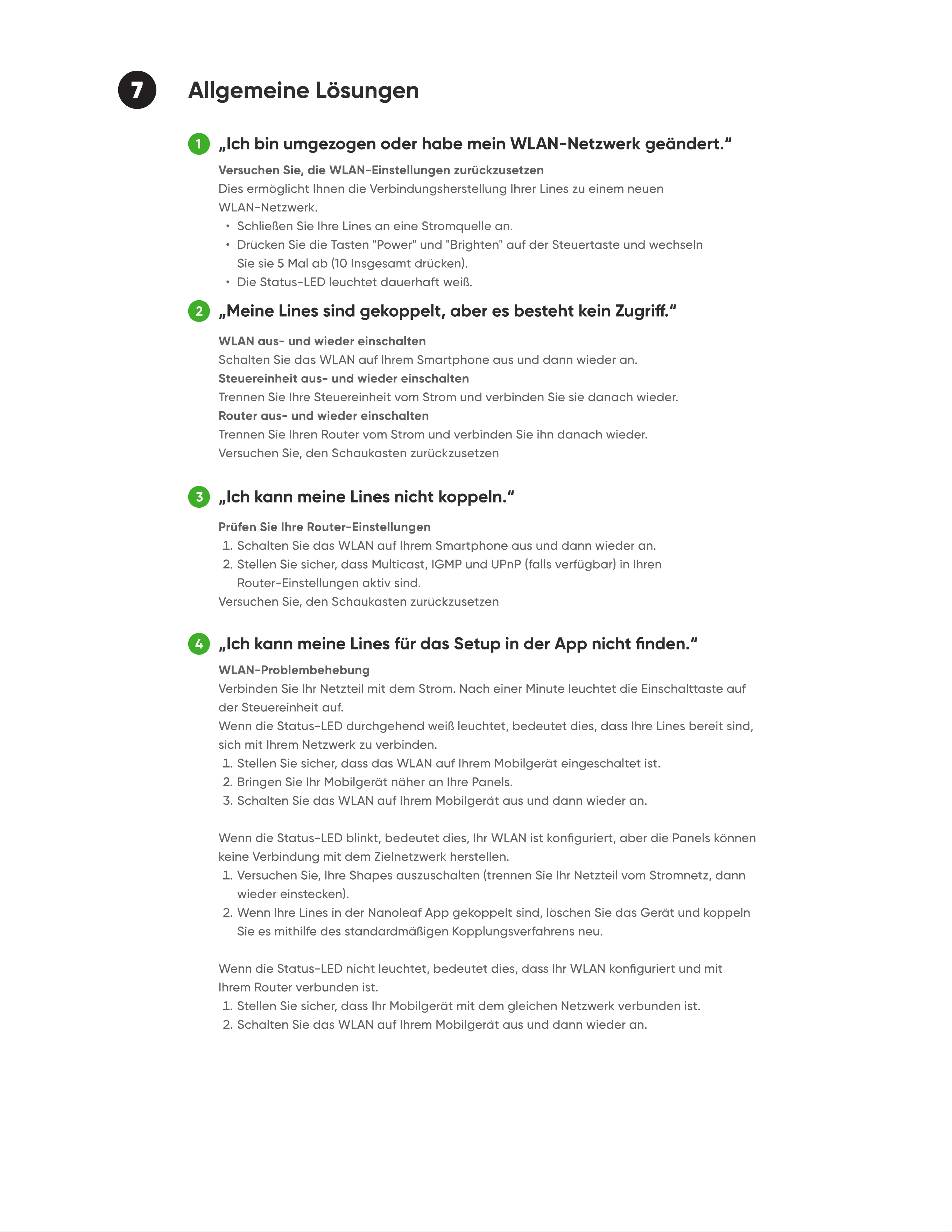
7 Allgemeine Lösunge
„Ich bin umgezogen oder habe mein WLAN-Netzwerk geändert.
1
„Meine Lines sind gekoppelt, aber es besteht kein Zugri.
2
„Ich kann meine Lines nicht koppeln.
3
„Ich kann meine Lines für das Setup in der App nicht nden.
4
background
1
2
3
Unterstützen Lines die Funktionen Screen Mirror und Rhythm Music Sync
Was bedeutet „zwei Farbzonen“
Wie viele Lines kann ich maximal in einem Layout verwenden
9 FAQ
2
Önen Sie die Nanoleaf Ap
3
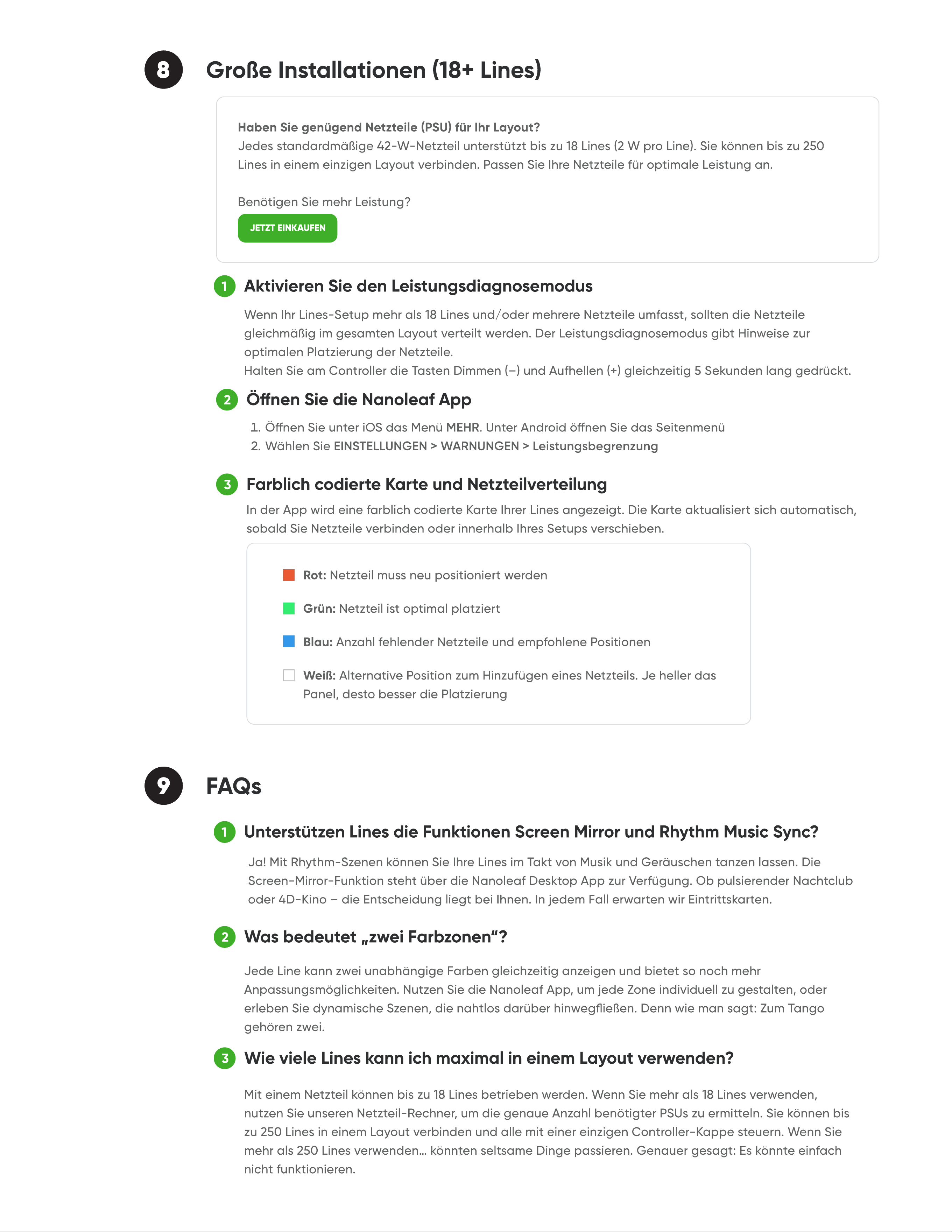
Farblich codierte Karte und Netzteilverteilun
1
Aktivieren Sie den Leistungsdiagnosemodu
8 Große Installationen (18+ Lines
JETZT EINKAUFEN
background
Nanoleaf Lines
Manual del Usuario
background
1
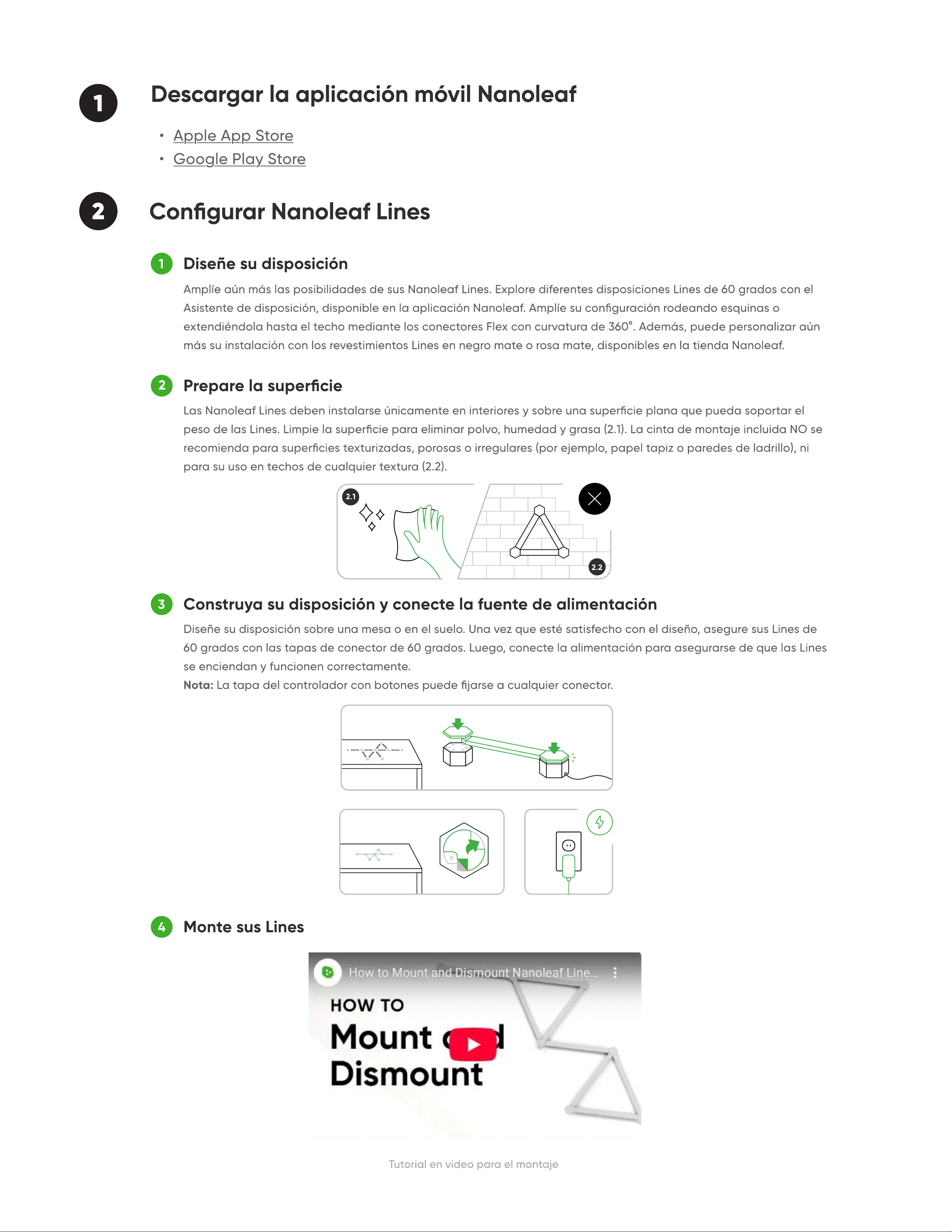
2 Congurar Nanoleaf Lines
Diseñe su disposición
Prepare la superci
Construya su disposición y conecte la fuente de alimentación
Monte sus Line
1
2
3
4
Tutorial en video para el montaje
Descargar la aplicación vil Nanoleaf
2.1
2.2
background
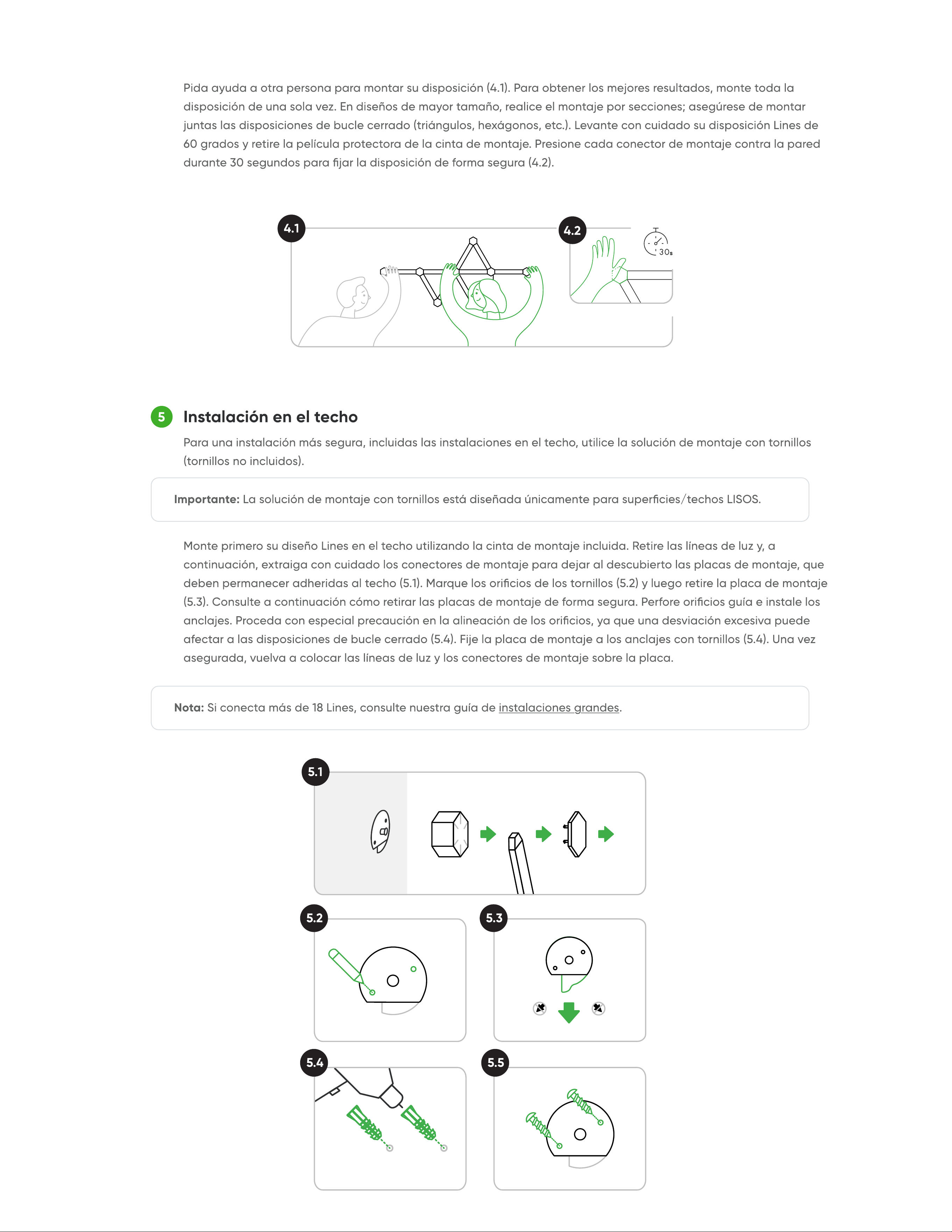
Instalación en el techo
5
4.1
4.2
5.1
5.2
5.4 5.5
5.3
background
¡Añada más a su obra maestra!
COMPRAR PAQUETES DE EXPANSIÓN
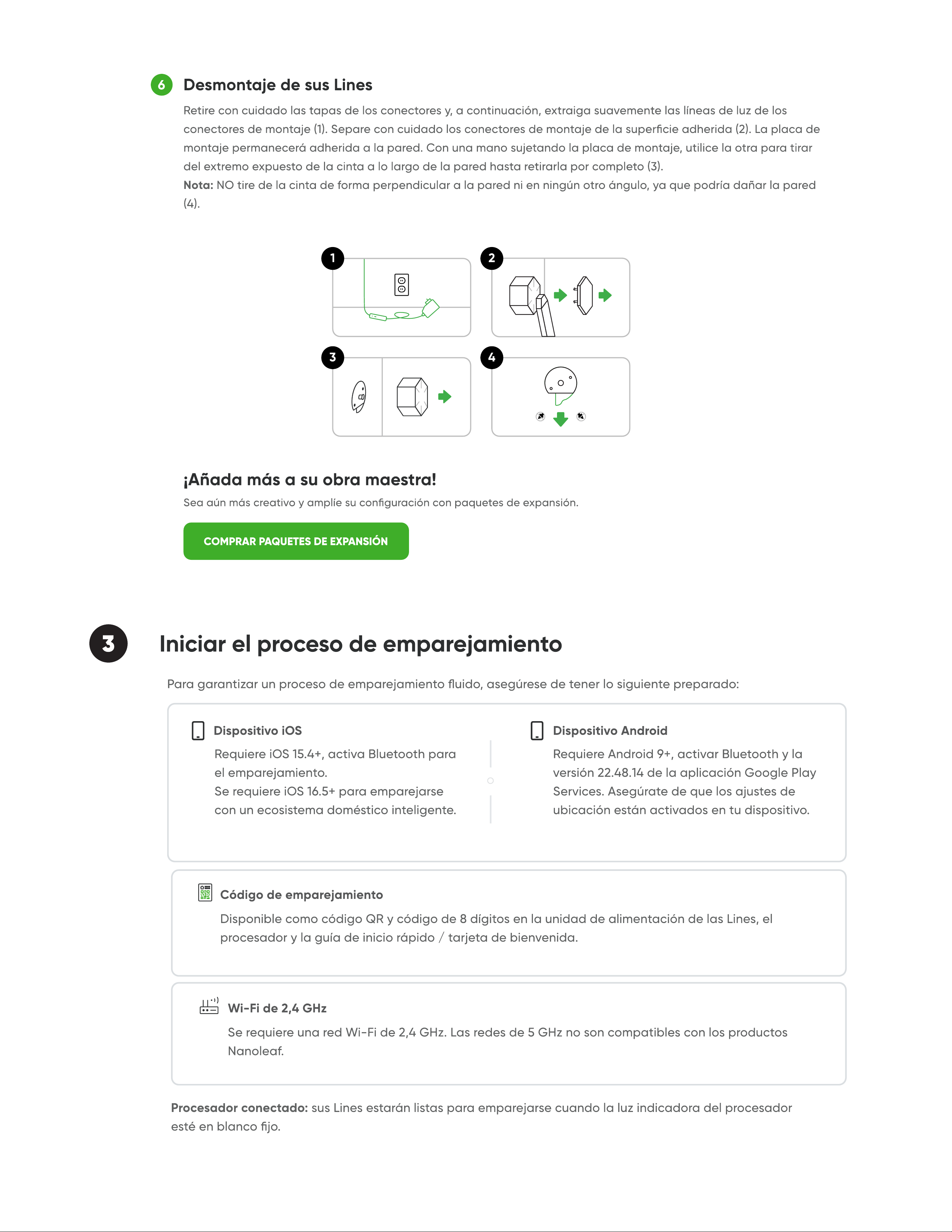
Desmontaje de sus Line
6
3 Iniciar el proceso de emparejamiento
3
2
4
1
background
5 Controlar Lines
App Nanoleaf
MAC (INTEL)WINDOWS MAC (APPLE SILICON)
1
2
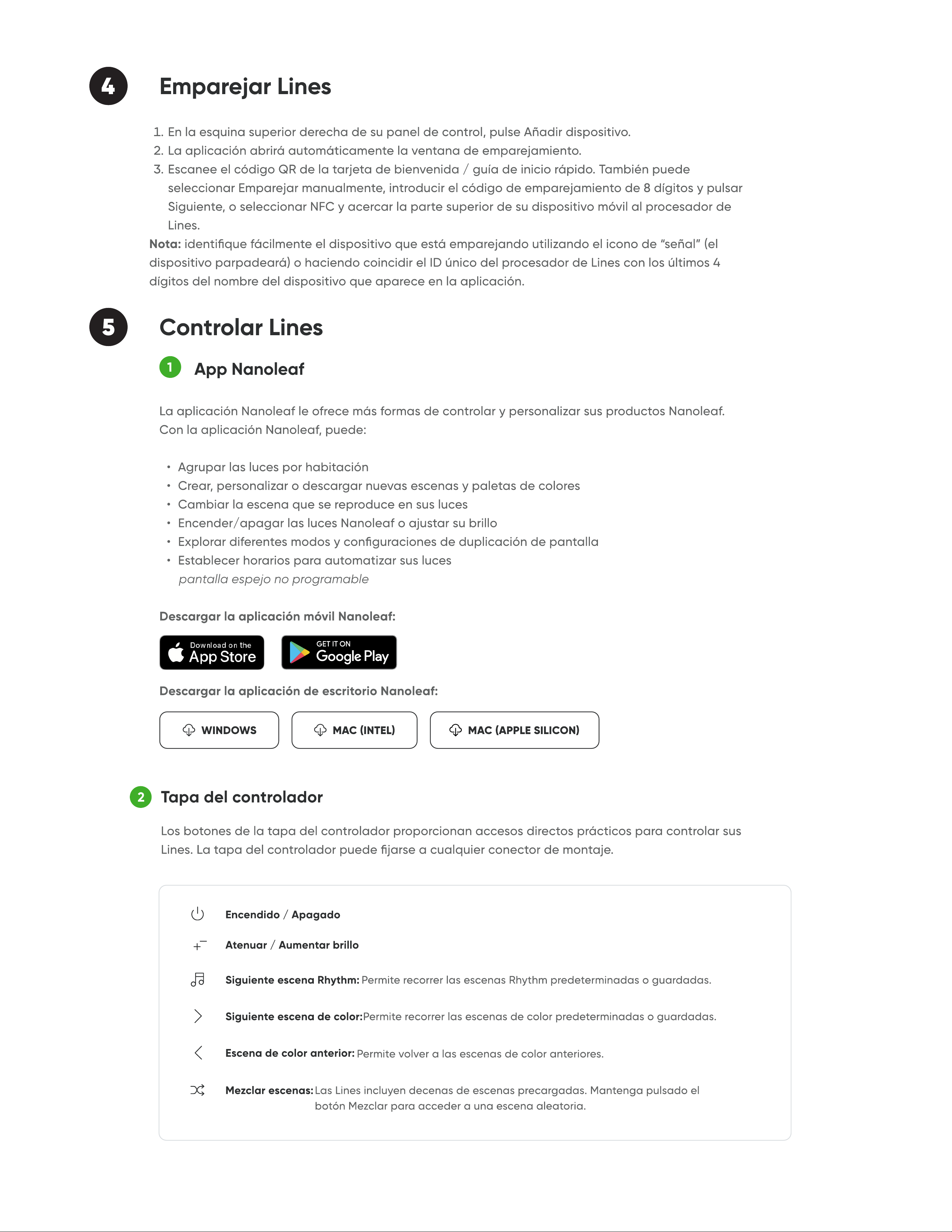
Tapa del controlado
Encendido / Apagado
Atenuar / Aumentar brillo
Siguiente escena de color
Escena de color anterior
Mezclar escenas
Siguiente escena Rhythm
4 Emparejar Lines
background
3
Controles avanzados de botones
Volver a la escena aleatoria anterio
Guardar la escena actua
Activar el modo de iluminación blanc
Activar el modo punto de acceso Wi-F
Emparejar un control remoto o una aplicación de tercero
Control de voz
4
Hola Siri...
background
6 Opciones de restablecimiento
OK, Google...
Alexa...
API abierta de Nanolea
INICIAR SESIÓN
background
7 Soluciones comunes
"Me mudé o cambié mi red wi"
1
"Mis Lines están vinculados, pero son inalcanzables"
2
"No puedo vincular mis Lines"
3
"No veo mis Lines en la aplicación para congurarlas"
4
background
1
2
3
¿Las Lines admiten las funciones Screen Mirror y Rhythm Music Sync
¿Qsignica dos zonas de color”
¿Cuál es el número máximo de Lines en una sola disposición
9 Preguntas frecuente
2
Abra la aplicación Nanolea
3
Mapa codicado por colores y distribución de la alimentació
1
Active el modo de diagnóstico de alimentació
8 Instalaciones grandes (18+ Lines
COMPRAR AHORA
background
Nanoleaf Lines
Manuale d'uso
background
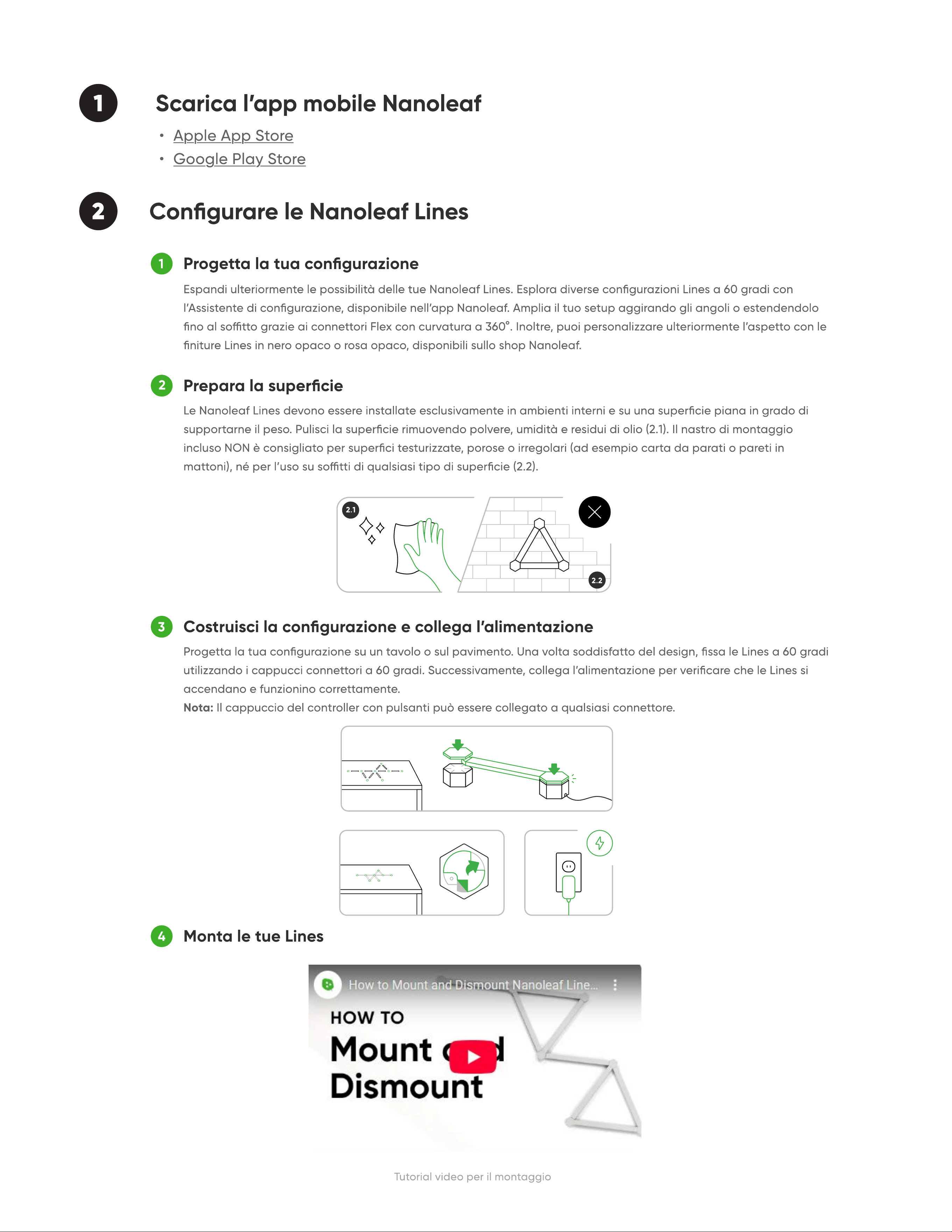
1
2 Congurare le Nanoleaf Lines
Progetta la tua congurazione
Prepara la superci
Costruisci la congurazione e collega lalimentazione
Monta le tue Line
1
2
3
4
Tutorial video per il montaggio
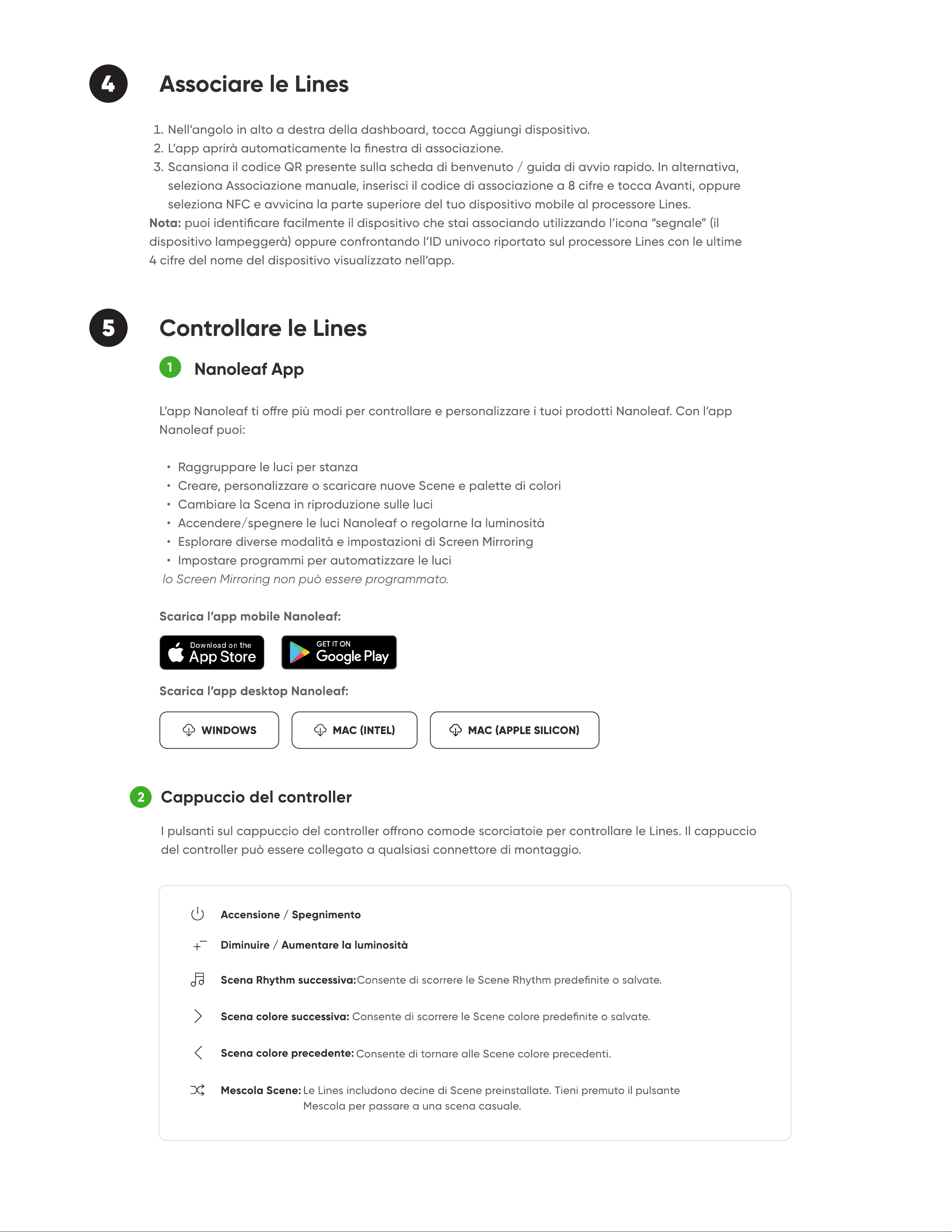
Scarica l’app mobile Nanoleaf
2.1
2.2
background
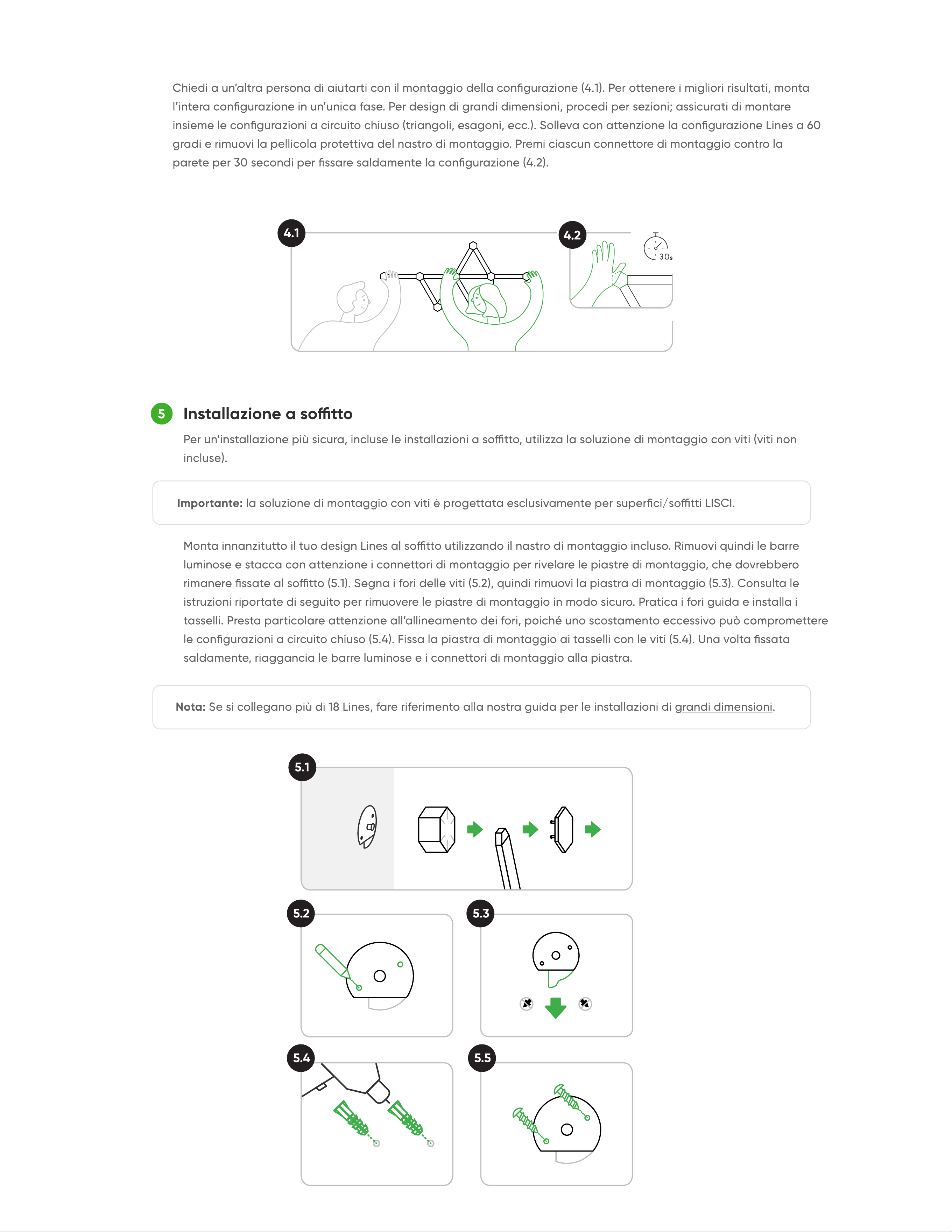
Installazione a sott
5
4.1
4.2
5.1
5.2
5.4 5.5
5.3
background
Aggiungi alla tua opera!
ACQUISTARE PACCHETTI DI ESPANSIONE
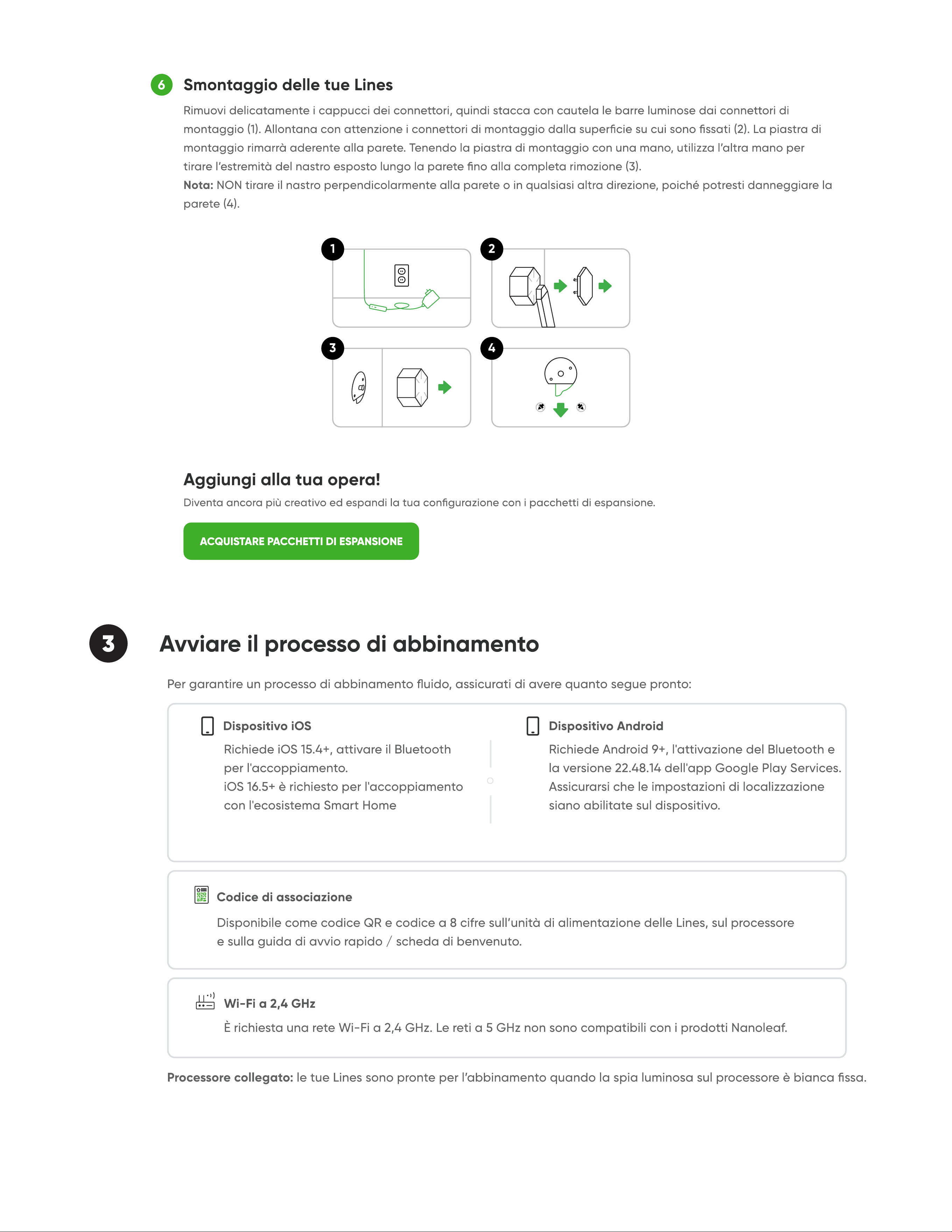
Smontaggio delle tue Line
6
3 Avviare il processo di abbinamento
3
2
4
1
background
5 Controllare le Lines
Nanoleaf App
MAC (INTEL)WINDOWS MAC (APPLE SILICON)
1
2
Cappuccio del controlle
Accensione / Spegnimento
Diminuire / Aumentare la luminosità
Scena colore successiva
Scena colore precedente:
Mescola Scene
Scena Rhythm successiva
4 Associare le Lines
background
3
Controlli avanzati dei pulsanti
Tornare alla scena casuale precedent
Salvare la scena corrent
Attivare la modalità luce bianc
Attivare la modalità hotspot Wi-F
Associare un telecomando o unapp di terze part
Comando vocale
4
Ehi Siri...
background
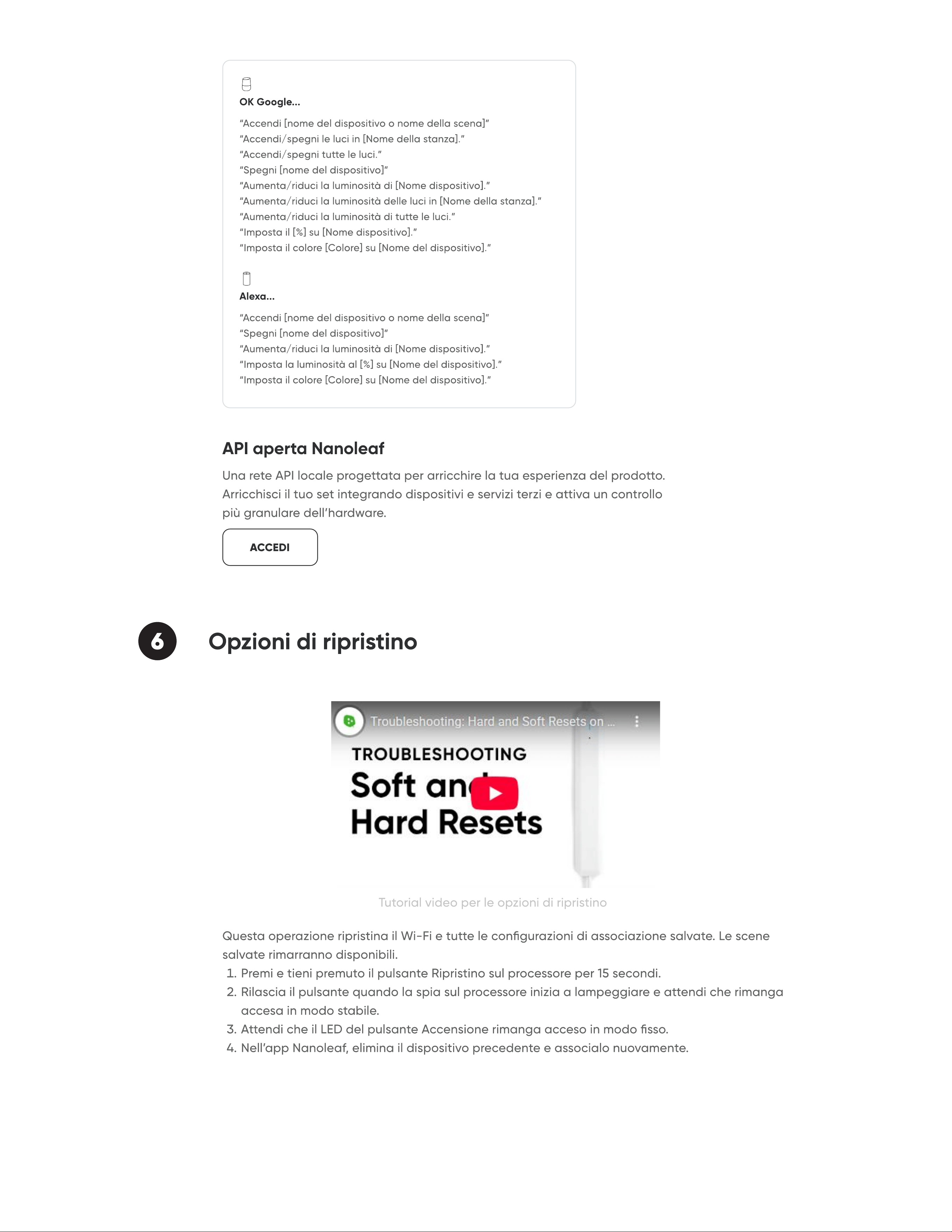
6 Opzioni di ripristino
OK Google...
Alexa...
API aperta Nanolea
ACCEDI
background
7 Problemi e soluzion
“Ho spostato o cambiato la mia rete Wi-Fi.
1
“I miei Lines sono accoppiati ma risultano irraggiungibili.”
2
“Non riesco a eettuare l’accoppiamento dispositivi dei miei
Lines.
3
“Non riesco a visualizzare i miei Lines nell’app per congurarli.
4
background
1
2
3
Le Lines supportano le funzioni Screen Mirror e Rhythm Music Sync?
Cosa signica due zone colore”
Qual è il numero massimo di Lines in una singola congurazione
9 FA
2
Apri l’app Nanolea
3
Mappa con codica a colori e distribuzione dell’alimentazion
1
Attiva la modalità di diagnostica dell’alimentazion
8 Installazioni di grandi dimensioni (18+ Lines
ACQUISTA ORA

Specifications

SYNC NL59-K-6003LW-15PK Questions and Answers

Questions and Answers

Related Products