
感谢您使用本公司生产的智能数码产品,我们随机配备了内容详细
的使用说明书,您从中可以获得产品的使用介绍等,在您开始使用本
机之前请先仔细阅读说明书,以方便您能准确地使用本产品。
配网成功后设备会提示“我已联网,让我们开始对话吧”
若需要重新配网,在开机状态下,连续点击开关键�次,听到提示音后
进入重置状态,即可重新联网。
前言
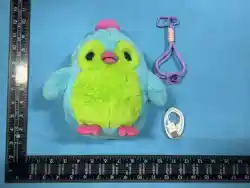
产品清单
产品说明
网络连接
�
数据线
�
挂绳
请确保手机已连接�.�G频段的WiFi。设备开机后,连续短按开关键三
次进入配网状态,操作以下步骤登录注册账号。
开关键:长按�秒开/关机;连续短按三次,即可进入配网状态。
指示灯:开机运行中蓝灯常亮;充电中红灯常亮,充满后绿灯常亮。
感应区:位于产品胸口处,轻触可触发随机语音互动。
按键:单击暂停/开启对话,双击开启/关闭抚摸功能,三击切换对话模
式;休眠模式下单击唤醒设备;自由对话模式下单击静音/恢复。
type-C充电接口
感应区
开关/配网键 指示灯
按键
�
收藏卡
Yuni
�
(�)选择手机已连接
的WiFi进行配对
(�)点击设备
(�)扫描二维码或应用商店
搜索“涂鸦”APP进行下载
(�)打开APP,点击右上角
加号添加设备
����
����
�.为确保使用安全,请搭配使用标有�V�A额定值并符合国家CCC认
证的正规充电器(请自行适配)为本产品充电。
�.满电约需 � 小时,充电时接口右侧指示灯亮红为充电中,灯绿为充
电完成。
�.充电完成后请及时拔掉电源,避免长时间过度充电影响电池寿命,
充电时需有人在场,外出或长时间离开时断开电源。
�.如果电池长期未使用或电池电量耗尽,再次充电时可能无法立即
正常开机,请持续充电一段时间后再开机使用。
存放注意事项
请勿在阳光直射、靠近热源 / 高温环境中使用、存放或充电,日常置
于阴凉干燥处。
充电
退出录音后需重新唤醒 / 按按键恢复对话。
停止对话 �� 秒后,需通过唤醒词 / 按键重新唤醒;对话结束 � 分
钟后设备息屏,需按键唤醒。
�.请勿将电池浸于水中,注意防潮防爆。
�.请勿在潮湿的地点(如洗手台浴缸或浴室附近)使用充电器为本产
品充电。
�.本产品内置锂电池,请在�°C~��°C范围内使用本设备,请勿将本产
品放置于极高温度环境中,请务必远离火源或者其他发热源,切勿将
其靠近火源,严禁碰撞、冲击、挤压或刺穿,切勿自行拆解、修理或改
装。
�.请勿将电池置于低气压环境下,否则可能导致电池膨胀、漏液或引
发可燃气体泄漏。
�.切勿在开机或充电过程中清洁本产品。
�.切勿使用盐水、热水、压缩气体、钢丝球、研磨性清洁剂或腐蚀性液
体(例如:汽油或丙酮)清洁。
�.请妥善处理本产品的包装,避免婴幼儿接触引发窒息意外。
�.切勿在本产品或配件损坏和断裂时使用,切勿在开机或充电过程
中清洁本产品。
�.请务必定期检查本产品,如发现充电或充电线异常,请立即停止使
用,否则有漏电、短路或引发火灾的风险。
安全须知基础互动
语音控制
�.抚摸互动(对话过程中和录音状态下,抚摸功能暂不生效)
设备开机后自动开启,靠近感应区�厘米内,感应区红灯亮起,抚摸生
效并播放随机音频。
�.唤醒对话(默认)
说出唤醒词「你好涂鸦 / Hey Tuya / 小智同学 / Hi Tuya」即可触发对
话;单击右手按键,开始 / 暂停对话;双击按键,开启 / 关闭抚摸功能
(全对话状态生效)。
�.自由对话
三击按键,设备发出「随意对话」提示音后进入该模式,可随时打断对
话、无缝切换新话题;再次三击按键,即可切回唤醒对话模式;自由对
话模式下单击对话按钮静音,再次单击关闭静音。
APP功能
充电说明
设备保持联网,在编辑页面右上角点击设置菜单键,下滑至最下方
点击 “设备更新”。
确认更新版本及内容后点击更新,更新时长 �~�� 分钟,过程中请勿
断网、关机,完成后设备提示 “已是最新版本”。
版本更新
打开app在首页点击已联网的设备进入设备编辑模式。设备编辑页
面可调节设备音量、查看产品电量、查看聊天记录、切换角色等功能。
�.预设角色切换:进入编辑模式后点击「切换角色」进入选择页,点击
对应头像(如老友、丫丫老师、心理医生)即可完成切换;
�.自定义角色创建:在角色选择页点击「创建角色」,设置好角色属性
后点击保存,再点击自定义角色头像,即可启用专属角色。
免责声明
感谢您购买芯萌智能科技有限公司(以下简称公司)的AI对话毛绒玩
偶,本文所提及的相关内容关系到您的安全及合法权益与责任。
一旦使用本产品,即视为您已经仔细阅读免责声明与注意事项理解、
认可和接受本免责声明及安全指南全部条款和内容。您承诺仅在恰
当的环境中、以正当的目的正确使用本产品,您承诺对使用本产品以
及可能带来的后果负全部责任。您同意及遵守本条款,包括健康和安
全须知等内容以及公司制定的任何相关条款、政策和指引,否则如您
对产品使用不当或违反安全指南的指示,造成财务损失或人身伤害
等情形,公司不对此负任何责任。注意,您通过AI对话毛绒玩偶使用
第三方提供的产品、服务、应用等,需遵守该第三方的相关政策、规
定、协议等。如前述第三方的政策、规定、协议等与本免责声明、安全
须知等内容存在冲突,以本免责声明、安全须知等内容为准。在任何
情况下,公司均不应被认为是第三方内容的许可方,不就第三方内容
作出任何声明或担保,或对第三方内容所包含的任何内容或功能承
担任何责任或义务。
对话模式下,直接说出指令即可实现全维度操控,设备接收指令后下
一句话即时生效,核心指令如下:
�.音量调节:“你声音太大 / 小了”“音量调到 ��%”
�.状态查询:“现在音量 / 电量是多少”
�.角色 / 音色切换:“换一种声音对话”“切换角色为 XX”
�.语种切换:“可以用英语和我对话吗”
�.语速调节:“语速调到 ��/��”
�.退出对话:“退下”“闭嘴”“不想聊了”
�.屏幕控制:“关闭 / 开启屏幕”“睁开 / 闭上眼睛”
�.影音播放:“给我讲个故事”“放首歌”“暂停 / 停止播放”
�.表情触发:“我今天好伤心 / 生气 / 开心”
�.本产品不防水,切勿水洗或浸泡。清洁时请避免接触盐水、热水及
强酸碱等腐蚀性液体。
�.请先关机再进行清洁,日常可用蘸有自来水的软布,完全拧干后轻
柔擦拭表面;清洁完毕后,务必用干纸巾轻轻压干多余水分,待自然
风干后再使用,严禁液体渗入接口、缝隙。
�.为保护好产品,建议您使用后放回原包装。
�.如产品表面有灰尘或水滴溅入,请用柔软的干布轻轻擦拭,保持机
身清洁。
�.如遇顽固污迹,请联系官方客服,获取更多清洁指南。
清洁方法
�.本产品是在严格的质量管控下生产的,自用户购买签收之日起一
年内,发生非人为损坏性能故障,经由售后服务中心检测确认后,为
用户提供保内免费维修服务。
�.产品的退换货只能在购买点进行。
�.请妥善保存此保修卡,避免涂抹和篡改。
�.产品的售后服务条款,请联系mobuddy官方售后
保修说明
�.超过保修期的期限。
�.人为原因造成的损坏如物理损坏或进液等。
�.未经产品授权的人员私自拆动或刷机。
�.不可抗拒因素造成的损坏。
�.转售您的产品。
�.违反任何法律或您与我们的协议使用产品。
�.其他非产品本身、制造、质量等问题而导致的故障和损坏。
�.其他保外条款请参考售后保修政策。
保修以外说明
�.内置�.�V的电池,不可拆卸及更换,如损坏应联系服务并进行维修。
�.充电器由成人或在成人监护下使用。
�.定期检查充电器的电线、插头、外壳和其它部件是否损坏,发现损
坏时应停止使用,直至修复完好。
�.产品清洁时需关机并与充电器断开。
�.产品不配电源适配器上市销售,消费者若使用电源适配器供电,则
应购买配套使用获得CCC认证并满足标准要求的电源适配器。
电池特别说明
产品信息
产品名称
产品型号
产品材质
产品尺寸
充电输入
保修卡
姓名:
用户信息
产品信息
联系电话:
联系地址:
Email: 备注:
购买地:
S/N:
购买时间:
最大功率
电池电压
电池容量
产 地
执行标准
GB ����.�-���� GB ����.�-����
GB ����.�-���� GB ����.�-����
�V�A
适用年龄
��周岁以上
�W
电池种类
锂电池
�.�V
��*���*���mm
(人工测量存在�~�mm误差,以实物为准)
Yuni 幻彩独角兽 AI 陪伴毛绒公仔
外层:���%聚酯纤维
填充物:���%聚酯纤维 含有电子元件
产品重量
约���g
����mAh
中国 东莞
MB��
注:
�
围兜
www.mobuddy.ai
用户使用手册
USER MANUAL
幻彩独角兽AI陪伴毛绒公仔
AI Plush Companion Toy
SQYN-PINK001

Foreword
Product List
Product Description
Thank you for choosing our smart digital product. We have
included a detailed user manual to help you learn about the
product's functions and usage. Please read this manual carefully
before operating the device to ensure correct and safe use.
Network Connection
Please ensure your phone is connected to a �.�GHz band WiFi.
After powering on the device, short press the power key three
times consecutively to enter network configuration mode, then
follow the steps below to log in or register an account.
�.This product is manufactured under strict quality control. Within
one year from the date of purchase and acceptance, free
in-warranty repair services are provided by the after-sales service
center for non-human-induced performance failures, upon
verification and confirmation.
�.Returns/exchanges only at the point of purchase.
�.Please keep this warranty card safe and avoid smudging or
altering it.
�.For the after-sales service terms of the product, please contact
the official after-sales service of mobuddy at:[email protected]
After successful network configuration, the device will prompt: "I'm
connected to the internet. Let's start talking!"
If you need to reconfigure the network, press the power key � times
consecutively while the device is on. After hearing the prompt tone,
the device will enter reset mode, and you can reconnect to the
network.
Yuni
� � �
�
Data Cable Lanyard Collection Card
Power Key: Long press for � seconds to turn the device on/off; short
press � times consecutively to enter network configuration mode.
Indicator Light: Blue light stays on when the device is running; red
light stays on during charging, and green light stays on when fully
Type-C Charging Port
Sensor Area
Power / Network
Configuration Key
Indicator Light
Function Button
(�)Choose the WiFi network
your phone is connected to and
enter its password to pair.
(�)Select your device
from the list.
(�)Scan the QR code or search
for the "Tuya" app in the app
store to download it.
(�)Open the app and tap the
"+" icon in the top-right
corner to add a device.
����
����
Product Information
Product Name
Product Model
Product Material
Product Dimensions
Charging Input
Maximum Power
Battery Voltage
Battery Capacity
Place of Origin
Executive Standards
GB ����.�-���� GB ����.�-����
GB ����.�-���� GB ����.�-����
�V�A
Suitable Age �� years and above
�W
Battery Type Lithium Battery
�.�V
��*���*���mm
(Manual measurement error: �-�mm,
subject to the actual product)
AI Plush Companion Toy
Outer layer: ���% Polyester Fiber
Filling: ���% Polyester Fiber
with electronic components
Product Weight Approx. ���g
����mAh
Dongguan, China
SQYN-PINK001
�.This product is not waterproof. Do not wash or immerse it in
water. Avoid contact with salt water, hot water, strong acids and
alkalis, and other corrosive liquids during cleaning.
Please power off the product before cleaning. For daily
maintenance, use a soft cloth dampened with tap water, wring it
out completely, and gently wipe the surface. After cleaning, pat dry
excess water with a dry tissue, allow it to air dry naturally before
use, and ensure no liquid seeps into the ports or gaps.
To protect the product, it is recommended to return it to its original
�.Do not immerse the battery in water; keep it away from moisture
and prevent explosion.
�.Do not use the charger to charge this product in damp locations
(such as near sinks, bathtubs or bathrooms).
�.This product contains a built-in lithium battery. Use the device
within the temperature range of �°C to ��°C. Do not place the
product in an extremely high-temperature environment. Keep it
away from fire sources or other heat sources. Do not bring it close
to fire, and strictly prohibit collision, impact, extrusion, or puncture.
Do not disassemble, repair, or modify it by yourself.
�.Do not place the battery in a low-pressure environment,
otherwise it may cause battery swelling, leakage, or flammable gas
leakage.
�.Do not clean this product while it is turned on or charging.
�.Do not clean with salt water, hot water, compressed gas, steel
wool, abrasive cleaners, or corrosive liquids (e.g., gasoline or
acetone).
�.Dispose of the product packaging properly to prevent infants and
young children from accessing it and causing suffocation
accidents.
�.Do not use this product or its accessories if they are damaged or
broken. Do not clean this product while it is turned on or charging.
�.Please inspect this product regularly. If you find any abnormality
in the charging or the charging cable, stop using it immediately to
avoid the risk of electric leakage, short circuit, or fire.
Warranty Information
Safety Precautions
�.Expiry of the warranty period.
�.Damage caused by human factors, such as physical damage or
liquid ingress.
�.Unauthorized disassembly or modification (including
rooting/flash operations) by non-authorized personnel.
�.Damage caused by force majeure.
�.Resale of the product.
�.Use of the product in violation of any laws or our user agreement.
�.Malfunctions or damage resulting from issues unrelated to the
product's inherent design, manufacturing, or quality.
�.For additional exclusions, refer to the official after-sales warranty
policy.
Exclusions from Warranty Coverage
�.Built-in �.�V battery (non-removable). Contact service if
damaged.
�.The charger must be used by an adult or under adult supervision.
�.Regularly inspect the charger's cable, plug, casing, and other
components. Stop use immediately if any damage is found, and do
not resume use until repaired.
�.Power off the device and disconnect it from the charger before
cleaning.
�.This product is sold without a power adapter. If using a power
adapter, purchase a CCC-certified adapter that meets standard
requirements for use with this device.
Special Battery Notice
Thank you for purchasing the AI Talking Plush Toy from MOBUDDY
Intelligent Technology Co., Ltd. (hereinafter referred to as "the
Company"). The content herein relates to your safety, legitimate
rights and responsibilities.
By using this product, you are deemed to have carefully read,
understood, acknowledged and accepted all terms and content of
this Disclaimer and Safety Guidelines. You undertake to use this
product correctly in a proper environment and for legitimate
purposes, and you assume full responsibility for any consequences
arising from your use of the product. You agree to comply with
these terms, including health and safety notices, as well as any
relevant terms, policies and guidelines formulated by the
Company. Otherwise, the Company shall not be liable for any
financial loss or personal injury caused by your improper use of
the product or violation of the instructions in the Safety Guidelines.
Please note that when you use third-party products, services,
applications, etc., through the AI Talking Plush Toy, you must
comply with the relevant policies, regulations and agreements of
such third parties. In the event of any conflict between the
aforementioned third-party policies, regulations or agreements
Special Notice
Open the app and tap the connected device on the homepage to
enter device editing mode. On the device editing page, you can
adjust the device volume, check the product battery level, view
chat history, switch roles, and access other functions.
�.Preset Role Switch: After entering editing mode, tap "Switch Role"
to enter the selection page. Tap the corresponding avatar (such as
Old Friend, Teacher Yaya, Psychologist) to complete the switch.
�.Custom Role Creation: On the role selection page, tap "Create
Role", set the role attributes and tap Save, then tap the custom role
avatar to activate your exclusive role.
�.This product is not waterproof. Do not wash or immerse it in
water. Avoid contact with corrosive liquids such as salt water, hot
water, and strong acids or alkalis during cleaning.
�.Please turn off the device before cleaning. For daily cleaning, use
a clean soft cloth dampened with tap water, wring it out
completely, and gently wipe the surface. After cleaning, use a dry
paper towel to gently press out excess moisture, and let it air dry
Keep the device connected to the network. On the editing page,
tap the settings menu icon in the top-right corner, scroll to the
bottom, and tap "Device Update".
Confirm the update version and content, then tap Update. The
Version Update
�.To ensure safe use, please charge this product with a certified
charger marked with �V �A and compliant with China CCC
certification (to be matched by the user).
�.It takes approximately � hours to fully charge the device. The red
indicator light next to the charging port means charging is in
progress, and the green light means charging is complete.
�.Unplug the power supply promptly after charging to avoid
prolonged overcharging, which may shorten battery life. Someone
must be present during charging; disconnect the power supply
when going out or leaving for a long time.
�.If the battery has not been used for a long time or is completely
drained, it may not power on normally immediately when
recharged. Please continue charging for a period before turning it
on.
Storage Precautions
Do not use, store, or charge the product in direct sunlight, near
heat sources, or in high-temperature environments. Store it in a
cool, dry place daily.
Charging
In conversation mode, you can directly speak commands to
achieve full-dimensional control. The device will execute the
command immediately after receiving it. Core commands are as
follows:
�.Volume Adjustment: "Your voice is too loud/too soft", "Set the
volume to ��%"
�.Status Query: "What's the current volume/battery level?"
Voice Control
Cleaning Method
�.Touch Interaction (The touch function is temporarily unavailable
during conversation or recording)
The touch function activates automatically after the device is
powered on. When your hand approaches within � centimeter of
the sensor area, the red light in the sensor area will turn on, and
the touch function will take effect to play random audio clips.
�.Wake-up Conversation (Default)
Trigger conversation by saying wake words: "Ni Hao Tu Ya / Xiao
Zhi Tong Xue / Hey Tuya / Hi Tuya". Single-tap the right-hand
button to start/pause conversation; double-tap to turn on/off the
touch function (effective in full conversation mode).
�.Free Conversation
Triple-tap the button, and the device will prompt (Feel free to talk)
to enter this mode. You can interrupt the conversation at any time
and seamlessly switch to new topics. Triple-tap again to switch
back to wake-up conversation mode. In free conversation mode,
single-tap the conversation button to mute, and single-tap again to
unmute.
Basic Interaction
�
Decorative bib
�.Role/Voice Switch: "Change to a different voice for conversation",
"Switch role to XX"
�.Language Switch: "Can we talk in English?"
�.Speech Speed Adjustment: "Set the speech speed to ��/��"
�.Exit Conversation: "Quit", "Shut up", "I don't want to talk
anymore"
�.Screen Control: "Turn off/on the screen", "Open/close your eyes"
�.Media Playback: "Tell me a story", "Play a song"; "Pause/stop
playback"
�.Emotion Trigger: "I'm so sad/angry/happy today"
Note: After exiting recording, you need to reawaken the device or
press the button to resume conversation.
After stopping conversation for �� seconds, you need to reawaken
it via wake word or button. The device will go to sleep � minutes
after conversation ends and needs to be awakened by pressing the
button.
update takes �-�� minutes. Do not disconnect the network or
power off the device during this process. When complete, the
device will prompt "This is the latest version".
Warranty Information
APP Features
charged.
Sensor Area: Located on the chest of the product; a gentle tap
triggers random voice interaction.
Function Button: Single tap to pause/start conversation, double
tap to turn on/off the touch function, triple tap to switch
conversation mode; single tap in sleep mode to wake up the
device; single tap in free conversation mode to mute or restore the
device.
packaging after each use.
�.If dust or water droplets splatter on the surface, gently wipe them
with a soft dry cloth to keep the device clean.
�.In case of stubborn stains, please contact our official customer
service for more cleaning guidelines.
Cleaning
Warranty Card
naturally before use. Do not allow liquid to seep into the interfaces
or gaps.
�.To protect the product, it is recommended to return it to its
original packaging after use.
�.If there is dust or water splashes on the product surface, gently
wipe it with a soft dry cloth to keep the body clean.
�.For stubborn stains, please contact official customer service for
more cleaning guidelines.
and this Disclaimer or Safety Notices, the latter shall prevail. Under
no circumstances shall the Company be deemed a licensor of
third-party content, nor shall it make any representations or
warranties regarding third-party content, or assume any liability or
obligation for any content or functionality contained in third-party
content.
User Name:
User Information
Phone Number :
Address:
Email:
Product Information
Remarks column:
Place of Purchase:
S/N (Serial Number):
Date of Purchase:

This device complies with part 15 of the FCC Rules. Operation is subject to the
following two conditions: (1) This device may not cause harmful interference, and (2)
this device must accept any interference received, including interference that may cause
undesired operation.
Any Changes or modifications not expressly approved by the party responsible for
compliance could void the user's authority to operate the equipment.
Note: This equipment has been tested and found to comply with the limits for a Class B
digital device, pursuant to part 15 of the FCC Rules. These limits are designed to
provide reasonable protection against harmful interference in a residential installation.
This equipment generates uses and can radiate radio frequency energy and, if not
installed and used in accordance with the instructions, may cause harmful interference
to radio communications. However, there is no guarantee that interference will not
occur in a particular installation. If this equipment does cause harmful interference to
radio or television reception, which can be determined by turning the equipment off and
on, the user is encouraged to try to correct the interference by one or more of the
following measures:
-Reorient or relocate the receiving antenna.
-Increase the separation between the equipment and receiver.
-Connect the equipment into an outlet on a circuit different from that to which the
receiver is connected.
-Consult the dealer or an experienced radio/TV technician for help.
FCC Radiation Exposure statement
The device has been evaluated to meet general RF exposure requirement. The
device can be used in portable exposure condition without restriction.