We Carry
the
Future
Fame
TM
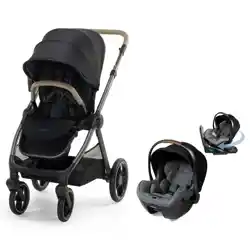
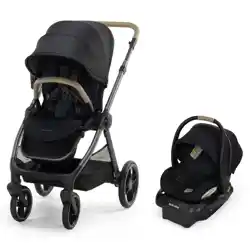
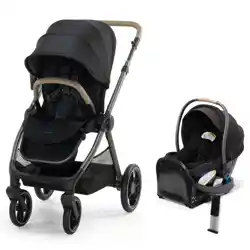
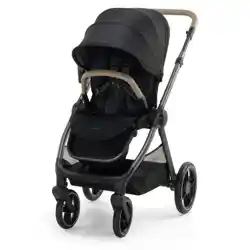
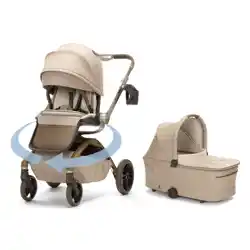
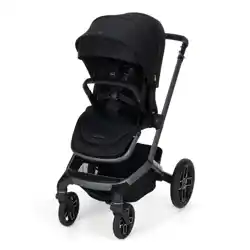
Modular Stroller
6 M+
Max 50 lb (22.7 kg), 40 in. (101 cm)
Your model may look different than the one shown.
CV472
4358-8737A 09.18.25
Text 1-812-652-2525
(US and Canada only, carrier fees may apply)
Visit www.maxicosi.com
Call 1-800-544-1108
©2025 Dorel Juvenile Group, Inc. (800) 544-1108 www.maxicosi.com. Styles, colors, and labeling may vary. Made in CHINA. Distributed by
Dorel Juvenile Group, Inc., 2525 State St., Columbus, IN 47201-7494. Dorel Juvenile Canada, 2233 Argentia Road, Suite 110, Mississauga, ON
L5N 2X7. Representante exclusivo en Chile: DOREL JUVENILE CHILE S.A. Av. del Parque 4161, oficina 602 A, Huechuraba, Santiago, Chile -
Fono: 56 2 24971500 - www.infanti.cl - www.dorel.cl. Importado y distribuido en Perú por: COMEXA COMERCIALIZADORA EXTRANJERA
S.A. SUCURSAL DEL PERÚ - Los Libertadores 455, San Isidro, Lima 27, Lima, Perú RUC 20431062870 – Fono: 4413029 – www.infanti.com.pe.
En Centro América, Caribe y Ecuador por: Best Brands Group S.A. – Av. Balboa, Bay Mall Plaza, Planta Baja, local 9, Panamá. - Fono: (507) 300
2884. En Colombia por: Baby Universe S.A.S. - Vía 40 No. 77-29, Barranquilla, Colombia - Fono: (575) 353 1110 Importador: DJGM,
S.A. DE C.V. Gabriel Mancera No. 1041 Col. Del Valle, Benito Juárez C.P. 03100 México, Ciudad de México R.F.C. DJG140305GN9
Tel. (55) 67199202
Learn More
Email [email protected]
4
Table of Contents
Getting Started
Getting Started .............................................................. 5
Parts of the Stroller .................................................. 6
Assembly ......................................................................... 8
Unfolding the Stroller .............................................. 9
Installing the Rear Wheels ..................................10
Installing the Front Wheels ................................. 11
Installing the Seat ................................................... 12
Installing the Bumper Bar ....................................13
Installing the Canopy ............................................. 14
Removing the Canopy ...........................................15
Installing the Cup Holder .....................................16
Folding the Stroller .................................................17
Use ...................................................................................20
Using the Parking Brake .......................................21
Using the Swivel Wheel Lock ............................. 22
Using the Canopy .................................................... 23
Reclining the Stroller Seat ...................................25
Adjusting the Footrest ........................................... 26
Adjusting the Handlebar ......................................27
Storage .......................................................................28
LumiRide System and
Connected Family App ..............................................29
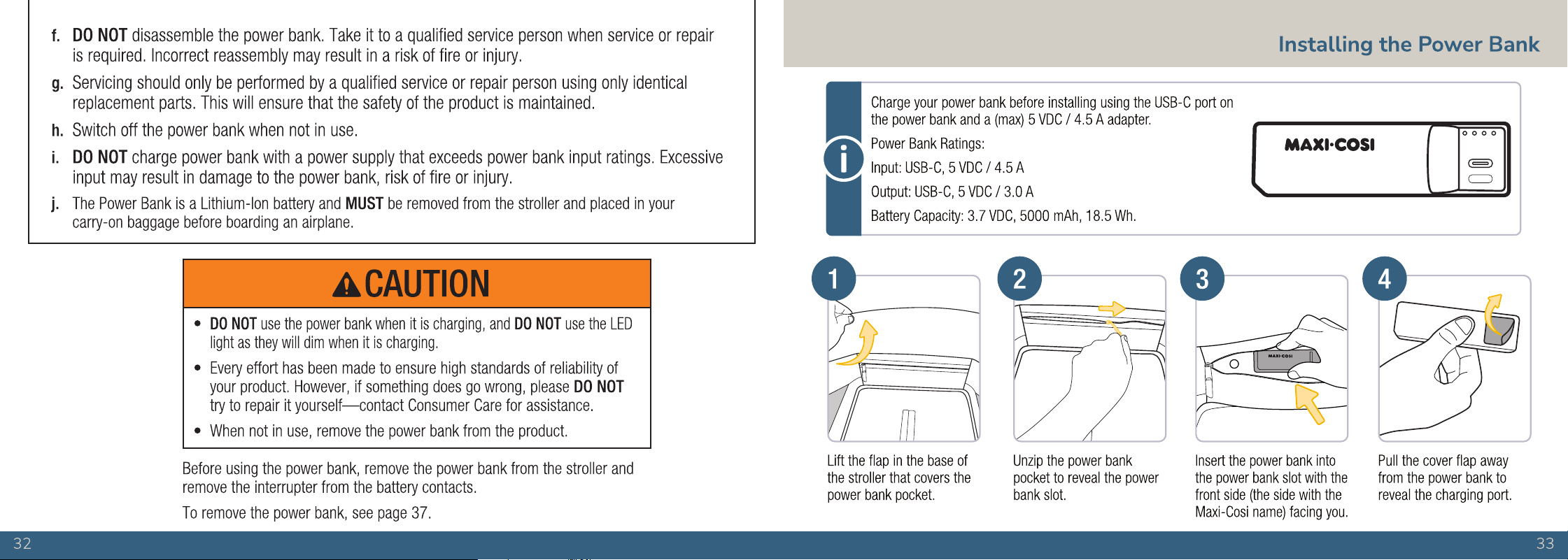
Installing the Power Bank ....................................33
Using the LumiRide System ................................34
Power and Charge ..................................................35
Using the Connected Family App ......................36
Uninstalling the Power Bank ..............................37
Car Seat Compatibility ..............................................39
Attaching the Car Seat
to the Stroller ...........................................................40
Removing the Car Seat .........................................42
Adjustment and Fit .....................................................43
Adjusting the Stroller
Seat Harness Straps ..............................................44
Securing Your Child
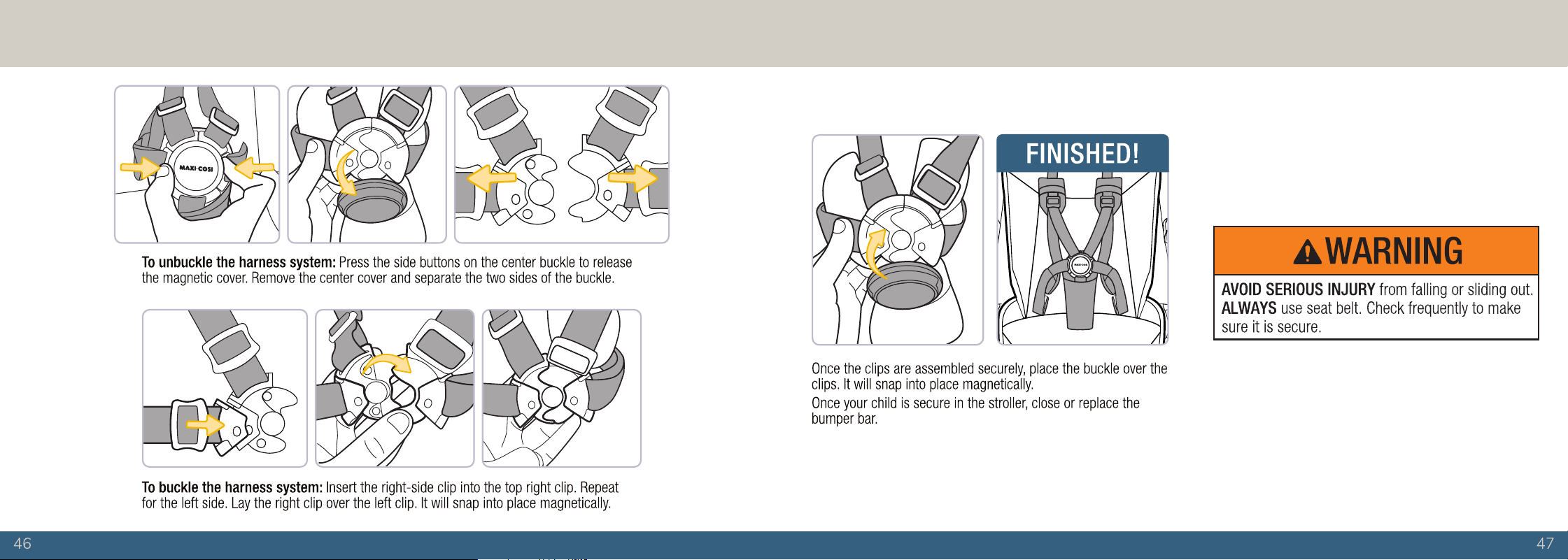
in the Stroller ............................................................ 45
Wash and Care ............................................................48
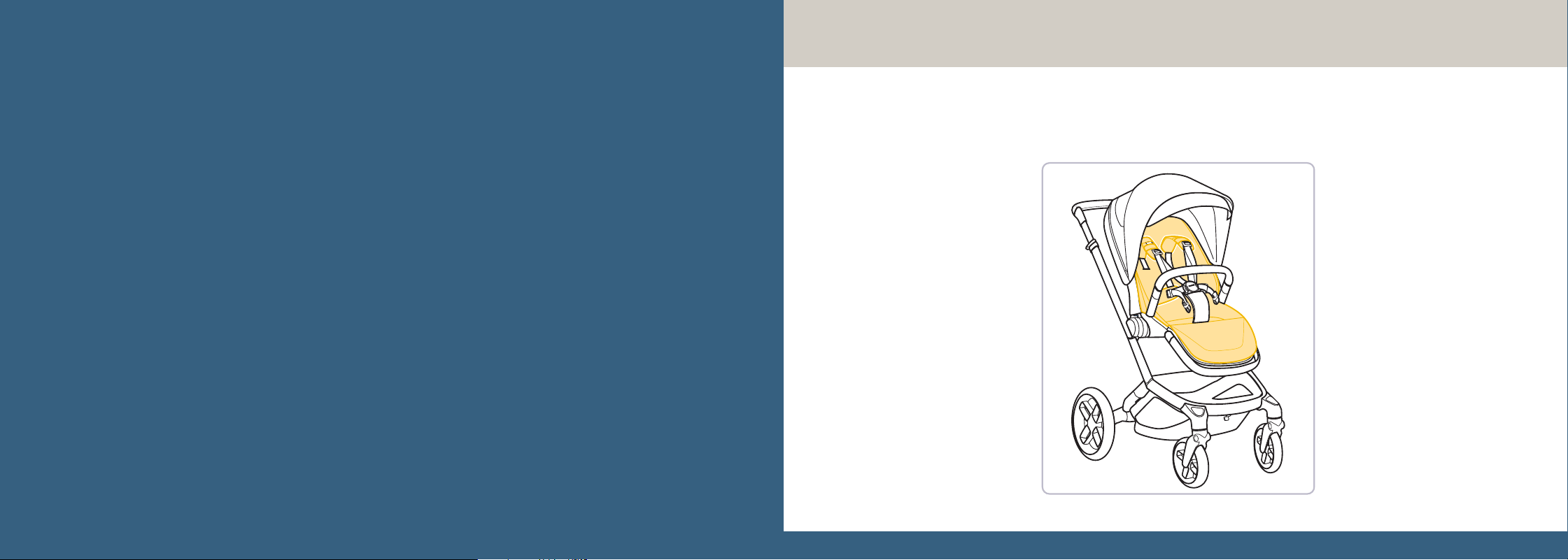
Cleaning the Stroller ..............................................49
Installing the Seat Pad ..........................................50
Warranty ........................................................................ 51
1
Assemble
the Stroller
2
Set Up the
Accessories
3
Attach a
Maxi-Cosi car
seat if desired
4
Make Any
Adjustments
to Properly Fit
Your Child and
Buckle Up
To help you get started using your child’s new stroller,
these are the four main tasks you’ll need to complete.
76
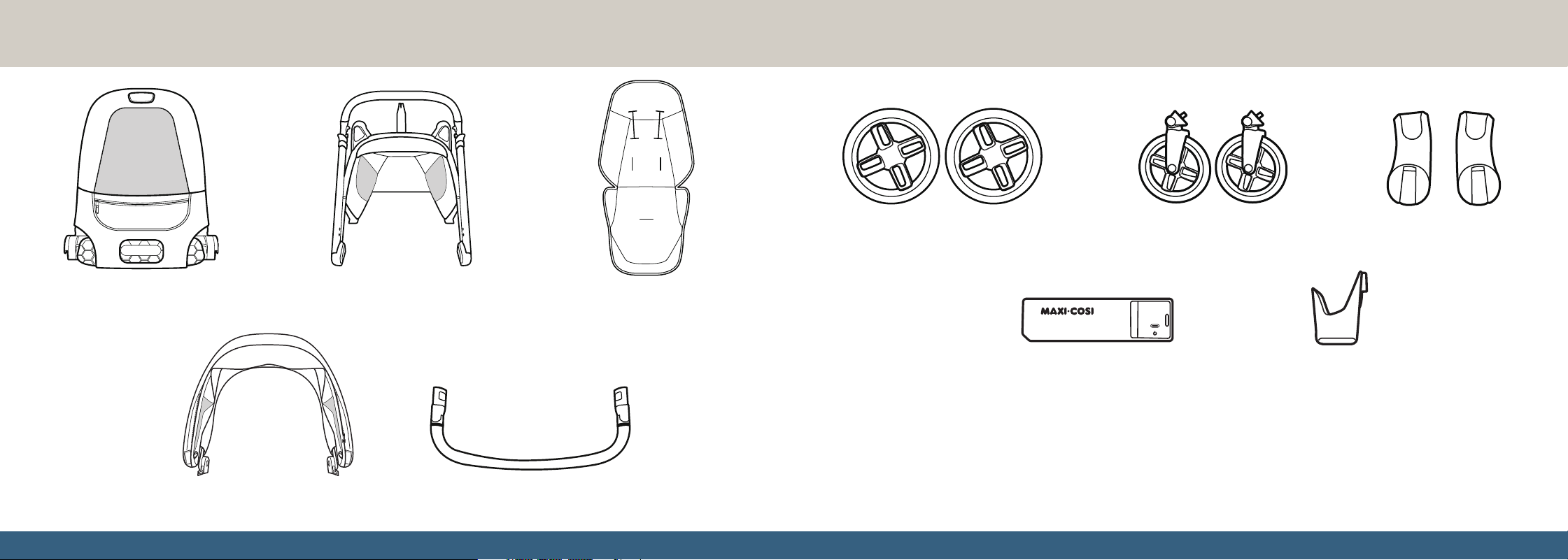
Parts of the Stroller
IN/OUT
Seat Seat Pad
(Installed)
Rear Wheels Front Wheels
Stroller Frame
Bumper Bar
Car Seat Adapters
Power Bank Cup Holder
Lay out and identify all of the parts.
If any parts are missing, DO NOT
return this product to the place
of purchase.
Please contact Consumer Care via:
• Phone: 1-800-544-1108
• Text: 1-812-652-2525
• Chat: www.maxicosi.com
• Email: [email protected]
You will need to know the
model number (CV472) and
manufacture date.
It is located on a label on the
bottom of the kickstand.
Canopy
9
CLICK
CLICK
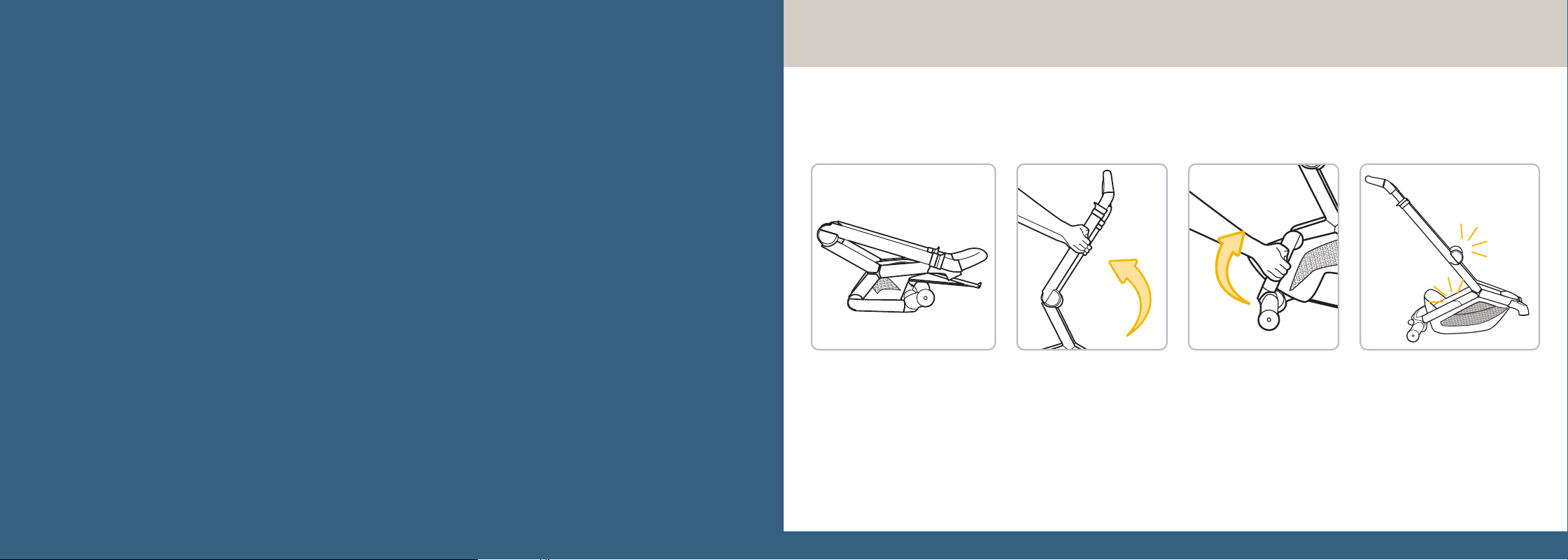
Unfolding the Stroller
Pull back on the handlebar until it clicks into place. Unfold the bottom of the stroller by pulling one end
of the base towards you. The other end folds out and clicks into place.
CLICK
CLICK
Assembly
Unfolding the Stroller .....................................9
Installing the Rear Wheels ........................ 10
Installing the Front Wheels .......................11
Installing the Seat .........................................12
Installing the Bumper Bar ..........................13
Installing the Canopy ................................... 14
Removing the Canopy .................................15
Installing the Cup Holder ...........................16
Folding the Stroller .......................................17
CLICK
CLICK
CLICK
CLICK
1110
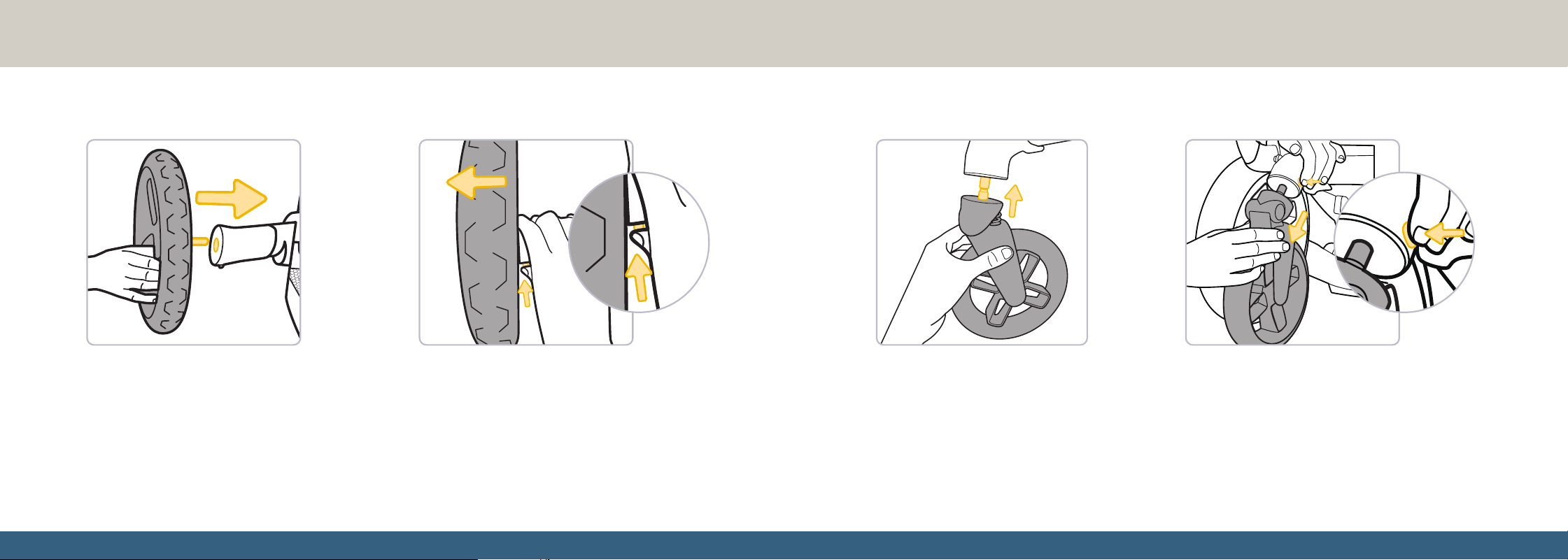
Installing the Rear Wheels
To install the rear wheels: Slide the
wheels into the slots on the stroller
frame until they click into place. Either
wheel can insert into either slot. Pull
gently on each wheel to make sure
they are assembled securely.
To remove the rear wheels: Press the button on
the frame located next to each rear wheel. While
holding the button, pull the wheel off the frame.
Repeat for the other wheel.
Installing the Front Wheels
To install the front wheels: Slide the
wheels into the slots on the stroller
frame until they click into place. Either
wheel can insert into either slot. Pull
gently on each wheel to make sure
they are assembled securely.
To remove the front wheels: Press the button on
the frame located next to each front wheel. While
holding the button, pull the wheel off the frame.
Repeat for the other wheel.
CLICK
CLICK
CLICK
CLICK
21
Use
Using the Parking Brake ...........................21
Using the Swivel Wheel Lock .................22
Using the Canopy ........................................23
Reclining the Stroller Seat .......................25
Adjusting the Footrest ...............................26
Adjusting the Handlebar ..........................27
Storage ...........................................................28
Using the Parking Brake
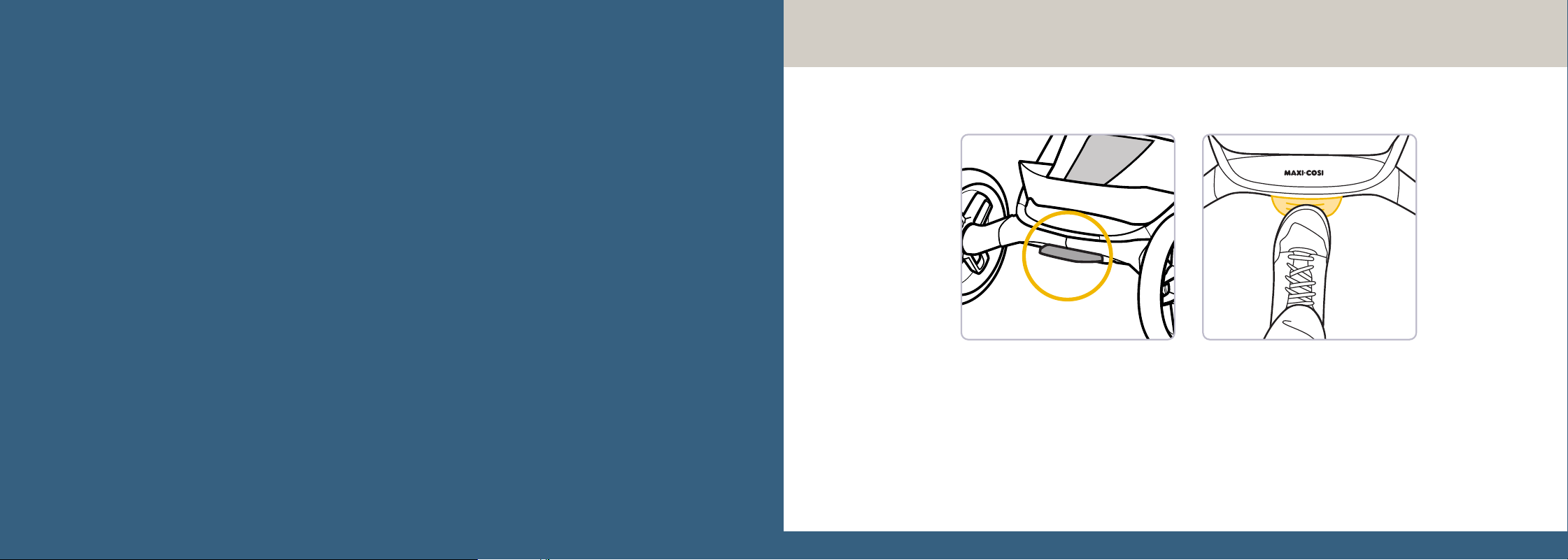
ALWAYS use the parking brake when standing still, even if only for a few moments!
To lock the brake: Push down on the back of the pedal in between the rear wheels.
To unlock the brake: Push down once more on the same pedal.
2322
Using the Swivel Wheel Lock
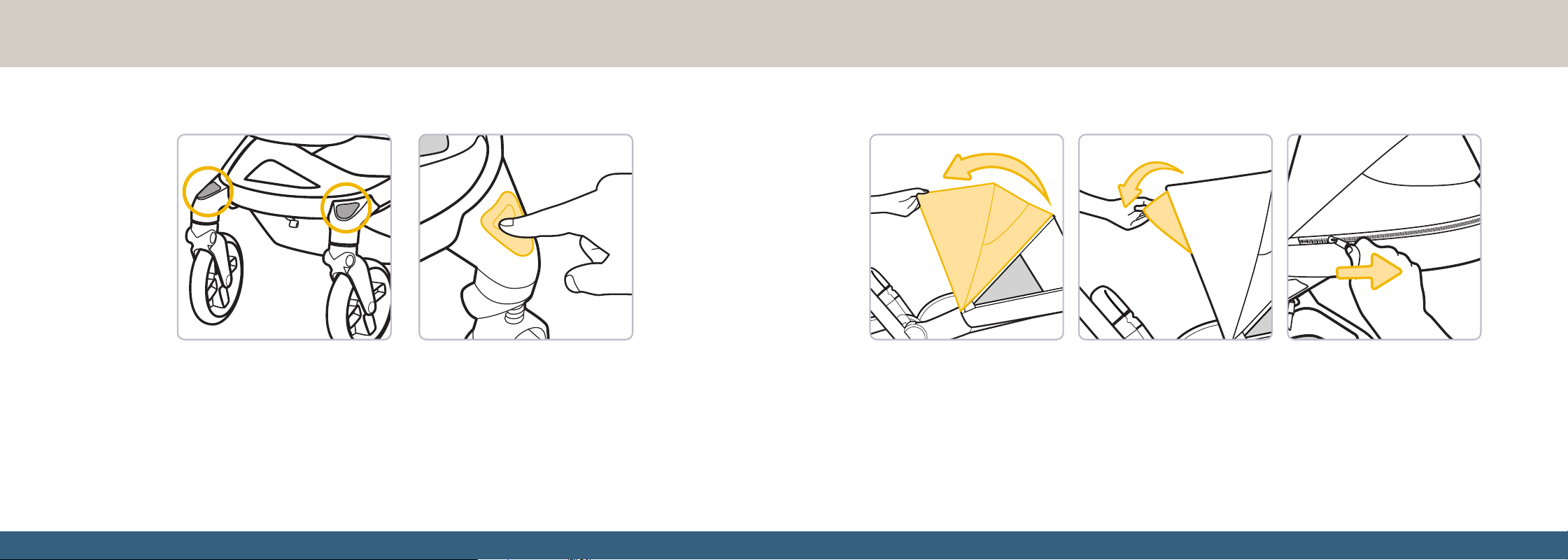
Use the swivel wheel lock when using the stroller in a straight direction for long
periods of time.
To lock the swivel wheels: Press the buttons located on the stroller frame just
above each front wheel until they click. The front wheels will not be able to swivel
while the lock is engaged.
To unlock the swivel wheels: Press the same buttons again. The front wheels
will be able to swivel.
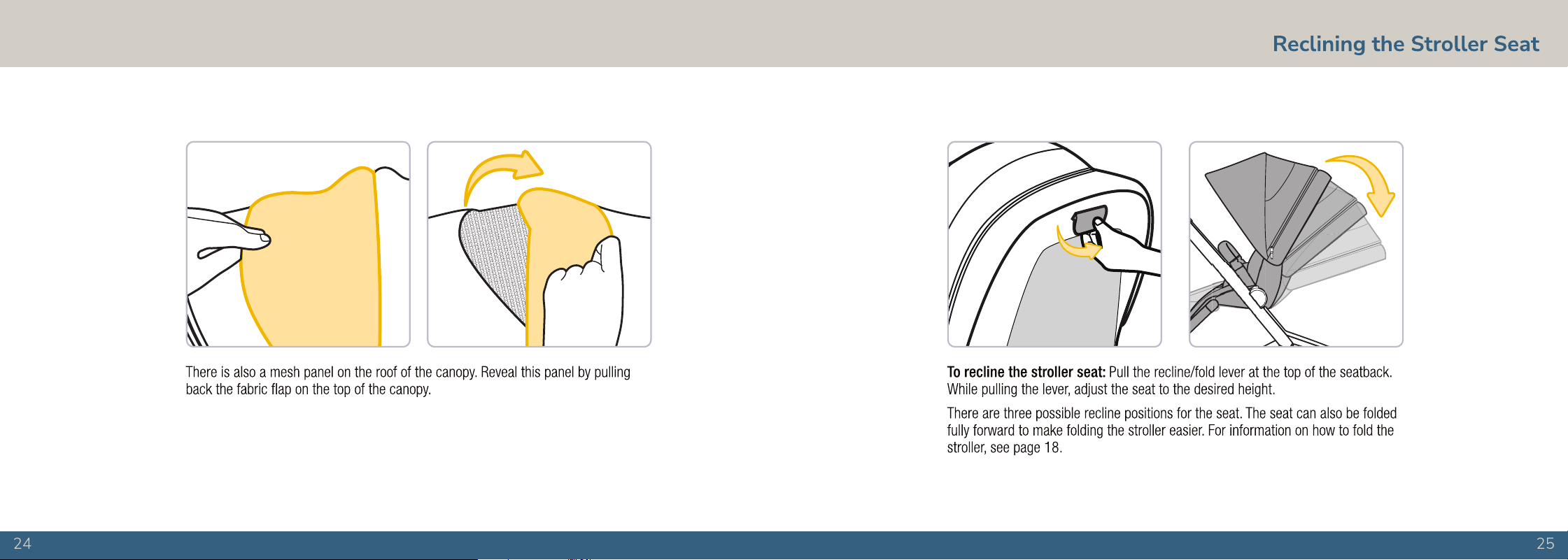
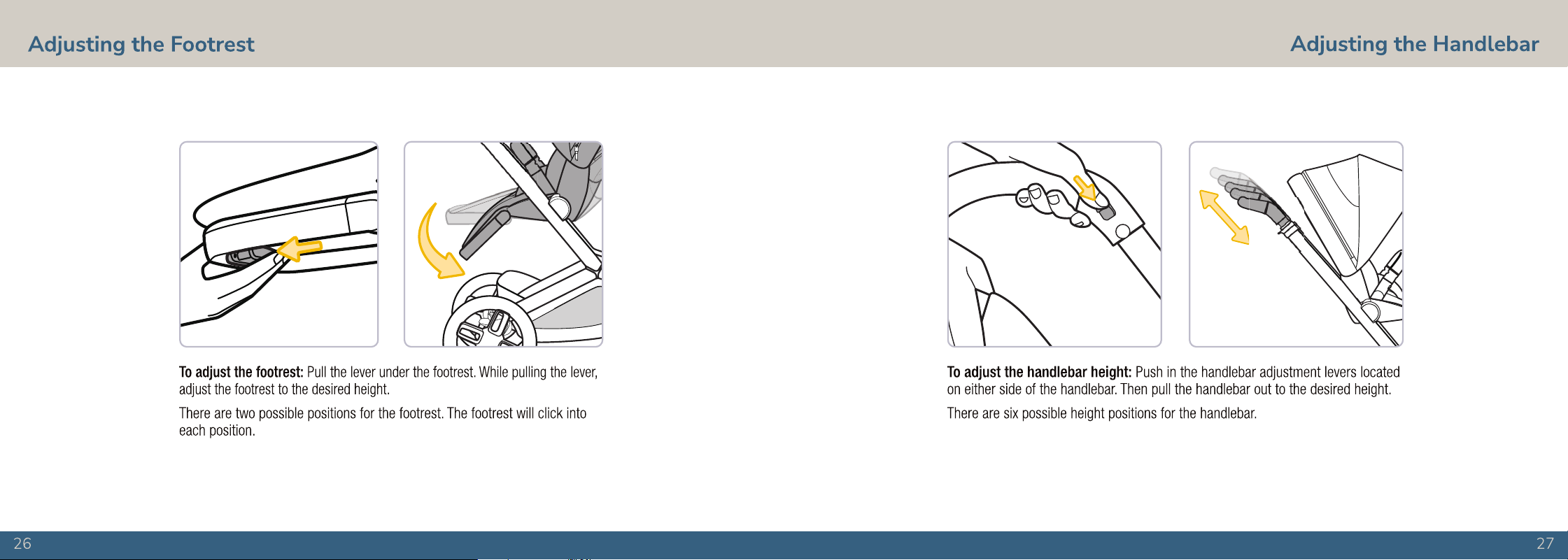
To extend the canopy: Pull the canopy away from the stroller. Pull the canopy visor out from under the canopy.
To use the mesh panels: Unzip the zipper where the canopy meets the frame. This will allow you to extend the
canopy further and reveals a mesh panel in the back of the canopy.
Using the Canopy
continued on next page
28
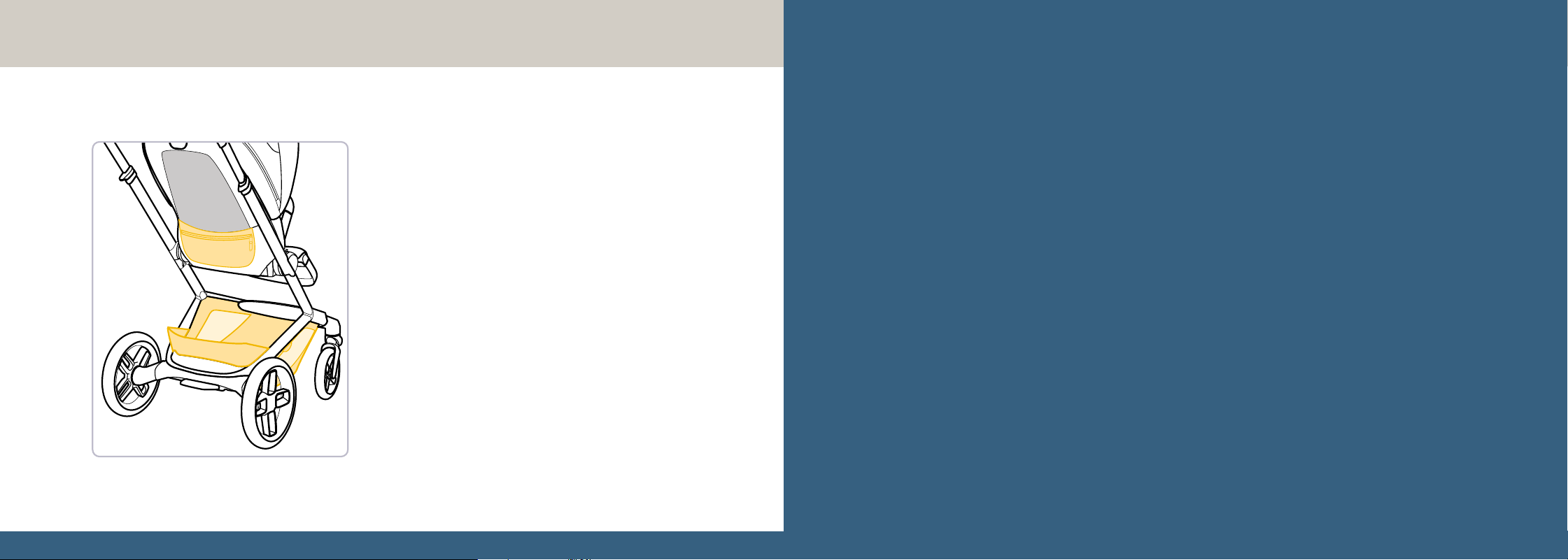
Storage
The storage basket at the bottom of the stroller has a
weight limit of 22 lb (10 kg), and the storage pocket on the
rear of the seatback has a weight limit of 2 lb (0.9 kg).
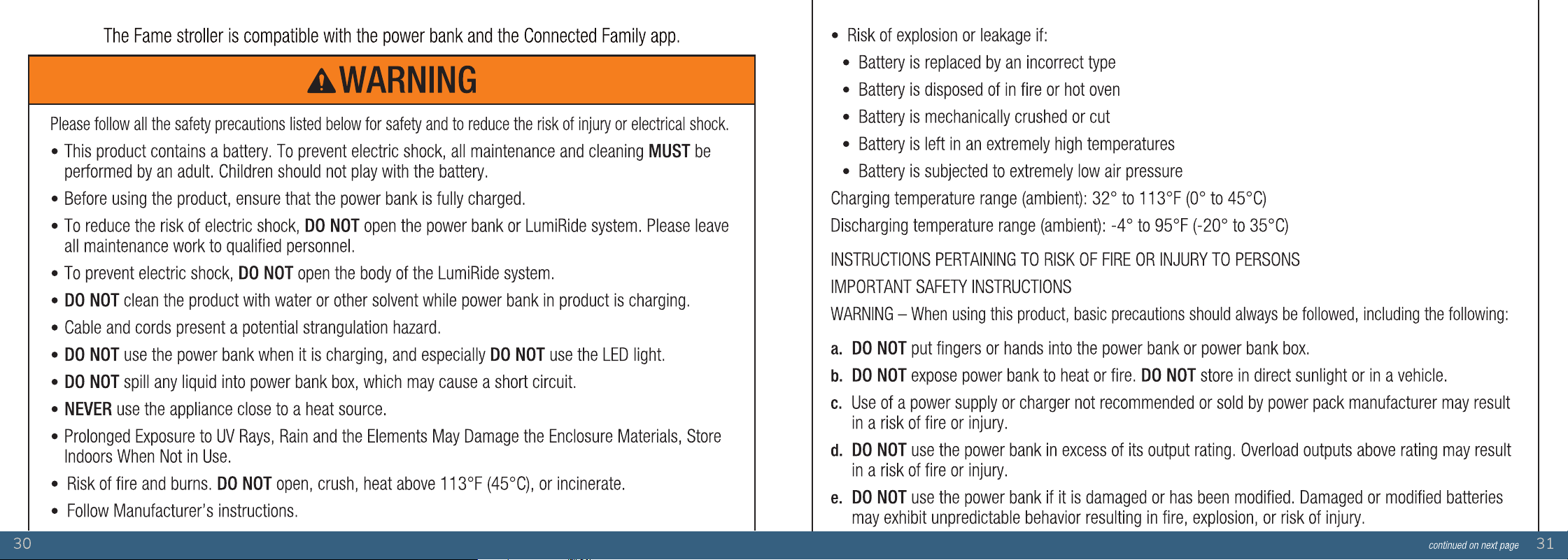
LumiRide System and
Connected Family App
Installing the Power Bank .......................... 33
Using the LumiRide System ......................34
Power and Charge ........................................35
Using the Connected Family App ...........36
Uninstalling the Power Bank ....................37
3534
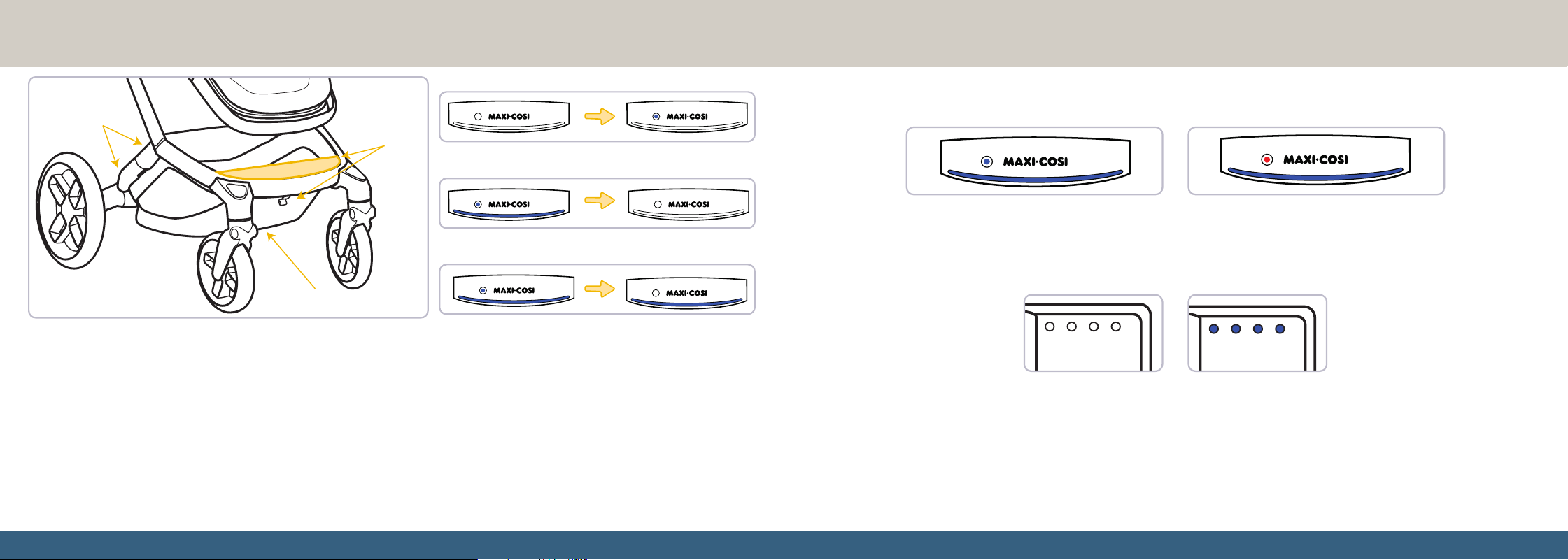
Using the LumiRide System
Tapping the power button once turns the LumiRide
system on. Tap the power button again while the
LumiRide system is on to turn the lights off.
Once the LumiRide system is turned on, hold the power
button for five seconds to enter the stroller’s pairing
mode. The rear lights will pulse once pairing mode has
been activated. In pairing mode, the stroller can be paired
with the Connected Family app. See the Connected
Family app section for more details.
If the battery bank is installed but the lights don’t turn on,
remove the power bank and reinstall.
Front Lights
Rear Lights
Basket Lights
Once the power bank is installed, you may begin using your stroller’s
LumiRide System.
The stroller has lights on the front and rear of the frame and within the
storage basket.
When paired with the Connected Family app, you can adjust the
brightness levels of the front, rear, and basket lights. The app also allows
you to change the color of the front and rear light.
To pair your stroller with the Connected Family app, see page 36.
Power On
Pairing Mode
Power Off
Power and Charge
If the stroller’s LumiRide system has 25% charge or more, the light on the power button will be
blue. If the stroller’s LumiRide system has less than 25% charge, the light on the power button
will be red.
There are multiple ways to check percentage of remaining power for the stroller’s LumiRide system.
You can also view the power percentage by checking the lights on the power bank. There are four
lights, each representing 25% power percentage. One light represents 25% power remaining, two
lights represents 50%, etc.
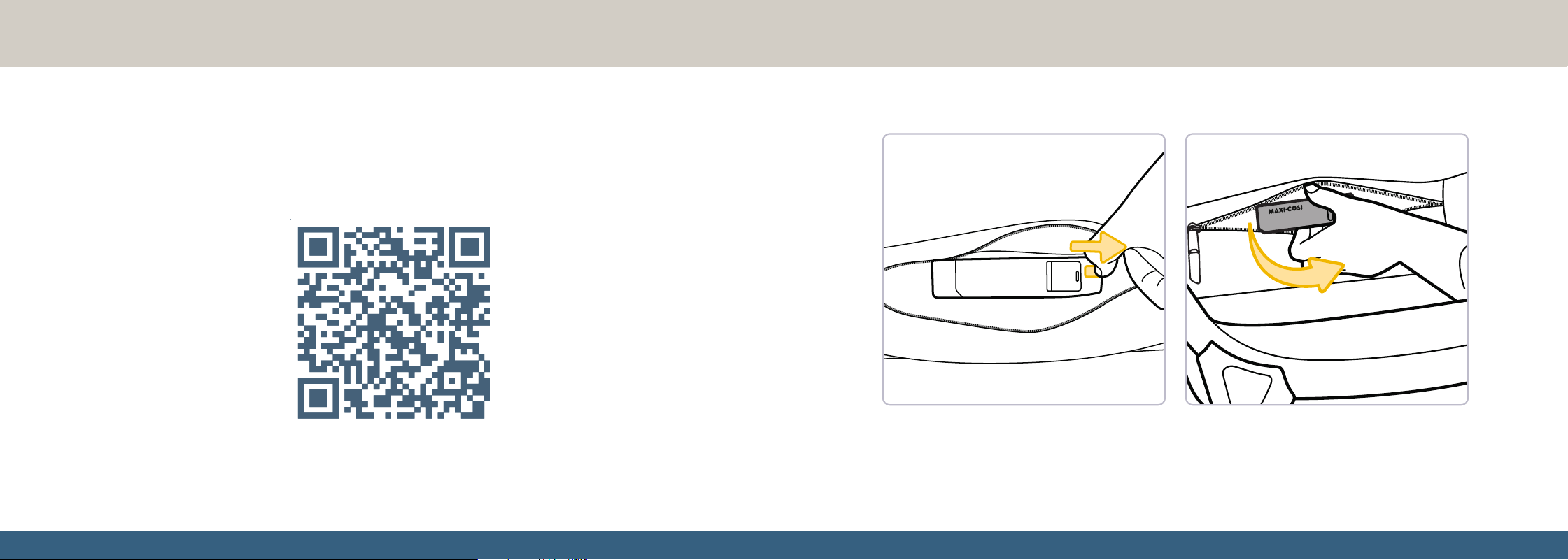
You can use this stroller’s power bank to charge your smartphone. Connect your smartphone to the
stroller using a compatible USB-C cable (not included). The stroller’s lights MUST be turned off to
charge your cell phone.
3736
Using the Connected Family App Uninstalling the Power Bank
This stroller is compatible with the Connected Family app, which allows you to control the LumiRide System from your smartphone.
To use the Connected Family app: Download the Connected Family app by searching for “Connected Family” on the Apple
®
App
Store
®
or the Google Play™ Store. Make sure Bluetooth
®
is turned on for your smartphone. Log in or create an account, then tap
the + icon to pair your stroller.
Follow the instructions in the Connected Family app to pair the stroller with your smartphone. Explore the features and functionality
within the Connected Family app.
Download the Connected Family app to
control your stroller’s lights from your
smartphone and interact with other
compatible Maxi-Cosi products.
Pull the release lever next to the power bank to unlock it. Remove the power bank.

38
Car Seat
Compatibility
Attaching the Car Seat
to the Stroller ..................................................40
Removing the Car Seat ...............................42
Disposal
At the end of the product life cycle, you should not dispose of
this product with normal household waste. Take this product to
a collection point for the recycling of electronic equipment in
accordance with your local laws. Some of the product materials
can be reused if you take them to a recycling point. By reusing
some parts or raw materials from used products, you make
an important contribution to the protection of the environment.
Please contact your recycling center for more information on the
collection points in your area.
FCC Statement
This device complies with part 15 of the FCC Rules. Operation is
subject to the following two conditions: (1) this device may not cause
harmful interference, and (2) this device must accept any interference
received, including interference that may cause undesired operation.
RADIO AND TELEVISION INTERFERENCE:
This equipment has been tested and found to comply with the
limits for a Class B digital device, pursuant to part 15 of the FCC
Rules. These limits are designed to provide reasonable protection
against harmful interference in a residential installation.
This equipment generates, uses and can radiate radio
frequency energy and, if not installed and used in accordance
with the instructions, may cause harmful interference to
radio communications. However, there is no guarantee that
interference will not occur in a particular installation. If this
equipment does cause harmful interference to radio or television
reception, which can be determined by turning the equipment
off and on, the user is encouraged to try to correct the
interference by one or more of the following measures:
1. Reorient or relocate the receiving antenna.
2. Increase the separation between the equipment and receiver.
3. Connect the equipment into an outlet on a circuit different
from that to which the receiver is connected.
4. Consult the dealer or an experienced radio/TV technician
for help.
NOTE: Changes or modifications not expressly approved by Dorel
Juvenile.Group can void your authority to operate this equipment under
Federal Communications Commission’s rules. Use of other accessories
may not ensure compliance with the FCC exposure guidelines.
CAUTION: This equipment complies with FCC/IC RSS-
102 radiation exposure limits set forth for an uncontrolled
environment. This equipment should be installed and operated
with minimum distance 20 cm between the radiator and your
body. This transmitter must not be co-located or operating in
conjunction with any other antenna or transmitter.
The Bluetooth
®
word mark and logos are registered trademarks
owned by Bluetooth SIG, Inc. Other trademarks and trade names
are those of their respective owners.
49
Wash and Care
Cleaning the Stroller ....................................49
Installing the Seat Pad ................................50
Warranty ..........................................................51
The stroller’s seat pad is machine washable with cold water on gentle cycles. DO NOT use bleach. Tumble dry on low heat or line
dry. Spot clean only all other parts of the stroller with soap and warm water.
Cleaning the Stroller
5150
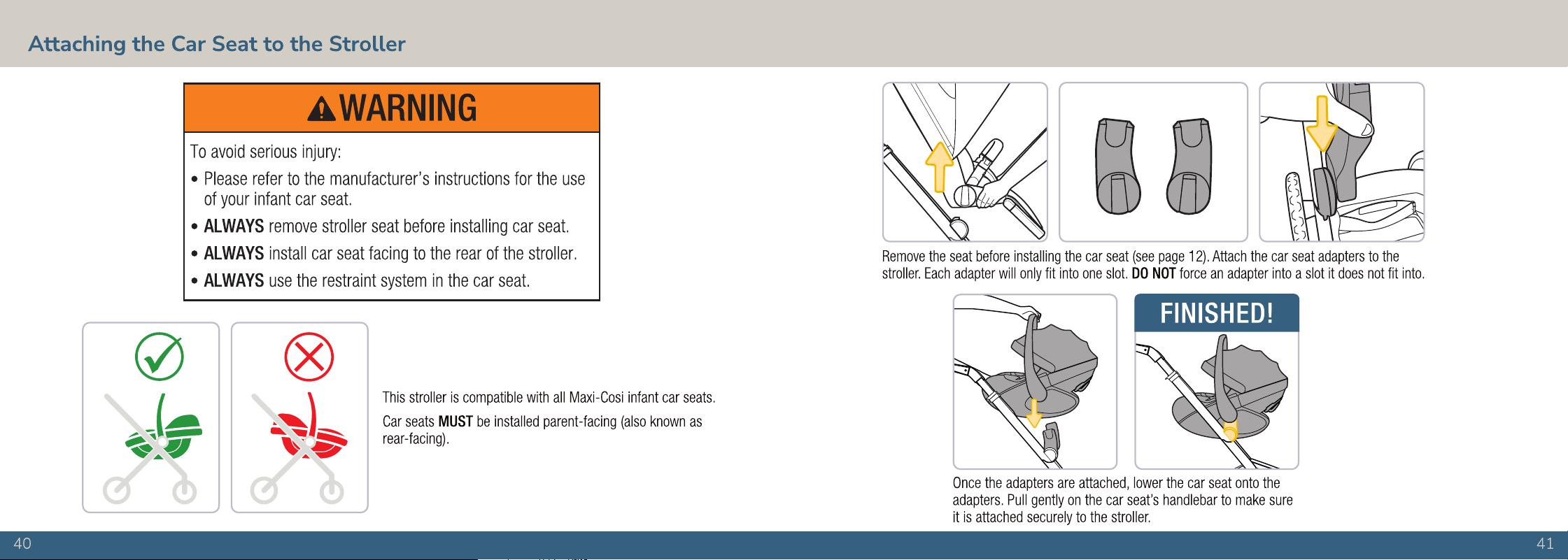
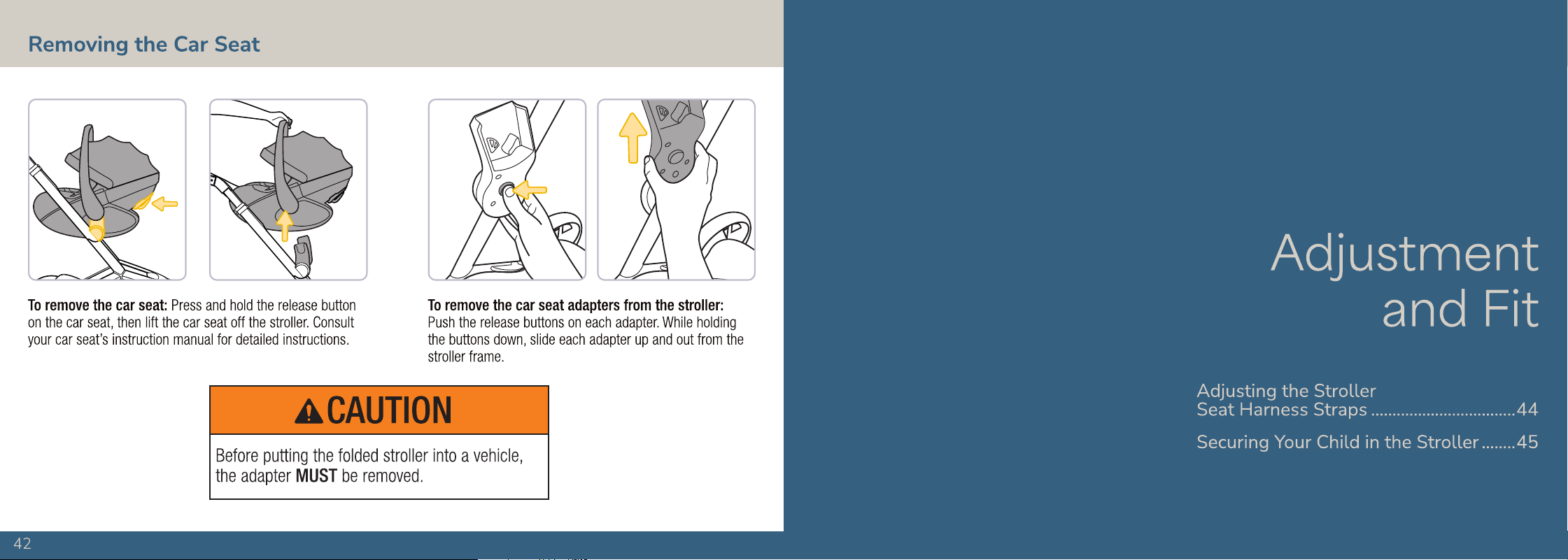
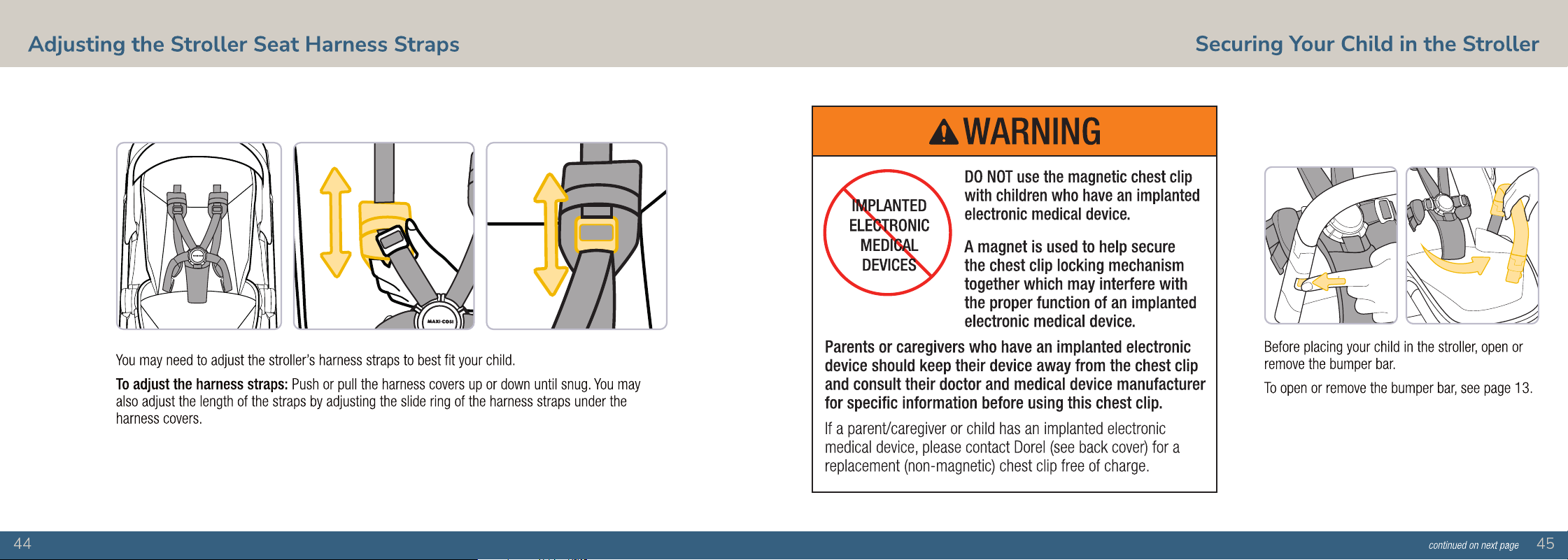
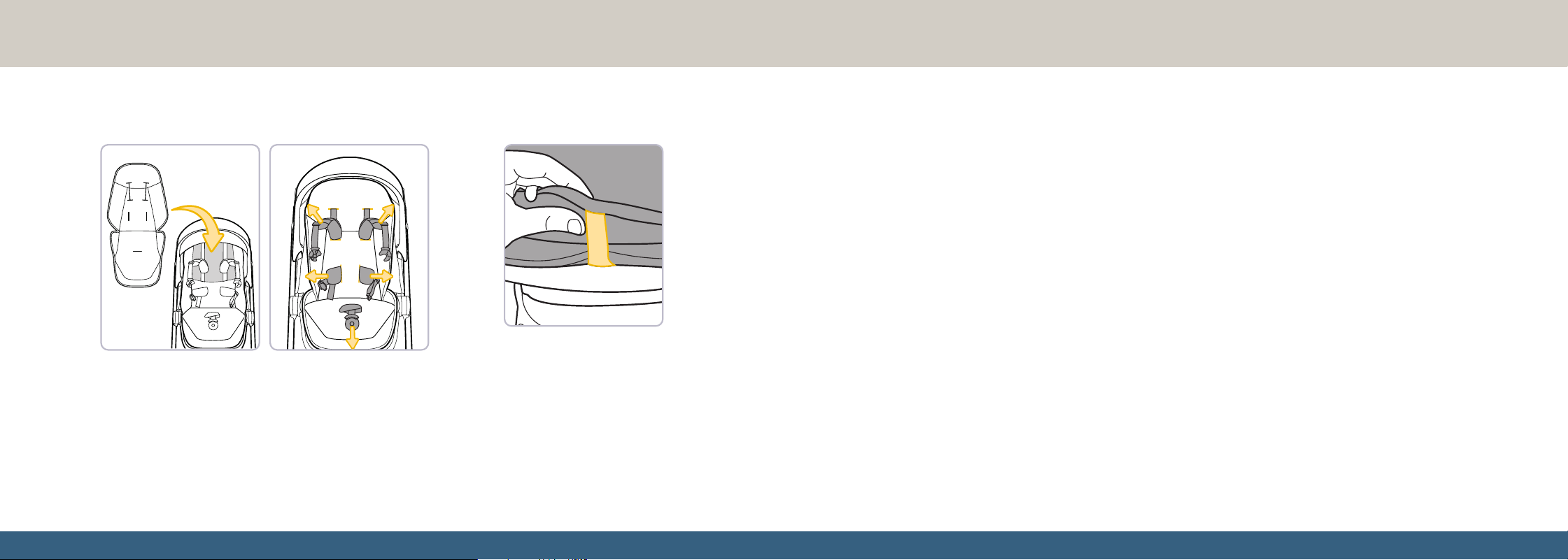
Pull the seat pad over the seat, pulling each strap through
the holes in the seat pad as shown.
Use the seat pad strap,
located near the footrest, to
fasten the seat pad to the
seat. Pull the strap through
the loop on the bottom of the
seat and buckle it back to
the seat pad.
Installing the Seat Pad
Warranty
If you have questions or any concerns with this stroller, please contact our Consumer Care Department. For parts availability and
questions, please contact us via phone, text, email, or chat. Include the model number (CV472) and manufacture date (found on a
label on the bottom of the kickstand) and a brief description of the part.
• Front Wheels (2)
• Rear Wheels (2)
• Harness Strap Covers (2)
• Bumper Bar
• Canopy
• Cup Holder
• Car Seat Adapters (2)
• Power Bank
Hours of Operation
M-TH: 8:00 AM - 6:00 PM EST
FRI: 8:00 AM - 4:30 PM EST
Two-Year Limited Warranty
Dorel Juvenile Group, Inc. warrants to the original purchaser that this product (Maxi-Cosi Fame™ Modular Stroller), is free from material and
workmanship defects when used under normal conditions for a period of two (2) years from the date of purchase. Should the product contain
defects in material or workmanship Dorel Juvenile Group, Inc. will repair or replace the product, at our option, free of charge. Purchaser will be
responsible for all costs associated with packaging and shipping the product to the Dorel Juvenile Group Consumer Care Department at the
address noted on the back of this document and all other freight or insurance costs associated with the return. Dorel Juvenile Group will bear
the cost of shipping the repaired or replacement product to the purchaser. Product should be returned in its original package accompanied
by a proof of purchase, either a sales receipt or other proof that the product is within the warranty period. This warranty is void if the owner
repairs or modifies the product or the product has been damaged as a result of misuse. This warranty excludes any liability other than that
expressly provided, including but not limited to, any incidental or consequential damages. **SOME STATES DO NOT ALLOW THE EXCLUSION
OR LIMITATION OF INCIDENTAL OR CONSEQUENTIAL DAMAGES, SO THE ABOVE LIMITATION OR EXCLUSION MAY NOT APPLY TO YOU. THIS
WARRANTY GIVES YOU SPECIFIC LEGAL RIGHTS, AND YOU MAY ALSO HAVE OTHER RIGHTS THAT MAY VARY FROM STATE TO STATE.**
Call: 1-800-544-1108
Text: 1-812-652-2525
Email: [email protected]
Chat: www.maxicosi.com
Replaceable Parts List