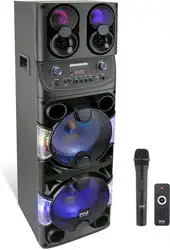

AURAPLAY PRO
Outdoor Projection Speaker System
Product Specifications & User Manual
Model: AURAPLAY PRO
Document Version: V1.0
Release Date: March 2026
Applicable Certifications: FCC / CE / RoHS
Manufacturer: Aiuniverse Technology Limted
Market: United States

Table of Contents
Chapter 1 Product Overview
Chapter 2 Product Specifications
2.1 Overall System Specifications
2.2 Projector Module Specifications (A3W)
2.3 Speaker Module Specifications (A1012)
2.4 Power & Battery Specifications
2.5 Interface & Connectivity Overview
2.6 Physical Dimensions & Weight
2.7 Package Contents
Chapter 3 User Manual
3.1 Safety Instructions
3.2 Unboxing & Parts Verification
3.3 Product Appearance Description
3.4 Control Panel & Interface Description
3.5 Quick Start Guide
3.6 Projector Operation
3.7 Speaker Operation
3.8 Wireless Microphone Operation
3.9 Bluetooth Connection
3.10 USB Drive Playback & Recording
3.11 Live Streaming
3.12 Charging Instructions
3.13 Maintenance & Care
3.14 Troubleshooting
Chapter 4 Regulatory & Compliance Statements
Chapter 5 Warranty & After-Sales Service

Chapter 1 Product Overview
The AURAPLAY PRO is an all-in-one outdoor projection speaker system designed for outdoor
performances, event planning, plaza entertainment, commercial exhibitions, camping, and more. This
product deeply integrates a high-brightness LED smart projector (Model: A3W) with a professional-
grade outdoor powered speaker (Model: A1012), delivering an unparalleled all-in-one audio-visual
experience.
Key Features:
Projection: 1920x1080 Full HD, 600 ANSI Lumens, 40-120 inch adjustable, Auto-focus +
Omnidirectional Keystone Correction
Audio: 240W 3-way speaker system (10-inch woofer + 5-inch midrange + tweeter horn), SNR >85dB
Battery: 12.8V / 30Ah LiFePO4 battery, >3 hours runtime (at normal volume)
Wireless: Wi-Fi 6 (2.4G/5G dual-band) (projector) / Bluetooth 5.4 (speaker), dual
UHF wireless microphones
Smart System: Android 9.0, Hisilicon Hi352 SoC, Airplay / Miracast wireless screen mirroring
Portable: 4-wheel caster base + retractable top handle for full outdoor mobility
Multi-input: HDMI 2.1, USB 2.0x2, 6.35mm instrument/mic input, 3.5mm stereo input, Type-C (OTG
live streaming)
Certifications: FCC / CE / RoHS / CCC / SRRC

Chapter 2 Product Specifications
2.1 Overall System Specifications
Product Name Outdoor Projection Speaker System (All-in-One)
Model AURAPLAY PRO
Projector Module A3W
Speaker Module A1012
Rated Output Power 240W (Speaker Module)
System Operating Voltage Projector: DC 12V; Speaker: DC 12.8V (internal battery) /
External 12V
Built-in Battery 12.8V / 30Ah Lithium Iron Phosphate (LiFePO4)
Battery Life >3 hours (normal volume with projector simultaneously active)
Wireless Wi-Fi 6 (2.4G/5G) (projector) + BT 5.4 (speaker) +
Dual UHF wireless mic
Operating System Android 9.0 (Projector Module)
Color Dark Gray / Black
Mobility 4-wheel caster base + retractable top handle
Applications Outdoor events, plaza dancing, camping, trade shows,
education, sports
Certifications FCC / CE / RoHS / CCC / SRRC
2.2 Projector Module Specifications (A3W)
2.2.1 Projection Parameters
Resolution 1920 x 1080 (Full HD)
Brightness 600 ANSI Lumens
Contrast Ratio (FOFO) 3000:1
Aspect Ratio 16:9
Projection Size 40 to 120 inches
Projection Distance 1.2 to 3.6 m (approx. 3.9 to 11.8 ft)
Throw Ratio 1.35:1
Brightness Uniformity >= 65%
Color Temperature 6500 to 7500 K
Color Gamut >= 45% NTSC
Lens Optical Glass Lens
Display Panel LTPS 4-inch
Optical Engine Sealed Optical Engine
Light Source LED, 65W
Light Source Lifespan >= 20,000 hours
2.2.2 Smart Features
Auto Focus
Supported
Keystone Correction
Auto Omnidirectional (Horizontal + Vertical)
Auto Obstacle Avoidance
Supported
Screen Adaptation
Supported
HDR10
Not Supported
MEMC Motion Compensation
Not Supported
Dolby Decoding
Not Supported
Bluetooth Speaker Mode
Supported
Screen-Off Mode
Supported (Audio output only, screen off)
2.2.3 System & Software
Main Chip
Hisilicon Hi352
CPU
ARM Cortex-A53 x4, 2 GHz
GPU
ARM Mali-450 MP2
Operating System
Android 9.0 (Custom UI)
RAM
2 GB
Storage
32 GB eMMC
Screen Mirroring
Airplay / Miracast
Voice Control
Bluetooth remote with near-field voice
Video Formats
AVI, MP4, MKV, FLV, WMV, MOV, RMVB, MPEG1/2/4, H.264,
H.263, XVID, JPEG
Audio Formats
AAC, MP2, MP3, PCM, FLAC, WMA
Image Formats
BMP, JPG, PNG
4K Playback
Supported (up to 30fps)
2.2.4 Remote Control
Remote Control Type
Dual-mode: Bluetooth + Infrared (with voice input)
Bluetooth Coverage
360 degrees
Infrared Range
>= 8 m (approx. 26 ft)
2.2.5 Interfaces (Projector Module)
HDMI
HDMI 2.1 x 1
USB
USB 2.0 x 2
Ethernet
None
Headphone Output
None
SPDIF Output
None
Built-in Speaker
None (audio output via A1012 Speaker Module)

2.2.6 Electrical Parameters (Projector)
Operating Voltage
DC 12V
Power Consumption
75W +/- 5W
Standby Power
<= 2W
Operating Noise
<= 40 dB(A)
2.2.7 Physical Dimensions (Projector Module)
Length (lens-forward, lateral)
240 mm (9.45 in)
Width (lens-forward, depth)
203 mm (7.99 in)
Height
100 mm (3.94 in)
Net Weight
1.73 kg (3.81 lbs)
2.3 Speaker Module Specifications (A1012)
2.3.1 Electroacoustic Parameters
Rated Output Power
240 W
Signal-to-Noise Ratio
> 85 dB
Frequency Response
55 Hz to 20,000 Hz (-3 dB)
Speaker Configuration
3-way: 10-in woofer (2.8 ohm, 50-core) x1 + 5-in midrange (6.5
ohm, 25-core) x1 + Tweeter Horn (ZY44-1-3) x1
Display
1.3-inch OLED Display
2.3.2 Features
Bluetooth Version
Bluetooth 5.4
Wireless Microphones
Dual UHF wireless mic (Channel A & B, with Li-battery and
charging cable)
Mic Input
6.35mm mic input x 1
Instrument Input
6.35mm instrument input x 1
Stereo Input
3.5mm stereo input x 1
Headphone Output
3.5mm stereo headphone output x 1
Wired Live Streaming
3.5mm live streaming input x 1
USB Port
USB-A x 1 (USB drive playback / recording)
Type-C Port
USB Type-C x 1 (OTG live streaming)
Mic Priority
Supported
One-Touch Anti-Feedback
Supported
Mic Effect Modes
Multiple effects selectable
EQ Adjustment
Independent high/mid/low EQ and effect level for mic and
music
Vocal Removal
Supported (accompaniment mode)
Playback Loop
Single track / All tracks loop
Custom Preset Storage
Supported (save and recall)
Supported Music Formats
MP3 / WAV / WMA / FLAC / APE
Charging Modes
Charging while ON / Charging while OFF
2.4 Power & Battery Specifications
Battery Type
Lithium Iron Phosphate (LiFePO4)
Battery Spec
12.8V / 30Ah
Energy Capacity
approx. 384 Wh
Battery Life
> 3 hours (normal volume with projector simultaneously
active)
Charging Input
ADAPTOR IN: 18V / 5A
External Power Output
EXT POWER SUPPLY: 12V / 10.9A (powers projector and other
accessories)
Charging Modes
Charging while powered ON or OFF
Battery Protection
Overcharge / Over-discharge / Over-temperature / Short-
circuit protection
2.5 Interface & Connectivity Overview
HDMI 2.1
Video input for external devices (laptop, set-top box, etc.)
USB 2.0 x2
Connect USB drives, mouse, keyboard, etc.
USB-A (Speaker)
USB drive playback / recording
USB Type-C (Speaker)
OTG live streaming; connect smartphone or external audio
6.35mm Mic Input
Dynamic wired microphone connection
6.35mm Instrument Input
Guitar, bass, or other instrument direct connection
3.5mm Stereo Input
Analog audio from smartphone, tablet, etc.
3.5mm Headphone Output
Private monitoring
3.5mm Wired Live
External sound card or phone connection for streaming
Wi-Fi 6 (2.4G/5G)
Network access, wireless screen mirroring (projector)
Bluetooth 5.0
Projector: remote control, Bluetooth audio
Bluetooth 5.4
Speaker: Bluetooth audio streaming
Dual UHF Wireless Mic
Ch.A & Ch.B, independent volume control
12V / 10.9A External Output
Supplies power to the projector mounted on top
2.6 Physical Dimensions & Weight
Speaker Module (L x W x H)
395 x 400 x 945 mm (15.6 x 15.7 x 37.2 in)
Speaker Module Net Weight
23 kg (50.7 lbs)
Projector Module (L x W x H)
240 x 203 x 100 mm (9.45 x 7.99 x 3.94 in)
Projector Module Net Weight
1.73 kg (3.81 lbs)

Estimated Total Weight
approx. 25 kg (55.1 lbs) with battery and accessories
Speaker Packaging (L x W x H)
475 x 475 x 870 mm (18.7 x 18.7 x 34.3 in)
Projector Packaging (L x W x H)
275 x 130 x 280 mm (10.8 x 5.1 x 11.0 in)
Mobility
4 omnidirectional locking casters + retractable top handle +
side carry handle
Color
Dark Gray / Black (textured shell)
2.7 Package Contents
Speaker Main Unit
x 1
Projector (A3W)
x 1
Bluetooth Voice Remote
x 1
Wireless Microphones (A & B)
x 2
Microphone Li-batteries
x 2
Microphone Charging Cables
x 2
Signal Cable
x 1
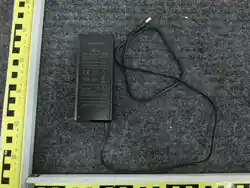
Power Adapter
x 1
Power Cable
x 1
OTG Cable
x 1
USB Charging Cable
x 1
Accessory Box
x 1
Remote Control
x 1
User Manual
x 1
Certificate of Conformity
x 1

Chapter 3 User Manual
3.1 Safety Instructions
Please read and follow all safety instructions before using this product:
[Water Resistance] This product has limited splash resistance. Do NOT submerge in water or use in
heavy rain.
[Electrical Safety] Use only the included adapter (18V/5A). Using mismatched chargers may damage
the battery or cause fire.
[Battery Safety] The built-in LiFePO4 battery includes multiple protection circuits. Do NOT
disassemble or modify the battery.
[Projection Safety] Do NOT look directly into the projector lens beam. Children must be supervised
by an adult.
[Ventilation] Ensure adequate airflow around the device. Do NOT block the projector's air
intake/exhaust vents.
[Transport] Lock the casters before moving. Ensure the projector is securely mounted on the top
platform.
[Volume] Prolonged exposure to high volume may damage hearing. Use at reasonable volume levels.
[Temperature] Operating: -10 C to 45 C (14 F to 113 F). Storage: -20 C to 60 C (-4 F to 140 F).
[Direct Sunlight] Do NOT store in direct sunlight for extended periods as it accelerates battery
degradation.
[Servicing] Do NOT attempt to repair or disassemble. Contact authorized service for any malfunction.
WARNING: Failure to observe these safety instructions may result in property damage, personal
injury, or fire. The manufacturer assumes no liability for damages resulting from improper use.
3.2 Unboxing & Parts Verification
Step 1: Place the packaging box on a level surface. Remove the outer straps.
Step 2: Carefully lift out the projector module (A3W) and place on a stable surface.
Step 3: Stand the speaker carton upright and slide out the main speaker unit (A1012).
Step 4: Check all items against the Package Contents list in Section 2.7.
Step 5: Inspect for any shipping damage. If damaged, contact your dealer immediately and retain all
packaging materials.
3.3 Product Appearance
Top Platform: Designed to mount the A3W projector; includes mounting holes and power supply
connector.
Front Panel: Heavy-duty metal mesh grille protecting the 3-way speaker array (10-in woofer + 5-in
midrange + tweeter horn).
Rear Panel: Control and mixing panel with all function buttons, knobs, and I/O ports (see Section
3.4).
Side: Soft carry handle for short-distance transport.
Base: Four omnidirectional locking casters; retractable top handle for rollability.
OLED Display: 1.3-inch display showing volume, EQ, Bluetooth status, and battery level in real time.
Battery Compartment: Blue flip-door on the lower rear panel, housing the 12.8V/30Ah LiFePO4
battery.
3.4 Control Panel & Interface Description
3.4.1 MIC Section (Left)
MENU/PARAM Knob (MIC)
Main mic parameter knob: rotate to adjust, press to enter menu
ANTI-FB
One-touch anti-feedback button
BITE MODE
Mic effect mode selector
MIC PB
Mic playback function
LOOP
Loop effect toggle
CUSTOM
Save/recall custom preset
INPUT Level
Mic input level control
3.4.2 MUSIC Section (Right)
MENU/PARAM Knob (MUSIC)
Main music parameter knob
MUS MODE
Playback mode selector (single track / all loop, etc.)
VOCAL OUT
Vocal removal (accompaniment mode) toggle
Walk Chan / Strum Full
Channel switch / Full power mode
3.4.3 Central Function Buttons
POWER (Red button)
Power ON/OFF (press and hold 10 sec to force power off)
Playback Controls
Previous track / Play-Pause / Next track
Bluetooth Button
Hold 2 sec: enter pairing mode; Hold 3 sec: factory reset
3.4.4 I/O Port Section
HP (Headphone)
3.5mm stereo headphone jack
AUDIO IN
3.5mm stereo line input
LIVE 1
3.5mm wired live streaming input
LIVE 2 / USB-A
USB drive playback / recording
Type-C
OTG live streaming; connect smartphone or sound card
MIC 2 / GUITAR 6.35mm
6.35mm instrument / mic input
MIC 1 / Wireless MIC
Dual UHF wireless mic receiver (Ch.A & Ch.B)
3.4.5 Power Port Section (Bottom)
ADAPTOR IN 18V/5A
Charging input; connect the included adapter
EXT POWER SUPPLY
12V/10.9A
External power output for the projector (A3W)
Battery Compartment Door
Blue flip door; houses LiFePO4 battery

3.5 Quick Start Guide
1. Securely place the A3W projector on the top platform of the A1012 speaker. Connect the EXT
POWER SUPPLY 12V cable from the speaker to the projector's DC IN port.
2. Connect HDMI or other video cables as needed.
3. Press the POWER button (red) briefly to turn on the speaker. The OLED display will show the
startup animation.
4. Press the projector's power button (or use the remote control) to turn on the projector. Allow 10-
15 seconds to boot.
5. The projector will automatically perform auto-focus, keystone correction, and screen adaptation.
Once complete, the system is ready to use.
6. If using wireless microphones, install the batteries and power on the microphones (see Section
3.8).
3.6 Projector Operation
3.6.1 Auto Calibration
After power-on, the A3W projector automatically performs the following calibration sequence (no
manual action required):
(1) Auto Focus -> (2) Omnidirectional Keystone Correction -> (3) Obstacle Avoidance -> (4) Screen
Adaptation
If the image still appears distorted, manually adjust via Remote: Settings > Image > Keystone Correction.
3.6.2 Wireless Screen Mirroring
iOS (iPhone/iPad): Open Control Center, tap Screen Mirroring, and select AURAPLAY PRO (AirPlay).
Android: Enable Wireless Display / Cast / Miracast in Quick Settings, then select AURAPLAY PRO.
PC/Mac: Ensure device is on the same Wi-Fi network; use the OS built-in screen mirroring feature.
3.6.3 HDMI Connection
Connect one end of an HDMI cable to the A3W's HDMI 2.1 port and the other end to a laptop, game
console, or set-top box. Switch the input source to HDMI via the remote.
3.6.4 Projection Size vs. Distance Reference
40 inches
approx. 1.2 m (3.9 ft)
60 inches
approx. 1.8 m (5.9 ft)
80 inches
approx. 2.4 m (7.9 ft)
100 inches
approx. 3.0 m (9.8 ft)
120 inches
approx. 3.6 m (11.8 ft)
(Throw ratio 1.35:1. Actual values may vary by environment.)
3.7 Speaker Operation
3.7.1 Volume & EQ Adjustment

MIC MENU/PARAM knob: rotate to adjust mic volume; press to enter mic effect menu.
MUSIC MENU/PARAM knob: rotate to adjust music volume; press to enter music settings menu.
High/Mid/Low EQ bands can be adjusted independently from within the menu (3-band EQ).
Recommended mic-to-music ratio: approximately 7:3 for best speech or performance results.
3.7.2 Vocal Removal (Accompaniment Mode)
Press the VOCAL OUT button to filter out the vocal track from music, outputting only the background
accompaniment. Ideal for karaoke.
3.7.3 Custom Preset Storage
Press the CUSTOM button to save the current EQ, mic effects, and volume settings as a preset. Recall
instantly on next power-on.
3.8 Wireless Microphone Operation
1. Install the provided Li-battery into the microphone battery compartment, observing correct
polarity.
2. Switch on the microphone power switch (located on the side of the mic body).
3. The MIC 1 (Wireless MIC) indicator on the control panel will light up, confirming Ch.A pairing
success.
4. The second microphone (Ch.B) operates the same way. Both channels work simultaneously
without interference.
5. After use, turn off the microphone, remove the battery, and charge for next use.
6. If feedback (squealing) occurs, immediately press the ANTI-FB button. The system auto-detects
and suppresses the feedback frequency.
3.9 Bluetooth Connection
1. Hold the POWER button for 2 seconds to enter Bluetooth pairing mode. OLED displays BT
PAIRING.
2. On your smartphone or tablet, search Bluetooth devices and select AURAPLAY-A1012.
3. Once connected, OLED displays BT CONNECTED. Play audio on your device to output through
A1012.
4. Previously paired devices will auto-reconnect within 10 m (33 ft) range.
5. To re-pair: hold the Bluetooth button for 3 seconds to clear pairing history, then search again.
3.10 USB Drive Playback & Recording
Playback: Insert a FAT32/exFAT formatted USB drive into the LIVE 2 (USB-A) port. The system auto-
detects and enters playback mode. Supports MP3/WAV/WMA/FLAC/APE. Use playback control buttons
to navigate tracks. Supports single/all track loop.
Recording: With a USB drive inserted, select the recording function from the MUSIC menu. The system
will record the current mic/music mix in real time and save as an MP3 file to the USB drive. Recording
time is displayed on the OLED screen.
3.11 Live Streaming
3.11.1 Type-C OTG Live Streaming
Connect your smartphone to the Type-C port using the included OTG cable. Live streaming apps (e.g.,
TikTok, YouTube Live) will automatically recognize the external audio device, allowing microphone
audio to be routed directly into the stream.
3.11.2 Wired Live Streaming (3.5mm)
Connect a 3.5mm cable from the LIVE 1 port to your phone's headphone jack or external sound card.
Suitable for devices that do not support Type-C OTG.
3.12 Charging Instructions
Use only the included adapter (18V/5A) connected to the ADAPTOR IN port on the rear panel.
Both power-on and power-off charging modes are supported. The OLED display shows real-time
battery percentage during charging.
Full charge from empty takes approximately 2 to 3 hours (varies with ambient temperature).
When battery drops below 15%, the device will sound a low-battery alert and display a warning on
the OLED screen.
Do NOT charge in extreme temperatures (below 32 F / 0 C or above 113 F / 45 C).
For long-term storage, maintain 40% to 60% charge and perform a charge/discharge cycle every 3
months.
3.13 Maintenance & Care
Cleaning: Wipe the enclosure with a slightly damp soft cloth. Do NOT use alcohol, benzene, or
abrasive cleaners.
Lens Cleaning: Use lens paper or a blower bulb. Do NOT touch the lens with fingers.
Speaker Grille: Remove dust periodically with a soft brush to prevent blockage.
Caster Maintenance: Check caster screws regularly. Apply a small amount of lubricant if needed.
Moisture: This is not a waterproof device. Store in a dry, ventilated location. A dust cover is
recommended.
Long-term Storage: Charge fully before storing. Perform a charge/discharge cycle every 3 months.
3.14 Troubleshooting
Symptom
Solution
Blurry projection image
Wait for auto-focus to complete (~5 sec); or
manually trigger focus in Settings
Trapezoidal image distortion
Trigger auto keystone correction; or manually
adjust via Settings > Keystone
No image output
Check HDMI cable; ensure source device is powered
on and correct input selected
Projector fails to power on
Check EXT POWER SUPPLY 12V connection; check
battery charge level
No sound from speaker
Check volume is not at 0; verify input source; check
Bluetooth connection
Microphone feedback/squealing
Press ANTI-FB; reduce mic volume; move mic away
from speaker
Bluetooth connection failure
Ensure within 10 m range; hold Bluetooth button 3
sec to reset, then re-pair
USB drive not recognized
Ensure USB drive is FAT32 or exFAT format; try a
different USB drive

No charging response
Verify adapter output is 18V/5A; check for debris in
charging port
Device overheating
Stop use; move to ventilated area; ensure air vents
are unobstructed

Chapter 4 Regulatory & Compliance Statements
4.1 FCC Statement (Federal Communications Commission)
This device complies with Part 15 of the FCC Rules. Operation is subject to the following two conditions:
(1) This device may not cause harmful interference, and
(2) This device must accept any interference received, including interference that may cause undesired
operation.
This equipment has been tested and found to comply with the limits for a Class B digital device, pursuant
to Part 15 of the FCC Rules. These limits are designed to provide reasonable protection against harmful
interference in a residential installation. This equipment generates, uses, and can radiate radio
frequency energy and, if not installed and used in accordance with the instructions, may cause harmful
interference to radio communications. However, there is no guarantee that interference will not occur in
a particular installation.
If this equipment does cause harmful interference to radio or television reception, which can be
determined by turning the equipment off and on, the user is encouraged to try to correct the
interference by one or more of the following measures:
Reorient or relocate the receiving antenna.
Increase the separation between the equipment and receiver.
Connect the equipment into an outlet on a circuit different from that to which the receiver is
connected.
Consult the dealer or an experienced radio/TV technician for help.
4.2 FCC RF Radiation Exposure Statement
This equipment complies with FCC radiation exposure limits set forth for an uncontrolled environment.
This equipment should be installed and operated with a minimum distance of 20 cm between the
radiator and your body. This transmitter must not be co-located or operated in conjunction with any
other antenna or transmitter.
4.3 FCC Caution
Any changes or modifications not expressly approved by the party responsible for compliance could
void the user's authority to operate the equipment.
Note: The manufacturer is not responsible for any radio or TV interference caused by unauthorized
modifications or changes to this equipment. Such modifications or changes could void the user's
authority to operate the equipment.
4.4 IC (Industry Canada) Notice
This device contains licence-exempt transmitter(s)/receiver(s) that comply with Innovation, Science
and Economic Development Canada's licence-exempt RSS(s). Operation is subject to the following two
conditions:
(1) This device may not cause interference.
(2) This device must accept any interference, including interference that may cause undesired operation
of the device.
4.5 RoHS Compliance Statement
This product complies with the EU RoHS Directive 2011/65/EU (RoHS 2) regarding the restriction of
hazardous substances in electrical and electronic equipment.
Lead (Pb)
< 0.1% (1000 ppm)
Mercury (Hg)
< 0.1% (1000 ppm)
Cadmium (Cd)
< 0.01% (100 ppm)
Hexavalent Chromium (Cr6+)
< 0.1% (1000 ppm)
Polybrominated Biphenyls (PBB)
< 0.1% (1000 ppm)
Polybrominated Diphenyl Ethers
(PBDE)
< 0.1% (1000 ppm)
4.6 Battery Disposal
This product contains a Lithium Iron Phosphate (LiFePO4) battery. Do NOT dispose of used batteries
with ordinary household waste. Please dispose of used batteries according to local regulations. In the US,
contact Call2Recycle (1-877-723-1297) or visit www.call2recycle.org for battery recycling locations.
Chapter 5 Warranty & After-Sales Service
5.1 Warranty Policy
Unit Warranty
12 months from date of purchase
Battery Warranty
6 months from date of purchase
Projector Module
12 months from date of purchase
Speaker Module
12 months from date of purchase
Proof Required
Valid purchase receipt or invoice
Covered
Material or workmanship defects under normal use
Not Covered
Physical damage, liquid damage, unauthorized modification,
misuse
5.2 Contact Information
Manufacturer
Aiuniverse Technology Limted
After-Sales Email
(Please fill in official after-sales email)
Customer Service
(Please fill in official customer service number)
Website
(Please fill in official website)
Address
(Please fill in company address)
(C) 2026 Aiuniverse Technology Limted. All Rights Reserved. | AURAPLAY PRO US Specifications & User Manual V1.0