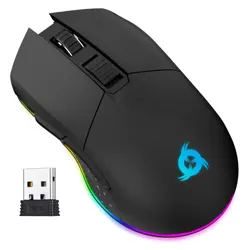
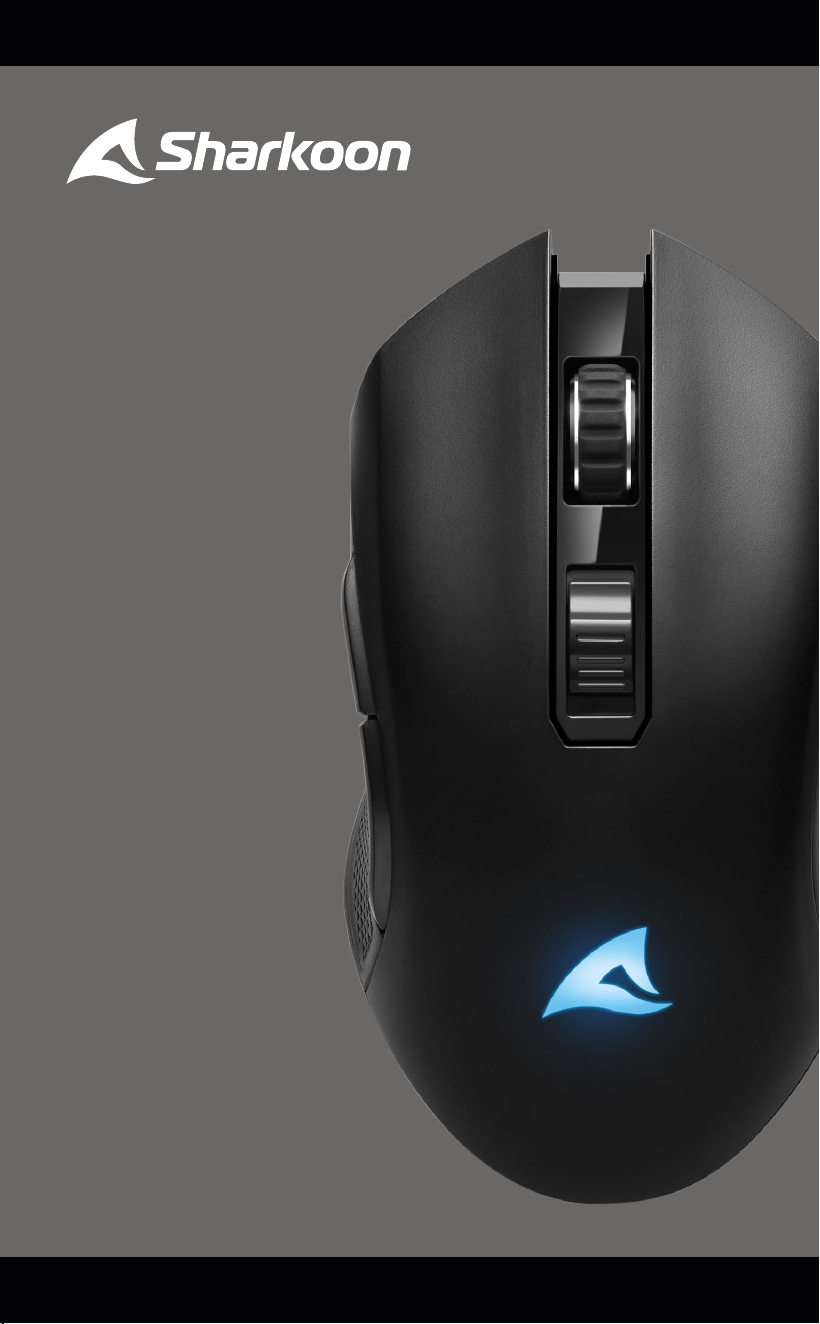
SKILLER
SGM30W
Manual

01
Safety Instructions
IMPORTANT INFORMATION
Read these instructions and guidelines before using the product. Damage to the
product, resulting from failure to follow the instructions or guidelines, will void
the guarantee.
PRODUCT SAFETY GUIDELINES:
• Charge the product only with the supplied USB charging/data cable and a
USB Type-A port on your computer.
• Use and store the product only in environments with controlled tempera-
tures. Otherwise, damage to the product may occur!
• Clean this product only with a dry cloth. Moisture can cause damage to the
product!
• CAUTION! Unplug the product via its USB cable when the product is not
being used for a long period of time or during critical events such as power
outages or electrical storms. Damage to the product or personal injury may
occur!
• Contact Sharkoon customer support at support@sharkoon.com if the
product and/or included accessories have been damaged and/or are not
working properly.
• CAUTION! Avoid overheating of the device! Do not use or store the product
near heat sources or in direct sunlight. Overheating of the device can cause
damage!
• CAUTION! Do not use the product near liquids or allow the product to come
into contact with liquids. Immediately unplug the USB cable if the product
comes into contact with liquids. Irreparable damage may occur!
• Do not insert foreign objects into any openings of the product. This can
cause damage inside the device.
RECHARGEABLE BATTERY SAFETY GUIDELINES:
• This product contains a lithium-ion or lithium polymer battery. The battery
cannot be serviced or repaired by the user. Any attempt by the user to
replace the battery will automatically void the guarantee.
• Do not replace the battery with another! Should any problems occur with
the product, contact Sharkoon customer support at
support@sharkoon.com.
• Never dispose of this product in the general waste! Please ensure the
proper recycling of used electronic hardware and rechargeable batteries in
accordance with local laws and regulations.

02
Specifications
General
Type Dual Mode
Wireless Communication 2.4 GHz
Max. Wireless Range 10 m
Frequency Range 2.405 – 2.475 GHz
EIRP Transmit Power ≤1 dBm
Max. DPI/CPI 6,000
Min. DPI/CPI 600
Sensor Optical
Chip ATG4090
Onboard Memory for Game Profiles
Capacity of Onboard Memory 512 kB
Illumination RGB
Max. Polling Rate 1,000 Hz
Lift-O Distance 1–2 mm
Frames Per Second 6,000
Inches Per Second 100
Max. Acceleration 20 g
Mouse Feet 5, PTFE
Weight without Cable 104 g
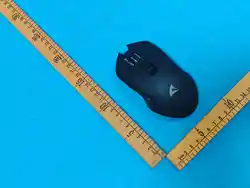
Dimensions (L x W x H) 124.5 x 67 x 39 mm
Supported Operating Systems Windows
Button Properties
Number of Buttons 7
Programmable Buttons 7
Main Button Switches Omron
Operating Life Cycles of Buttons Min. 10 Million Clicks
DPI Properties
DPI Levels 600; 1,200; 2,400; 3,600; 4,800; 6,000*
DPI Switch
DPI Indicator LED
Battery Properties
Type Lithium-Ion
Capacity 930 mAh
Battery Life Max. 71 Hours
Recharge Options Wireless / Wired (USB)
Software Properties
Gaming Software
Number of Profiles 6
Cable and Connectors
Connector USB-C to USB-A
Gold-Plated USB Plug
Textile-Braided Cable
Cable Length 180 cm
Package Contents
SKILLER SGM30W, Additional Set of Mouse Feet, USB Power and Data Cable, USB Nano Receiver
*DPI levels can be individually customized through the software.
A
B
C
D
E
F
G
H
I
03
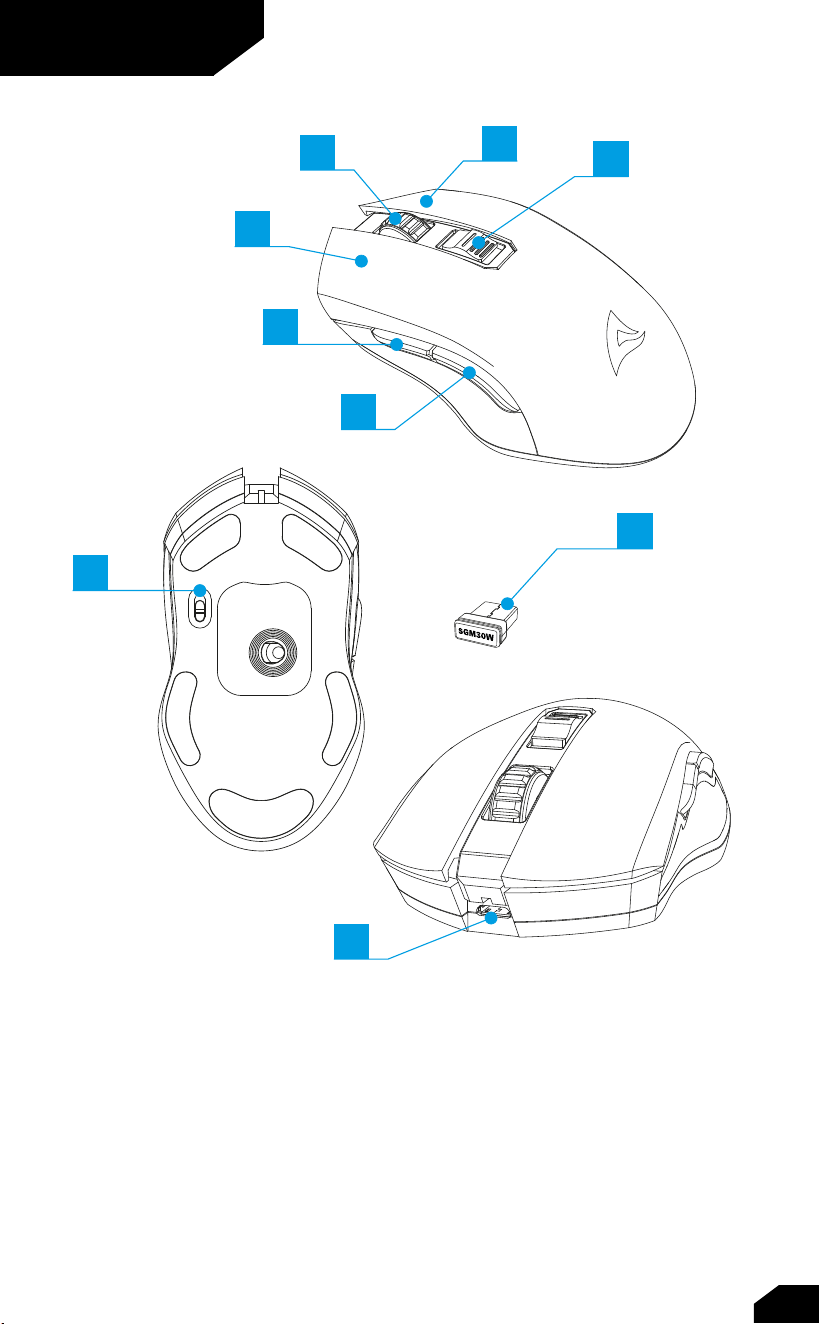
Overview
A Left Mouse Button
B Scroll Wheel
C Right Mouse Button
D DPI Switch
E Thumb Button 2
F Thumb Button 1
G On/O Switch
H USB Nano Receiver
I USB Connector
ON
OFF
04
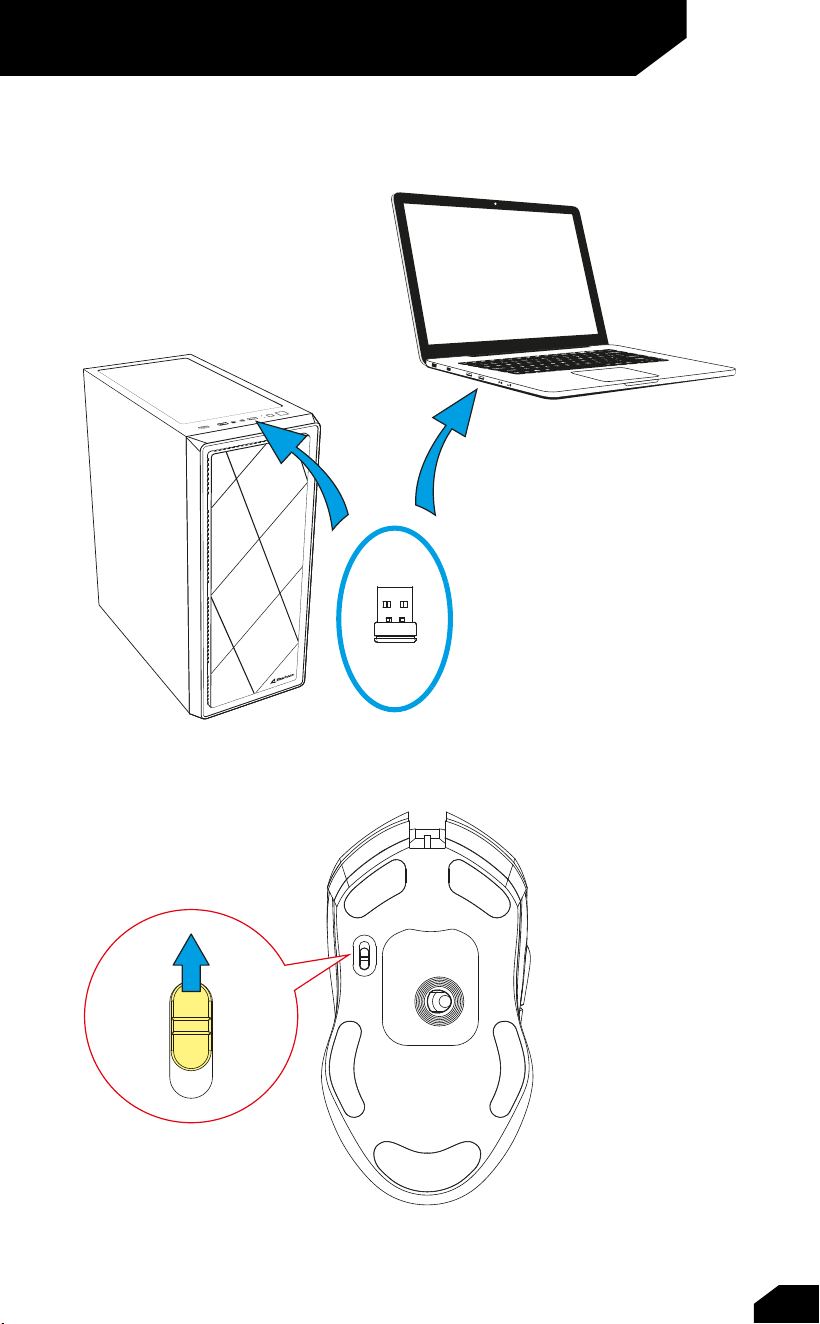
Connect via USB Nano Receiver
05
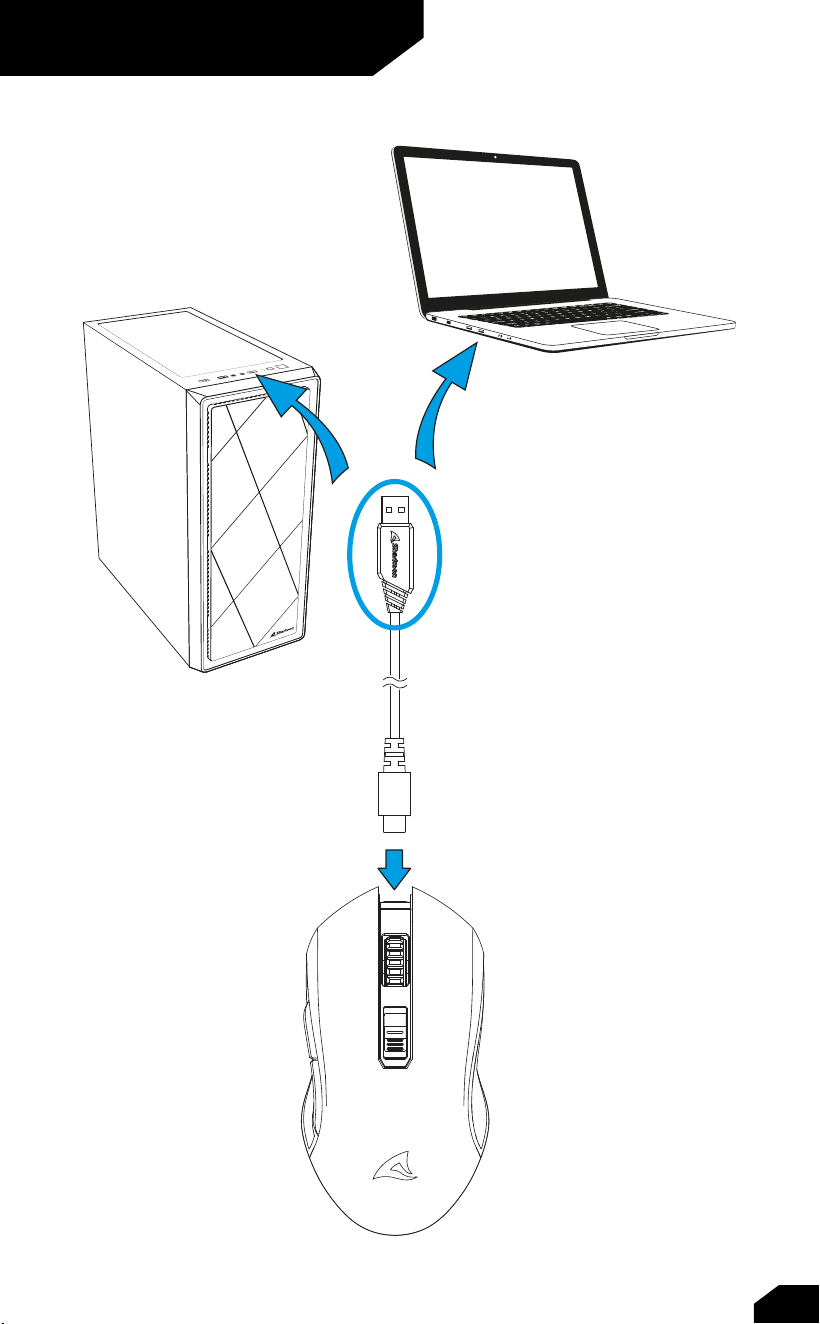
Connect via Cable
06
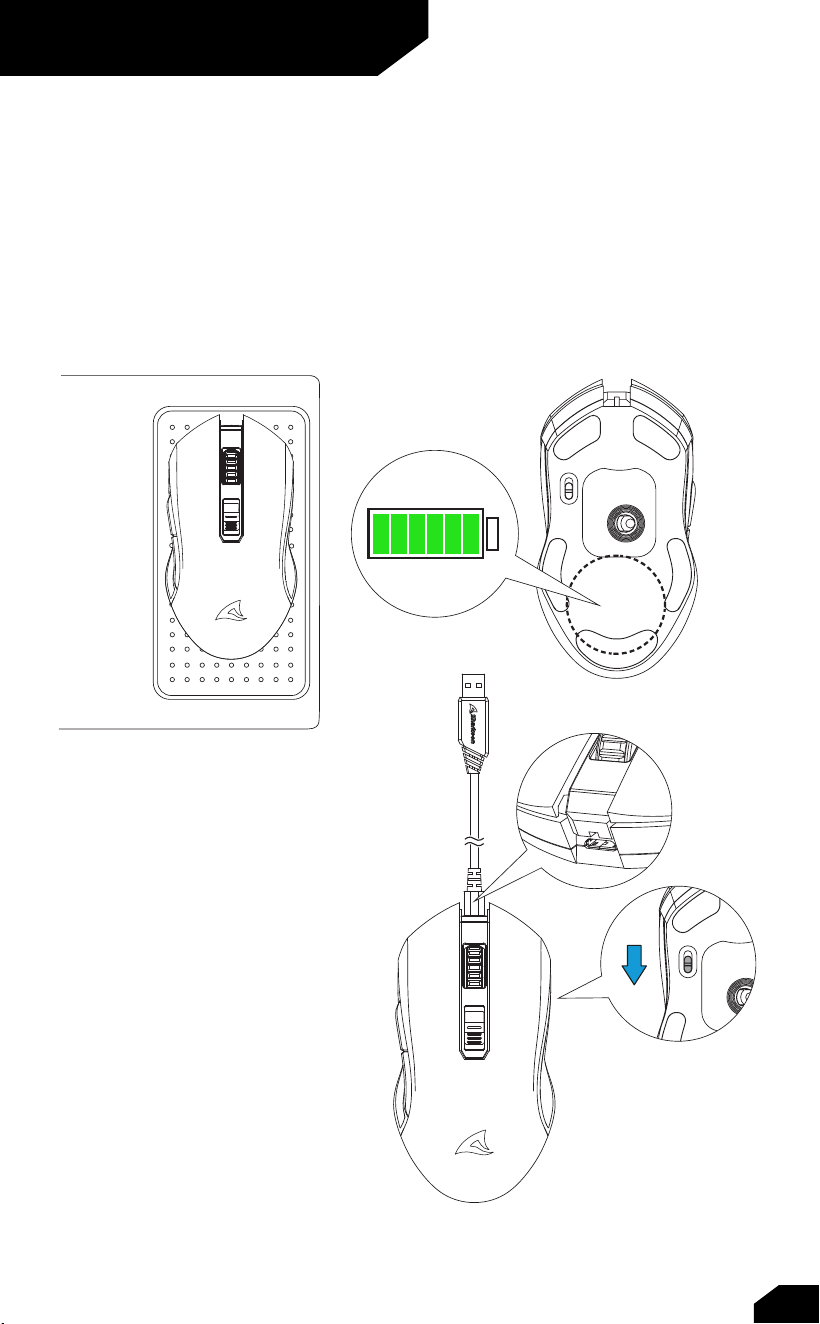
Charge the Mouse
Wireless Charging
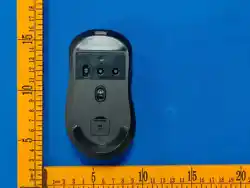
The SKILLER SGM30W can be wirelessly charged. To do this, place the SKILLER SGM30W on the
contact surface of a compatible wireless charging device. The contact area of the mouse is on the
underside, in the middle of the lower three mouse feet. As soon as the SKILLER SGM30W begins
the charging, the SKILLER logo on the top of the mouse will start to pulsate in red. When the battery
is 90 % charged, the SKILLER logo will no longer pulsate and the illumination will change to green.
Cable Charging
To charge the SGM30W with the in-
cluded USB cable, connect this as
shown in the section “Connecting to
the PC”. Make sure that the wireless
operation is switched o by using
the switch (G) on the underside of
the mouse. As soon as the SKILLER
SGM30W begins the charging, the
SKILLER logo on the top of the mouse
will start to pulsate in red. When
the battery is 90 % charged, the
SKILLER logo will no longer pulsate
and the illumination will change to
green. The mouse can also be used
while being charged through the
connected USB cable.
07
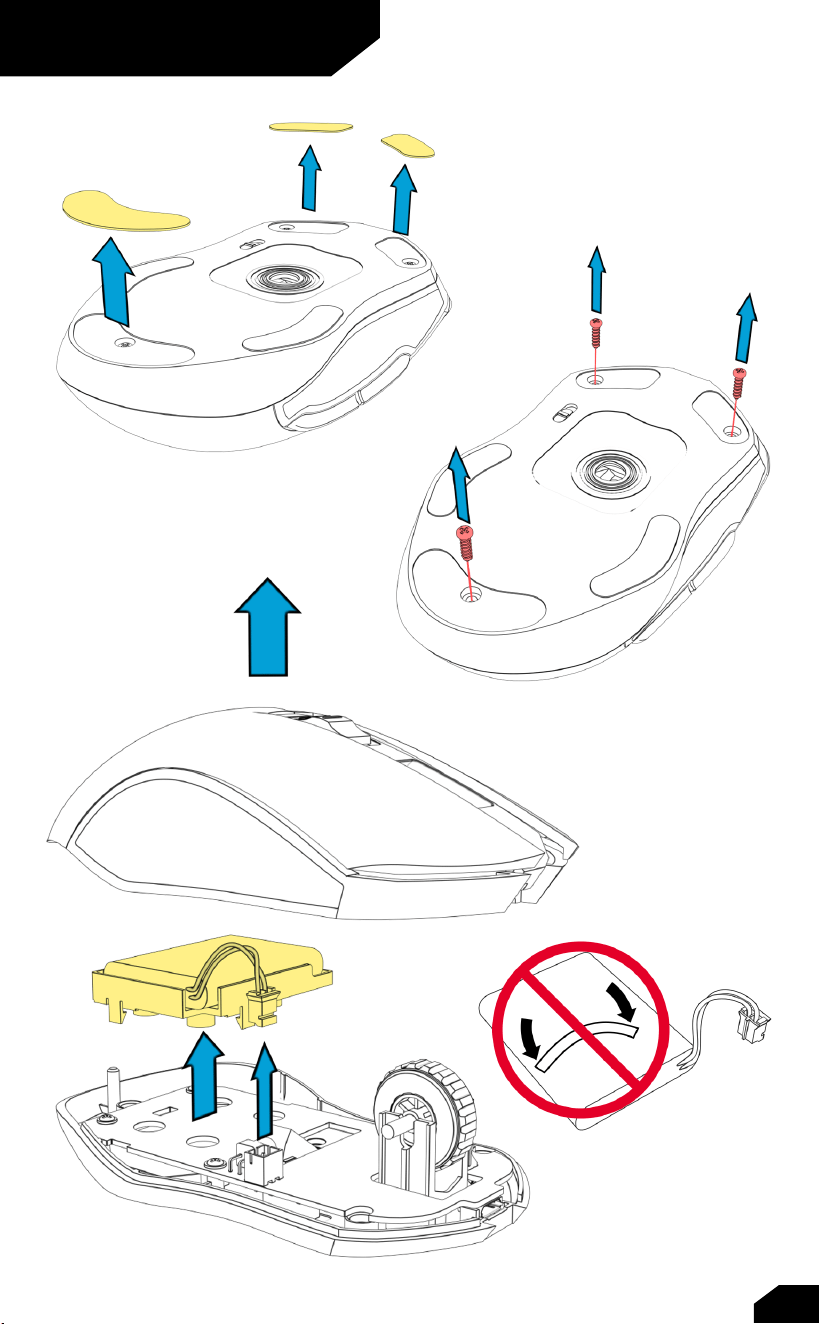
Recycle Battery
08
EU Declaration of Conformity
Sharkoon Technologies GmbH hereby declares that this device complies with
the RoHS (2011/65/EU) and R.E.D (2014/53/EU) directives.
The full EU Declaration of Conformity is available on the website
https://www.sharkoon.com/Download/Gaming/Mouse/SKILLER_SGM30W/
CE.zip
Legal Disclaimer
For potential loss of data, especially due to inappropriate handling, Sharkoon
assumes no liability.
All named products and descriptions are trademarks and/or registered
trademarks of the respective manufacturers and are accepted as protected.
As a continuing policy of product improvement at Sharkoon, the design and
specifications are subject to change without prior notice. National product
specifications may vary.
All rights reserved especially (also in extracts) for translation, reprinting,
reproduction by copying or other technical means. Infringements will lead to
c
ompensation. All rights reserved especially in case of assignation of patent
or utility patent. Means of delivery and technical modifications reserved.
Disposal of your old products
Your product is designed and manufactured with high-quality materials and
components, which can be recycled and reused.
When this crossed-out wheeled bin symbol is attached to a product,
it means the product is covered by the European Directive 2012/19/EU.
Please be informed about the local separate collection system for electrical
and electronic products. Please act according to your local rules and do not
dispose of your old products with your normal household waste. The correct
disposal of your old product will help prevent potential negative consequences
to the environment and human health.
Note

FCC Statement
This equipment has been tested and found to comply with the limits for a
Class B digital device, pursuant to part 15 of the FCC Rules. These limits are
designed to provide reasonable protection against harmful interference in a
residential installation. This equipment generates, uses and can radiate radio
frequency energy and, if not installed and used in accordance with the
instructions, may cause harmful interference to radio communications.
However, there is no guarantee that interference will not occur in a
particular installation. If this equipment does cause harmful interference to
radio or television reception, which can be determined by turning the
equipment off and on, the user is encouraged to try to correct the
interference by one or more of the following measures:
·
Reorient or relocate the receiving antenna.
· Increase the separation between the equipment and receiver.
· Connect the equipment into an outlet on a circuit different from
that to which the receiver is connected.
· Consult the dealer or an experienced radio/TV technician for help.
Caution: Any changes or modifications to this device not explicitly
approved by manufacturer could void your authority to operate this
equipment.
This device complies with part 15 of the FCC Rules. Operation is subject to
the following two conditions: (1) This device may not cause harmful
interference, and (2) this device must accept any interference received,
including interference that may cause undesired operation.
RF Exposure Information
The device has been evaluated to meet general RF exposure requirement.
The device can be used in portable exposure condition without restriction.