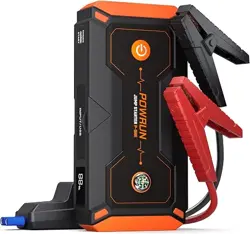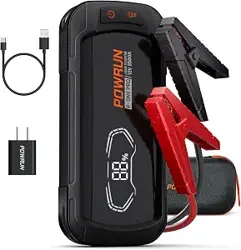
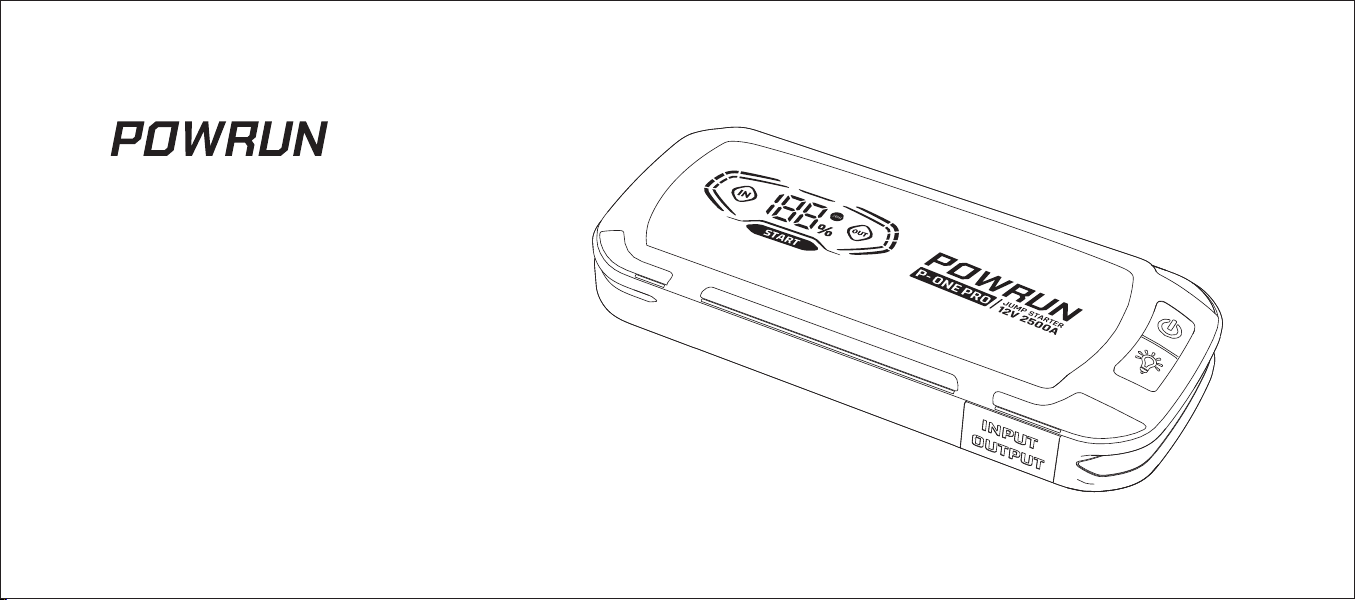
P-ONE PRO
JUMP STARTER
Read this manual carefully before use and keep it for future reference
User Manual

Contents
1. PRODUCT OVERVIEW
2. PACKAGE CONTENTS
3. HOW TO USE
4. SPECIFICATIONS
5. HOW TO CHARGE THE P-ONE PRO
6. FAQ
7. TOXIC AND HAZARDOUS SUBSTANCES
8. TROUBLESHOOTING
9. SAFETY INSTRUCTIONS
10. WARNING
02
03
03
05
06
07
08
08
09
11
- - - - - - - - - - - - - - - - - - - - - - - - - - - - - - - - - - - - - - - - - - - - - - - - - - - - - - - - - - - - - - - - - - - - - - - - - - - - - - - - - - - - - - - - - - - - - - - - - - - -
- - - - - - - - - - - - - - - - - - - - - - - - - - - - - - - - - - - - - - - - - - - - - - - - - - - - - - - - - - - - - - - - - - - - - - - - - - - - - - - - - - - - - - - - - - - - - - - - - - - -
- - - - - - - - - - - - - - - - - - - - - - - - - - - - - - - - - - - - - - - - - - - - - - - - - - - - - - - - - - - - - - - - - - - - - - - - - - - - - - - - - - - - - - - - - - - - - - - - - - - - - - - - - -
- - - - - - - - - - - - - - - - - - - - - - - - - - - - - - - - - - - - - - - - - - - - - - - - - - - - - - - - - - - - - - - - - - - - - - - - - - - - - - - - - - - - - - - - - - - - - - - - - - - - - - - -
- - - - - - - - - - - - - - - - - - - - - - - - - - - - - - - - - - - - - - - - - - - - - - - - - - - - - - - - - - - - - - - - - - - - - - - - - - - - - - - - - - - - - - - - -
- - - - - - - - - - - - - - - - - - - - - - - - - - - - - - - - - - - - - - - - - - - - - - - - - - - - - - - - - - - - - - - - - - - - - - - - - - - - - - - - - - - - - - - - - - - - - - - - - - - - - - - - - - - - - - - - - -
- - - - - - - - - - - - - - - - - - - - - - - - - - - - - - - - - - - - - - - - - - - - - - - - - - - - - - - - - - - - - - - - - - - - - - - - - - - - - - - - - - - - - -
- - - - - - - - - - - - - - - - - - - - - - - - - - - - - - - - - - - - - - - - - - - - - - - - - - - - - - - - - - - - - - - - - - - - - - - - - - - - - - - - - - - - - - - - - - - - - - - - - - - -
- - - - - - - - - - - - - - - - - - - - - - - - - - - - - - - - - - - - - - - - - - - - - - - - - - - - - - - - - - - - - - - - - - - - - - - - - - - - - - - - - - - - - - - - - - - - - - - - -
- - - - - - - - - - - - - - - - - - - - - - - - - - - - - - - - - - - - - - - - - - - - - - - - - - - - - - - - - - - - - - - - - - - - - - - - - - - - - - - - - - - - - - - - - - - - - - - - - - - - - - - - - - - -
- 01 -
1. PRODUCT OVERVIEW
Thank you for choosing POWRUN.
Thank you for purchasing POWRUN Jump Starter. It is a portable power bank with USB quick charge.
1.
2.
3.
4.
5.
6.
7.
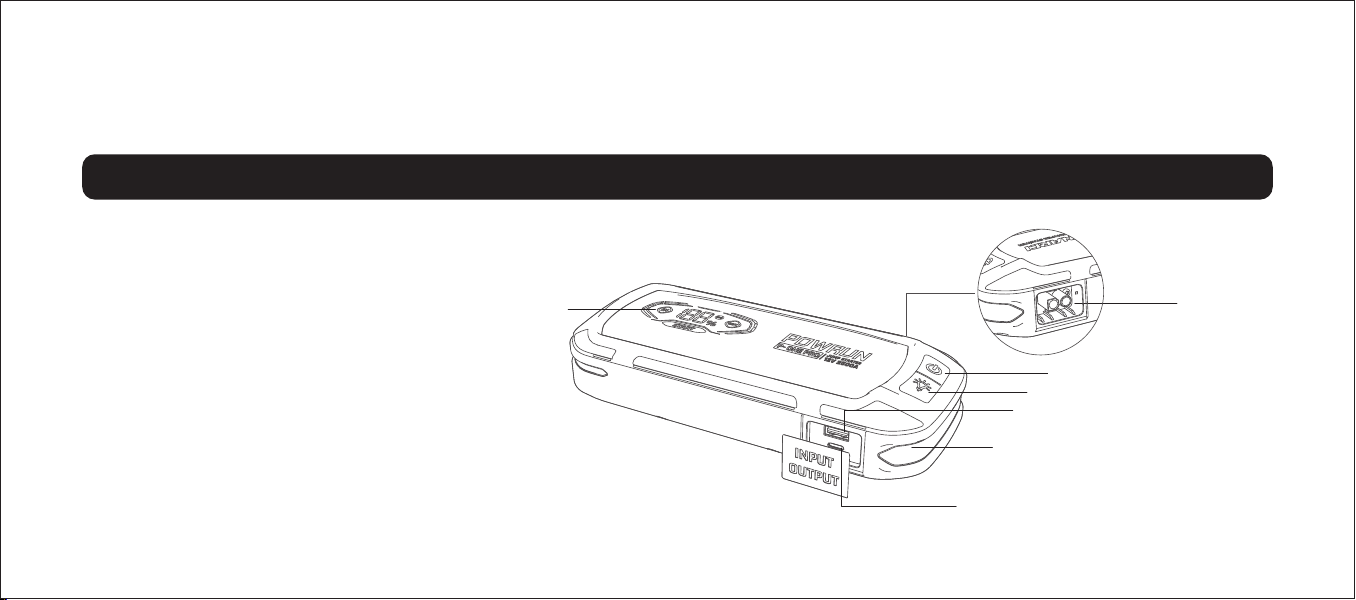
Display Screen
USB-C Port (IN/OUT)
LED: Toggles the LED light through 4 light
modes: 50%-100%-SOS-Strobe
USB-A Port (OUT)
LED Button: Press 2s to turn the unit "ON"&"OFF"
Power Button: Press 2s to turn the unit "ON"&"OFF"
12V Smart Jumper Socket
- 02 -
1
6
7
5
4
3
2
2. PACKAGE CONTENTS 3. HOW TO USE
- 03 -
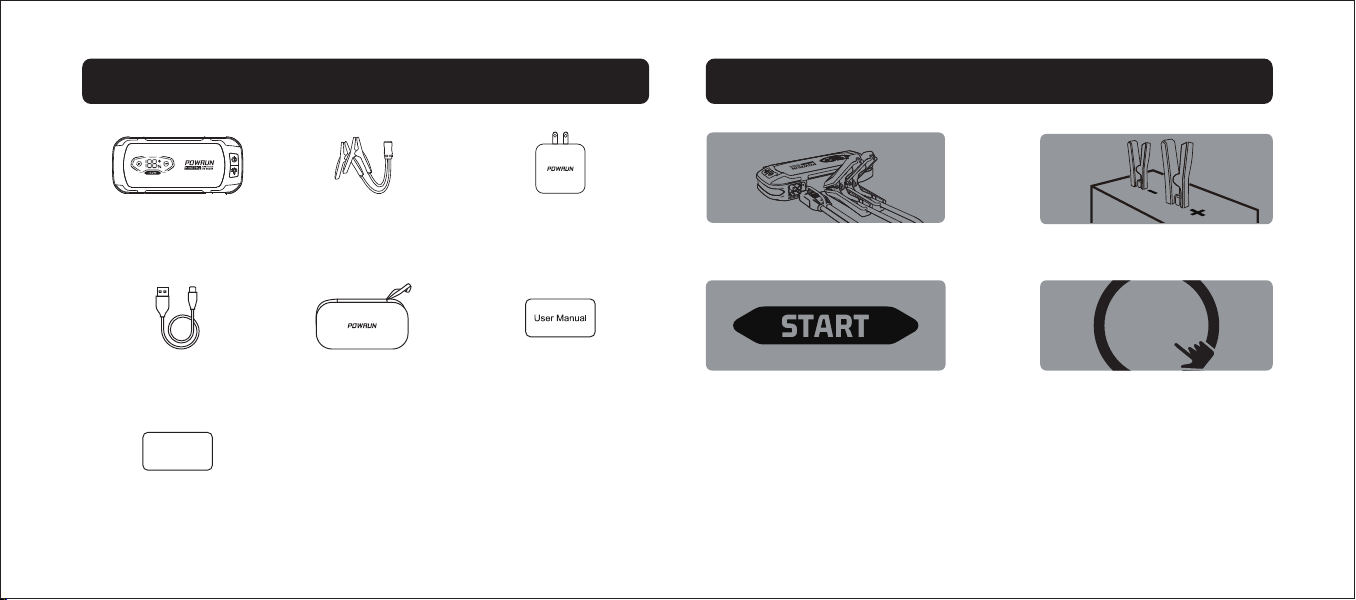
Start the car engine.
Connect the jump clamps with the car battery
correctly.
01
02
0403
The green indicator light on
Connect the jumper cables with the P-ONE PRO
jump starter.
START
STOP
P-ONE PRO×1 12V Booster Clamps ×1
USB-A TO C Cable ×1
Carry bag ×1
User Manual ×1
Warranty Card ×1
Warranty Card
5V/2A Wall Charger x1
- 04 -
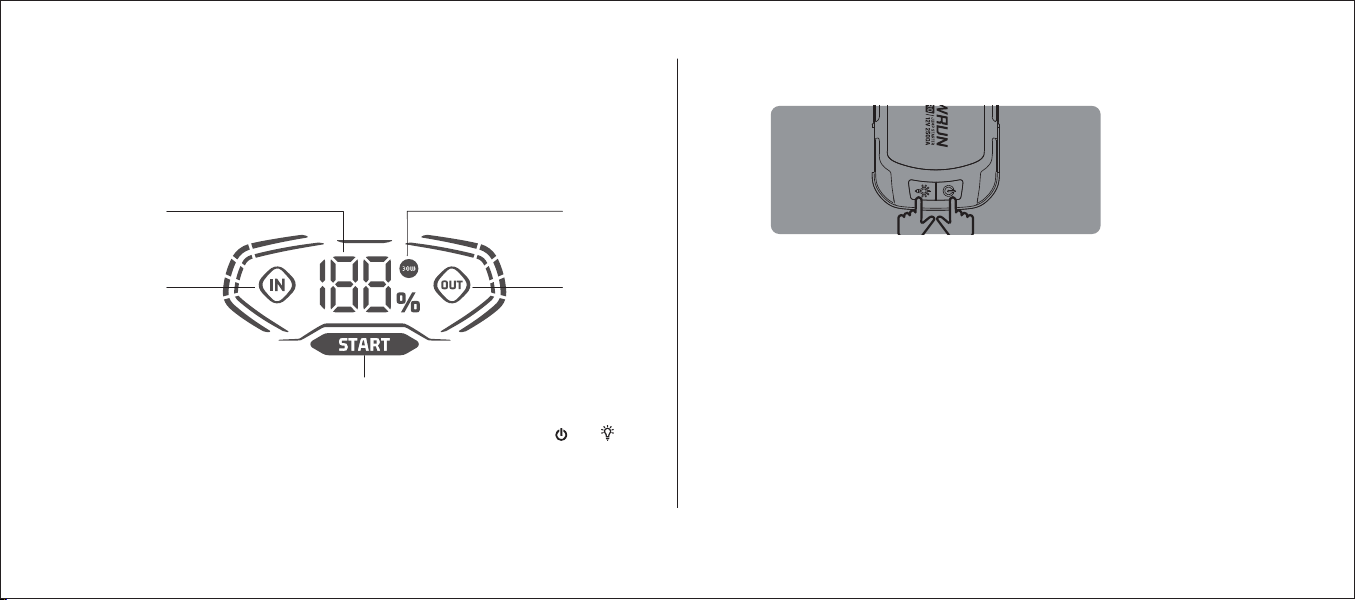
DISPLAY SCREEN DESCRIPTION
1.
2.
3.
4.
USB-C input voltage.
Battery power percentage.
30W fast input or output.
USB-A or USB-C output voltage.
5. “START” in green, the device is ready to start your car.
“START” in yellow, the voltage of car battery is too low, press the and
together to use the boost function, then jump start your car when the “START”
in green.
“START” in red, the positive and negative is connected reversely between
the jump clamps and car battery, please reconnect it correctly.
2
1
3
4
5
HOW TO USE THE BOOST FUNCTION
P-ONE PRO is designed to jump start 12-Volt lead-acid batteries, the “START”
will be in yellow if the voltage of the car battery is too low. You can press the
power button and the light button at the same time for 3s to activate the
BOOST FUNCTION.
WARNING: Disable safety protection and manually forces "BOOST
FUNCTION", only for use when a battery voltage is too low to be detected.

4. SPECIFICATIONS
- 05 -
Specifications
212*92*45
Lithium Polymer
2500A
44.4Wh
PD30W (5V 3A, 9V 3A, 12V 2.5A, 15V 2A, 20V 1.5A) / 5V 1A / 5V 2A
PD30W (5V 3A, 9V 3A, 12V 2.5A, 15V 2A, 20V 1.5A) / 5V 1A / 5V 2A
QC3.0 (5V 3A; 9V 2A; 12V 1.5A) / 5V 1A / 5V 2A
14°F to 140°F
32°F to 113°F
-4°F to 122°F
Items
L × W × H (mm)
Internal Battery
Peak current
Battery Capacity
Input USB-C
Output USB-C
Output USB-A
Working Temperature
Charging Temperature
Storage Temperature
Performance index
Dimensions
Main Parameters

With Wall Charger
1.
2.
Plug the wall charger into the universal socket.
Plug the end of the wall charger into the Type-C input port of P-ONE PRO.
With External Power Supply
1.
2.
Note: The P-ONE PRO is currently equipped with a wall charger of 5V/2A, which takes 4.5 hours to fully recharge it. And P-ONE PRO is equipped with a PD 30W
Type-C Input/Output port. It can be charged with a 5-30W wall charger. Please check the full recharge time in the following sheet. It supports a maximum of 30W
charging power. You can purchase a PD30W fast charger in POWRUN to get a better charging experience!
Plug the Type-C cable into the Type-C Port of the device.
Plug the other end of the Type-C cable into an external power supply.
5. HOW TO CHARGE THE P-ONE PRO
- 06 -
Recharge Time
10h
5h
2.5h
1.5h
Charger Rating
5W
10W
20W
30W
6. FAQ
- 07 -
1.
2.
3.
Q:
A:
Q:
A:
Q:
A:
How do I turn off P-ONE PRO?
Simply press the power button to turn it off.
Note that P-ONE PRO is able to detect its own battery status and can take
steps to save power, such as going into sleep mode when the battery is
very low.
When fully charged, how long will charge remain in the battery when
P-ONE PRO is not in use?
If left in storage, the battery will hold its charge for around 2 years.
However, it's recommended that you recharge it every three months, as
this will prolong the overall lifespan of the battery.
How long does it take to recharge P-ONE PRO's battery from dead?
It takes around 4.5 hours to fully charge the battery with a 5V/2A wall
charger and 1.5 hours with a PD30W charger.
1.
2.
Q:
A:
Q:
A:
What is the expected lifespan of P-ONE PRO?
It could last for around five years if kept in good condition. The battery
should support around 500 recharges from 0 to 100%.
Can I use P-ONE PRO to charge my phone or tablet?
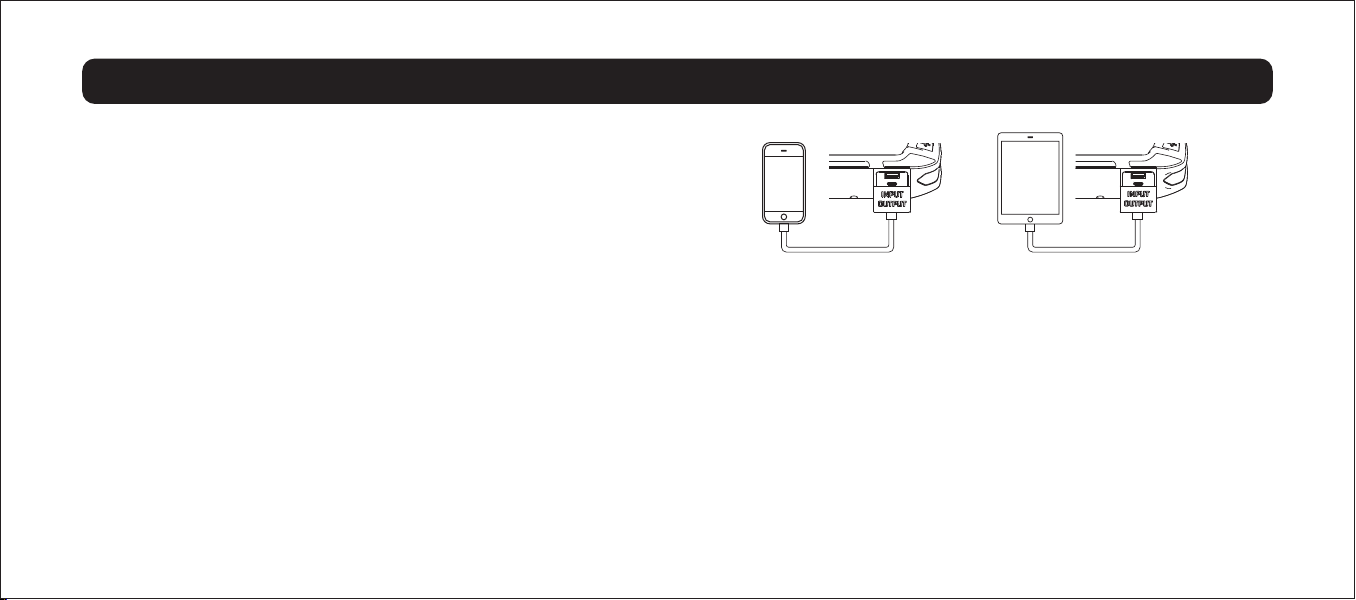
Yes, P-ONE PRO includes both standard USB and Type-C output ports.
You can charge any mobile device simply by connecting it to one of these
two ports. For high-power charging via the Type-C port, a cable that
supports fast charging will be required. For more information on output
current and voltage, see page 6.
Indicate all homogeneous materials’ hazardous substances content are below the MCV limit specified in the Standard 2002/95/EC(RoHs).
7. TOXIC AND HAZARDOUS SUBSTANCES
If the following operations can not solve your problems, please stop using the device and contact the manufacture with E-mail: [email protected]
8. TROUBLESHOOTING
- 08 -
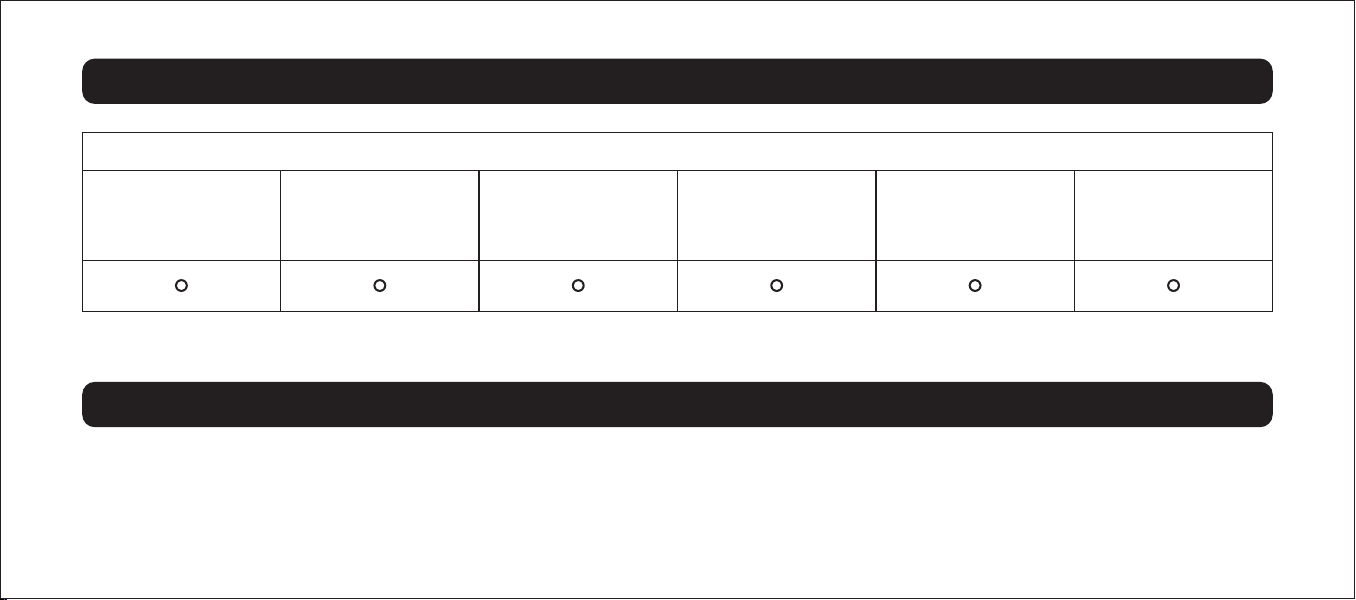
TOXIC AND HARMFUL SUBSTANCES
Lead (Pb) Mercury (Hg) Cadmium (Cd)
Hexavalent
Chromium
(Cr (Vi))
Polybrominated
Biphenyls (PBB)
Polybrominated
Diphenyl Ethers
(PBDE)

1. Read the user manual carefully before using this device.
2. Do not use this device as a car battery charger.
3. Do not use this device as a toy.
4. Be careful to use it when there are children around to avoid injury.
9. SAFETY INSTRUCTIONS
- 09 -
Problem Solution
No response when pressing
the power button
Unit fails to jump-start
USB power port fails to power
• The voltage of the P-ONE PRO is really low and triggers the low power protection to shut down the device.
• Plug the wall charger into the P-ONE PRO to recharge it.
• Make sure the power switch is in the ON position.
• Check that jump-starter is fully charged. Recharge unit if necessary.
• Make sure a proper polarity cable connection is established.
• Make sure the USB charging port power button is in the ON position.
• Has been fully charged. Recharge unit if necessary

5.
6.
7.
8.
9.
10.
11.
12.
13.
14.
15.
16.
17.
18.
19.
20.
21.
22.
23.
24.
The product only works with 12V battery.
Use the clamps that come with the device. When the clamp or wire is damaged, stop using it immediately to avoid injuries caused by fire or electric shock.
Do not connect the positive and negative clamps to each other.
Before starting, make sure there is no rust or foreign matter on the interface. Connect the device with the clamp tightly to make sure the device starts properly.
Remove the clamps from the car battery within 30 seconds after successfully starting the car. Otherwise, it may cause damage.
Do not start the device more than three times in a row, and the interval between each start should be at least two minutes, otherwise the product will be overheated and
damaged.
Do not use the clamps to power other devices.
Do not place the device in an environment where the temperature exceeds 140°F.
The device shall be charged at a temperature between 32°F and 113°F.
Do not put the device in water or expose it to rain.
Do not expose the device to high temperature or fire.
Do not use the device in explosive environment with flammable liquid, gas or dust.
Make sure that someone around is available to help you when using the device.
Do not wear metal jewelry such as rings, bracelets, and necklaces while using the device.
Disconnect the jump starter and the clamp at the battery clamp plug to reduce the risk of damage to the power plug and power cord.
Do not use damaged or modified battery packs to avoid the danger of fire, explosion, and injury.
Use the original charger or a charger with the same input terminal as the jumper starter to charge.
Do not charge this device immediately after starting the car.
Do not start the car while charging the device.
The battery may leak in extreme cases. Do not touch the leaked liquid directly with your hands or skin. Rinse immediately with soap and water in case of contact. If the
leaked liquid comes into contact with your eyes, rinse your eyes with cold water for at least 10 minutes and seek medical advice immediately.
- 10 -

This product is for 12-Voltage vehicle (equipment) batteries. It may be dangerous if used with other types of batteries. Read and understand the safety instructions
before using the jump starter. Fail to follow the safety instructions may cause damage to the jump starter, and may also result in electric shock, explosions, fire,
property damage, and personal injury.
10. WARNING
- 11 -
25.
26.
At the end of the product life, lithium battery should be disposed in accordance with local regulations.
If your car battery is in low voltage(below 8V), press the power button and the LED button of the jump starter simultaneously for 3 seconds to force start your car.

Shenzhen Xinjiale Electronic Commerce Co., Ltd.
E-mail: [email protected]
ADD: 98 Pingxin North Road, Pinghu Street,
Longgang District, Shenzhen
MADE IN CHINA