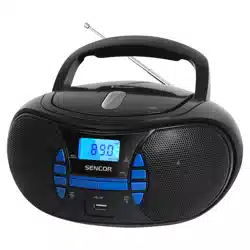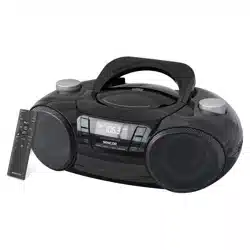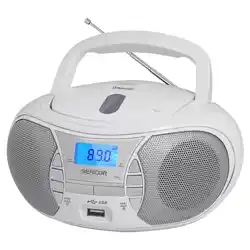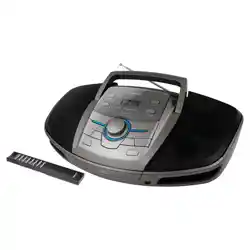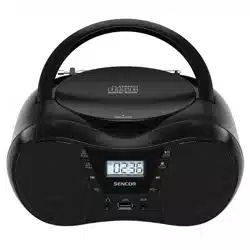

SPT 2300
EN User Manual
PORTABLE CD PLAYER WITH FM RADIO
CZ Uživatelská příručka
PŘENOSNÝ CD PŘEHRÁVAČ S FM RÁDIEM
SK Používateľská príručka
PRENOSNÝ CD PREHRÁVAČ SFM RÁDIOM
HU Felhasználói kézikönyv
HORDOZHATÓ CD-LEJÁTSZÓ FM RÁDIÓVAL
PL Podręcznik użytkownika
PRZENOŚNY ODTWARZACZ CD Z RADIEM FM


EN – 1
TABLE OF CONTENTS
VERY IMPORTANT TIPS ..................................................................................................................... 2
WARNING .............................................................................................................................................3
SAFETY INSTRUCTIONS ...................................................................................................................4
INCLUDED CONTENTS .....................................................................................................................5
SPT 2300 RADIO BUTTONS DESCRIPTION ....................................................................................5
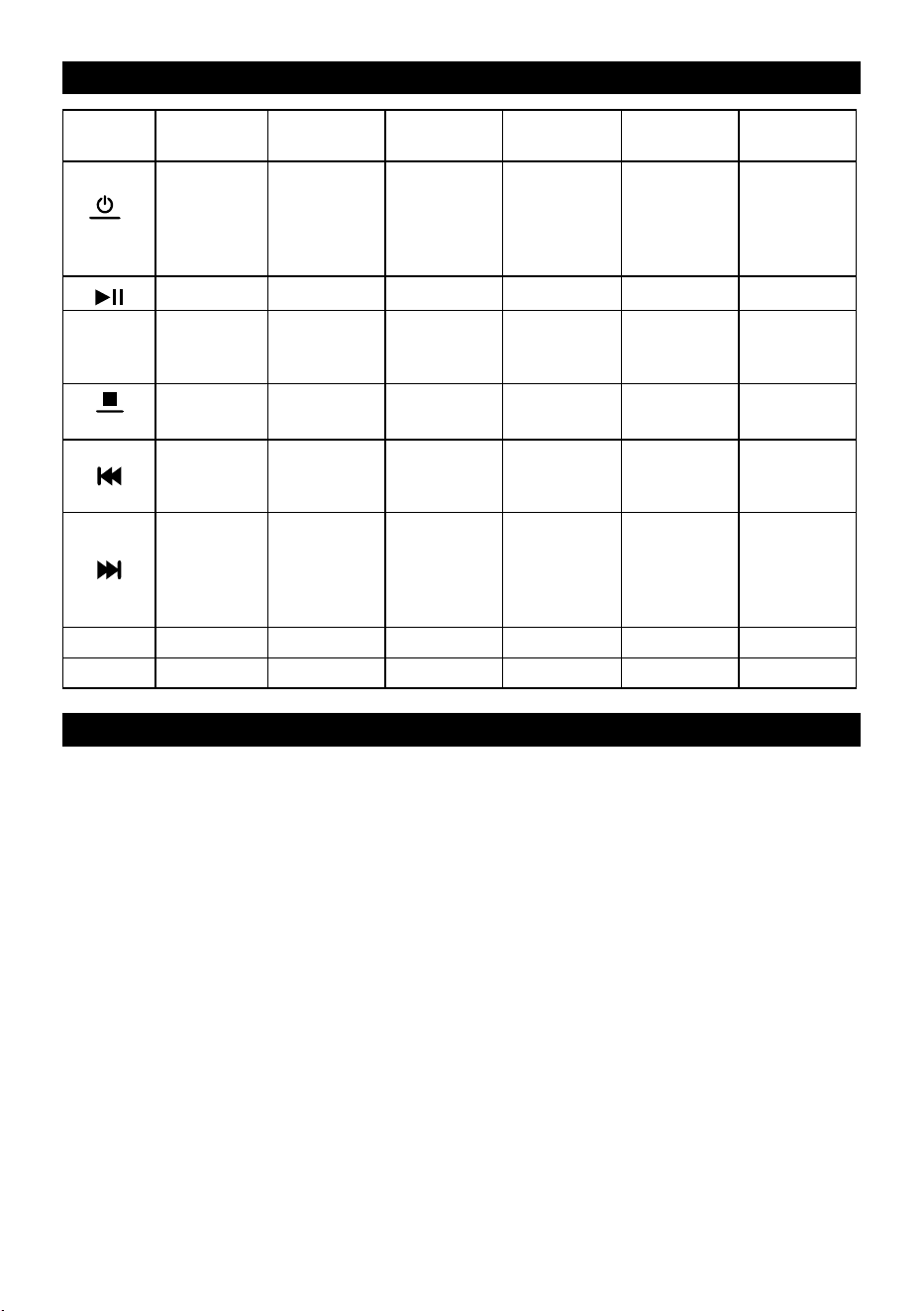
BUTTON OPERATION INSTRUCTIONS ...........................................................................................6
POWER SUPPLY ..................................................................................................................................6
CD DISC/USB PLAYBACK OPERATION ...........................................................................................7
FM RADIO OPERATION ......................................................................................................................8
BLUETOOTH OPERATION .................................................................................................................9
AUX IN ................................................................................................................................................... 9
SLEEP MODE .......................................................................................................................................9
SPECIFICATIONS ..............................................................................................................................10
EN – 2
VERY IMPORTANT TIPS
1. WARNING: Before installing or using this device, please read the electrical and safety information
on the outside bottom of the unit.
2. WARNING:Topreventarehazardorinjurybyelectricshock,donotexposethisdevicetorainor
humidity.Donotexposetheappliancetodrippingorsprayingwatereectsanddonotplaceobjects
lledwith,aliquidsuchasvasesontheappliance.
3. WARNING:Batteriesandaccumulatorsmustnotbeexposedtoextremetemperatures,forexample
theeectofdirectsunlight,re,etc.
4. WARNING:Thepowerplugisusedtodisconnecttheappliancefromthepowersourceandthus
must remain easily accessible.
5.
Ifthedeviceisopenedandthesafetymechanismsareoverridden,thereisariskofinvisible
laserradiation.Donotexposeyourselftothelaserbeameects.
6.
Correctproductdisposal.Thismarkingmeansthatthisproductmustnotbedisposedofwith
normalhouseholdwasteinEUcountries.Topreventpossibleharmtotheenvironmentorhuman
healthfromuncontrolledwastedisposal,pleaserecyclethisproductproperlytopromotethesus-
tainable material reuse. Please return the discarded product to a collection yard or contact the
dealerfromwhomyoupurchasedit.Thesellercantakeoverthisproducttoensureitsecological
recycling.
7. Donotplacesourcesofanopenamesuchaslitcandlesontotheappliance.
8. Followthefundamentalsofenvironmentalprotectionwhendisposingofbatteries.
9. Usetheunitinamildclimatezone.
10. The nameplate and the designation can be found at the bottom of the device.
11. Excessivesoundpressurefromearphonesandheadphonescancausehearingdamage.
12.Themainsplugoftheappliancemustnotbeblockedbyotherobjectsduringuseandmustremain
easily accessible.
13.Unplugtheappliancefromthemainssockettocompletelydisconnectitfromthemains.
NOTE
Danger of explosion if battery is incorrectly replaced.
Replace only with the same or equivalent type.
EN – 3
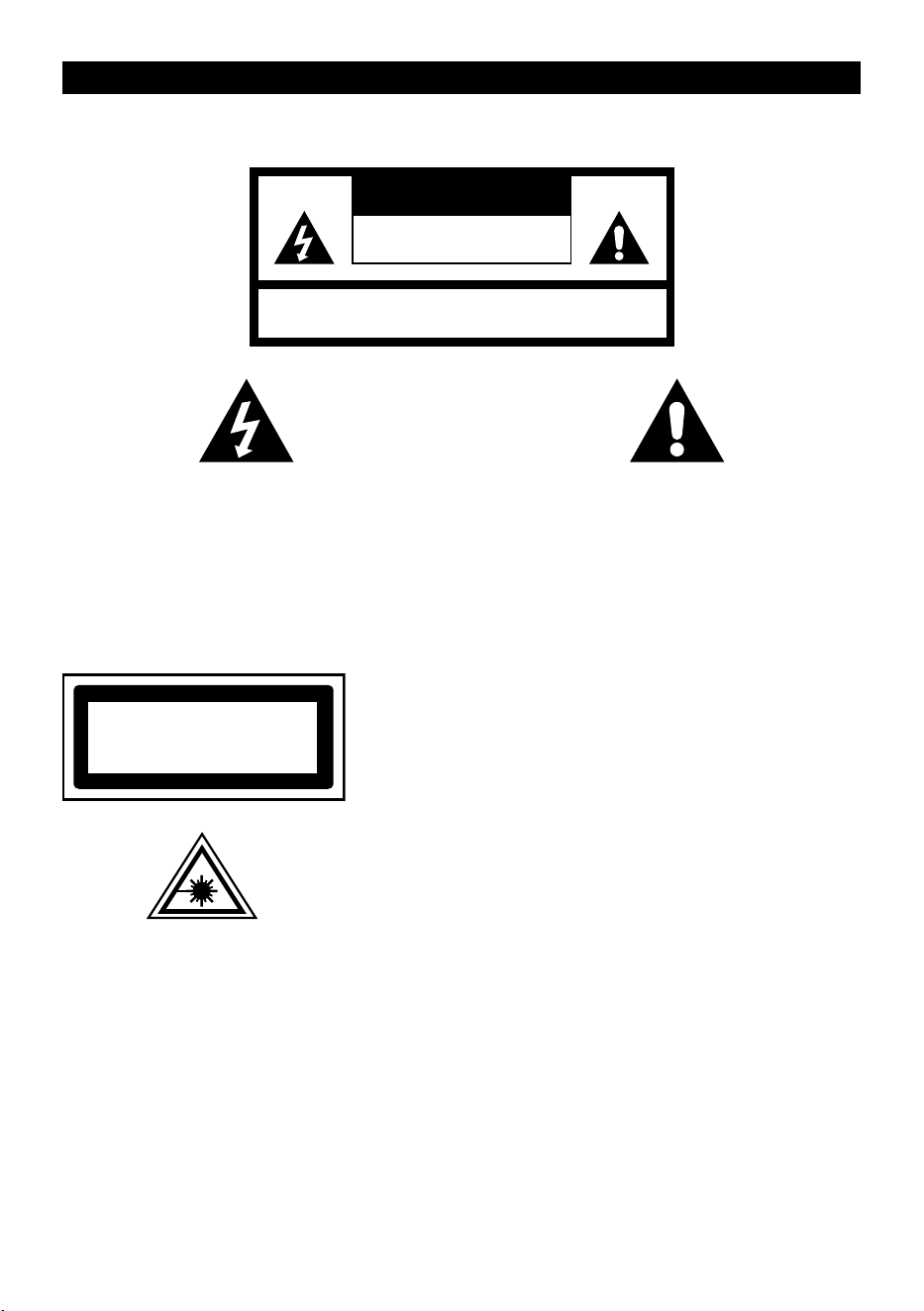
WARNING
TO PREVENT A FIRE HAZARD OR RISK OF ELECTRIC SHOCK, DO NOT EXPOSE THIS DEVICE
TO RAIN OR HUMIDITY.
CAUTION
ELECTRIC SHOCK HAZARD
- DO NOT OPEN
WARNING: ELECTRIC SHOCK HAZARD
- DO NOT OPEN
THE LIGHTNING SYMBOL locatedinanequi-
lateral triangle informs the user about the ex-
istence of an uninsulated "dangerous voltage"
insidethedevice,whichcanhavesuchaninten-
sityastocauseinjurybyelectricalshock.
THE EXCLAMATION MARK symbol inside an
equilateraltriangleisusedtoindicatethataspe-
cic component must, for safety reasons, only
bereplacedbythecomponentspeciedinthis
documentation.
The following label, attached to the device, contains the correct procedure for working with the
laser beam:
CLASS 1 LASER PRODUCT
KLASS 1 LASER APPARAT
LUOKEN 1 LAISERLAITE
KLASSE 1 LASER PRODUKT
CLASS 1 LASER PRODUCT LABEL
(CLASS 1 LASER PRODUCT)
Thislabelisaxed tothelocationshown in theillustration
toinformyouoftheexistenceofthelaserdeviceinsidethe
machine.
RADIATION WARNING LABEL
This label is located inside the device. See gure. Warns
against further steps performed on the device. This device
containsalaseremittingbeamsinaccordancewiththelimit
for Class 1 laser products.

EN – 4
SAFETY INSTRUCTIONS
1. READ THE INSTRUCTIONS - Before starting to use this product, please read all safety instructions
and the user’s manual.
2. RETAIN THE INSTRUCTIONS - Keep the safety and operating instructions for future use.
3. HEED THE WARNINGS -Followallwarningsontheproductandintheoperatinginstructions.
4. OBSERVE THE INSTRUCTIONS - Please observe all instructions for operation and use.
5. WATER AND HUMIDITY -Theapplianceshouldnotbeusednearwater,forexamplenearabath-
tub,washbasin,kitchensink,laundrycontainers,inswimmingpoolsordampenvironment.
6. VENTILATION -Placetheapplianceinsuchalocationandpositionwhereproperventilationisnot
blocked.Donotplacetheapplianceonabed,sofa,rugorsimilarsurfacethatcouldblocktheventi-
lationopenings;donotplacethedeviceinaconnedspace,suchasabookcaseorcabinet,where
theairowthroughtheventsmaybeimpaired.
7. HEAT -Thisdevicemustbelocatedawayfromsourcesofheatsuchasheaters,convectionheat-
ers,stovesorsimilarappliances(includingampliers)thatproduceheat.
8. POWER SOURCES -Thisdevicemayonlybeconnectedtoapowersourceofthetypespeciedin
theoperatinginstructionsormarkedonthedevice.
9. POWER CORD PROTECTION -Thepowercordmustberoutedsothatitisnotlikelytobewalked
on or pinched by items placed upon or against it.
10. POWE LINE -Keeptheoutdoorantennaoutofreachofpowerlines.
11. INGRESSION OF OBJECTS AND LIQUIDS -Makesurethatnoobjectsorliquidsenterthedevice
through the ventilation openings.
12. ELECTROSTATIC DISCARGE WARNING – Electrostatic discharge may cause the display to mal-
functionorcausetheunittostoprespondingtocontrols.Turnotheapplianceanddisconnectit
from the mains. Reconnect the unit after several seconds.
13. DAMAGE REQUIRING SERVICE -Theunitmustberepairedbyaqualiedserviceengineerinthe
followingcases:
a. Ifthepowercordorpowerplugisdamaged.
b. Foreignobjectsorliquidshaveenteredtheproduct.
c. Theunithasbeenexposedtorain.
d. Theunithasbeendroppedontheoorordamagetothecoverhasoccurred.
e. The unit does not function normally.
14. REPAIRS -Theusershouldnotattempttorepairthedevicehimself,exceptfortherepairslistedin
thismanual.Anyotherrepairsshouldonlybedonebyaqualiedserviceengineer.
Notes:
a. DirtyorscratchedCDsmayskip.PleasecleanorreplacetheCD.
b. Ifanerrorappearsorifamalfunctionoccurs,disconnecttheACpowercord(mainslead)andre-
moveallbatteries.Thenturntheunitbackon.
BEFORE TURNING ON
Notes: COMPACT DISCS (CDs).
Asdirty,damagedordeformeddiscscandamagetheunit,pleasepayattentiontothefollowing:
a. Supportedcompactdiscs.Useonlycompactdiscsmarkedbelow.
b. Compact CDs must contain only digital audio signals.
EN – 5
INCLUDED CONTENTS
1xSPT2300radio
1xMainspowercable
1× User’s manual
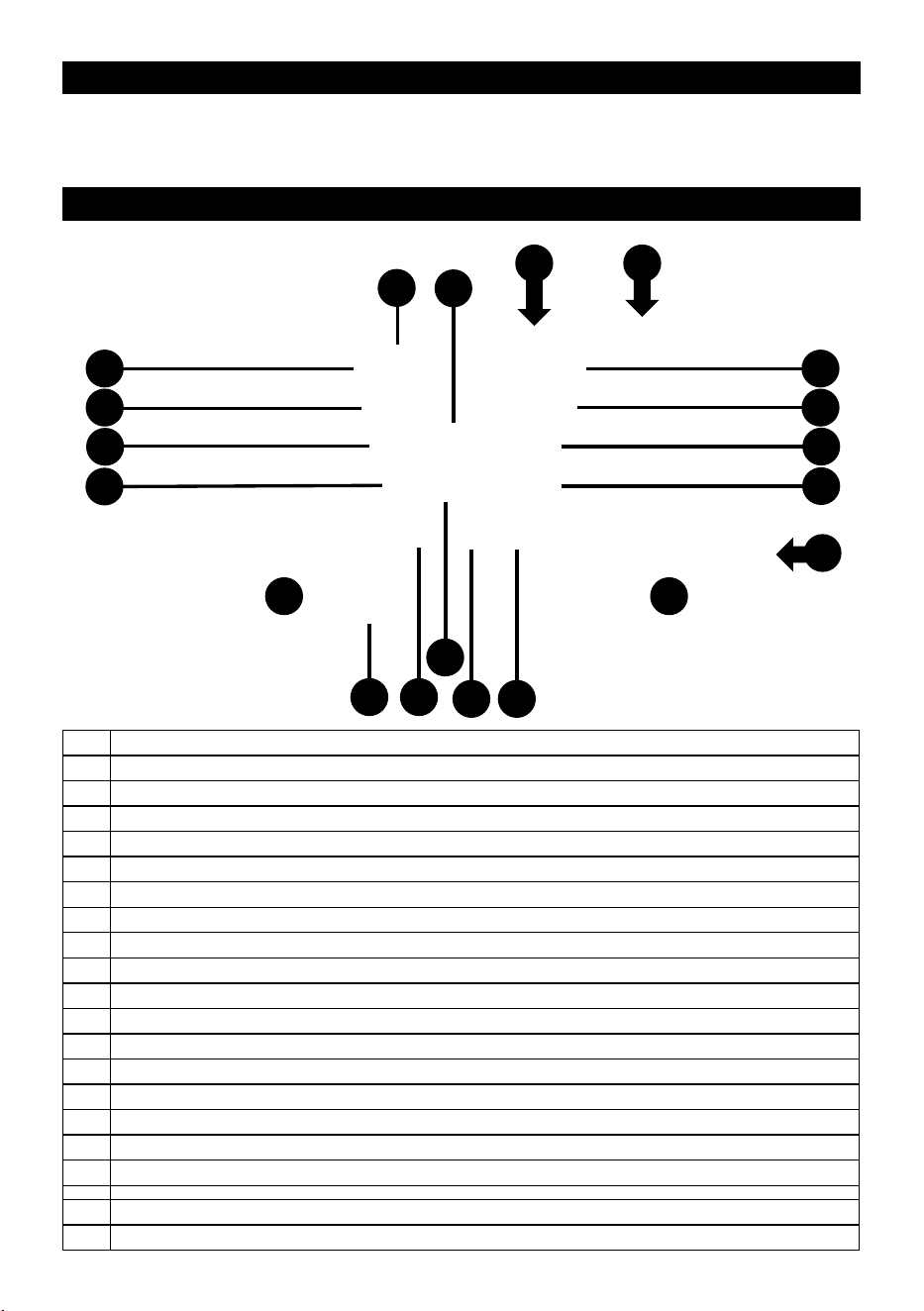
SPT 2300 RADIO BUTTONS DESCRIPTION
5
1
L R
12
2
3
4
6
7
8
9
10
14 15
11
16
1718
13
1 On/Obutton/changeaudiosource(switchfunction)
2 Mode button
3 Previoustrack/changeFMfrequencydownbutton
4 Decrease volume button
5 CD insertion/removal door
6 Display
7 Play / pause / FM band scan button
8 Stop/sleep button
9 Nexttrack/changeFMfrequencyupbutton
10 Volume up button
11 Batterydoor(6xC)
12 Headphoneinput(3.5mmaudiojack)
13 LED indicator for active sleep mode
14 USBstorageinput(cannotbeusedforchargingportabledevices)
15 AUX-IN input
16 Powerinput(AC100~240V;50Hz/60Hz)
17 Telescopic antenna
18 Handle for transporting the device
L Speaker–leftchannel
R Speaker–rightchannel
EN – 6
BUTTON OPERATION INSTRUCTIONS
Function
Buttons
Standby CD USB FM BT AUX
FUNC
Short press
turn on /
Long press
toturno
Short press
toswitch
function/
Long press
toturno
Short press
toswitch
function /
Long press
toturno
Short press
toswitch
function /
Long press
toturno
Short press
toswitch
function /
Long press
toturno
Short press
toswitch
function/
Long press
toturno
/
Play/Pause Play/Pause Auto scan Play/Pause
/
MODE /
A-B/
Random/
Program
A-B/
Random/
Program
Save/
Select sta-
tions
/ /
SLEEP
/
Stop/
Sleep mode
Stop/
Sleep mode
Sleep mode Sleep mode Sleep mode
/
Previous/
Fastback/
Sleep mode-
Previous/
Fastback/
Sleep mode-
Changing
frequencies-/
Sleep mode–
Previous/
Sleep mode-
Sleep mode-
/
Next/
Fast for-
ward/
Sleep
mode+
Next/
Fast for-
ward/
Sleep
mode+
Changing
frequencies+/
Sleep mode+
Next/
Sleep
mode+
Sleep
mode+
VOL- / Volume - Volume - Volume - Volume - Volume -
VOL+ / Volume+ Volume+ Volume + Volume + Volume+
POWER SUPPLY
1. Batterypower:openthebatterycompartmentdooratthebottomandinsert6batteries(1.5Vsize
“C”)correctlyaccordingtothemarkingsinthebatterycompartment.Finally,putthedoorbackon.
2. Mainspower:connectoneendofthemainspowercordtotheSPT2300radio’sACpowerinputand
connecttheotherendtoanAC100V~240V;50Hz/60Hzpoweroutlet.
Note:
1. Whenunpluggingthemainspowercord,holdtheplugwithyourhand,notthepowercorditself.
2. Nevertouchthemainspowerplugwithwethands,otherwiseelectricshockmayoccur.
3. Thepowercordshouldbepositionedsothatitisnottwistedordamaged.
4. IfyouwillnotbeusingtheSPT2300foranextendedperiodoftime,disconnecttheradiofromthe
mainspowersupplyandremovethebatteriestopreventthebatteriesfromleakingelectrolyteand
damagingtheequipment.
EN – 7
CD DISC/USB PLAYBACK OPERATION
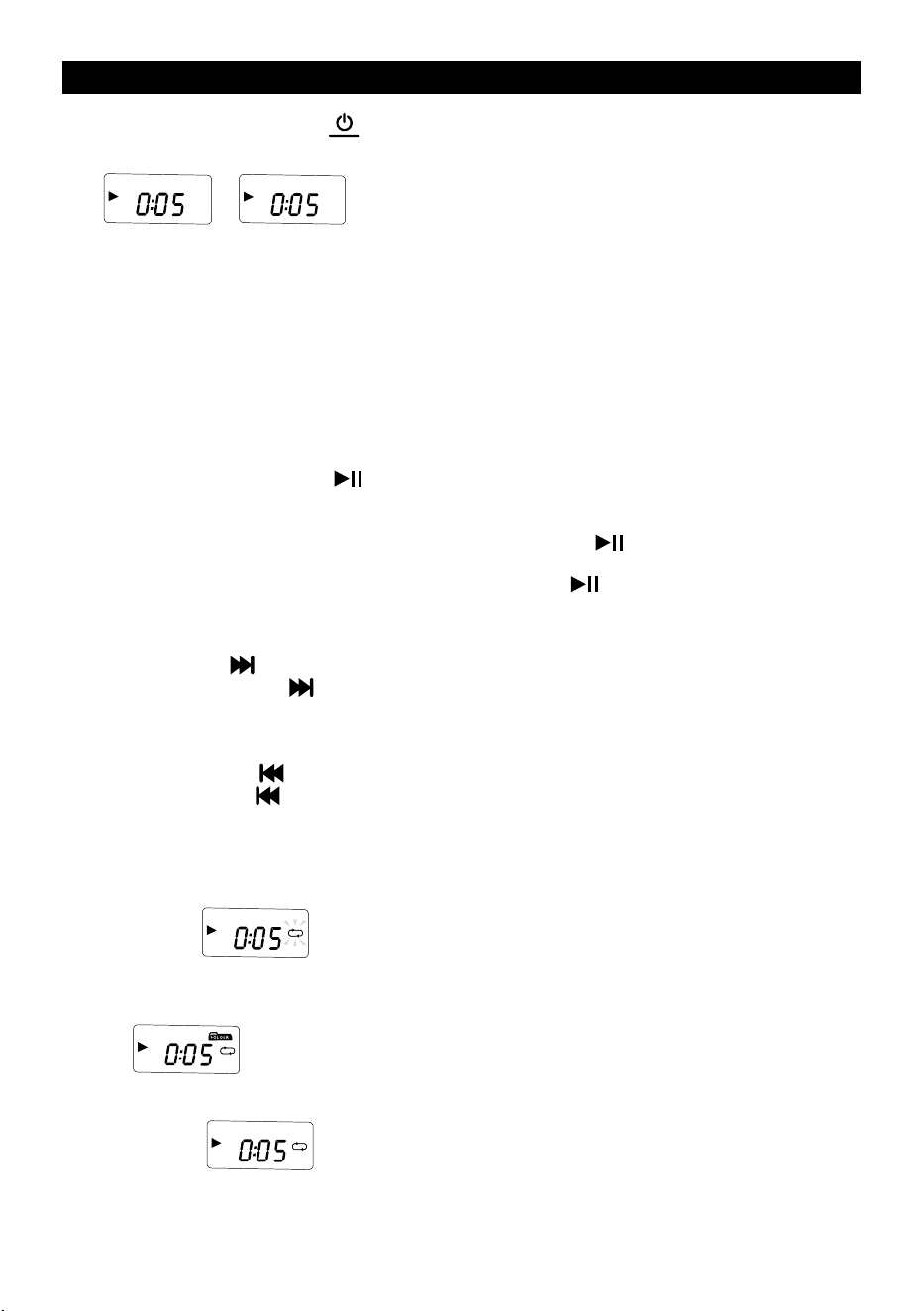
1. Afterswitchingon,pressthe(
FUNC
)buttontoselectCDorUSBmode.(Thedisplaywillshow
“
CD
” “
USB
”)
2. a. CD mode: OpentheCDdrivedoorbypullingitupwardsandinsertaCDorMP3CDwiththe
printed side on top.
ThenclosetheCDdrivedoorandwaitafewsecondsfortheautomaticsongplaybacktostart.
Thedisplaywillshowtheserialnumberofthecurrenttrack.
b. USB mode:connectaUSBdevicewithMP3lestotheappropriateUSBportandpressthe
functionswitchbuttontosettheplaybackmodetoUSB.AfterloadingsongsfromtheUSB,the
SPT2300willautomaticallystartplayingthemusic.
3. Press the Vol+ button (VOL+)orVol-button(VOL-)toadjustthevolumeappropriately.
4. Press the play / pause button (
)oncetostopCD/USBplayback.
5. PLAY/PAUSE:
a. When the CD is stopped, press the PLAY/PAUSE button (
)buttonto playtheCD –the
displaywillshowCDtrack“01”andtheplaysymbol.
b. While the CD is playing, press the PLAY/PAUSE button (
)topause–theplaybacksymbol
willashonthedisplay.l.
6. Nexttrack
a. Short press (
)buttontoskiptothenextsongforplayback;
b. Press and hold the (
)buttonformorethan2secondstofastforwarduntilthebuttonisre-
leased.
7. Previoustrack
a. Short press the (
)buttontoskiptotheprevioussongforplayback;
b. Long press the (
)buttonformorethan2secondstofastrewind.Fastrewinduntilthebegin-
ningofthesong,itwillplayautomatically.
8. MODEbutton(CD/USBmode):
a. OnelongpressoftheMODEbuttonwillstartthecyclicplaybackmode–thedisplaywillshow
the icon “
MP3
“
b. LongpresstheMODEbuttontwicetostarttherepeatplaybackfunctionoftheMP3folderbeing
played.ThefunctionisvalidforplaybackfromUSBandmulti-trackCDs.Thedisplaywillshow
“
MP3
”
c. Press the MODE button three times long to start the full disc/USB replay function – the display
willshow“
MP3
”
EN – 8
d. Long press the MODE button four times to start the full disc/USB random play function.
Thedisplaywillshow“
MP3 RAND
”
e. Presstherepeatbuttonvetimestoresumenormalplayback.
f. PresstheMODE buttonbrieyto selectpointA,andthen presstheMODEbuttonagainto
selectpointB.MusicwillbeplayedbetweenpointAandpointB.
TocanceltherepeatplaybackoftheA-Bsegment,presstheMODEbutton.
9. PROGRAMMEfunction(whentheCD/USBdiscisinSTOPmode):
a. Press the STOP button (
SLEEP
)buttontostopCD/USBplayback
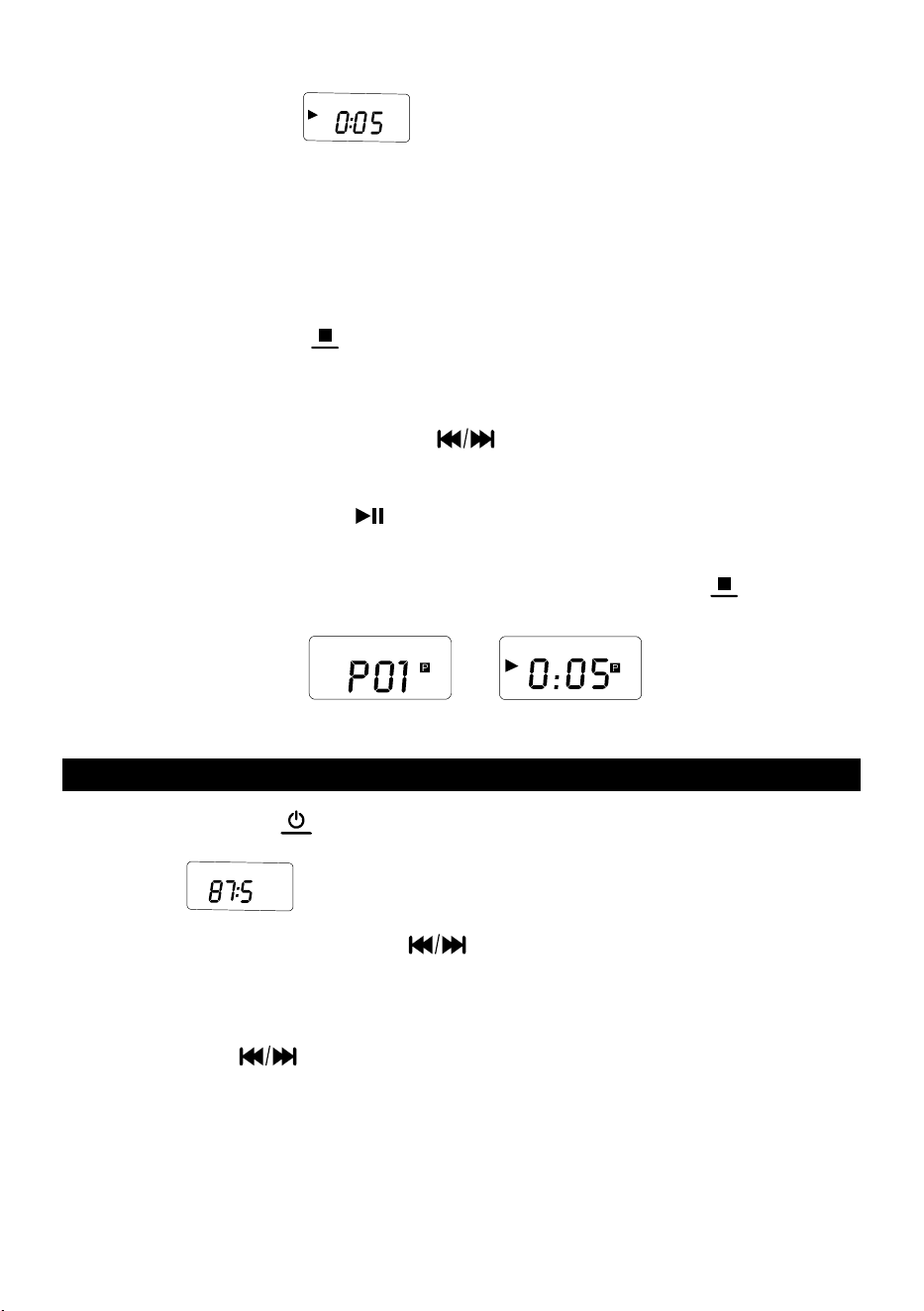
b. ThenbrieypresstheMODEbuttontoopentheprogramminginterface(ashingsymbol“P01”
appearsonthedisplay,seeFigure1)
c. Pressthepreviousornexttrackbutton
toselectatrack,thenpresstheMODEbutton
toconrmtheselectedtrack.
Repeattheabovestepsuntilyouhavesavedallthedesiredtracksinmemory.
d. Press the play/pause button (
)toplayasequenceofprogrammedtracks(seeFigure2).
e. Up to 20 songs can be programmed on a CD, and up to 99 songs can be programmed on an
MP3/USBashdevice.
f. Ifyouwanttoexittheprogramfunction,justshortpresstheSTOPbutton(
SLEEP
)twice.
CD
CD
Figure 1
Figure 2
FM RADIO OPERATION
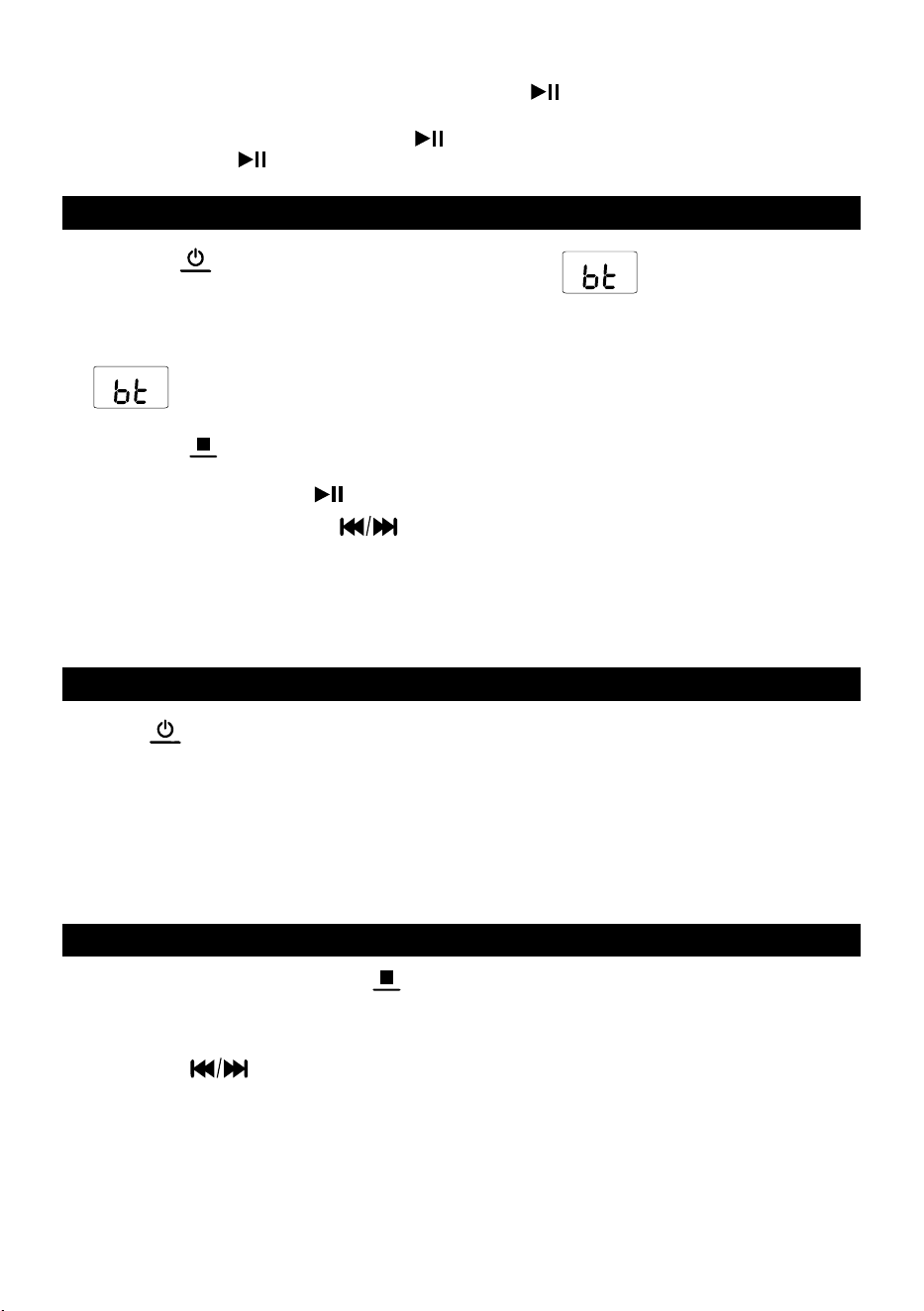
1. Short press the button (
FUNC
)toswitchtheFMmode.
(shownas“
MHZ
FM
”)
2. Searching Stations: Long press button
to automatically search and stop the station; you
can also short press button to search stations manually.
3. Preset/Store radio stations:
a. ShortpressMODEbutton,theDISPLAYwillshow”P01willashes.
b. Press button
toselectthetrackyouwanttosavetheradiostation.Totalof30radio
stations can be saved.
c. ShortpresstheMODEbuttonagaintoconrmthetrackyoupreset.
EN – 9
4. Call out the preset/store radio stations:
To call out the preset/store radio stations, short press (
)buttontoselecttheserialnumberof
saved station.
5. Auto Scan: Long press the SCAN button (
)toautomaticallyscanandsavethereceivedstations.
Then short press (
)buttontoselecttheserialnumberofsavedstation.
BLUETOOTH OPERATION
1. Press the (
FUNC
)buttonbrieytoswitchtoBluetoothmode( iconappearsonthedisplay)
2. SwitchonyourmobilephoneorotherBluetoothdevice.WhensearchingforlocalBluetoothdevices,
theBluetoothname“SPT2300”willbedisplayed.Aftersuccessfulpairing,youwillhearaconrma-
tion tone.
3.
icononthedisplaywillashslowlybeforeconnectingtoyourphone;oncesuccessfully
pairedandconnected,theiconwilllightuppermanently.TocanceltheBluetoothconnection,press
the button (
SLEEP
).
4. Playback/Pause:pressthe(
)buttonbriey.
5. Previous/nexttrack:pressthe
buttonbriey.
Note:
ToensureastableBluetoothconnection,makesurethatthedistancebetweentheBTspeakerandyour
connecteddeviceiskeptwithin10m
AUX IN
Press the (
FUNC
)buttonbrieytoswitchtoAUXmode.ConnectyourdevicetotheSPT2300radiowith
anaudiocable.FirstconnecttheaudioconnectortoyourdeviceandthentothesocketoftheSPT2300
radio.
Warning:
Before connecting your device to the SRD 2300 receiver, ensure that the output signal from your device
isatitsminimumlevel(minimumoutputvolume).ThiswillpreventdamagetotheSPT2300radio.
SLEEP MODE
1. Inpower-onmode,longpressthe(
SLEEP
)buttontoactivatesleepmode–thedisplaywillshow“30”
andtheLEDindicatorwilllightupred.
2. Press the
button briey to select the automatic switch-o time from 30 minutes to
120minutes→OFF.

EN – 10
SPECIFICATIONS
Bluetooth 5.1 - Wireless Audio Streaming
MaximumPowerOutput:4W
USBand3.5mmJackInputs
Sound:
MaximumPowerOutput:4W
FrequencyResponse:60Hz–16kHz
TotalHarmonicDistortion:L/P≤10%(1kHz)
Reception:
FM PLL Radio Tuner
Station Presets: 30
Telescopic Antenna
Inputs and Outputs:
Bluetooth 5.1 - Wireless Audio Streaming
USB(Playback)
CD-R / RW / MP3
AUX-INJack3.5mm
AUX-OUTJack3.5mm(Headphones)
Others:
Programmabletrackmemory
LCD Display
Power:AC100-240V,50/60Hzor6x1.5VBatteryTypeC/LR14(NotIncluded)
Consumption: 12W
Dimensions:(w/h/d)263x123x205mm
Weight:1kg
FM radio Band range 87.5MHz–108MHz
Bluetooth Version 5.1
MaximumTransmitterPower 100mW@2.4GHz–2.4835GHz
Codec SBC
Prole A2DP

EN – 11
INSTRUCTIONS AND INFORMATION ABOUT THE DISPOSAL OF
DISCARDED PACKAGE
Disposeofpackagingmaterialatapublicwastedisposalsite.
DISPOSAL OF USED ELECTRICAL AND ELECTRONIC APPLIANCES
Themeaningofthesymbolontheproduct,itsaccessoryorpackagingindicatesthatthisprod-
uctshallnotbetreatedashouseholdwaste.Please,disposeofthisproductatyourapplicable
collectionpointfortherecyclingof electrical & electronic equipmentwaste.Alternatively in
some states of the European Union or other European states you may return your products to
yourlocalretailerwhenbuyinganequivalentnewproduct.Thecorrectdisposalofthisproduct
willhelpsavevaluablenaturalresourcesandhelpinpreventingthepotentialnegativeimpact
ontheenvironmentandhumanhealth,whichcouldbecausedasaresultofimproperliquida-
tionofwaste.Pleaseaskyourlocalauthoritiesorthenearestwastecollectioncentreforfurther
details.Theimproperdisposalofthistypeofwastemayfallsubjecttonationalregulationsfor
nes.
For business entities in the European Union
Ifyouwishtodisposeofanelectricalorelectronicdevice,requestthenecessaryinformation
from your seller or supplier.
Disposal in other countries outside the European Union
Ifyouwish todisposeof thisproduct,requestthe necessaryinformationabout thecorrect
disposal method from local government departments or from your seller.
TheproductmeetsEUrequirements.
Hereby,FASTČR,a.s.declaresthattheradioequipmenttypeSPT2300isincompliancewith
Directive 2014/53/EU.
ThefulltextoftheEUdeclarationofconformityisavailableatthefollowinginternetaddress:
www.sencor.com
Changestothetext,designandtechnicalspecicationsmayoccurwithoutpriornoticeandwereserve
therighttomakethesechanges.
TheoriginalversionisinCzech.
Manufacturer’s address:
FASTČR,a.s.,USanitasu1621,ŘíčanyCZ-25101

EN – 12
EN
Warranty conditions
Warranty card is not apart of the device packaging.
This product is warranted for the period of 24 months from the date of purchase to the end-user. Warranty
is limited to the following conditions. Warranty is referred only to the customer goods using for common
domestic use. The claim for service can be applied either at dealer’sshop where the product was bought, or
at below mentioned authorized service shops. The end-user is obligated to set up aclaim immediately when
the defects appeared but only till the end of warranty period. The end user is obligated to cooperate to certify
the claiming defects. Only completed and clean (according to hygienic standards) product will be accepted.
In case of eligible warranty claim the warranty period will be prolonged by the period from the date of claim
application till the date of taking over the product by end-user, or the date the end-user is obligated to take it
over. To obtain the service under this warranty, end-user is obligated to certify his claim with duly completed
following documents: receipt, certificate of warranty, certificate of installation.
This warranty is void especially if apply as follows:
Defects which were put on sale.
Wear-out or damage caused by common use.
The product was damaged by unprofessional or wrong installation, used in contrary to the applicable
instruction manual, used in contrary to legal enactment and common process of use or used for another
purpose which has been designed for.
The product was damaged by uncared-for or insufficient maintenance.
The product was damaged by dirt, accident of force majeure (natural disaster, fire, and flood).
Defects on functionality caused by low duality of signal, electromagnetic field interference etc.
The product was mechanically damaged (e.g. broken button, fall).
Damage caused by use of unsuitable media, fillings, expendable supplies (batteries) or by unsuitable
working conditions (e.g. high temperatures, high humidity, quakes).
Repair, modification or other failure action to the product by unauthorized person.
End-user did not prove enough his right to claim (time and place of purchase).
Data on presented documents differs from data on products.
Cases when the claiming product cannot be indentified according to the presented documents (e.g. the
serial number or the warranty seal has been damaged).
Manufacturer:
FAST ČR, a.s., U Sanitasu 1621, Říčany 251 01, Czech Republic
Visit www.sencor.com for detailed information about authorized service centers.
The original version of the instructions is in the Czech language, other language versions are made by the
appropriate translation.


FAST ČR, a. s., USanitasu 1621, Říčany CZ-251 01