App Store
In the App Store, applications can be installed with one click,
and they can be used directly after installation. Our company
also brings the applications to the market, enabling users to
obtain and use them easily and conveniently.
Networking Setting
Language Setting
Other Setting
BT Setting
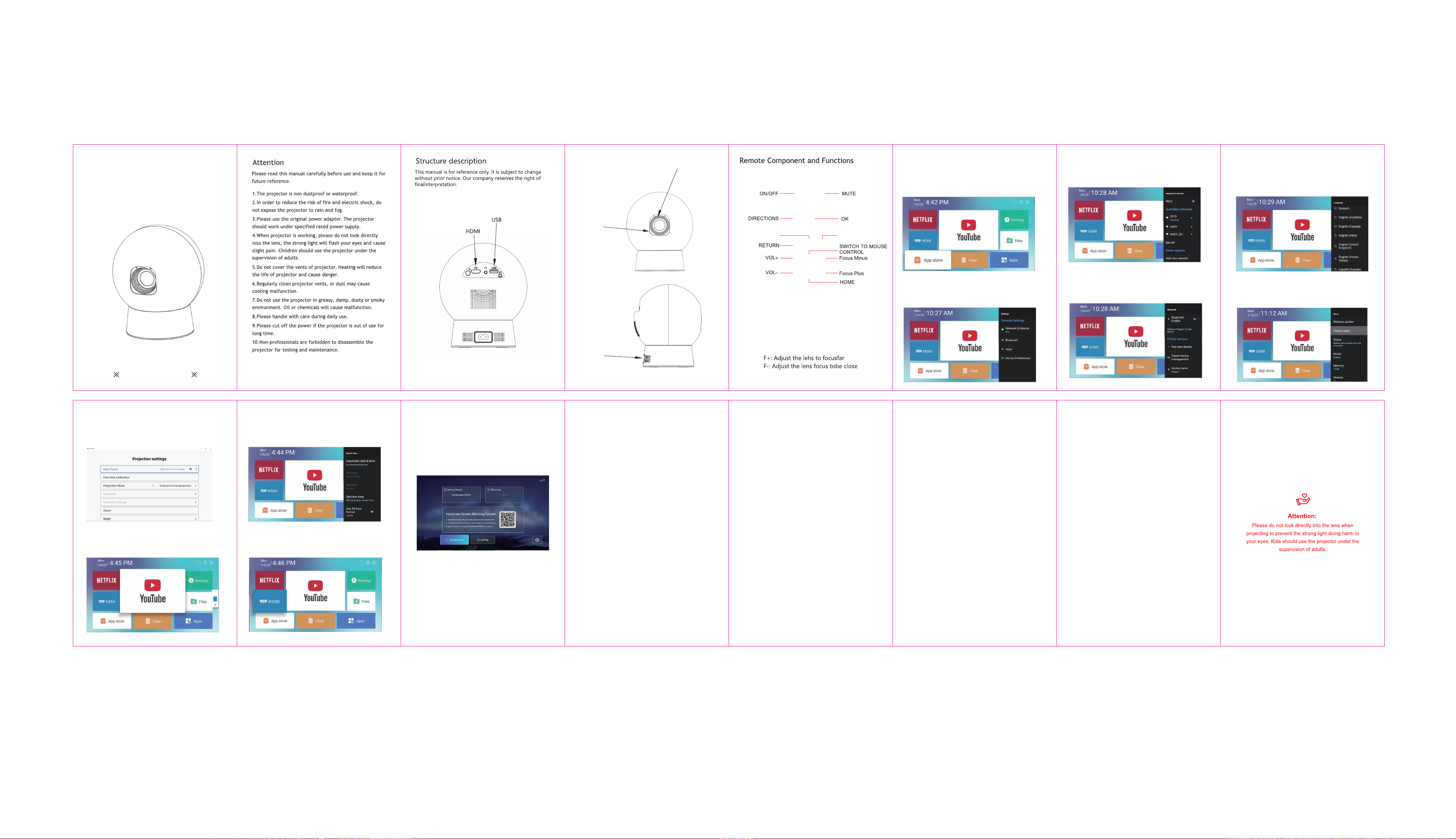
Settings - Networking Setting - WIFI setting, WIFI select
objective WIFI ID and input password to connect internet.
Settings - Language Setting, enter to setup language and
select input method.
Setting - Other Setting, enter to get Application setting,
Factory Reset Setting, and Developer opinions.
Projection Setting
Setting - Projector setting, enter to setup projection mode,
keystone correction.
Date And Time Setting
Setting - Date And Time Setting, enter to setup timezone,
timeformat, dateformat, date and time.
Wireless Screen
Safety instructions Disclaim
FCC Statement
Ensure that Android devices(phone,pad,ect)are in the same
local wireless LAN with these devices
Please pay attention to important information related to the
operation and maintenance of the projector. You should read
this information carefully to avoid problems. Following safety
instructions will increase the life of projector.
Please consult the qualified personnel for installation and
repair services, and do not use damaged wires, accessories
and other peripherals.
Projector should be kept away from flammable, explosive,
strong electromagnetic interference (large radar stations,
power stations, substations),etc. Strong ambient light (avoid
direct sunlight), etc.
Do not cover projector vents.
Please use the original power adapter.
2Keep adequate ventilation and make sure vents are not
covered to avoid projector overheating
2When projector is working, please do not look directly into
the lens, the strong light will flash your eyes and cause slight
pain.
Do not bend or drag the power cord.
Do not put power cord under projector or any heavy objects.
Do not cover other soft materials on power cord.
Do not heat the power cord.
Avoid touching power adaptor with wet hands.
This manual is general instructions, The pictures and functions
in this manual should subject to the actual product. Our
company is devoting to improve product performance, we
reserve the right to modify product functions and interface
described in this manual without notice.
Please keep your device properly. We are not responsible for
any loss caused by wrong operation of software/hardware oг
repairing or any other reasons. We are not responsible for any
loss of any third party claims.
This manual has been carefully checked by professional
engineer, please understand for any inevitable omissions.
1.This device complies with Part 15 of the FCC Rules.
Operation is subject to the following two conditions:
(1)This device may not cause harmful interference.
(2)This device must accept any interference received,
including interference that may cause undesired operation.
2.Changes or modifications not expressly approved by the
party responsible for compliance could void the user?s
authority to operate the equipment.
Note:This equipment has been tested and found to comply
with the limits for a class B digital device,pursuant to Part 15
of the FCC Rules. These limits are designed to provide
reasonable protection against harmful interference in a
residential installation.
This equipment generates uses and can radiate radio
frequence energy and,if not installed and used in accordance
with the instructions,may cause harmful interference to radio
communications.However,there is no guarantee that
interference will not occur in a particular installation.if this
equipmemt does cause harmful interference to radio or
television reception,which can be determined by turning the
equipment off and on,the user is encouraged to try to correct
the interference by one or more of the following measures:
Reorient or relocate the receiving antenna.
lncrease the separation between the equipment and
receiver.
Connect the equipment into an autlet on a circuit different
from that to which the receiver is connected.
Consult the dealer or an experienced radio/TV technician
for help.
The device has been evaluated to meet general RF exposure
requirement, This equipment should be installed and operated
with a minumum distance of 20cm between the radiator and
your body.
(ZX- EN-HY 30020241012)
Operations en Devices:
Home Screen→Applications→ScreenCast→Open ScreenCast
service→Turn on the phone mirroring→Connection.
After connecting projector to other output device, enter HDMI
or Audio/Video.
Signal
TM
Audio Setting
Setting . Audio setting, enter to adjust volume.
Settings - BT setting, BT click Refresh Device and choose
objective device to pair.
Settings
Enter to setup Networking, Bluetooth, Language, Other
Setting, Projection,Audio,Date And Time
Air inlet
Lens
HDMI
Quick Installation Guide
ROTATE
Smart Projector
Bluetooth Catalogue
��*���mm