USER
MANUAL
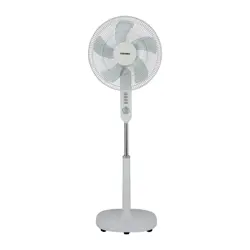
STAND FAN
F-DSC40XSG(W)

IMPORTANT SAFETY INSTRUCTIONS
SAFE OPERATING RULES
PART NAME
LIST OF PARTS
PRODUCT INSTALLATION
BODY OPERATING INSTRUCTIONS
DESCRIPTION OF REMOTE-CONTROL BUTTONS
SPECIFICATIONS
CLEANING AND MAINTENANCE
TROUBLESHOOTING
CONTENTS
02
..............................................................................................
04
05
05
06
...................................................................................................................
........................................................................................................................................
....................................................................................................................................
................................................................................................................
07
.................................................................................................
09
...........................................................................
10
................................................................................................................................
10
.....................................................................................................
10
.........................................................................................................................
Thank you very much for purchasing Toshiba fan.
• In order to use this fan correctly and safely, please read this manual carefully and fully understand its
contents before using it.
• After reading this manual, please keep it handy for easy reference.
01
Safety precautions
Always follow these instructions!
This manual provides instructions that must be observed
when using the fan in order to prevent danger to the user,
other persons, and property.
Read Rules for Safe Operation and Instructions Carefully.
CAUTION
WARNING
IMPORTANT SAFETY INSTRUCTIONS
• This section describes the content and importance of
safety matters to prevent personal injury or property
damage to users or others. Please read the text with a full
understanding of the following content, and be sure to
abide by the safety precautions described.
• Do not operate with hand as it will cause the shutdown
reset position to deviate if the fan is moved by hand during
operation.
NOTE
If the supply cord is damaged, it must be
replaced by manufacturer or its service
agent or a similarly qualified person in
order to avoid a hazard.
Warning
To protect against the risk of electrical
shock, do not immerse the unit, cord or
plug in water or other liquid.
Warning
When the appliance is not in use and
before cleaning, unplug the appliance
from the outlet.
Warning
Indoor use only.
Warning
02
This appliance is not intended for use by
persons (including children) with
reduced physical, sensory or mental
capabilities, or lack of experience and
knowledge, unless they have been given
supervision or instruction concerning
use of the appliance by a person
responsible for their safety. Children
should be supervised to ensure that they
do not play with the appliance.
Warning
Do not connect the power supply until
the product is installed.
Warning
Only the matching adapter can be used.
Do not use other adapters so as to avoid
danger.
Warning
Keep electrical appliances out of reach
from Children or infirm persons. Do not
let them use the appliances without
supervision.
Warning
03
Do not plug or unplug the power plug
with wet hands to avoid the risk of
electric shock.
Warning
Make sure the product is disconnected
from the power supply before removing
the protective casing.
Warning
When the product is running, do not put
your fingers or sharp objects into the
grille.
Prohibited
Avoid using it near acid-base oils,
insecticides, curtains and other items.
Warning
04
Avoid use in direct sunlight or high
humidity environments for long periods
of time.
Prohibited
Cut off the power supply before moving
the product.
Prohibited
Prohibited
Warning
Do not use the fan near a window, as rain
may cause an electric shock.
Matters that may cause minor injury or property damage.
Warning
Before use, please check whether the
voltage used is the same as the voltage
marked on the product.
Warning
When you leave the machine or when the
machine is not in use, turn off the power
and unplug the power plug to avoid
circuit failure and accidents.
Warning
Before use, check whether the power
cord and plug are damaged. If the power
cord is damaged, it must be replaced by
the manufacturer, its maintenance
department or a specialist from a similar
department in order to avoid danger.
SAFE OPERATING RULES
It is prohibited to use it in places where
there are hanging objects that are easy
to fall, where it is susceptible to impacts,
or where the placement is unstable. The
product should be placed stably when
using it, please do not tip over or tilt.
05
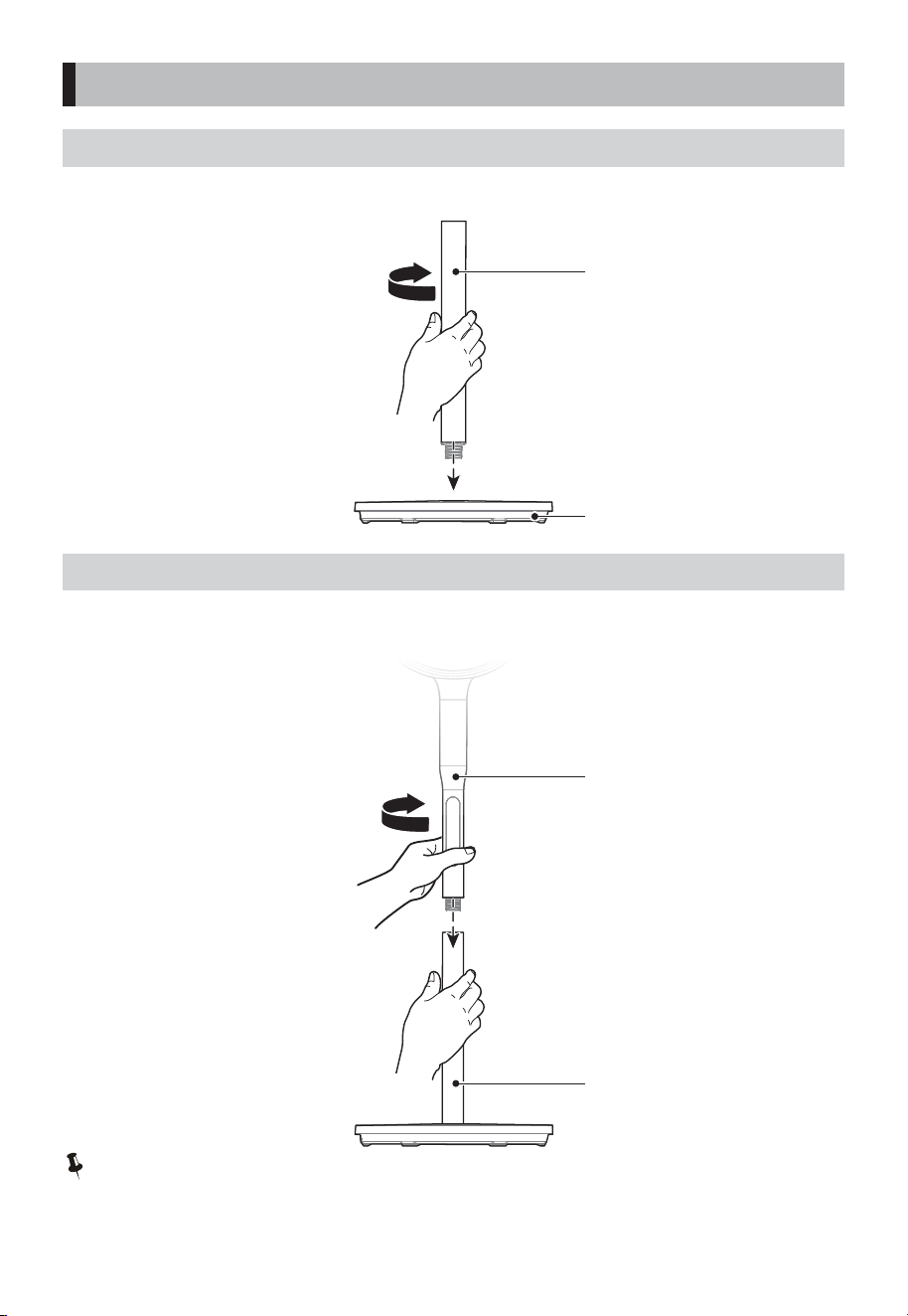
PART NAME
Head unit column
Lower column
Chassis
Head unit
Control panel
Remote control ×1
Battery×2 User Manual x1 Adapter ×1
LIST OF PARTS
Note:
The pictures in the manual are for reference only. The actual product in the packaging box shall prevail.
06
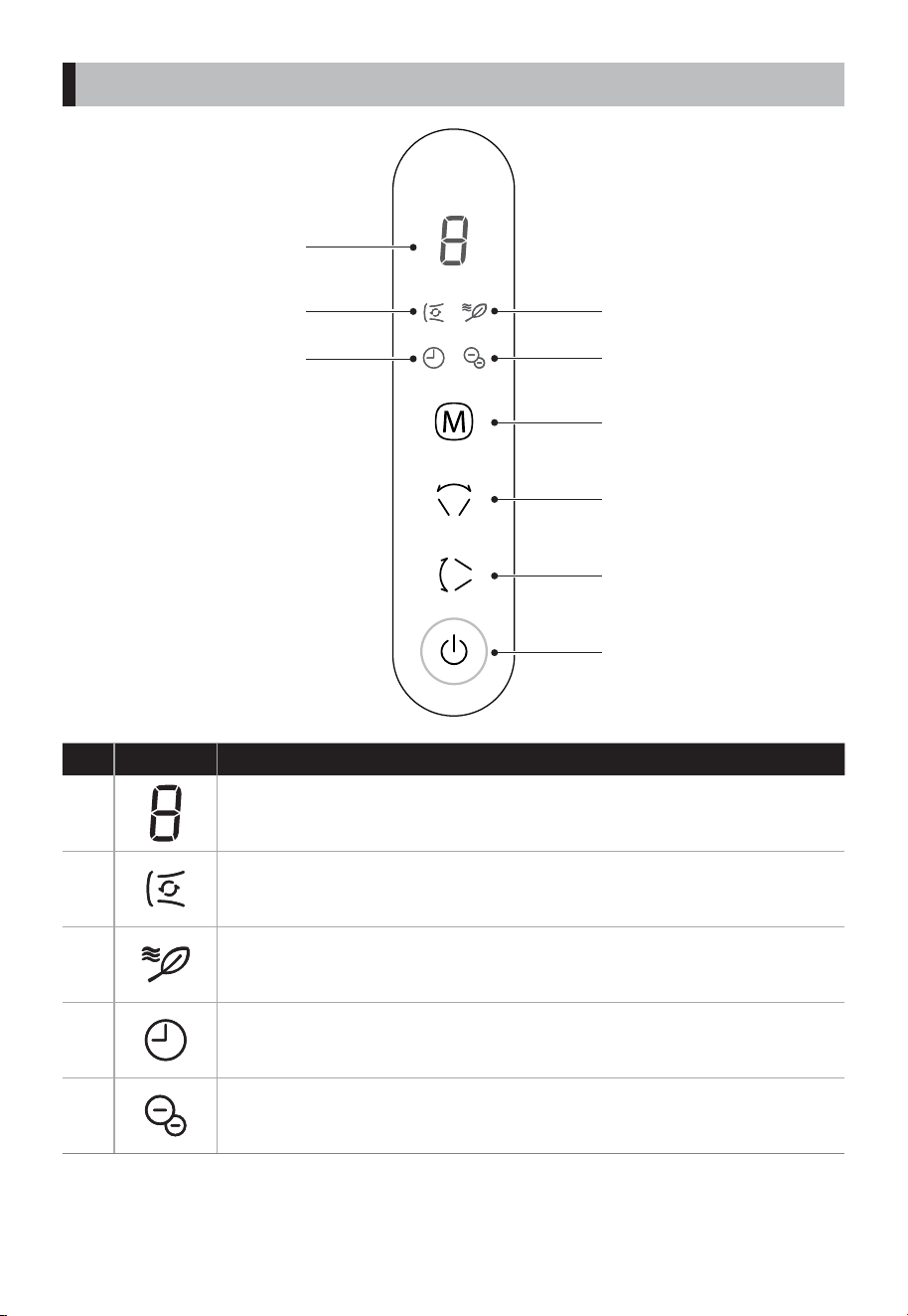
PRODUCT INSTALLATION
INSTALL CHASSIS
Align the threaded end of the lower pole with the chassis interface, and rotate clockwise to tighten the
lower pole.
Note:
Be sure to rotate the poles into place during the installation process!
INSTALL COLUMN
Align the threaded end of the head unit column with the lower pole interface, and rotate clockwise to
tighten the head unit column.
Lower pole
Head unit column
Lower column
Chassis
D
A
B
C
3
5
4
1
2
BODY OPERATING INSTRUCTIONS
07
FunctionNo Indicator
1
• Comprehensive Display Screen
Displays the wind speed level and the timer setting
• Circulating Wind LED
In circulating wind mode, the oscillation is turned on by default to circulate air
throughout the room.
• Negative Ion LED
3
• Timer LED
Note: The timer function can be set via the remote control or by long-pressing
the up/down oscillation button.
2
5
4
• Natural Wind LED
BODY OPERATING INSTRUCTIONS
08
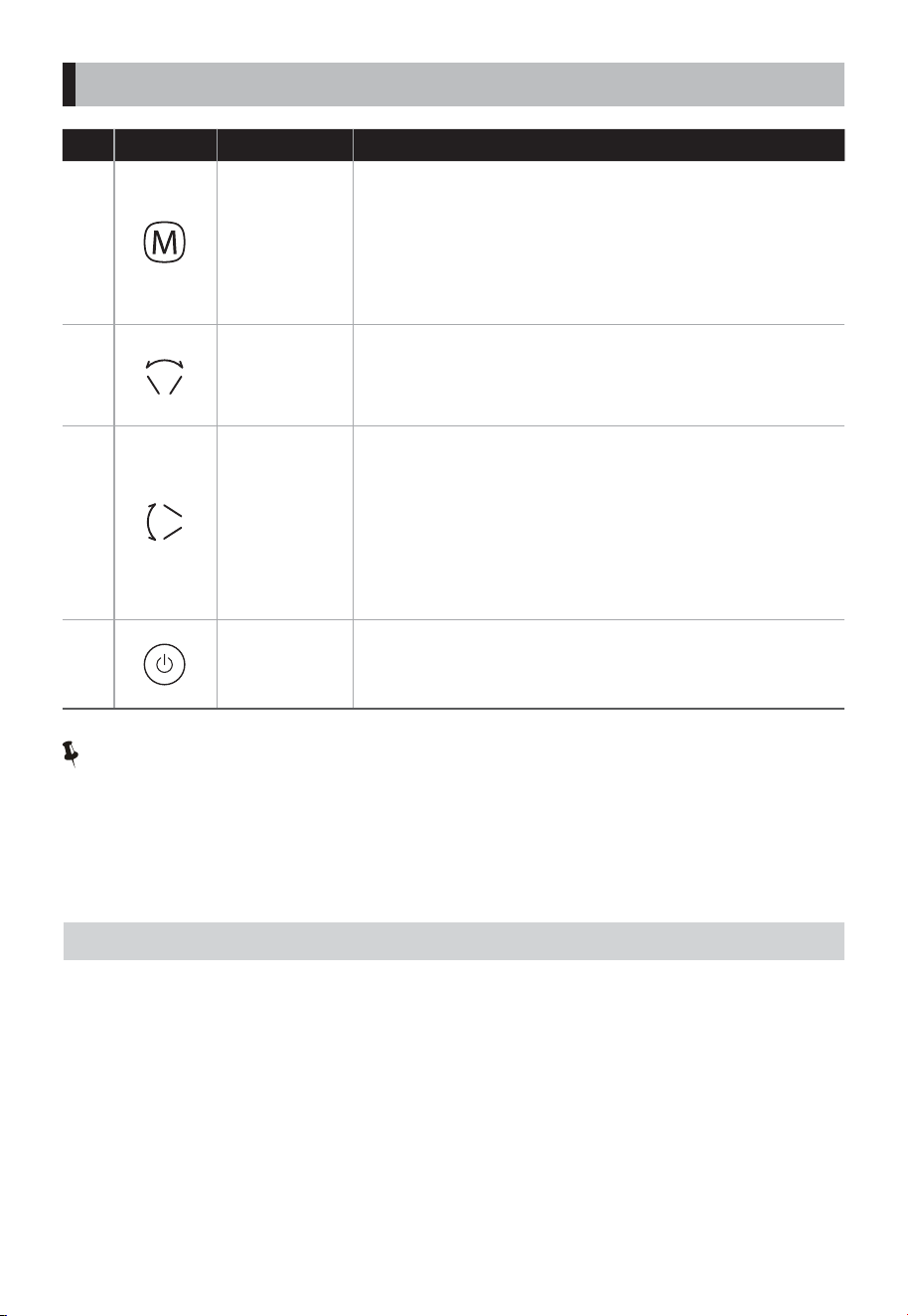
• Press this button to start or stop the fan.
(Note: When powered on, the negative ion function is turned
on by default)
FunctionDescriptionNo Button
A
Mode Button
• When the fan is on, short press this button to cycle through
wind speed levels (circulating wind: levels 1-9; natural wind:
levels 1-6);
• Long press this button to cycle through wind modes (natural
wind, circulation wind... in sequence).
Note: Upon rst startup, the fan will default to natural wind
level 6.
• When the fan is on, short press this button to start left/right
oscillation, and press again to stop left/right oscillation.
• When the fan is on, long press this button to turn the
negative ion function on or o.
• When the fan is on, short press this button to start up/down
oscillation, and press again to stop up/down oscillation.
• When the fan is on, long press this button to enter the timer
shutdown setting mode, then short press this button to set
the timer shutdown duration.
• When in standby mode, long press this button to enter the
timer startup setting mode, then short press this button to
set the timer startup duration.
B
C
D
Note:
Timer Function
• It is recommended to set the timer function via the remote control. Short press the Timer button to
activate it, and continuously short press to set the timer duration (1-9 hours can be set). If there is no
operation for 3 seconds, the current timer duration will be conrmed.
• Timer by Remote Control: Press the Timer button on the remote control to activate the timer function.
Continuously press this button to incrementally set the timer duration.
ADDITIONAL FUNCTIONS
Forced Stop
• If the fan runs continuously for 24 hours without any operation, it will automatically enter standby
mode.
Screen O
• If there is no operation for 30 seconds while the fan is running, the screen will automatically turn o.
After the screen is o, touch any button except the standby button to wake up the screen.
Shutdown Memory
• The fan features a memory function; when it is turned on again, it will default to the wind mode and
wind speed level set before the last shutdown.
Left/right
Oscillation
Button
Up/Down
Oscillation
Button
Power/Standby
Button
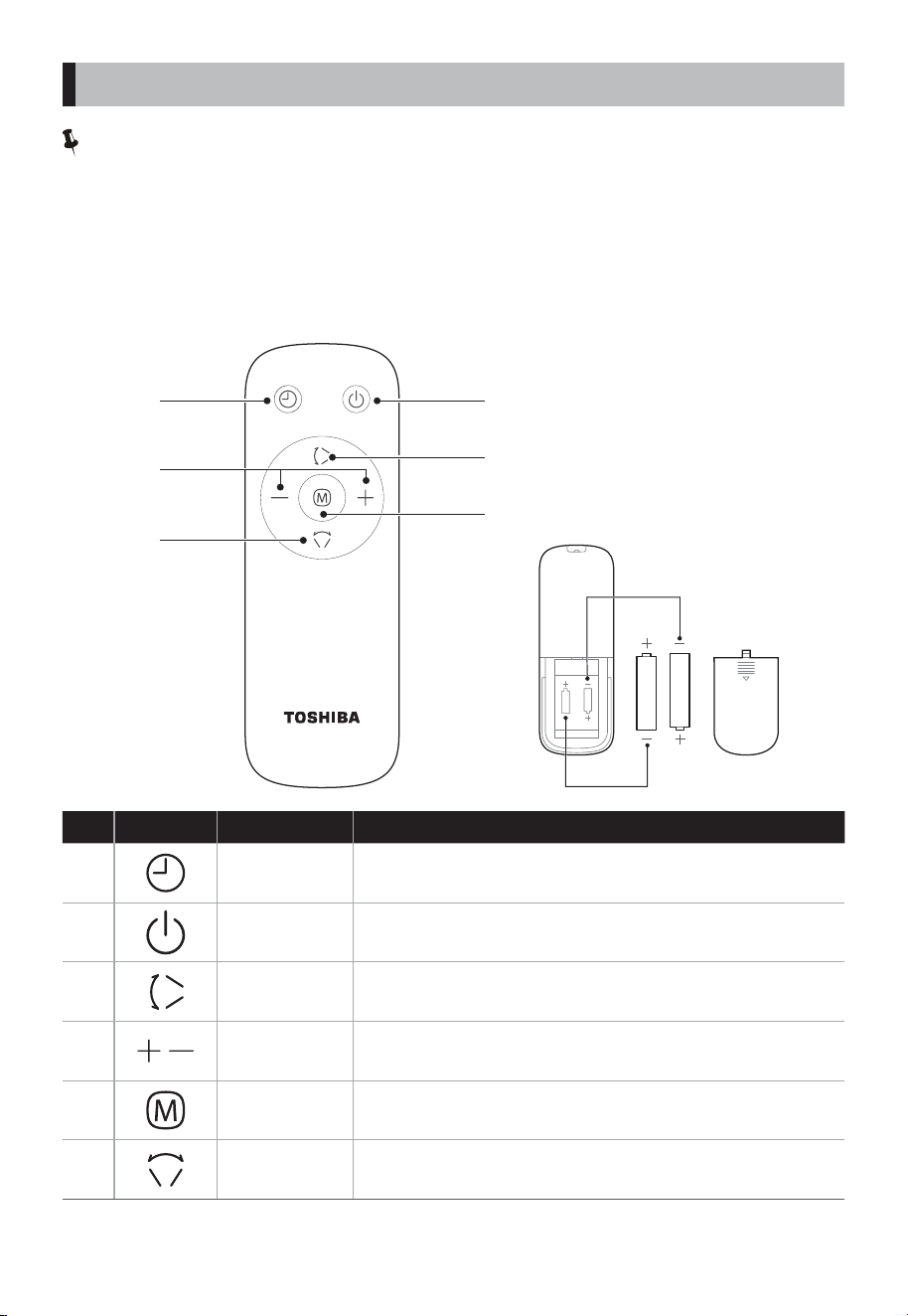
FunctionDescriptionNo Button
1
• Set the timer for startup or shutdown, with a duration of 1-9
hours.
• Adjust the wind speed level and timer duration.
4
• On/standby button.
2
• When the fan is on, short press this button to switch modes
(natural wind → circulating wind → natural wind cycle).
5
6
3
Timer Button
Mode Button
Up/Down
Oscillation Button
Power/Standby
Button
Left/Right
Oscillation Button
Increase/
Decrease Button
Note:
• The remote control can be used normally within 5m from the front of the product and the deviation
angle is within 30°.
• Remote control batteries contain many heavy metals, acids and alkali and other substances, which
threaten human health; used batteries should be classied and recycled.
• The remote control uses AAA manganese batteries or alkaline batteries. Do not use rechargeable
batteries.
• Do not put the remote-control battery into re, or the battery may explode or leak. Do not mix old and
new batteries. Do not mix alkaline, standard (carbon-zinc) or rechargeable (nickel-cadmium) batteries.
2
3
1
4
5
6
AAA Battery. 1.5V
Battery
Battery
• Start or stop horizontal oscillator.
• Start or stop vertical oscillator.
09
DESCRIPTION OF REMOTE-CONTROL BUTTONS
Note:
• Please use the original adapter for this product, model: GM42-240150-D.
10
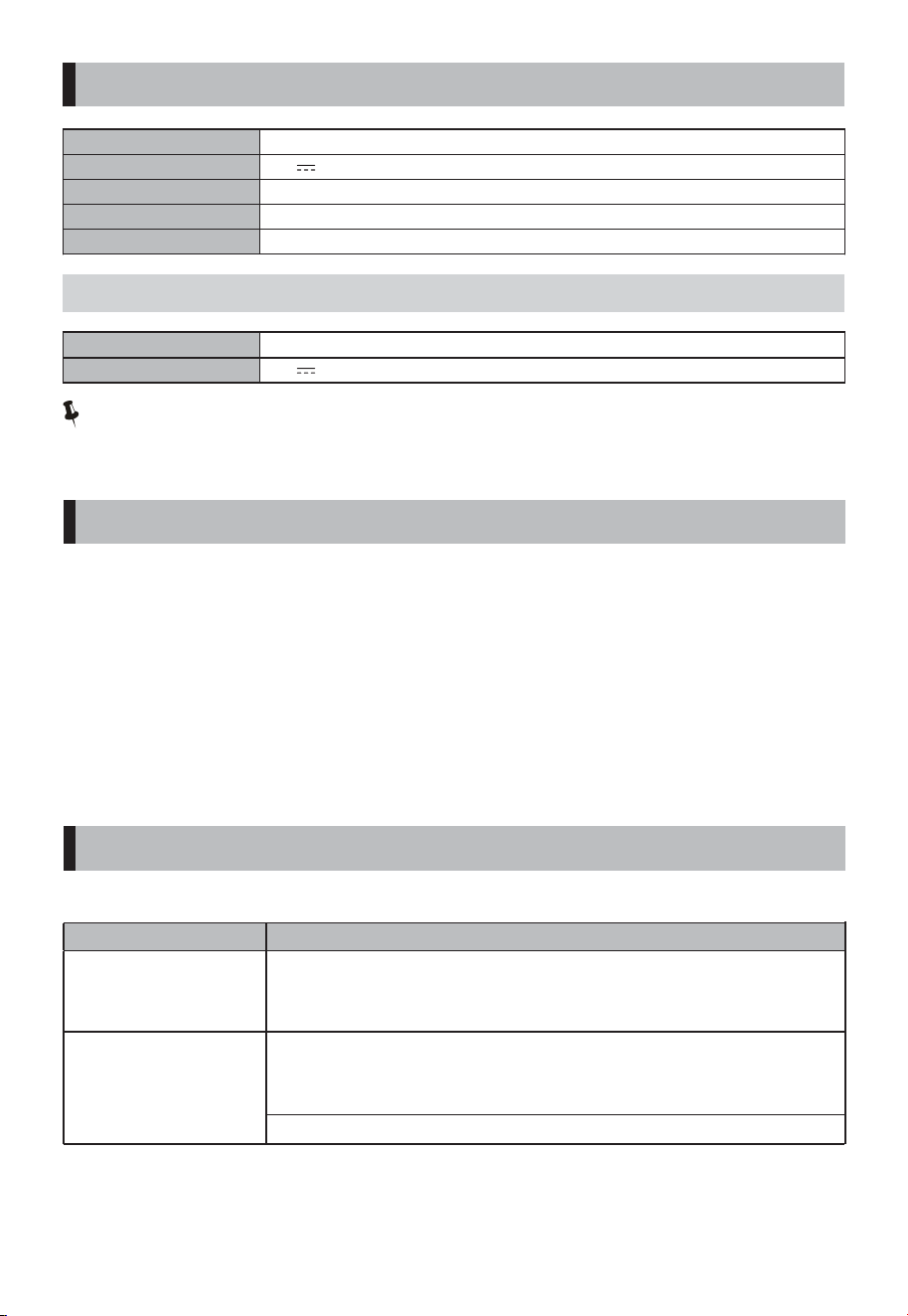
Model
F-DSC40XSG(W)
Operating voltage 24V
Rated power 18W
Standby power 0.8W
Noise ≤58dB(A)
Input
100-240V~ 50/60Hz 1.5A
Output 24V 1.5A
SPECIFICATIONS
POWER ADAPTER
Precautions
• Before cleaning this product, be sure to turn o the power switch and unplug it.
• After cleaning and maintenance, be sure to wait until it is fully dry before powering on for use or
storage.
• Please unplug the power cord when not in use for a long time. It is recommended to wrap it in the
original packaging and store it in a dry place.
• Do not rinse the machine body directly with water. Use a soft cloth containing a little neutral detergent
to gently wipe the surface of the machine, and then wipe it dry. Do not use solvents such as gasoline.
• It is prohibited to disassemble the machine for modication. It is recommended to check and clean the
machine regularly to extend its service life.
CLEANING AND MAINTENANCE
If the fan appears abnormal during use, please check the following points before repair.
Problem Check the following
The fan blades do
not rotate.
The fan blades rotate
but make a strange
sound.
• Are the fan blades installed correctly?
• Is the power plug inserted into the socket correctly?
• Is there a fan blade contact protective cover?
• Does the spiral hub cap secure the fan blades in place correctly?
• Are the front and rear guards installed correctly?
• Is there a fan blade contact protective cover?
• Are the fan blades and protective cover clean?
TROUBLESHOOTING

# MatterDetails