
Veritas
5-Hour
Veritas Vans
Battery
User Manual

Veritas 5-Hour Battery | Model VBAT5 | By Veritas Vans
Veritas Vans LLC · San Luis Obispo, CA Page 1
Veritas 5-Hour Battery
Portable Power Bank | Product Manual | By Veritas Vans
Product Na
Item Content
Brand Veritas Vans
me Veritas 5-Hour Battery
Model VBAT5
I. Product Introduction
•Built-in foldable stand, compatible with Starlink Mini for convenient use while charging.
•Bluetooth connectivity for real-time battery m onitoring and charge/discharge tracking on your phone.
•Supports solar panel charging for continuous off-grid power, compatible with standard 12–
•Compatible with laptops, drones, portable monitors, phones, and more — covers all your power needs.
36V panels.
II. Important Safety Precautions
1.Do not disassemble, puncture, crush, or expose to fire to avoid risk of injury.
2.Do not use or store the product in extreme temperature environments.
3.Although the unit is IP67 waterproof and dustproof, do not expose it to corrosive liquids.
4.Only use original or certified charging cables, chargers, and solar panels.
5.During solar charging, keep the panel away from flammable materials.
6.This product contains small parts (e.g., cables). Keep away from children.
7.If the product emits an unusual odor, overheats, swells, leaks, or shows any other abnormality,
stop using it immediately. Move it away from fire sources and contact Veritas Vans support.
Do not attempt to repair it yourself.
III. Product Specifications
Specification Detail
Battery Capacity 27,500mAh / 99Wh
Thank you for choosing this Veritas Vans portable power bank! With a large capacity (27,
500mAh / 99Wh), 100W fastcharging, multiple interfaces, IP67 waterproof and dustproof rating,
and solar panelcharging, this product is designedfor outdoor adventures, field work, business
travel, and emergency backup power.
Core Advantages

Veritas 5-Hour Battery | Model VBAT5 | By Veritas Vans
Veritas Vans LLC · San Luis Obispo, CA Page 2
DC Input
12
–
48V
Solar Input
12– 36V (supports MPPT fast charging)
DC Output
15– 21V (65W max) — voltage auto-negotiated
USB-C (Bidirectional)
Input / Output , PD Protocol
Supported PD Voltages
5V/3A · 9V/3A · 12V/3A · 15V/5A · 20V/5A · 28V/5A
Max USB-C Power
100W
Approx . Charge Time
~1.5 hrs via 100W PD · ~2– 3 hrs via DC · Varies by solar irradiance
Operating Temperature
14°F to 104°F (-10°C to 40°C)
Storage Temperature
32°F to 95°F (0°C to 35°C)
Weight
[INSERT WEIGHT]
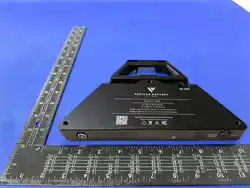
Dimensions (L×W×H)
[241 x 161 x 26 mm]
Special Features
Bluetooth power monitoring , foldable stand
Protection Rating
IP67 — dustproof; protected against brief submersion up to 1m
Manufactured In
China for Veritas Vans LLC, San Luis Obispo, CA
Compliance
FCC ID: [INSERT] · CE: [INSERT] · RoHS Coliant
■
All [INSERT ...] placeholders must be completed before final publication.
IV. User Guide
Button Functions & LED Indicators
1.Short press: Wake / check display.
2.Long press 3 sec: Activate DC 5.5×2.1 output (15–21V, up to 65W). LED flashes green. Long press
again 3 sec to deactivate.
3.Long press 15 sec: Reset the screen.
LED State Meaning
Solid green Fully charged / standby
Flashing green DC output active
LED Status Reference

Veritas 5-Hour Battery | Model VBAT5 | By Veritas Vans
Veritas Vans LLC · San Luis Obispo, CA Page 3
Solid blue Charging in progress
Flashing blue
Low battery (
≤
20%)
Solid/flashing red Fault — stop use, contact support
■
Confirm exact LED behavior with firmw are team before final publication.
Port & Interface Reference
•Display :
•DC 5.5×2.1 Input (Front) : Accepts 12–
•DC 5.5×2.1 Output (Rear) : Outputs 15– 21V at up to 65W. Voltage auto-negotiated; no manual
•USB-C Port : Bidirectional input/output, PD protocol , 100W max.
selectionrequired.
48V from chargers, adapters, or solar panels.
Shows battery %, voltage, current, wattage, and charge/discharge time.
•Mounting : M6 screws on top ; 1/4" screw on top (center) ; support bracket.
(I) Charging the Power Bank
Method Steps Est. Time
Recommended
(PD Fast Charging)
Use a PD-compatible charger (100W max) + USB-C cable
→USB-C input port.
~1.5 hrs
Alternative
(DC Charging)
Use a compatible DC power supply (12 – 48V) → DC input port.
Varies byOutdoor
~2
-
3 hrs
(Solar Charging)
2. Connect DC cable from panel output →
1. Use 12 - 36V MPPT-equipped solar panel.
DC input port.
3. Aim panel at sun,unobstructed. Chargingstarts automatically
.4. Monitor via Bluetooth on your phone.
irradiance
■
Pass-Through: Simultaneous charge + discharge is supported (e.g. solar while powering a
device). Total
output may bereduced. Avoid sustained pass-through at maximum load to preserve battery longevity.
1.Make sure the power bank is actively charging or discharging.
2.Open Bluetooth on your phone, find the device named "Veritas Battery", and complete
(II) Powering External Devices
pairing.
1.Starlink Mini: Connect the DC output port (rear) to the device using a matching DC
cable.
2.Laptops (High-Power Devices): Connect the USB-C port using a USB-C to USB-C cable
(supports 100Wmax output).
3.Phones / Tablets / Other USB Devices: Connect the USB-C port using a USB-C cable.
The fast charging protocol will be detected automatically.
(III) Bluetooth Power Monitoring

Veritas 5-Hour Battery | Model VBAT5 | By Veritas Vans
Veritas Vans LLC · San Luis Obispo, CA Page 4
3.Once paired , check remaining battery percentage, voltage, current, and wattage in real time.
1.Unfold the stand and adjust the support angle.
V. Maintenance
1. Before long-term storage (>1 month), charge to 50–70% and store in a dry, ventilated area
(32–95°F /0–35°C).
2. Run one full charge-discharge cycle (full charge
→
drain below 20%
→
recharge) every 3
months to maintain battery health.
3. Clean the body and ports with a dry, soft cloth. Never use chemical cleaners or allow
water into the ports.
4. When storing solar cables, avoid kinking or crushing them. Keep out of direct sunlight.
Inspect cable jacket regularly. Replace if damaged.
VI. Troubleshooting
Unable to Power On / Charge
1. Verify that your cable supports the required power (e.g., a 5A-rated cable for 100W).
2. Confirm that your device supports the PD fast charging protocol.
3. Try a different cable or charger to rule out cable degradation.
No Response / Low Power During Solar Charging
1. Check that the solar panel voltage is within the 12–36V range and that it supports MPPT.
2. Make sure the panel is unobstructed, properly angled toward the sun, and free of dust.
3. Check that the cable connection is secure and not water-damaged.
1. Make sure the power bank is actively charging or discharging.
2. Restart Bluetooth on both the power bank and your phone; turn off nearby interfering
devices.
1. Check if the battery is fully depleted; plug in the charger and wait at least 30
minutes before retrying.
2. Make sure the charger and cable are working properly and firmly connected.
3. Long press the button for 15 seconds to reset.
3. Check that Bluetooth permissions are enabled on your phone.
4. Try unpairing and re-pairing the device named "Veritas Battery".
Bluetooth Won't Connect
Slow Device Charging
(IV) Foldable Stand Usage

Veritas 5-Hour Battery | Model VBAT5 | By Veritas Vans
Veritas Vans LLC · San Luis Obispo, CA Page 5
Screen Flickering / Not Lighting Up
1. Make sure the power bank is actively charging or discharging.
2. Press and hold the button for 15 seconds to reset the screen.
3. If the issue persists, contact Veritas Vans support.
VII. Warranty
Limited Warranty — 12 Months
Veritas Vans warrants this product against defects in materials and workmanship under normal
use for 12 months from the date of original purchase. This warranty does not cover damage caused
by accident, misuse, unauthorizedmodification, or failure to follow the instructions in this manual.
To make a warranty claim: Contact Veritas Vans support with proof of purchase and adescription
of the defect. Donot return the product without prior authorization.
■
Warranty terms should be reviewed by your legal team before
publication.
This product is designed to comply with applicable regulations in its intended markets. The
VIII. Regulatory & Compliance
following certificationsapply:
•FCC: This device complies with Part 15 of the FCC Rules. FCC ID: [INSERT]
•RoHS: This product complies with the RoHS Directive (2011/65/EU).
•UN 38.3: Battery cells meet UN 38.3 transport testing requirents.
■
All certification numbers are placeholders. Confirm with your compliance team before printing.
A Note from Veritas Vans
Every unit undergoes thorough quality inspection to ensure stable, long-lasting performance.
If you need any help,our team is here for you:
Phone
+1 (805) 762-4633
Email
Website
veritasvans.com
Thanks for your purchase — enjoy your Veritas Vans power bank!
Veritas Vans LLC · San Luis Obispo, CA · veritasvans.com

NOTE: This equipment has been tested and found to comply
with the limits for a Class B digital
device, pursuant to Part 15 of the FCC Rules. These limits
are designed to provide reasonable
protection against harmful interference in a residential
installation. This equipment generates,
uses and can radiate radio frequency energy and, if not
installed and used in accordance with
the instructions, may cause harmful interference to radio
communications. However, there is no
guarantee that interference will not occur in a particular
installation.
If this equipment does cause harmful interference to radio
or television reception, which can be
determinedbyturningtheequipmentoffandon,
theuserisencouragedtotrytocorrectthe
interferenceby one or more of the followingmeasures:
--Reorient or relocate the receiving antenna.
-- Increase the separation between the equipment and
receiver.
oe
connected.
-- Consult the dealer or an experienced radio/TV technician
for help.
Warning: changes or modifications not expressly approved by
the party responsible for
compliance could void the user's authority to operate the
equipment
Radiation Exposure Statement
This equipment complies with FCC radiation exposure limits
set forth for an uncontrolled
environment.
This equipment should be installed and operated with minimum
distance 20cm between the
radiator and your body.