
User Manual
Ver
:
2.0
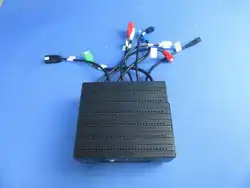
FLX is mainly used for Bluetooth music play in the sofa audio system, supporting sofa-to-sofa Auracast.
Basic Operations:
Press the POWER button to turn on the device, press the POWER button again to turn it off. Rotate the bass
volume knob to adjust the bass volume; turning it clockwise increases the volume, while turning it
counterclockwise decreases the volume. Rotate the treble volume knob to adjust the treble volume; turning it
clockwise increases the volume, while turning it counterclockwise decreases the volume. Rotate the vibrator
amplitude knob to adjust the vibration amplitude of the vibrator; turning it clockwise increases the amplitude,
while turning it counterclockwise decreases the amplitude.
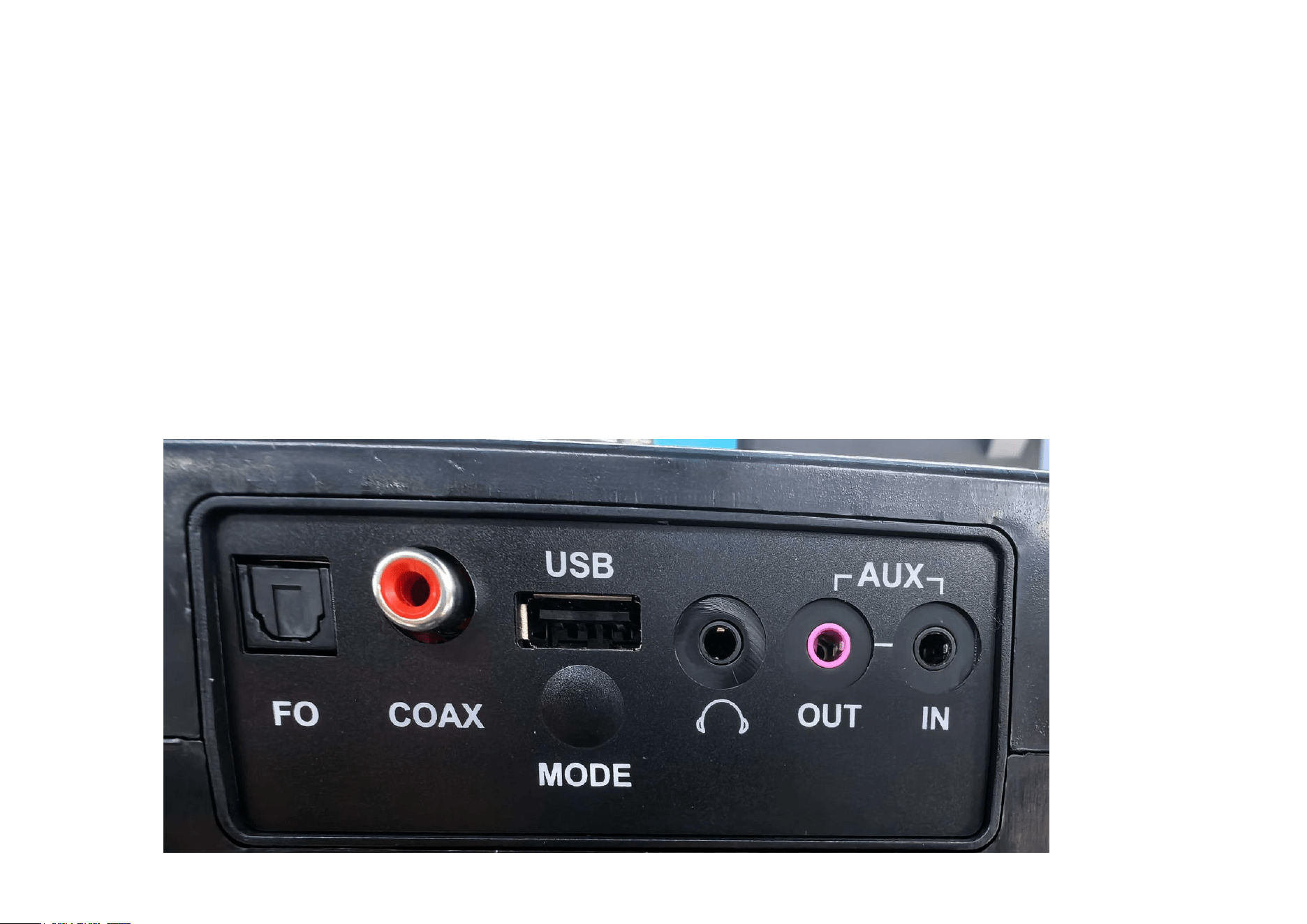
Press the MODE button to cycle through the optical input mode (with the optical input indicator light on),the
coaxial input mode(with the coaxial input indicator light on), and the Bluetooth mode (AUX IN mode when a
3.5mm audio cable is inserted); the default mode is Bluetooth.
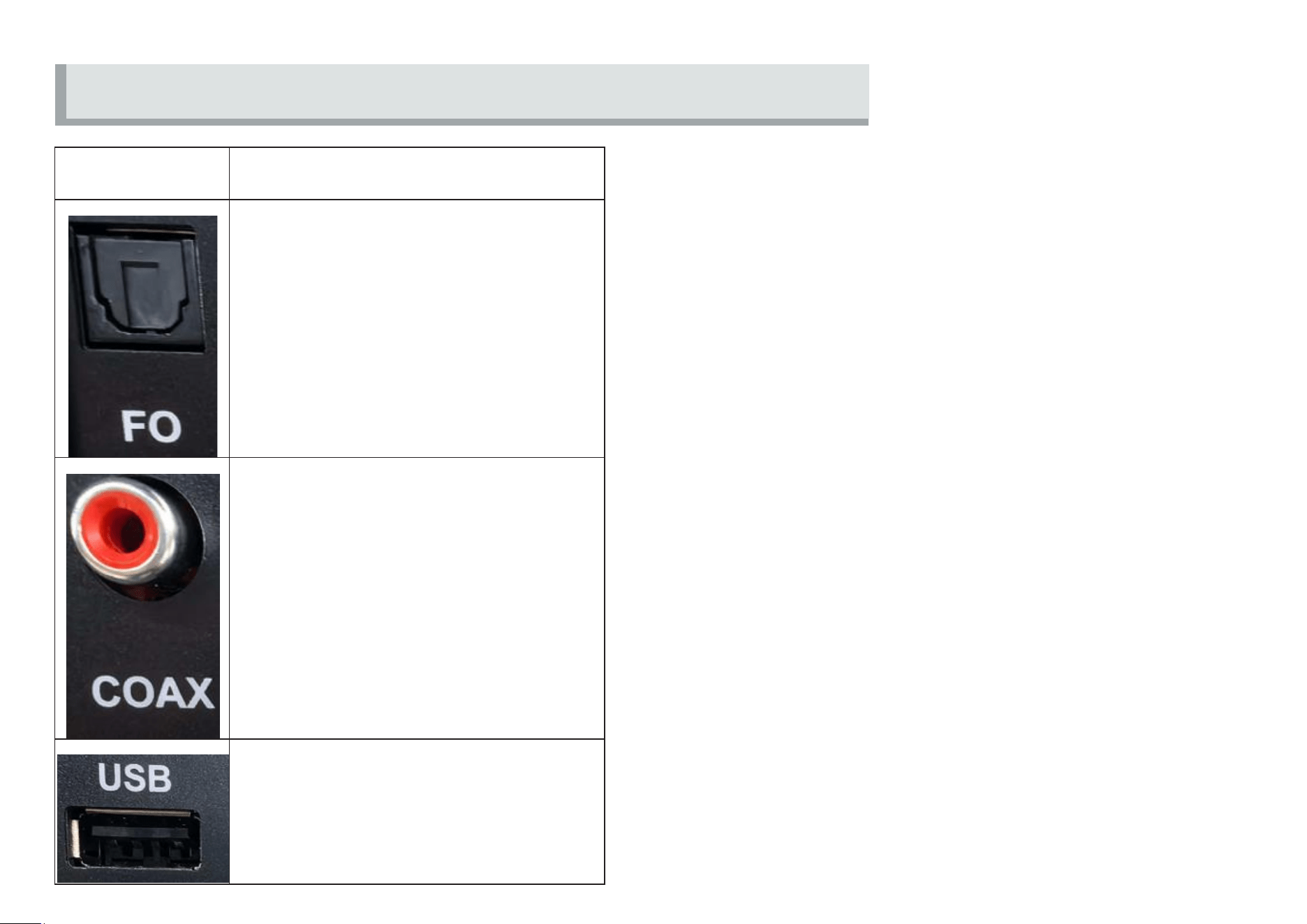
Port Function Overview
Port
Basic Function Description
Optical Audio Input
Coaxial Audio Input
USB Upgrade Port
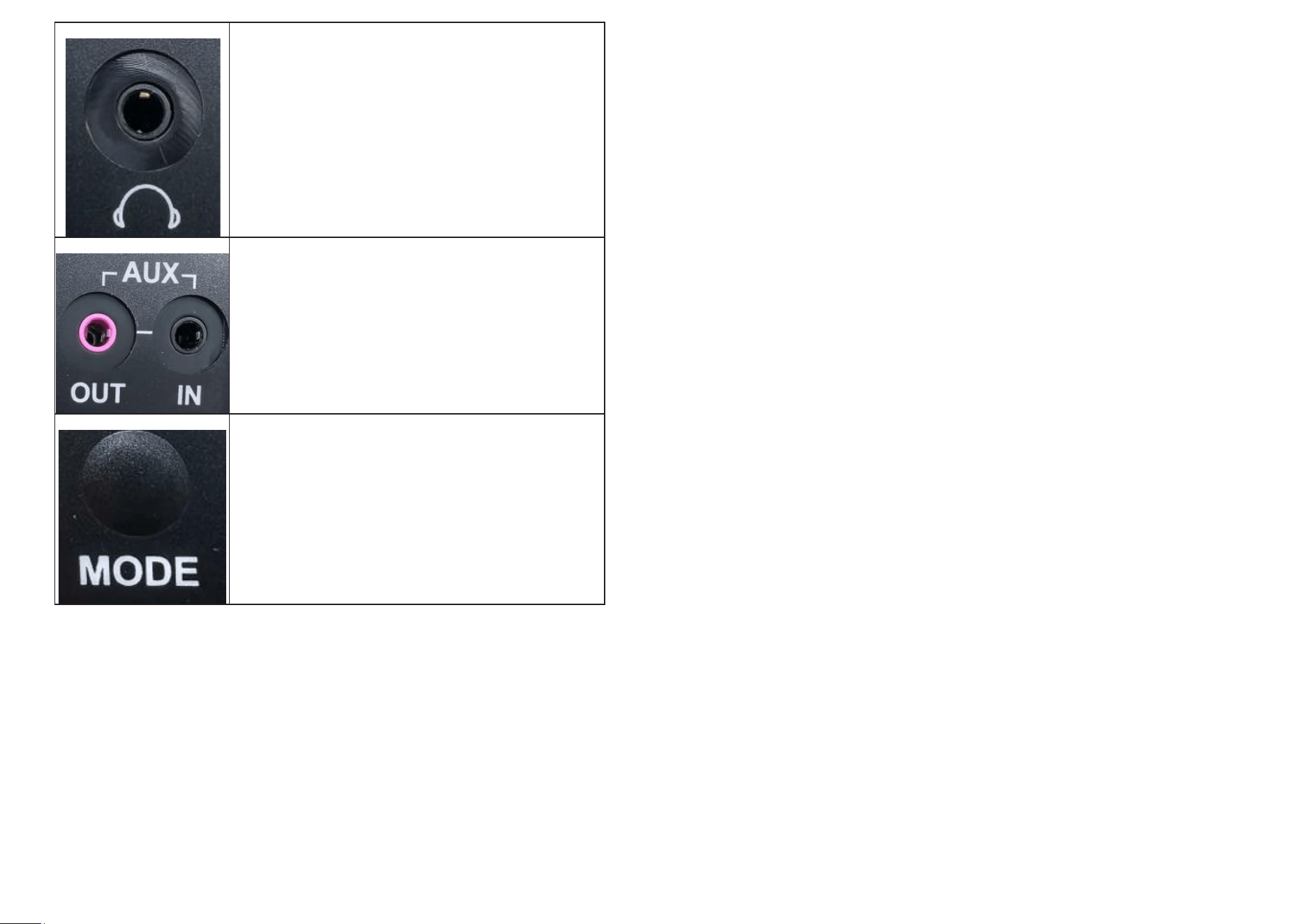
Headphone Output
AUX Input/Output
Audio Source Mode Switching
The amplifier box defaults to Bluetooth audio input and can be switched to optical/coaxial/other audio inputs via the MODE button. When switched to optical or
coaxial input, the corresponding indicator light below will remain on.
When switched to other modes, the audio source priority is AUX IN > Bluetooth. That is, when AUX IN is connected, the system will prioritize playing audio from
AUX IN. Bluetooth audio will only be available after the AUX IN cable is unplugged.
Note:
◼ When switched to optical/coaxial mode or when the AUX IN cable is plugged in, Bluetooth will not be discoverable. Bluetooth is also unavailable when a USB
flash drive is inserted.
◼ When wirelessly connected to certain TV models or using specific apps, audio and video may not be perfectly synchronized. Actual performance depends on
the TV or phone.
◼ Optical/coaxial inputs may encounter compatibility issues with certain TV or media player models. Please refer to the TV’s specifications.
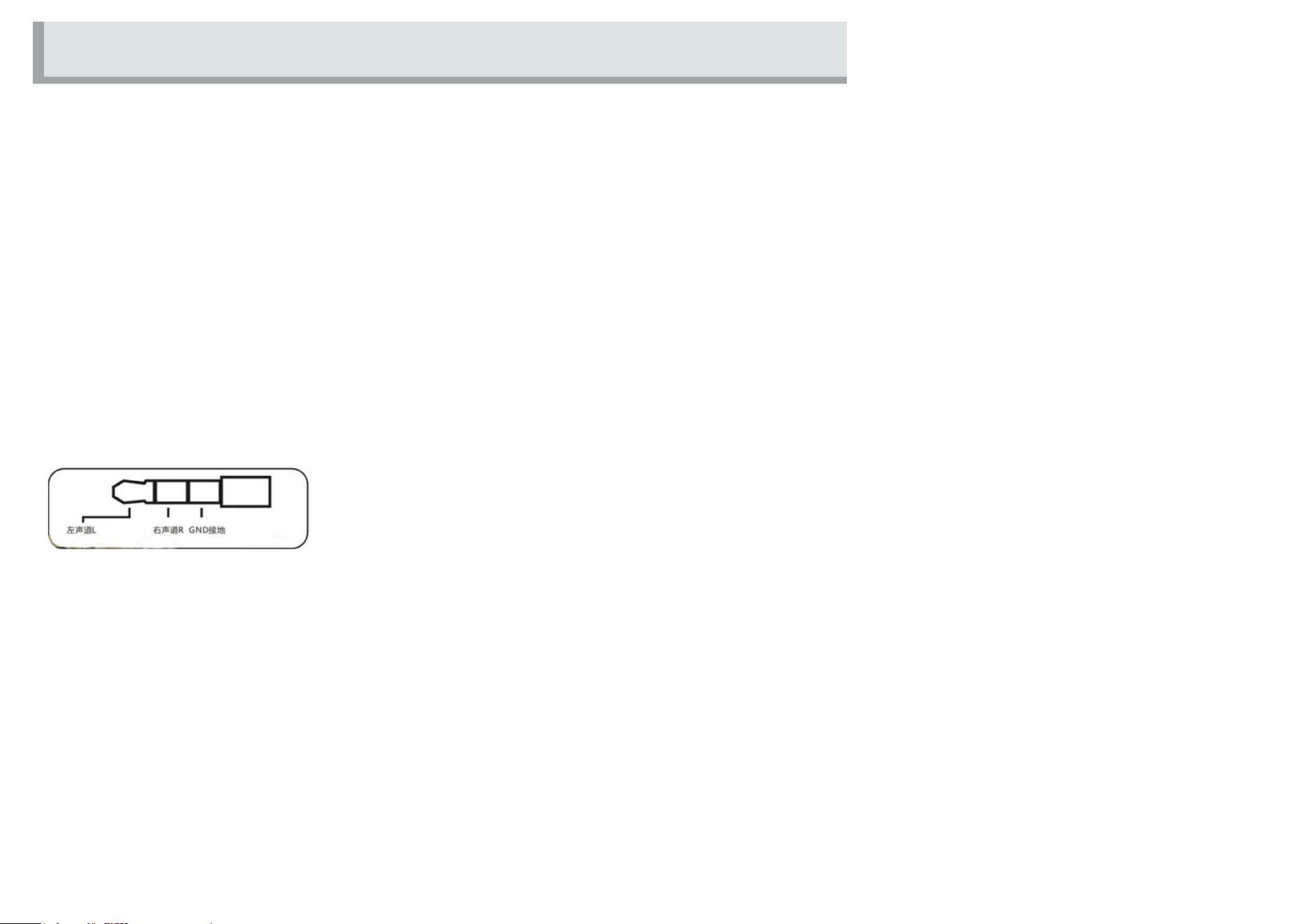
◼ AUX IN and AUX OUT cables must use a 3-segment (TRS) AUX connector.
Precautions
To avoid device malfunction or overheating, please follow the safety guidelines below:
⚫ The USB port is for firmware upgrades only. Do not insert any other USB devices unless necessary. Doing so may cause the Bluetooth function to
become unavailable.
⚫ Do not insert foreign objects into the USB port.
⚫ Do not spill water or other liquids into the USB port.
⚫ Avoid allowing foreign objects or liquids to enter the USB port to prevent short circuits.
⚫ Do not apply excessive force or impact to the USB port.
⚫ Do not disassemble or modify the USB port.
⚫ Do not attempt to disassemble or modify the device.
Detailed Functions

⚫ Do not use low-quality or non-original charging cables, as they may cause short circuits or damage the device and its switches.
⚫ Do not connect computers or other data communication devices to the USB port.
Please take attention that changes or modification not expressly approved by the party responsible for compliance could void the user’s authority to
operate the equipment.
This device complies with Part 15 of the FCC Rules. Operation is subject to the following two conditions:
(1) This device may not cause harmful interference, and
(2) This device must accept any interference received, including interference that may cause undesired operation.
This equipment complies with FCC radiation exposure limits set forth for an uncontrolled environment. This equipment should be installed and operated
with minimum distance 20cm between the radiator & your body.
This device complies with Industry Canada licence-exempt RSS standard(s). Operation is subject to the following two conditions:
(1) this device may not cause interference, and
(2) this device must accept any interference, including interference that may cause undesired operation of the device.
Le présent appareil est conforme aux CNR d'Industrie Canada applicables aux appareils radioexempts de licence. L'exploitation est autorisée aux deux
conditions suivantes :
(1) l'appareil ne doit pas produire de brouillage, et
(2) l'utilisateur de l'appareil doit accepter tout brouillage radioélectrique subi, même si le brouillage est susceptible d'en compromettre le fonctionnement.
This equipment complies with IC RSS-102 radiation exposure limits set forth for an uncontrolled environment. This equipment should be installed and
operated with minimum distance 20cm between the radiator & your body.
ce matériel est conforme aux limites de dose d'exposition aux rayonnements, CNR-102 énoncée dans un autre environnement.cette eqipment devrait
être installé et exploité avec distance minimale de 20 entre le radiateur et votre corps.