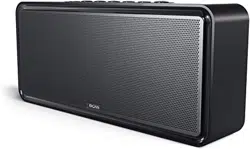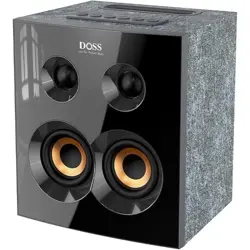
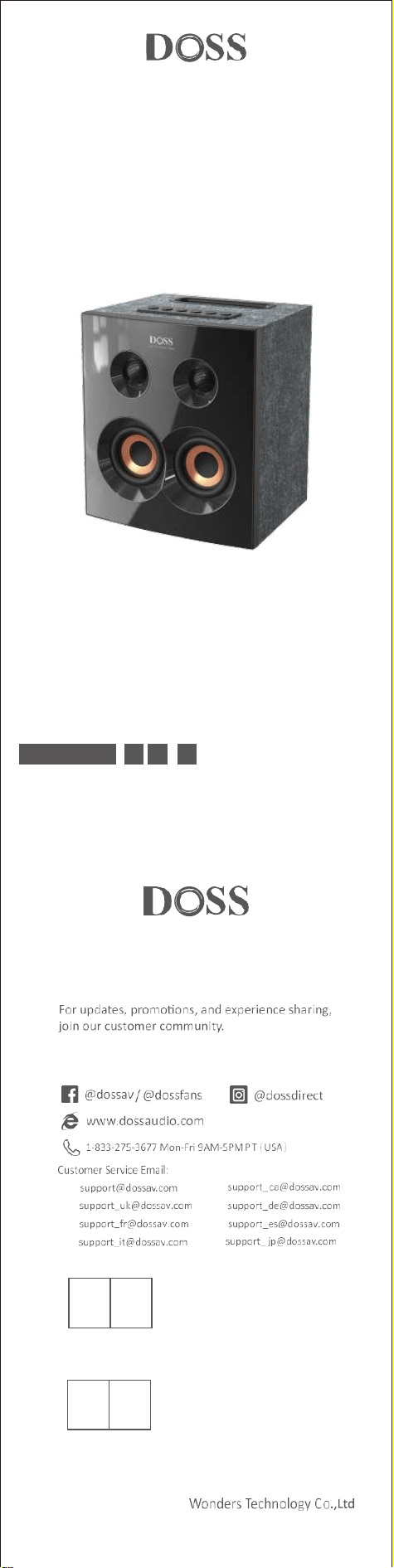
Home Speaker
EN DE FR IT ES JP CN
Model No.: SoundBox H300
Quick Start Guide
US:
UK:
FR:
IT :
CA:
DE:
ES:
JP:
OST_UK _20220119000010
EVATOST CONSULTING LTD
Office 101 32 Threadneedle Street, London,
United Kingdom, EC2R 8AY
contact@evatost.com
We simply act as UK representative for cross-border sellers, and are not manufacturers/importers/dis-
tributors for the product, nor involved in the manufacture/import/sale of the product. Therefore, we are
not responsible for any after-sales services related to the product. In case of any product quality or
infringement issues, the manufacturer/importer/seller shall be solely held responsible.
eVatmaster Consulting GmbH
Bettinastr. 30
60325 Frankfurt am Main,Germany
contact@evatmaster.com
OST EU 20220119000015
We simply act as EU representative for cross-border sellers, and are not manufactur-
ers/importers/distributors for the product, nor involved in the manufacture/import/sale of the
product. Therefore, we are not responsible for any after-sales services related to the product.
In case of any product quality or infringement issues, the manufacturer/importer/seller shall
be solely held responsible.
REP
UK
REP
EU

EN
1. Packing content
●
1 x SoundBox H300
●
1 x USB-C charging cable
●
1 x User Manual
2. Specifications
Output power: 90W
DC power input: 5V 3A/9V 2A
Battery: 11.1V/4500mAh
Charging time: ≤6H
Playtime: Up to 20H (at 50% volume)
Bluetooth version: V5.3
Bluetooth range: Up to 86ft
Net weight: 8.77 pounds
Dimension: 7.2*8.5*9.8 inches
TF card/USB drive audio format: MP3/WAV/FLAC(Max capacity 256G)
Warranty: One-year limited
3. Important notes before using
1. To prolong the lifetime of the battery, fully charge the speaker before the first
time using it.
2. The speaker will auto-power off after 15 minutes without audio input.
3.When all buttons can't be controlled, try to poke the Aux-in port with a paper
clip to reset the speaker.
4.If you need any assistance while using this speaker, please feel free to contact
customer service at supp[email protected].
4. Buttons and control
Press and hold 2s
Turn on/off
Press
Switch modes among Bluetooth, TF card, USB
drive, AUX-in audio modes
Press
Volume up
Press and hold 2s
Next track
Press
Volume down
Press and hold 2s
Previous track
Press
Play/Pause/Reconnect Bluetooth
Press and hold
Disconnect Bluetooth
Press
Answer/end a call
Press and hold
Reject a call
Press
Enter/ exit TWS mode
Press
Extra bass on/ off
Press and hold 2s
Restore factory setting
Press and hold 2s
Check version ID
Press and hold 2s
Remove/activate prompt tone (flash red :
remove, flash green: activate)
Press and hold 2s
Remove/activate the auto-power off feature
(flash red: remove,flash green: activate)
5. LED indications
Flashing blue
Bluetooth pairing
Flashing red
Low Battery
Solid blue
Bluetooth paired
Solid red
Aux in mode
Solid green
TF card mode
Solid white
USB drive mode
Solid white
Extra bass on
Light off
Extra bass off
Solid red
Charging
Light off
Fully charged
6. Pairing your device via Bluetooth
1. Enable the Bluetooth feature on your device.
2. Find“ SoundBox H300 ” on the Bluetooth device and connect it.
3.Once paired, you can see the status“ connected ” on your device.
Tips: Press to re-enter Bluetooth pairing if your device can't find“ SoundBox
H300 ” in 10 secs.
7. TWS (True Wireless Stereo) mode
1. Turn on both speakers.
2. Select a speaker as the primary speaker and press the button.
3.Once paired, the LED of the primary speaker turns solid blue, while the
second speaker turns slowly flashing blue.
4.Find " SoundBox H300 " on your Bluetooth device and connect it.
Tips: Bluetooth, AUX-IN, TF card, and USB drive modes are all supported in TWS
mode, you can press the "M" button to switch modes.

8. Use your speaker with Echo Dot
You can connect the Dot to the speaker via Bluetooth.
Please follow the steps to set up via Bluetooth:
1. Download the Alexa app and follow the steps to set up the procedure to get
the Dot connected to your home Wi-Fi network.
2. Switch the SoundBox H300 to Bluetooth mode.
3. Run the Alexa app, tap Menu, and then tap Settings.
4. Tap the Echo Dot in your list of Alexa devices, then tap Bluetooth.
5. The SoundBox H300 should appear in the list of Bluetooth devices. If not,
please press the power button and try again.
6. Once listed, tap on the speaker to complete the pairing process.
7. To remove the device, return to Bluetooth>tap the name of the speaker>
tap “Forget Device”
Note:
Voice command will not be able to turn on/off the speaker if you connect to it
via Bluetooth.
Warning
• DO NOT drop, hit or shake the speaker.
• DO NOT disassemble, repair or modify the speaker by yourself.
• DO NOT use cleaning products that contain benzene, solvents or alcohol.
• DO NOT expose the speaker to excessive heat or direct sunlight for a long time.
• DO NOT store the speaker in a place with humidity or dust.
• DO NOT place heavy objects on top of the speaker.
• DO NOT use the speaker near a microwave oven or wireless LAN products
Notice
This product complies with the radio interference requirements of the
European Community.
CAUTION RISK OF EXPLOSION IF BATTERY IS REPLACED BY AN INCORRECT TYPE.
DISPOSE OF USED
This symbol means the product must not be discarded as household
waste, and should be delivered to an appropriate collection facility for
recycling. Proper disposal and recycling helps protect natural resources,
human health and the environment. For more information on disposal and
recycling of this product, contact your local municipality, disposal service, or the
shop where you bought this product.
FCC Statement
This equipment has been tested and found to comply with the limits for a Class
B digital device, pursuant to part 15 of the FCC Rules. These limits are designed
to provide reasonable protection against harmful interference in a residential
installation. This equipment generates, uses and can radiate radio frequency
energy and, if not installed and used in accordance with the instructions, may
cause harmful interference to radio communications. However, there is no
guarantee that interference will not occur in a particular installation. If this
equipment does cause harmful interference to radio or television reception,
which can be determined by turning the equipment off and on, the user is
encouraged to try to correct the interference by one or more of the following
measures:
• Reorient or relocate the receiving antenna.
• Increase the separation between the equipment and receiver.
• Connect the equipment into an outlet on a circuit different from that to which
the receiver is connected.
• Consult the dealer or an experienced radio/TV technician for help.
Caution: Any changes or modifications to this device not explicitly approved by
manufacturer could void your authority to operate this equipment.This device
complies with part 15 of the FCC Rules. Operation is subject to the following
two conditions:
(1) This device may not cause harmful interference, and (2) this device must
accept any interference received, including interference that may cause
undesired operation.
RF Exposure Information
The device has been evaluated to meet general RF exposure requirement.
The device can be used in portable exposure condition without restriction.
ISED Statement
This device contains licence-exempt transmitter(s)/receiver(s) that comply with
Innovation, Science and Economic Development Canada's licence-exempt
RSS(s)Operation is subject to the following two conditions:
1. This device may not cause interference.
2. This device must accept any interference, including interference that may
cause undesired operation of the device.
This equipment should be installed and operated with a minimum distance of
20 cm between the radiator and your body.
Le présent appareil est conforme aux CNR d'industrie Canada applicablesauxap-
pareils radio exempts de licence. L'exploitation est autorisée aux deuxcondi-
tions suivantes : (1)I'appareil ne doit pas produire de brouillage, et(2)I'utilisa-
teur de l'appareil doit accepter toutbrouillage radioélectrique subi,mÃême si le
brouillage est susceptible d'en compromettre lefonctionnement.CAN
ICES-3(B)/NMB-3(B)
L'ap pareil a été évalué pour répondre aux exigences générales d'exposition
auxRF. Le dispositif peut être utilisé sans restriction dans des conditions
portativesd'exposition.
Cetéquipement doit étre installé et utilisé à une distance minimale de 20
cmentre le radiateur et votre corps.

DE
1. Inhalt der Packung
●
1 x SoundBox H300
●
1 x USB-C-Ladekabel
●
1 x Benutzerhandbuch
2. Spezifikationen
Ausgangsleistung: 90W
DC-Eingang: 5V 3A/9V 2A
Akku: 11,1V/4500mAh
Aufladezeit: ≤6H
Spielzeit: Bis zu 20 Stunden (bei 50% Lautstärke)
Bluetooth-Version: V5.3
Bluetooth-Reichweite: Bis zu 86ft/26m
Nettogewicht: 3.98kg
Abmessung: 18.2*21.6*24.9cm
TF-Karte/USB-Laufwerk Audioformat: MP3/WAV/FLAC (maximale Kapazität 256G)
Garantie: Ein Jahr eingeschränkt
3. Wichtige Hinweise vor der Verwendung
1. Um die Lebensdauer des Akkus zu verlängern, laden Sie den Lautsprecher vor
der ersten Verwendung vollständig auf.
2. Der Lautsprecher schaltet sich nach 15 Minuten ohne Audioeingang
automatisch aus.
3. Wenn sich nicht alle Tasten bedienen lassen, versuchen Sie, den Aux-Eingang mit
einer Büroklammer anzustechen, um den Lautsprecher zurückzusetzen.
4. Wenn Sie bei der Verwendung dieses Lautsprechers Hilfe benötigen, wenden Sie
4. Schaltflächen und Steuerung
2s drücken und halten
Einschalten/Ausschalten
Drücken Sie
Umschalten zwischen den Audiomodi Bluetooth,
TF-Karte, USB-Laufwerk und AUX-in
Drücken Sie
Lauter
2s drücken und halten
Nächster Titel
Drücken Sie
Lautstärke verringern
2s drücken und halten
Vorheriger Titel
Drücken Sie
Wiedergabe/Pause/Bluetooth-Verbindung
wiederherstellen
drücken und halten
Trennen der Bluetooth-Verbindung
Drücken Sie
Anruf annehmen/beenden
drücken und halten
Ablehnen eines Anrufs
Drücken Sie
TWS-Modus ein-/ausschalten
Drücken Sie
Extra-Bass ein-/ausschalten
2s drücken und halten
Werkseinstellung wiederherstellen
2s drücken und halten
Version lD prüfen
2s drücken und halten
Aufforderungston entfernen/aktivieren (rot
blinken: entfernen, grün blinken: aktivieren)
2s drücken und halten
Abschaltautomatik entfernen/aktivieren (rot
blinken: entfernen, grün blinken: aktivieren)
5. LED-Anzeigen
Blau blinkend
Bluetooth-Kopplung
Blinkend rot
Niedriger Batteriestand
Dauerhaft blau
Bluetooth gekoppelt
Dauerhaft rot
Aux-in-Modus
Dauerhaft grün
TF-Karten-Modus
Dauerhaft weiß
USB-Laufwerk-Modus
Festes Weiß
Extra-Bass ein
Hell off
Extra Bass ab
Rot einfarbig
Aufladen
Hell off
Vollständig aufgeladen
6. Koppeln Ihres Geräts über Bluetooth
1. Aktivieren Sie die Bluetooth-Funktion auf Ihrem Gerät.
2. Suchen Sie auf dem Bluetooth-Gerät nach " SoundBox H300" und verbinden
Sie es.
3. Nach der Kopplung sehen Sie auf Ihrem Gerät den Status "verbunden".
Tipps: Drücken Sie , um die Bluetooth-Kopplung erneut zu starten, wenn Ihr
Gerät die "SoundBox H300" nicht innerhalb von 10 Sekunden finden kann.
7. TWS (True Wireless Stereo) Modus
1. Schalten Sie beide Lautsprecher ein.
2. Wählen Sie einen Lautsprecher als primären Lautsprecher aus und drücken Sie
die Taste .
3. Nach der Kopplung leuchtet die LED des primären Lautsprechers dauerhaft
blau, während der zweite Lautsprecher langsam blau blinkt.
4. Suchen Sie die "SoundBox H300" auf Ihrem Bluetooth-Gerät und verbinden
Sie sie.
Tipps: Bluetooth, AUX-IN, TF-Karte und USB-Laufwerk Modi sind alle in
TWS-Modus unterstützt, können Sie die "M"-Taste drücken, um Modi zu
wechseln.

8. Verwenden Sie Ihren Lautsprecher mit dem Echo Dot
Sie können den Dot über Bluetooth mit dem Lautsprecher verbinden.
Bitte befolgen Sie die Schritte zur Einrichtung über Bluetooth:
1. laden Sie die Alexa-App herunter und folgen Sie den Schritten zur Einrichtung,
um den Dot mit Ihrem Wi-Fi-Netzwerk zu verbinden.
2. Schalten Sie die SoundBox H300 in den Bluetooth-Modus.
3. Starten Sie die Alexa-App, tippen Sie auf Menü und dann auf Einstellungen.
4.Tippen Sie auf den Echo Dot in der Liste der Alexa-Geräte und dann auf
Bluetooth.
5. Die SoundBox H300 sollte in der Liste der Bluetooth-Geräte erscheinen. Ist
dies nicht der Fall, drücken Sie bitte die Einschalttaste und versuchen Sie es
erneut.
6. Tippen Sie nach der Auflistung auf den Lautsprecher, um den Kopplungsproz-
ess abzuschließen.
7. Um das Gerät zu entfernen, kehren Sie zu Bluetooth zurück>Tippen Sie auf
den Namen des Lautsprechers>Tippen Sie auf "Gerät vergessen".
Hinweis:
Der Lautsprecher kann nicht per Sprachbefehl ein- und ausgeschaltet werden,
wenn Sie ihn über Bluetooth verbinden.
Warnung
• Lassen Sie den Lautsprecher NICHT fallen, schlagen oder schütteln Sie ihn nicht.
• Demontieren, reparieren oder modifizieren Sie den Lautsprecher NICHT selbst.
• Verwenden Sie KEINE Reinigungsmittel, die Benzol, Lösungsmittel oder Alkohol
enthalten.
• Setzen Sie den Lautsprecher NICHT über einen längeren Zeitraum übermäßiger
• Hitze oder direkter Sonneneinstrahlung aus.
• Lagern Sie den Lautsprecher NICHT an einem Ort mit Feuchtigkeit oder Staub.
• Stellen Sie KEINE schweren Gegenstände auf den Lautsprecher.
• Verwenden Sie den Lautsprecher NICHT in der Nähe eines Mikrowellenofens
oder drahtloser LAN-Produkte.
Hinweis
Dieses Produkt entspricht den Richtlinien der Europäischen Union zu
Funkstörungen.
Dieses Symbol bedeutet,dass das Produkt nicht mit dem Hausmüll
entsorgt werdendarf,son dern bei einer geeigneten Sammelstelle für das
Recycling abgegeben werden muss. Dieordnungsgemäße Entsor gung
und das Recycling tragen dazu bei, die natürlichen Ressourcen,die Gesundheit
und die Umwelt zu schützen. Weitere Informationen zur Entsorgung und zum
Recycling dieses Produkts erhalten Sie von Ihrer zuständigen Kommune, Ihrem
Entsorgungsdienst oder dem Geschäft, in dem Sie dieses Produkt gekauft haben.

FR
1. Contenu de l'emballage
●
1 x SoundBox H300
●
1 x Câble de chargement USB-C
●
1 x Manuel d'utilisateur
2. Spécification
Puissance de sortie: 90W
Entrée d'alimentation DC: 5V 3A/9V 2A
Batterie: 11.1V/4500mAh
Temps de charge: ≤6H
Durée d'écoute: Jusqu'à 20 heures (à 50 % du volume)
Version Bluetooth: V5.3
Portée Bluetooth: Jusqu'à 26m
Poids net: 3.98kg
Dimension: 18.2*21.6*24.9cm
Format audio de la carte TF/clé USB: MP3/WAV/FLAC (capacité maximale 256G)
Garantie: Limitée à un an
3. Remarques importantes avant l'utilisation
1. Pour prolonger la durée de vie de la batterie, chargez complètement le
haut-parleur avant de l'utiliser pour la première fois.
2. Le haut-parleur s'éteint automatiquement après 15 minutes sans entrée audio.
3. Lorsque tous les boutons ne peuvent pas être contrôlés, essayez de percer le
port d'entrée auxiliaire avec un trombone pour réinitialiser le haut-parleur.
4. Si vous avez besoin d'aide lors de l'utilisation de ce haut-parleur, n'hésitez pas à
contacter le service clientèle à l'adresse support_fr@dossav.com.
4. Boutons et Commandes
Appuyez et maintenez
pendant 2s
Allumer/Éteindre
Appuyez
Changement de mode entre les modes
Bluetooth, carte TF, clé USB ou AUX-in.
Appuyez
Augmenter le volume
Appuyez et maintenez
pendant 2s
Piste suivante
Appuyez
Diminuer le volume
Appuyez et maintenez
pendant 2s
Piste précédente
Appuyez
Lecture/Pause/Reconnexion Bluetooth
Appuyez et maintenez
Déconnecter le Bluetooth
Appuyez
Répondre/Terminer un appel
Appuyez et maintenez
Refuser un appel
Appuyez
Entrer/Sortir du mode TWS
Appuyez
Extra bass allumer/éteindre
Appuyez et maintenez
pendant 2s
Restore factory setting
Appuyez et maintenez
pendant 2s
Vérifier la version lD
Appuyez et maintenez
pendant 2s
Tonalité de retrait/activation (clignotement
rouge: retrait, clignotement vert: activation)
Appuyez et maintenez
pendant 2s
Supprimer/activer la fonction de mise hors
tension automatique (clignotement rouge:
supprimer, clignotement vert: activer)
5. Indications LED
Bleu clignotant
Appairage Bluetooth
Rouge clignotant
Batterie faible
Bleu fixe
Bluetooth apparié
Rouge fixe
Mode Aux in
Vert fixe
Mode carte TF
Blanc fixe
Mode clé USB
Blanc fixe
Extra bass marche
Lumière éteinte
Extra bass arrêt
Rouge fixe
Chargement
Lumière éteinte
Chargement complet
6. Appairage de votre appareil via Bluetooth
1. Activer la fonction Bluetooth sur votre appareil.
2. Trouver « SoundBox H300 » sur l'appareil Bluetooth et le connecter.
3. Une fois le jumelage effectué, vous pouvez voir le statut « connecté » sur votre
appareil.
Conseils: Appuyer sur pour rétablir l'appairage Bluetooth si votre appareil ne
trouve pas la « SoundBox H300 » dans les 10 secondes.
7. Mode TWS (True Wireless Stereo)
1. Allumez les deux enceintes.
2. Sélectionnez une enceinte en tant qu'enceinte principale et appuyez sur le
bouton .
3. Une fois appariée, la LED de l'enceinte principale devient bleue fixe, tandis
que la seconde enceinte devient lentement bleue clignotante.
4. Trouver « SoundBox H300 » sur votre appareil Bluetooth et le connecter.
Conseils : Les modes Bluetooth, AUX-IN, carte TF et clé USB sont tous pris en
charge en mode TWS, vous pouvez appuyer sur le bouton « M » pour changer
de mode.

8. Utiliser votre enceinte avec l'Echo Dot
Vous pouvez connecter le Dot à l'enceinte via Bluetooth.
Veuillez suivre les étapes de configuration via Bluetooth :
1.Téléchargez l'application Alexa et suivez les étapes de configuration de la
procédure pour que le Dot soit connecté à votre réseau Wi-Fi domestique.
2.Passer SoundBox H300 en mode Bluetooth.
3.Lancez l'application Alexa, appuyez sur Menu, puis sur Paramètres.
4.Appuyez sur l'Echo Dot dans votre liste d'appareils Alexa, puis appuyez sur
Bluetooth.
5. SoundBox H300 doit apparaître dans la liste des appareils Bluetooth. Si ce
n'est pas le cas, appuyez sur le bouton d'alimentation et réessayez.
6. Une fois dans la liste, appuyez sur l'enceinte pour terminer le processus
d'appairage.
7. Pour supprimer l'appareil, revenez à Bluetooth>appuyez sur le nom de
l'enceinte>appuyez sur «Oublier l'appareil».
NB :
La commande vocale ne pourra pas allumer/éteindre l'enceinte si vous vous y
connectez via Bluetooth.
Avertissement
• NE PAS faire tomber, frapper ou secouer le haut-parleur.
• NE PAS démonter, réparer ou modifier le haut-parleur soi-même.
• NE PAS utiliser de produits de nettoyage contenant du benzène, des solvants ou
de l'alcool.
• NE PAS exposer le haut-parleur à une chaleur excessive ou à la lumière directe
du soleil pendant une longue période.
• NE PAS ranger le haut-parleur dans un endroit humide ou poussiéreux.
• NE PAS placer d'objets lourds sur le haut-parleur.
• NE PAS utiliser le haut-parleur à proximité d'un four à micro-ondes ou de
produits LAN sans fil.
Avertissement
Ce produit est conforme aux spécifications d’interférence radio de la
Communauté Européenne.
Ce symbole signifie que le produit ne doit pas être jeté avec les déchets
ménagers, mais doit être déposé dans un centre de collecte approprié
pour recyclage. Une mise au rebut et un recyclage adéquats permettent
de protéger les ressources naturelles, la santé humaine et l’environnement. Pour
plus d’informations sur l’élimination et le recyclage de ce produit, contactez votre
mairie, votre service de ramassage des ordures ou le magasin où vous avez acheté
ce produit.

IT
1. Contenuto dell'imballaggio
●
1 x SoundBox H300
●
1 x Cavo di ricarica USB-C
●
1 x Manuale d'uso
2. Specifiche tecniche
Potenza di uscita: 90W
Ingresso alimentazione DC: 5V 3A/9V 2A
Batteria: 11,1V/4500mAh
Tempo di ricarica: ≤6H
Tempo di riproduzione: Fino a 20H (al 50% del volume)
Versione Bluetooth: V5.3
Portata Bluetooth: Fino a 86 piedi/26m
Peso netto: 3.98kg
Dimensione: 18.2*21.6*24.9cm
Formato audio della scheda TF/unità USB: MP3/WAV/FLAC (capacità massima
256G)
Garanzia: Limitata di un anno
3. Note importanti prima dell'uso
1. Per prolungare la durata della batteria, caricare completamente il diffusore
prima del primo utilizzo.
2. Il diffusore si spegne automaticamente dopo 15 minuti di assenza di segnali
audio.
3. Quando non è possibile controllare tutti i pulsanti, provare a punzecchiare la
porta Aux-in con una graffetta per resettare il diffusore.
4. Se si necessita di assistenza durante l'utilizzo di questo diffusore, contattare il
servizio clienti all'indirizzo support_[email protected].
4. Buttons and control
Tenere premuto 2s
Accensione/spegnimento
Premere
Commutazione delle modalità tra Bluetooth,
scheda TF, unità USB , modalità audio AUX-in
Premere
Volume in alto
Tenere premuto 2s
Traccia successiva
Premere
Volume ridotto
Tenere premuto 2s
Traccia precedente
Premere
Riproduzione/Pausa/Ricollegamento Bluetooth
Premere e tenere
premuto
Disconnettere il Bluetooth
Premere
Rispondere/terminare una chiamata
Premere e tenere
premuto
Rifiutare una chiamata
Premere
Entrare/uscire dalla modalità TWS
Premere
Attivazione/disattivazione dei bassi extra
Tenere premuto 2s
Ripristino delle impostazioni di fabbrica
Tenere premuto 2s
Controllare la versione lD
Tenere premuto 2s
Tono di richiesta di rimozione/attivazione (rosso
lampeggiante: rimozione, verde lampeggiante:
attivazione)
Tenere premuto 2s
Rimuovere/attivare la funzione di spegnimento
automatico (lampeggiamento rosso: rimozione,
lampeggiamento verde: attivazione)
5. Indicazioni dei LED
Blu lampeggiante
Accoppiamento Bluetooth
Rosso lampeggiante
Batteria scarica
Blu solido
Bluetooth accoppiato
Rosso solido
Modalità Aux in
Verde fisso
Modalità scheda TF
Bianco pieno
Modalità unità USB
Bianco pieno
Bassi extra su
Luce off
Sconto extra sul basso
Rosso solido
Ricarica
Luce off
Completamente carico
6. Accoppiamento del dispositivo tramite Bluetooth
1. Attivare la funzione Bluetooth sul dispositivo.
2. Individuare " SoundBox H300" sul dispositivo Bluetooth e collegarlo.
3. Una volta accoppiato, sul dispositivo viene visualizzato lo stato "connesso".
Suggerimenti: Premere per rientrare nell'accoppiamento Bluetooth se il
dispositivo non trova "SoundBox H300" entro 10 secondi.
7. Modalità TWS (True Wireless Stereo)
1. Accendere entrambi i diffusori.
2. Selezionare un diffusore come diffusore principale e premere il tasto .
3.Una volta accoppiato, il LED del diffusore principale diventa blu fisso, mentre il
secondo diffusore diventa lentamente blu.
4.Individuare "SoundBox H300" sul dispositivo Bluetooth e collegarlo.
Suggerimenti: Le modalità Bluetooth, AUX-IN, scheda TF e unità USB sono tutte
supportate in modalità TWS; è possibile premere il pulsante "M" per cambiare
modalità.

8. Utilizzate il vostro altoparlante con Echo Dot
È possibile collegare il Dot al diffusore tramite Bluetooth.
Seguire i passaggi per la configurazione tramite Bluetooth:
1. Scaricare l'app Alexa e seguire la procedura di configurazione per connettere
il Dot alla rete Wi-Fi domestica.
2. Passare il SoundBox H300 alla modalità Bluetooth.
3.Avviare l'app Alexa, toccare Menu e quindi Impostazioni.
4.Toccare Echo Dot nell'elenco dei dispositivi Alexa, quindi toccare Bluetooth.
5.Il SoundBox H300 dovrebbe apparire nell'elenco dei dispositivi Bluetooth. In
caso contrario, premere il pulsante di accensione e riprovare.
6. Una volta inserito nell'elenco, toccare il diffusore per completare il processo di
accoppiamento.
7. Per rimuovere il dispositivo, tornare a Bluetooth>toccare il nome del
diffusore>toccare "Dimentica dispositivo".
Nota:
Il comando vocale non sarà in grado di accendere/spegnere il diffusore se lo si
collega tramite Bluetooth.
Avvertenze
•NON far cadere, colpire o scuotere il dispositivo.
•NON smontare, riparare o modificare il diffusore.
•NON utilizzare detergenti contenenti benzene, solventi o alcol.
•NON esporre il diffusore a calore eccessivo o alla luce diretta del sole per
periodi prolungati.
•NON conservare il dispositivo in un luogo con elevata umidità o polvere.
•NON appoggiare oggetti pesanti sul diffusore.
•NON utilizzare il diffusore in prossimità di un forno a microonde o di prodotti
LAN wireless.
Avviso
Questo prodotto è conforme alle normative comunitarie in materia di
interferenze radio.
Questo simbolo indica che il prodotto non deve essere smaltito con i rifiuti
domestici, ma deve essere consegnato a una struttura di raccolta
appropriata per il riciclaggio.Uno smaltimento eun riciclaggio corretti
aiutano a preservare le risorse naturali, la salute e l’ambiente. Per ulteriori
informazioni sullo smaltimento e sul riciclaggio di questo prodotto, rivolgersi alle
autorità locali, al servizio di smaltimento dei rifiuti o al negozio presso il quale è
stato acquistato.

ES
1. Contenido del Paquete
●
1 x SoundBox H300
●
1 x Cable USB-C
●
1 x Manual del usuario
2. Especificaciones
Potencia de salida: 90W
Salida de CC: 5V 3A/9V 2A
Batería: 11.1V/4500mA
Tiempo de carga: ≤6H
Tiempo de reproducción: Hasta 20 horas (al 50% de volumen)
Versión de Bluetooth: V5.3
Alcance Bluetooth: Hasta 26m
Peso neto: 3.98kg
Dimensión: 18.2*21.6*24.9cm
Formato de audio de tarjeta TF/unidad USB: MP3/WAV/FLAC(capacidad máxima
256G)
Garantia: Limitada a un año
3. Notas importantes antes de usar
1. Para prolongar la vida útil de la batería, carga completamente el altavoz antes
de utilizarlo por primera vez.
2. El altavoz se apagará automáticamente después de 15 minutos sin entrada de
audio.
3. Cuando no se puedan controlar todos los botones, intenta pinchar el puerto
Aux-in con un clip para reiniciar el altavoz.
4. Si necesitas ayuda mientras utilizas este altavoz, no dudes en ponerte en
contacto con el servicio de atención al cliente en support_es@dossav.com.
4. Botones y control
Mantener presionado 2s
Encender/apagar
Presionar
Cambiar entre los modos de audio Bluetooth,
Tarjeta Micro SD, Memoria USB, o AUX-in
Presionar
Subir volumen
Mantener presionado 2s
Siguiente pista
Presionar
Bajar el volumen
Mantener presionado 2s
Pista anterior
Presionar
Reproducir/Pausar/Reconectar Bluetooth
Mantener presionado
Desconectar Bluetooth
Presionar
Contestar/finalizar una llamada
Mantener presionado
Rechazar una llamada
Presionar
Entrar/salir del modo TWS
Presionar
Encender/apagar Extra Bass
Mantener presionado 2s
Restablecer la configuración de fábrica
Mantener presionado 2s
Comprobar versión lD
Mantener presionado 2s
Eliminar/activar el tono de aviso (parpadea en
rojo: eliminar, parpadea en verde: activar)
Mantener presionado 2s
Eliminar/activar la función de apagado
automático (parpadea en rojo: eliminar,
parpadea en verde: activar)
5. Indicaciones LED
Azul parpadeante
Emparejamiento Bluetooth
Rojo parpadeante
Batería baja
Azul sólido
Bluetooth emparejado
Rojo sólido
Modo de Aux in
Verde sólido
Modo de Tarjeta Micro SD
Blanco sólido
Modo de Memoria USB
Blanco sólido
Extra bass encendido
Luz apagada
Extra bass apagado
Rojo sólido
Cargando
Luz apagada
Totalmente cargado
6. Emparejar tu dispositivo mediante Bluetooth
1. Activa la función Bluetooth en su dispositivo.
2. Busca" SoundBox H300" en el dispositivo Bluetooth y conéctalo.
3. Una vez emparejado, podrás ver el estado "conectado" en tu dispositivo.
Nota: presiona para reintroducir el emparejamiento Bluetooth si tu
dispositivo no encuentra "SoundBox H300" en 10 segundos.
7. Modo TWS (Verdadero estéreo inalámbrico)
1. Enciende los dos altavoces.
2. Seleccione un altavoz como principal y presione el botón .
3. Una vez emparejado, el LED del altavoz principal se ilumina en azul fijo,
mientras que el del segundo altavoz se ilumina lentamente en azul intermitente.
4.Busca " SoundBox H300 " en tu dispositivo Bluetooth y conéctalo.
Nota: Los modos Bluetooth, AUX-IN, Tarjeta Micro SD o Memoria USB son
compatibles con el modo TWS, puedes presionar el botón "M" para cambiar de
modo.

8. Utiliza tu altavoz con el Echo Dot
Puedes conectar el Dot al altavoz a través de Bluetooth.
Sigue los pasos para configurarloa través de Bluetooth:
1. Descarga la app Alexa y sigue los pasos para configurar el procedimiento para
que el Dot se conecte a la red Wi-Fi de tu casa.
2. Cambia la SoundBox H300 al modo Bluetooth.
3. Ejecuta la aplicación Alexa, toca Menú y, a continuación, Configuración.
4.Toca el Echo Dot en tu lista de dispositivos Alexa y, a continuación, toca
Bluetooth.
5. SoundBox H300 debería aparecer en la lista de dispositivos Bluetooth. Si no
es así, pulsa el botón de encendido y vuelve a intentarlo.
6. Una vez en la lista, presione sobre el altavoz para completar el proceso de
emparejamiento.
7. Para eliminar el dispositivo, vuelve a Bluetooth>toca el nombre del altavoz>
toca "Olvidar dispositivo".
Nota:
El comando de voz no podrá encender/apagar el altavoz si se conecta a él a
través de Bluetooth.
Advertencias
• Evite dejar caer o golpear el altavoz.
• Evite exponerlo a temperaturas extremas.
• Evite usar el altavoz cerca de un microondas.
• No desmonte ni repare nunca el altavoz.
• Nunca use ningún limpiador/aceite corrosivo para limpiarlo.
• Nunca deje el altavoz en un coche aparcado al sol.
• Nunca trate de cargar el altavoz mientras esté mojado.
Aviso
Este producto cumple con los requisitos de interferencias de radio de
la Comunidad Europea.
Este símbolo siznifica que el producto no debe desecharse como residuo
doméstico y debe entregarse a un centro de recolección apropiado para
reciclado. La eliminación y el reciclado adecuados ayudan a proteger los
recursos naturales, la salud de las personas y el medioambiente.
Para obtener más información sobre la eliminación y el reciclado de este
producto, póngase encontacto con su municipio, el servicio de gestión de residuos
o el comercio donde haya comprado este producto.

JP
1.
パッケージ
内容
●
1 x SoundBox H300
●
1 x USB-C充電ケ
ー
ブル
●
1 x 取扱説明書
2. 仕様
出力:90W
DC入力電圧:5V 3A/9V
2A
バ
ッ
テ
リー
:11.1V/4500mAh
充電時間:≤6H
再生時間:約20
H
(50%音量
で
)
Bluetoothバ
ー
ジ
ョ
ン:V5.3
最大伝送距離:約26m
本体重量:3.98kg
外形寸法:18.2*21.6*24.9cm
TF
カード
/USB
メモリオーディオフォーマット
:MP3/WAV/FLAC(最大容量256G)
保証期間:1年間
3. ご使用前の注意事項
1.
電池の寿命を延ばすために、初めて本製品をご使用になる場合は、完全に充
電
を
行って
く
だ
さ
い
。
2.
音声入力がない状態が15分間続く場合、スピーカーは自動的に電源が切れ
ま
す。
3.
すべてのボタンが機能
し
ない場合
、
Auxポ
ート
に針を差
し
込んで
く
だ
さ
い
。
4.
機器の使用につい
て
何かご質問
・
ご不明な点等
ご
ざい
まし
た
ら、
お気軽に
support_jp@dossav.comにご連絡
く
だ
さ
い
。
4.
ボタンとコントロール
2秒間長押
し
す
る
電源on/off
押す
Bluetooth、TFカード、USBメモリ、またはAUX入
力オ
ーディオモードの
間
でモード
を切
り
替
える
押す
音量を上げる
2秒間長押
し
す
る
曲送り
押す
音量を下げる
2秒間長押
し
す
る
曲戻し
押す
再生/一時停止/Bluetooth再接続
長押しする
Bluetooth接続を解除する
押す
通話に応答/終了する
長押しする
通話を拒否する
押す
TWSモードに入る/終了する
押す
Extra bass on/ off
2秒間長押
し
す
る
スピーカーを初期化する
2秒間長押
し
す
る
バージョンIDを確認する
2秒間長押
し
す
る
指示音を削除/起動する(赤点滅: 削除、
緑点滅: 起動)
2秒間長押
し
す
る
自動電源オフを削除/起動する(赤点滅: 削除、
緑点滅: 起動)
5.
LED
イン
ジ
ケーター
青点滅
Bluetooth接続中
赤点滅
電量残量は低下
青点灯
Bluetooth接続済み
赤点灯
Aux inモード
緑点灯
TF
カードモード
白点灯
USB
メモリモード
白点灯
Extra bass on
消灯
Extra bass off
赤点灯
充電中
消灯
充電完了
6.
Bluetoothでデバイスをペアリングする
1.
デバ
イ
スのBluetooth機能をオンに
し
て
く
だ
さ
い
。
2.
Bluetooth
リ
ス
ト
か
ら「
SoundBox H300
」
を選択
し、
接続
し
て
く
だ
さ
い
。
3.
ペア
リ
ングに成功する
と、
デバ
イ
スで
「
接続済み
」
を見る
こと
ができます
。
ヒ
ン
ト
:10秒間内
「
SoundBox H300
」
が未検出
さ
れる
と、
を押
し
て
Bluetoothペア
リ
ングモ
ード
に再度入れて
く
だ
さ
い
。
7. TWS (True Wireless Stereo) モード
1.2台
のスピーカーをオンにして
く
ださい。
2.
いずれかの
スピーカーをプライマリースピーカーとして
選択
し、
ボ
タン
を
押
して
く
ださい。
3.
ペア
リ
ングに成功する
と、
プ
ライ
マ
リー
ス
ピーカー
のLEDは青点灯
し、
サブ
ス
ピーカー
のはゆ
っくりと
青点滅
し
ます
。
4.
Bluetooth
リスト
か
ら「
SoundBox H300
」を
選択
し、
接続
してくださ
い
。
ヒント
:TWS
モード
でBluetooth
、
AUX-IN
、
TF
カード、
USB
メモリ
の再生はすべ
て
サポ
ートさ
れ
、「M
」
ボ
タン
を押す
と、モード
を切
り
替
えま
す
。

8. Echo Dotと接続
BluetoothでDotをス
ピーカー
に接続できます
。
Bluetoothで接続する手順は以下の
と
お
り
:
1.
Alexaアプ
リ
をダウン
ロードし
てDot
と
自宅のWi-Fiネ
ット
ワ
ー
クに接続
し
て
く
ださい。
2.
SoundBox H300をBluetoothモ
ード
に切
り
替えて
く
だ
さ
い
。
3.
Alexaアプ
リ
を起動
し、
「
メニュー
」
を
タッ
プ
し、そ
の後
「
設定
」
を
タッ
プ
してく
ださい。
4.
Alexaデバ
イ
スの
リ
ス
ト
か
ら
Echo Dotをタ
ッ
プ
し、
Bluetoothをタ
ッ
プ
し
て
く
ださい。
5.
SoundBox H300は、Bluetooth機器のリストに表示されるはずです。表示さ
れない場合は
、
電源ボ
タンを
押
して
再試行
してく
だ
さ
い
。
6.
リ
ス
ト
に
表
示さ
れ
ると
、
スピーカーをタ
ッ
プ
し
てペア
リ
ング
し
て
く
ださい。
7.
デバ
イ
スの情報を削除するには
、
Bluetoothに戻
し
>ス
ピー
カ
ー
の名前を
タ
ッ
プし>
「
デバイスを忘れ
」
をタ
ッ
プして
く
だ
さ
い
。
注意:
Bluetoothでス
ピー
カ
ー
に接続
し
ている場合
、
音声
コ
マン
ド
でス
ピー
カ
ー
を
オン/
オフ
にする
こ
とはできません
。
安全上のご注意
•
本機
を
落
とし
た
り、
ぶつけた
り、
揺れた
りし
ないで
く
だ
さ
い
。
•
自分
で本機を
解体
し
た
り、
修理
し
た
り、
改造
し
た
りし
ないで
く
だ
さ
い
。
•
本機
をベンゼン、アルコールなど
の溶剤の入
っ
た洗剤で洗浄
しないでく
ださい。
•
本機を異常に高温のある場所や直射日光のあたる場所に長時間置か
ないで
く
ださい。
•
本機を湿気の多い場所やほこりのある場所に置かないでください。
•
本機の上に重いものを置かないで
く
だ
さ
い
。
•
本機を電子
レ
ンジや無線LANデバ
イ
スに近付けないで
く
だ
さ
い
。
Notice
This product complies with the radio interference requirements of the
European Community.
CAUTION RISK OF EXPLOSION IF BATTERY IS REPLACED BY AN INCORRECT TYPE.
DISPOSE OF USED
This symbol means the product must not be discarded as household
waste, and should be delivered to an appropriate collection facility for
recycling. Proper disposal and recycling helps protect natural resources,
human health and the environment. For more information on disposal and
recycling of this product, contact your local municipality, disposal service, or the
shop where you bought this product.