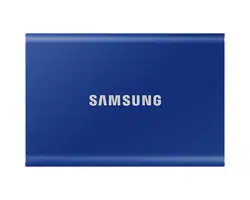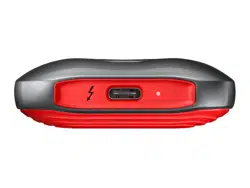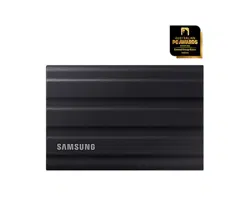
Portable SSD
Installation start guide

Legal Disclaimer
Legal Disclaimer
SAMSUNG ELECTRONICS RESERVES THE RIGHT TO CHANGE PRODUCTS, INFORMATION AND
SPECIFICATIONS WITHOUT NOTICE.
Products and speci
cations discussed herein are for reference purposes only. All information
discussed herein may change without notice and is provided on an “AS IS” basis, without
warranties of any kind. This document and all information discussed herein remain the sole
and exclusive property of Samsung Electronics. No license of any patent, copyright, mask work,
trademark, or any other intellectual property right is granted by one party to the other party
under this document, by implication, estoppels or otherwise. Samsung products are not intended
for use in life support, critical care, medical, safety equipment, or similar applications where
product failure could result in loss of life or personal or physical harm, or any military or defense
application, or any governmental procurement to which special terms or provisions may apply.
For updates or additional information about Samsung products, contact your nearest Samsung
office. All brand names, trademarks and registered trademarks belong to their respective
owners.
Copyright © 2024 Samsung Electronics Co., Ltd. All rights reserved.
Installation Guide
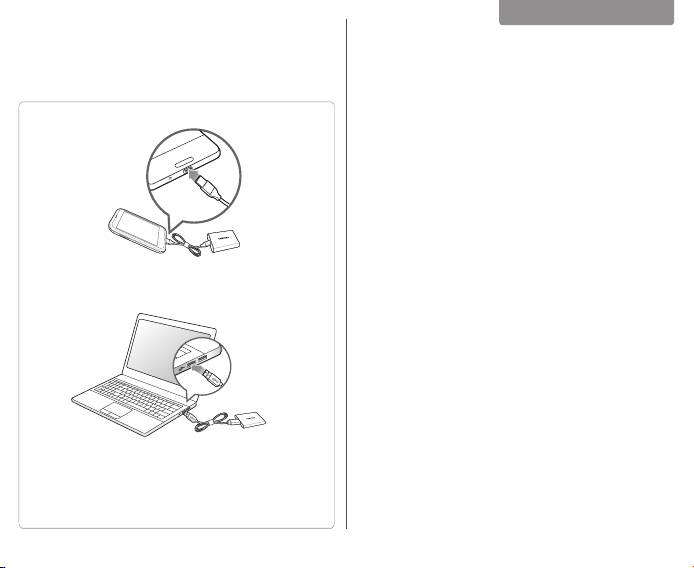
How to connect*
❶ USB-C
®
Portable SDD T5
❷ USB-A
http://www.samsung.com/ssd
Using Portable SSD
y
Performance mayvary depending on the user's system to which Portable SSD is
connected. Even when using USB 3.2 Gen 2 connections, Portable SSD may not perform
well if your system does not support UASP (USB Attached SCSI Protocol). Please make
sure that your system supports UASP.
y
Minimum system requirements: Windows (Windows 7 or later), Mac (OS X 10.10 or later),
Android (Lollipop (Ver. 5.1) or later)
y
In some operating systems, you may need to reformat your PSSD.
y
Portable SSD does not contain any antivirus program.We recommend periodic
inspections of your system with an antivirus program.
Connecting compatible devices
This product has been designed to be connected to a USB 3.2 Port (5Vdc, 1.5A). The use
of non-complaint or incompatible devices and interface ports may result in personnel
injury, damageto both devices and/or property damage. The use of incompatible
USB ports orle format settings may result in poor performance or malfunction of
both devices.
Impact / shock
Shock greaterthan 1,500 G or a drop from a height of more than 2 (for T5 EVO/T7/
T7 Touch) or 3 (T7 Shield/T9) meters may cause permanent data loss or malfunction.
Disassembling ortampering with the product may result in personal injury and/or
property damage.
Disassembling or tampering
Thewarranty is void if user disassembles, tampers with or damages products or labels.
Samsung will not be responsiblefor any damageto the product resulting from any
unauthorized modications or repairs or replacements not performed by Samsung
Electronics Service Center.
※ Nowarranty is provided for any physical damageto the product including bending
or deformation of the ring.
Temperature
Prolonged usage may increase device temperature. If the device feels hot to the touch,
do not hold the devicefor a long time.
Water
Any liquid damage is not covered under warranty. If liquid comes into contact with the
product, it must be completely dried before connection to avoid damage.
※ Warranty on data
IN NO EVENT SHALL SAMSUNG'S WARRANTY EXTEND TO DATA OR OTHER
INFORMATION STORED ON THE PORTABLE SSD. SAMSUNG IS NOT RESPONSIBLE FOR
LOSS OF, DAMAGES TO, OR CORRUPTION OF DATA OR ANY COSTS OF RECOVERING OR
REPRODUCING DATA STORED ON YOUR PORTABLE SSD.
※ Warranty and support when password is lost
Portable SSD is equipped with advanced encryption technology whereby user data
cannot be accessed if the password is lost orforgotten. Inthe event the password is
lost orforgotten, the only solution is to have it factory reset at a service center, which
will inevitably bring permanent erasure of all data. IN SUCH EVENT SAMSUNG AND
ITS AGENTS ARE NOT RESPONSIBLE FOR ANY LOSS OF DATA CONTAINED ON YOUR
PSSD SERVICED.
For more information, please visit http://www.samsung.com/ssd