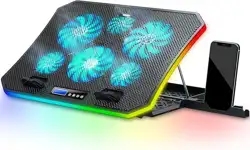
FLYDIGI Supercharged Laptop Cooler BS3 Pro
Series Stand User Manual
Product Introduction
Model: Flydigi BS3 ,Flydigi BS3 Pro
Cooler Installation & Usage
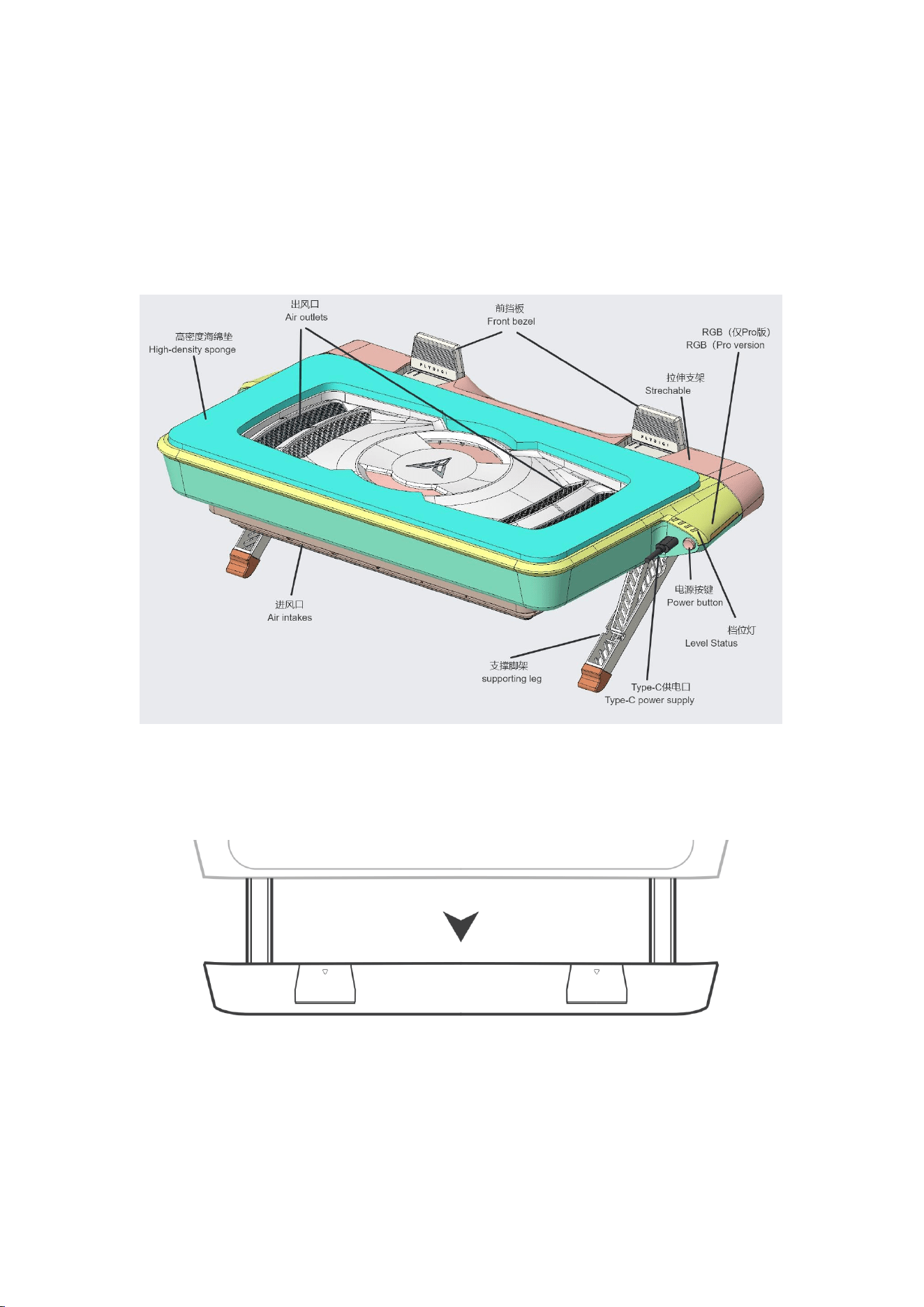
1、Adjust the lever Pull out the pull rod to the appropriate length
2、Flip up the baffle Flip up the two end shields
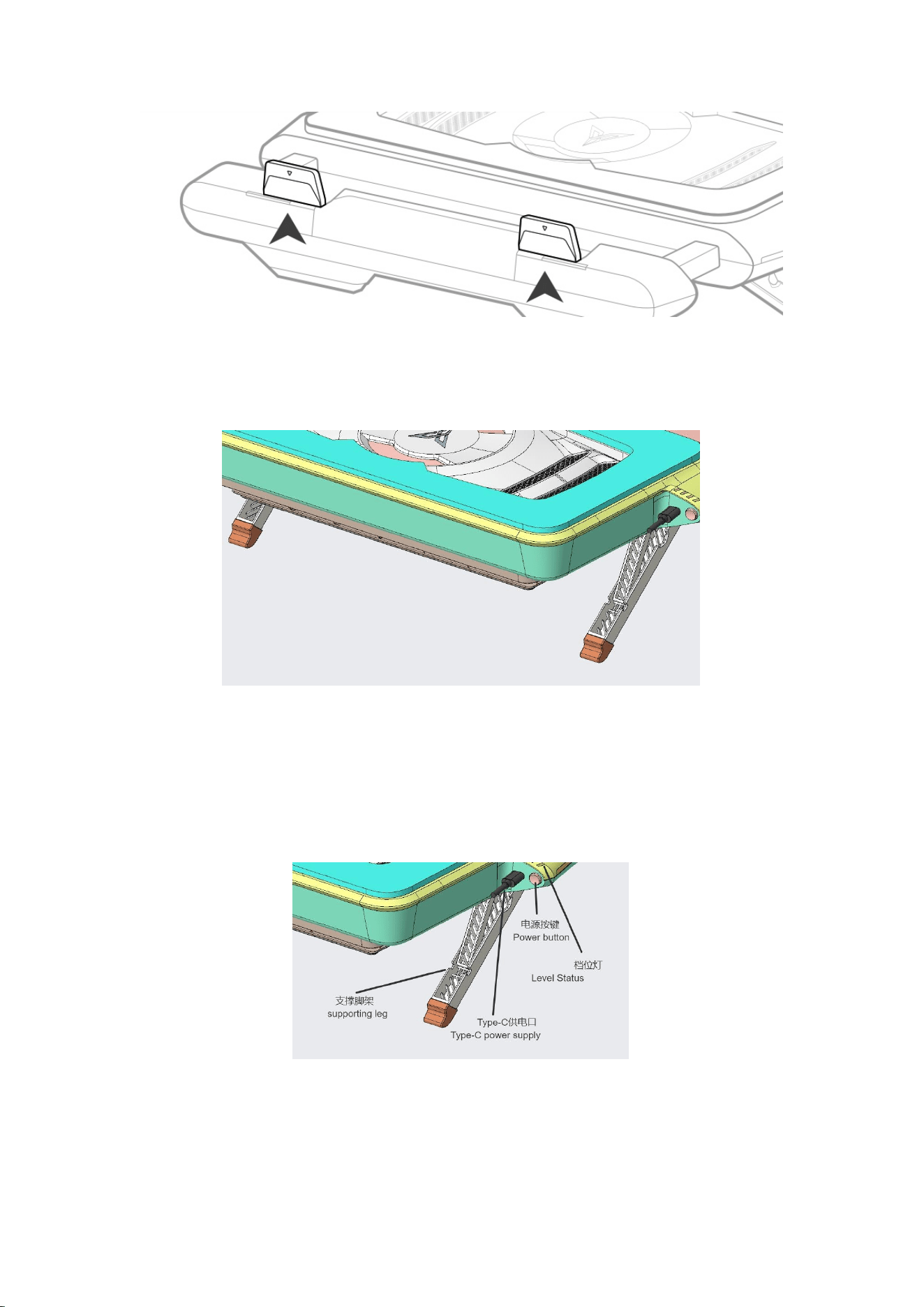
3、Determine height Pull out the tripod and adjust it to the appropriatheight
4、Insert the power supply Plug the type-C power supply cable into the power
supply port and short press the power button to power on (5V2A Only for computer
USB—C port power supply.In order to unlock the maximum performance gear, it is
recommended to use a power adapter of ≥ PD 18W to power the BS3 Pro standard
version, and for the Pro version, it is recommended use a power adapter of ≥ PD
27W to power it.)
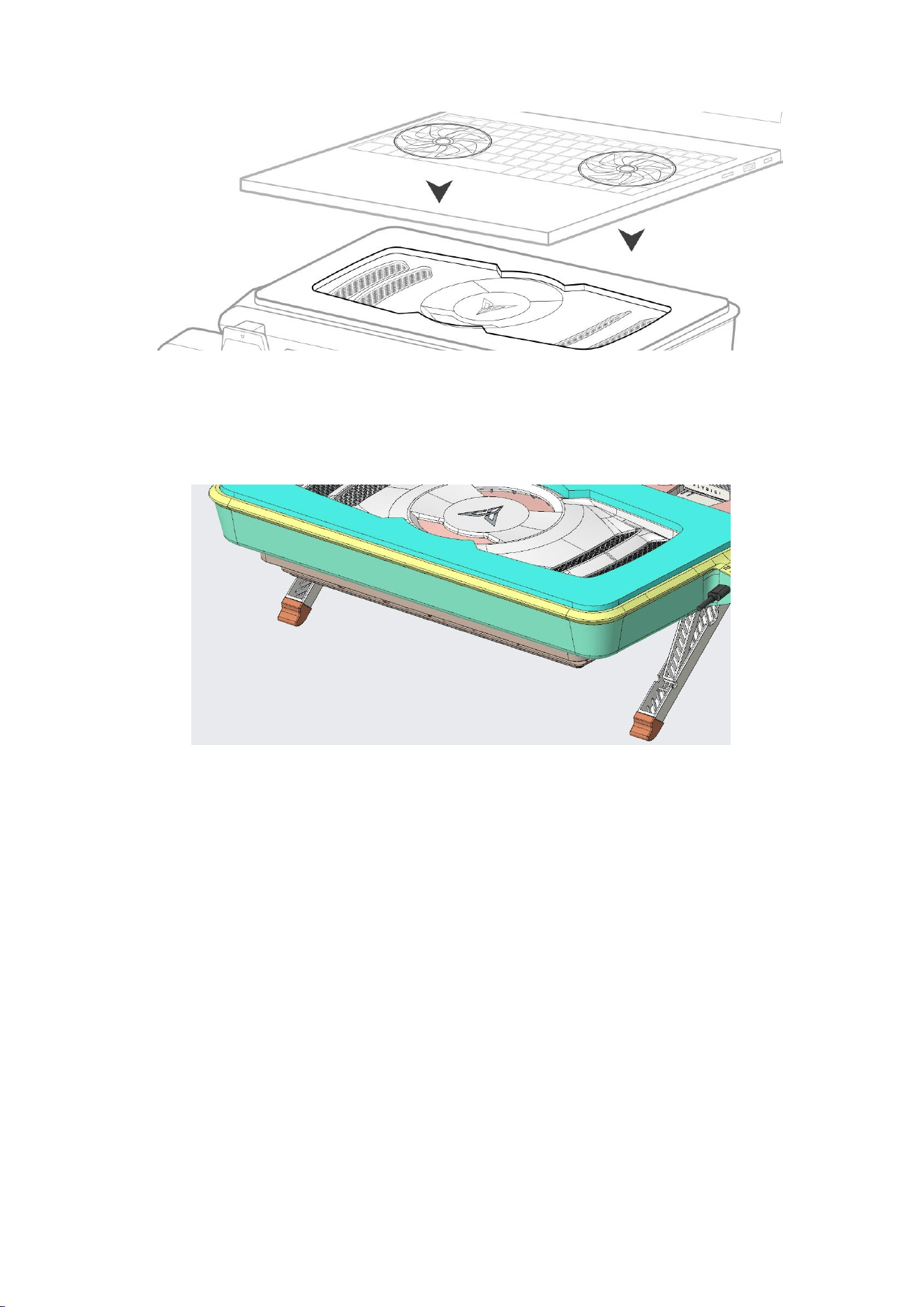
5、Sealed alignment Place the computer's air inlet inside the sponge ring of
the radiator to
create a sealed and leak free space
6
、Dust Cleanable Remove the lower shell and use a brush to clean the dust off the dust
filter.
Operation&Tips
Operation
Short press the button - In the shutdown state, short press to turn on the device;
Short press to switch gears when turned on
Long press the button - press and hold for 1 second to turn off the device, press
and hold for 10 seconds to flash the gear indicator and clear Bluetooth pairing
information
Tips
Level status luminaires always on - Fixed speed mode, the number of lit lights is
related to the fixed speed gear.
Level status luminaires breathing Intelligent frequency conversion mode.
APP installation and connection use
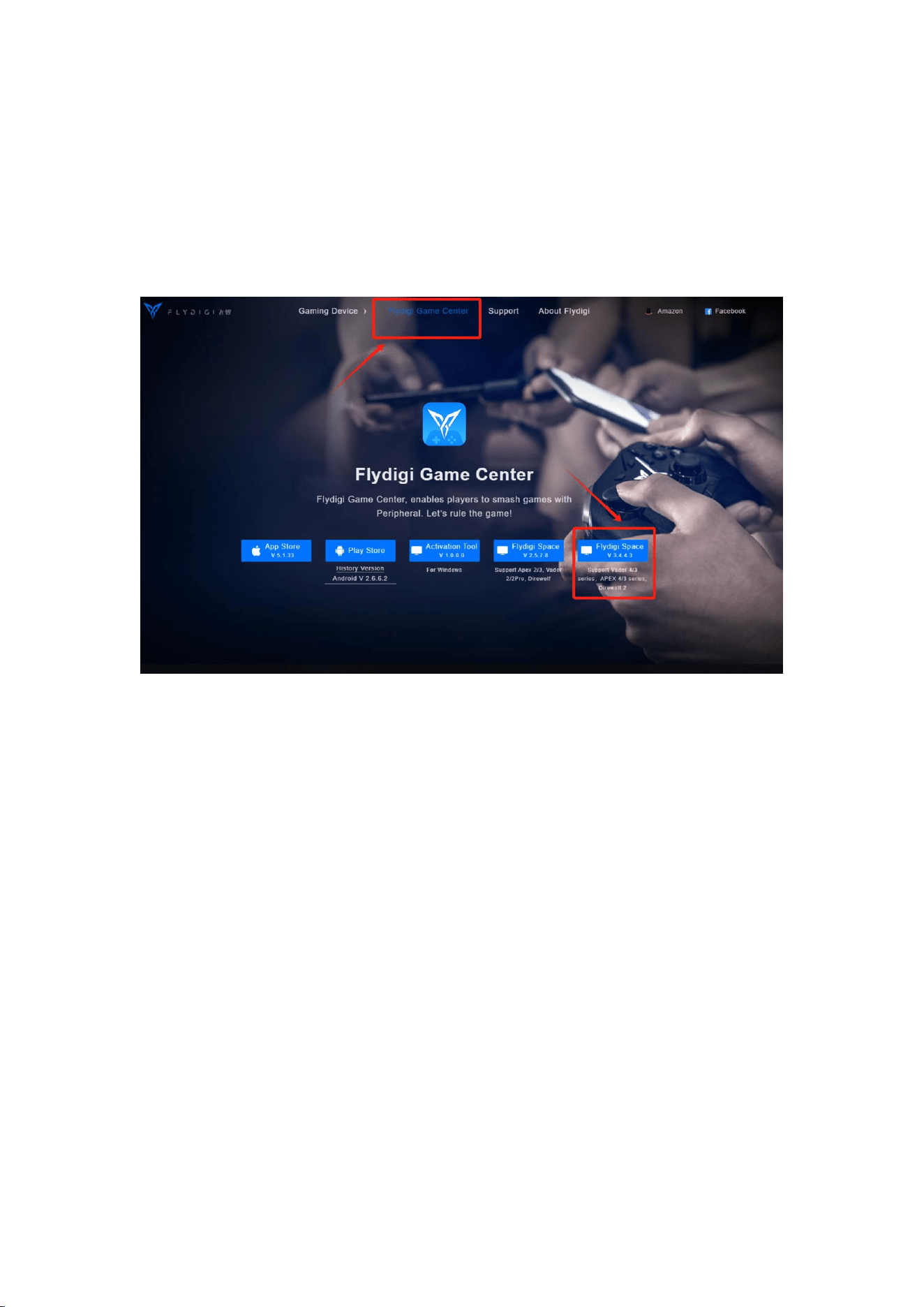
Enter www.FLYDIGI.com in the browser to enter the official website of Feizhi, find
the software download, and downloadizhi Space Station 3.0 or 4.0.
Open the FLYDIGI Space Station, select the BS3 Pro series, and click to connect
according to the tutorial.
Space Station Page Description
Frequently Asked Questions
Q: Unable to enable the maximum gear?
A: When powered by a computer or some A-C chargers, due to output protocol
restrictions, the maximum gear cannot be enabled. The BS3 Pro Standard version
requires a PD charger of ≥18W, and the BS3 Pro Pro version requires a PD charger
of ≥27W.
Q: Does it support flat placement?
A: Yes, it does.
Q: Can a liquid metal computer be used?
A: Yes, it can. The stand has four height levels: flat, 10 degrees, 20 degrees, and
30 degrees. When the liquid metal is evenly heated, all four angles are within the

safe deviation range.
Q: Why can't a PD charger greater than 18W/27W enable overclocking?
A: Some brands of A-C chargers cannot enable overclocking mode due to protocol
limitations. It is recommended to replace with a PD charger greater than 18W.
Q: A PD charger greater than 18W/27W can't enable overclocking?
A: Some brands of A-C chargers cannot enable the overclocking gear due to
protocol restrictions. It is recommended to use a PD charger greater than 18W.
Q: What temperature does the Space Station display for the device?
A: The Space Station automatically scans all the device's temperature sensors to
calculate the overall machine temperature.
Q: Why can't the Space Station read the temperature?
A: Please click "Upload Log" to report the computer model and CPU model to
assist us in adapting to more computer models.
Q: Why can't I enable smart frequency conversion?
A: Please click "Upload Log" to report the computer model and CPU model to
assist us in adapting to more computer models.
Q: Can the dust filter be removed?
A: The machine has two dust filter . The external dust filter is removable and can
be washed directly with water, while the internal dust filter is not removable.
FCC Statement
1. This device complies with Part 15 of the FCC Rules. Operation is subject to the
following two conditions:
○ This device may not cause harmful interference.
○ This device must accept any interference received, including interference
that may cause undesired operation.
2. Changes or modifications not expressly approved by the party responsible for
compliance could void the user’s authority to operate the equipment.
Note:This equipment has been tested and found to comply with the limits for a class
B digital device,pursuant to Part 15 of the FCC Rules. These limits are designed to

provide reasonable protection against harmful interference in a residential installation.
This equipment generates uses and can radiate radio frequency energy
and,if not installed and used in accordance with the instructions,may cause
harmful interference to radio communications.However,there is no guarantee
that interference will not occur in a particular installation.if this equipmemt does
cause harmful interference to radio or television reception,which can be
determined by turning the equipment off and on,the user is encouraged to try to
correct the interference by one or more of the following measures:
○ Reorient or relocate the receiving antenna.
○ Increase the separation between the equipment and receiver.
○ Connect the equipment into an outlet on a circuit different from that to which
the receiver is connected.
○ Consult the dealer or an experienced radio/TV technician for help.
The device has been evaluated to meet general RF exposure requirement.
The device can be used in portable exposure condition without restriction.
After-sales service
1、For all genuine products purchased from FLYDIGI, the products can be
returned or exchanged 7 days of normal use and without affecting the secondary sale.
2、If there is a quality issue within 15 days, a new will be exchanged with the
shipping fee borne by the merchant.
3、Within one year, there is a warranty, and the shipping fee is borne each party.
4、Warranty service is limited to problems that occur within the warranty period
and during normal use; all damages caused by abnormal use (fs and damages
caused by not using, maintaining, and storing the product according to the product
manual), or repairs after the expiration of the warranty period, the user bear the cost
of repair.
Returns and exchanges:
If there is a quality problem within 15 days from the date of purchase, product can be
returned to FLYDIGI Company for a refund or exchange for a new product of the
same model.
Repairs:
If there is quality problem within 15 days to one year from the date of purchase, you
can directly call FLYDIGI Company to confirm the quality problem, then send the
back to FLYDIGI Company; or go to the dealer where you purchased the product,
hand over the product and the repair certificate to the dealer, and let the dealer it to
FLYDIGI for repair. FLYDIGI Company will contact the user within the promised after-

sales service period and send the repaired product to the user.
1、Please read the instructions carefully before using FLYDIGI products.
2、Please do not disassemble or attempt to repair FLYDIGI products your own,
otherwise, you will lose the right to warranty.
Shanghai FLYDIGI Electronics Technology Co., Ltd.
Address Room 508-511, No. 259 Guoxia Road, Yangpu District, Shanghai
Official website: www.FLYDIGI.com
Service hotline: 400-850-3336