1
Starway
Starway Global USB WiFi Stick
ST2
User Manual
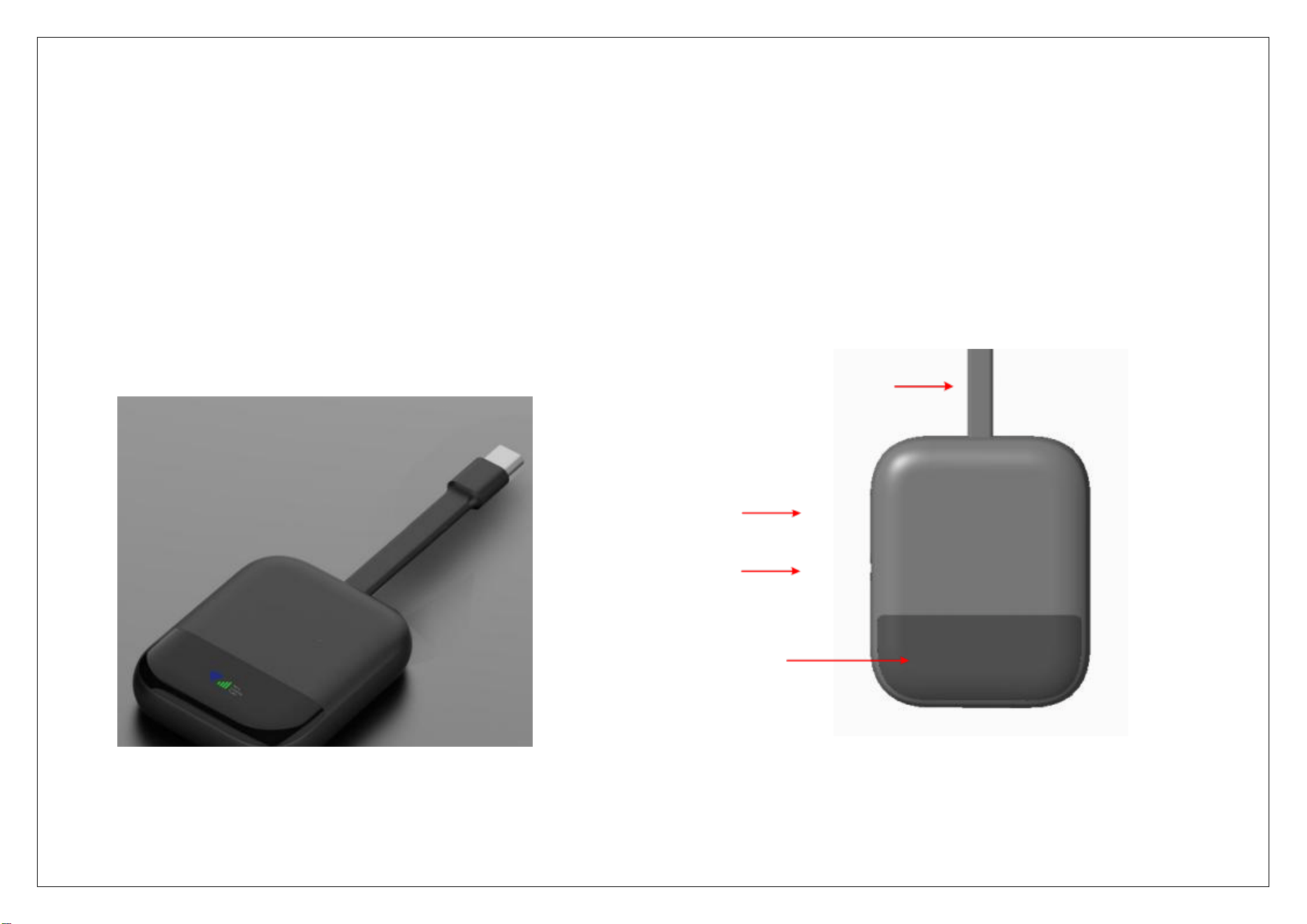
SIM Card Slot
Reset Hole
Status Indicator Window
Data / Power Cable
Starway Global USB WiFi Stick ST2
The Starway Global USB WiFi Stick is a wireless internet
router that supports global frequency bands. It can
connect to LTE/WCDMA networks and provide WiFi or wired
connectivity for user devices such as mobile phones,
computers, and more. Non-residential use.

2
Using Starway Global USB WiFi Stick ST2
1.Device Startup
Connect the data/power cable to the USB Type-C port of
an adapter, computer, or mobile phone. The device will
start automatically after receiving stable 5V power
.2.Cellular Network Connection
1) Physical SIM Card Mode
Pull out the SIM card tray, insert a Nano SIM
card, and push the tray back in. The device will
operate in physical SIM card mode.
Note::
If the physical SIM card requires APN configuration,
please set it on the WEB page (see later section for
how to access the WEB page). The device will
broadcast a WiFi signal automatically after
configuration.
3) WiFi Connection
Open the WLAN connection page on your mobile phone
or computer, and connect to the WiFi using the SSID
and KEY printed on the back of the device.
4)Wired Network Connection
Insert the device into the USB Type-C port of a
computer: an RNDIS network adapter will be
recognized on the computer, and you can access the
internet via this adapter.
Insert the device into the USB Type-C port of a
mobile phone: take an iPhone as an example, the
Ethernet option will appear in the Settings menu.
Note: Wired connection compatibility depends on the
terminal model; compatibility with all computers and
mobile phones is not guaranteed.
5) Device Configuration
When your computer or mobile phone is connected
to the WiFi hotspot of this device, open the
browser and visit http://192.168.0.1 to configure
the device and view related information.
6) Restore Factory Settings
With the device powered on, gently press the Reset
Hole with a SIM card pin, and the device will be
restored to factory settings.
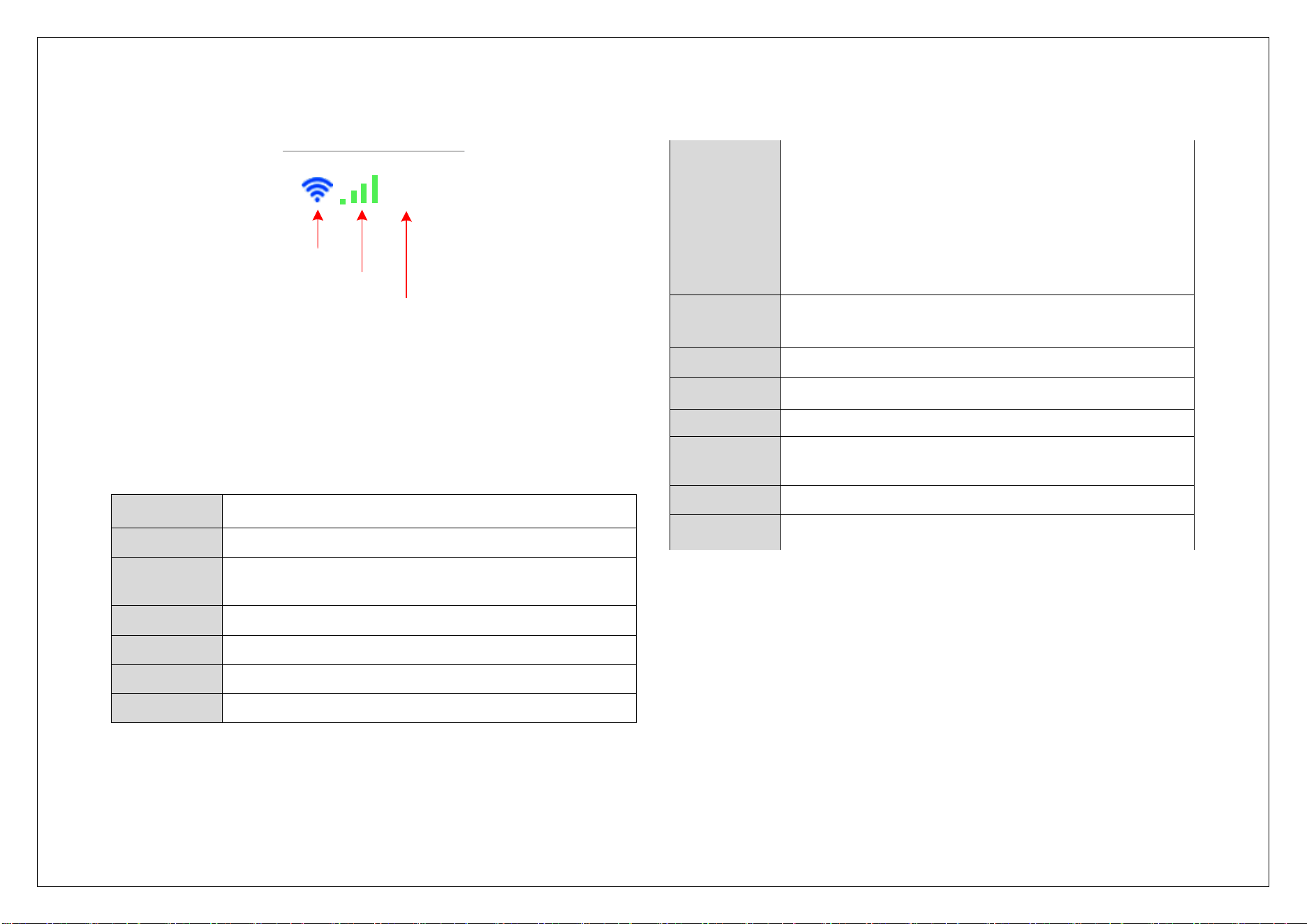
3
Starting...
Linking...
Noplan
WIFIIndicator
Cellular Network Indicator
Operating Status Indicator
Operating Status Indicator includes three statuses:
Starting: The device is starting up.
Linking: The device is attempting to connect to the network.
Main Device Specifications
Dimensions
50mm*65mm*10mm
Weight
30g
Display
Digital tube display (shows WiFi, signal bars,
prompts)
Processor
UNISOC UIS8310 Cortex-A7, 1.0GHz
RAM
64MB
ROM
128MB
SIM
Supports physical SIM card slot
Frequency
Bands
WCDMA: B1/B2/B5/B8
LTE-FDD:
B1/B2/B3/B4/B5/B7/B8/B12/B13/B17/B18/B19/B20/B26/
B28/B66
LTE-TDD: B34/B38/B39/B40/B41(194M)
Speed Class
Cat.4,Theoretical uplink rate: 50 Mbps
Theoretical downlink rate: 150 Mbps
WLAN
IEEE 802.11 b/g/n/ax(2.4G),1T1R, WEP/WPA/WPA2
Interface
USB TYPE-C5V1A
Button
Reset button
Protection
Grade
IP51
FOTA
Supported
Operating
Environmen
t
-10℃~ 35℃
,
Copyright Notice
STARWAY Information Technology Co., Ltd. reserves the final
right of interpretation for its trademarks and this manual.

For all Class B Digital Devices, a statement like the following is needed:
This equipment has been tested and found to comply with the limits for a Class B digital device, pursuant to Part 15 of the FCC Rules. These limits are designed to provide reasonable protection against harmful interference in
a residential installation. This equipment generates uses and can radiate radio frequency energy and, if not installed and used in accordance with the instructions, may cause harmful interference to radio communications.
However, there is no guarantee that interference will not occur in a particular installation. If this equipment does cause harmful interference to radio or television reception, which can be determined by turning the equipment
off and on, the user is encouraged to try to correct the interference by one of the following measures:
- Reorient or relocate the receiving antenna.
- Increase the separation between the equipment and receiver.
- Connect the equipment into an outlet on a circuit different from that to which the receiver is connected.
- Consult the dealer or an experienced radio/TV technician for help.
“Changes or modifications not expressly approved by the party responsible for compliance could void the user's authority to operate the equipment”.
“This device complies with part 15 of the FCC Rules. Operation is subject to the following two conditions: (1) This device may not cause harmful interference, and (2) this device
must accept any interference received, including interference that may cause undesired operation.”
The SAR limit adopted by USA and Canada is 1.6 watts/kilogram (W/kg) averaged over one gram of
tissue. The highest SAR value reported to the Federal Communications Commission (FCC) the Industry
Canada (IC) for this device type when it is tested for the properly worn on the body is under 1g 1.6W/Kg.
The device complies with the RF specifications when the device is used near your at a distance of 0 mm
from your body. Ensure that the device accessories such as a device case and a device holster are not
composed of metal components. Keep your device 0 mm away from your body to meet the requirement
earlier mentioned.