产品名称
(Product name )
Low-voltage fan and high-vo ltage
lamp co ntro ller (stepless color
temperature adjustment)
产品型号
(Product model)
ITL-DCL-HL-V1 WiFi
1、product description:
1.Pairing: The receiver and the transmitter have been paired. After being powered on, the receiver is in standby
mode.
To pair a new transmitter, follow these steps (within 30 seconds after the fan's power supply is connected,
press the fan's off button to complete the re-learning process between the transmitter and the receiver. A
successful learning process will be indicated by the light flashing twice as a reminder signal).
2. Fan: Press the fan off button to turn off the fan. The fan speed increases from level 1 to level 6 when the fan
button is pressed (all fan levels have the function of turning on the fan, and the fan levels can be switched
normally. Level 1 is the low fan speed and level 6 is the high fan speed). Press the fan off button to turn off the
fan when the device is shut down.
3. LED Light: Turn On/Off the Light. Press the light switch key briefly to turn the light on or off according to the
current state of the light. Press and hold the DIM key to enter the brightness adjustment. The brightness ca n be
adjusted continuously upwards or downwards until it reaches the maximum or minimum brightness.
Release to stop the brightness adjustment (minimum brightness stays for 1 second - the brightening/dimming
process takes about 7 seconds - maximum brightness stays for 1 second, and the cycle adjustment time is
about 16 seconds).
Color Temperature Switching (In the off-light state, pressing the color temperature switching key is ineffective.
In the on-light state, long press the CCT color temperature key to adjust the color temperature from 2700K to
5000K without steps).
4. Power-off memory:
① The light switch, fan switch, and gear position have power-off memory.
② The color temperature and brightness of the lamp are stored in the lamp panel's memory.
5. Set the shipment status as: Turn off the fan and turn off the lights.
6. Input power: 120V~60Hz
8. Maximum power of the 120V - 60Hz output lamp: 190W, supports thyristor dimming.
9. Maximum power of the DC24V fan: 40W, current: 1.6A
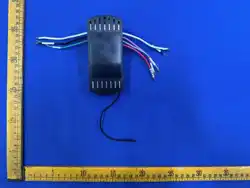
2、Wire requirements:
1. Power input cable - White (N, labeled with English "AC IN N" marking tube), Black (L, labeled with English
"AC IN L" marking tube), Green (Ground wire, labeled with the wire marking tube (UL1015 18# wire with
exposed 120mm □ Strip the wire □ 12mm with rubber cap))
2. Motor output wire - Red W, equipped with English "TO MOTOR" wire label tube, Gray U, equipped with
English "TO MOTOR" wire label tube, Yellow V, equipped with English "TO MOTOR" wire label tube (UL1015
18# wire with exposed 120mm outside □ Strip wire □ 12mm with rubber tip)
3. Light output cable - Blue (L, labeled with English "FOR LIGHT L" wire, White (N, labeled with English "FOR
LIGHT N" wire (UL1015 18# wire with exposed length of 120mm □ Strip the wire □ 12mm with rubber cap))
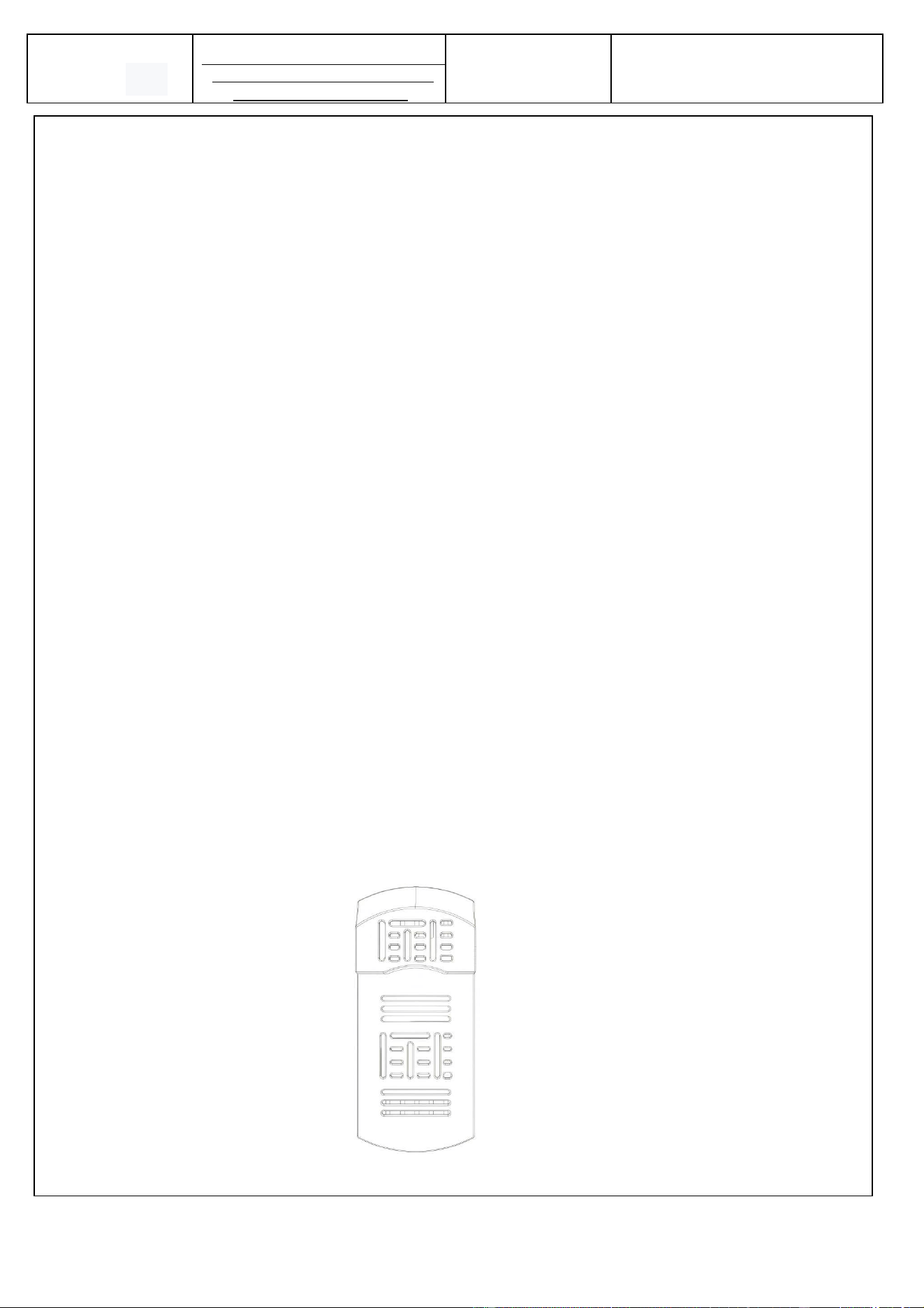
3、Product illustration:
ITL-DCL-HL-V1 WiFi

FCC Statement
This device complies with part 15 of the FCC rules. Operation is subject to the following two conditions:
(1) this device may not cause harmful interference, and
(2) this device must accept any interference received, including interference that may cause undesired operation.
Any Changes or modifications not expressly approved by the party responsible for compliance could void the
user's authority to operate the equipment.
NOTE: This equipment has been tested and found to comply with the limits for a Class B digital device, pursuant
to part 15 of the FCC Rules. These limits are designed to provide reasonable protection against harmful
interference in a residential installation. This equipment generates uses and can radiate radio frequency energy
and, if not installed and used in accordance with the instructions, may cause harmful interference to radio
communications. However, there is no guarantee that interference will not occur in a particular installation. If this
equipment does cause harmful interference to radio or television reception, which can be determined by turning
the equipment off and on, the user is encouraged to try to correct the interference by one or more of the following
measures:
• Reorient or relocate the receiving antenna.
• Increase the separation between the equipment and receiver.
• Connect the equipment into an outlet on a circuit different from that to which the receiver is connected.
• Consult the dealer or an experienced radio/TV technician for help.
This equipment complies with FCC radiation exposure limits set forth for an uncontrolled environment.This
equipment should be installed and operated with a minimum distance of 20cm between the radiator & your body.