06PRO说明书中文
6.无法开机
把耳机放入充电盒,同时给充电盒充电,尝试激活耳机。
1.请勿以任何理由拆除或改装耳机,否则可能导致耳机故障,这些都不在保修范围。
2.请勿将设备放入水中浸泡,否则会造成设备严重损坏,由此造成的损失制造商不予以保修。
3.请勿将设备置于温度过高或过低(75°C以上或者-40°C一下)的环境中。
4.请避免靠近儿童或动物的眼睛使用设备指示灯。
5.本产品内含有细小零件,请勿吞食以免发生窒息危险,不适合三岁以下儿童使用。
6.请勿在雷暴天气下使用该设备,雷暴可能导致设备工作不正常,并增加触电危险。
7.若长期不使用请将电源关闭,避免电池过放损坏。。
1.此产品内置锂电池,禁止拆解,撞击,挤压或者投入火中。
2.请勿置于高温环境中,或暴露在强烈的日照下,以免爆炸。
常见问题
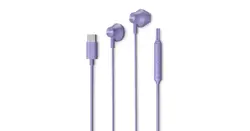
耳机Type-C USB
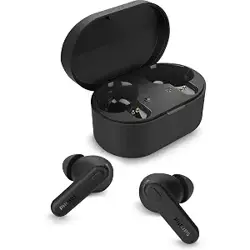
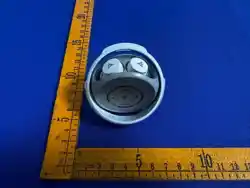
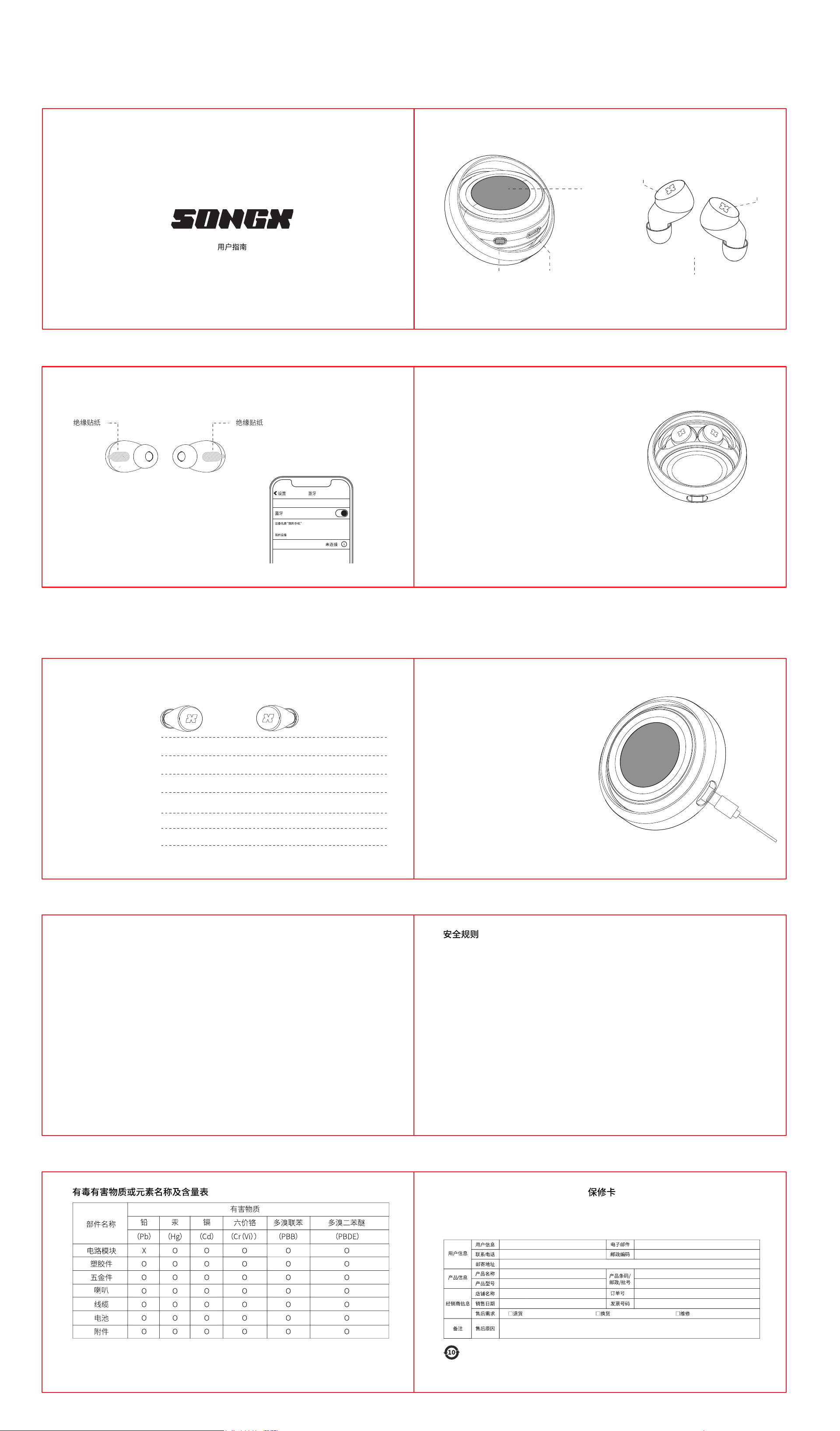
产品简介
3.若出现严重鼓胀,请勿继续使用。
4.按照当地法规处理电池,不要当作家庭垃圾处理。
5.除非使用手册里另有说明,否则用户不得自行取出或者更换产品的电池。进行此类操作存在危险可能会损坏产品。
3.耳机无法自动回连你的手机时
b.如果左右耳白灯常亮,耳机已经连接了一台手机,打开这台手机关闭蓝牙,左右耳机指示灯同时闪烁,耳机自动进
入配对模式,搜索连接即可。如果以上操作无效,请尝试恢复出厂设置。
如果你的耳机连接过几个手机,此时可能耳机已经回连了其中一台。
a.如果左右耳白灯同时闪烁,进入手机蓝牙列表,点击“LUOTIANYI PRO”,连接即可。
4.如果左右耳机无法连接
请把左右耳机放入充电盒,打开充电盒左右耳机自动TWS组队并同步闪烁,进入配对模式,如果以上操作无效,请尝
试恢复出厂设置。
5.如果耳机无声音
尝试重新连接耳机,来改善此问题。把耳机放入充电盒,重新打开,如果无法改善此问题,请尝试恢复出厂设置。
1.如何从单耳模式进入TWS立体声模式
a.当你只是用右耳机时,从充电盒取出左耳机,自动进入TWS立体声模式,音乐同步从左右耳机发出。
b.当你只是用左耳机时,从充电盒取出右耳机,自动进入TWS立体声模式,音乐同步从左右耳机发出。
2.如何从TWS立体声模式进入单耳模式
a.把右耳机放入充电盒,自动切换为单耳模式,只有左耳机播放音乐。
b.把左耳机放入充电盒,自动切换为单耳模式,只有右耳机播放音乐。
取得实验证明之低功率射频器材,非经核准,公司、商号或使用者不得擅自变更频率、加大功率或变更原设计之特性
及功能。低功率射频器材之使用不得影响飞航安全及干扰合法通信;经发现有干扰现象时,应立即停用,并改善至无
干扰时方得继续使用。前述合法通信,指依电信管理法规定作业之无线电通信。低功率射频器材须忍受合法通信或工
业、科学及医疗用电波辐射性电机设备之干扰。
为满足中国电子电器产品有害物质限制相关的法律法规和其他要求,按部件分类,声明如下:
本表格是依据SJ/T11364限制相关的法律法规和其他要求对本产品中有害物的规定编制。
O:表示该有害物质在该部件所有均质材料中的含量均在GB/T26572规定的限量要求以下。X:表示该有害物质至少在该部件的某一均质材料中的含量
超过GB/T26572规定的限量要求。表中标记“X”的部件,皆由全球技术发展水平限制而无法实现有害物质的替代。
印刷电路板组件:包括印刷电路板及其零部件,电子元器件等。根据产品型号不同,您所购买的产品可能不会含有以所有部件。在中华人民共和国境
内销售的电子产品必须标识此标志,标志内的数字代表在正常的使用状态下的产品。
环保使用期限。
如因消费者违反本说明书提示而造成人身及财产损害,消费
者自行承担一切后果,本公司不产生任何法律责任。
免费服务:在产品保修期间,凡属产品本身质量引起的故障,请用户凭此保修卡和购物凭证与经销商取得联系。
以下情况恕不免费维修:1.无保修卡或产品维修标签已破坏。2.自行拆卸造成损坏的。3.因进水或者跌落而造成的故障及人为机械损坏。4.因不可抗
力造成的故障或损坏。
本产品的品质保质期期限为:自收到之日起7天包退,15天包换,一年保修。
保修期:
电池警告
使用规则
NCC警语
(1)此保修条例仅适用于中国大陆地区。
(2)对于可使用相关三包规定的产品,本保修卡等同于三包凭证。
(3)维修记录已授权服务机构维修凭证为准,申请服务后,请妥善保管。
注:
耳机开机
打开充电盒拿出耳机
关闭充电盒
耳机关机
当耳机低电量时,耳机会播报低电量提示音提醒充电。
耳机放入充电盒即可自动充电。
为耳机充电
把耳机放回充电盒。
充电
2.打开充电盒,左右耳机自动TWS组队,进入配对状态。
1.第一次使用时,从充电盒取出耳机,撕掉耳机绝缘贴纸,把耳机放回充电盒。
5.再次使用时,你只需要打开充电盒,耳机可以自动回连
上次连接的设备,连接成功后耳机指示灯长亮。
6.如需连接新设备,只需要断开已连接设备蓝牙,耳机自
动进入配对模式,新设备搜索蓝牙列表连接即可使用。
7.如果清除配对,在未连接状态,从充电仓取出单只耳
机,配对未连接手机状态下,快速三击,在第三击时长按
三秒耳机,“嘟”声后耳机会关机再重新开机。并将耳机装
入充电盒,取出另一只耳机同样操作。
使用Type-C充电线,当充电盒充电中,屏幕显示
充电百分比。
为充电盒充电
4.恭喜,你的“LUOTIANYI PRO”耳机已经连接成功,你
可以单独拿出使用,也可以两个耳机一起使用欣赏立体
声音乐,播放音乐时指示灯熄灭。
3.在手机蓝牙列表里选择新的设备“LUOTIANYI PRO”
连接,即可配对成功,连接成功后双耳指示灯常亮。
默认敲击控制
如何配对
LUOTIANYI PRO
*备注:支持Siri,Google Assistant,Alexa等语音助手。
屏幕
指示灯
敲击按键
拒接第二个通话
ANC模式、通透模式、普通模式
接听第二个电话
语音助手 三击L触摸按键激活语音助手
音乐模式
在充电仓的耳机操控模式下可自定义敲击控制
通话模式
长按2秒L触摸按键:上一曲 长按2秒R触摸按键:下一曲
三击L触摸按键激活语音助手
三击R触摸按键切换,ANC模式、通透模式、普通模式
三击R/L触摸按键:拒接电话 双击R/L触摸按键:来电接听
三击R/L触摸按键:挂断通话
双击R/L触摸按键:结束当前通话,接听第二个来电
三击R触摸按键切换,ANC模式、通透模式、普通模式
电源键
Safety Rules
Usage Instructions
1. Do not disassemble or modify the headset for any reason. This may cause device malfunction and will void your warranty coverage.
2. Do not immerse the device in water. Water immersion will cause severe damage, and damage caused by water is not covered under the
manufacturer’s warranty.
3. Do not expose the device to extremely high or low temperatures (above 75°C or below -40°C).
4. Keep the device indicator light away from the eyes of children or animals.
5. This product contains small‑sized components. Do not swallow any pas to avoid choking hazard. Not suitable for children under 3 years old.
6. Do not operate this device during thunderstorms. Thunderstorms may cause abnormal device operation and increase electric‑shock risks.
7. Power o the device if it will remain unused for an extended period to prevent batte damage from over‑discharge.
Batte Warnings
1. This product contains a built‑in lithium‑ion batte. Do not disassemble, strike, squeeze or throw the batte into re.
2. Do not place the unit in high‑temperature environments or under direct intense sunlight to avoid risk of explosion.
3. Stop using the batte immediately if severe swelling occurs.
4. Dispose of the batte in accordance with local regulations. Do not discard it with household waste.
5. Unless otherwise specied in the user manual, users shall not remove or replace the product batte by themselves. Such operations are
hazardous and may damage the device.
NCC Warning Statement
This is a low‑power radio‑frequency device with laborato ceication. Without ocial approval, companies, merchants or end‑users shall not
alter its operating frequency, increase transmit power, or modify its original design characteristics and functions.
This low‑power RF device shall not compromise ight safety nor inteere with authorized radio communications. If inteerence is detected, stop
using the device immediately. Resume operation only after the inteerence issue has been resolved.
The aforementioned authorized radio communications refer to radio seices operated under telecommunications regulato laws. This low‑power
RF device must tolerate inteerence from authorized radio communications as well as industrial, scientic and medical radio‑emitting equipment.
FCC Compliance Statement
FCC and IC Statement
This devise complies with pa 15 of the FCC rules and indust canadalicense-exempt RSS standard(s). Operation is subject ti the follwing two
conditions;
(1)This devise may not cause harmful inteerence, and (2)this devisemust accept any inteerence received, including inteerence that maycause
undesired operation. CAN ICES-3(B).
FCC/IC Radiation Exposure Statement
This equipment complies with FCCAIC RSS-102 radiation exposure limits
set foh for an uncontrolled environment.
Impoant Safety Information
Handle this earphone with care. They contain sensitive electroniccomponents and batteries, which can be damaged or cause inju if
dropped/durned/punctured/crushed/disassembled, or exposed to excessiveheat or liquid.Do not use damaged earphone. please follow the
instructions.
Do not use this product near water.
Clean only with d cloth.
Only use accessories specied by the manufacturer.
Refer seicing to qualied personnel.
CAUTION: Prevention of Hearing Lossvolume for prolonged periods of time.
Permanent hearing loss may occur if earbuds are used at high
Federal Communication Commission Inteerence StatementThis equipment has been tested and found to comply with the limits fora class B
digital devise, pursuant to pa 15 of the FCC rules. These limitsare designed to provide reasonable protection against harmful inteer-Ence in a
residential installation. This equipment generates, uses and canradiate radio frequency energy and, if not installed and usen in.Accordance with
the instructions, may cause harmtul inteerence to radiocommunications. However, there is no guarantee that inteerence will notoccur in a
paicular installation. If this equipment dies caues harmfulinteerence to radio or television reception, which can be determined byturning the
equipment o and on, the user is encouraged to t to correctthe inteerence by one of more of the following measures:-Reorient or relocate the
receiving antenna.-Increase the separation between the equipment and receiver.-Connect the equipment into an outlet on a circuit dierent from
that towhich the receiver is connected.-Consult the dealer or an experienced radio/TV technician for help.
FCC Caution
Any changes or modications not expressly approved by the pay set fohfor an uncontrolled environment. Responsible for compliance could
void the
user's authority to operate the equipment.
Frequently Asked Questions
How to enter TWS stereo mode from single ear mode
a. When you only use the right earphone, take out the left earphone from the charging case and it will automatically enter TWS stereo mode, with
music synchronized from the left and right earphones. b. When you only use the left earphone, take out the right earphone from the charging case and
it will automatically enter TWS stereo mode, with music synchronized from the left and right earphones.
2. How to enter monaural mode from TWS stereo mode
a. Put the right earphone into the charging case and it will automatically switch to single ear mode, with only the left earphone playing music.
b. Put the left earphone into the charging case and it will automatically switch to single ear mode, with only the right earphone playing music.
3.When the earphones cannot automatically reconnect to your phone
If your headphones have been connected to several phones, it is possible that the headphones have already reconnected to one of them.
a. If the white lights on the left and right ears ash simultaneously, enter the Bluetooth list of the phone, click on "SONGX 06PRO ", and connect.
b. If the white lights on the left and right ears are constantly on, and the earphones are already connected to a mobile phone, turn on this phone and
turn o Bluetooth. The indicator lights on the left and right earphones will ash simultaneously, and the earphones will automatically enter pairing
mode. Simply search for the connection. If the above operation is ineective, please t restoring the facto settings.
4.If the left and right earphones cannot be connected
Please put the left and right earphones into the charging case, open the charging case, and the left and right earphones will automatically pair up with
TWS and ash synchronously to enter pairing mode. If the above operation is ineective, please t to restore the facto settings.
5. If the headphones have no sound
T reconnecting the headphones to improve this issue. Put the earphones into the charging case and reopen them. If this issue cannot be resolved,
please t resetting them to facto settings.
6. Unable to power on
Put the earphones into the charging case and charge it at the same time, ting to activate the earphones.
06PRO说明书英文
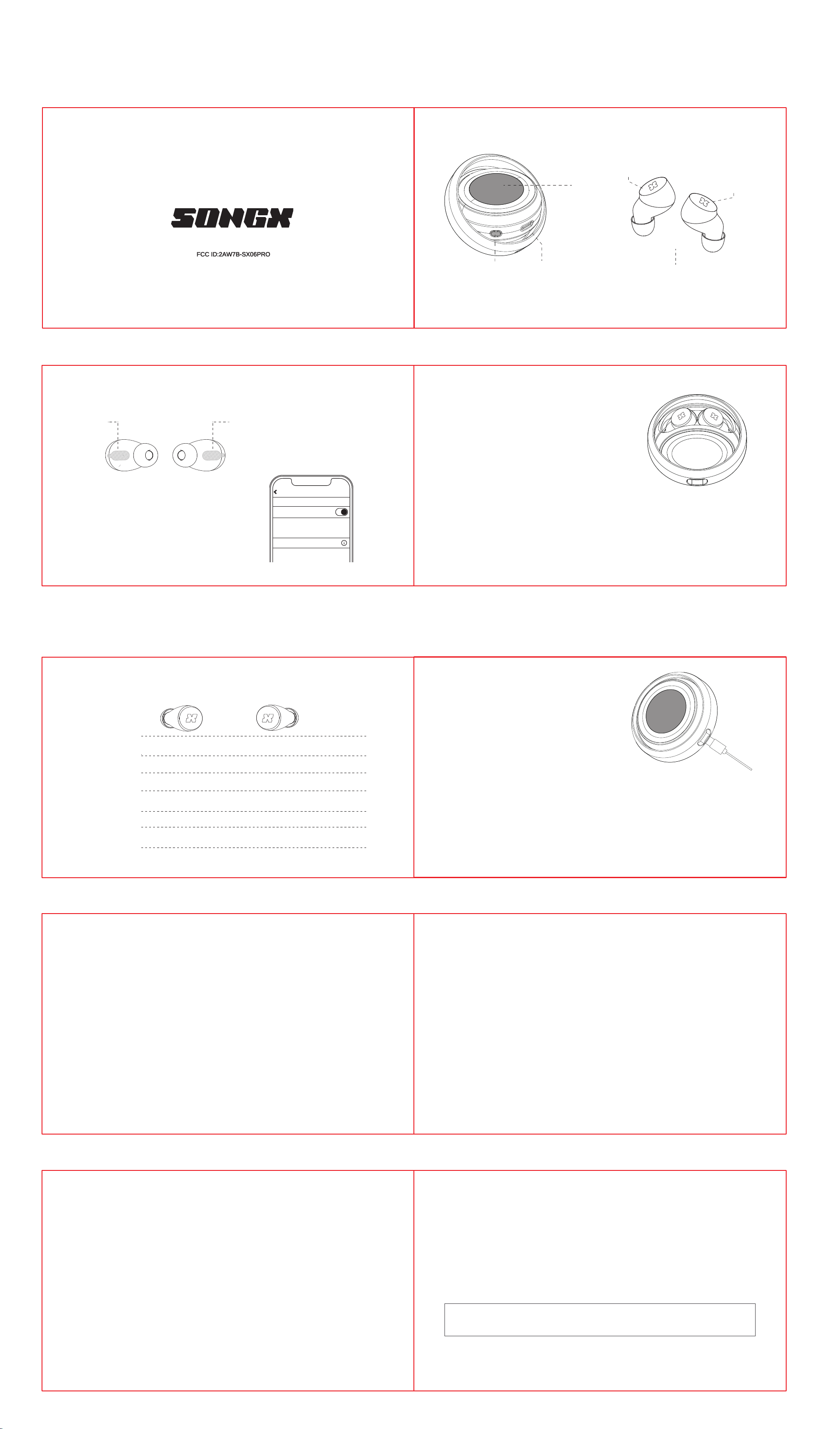
Headphones turned on
Open the charging case and take out the earphones
Close the charging case
Headphones turned o
When the earphones have low batte, they will play
a low batte ale sound to remind you to charge.
Simply put the earphones into the charging case
and they will automatically charge.
Charging headphones
Put the earphones back into the charging case.
Charging
2. Open the charging case, and the left and right earbuds will
automatically pair up as a TWS team and enter pairing mode.
1. When using for the rst time, take out the earphones from the charging case, remove the earphone insulation sticker,
and put the earphones back into the charging case.
5. When using it again, you only need to open the charging case,
and the earphones will automatically reconnect to the last
connected device. Once the connection is successful, the earphone
indicator light will stay lit.
6. To connect a new device, simply disconnect the Bluetooth
connection of the currently connected device. The headphones
will automatically enter pairing mode, and you can search for the
Bluetooth list on the new device to connect and use it.
7. If you want to clear the pairing, in the unconnected state, take out a single earphone from the charging case. When
pairing and not connected to a phone, quickly triple-tap, and then press and hold the earphone for three seconds
on the third tap. After a "beep" sound, the earphone will turn o and then turn back on. Put the earphone back into
the charging case, take out the other earphone, and repeat the same operation.
When using a Type-C charging cable, the screen
displays the charging percentage while the
charging case is charging.
Charge the charging case
4. Congratulations, your "SONGX 06PRO" earphones have been
successfully connected. You can use them individually or pair them
together to enjoy stereo music. The indicator light will turn o when
music is playing.
3. Select the new device "SONGX 06PRO" from the Bluetooth
list on your phone to connect. This will successfully pair the
device. Once connected, the indicator lights on both earbuds
will be constantly on.
Bluetooth
Bluetooth
Not connected
My device
The device name is my phone
Settings
Default tap control
How to pair
SONGX 06PRO
*Note: Supports voice assistants such as Siri, Google Assistant, and Alexa.
Insulating sticker Insulating sticker
Reject the second call
ANC mode
Transparency mode
Normal mode
Answer the second call
Voice assistant
Triple-tap the L touch button to activate the voice assistant
Music mode
In the earphone control mode of the charging case, you can customize the tap control
Call mode
Long press the L touch button for
2 seconds to play the previous track;
long press the R touch button for
2 seconds to play the next track
Triple-tap the L touch button to
activate the voice assistant.
Triple-tap the R touch button to switch
between ANC mode,transparent mode, and normal mode
Triple-tap R/L touch button: reject call double-tap R/L touch button: answer incoming call
Triple-tap the R/L touch button to hang up the call
Double-click the R/L touch button to end the current call and answer the second incoming call
Triple-tap the R touch button to switch between ANC mode, Transparency mode, and Normal mode
EarbudsType-C USB
Product Introduction
User Manual
FCC ID:2AW7B-SX06PRO
Screen
Indicator Light
Tap the control key
Power Key