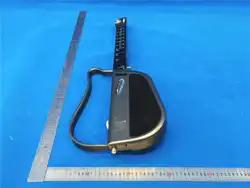
Musspark V1 Series
User Guide
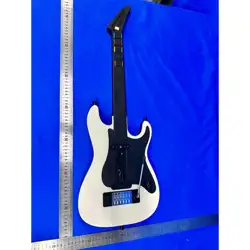
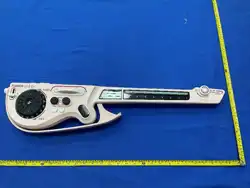
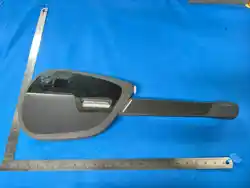
The Musspark V1 Series represents a new generation of
screen-equipped AI stringless guitar.
It integrates stringless performance, interactive sheet music, an
automatic drum machine, AI creation, and a music visualization
screen, allowing even complete beginners to easily sing, create,
and perform. Compared to the previous compact guitar model, the
Musspark V1 Series has been comprehensively upgraded in audio
performance, screen interaction, and stage presence, making it
more suitable for home entertainment, gatherings with friends,
content creation, and in-person experience settings. It creatively
integrates the following functions:
• Chord Synthesizer
• One-Touch Accompaniment
• Rhythm Drum Machine
• Intelligent Interactive Sheet Music
• AI Music Composition & Notation
• Bluetooth Speaker
• Screen Interaction
This product aims to allow users to enjoy the joy of music
anytime and anywhere, lighting up moments with music.
Product Introduction
Package Contents
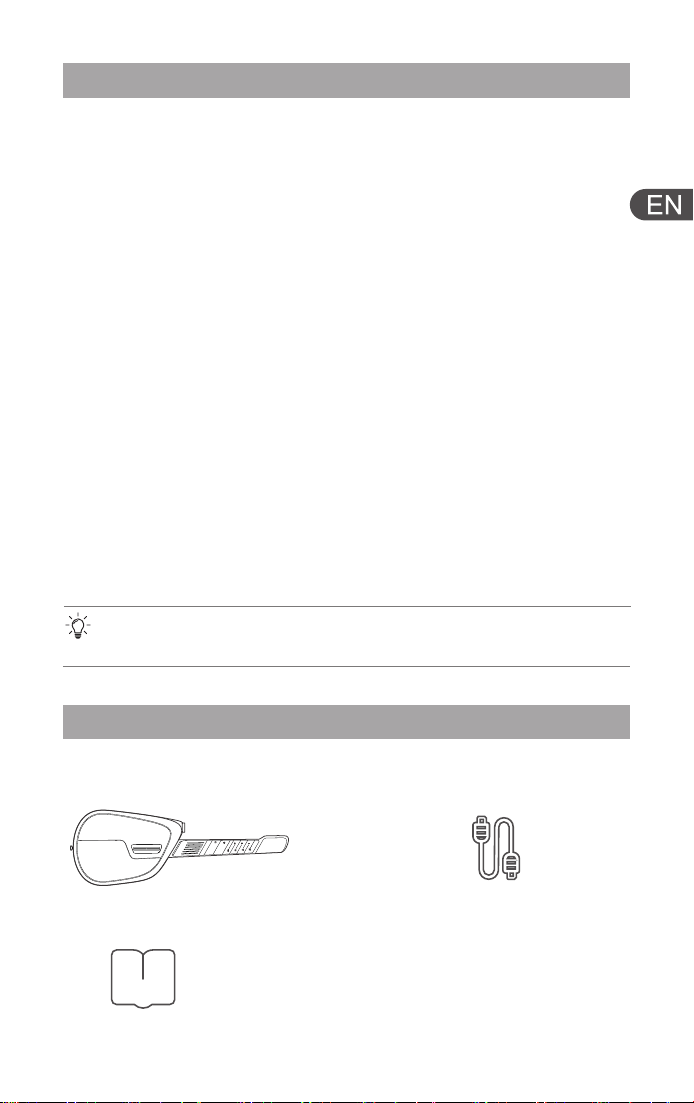
1.Intelligent Stringless Guitar 2.Type-C Charging
Cable
3.Product User Manual
2
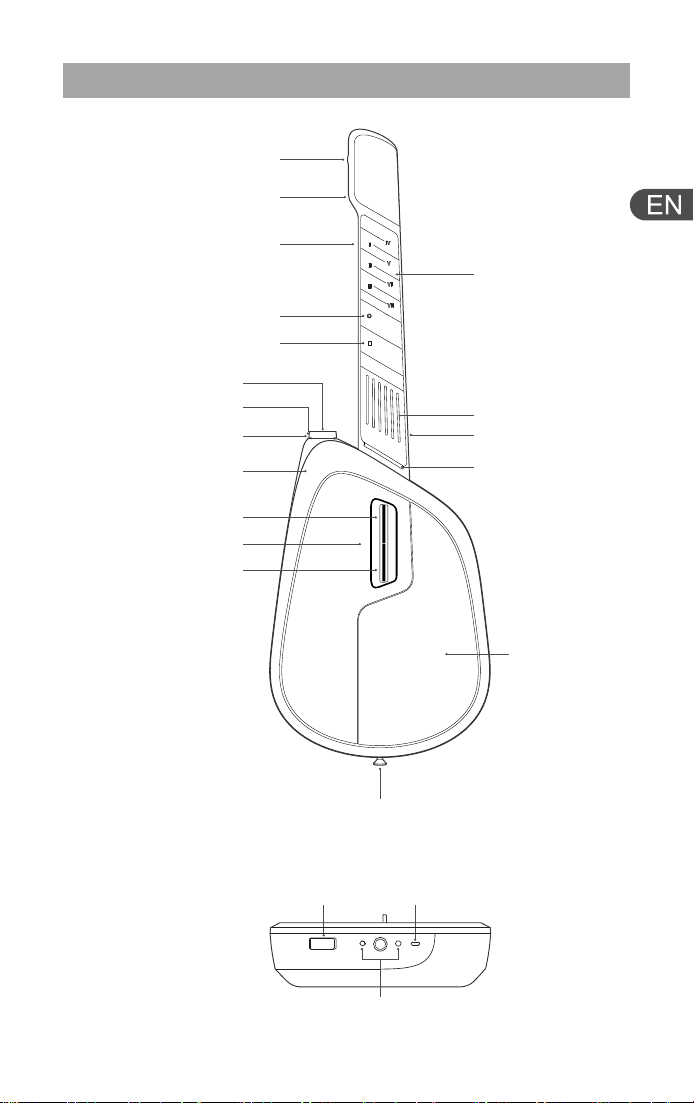
Identifiable Parts of the Device
TYPE-C
Accessory
Compartment
Charging Contacts
Strap Pin
Transpose Knob (Side)
Chord Indicator
Light (Side)
Stop Button
Charging
Indicator Light
Power Button
Volume Knob
Pick A
Neck Release
Button (Back)
Chord Keyboard
Tap Pad
Pick B
Strap Pin (Back)
Strumming Pad
Speaker
Light Strip
Drum Machine Button
Style Switch / Chord
Expansion Button (Back)
3
Operation Instructions
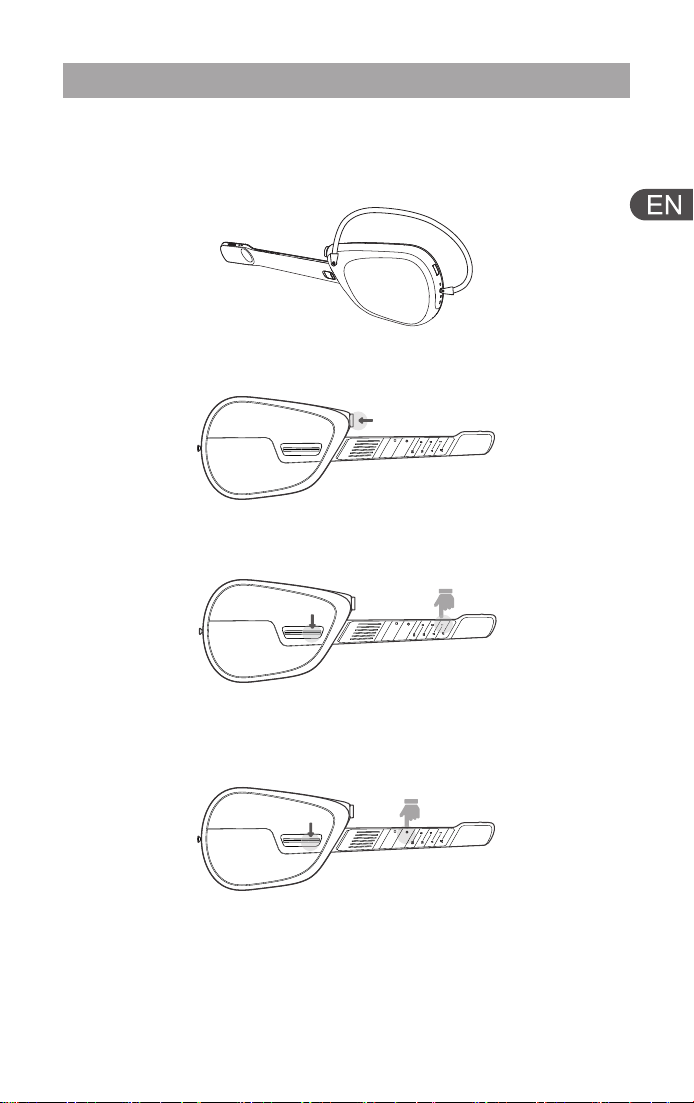
2.Power On/Off(Press and hold for 2 seconds to power on; press
and hold to power off.)
3. Play Chords(Press and hold the C chord button with your left
hand, and flick the picks with your right hand to play the chord.)
4. Activate the Drum Machine(Press and hold the Drum
Machine Button and flick any pick to activate the drum machine.
Press and hold the Stop Button to stop the drum machine.)
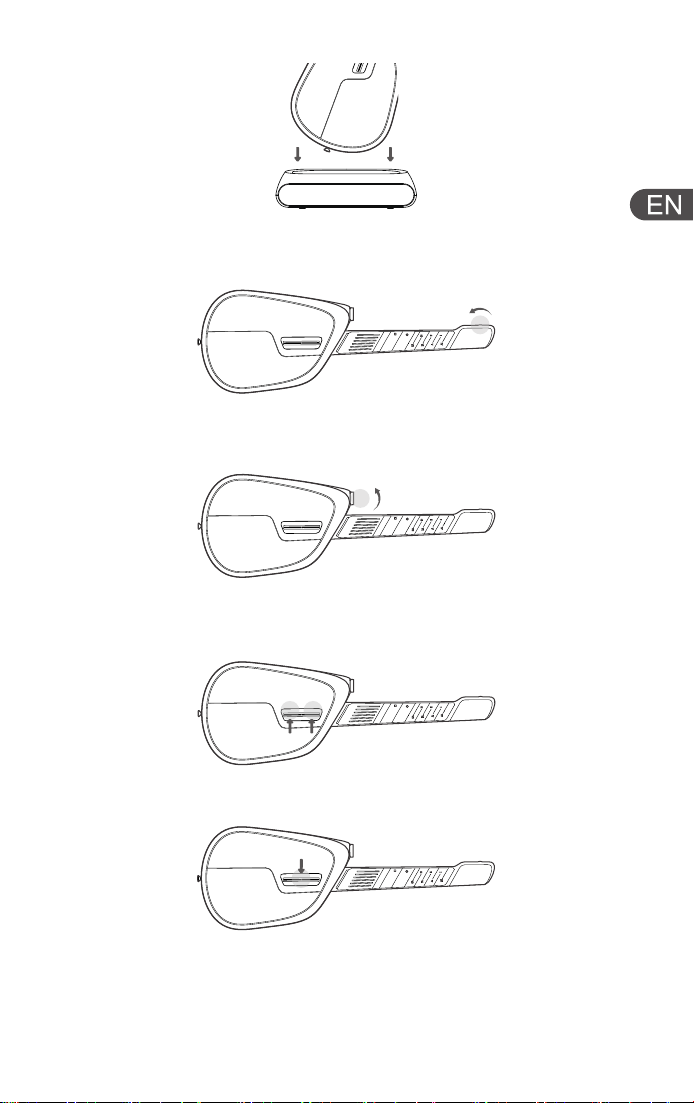
5. Speaker Mode(Place the instrument on the optional docking
station to switch to Bluetooth speaker mode.)
1.Install the Optional Strap(Install the strap according to the
diagram, and confirm that the strap is securely connected before
use.)
4
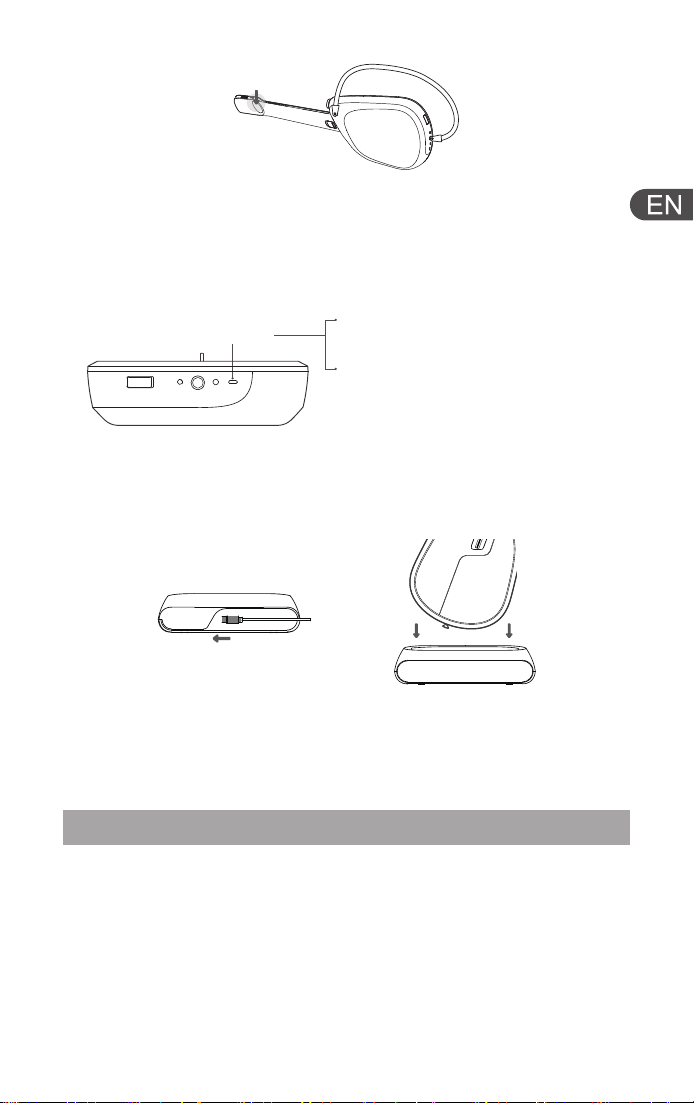
8. Solo Mode(Simultaneously flick picks A and B upward to
activate the Single-Note Solo mode.)
6. Key Adjustment(Rotate the Transpose Knob to select a key
that suits you.)
7. Volume Adjustment(Adjust the output volume using the
Volume Knob.)
9. Tap Pad(Tap the indicated area to produce specific sounds.)
10. Style Switch(Flick this switch to change between different
styles.)
5
Install the Musspark App
After installing the App, you can use the following features:
• Getting Started Guide
• Interactive Smart Sheet Music
• AI Creation & Play/Sing
• Advanced configurations for more styles, chords, and drum
machine settings
• Customize styles to personalize your Musspark V1 Series
13. Wireless Connection
(Ensure your phone's wireless connection is turned on. Connect to
the product after opening the App, and keep the phone within 50
cm of the product.)
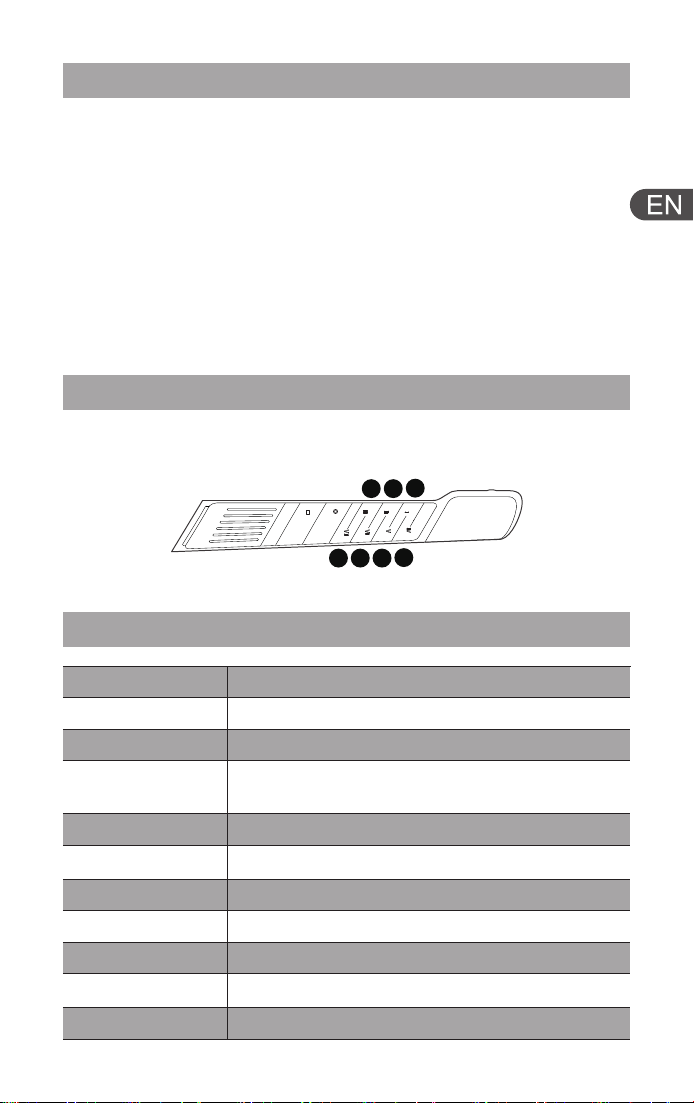
12. Charging via the Included Docking Station
(Place the guitar on the docking station to charge.)
11. External Device Connection & Charging
Connect the instrument to a charger or computer via USB Type-C.
Please charge via the device's USB Type-C port and use a
compliant power adapter with a Type-C port.
TYPE-C
1. Insert headphones to activate
headphone playing/singing mode.
2. Plug in the compatible wireless
microphone receiver adapter and use
it with an external wireless handheld
microphone to activate the wireless
microphone playing/singing mode.
6
Join the Musspark Musician Community
Scan the QR code via the official account or social media to join
the community and access the following:
• Singing and playing tutorials from beginner to advanced
• Brand online/offline event information
• Interact and communicate with more Musspark players
• Advanced configurations for more styles, chords, and drum
machine settings
• Customize styles to personalize your Musspark V1 Series
Technical Specifications
Item Specification
Dimensions
Weight
Body
Material
Operating
Environment
Pick Lifespan
Chord Pad
Lifespan
Battery Life
Auto Power-Off
Time
Charging
Interface
Charging Time
Shell body: ABS+PC composite material;
Metal parts: Anodized sandblasted aluminum alloy
0-40℃
More than 1,000,000 operations
More than 1,000,000 operations
Playing/Singing mode: 10 hours; Speaker mode: 8 hours
10 minutes
USB Type-C
Approx. 3 hours
Guitar: Length × Width × Height = 634 × 224 × 74 mm
Guitar: 1.75 kg
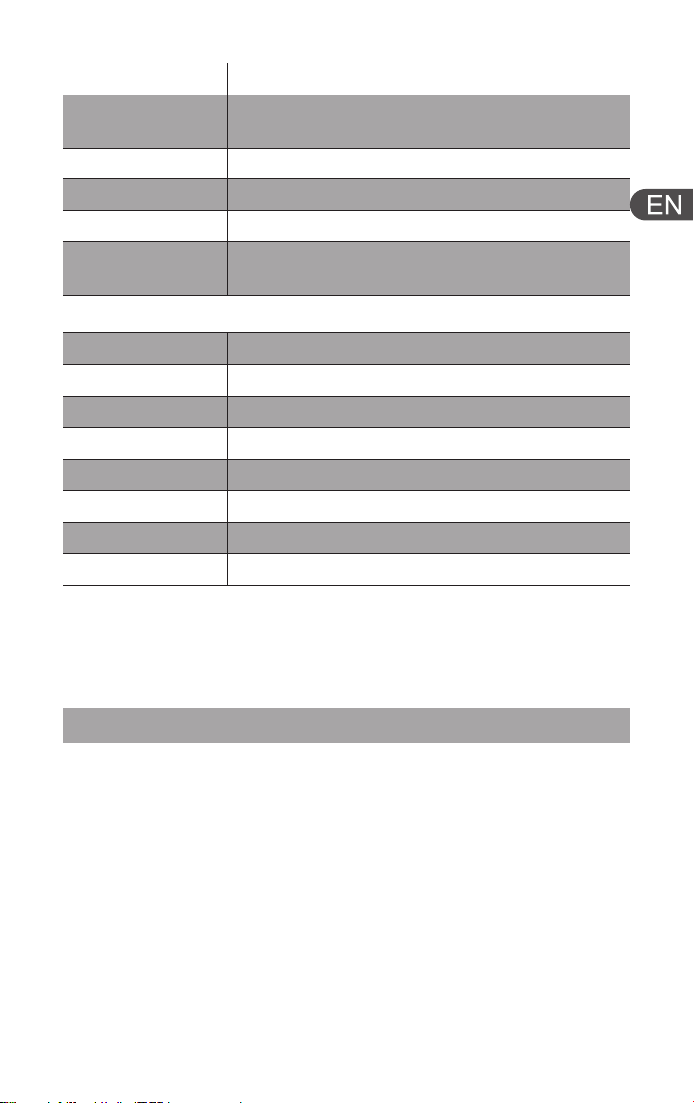
Chord Degrees
Chord Degree Reference Table (Key of C)
1
23
4
567
7
Safety Information
Safety Warnings
•
It is recommended to read the relevant warnings and information
before using this product, and follow all product safety and
operating guidelines.
•
Failure to follow relevant guidelines may result in personal injury,
property damage, or in severe cases, death.
•
If allowing others to use this product, ensure that each user is
aware of and follows all safety and operating instructions.
Operating Environment
•
Do not expose this instrument to rain or use it near water sources
or in humid environments.
Note: Product parameters are based on laboratory test data. Actual
performance may vary depending on the usage environment,
methods, and device status. Please refer to actual usage condi-
tions.
Display
Brightness
Color
Viewing Angle
Refresh Rate
Maximum Frame Rate
Pixel Count
Screen Size
192 × 54 pixels, Pixel size (1.25mm × 1.25mm)
300 cd/m²
Full color (16.7 million colors)
≥ 140° (Horizontal and Vertical)
≥ 3KHz
50 fps
8332 pixels
240 mm x 67 mm
Battery Capacity
Speaker
Specifications
Audio Input
Audio Output
Manufacturer
Manufacturer
Address
10.8V 3300mAh Rechargeable Lithium-Ion Battery
50W Woofer; 15W Tweeter; Passive Radiator × 2
USB Type-C
USB Type-C
Shenzhen Suitan Technology Co., Ltd.
Room 804, Bay Area Industrial Investment
Building, No. 2100, Haixiu Road, Haibin Community,
Xinan Subdistrict, Bao'an District, Shenzhen City
8

•
Do not place containers filled with liquids on the instrument to
prevent liquid from entering the openings.
•
If liquid seeps in, immediately cut off the power, unplug the power
cord, and contact a qualified Suitan repair technician.
•
Never plug or unplug the power cord with wet hands.
•
Do not place burning objects, such as candles, on the instrument
to prevent fire.
•
Do not place the instrument in environments with excessive dust,
severe vibration, extreme cold, or extreme heat, such as inside a
car exposed to sunlight for a long time or near a heater.
•
The confirmed operating temperature range is 0°C – 40°C.
•
Do not use harsh chemicals, cleaning agents, or strong
detergents to clean the device or accessories.
•
Do not allow children or pets to bite or swallow the device or its
accessories, as this may cause personal injury, equipment failure,
or explosion risks.
Device Placement
•
When not using this instrument, please turn off the power and
charge it once every 6 months.
•
When not using it for a long time, unplug the charging cable from
the power adapter.
•
Do not place the instrument on an unstable surface to prevent it
from suddenly tipping over.
•
Before moving the instrument, unplug all connected cables to
prevent damage to the circuitry or trip hazards.
•
When setting up the product, ensure the power outlet is easily
accessible; in case of a malfunction, immediately disconnect the
power and unplug the device.
Operating Safety
•
Do not insert or drop paper, metal, or other objects into the gaps
of the chord keyboard or picks.
•
Do not press your body against the instrument or place heavy
objects on it.
•
Avoid using excessive force when operating the chord keyboard,
knobs, switches, or interfaces.
•
When using the strap, ensure the strap connectors are securely
attached to the instrument.
•
Do not lift the instrument directly by the strap, as this may cause
severe damage.
9

•
Do not handle the instrument roughly, such as forceful
plugging/unplugging or swinging, to prevent the strap from
detaching, the instrument from dropping, or injury to others.
•
Slight heating during use or charging is normal.
•
Suitan is not responsible for losses, data loss, or damage caused
by improper use or unauthorized modification of this instrument.
Hearing Protection
•
Before connecting this instrument to other electronic devices, turn
off all devices and set the volume to the minimum.
•
When in use, start from the minimum volume and gradually
increase to an appropriate level.
•
Do not use this instrument or external devices/headphones at
high volumes or uncomfortable volumes for extended periods to
prevent permanent hearing damage.
•
If you experience hearing impairment or tinnitus, seek medical
attention promptly.
Charging Safety
•
Do not place the charging cable or docking station near heaters or
radiators.
•
Do not excessively bend or damage the charging cable, or place
heavy objects on the charging cable.
•
Use a power adapter with an output of 5V/3A DC or 9V/3A DC to
charge the product.
•
Regularly inspect the power plug and remove dirt or dust.
•
During thunderstorms, unplug the plug from the outlet.
•
Even when the power is turned off, a very small amount of current
still flows to this product. When not in use for a long time, unplug
the charging cable from the power outlet.
Children's Health
•
Operating this device involves certain difficulty and risks. It is
recommended to keep the device and its accessories out of reach
of children.
•
This device may contain small detachable parts. Children may
inadvertently damage the device, swallow small parts, and cause
suffocation or other dangers.
10

Device Safety
If any of the following situations occur, immediately turn off the
power switch, unplug the power cord from the outlet, and contact a
Suitan repair technician:
•
The charging cable or interface is worn or damaged.
•
The instrument emits an unusual smell or smoke.
•
Foreign objects have fallen into the instrument.
•
The sound is suddenly interrupted during use.
Precautions
•
This instrument does not contain any parts that can be serviced
by the user.
•
Do not open this instrument, disassemble internal parts, or modify
it in any way.
•
If any abnormality occurs, stop using it immediately and contact a
qualified Suitan repair technician.
Disposal and Recycling Information
•
The relevant symbols on the product indicate that this product
and/or battery should not be disposed of with household waste.
•
When disposing of this product and/or its battery, please follow
local environmental laws and handling guidelines.
Product Care
•
Use a soft, dry cloth or regular wet wipes to clean the device.
•
Do not use cloths containing paint thinners, solvents, alcohol,
cleaning fluids, or other chemicals.
•
Be careful to prevent water from entering the device body during
cleaning.
11
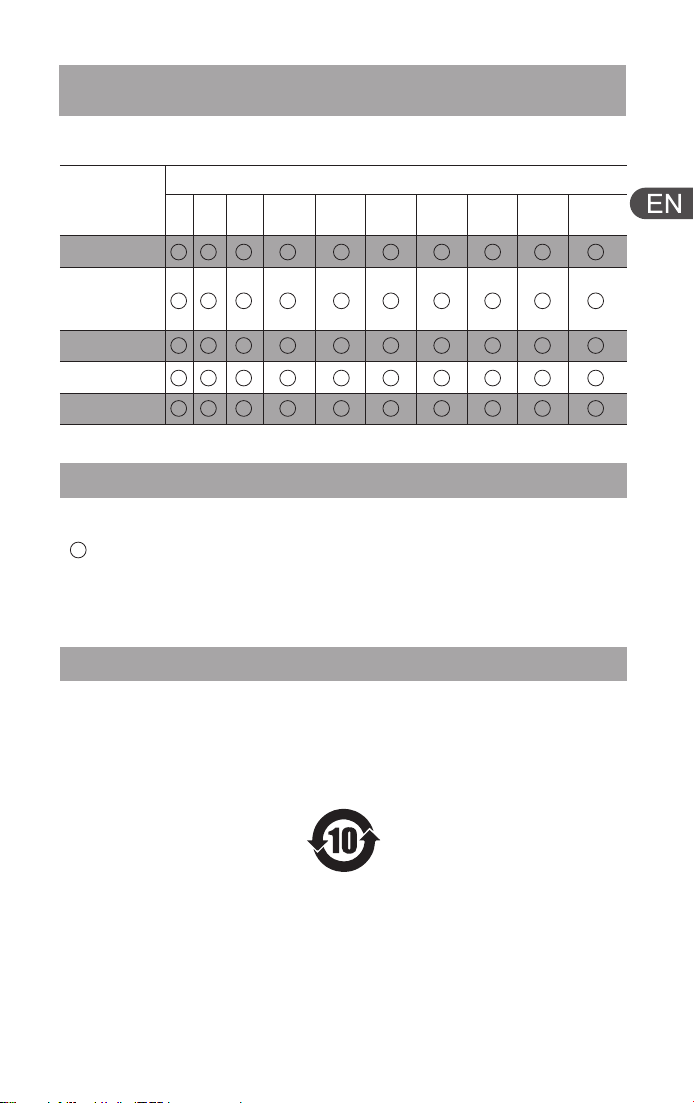
Table Description
•
This table is compiled in accordance with SJ/T11364 regulations.
Indicates that the content of the hazardous substance in all
homogeneous materials of the component is below the specified
limit required by GB/T26572.
Environmental Protection and Hazardous Substance
Declaration
Hazardous Substance Declaration Table
Hazardous Substance
Metal Parts
Part Name
Pb Hg Cd Cr(VI) PBB PBDE DEHP BBP DBP DIBP
Circuit
Board
Assembly
Silicone Parts
Plastic Parts
Adhesives
•
This mark applies to electrical and electronic products sold in the
People's Republic of China.
•
The number in the middle of the mark represents the environmen-
tal protection use period in years.
Environmental Mark Explanation
12

This device complies with part 15 of the FCC Rules.
Operation is subject to the following two conditions:
(1) This device may not cause harmful interference, and
(2) this device must accept any interference received, including
interference that may cause undesired operation.
Note: This equipment has been tested and found to comply
with the limits for a Class B digital device, pursuant to Part 15
of the FCC Rules. These limits are designed to provide reason-
able protection against harmful interference in a residential
installation. This equipment generates, uses and can radiate
radio frequency energy and, if not installed and used in
accordance with the instructions, may cause harmful interfer-
ence to radio communications.
However, there is no guarantee that interference will not occur
in a particular installation. If this equipment does cause
harmful interference to radio or television reception, which can
be determined by turning the equipment off and on, the user
is encouraged to try to correct the interference by one or more
of the following measures:
Reorient or relocate the receiving antenna.
Increase the separation between the equipment and receiver.
Connect the equipment into an outlet on a circuit different
from that to which the receiver is connected.
Consult the dealer or an experienced radio/TV technician for
help.
Warning: Changes or modifications to this unit not expressly
approved by the part responsible for compliance could void
the user’s authority to operate the equipment.
FCC Radiation Exposure Statement
This device complies with FCC RF exposure limits for gener-
al-population/uncontrolled exposure environment.
FCC Compliance Notice
13
14
The Warranty Does Not Cover the Following:
• Damage caused by failure to use, maintain, or store the product in
accordance with the requirements of this instruction manual.
• Damage, corrosion, or oxidation caused by direct sunlight, liquid
contact, humid environments, extremely high temperatures, other
harsh environments, or sudden environmental changes.
• Normal wear and tear resulting in cosmetic damage to the product
or accessories.
• Damage caused by disassembly, modification, or repair by anyone
other than official or authorized service personnel.
• Damage caused by force majeure such as floods, fires, lightning
strikes, etc.
• Products that have exceeded the valid limited warranty period.
Copyright © Shenzhen Suitan Technology Co., Ltd.
The product diagrams in this manual are for illustration purposes
only. The actual product may differ.
Official Website: www.musspark.com
Customer Service Email: [email protected]
Rights Statement
For products within the warranty period, if our company's mainte-
nance personnel confirm that the damage is due to manufacturing
processes or components under normal use conditions, free repair
services will be provided.
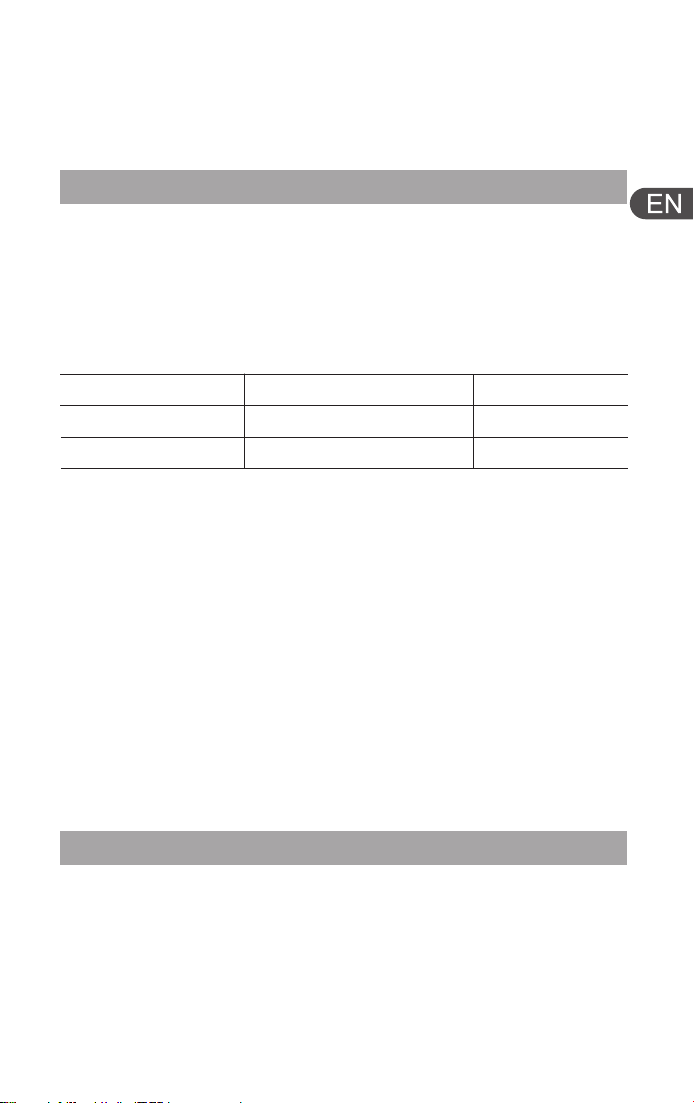
Warranty Instructions
Warranty Coverage
Type Coverage
Warranty Period
Host
Accessories
Guitar Main Body
Data Cable
1 year
3 months
For body-worn operation, a 0mm separation distance shall be
maintained between the exterior surface of the device and the
human body. This device is not intended to be used against
the human head.