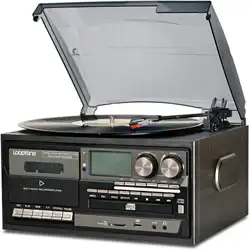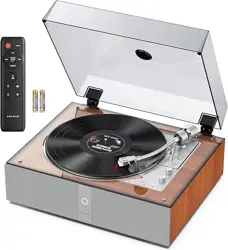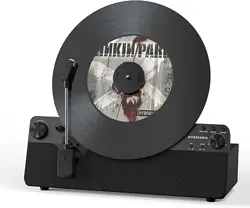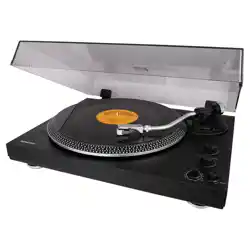
Turntable Record Player
618A
MANUAL
READ INSTRUCTIONS CAREFULLY BEFORE USE AND STORE
IN A SAFE PLACE FOR FUTURE REFERENCE

Safety Instructions
1. Do not use this product near water.
2. This product should be operated only by the type of power source indicated on the marking label or in this
instruction manual.
3. Do not defeat the safety purpose of the polarized plug. A polarized plug has two blades with one blade wider
than the other. This plug will fit into the power outlet only one way. If you are unable to insert the plug fully into
the outlet try reversing the plug. If the plug should still fail to fit, contact your electrician.
4. Protect the power cord from being walked on or pinched particularly at plugs, convenience receptacles, and
the point where they exit from the product.
5. Do not overload wall outlets, extension cords, or integral convenience receptacles as this can result in a risk
of fire or electric shock.
6. Never push objects of any kind into this product through openings as they may touch dangerous voltage
points or short-out parts that could result in afire or electric shock. Never spill liquid of any kind on the product.
7. Do not attempt to service this product yourself as opening or removing covers may expose you to
dangerous voltage or other hazards. Refer all servicing to qualified service personnel.
8. Changes or modifications to this unit not expressly approved by the party responsible for compliance could
void the user’s authority to operate the equipment.
9. Do not use attachments not recommended by the product manufacturer as they may cause hazards.
10. A product and cart combination should be moved with care. Quick stops, excessive force, and uneven
surfaces may cause the product and cart combination to overturn.
11. Slots and openings in the cabinet are provided for ventilation and to ensure reliable operation of the
product and to protect it from overheating. Do not block or cover these openings.
12. Unplug the product during lightning storm or when unused for long periods of time.
BASIC OPERATIONS
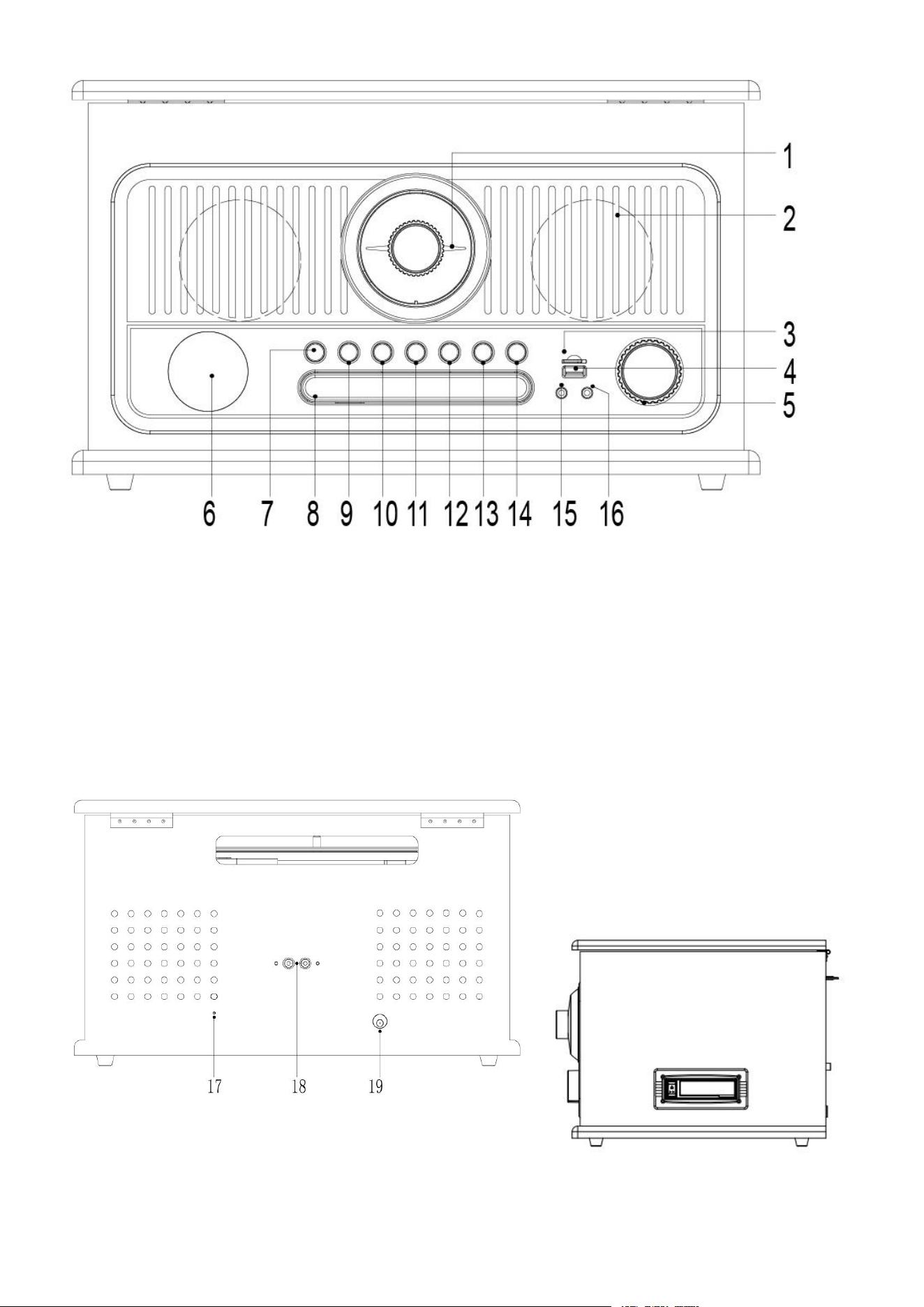
1. FM Tunning Knob
2. Speaker
3. TF card slot
4. USB slot
5. Power / VOL knob
6. LCD Display
7. MODE/REC
8. CD Tray
9. PRO/DEL
10. Backward Skip Button
11. Pause Button
12. Forward Skip Button
13. Stop Button
14. Cd door open/Close button
15. Aux In jack
16. Ear jack
Rear View
17. FM Antenna
18. RCA LINE OUT
19. DC power In Socket
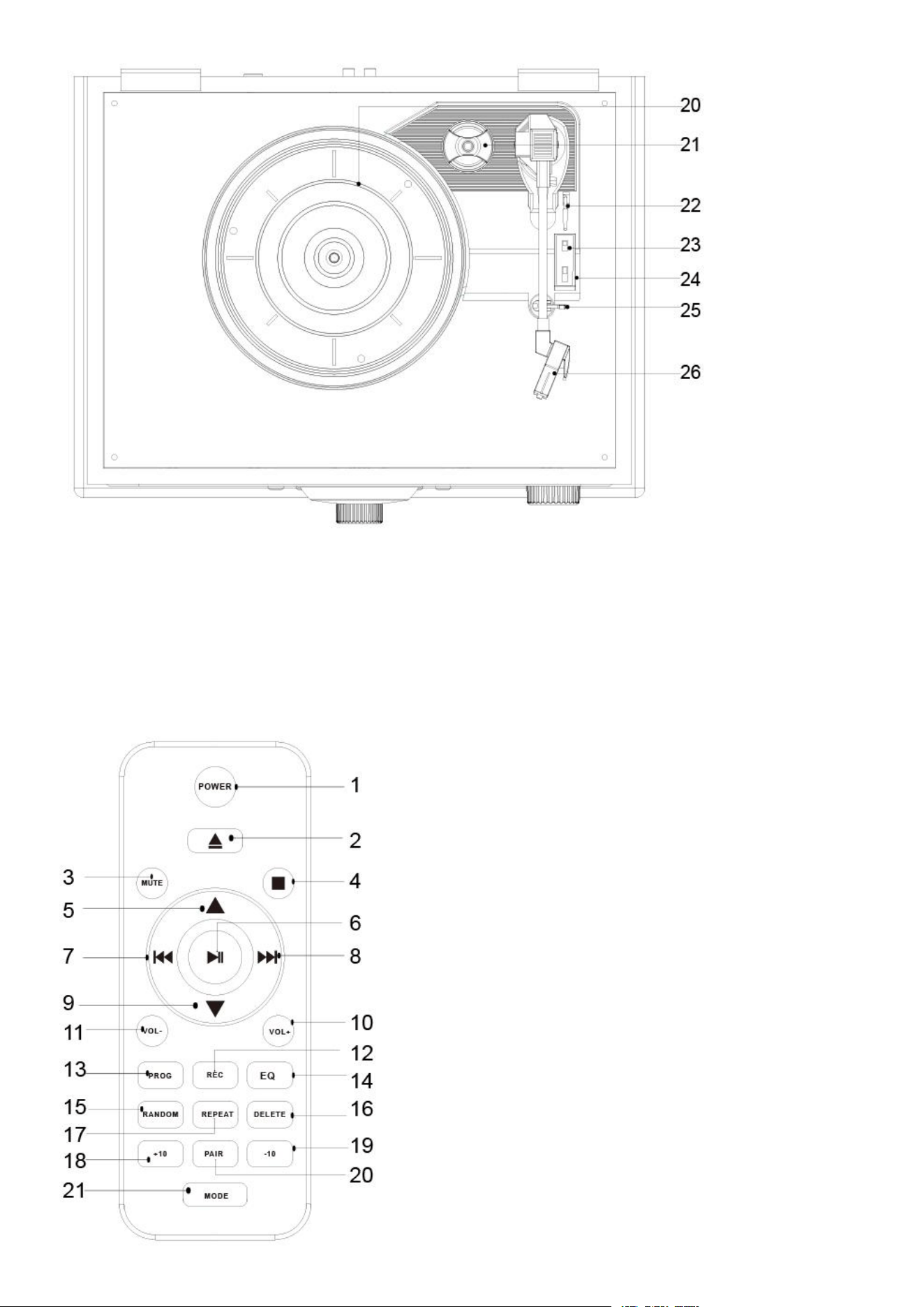
20.Turntable Platter
21.45 RPM Adapter
22.Tonearm Lever
23.Auto Stop Switch
24.Record Speed selector 33/45/78rpm
25.Hold Down Clip
26.Cartridge
Remote Control
1. Power /Stand By
2. CD Open/Close Button
3. Mute
4. Stop
5. Folder Up button
6. Play/Pause
7. Backward Skip Button
8. Forward Skip Button
9. Folder Down
10.Vol+
11. Vol-
12.REC
13.Program
14.EQ
15.Random
16.Delete
17.Repeat
18.Track+10
19.Track-10
20.Mode

INITIAL SET-UP
1. Place the unit on a flat and level surface. The selected location should be and free
from vibration.
2. please make sure that VOLTAGE mentioned on the power supply is same as the voltage of
your local area.
3. Use the supplied mains adaptor to connect the device to a household mains socket.
Remote Control
First-time use:
1. Pull out the battery tray and Install two AAA batteries.with correct polarity (+/-) as indicated.
2. Insert the battery tray back into the slot.
Note:
- If the Remote Control is operated near other products which generate infrared rays,
or if other remote-control devices using infra-red rays are used near the unit, it may
operate incorrectly. Conversely, the other products may operate incorrectly
Stereo System Connection
RCA Jacks
The RCA Jacks output analog line-level signals and could be connected directly with a pair of
active/powered speakers or the appropriate input of your stereo system.
The Red plug connects with the Right channel and the White plug connects with the Left channel.
Note: The RCA Jacks are not designed to be connected directly to the passive/unpowered
speakers. If connected to the passive speakers, the volume level will be very low.
Aux Input Connection
You can connect an audio device to this unit and play your music through its speakers. To do this,
connect the 3.5mm auxiliary cable between your audio device and the Aux In Jack of this unit, press
Mode to select “AUX” and start playing.
Note: The aux in connection will automatically override the turntable or Bluetooth function.
To resume using the turntable or Bluetooth function, unplug the auxiliary cable from the aux
in jack.
Turntable Operation
1. Rotate the On/Off Volume Knob to turn on the power.
2. Press the Mode button to set the unit to Phono mode.
3. Set the Speed Switch accordingly.
4. Place the record on the turntable. Use the 45 RPM Adapter if necessary.
5. Remove the stylus protector from the stylus assembly.
Note: To avoid stylus damage, make certain the included stylus protector is in place
whenever the turntable is being moved or cleaned.
6. Release the tonearm Hold Down Clip.
Note: When the turntable is not in use, remember to lock back hold down clip.
7. Use the Tonearm Lever to lift up the tonearm.
8. Gently move the tonearm over the record where play is desired to begin. Set the Tonearm
Lever back to the down position, the tonearm will descend slowly onto the record and begin to
playback
9. When the record is finished playing or to suspend the playback, use the Tonearm Lever again to
raise the tonearm and return it to the Tonearm Rest. Release the lever to lower the tonearm back to
its rest.
10.Lock the Tonearm Clip to secure the tonearm.
Platter Auto-stop
If the Auto-stop Switch is set to ON position, the platter will stop spinning automatically when the
record plays to the end. In some rare occasion, if the turntable stops playing before the end of the
record, set the switch to OFF position the turntable should overcome this issue.
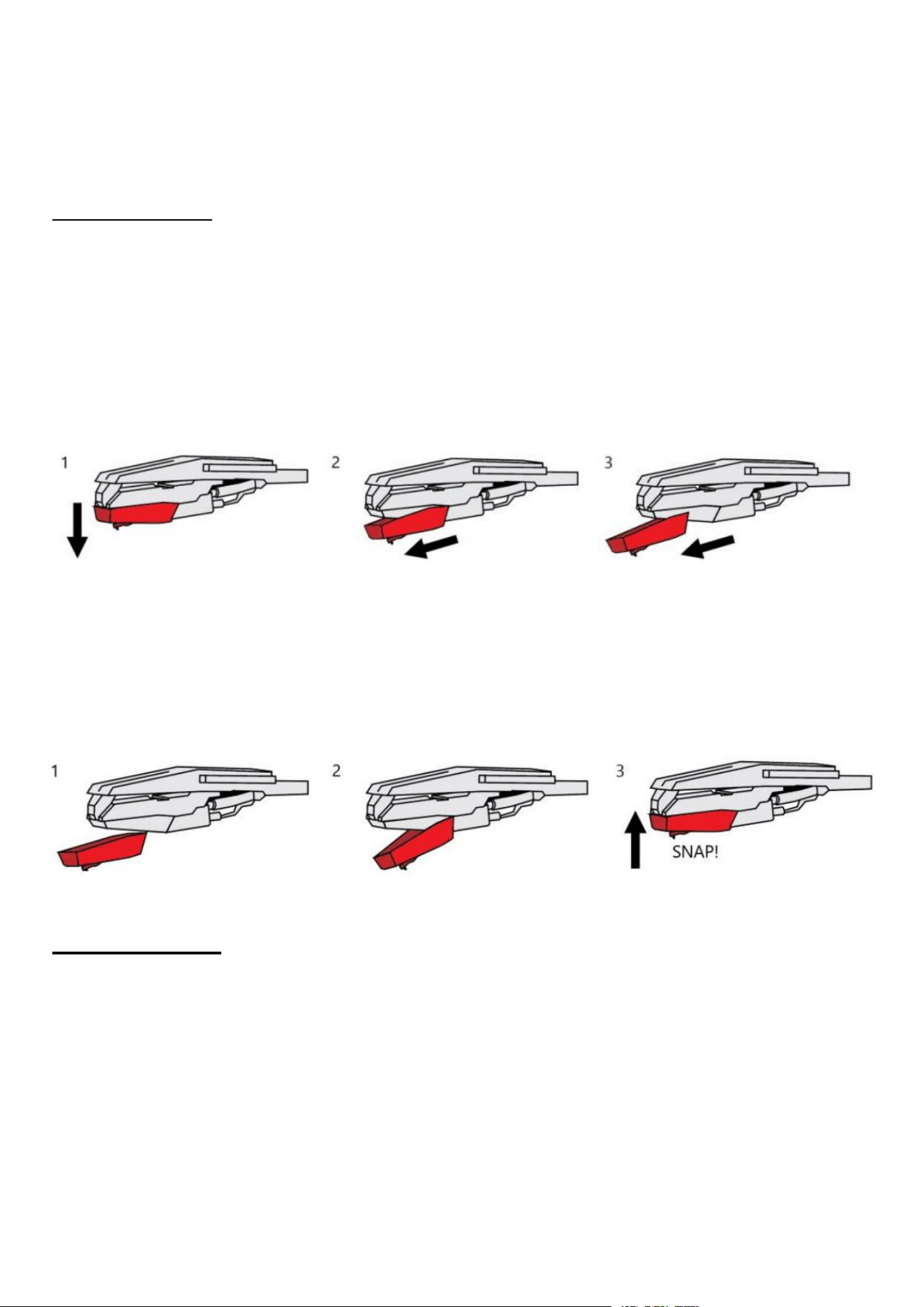
Needle Replacement
Removing Needle
1. Gently pull down the front edge of the needle.
2. Pull needle forward.
3. Pull out and remove.
Installing Needle
1. Position the needle with its tip facing down.
2. Line up the back of the needle with the cartridge.
3. Insert the needle with its front end at a downward angle and gently lift the front of the needle
upward until it snaps into place
Radio Operation
1. Rotate the On/Off Volume Knob to turn on the power.
2. Press the Mode to select FM or AM Radio.
3. Rotate the Tuning Knob for desired radio station.
Note:
The unit is equipped with a FM wire antenna. To improve FM reception, fully extend and move the
wire around until the reception is clear without interferences. Do not connect the wire to any
additional antenna.
Bluetooth Operation
1. Rotate the Power / Volume Knob to turn on the power.
2. Press the Mode button to set the unit to Bluetooth mode, you will hear an activation sound from the
unit.
3. Turn on the Bluetooth feature of your audio device, search for” LoopTone” and pair.
4. Once your device is successfully paired with the unit, you will hear a short confirmation sound from
the unit.
5. Play and stream music from your device to the unit.
Note: Bluetooth version - *5.1 *
CD Playback Operation
1. Rotate the Power/ Volume Knob to turn on the power.
2. Press MODE button to select CD mode.
3. Press “ ” button to open the CD tray and put the CD in the tray with the labeled side facing up.
4. Press the button “ ”again to close the tray. If it is a blank CD or an unrecognizable CD, it will show
“NO DISC”. Playback will start automatically.
5. During the playback, press” ” to pause or resume play.
6. To skip to the next or previous track, press the buttons
7. To search fast forward or backward a track, press and hold the buttons correspondingly
until you reach the desired time. Release the button and the playback will resume.
8. Press the button if you want to completely stop playback.
9. Press Button “Repeat”, press button to play one & Folder (if any) & All repeatedly
10. Press Button “Random”, to play tracks in randomly
111. Press / to choose different Folder if available.
USB / Mini SD (TF card) PLAYBACK
1. Press Mode to select USB/SD
2. Plug the USB /TF card into USB/TF port and it will play first track automatically.
3. During the playback, press” ” to pause or resume play.
4. To skip to the next or previous track, press the buttons /
5. To search fast forward or backward a track, press and hold the buttons / correspondingly
until you reach the desired time. Release the button and the playback will resume.
6. Press the button if you want to completely stop playback.
8. Press Button “Repeat”, press button to play one & Folder (if any) & All repeatedly
9. Press Button “Random”, to play tracks in randomly
10. Press / to choose different Folder if available.
Note: The USB port does not support charging or data transfer with computer
Recording CD/ AUX /FM/BT (Bluetooth, if available) to USB/TF card
1. Insert USB pendrive or TF card.
2. Press Mode to select desired Mode
3. Press [REC] to start recording, the unit displays REC—ONE, Press Backward or forward Skip
Button
4. choose to [REC--ONE] or [ REC-ALL], Press [REC] to confirm
5. When you have finished recording, press the [Stop] button.
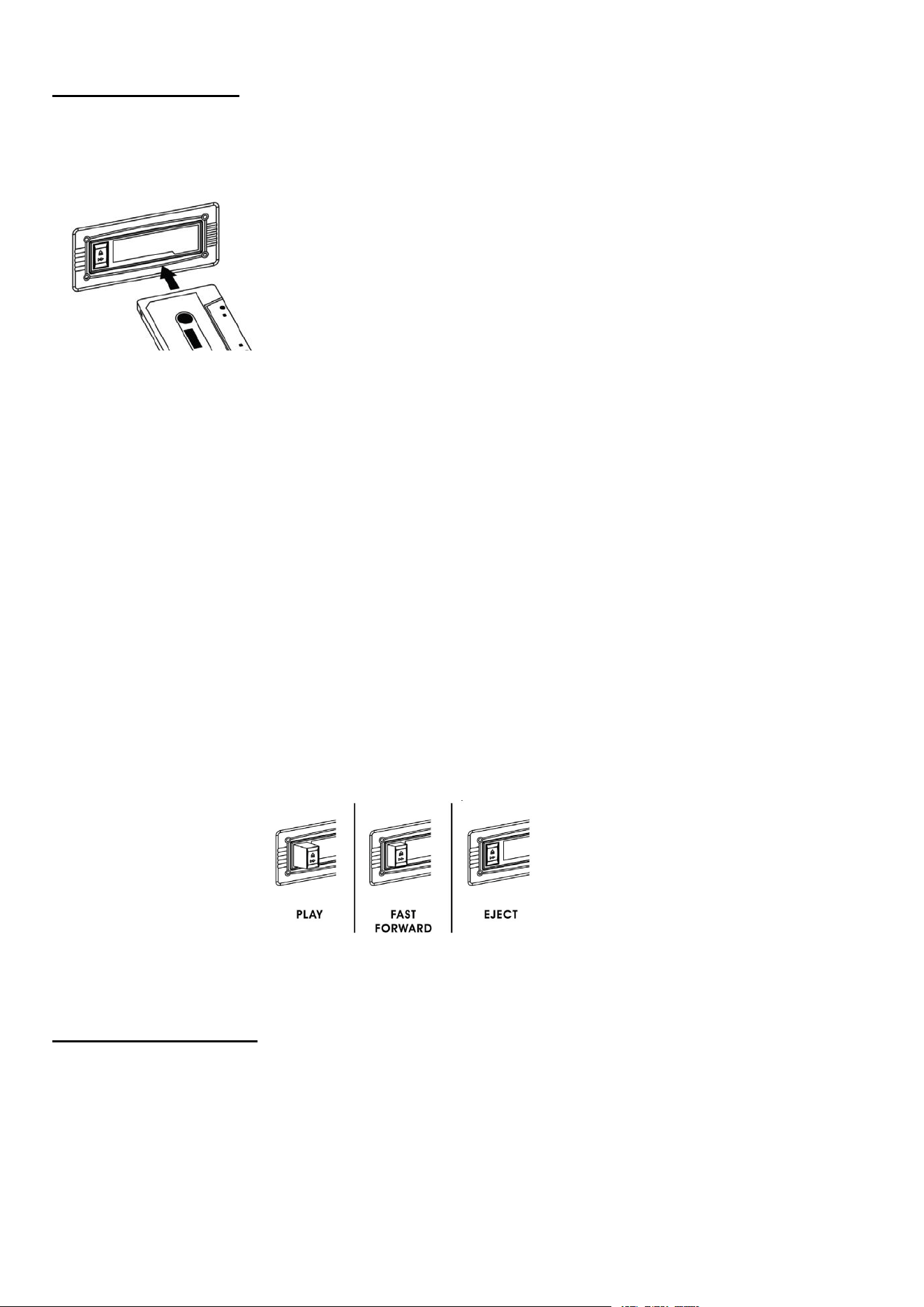
The cassette deck
IMPORTANT!
When using the cassette deck:
• Make sure to insert the cassette in the correct direction.
• To avoid damaging the cassette, we strongly recommend taking it out of the equipment after playing
the cassette.
Playing a cassette
1. Turn the volume knob clockwise to turn the equipment on.
2. Use the function selector to select TAPE mode.
3. Insert a cassette with the tape facing away from you, as illustrated on the right. The EJECT/FAST
FORWARD button will pop out and the system will start playing the tape automatically.
4. Turn the volume knob to your desired level.
5. To fast forward the cassette tape, press the EJECT/FAST FORWARD button halfway down while
the cassette is playing. The tape will be advanced forward rapidly.
6. To resume normal playback, slightly press the EJECT/FAST FORWARD button again. The button
will fully pop out again.
7. To stop playback, press the EJECT/FAST FORWARD button completely. Playback will be stopped
and the cassette tape will be ejected.
Select the Equalizer
Press the EQ button on the remote control repeatedly to select:
[Flat] -[Pop] - [Classic] - [Jazz] - [Rock]
FCC Statement
Changes or modifications not expressly approved by the party responsible for compliance could void

the user's authority to operate the equipment. This equipment has been tested and found to comply
with the limits for a Class B digital device, pursuant to Part 15 of the FCC Rules. These limits are
designed to provide reasonable protection against harmful interference in a residential installation.
This equipment generates uses and can radiate radio frequency energy and, if not installed and used
in accordance with the instructions, may cause harmful interference to radio communications.
However, there is no guarantee that interference will not occur in a particular installation. If this
equipment does cause harmful interference to radio or television reception, which can be determined
by turning the equipment off and on, the user is encouraged to try to correct the interference by one
or more of the following measures:
-- Reorient or relocate the receiving antenna.
-- Increase the separation between the equipment and receiver.
-- Connect the equipment into an outlet on a circuit different from that to which the receiver is
connected.
-- Consult the dealer or an experienced radio/TV technician for help
This device complies with part 15 of the FCC rules. Operation is subject to the following two
conditions (1)this device may not cause harmful interference, and (2) this device must accept any
interference received, including interference that may cause undesired operation.
RF warning for Mobile device:
This equipment complies with FCC radiation exposure limits set forth for an
uncontrolled environment. This equipment should be installed and operated with
minimum distance 20cm between the radiator & your body.
FCC ID : 2A6JN-618A