Important safety information
Thank you for buying this REVOLT item. To ensure that you operate the vehicle correctly, please read these
instructions carefully before first use and store them in a safe place for future reference.
Safety information
*Keep the smaller-sized accessories out of the reach of children.
*Do not store batteries in a hot environment (e.g. near open flames or a heating device).
*Children must be supervised by an adult when operating the vehicle. The vehicle should always
remain within the line of sight of the driver (or instructor).
*Do not recharge non-rechargeable batteries. When installing or changing the batteries, ensure
that they are connected in the correct polarity. Do not mix old and new batteries or different types.
*Do not short circuit the battery terminals.
*If you do not plan to use the vehicle for at least 10 days, discharge the battery to 40%-50%
(i.e. if the battery is fully charged, drive the vehicle for half of the total driving time). This helps to
*You must only use the charging cable provided. Disconnect the charging cable from the vehicle
before cleaning.
*Regularly inspect the charging cable's wires, plug socket, outer casing and other accessories to
ensure they are not damaged. If there are any signs of damage, discontinue use immediately until
repaired.
*After use, ensure that the vehicle and remote control are switched off and remove the batteries
in the remote control.
*The packaging and this manual contain important information and should be kept in a safe place
for future reference.
Repair and maintenance
*Clean the product regularly with a clean, soft cloth.
*Avoid exposing the product to direct sunlight or heat.
*Although this product is designed to drive on water, do not submerge the product in water,
as it may damage the electronic components.
*Water may enter the product during play and should be dried throughly afterward.
About this product
Specifications
Remote controlled vehicle
Weight 686g (i nc lu de d ba tt er y)
Dimensions 25.5x20.5x19.5cm
Remote control range 15-20m
Charging time about 140 mins
Operating time 15-20 mins
Battery 7.4V 500mAh rechargeble battery (included)
Address: NO.2 WEST XINGYE ROAD LAIMEI INDUSTRIAL AREA CHENG HAI,
Shantou, China.
Sales hotline: 0754-86980668, After-sales hotline:
0754-86395095
The manufacturer the right tRWKH¿QDOLQterpretation of this instruction manual.
User Manual
2.4GHz
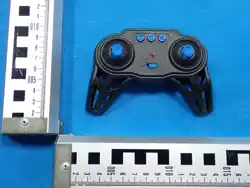
Remote control
TG1033
PLEASE READ THIS INSTRUCTION MANUAL CAREFULLY BEFORE USE.
The materials, specifications, parts and packaging mentioned in this manual are for reference purposes
only. We are not responsible for any changes made to this printed material, nor are we able to inform
customers of any updates or changes. Please refer to our website: R3VOLT.COM for the latest
information.
This device and its antenna(s) must not be co-located or
operation in conjunction with any other antenna or
transmitter.
Radiation Exposure Statement
The device has been evaluated to meet general RF
exposure requirement in portable exposure condition without
restriction.
NOTE: This equipment has been tested and found to comply with
the limits for a Class B digital device, pursuant to Part 15 of the
FCC Rules These limits are designed to provide reasonable prote-
ction against harmful interference in a residential installation. This
equipment generates, uses and can radiate radio frequency energy
and, if not / installed and used in accordance with the instructions,
may cause harmful interference to radio communications.
Warning: Changes or modifications to this unit not expressly app-
roved by the party responsible for compliance could void the users
authority to operate the equipment.
This device complies with Part 15 of the FCC Rules. Operation is
subject to the following two conditions: (1) this device may not
cause harmful interference, and (2) this device must accept any
interference received, including interference that may cause
undesired operation.
However, there is no guarantee that interference will not occur in a
particular installation. If this equipment does cause harmful interfe-
rence to radio or television reception, which can be determined by
turning the equipment off and on, the user is encouraged to try to
correct the interference by one or more of the following measures:
Reorient or relocate the receiving antenna.
Increase the separation between the equipment and receiver
Connect the equipment into an outlet on a circuit different from
that to which the receiver is connected.
Consult the dealer or an experienced radio/TV technician for help.
Decoration of Conformity Inserts
:
“Hereby, GuangDong Syma model drone Industrial co, ltd, declares
that this drone is in compliance with the essential requirements and
other relevant provisions of Directive 2014/53/EU.”
Remote control
Operating frequency 2.4 GHz
Battery
Requirements
2xAA 1.5V batteries (not included)
prolong the lifespan of the battery.
Remote
control X1
USB
charging
cable X1
7.4V
battery X1
Instruction
Manual x 1
Contents
RC Truck x 1
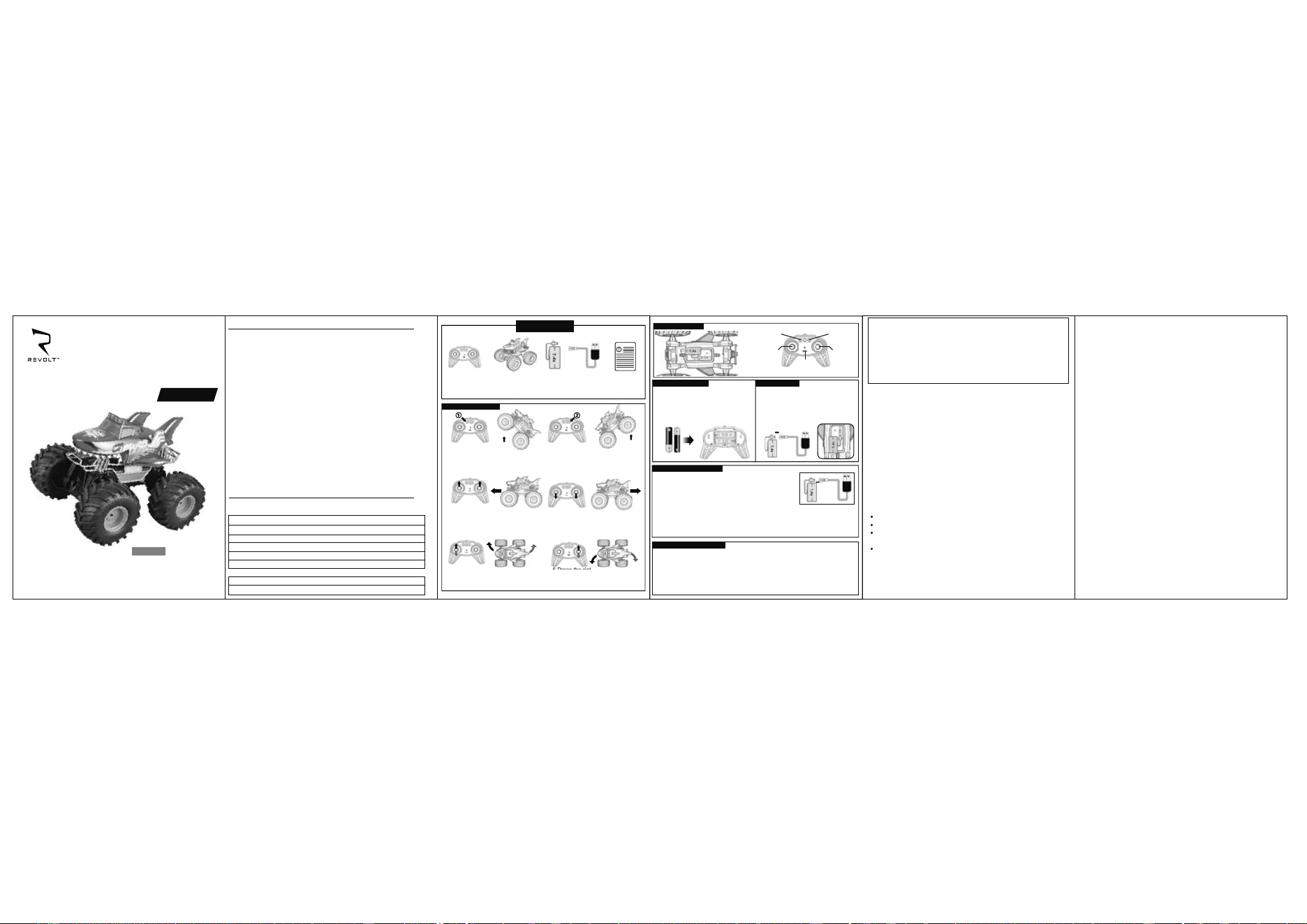
Operation Instructions
1. Press button ① to ride wheelies
on the back tyres.
2. Press button ② to ride wheelies
on the front tyres.
3.Push both the left joystick and the
right joystick forward simultaneously,
and the car will move forward.
4.Push the left and right joysticks
backward simultaneously, and
the car will move backward.
5.Press the left joystick forward/
backward,and the car will move
forward/backward turning right.
6.Press the right joystick forward/
backward,and the car will move
forward/backward turning left.
6 Press the righ
Part Descriptions
POWER
SWITCH
POWER
SWITCH
Wheelies on
back tyres
Wheelies on
front tyres
Right Joystick
Left Joystick
Battery Installation Battery Installation
Remote control
1.Remove the battery cover on the remote
control and load the AA batteries into the
battery compartment according to the
indicated polarity.
2.Replace the battery cover.
RC Truck
1. Open the battery compartment cover at the base of the truck.
2. Disconnect the cable between the truck and battery.
3. Connect the charging cable with the battery's cable for charging.
4. Once the battery is fully charged, disconnect the
charging cable, reconnect the battery cable and truck's cable
inside the battery compartment.
5. Tighrly secure the battery compartment cover back in place
and tighten the screw.
2×1.5V "AA"
Battery Charging Tips:
1.The new battery pack needs to be charged before first use.
2.Insert the plug of the battery pack to the port of the USB
charging cable, and connect the USB charging cable
plug to a power source.
3.The indicator light is "red" when charging, and "off" when fully charged. Do not
overcharge.
Charging for too long will not increase the battery capacity.
4.Check the RC Truck, battery, charging cable, plugs and other parts regularly.
Powering Down:
1. When play has ended, turn off the power of the remote control first, then
turn off the power of the truck.
2. It is recomended to remove the batteries from the remote control after play.
SHARK WHEELIE MONSTER
GUANGDONG SYMA MODEL AIRCRAFT INDUSTRIAL CO., LTD.

