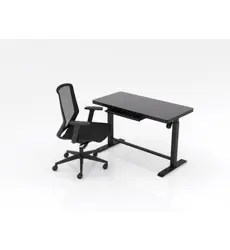
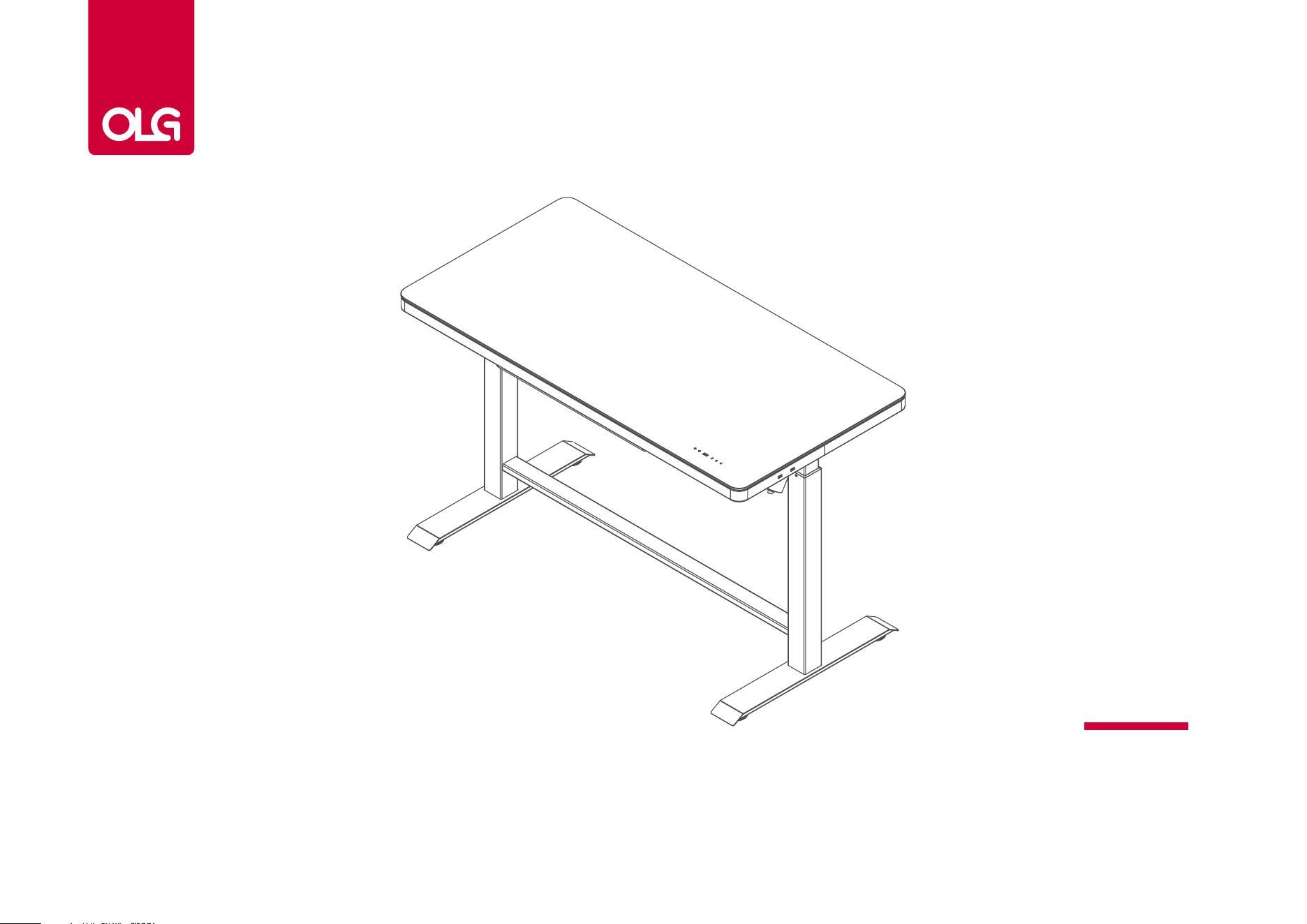
Luxe Home Desk
Assembly Instructions
Luxe Home Desk Assembly Instructions
2
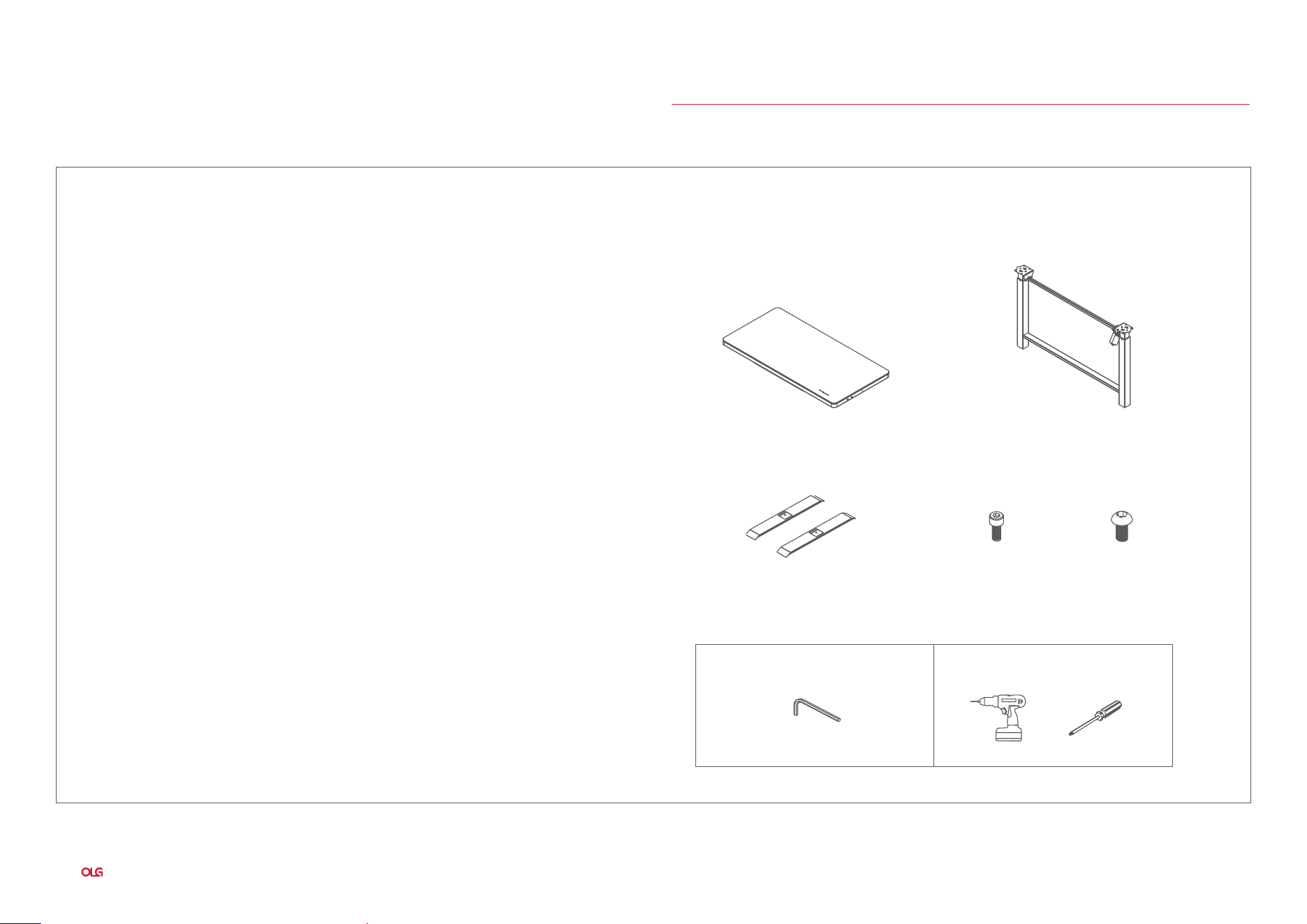
Parts List:Specifications:
Specifications & Components
8 - M6 x 16 8 - M8 x 16
Glass Tempered Table Top
Foot Plate w/ adjustable foot
Tools included: Tools required:
Stainless Steel Table Frame
Luxe Home Desk
Elecrtic control part:
Input Voltage:100-240Vac 50/60Hz
Duty cycle:10%MAX 2min on 18min off
Desk frame part:
Dynamic load:60KG
The maximum static load:80KG
Safety warning
1. Please read this manual carefully before use.
2. The product must be connected to the correct power supply.
3. For any accessories connected to the control box, the plug typeand electrical characteristics
must conform to its specifications.
4. Indoor use only.
5. If the transformer’s external cable is damaged and need to bereplaced,new accessory will
be provided by the manufacturer orits service agent.
6. This appliance can be used by children aged from 8 years and above and persons with
reduced physical, sensory or mental capabilities or lack of experience and knowledge if they
have been
given supervision or instruction concerning use of the appliance in a safe way
and understand the hazards involved.
7. Children shall not play with the appliance.
8. Cleaning and user maintenance shall not be made by children without supervision.
M5
or
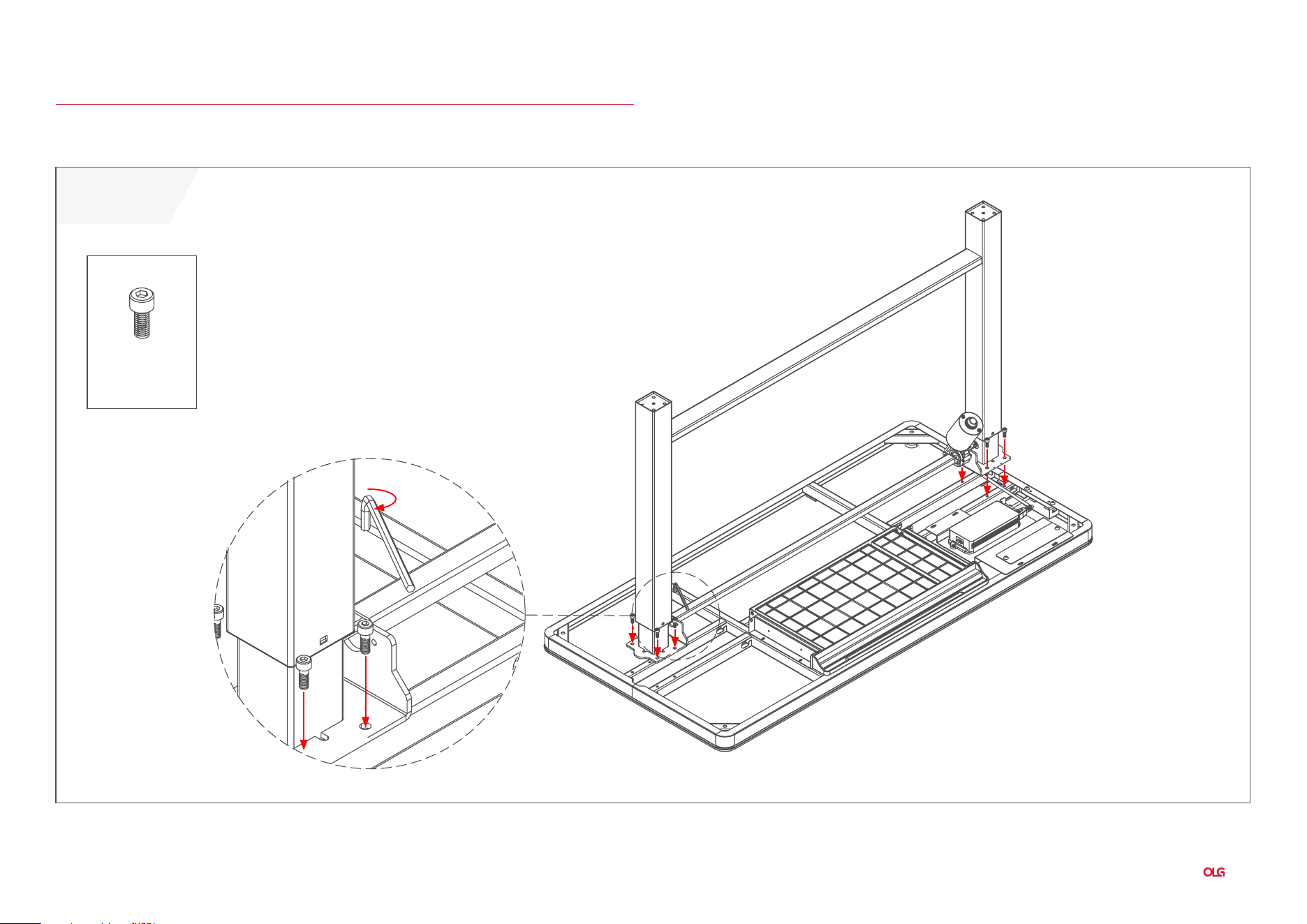
Luxe Home Desk Assembly Instructions
3
Assembly Instructions
8 - M6 x 16
Luxe Home Desk
STEP 1:
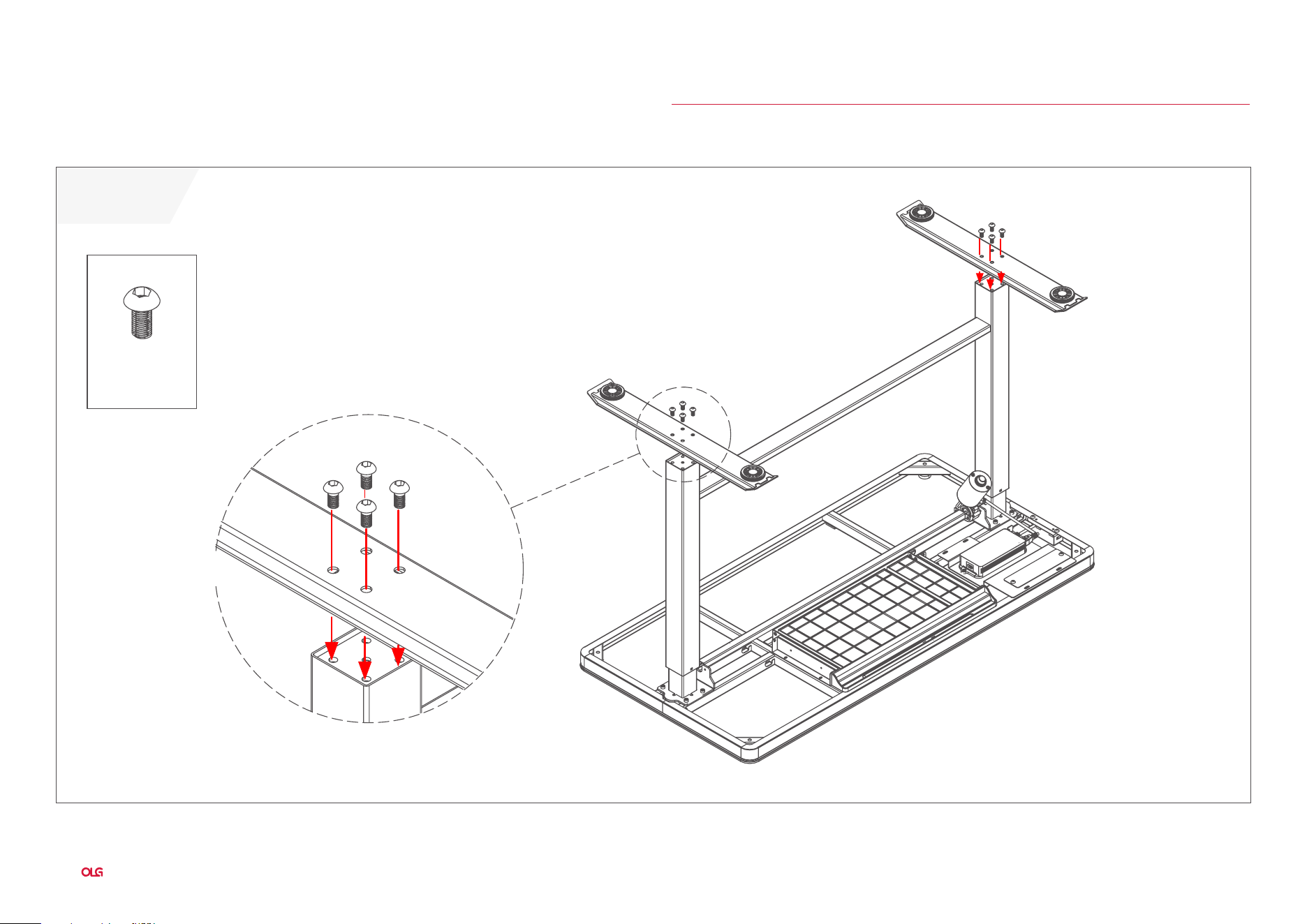
Luxe Home Desk Assembly Instructions
4
STEP 2:
Assembly Instructions
8 - M8 x 16
Luxe Home Desk
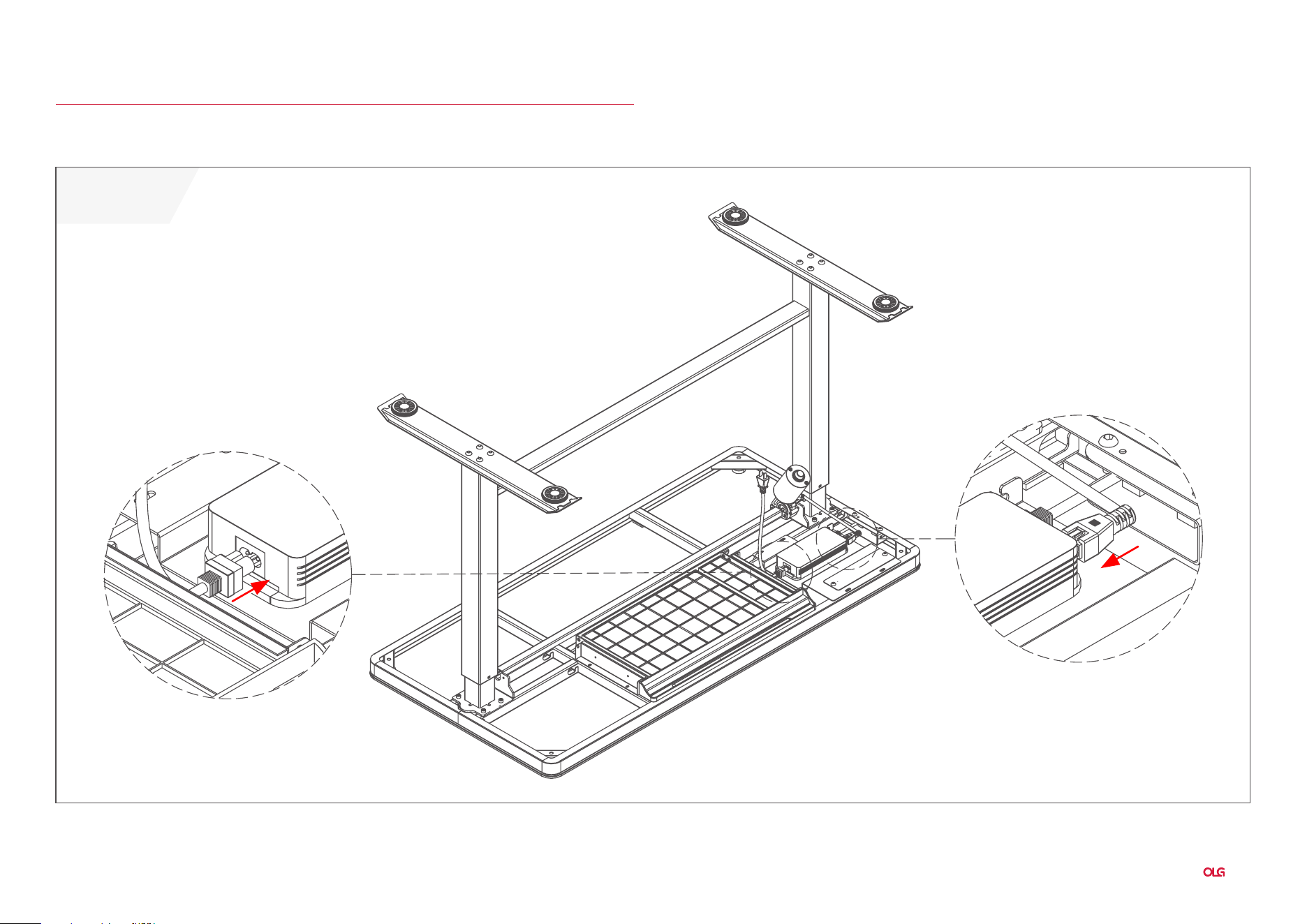
Luxe Home Desk Assembly Instructions
5
STEP 3:
Assembly Instructions
Luxe Home Desk
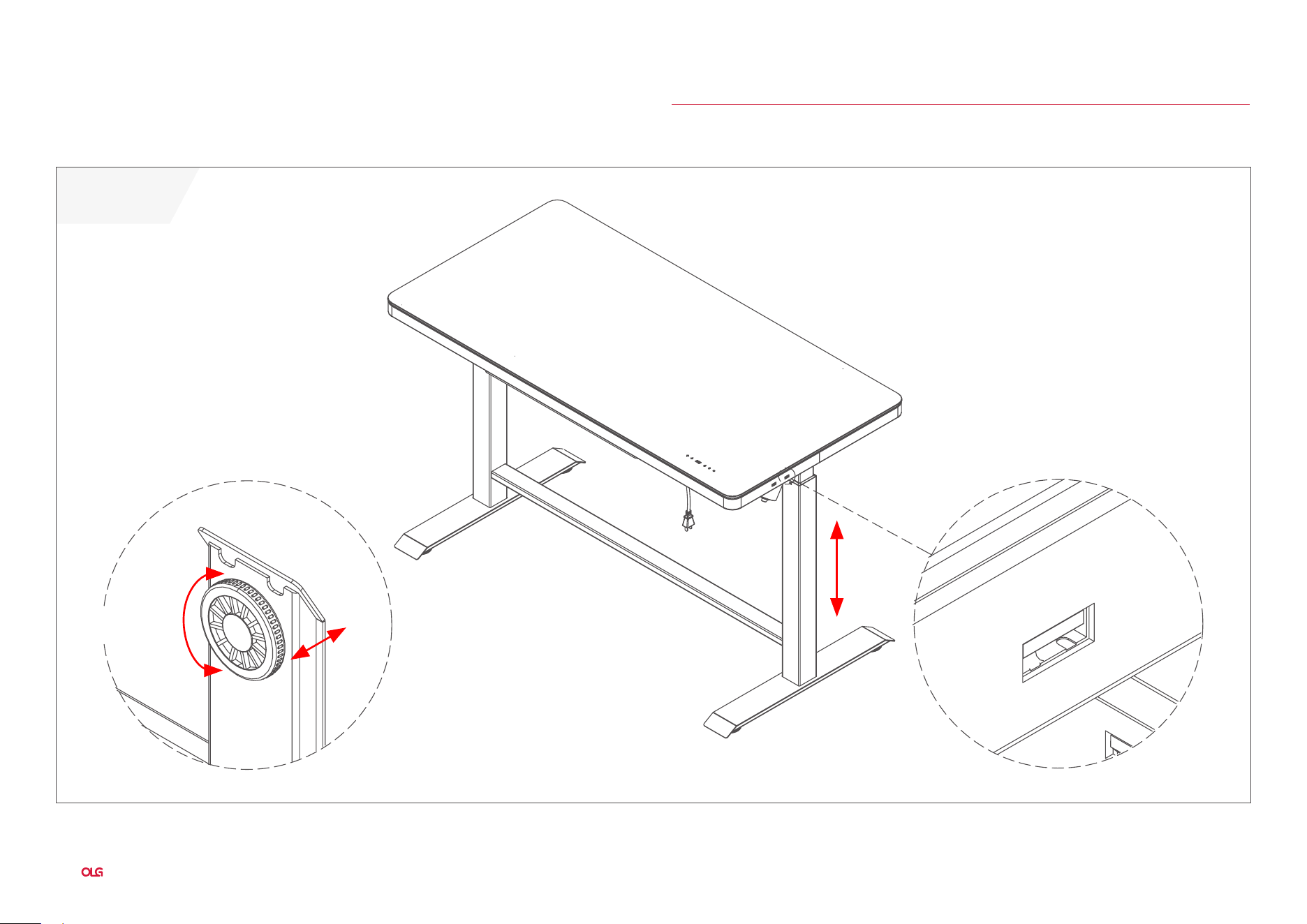
Luxe Home Desk Assembly Instructions
6
Assembly Instructions
USB Charging Port
Luxe Home Desk
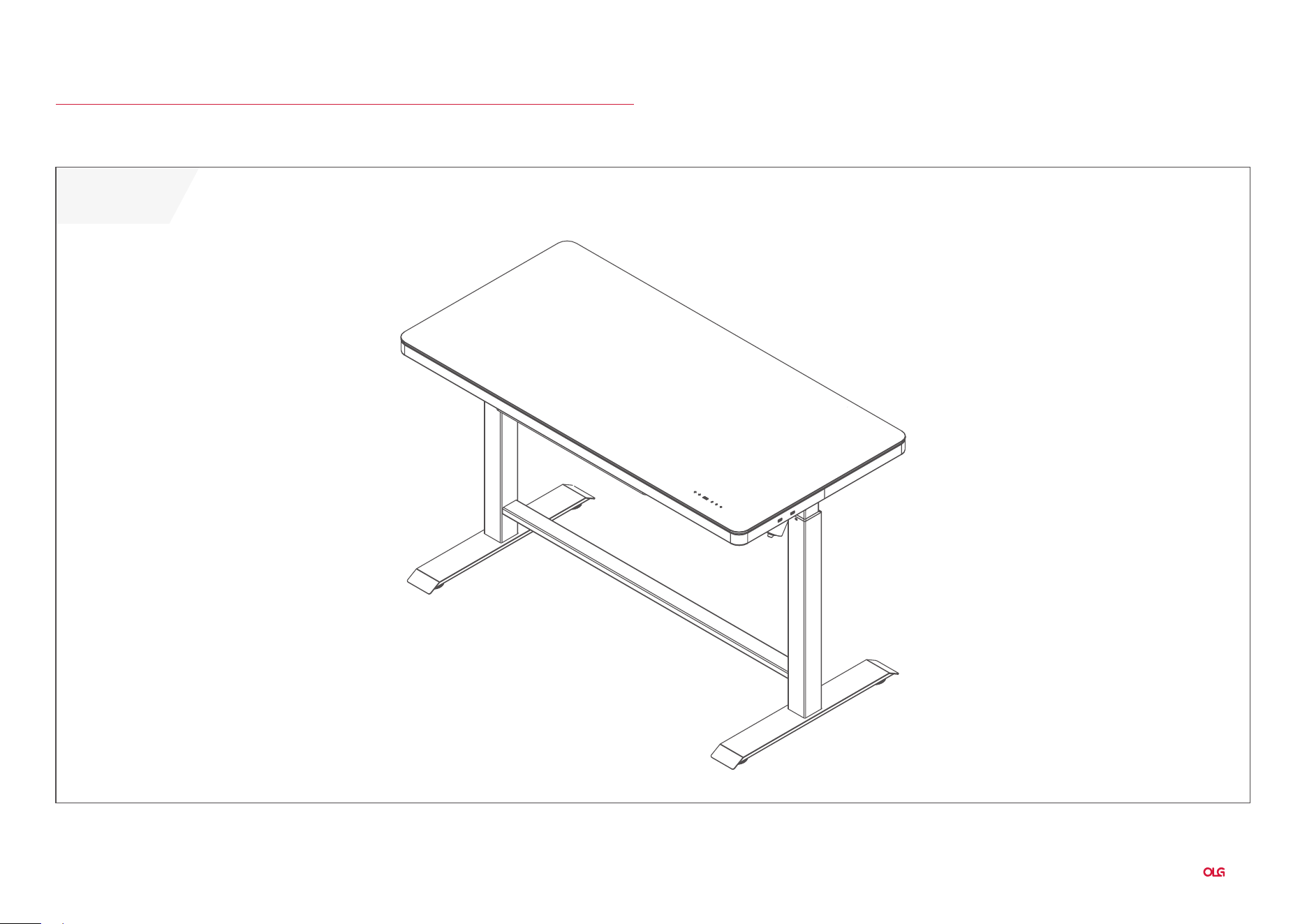
STEP 4:
Luxe Home Desk Assembly Instructions
7
Complete:
Assembly Instructions
Luxe Home Desk
Luxe Home Desk Assembly Instructions
8
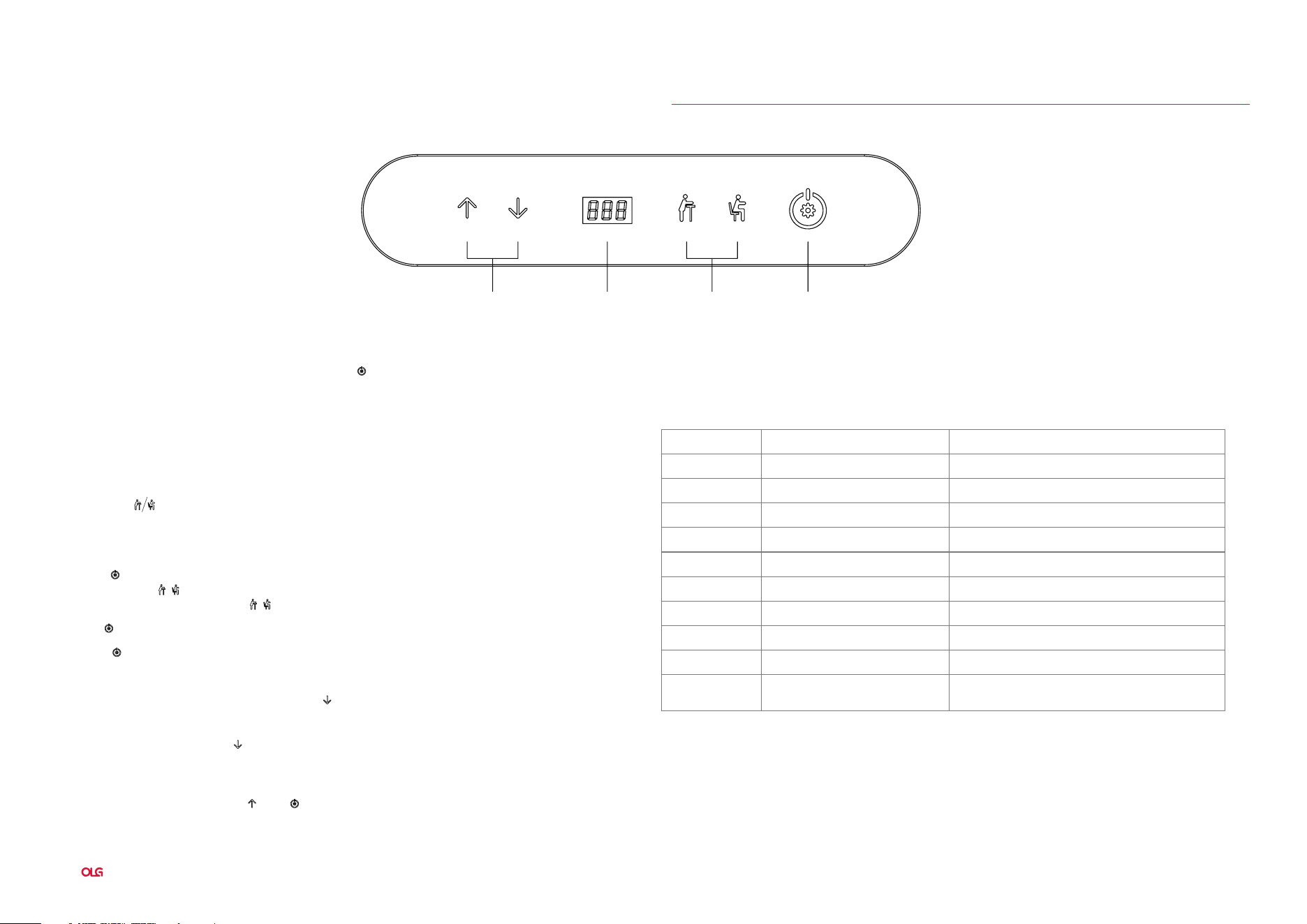
Directions For Use
The whole handset surface is a touch panel. If there is no touch within 10 seconds, the screen is locked
and all keys are locked correspondingly. You can touch “ ” keys to unlock screen. When screen lightened,
all keys unlocked and handset enter operation state.
Display Screen
Display the height value of the desk.
Up & Down Key
Please keep pressing UP/DOWN key to adjust desk height until you get an optimum height.
Memory Key
After seting memory keys, the desk can lift automatically to memory height.
How to Set Memory Mode
Click the “ “ key when running to a specific point. The display screen displays “S-” and “-” flashes.
At this time, press “ / “ button to store the position to the corresponding label. the memory height is
successfully saved,Then light press “ / “ , the desk moves to memory height automatically.
Set Key
Press the “ “ key when memory bits and internal parameters need to be set.
Initialisation
Safety Function
When the desktop is on the rise or down, encountered reverse resistance,the desk will rebound.
Handset shows error code and solution
When “RST” is on the display screen, press the “ ” button until the desk frame reaches its lowest point.
After hearing the “di” sound and desk frame rebounds, initialization is completed.
(P.S. The button cannot be released during this operation, otherwise the initialization will fail)
Forced initialization: Press the “ ” button until the desk frame reaches its lowest point, then release
the button and press it again for about 5 seconds until hear the “di” sound and desk frame rebound,
and the initialization is completed.
Restore the factory settings: When new controller is changed or the parameters need to be restored
to the factory settings, press the “ ” and “ ” buttons simultaneously, you will hear the first “di” sound
after about 5 seconds and second “di” sound after 10 seconds. When the display screen shows “RST”,
please operate refer to the No.1 item.
1.
2.
3.
Up & Down key Display Screen Memory key Set key
Error code Fault cause Solution
E01,E06,E07 Power fault Change power
E02 Psynchronous height over 1cm Implement the initialization operation 1
E04 Handset fault Unplug and replug the cable of hand set
E05 Anticollision alert Rebound reminder , normal condition
E08 Desktop sloping check the desktop
E11,E21,E40,E41 Connection cable failure Check the connecting cable
E12,E22,E42,E43 Controller fault Exchange the controller
E18,E28 Motor fault change motor
E18,E28 Overloading reduce the loading
HOT Overtime operation
Automatic recovery after stop
using for 20 minutes
Luxe Home Desk
Luxe Home Desk Assembly Instructions
9
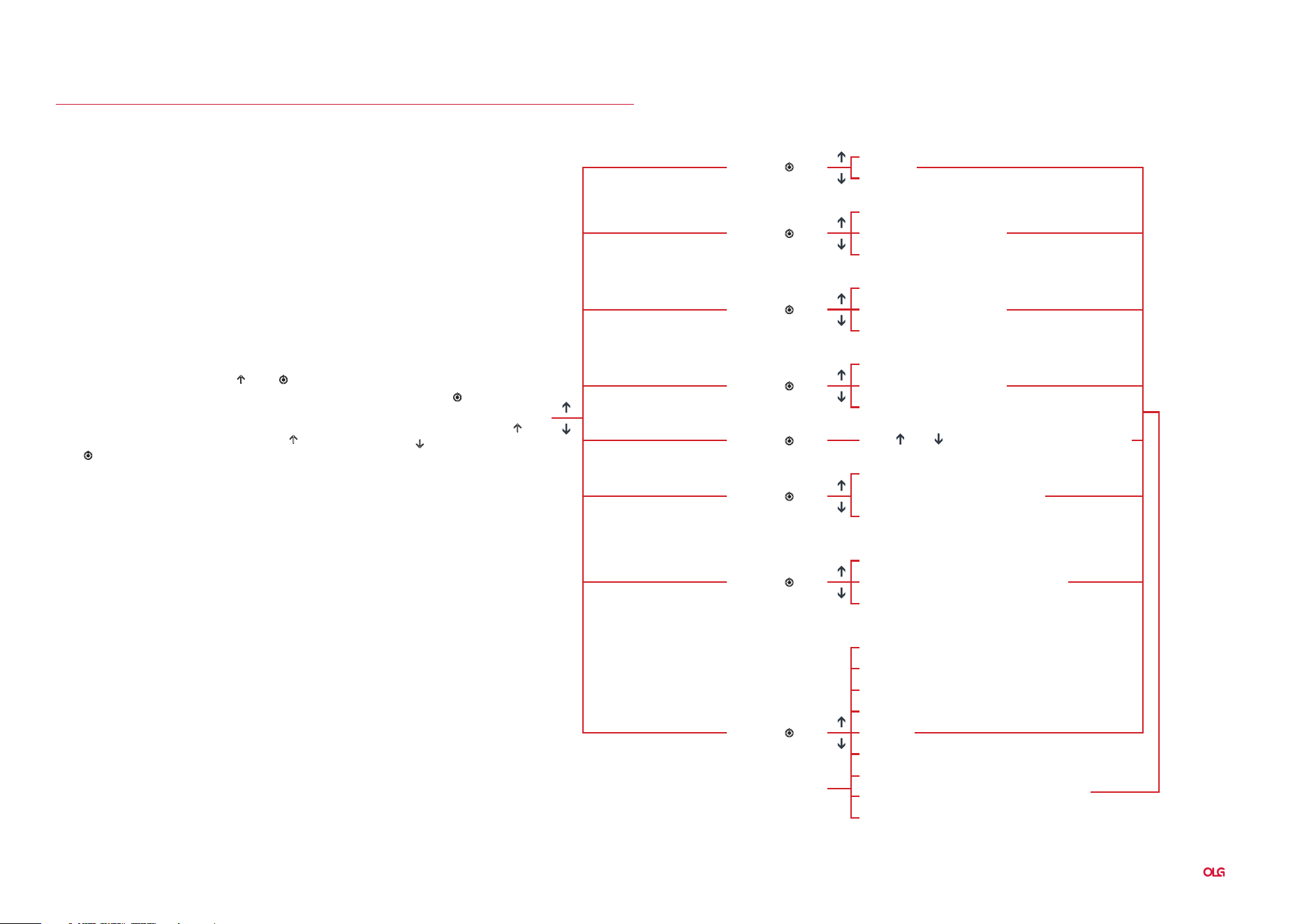
Pressing “ ” key for 5
second till digital screen
display “S-1“ , press “ ”
or “ ” key to choose
Directions For Use
Advanced Function Settings
Limited height setting:Press “ ” and “ ” key for
5 seconds till heard a bee sound, limited height
setting success. (minimum limited height
96 maximum limited height 97). Cancel the
function, run to the limit height, press “ ” and
“ ” again for 5 seconds, hear the buzzer sound,
limited height Cancel.
S-1
Metric and Inch Exchange
0 Metric
1 Inch
1 The Most Insensitive
1 The Most Insensitive
1 The Most Insensitive
8 The Most Sensitive
8 The Most Sensitive
8 The Most Sensitive
0 Shut Down
0 shut down
0 Shut Down
0
0 Shut down
0 Shut down
1 0.5º
2 1.0º
3 1.5º
4 2.0º
5 2.5º
6 3.0º
7 3.5º
8 4.0º
1
1
Long Pressing Desk Running,
Hands Off Desk Stop Running
Click Desk Running, Second
Click to Stop Running
Turn on(Continuous operation
for two minutes, error HOT)
Click “S” Key to Back,
Setting Success
Metric and Inch exchange
anti collision sensitivity
(sensing element)
down anti collison sensitivity
(Current detection)
Memory key operation
Click “ ” Key
Click “ ” Key
Click “ ” Key
Click “ ” Key
Click “ ” Key
Click “ ” Key
Click “ ” Key
Click “ ” Key
Basement height
Overheat protection
Desktop tilt angle setting
(Over the set value, error E08)
S-2
S-3
S-4
S-5
S-6
S-7
S-8
Use “ ” o r “ ” Adjust the Basement Height
Luxe Home Desk

Sydney 02 8188 2732
Melbourne 03 9111 0315
Brisbane 07 3733 1923
Adelaide 08 7111 0810
Perth 08 9468 2707
info@olgoffice.com
myolg.online | olgoffice.com | officedesigner.net | motionoffice.com | acoustiq.com.au