Introduction
2
Introduction of Panels
Warm Tips
Power Output Table of A100
Operation Steps
1 3 4
1. The kind of AUX output signal (bass or full-frequency) is determined
by the input signal, and the AUX output with amplification.
2. The super bass and SW-FREQ knobs are only valid in SUB mode,
invalid if you select FLAT mode.
3. Before use, please make sure that you have selected correct working
modes, mono or stereo, sub or flat, or else the A100 won’t work normally
as you like.
1. Correctly connect one mono or one pair of speaker or subwoofer to
the speaker jacks of the A100, the 3.5mm AUX output also supports to
be connected to another amplifier, active subwoofer or speakers to
build multi-channel system.
2. Connect the audio source to the RCA input of the A100 via high-quality
cable.
3. Connect the power cord to the power interface of the A100 and then
plug the power cable to the wall socket. According to the output you
connected, toggle the switch from ON to Mono or Stereo position to
turn it on.
4. According to the kind of speaker you connected , select the
corresponding mode. For example, if the output is connected to the
subwoofer, please select SUB mode; if connected to the full-frequency
speaker, please select FLAT mode.
5. Play music on your audio source, and adjust the main volume to proper
position. If connected to the subwoofer, the super bass and sw-freq
knobs can be rotated to adjust the bass gain and cutoff frequency to
achieve ideal listening experience.
Brand
Model
Audio input
RMS output power in stereo mode
RMS output power in mono mode
Matched speaker impendace
RMS output level of AUX
Bass gain adjustment range
Bass cutoff frequency range
Input sensitivity
Frequency response
THD
SNR
Dimensions (W*D*H)
Package dimensions (W*D*H)
Net weight
Package weight
Working mode
Audio output
Modes and Connections
Mono
Stereo
SUB
One subwoofer
Two subwoofers
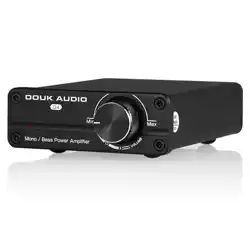
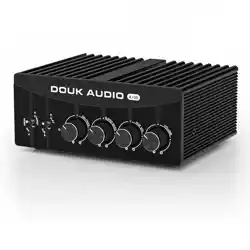
Douk Audio
A100
Sereo L/R RCA
Banana speaker jacks
(mono / stereo) / 3.5mm AUX
300W*2(4Ω)
600W*1(2Ω)
2-8Ω(Mono)/4-8Ω(Stereo)
2.8V
±6dB
50-220Hz
2V
20Hz-20kHz (0.5dB)
0.002%
≥115dB
149*142*60mm/5.87*5.59*2.36in
295*225*85mm/11.61*8.86*3.35in
1136g/2.50lb
2.20kg/4.85lb
Parameters
A100
Q: All my cables are connected, why is there no sound output?
A: 1. Check whether A100 is powered on and the power indicator is on
or not.
2. Check whether the volume of A100 is in the minimum state or not.
3. If the above are all normal, please check whether the input signal
of audio source is muted, paused, or the volume is in the minimum
state or not.
Q: Why is the sound distorted ?
A: The distortion may due to the input signal amplitude is too large.
If the volume of A100 and the audio source are both adjusted to the
maximum state, the distortion easily occurs. Please turn down the
volume of one of them.
Q: Why does the volume of different audio sources (such as changing
CD player to phone) differ when the volume of A100 is unchanged?
A: Different audio devices can output different signal amplitudes, for
example, the phone usually is 0.35V, while CD player is 1V. So it is
normal that the sound differs when different audio sources are used.
Q: Why is there a loud current sound or buzzing sound on the speaker?
A: 1. Please use the original power supply. Many power supplies in the
market have interference which will cause current sound.
2. When using unshielded signal cable in no load, there will be
interference signals. Please use the shielded signal cable or unplug it.
3. If there is still noise after eliminating the above situations, please
confirm the noise is from external or internal. Disconnect all inputs
and only retain power supply and power cable. If the noise
disappears, it is from audio input; if the noise is still there, it is possibly
disturbed by power supply or generated by the internal of A100.
Q: Why there is no sound or very lttle sound after the A100 is
connected to the speaker?
A: 1. Please check the audio source has been turned on and the
volume is not at the minimum.
2. Please confirm whether the speaker and the A100 are matched.
( For example, the speaker is fixed resistance or fixed voltage,
whether the power of speaker is too much over the power of the
amplifier etc).
Q: What are the reasons and troubleshooting methods for the unbalanced
volume between the left and right speakers?
A: For a normal power amplifier, the volume of the left and right channels
should be consistent. If there is an imbalance, please check it is from
the sound source, input cable, volume potentiometer, speaker cables,
or speakers (whether the placement of the speakers is symmetrical) etc.
Q: Why is there a thumping sound when swithing on/off?
A: Please confirm the on-off sequence is correct, normally it follows the
order of signal transmission when turn on: audio source → preamp /
DAC → amplifier → speaker. (The sequence is reversed when switching
off. As the internal capacitors will be discharged for a while after
shutdown. If turn off the preamp firstly and then turn off amplifier,
impact sound will be easily caused which may damage the
amplifier or speaker in severe cases.)
1. Don't open the case without permission, improper operation may
cause electric shock.
2. Please use the regular manufacturer's switching power supply,
poor-quality power adapters may result in the damage to the A100.
3. Don't put A100 in the environment of high temperature or high humidity.
5 6
Contact information
Cautions
7
Website: www.doukaudio.com
Email: nobsound@doukaudio.com
WeChat/Whatsapp: +86-17704028602
Address: Room 1329, Wang Cheng Building, Long Guan East Road,
Long Hua District, Shen Zhen, Guang Dong, China, 518000
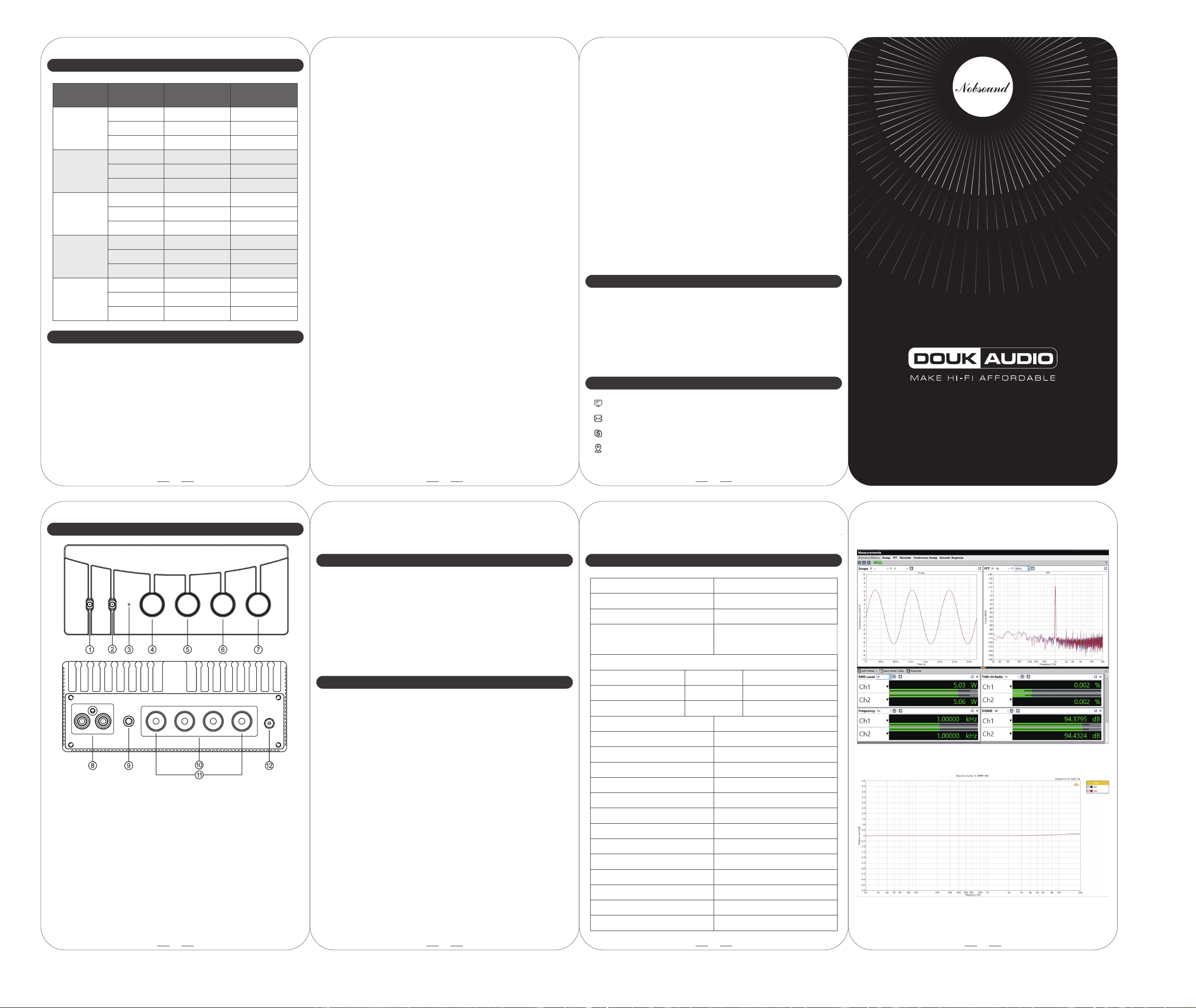
⑪ Mono banana speaker jacks
⑫ Power interafce (DC 24-48V)
oduction
① Power on/off, mono/stereo mode switch
② Bass/full-frequency output switch (SUB—Bass, FLAT—Full-frequency)
③ Power indicator
④ Bass cutoff frequency knob
⑤ Bass gain knob
⑥ Volume knob of AUX output
⑦ Main volume knob
⑧ RCA input (White—left channel, Red—right channel)
⑨ AUX output
(Output bass or full-frequency signal depends on the inputs.)
⑩ Stereo banana speaker jacks
(Red—positive, black—Negative; R—right channel, L—left channel)
Frequently-asked Questions
24V / 5A
32V / 5A
36V / 6A
48V / 5A
48V / 10A
4Ω
6Ω
8Ω
4Ω
6Ω
8Ω
4Ω
6Ω
8Ω
4Ω
6Ω
8Ω
4Ω
6Ω
8Ω
68W*2
61W*2
55W*2
78W*2
71W*2
65W*2
107W*2
100W*2
94W*2
120W*2
110W*2
102W*2
250W*2
210W*2
185W*2
Speaker
Impedance
BTL Stereo
Output Power
90W*2
66W*2
54W*2
150W*2
120W*2
107W*2
190W*2
150W*2
118W*2
315W*2
220W*2
190W*2
315W*2
240W*2
190W*2
PBTL Mono
Output Power
Power Supply
6. After use, please toggle the switch to OFF position to turn the A100 off
first and then disconnect the power adapter.
FLAT
One pair of
full-frequency speakers
One
full-frequency speaker