QUICK SETUP GUIDE
Declaration
· Operating ambient temperature: 0 - 45°C
· Storage and transportation ambient temperature:
-30 - 60°C, altitude not higher than 5000m
(air pressure not less than 45kPa)
Battery
WARNING:
– Replacing a battery with an incorrect type can disable
built-in safety mechanisms.
– Exposing battery to extreme heat, crushing or cutting
of battery may result in an explosion or chemical leak.
– Exposing battery to extreme low air pressure may
result in an explosion or chemical leak.

Other Informations
· Bluetooth frequency range: 2400 MHz - 2483.5 MHz
· Bluetooth transmitter power: ≤ 6 dBm (EIRP)
CAUTION
· DO NOT replace battery. Risk of fire or explosion!
Accessories List
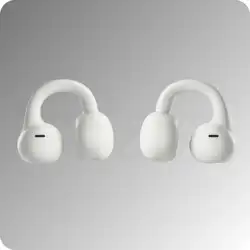
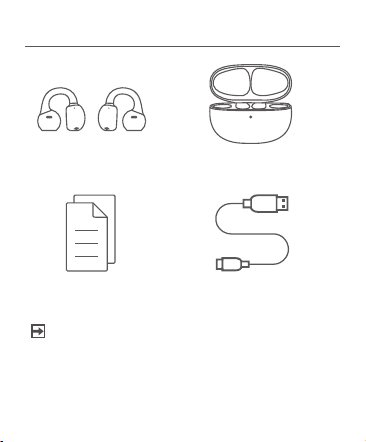
Clip-on earbuds × 2 Earbuds charging case × 1
Quick Setup Guide × 1 Charging cable × 1
• Accessories may vary from the above list due to
different models & regions. Please refer to the
actual accessories within packaging.
NOTE
Product Overview
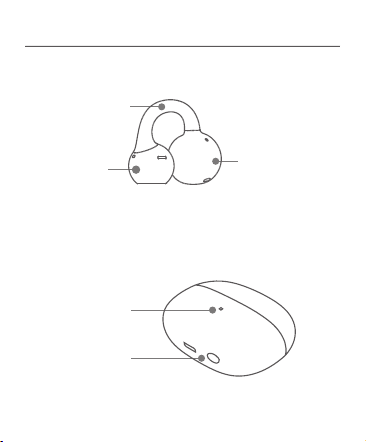
· Illustration of earbuds
C-bridge
Sound ball
Comfort Bean
Indicator
Function key
· Charging Case Illustration
Earbuds Pairing
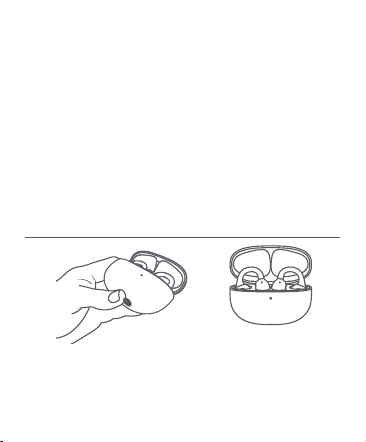
· Initial Pairing
–
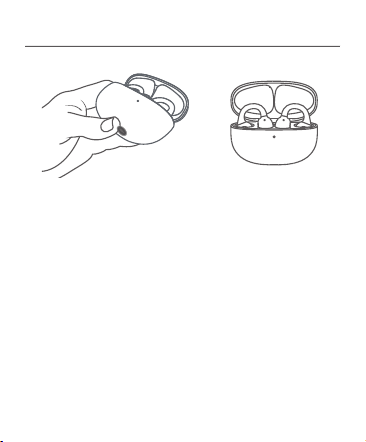
Upon initially opening the charging case lid– the
earbuds will automatically enter Bluetooth pairing mode.
–
Enable Bluetooth on your device and select “Hisense
HiClips”. The device will display “Pairing Successful”
upon connection.
· Re-pairing
– Place the earbuds in the charging case. With the lid
open, press and hold the function key for 3 seconds
until the white indicator light flashes continuously.
– Enable Bluetooth on your device and select “Hisense
HiClips”. The device will display “Pairing Successful”
upon connection.
Factory Reset
· Dual-Device Connection
1. After initial connection of the first device.
Place earbuds back into the charging case.
2. Press and hold the function key for 3 seconds to
reactivate Bluetooth pairing mode.
3. Enable Bluetooth on your second device and select
“Hisense HiClips”. The device will display “Pairing
Successful” upon connection.
4. Manually reconnect to earbuds between the 2
devices.
Place earbuds into the charging case. With the lid
open, press and hold the function key for 10 seconds
until the indicator light flashes alternating orange and
white. The earbuds will then restore factory settings.
Wearing Instructions
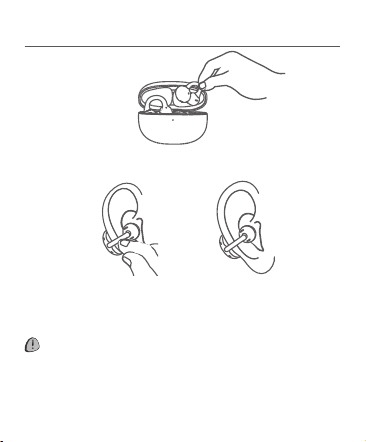
Hold the C-Bridge between thumb and forefinger to
remove earbuds from case.
Place the sound ball in your ear, then position the
C-Bridge behind your ear. Adjust until comfortable.
CAUTION
· Avoid excessive bending during wear.
· Do not over-flex the C-Bridge when not in use.
Gesture Controls
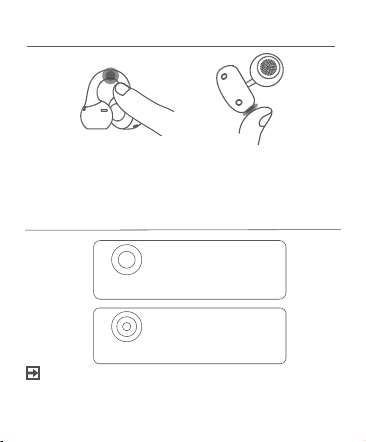
· Touch Zones
Tap the Touch Zone on the Comfort Bean or C-Bridge
with one finger to activate gestures.
Gesture Functions
Double-tap
·Play/Pause
·Answer/End call
Triple-tap
·Skip to next track
NOTE
• You can view and customise more interactive
operations via gestures in the ConnectLife APP.
APP Conection
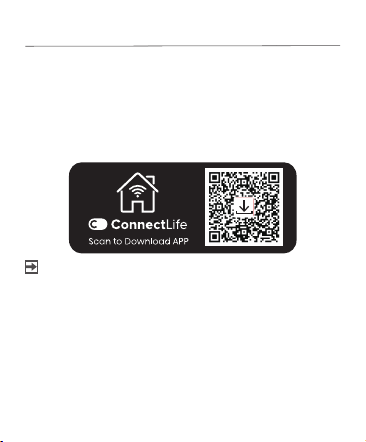
Download the ConnectLife APP to discover more
personalized features.
1.Scan the QR code below to download the
ConnectLife APP.
2.Follow the on-screen instructions in the APP to
connect your earbuds.
NOTE
• Ensure your phone’s Bluetooth is turned on.
• During the connection process, place the earbuds
inside the charging case with the lid open, and keep
the case close to your phone. The earbuds will be
automatically detected.
• The APP supports devices running Android 8.0 or later
and iOS 16.4 or later. Ensure the APP is updated to
the latest version.
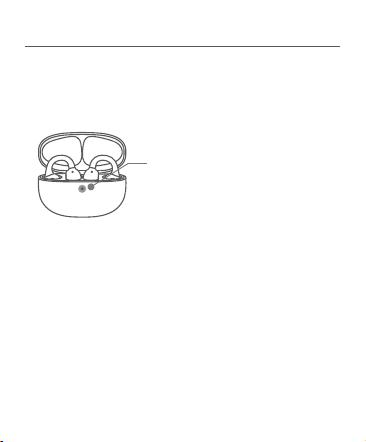
Charging & Power Indicators
· Charging the earbuds
Place earbuds in the charging case. The LED lights
up when charging starts upon closing the case.
LED Status
Orange light remains on:
Charging in progress
White light remains on:
Fully charged
· Charging the case
Recharge the case via Type-C USB cable. During
charging process, the orange light will remain on.
White light indicates fully charged.
· Low Battery Alert
When battery drops below 10%, earbuds emit an
audible alert repeating every 10 minutes.
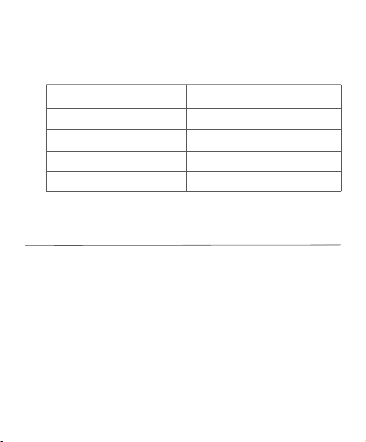
· Power Level Indicators
Refer to the below table for battery status when not
charging.
LED Status
Battery Level
Flashing red light
Steady red light
Steady orange light
Steady white light
0-5%
6%-10%
11%-30%
31%-100%
Earbud Maintenance
· Cleaning Procedure
Cleaning charging contacts ①-⑧:
If dirt or debris is present on the earbud's charging
contacts or the charging contacts on the inside the
charging case, gently clean them using a soft, dry
cloth or a lint-free cotton swab lightly moistened with
anhydrous alcohol. Do not use wet or damp cleaning
tools, as moisture may enter the device and cause
damage.
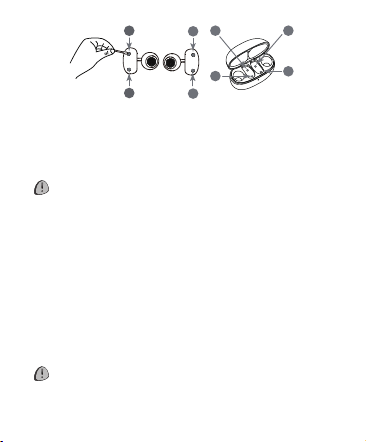
a. Carefully remove any debris from the mesh using
a dry cotton swab.
b. Gently wipe surfaces with a soft, dry cloth.
CAUTION
· Power off earbuds and disconnect all devices
before cleaning.
· Never rinse with water or use ultrasonic cleaning.
· Prevent liquid ingressing into any openings.
· Prohibited cleaning agents:
– Abrasives/sprays
– Concentrated cleaners
– Chemical solutions
– Alcohol/acetone solvents
– Prohibited tools: Sharp/abrasive objects.
CAUTION
· Abrasive tools strictly prohibited.
· Disconnect charging cable before cleaning.
1
3
2
4
5 7
6
8
Mesh cleaning:

Storage & Maintenance
· Store in a cool, dry environment.
· Operating Conditions:
-Temperature range: 0°C to 45°C
-Keep away from heat sources/flammable gases,
corrosive liquids and direct sunlight.
-Prohibited in high-temperature zones.
· Immediately discontinue use if:
Visible damage | Smoke emission | Overheating |
Burnt odor
· Earbud IP Rating IP54:
-Dust-resistant & splash-proof.
-Suitable for: Non-water sports/exercise.
-Not waterproof — Never immerse in water.
-Protection degrades with normal wear.
· Charging Case Warning:
Zero water resistance — Avoid all liquid exposure.
· Cleaning Directive:
Wipe only with dry microfiber cloth.
· Long-term Storage Protocol:
Recharge fully before reactivation.
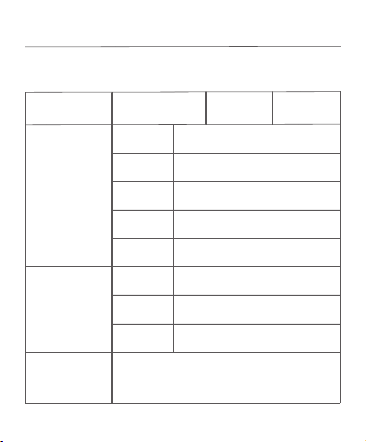
Warranty
Warranty Card
Model
Serial
Number
Owner
Details
Name
Phone
Address
Purchase
Date
Invoice
Number
Retailer
Information
Name
Phone
Address
Malfunction
Description

Warranty Policy
This product carries a 12-month limited warranty
against inherent defects from the date of purchase.
Covered malfunctions occurring during normal
operation will receive complimentary repair services.
Warranty Exclusions:
◆ Damage during return transit or handling.
◆ Unauthorized:
·Modifications
·Disassembly
·Third-party repairs
◆ Resulting from:
·Accidents/misuse
·Improper operation
·Failure to follow manual instructions
·Use of non-certified accessories/consumables
◆ Normal wear and tear including:
Cracks/Scratches/Fading/Cosmetic changes
·Invalid/incompatible/altered:
·Proof of purchase
·Warranty certificate
◆ Expired warranty coverage
◆ Force majeure events

WARNINGS/CAUTIONS
To avoid accidental ingestion, keep the product
away from children and pets. The product contains
a battery, and may be hazardous if swallowed.
If ingested, seek immediate medical attention.When
not in use, store the product out of reach of children
and pets.
Product is not intended for use by children.
To avoid hearing damage, do not use your earbuds
at a high volume. Turn the volume down on your
product before placing the earbuds in/on your ears,
then turn the volume up gradually until you reach a
comfortable moderate listening level.
To avoid hearing damage, do not insert the earbud
speaker directly into your ear canal. Wear the
earbuds with the speaker on the outer edge of your
ear and the barrel behind your ear.

Use of this product while operating a vehicle may
be prohibited by law in some locations. Use caution
and follow applicable laws. Stop using this product
immediately if it interferes with your ability to remain
attentive or interferes with your ability to hear
surrounding sounds, including alarms and warning
signals, while operatinga vehicle.
Use caution if using these earbuds while performing
any activity that requires your attention.
Do not use the earbuds when the inability to clearly
hear surrounding sounds may present a danger to
yourself or others, for example while riding a bicycle
or walking in or near traffic,a construction site,
railroad, etc.
Do NOT submerge the product in water or expose
the product to water for extended periods.
Remove product immediately if you notice heat
coming from the product.
Service Support
For after-sales service requests, contact:
Hisense Australia Customer Service
Toll-Free Hotline: 1 800 447 367
Manufacturer:Hisense Visual Technology Co., Ltd.
Registered Address:No.218, Qianwangang Road,
Qingdao Economic & Technological Development
Zone, Shandong, China
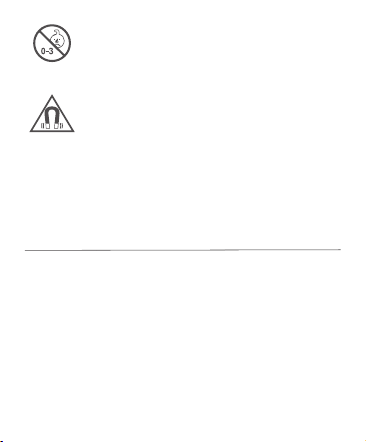
Contains small parts which may be a choking
hazard. Not suitable for children under age 3.
This product contains magnetic material.
Consult your physician on whether this
might affect your implantable medical device.
BZP02120013
For more detail information about this product,
please refer to this URL:
https://hiclips.hisense.com.au