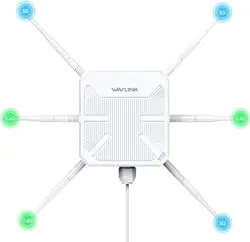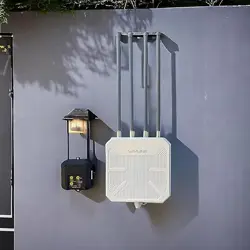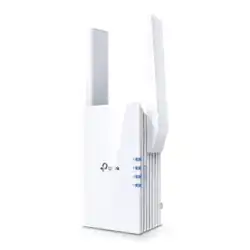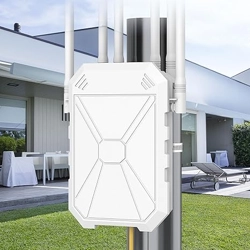

Outdoor WiFi Extender/ Access Point / Router Mode
QUICK USER GUIDE
English
QUICK SETUP GUIDE
REPEATER MODE SETTING
Step 1
Plug the adapter to a power outlet and connect the repeater on the POE Injector.
The POE Adapter Power LED will light up on green.
Step 2
Activate the extender by pressing the Reset button for 15 seconds until the LED
light on the device shows "0". The extender will reboot within 50 seconds.
Step 3
Open the mobile settings and
turn on Airplane Mode.
Step 4
NOTE
Open Wi-Fi on your mobile phone settings.
Search and connect to the network default
name Repeater_XXXXXX
Step 1
Click Repeater Mode then wait for 10
seconds. The system scans all networks.
Step 2
Select the Wi network you want to be
extended.
Step 3
For Wireless Repeater
Recommend choose the Obtain IP mode as “Get IP from Local Repeater”
Internet Type default as “Dynamic IP(Auto)“
For IPC and NVR monitoring
For Wireless Repeater For IPC & NVR Monitoring
Recommend choose the Obtain IP mode as ”Default Bridge (Get IP from Superior Router)“
Then enter your Wi-Fi password into the Password box and click Next button.
WLAN
CONNECTED
WLAN
Repeater_XXXXXX
Step 5
The setting page will pop up automatically.
Click to Log in.
If the setting page does not pop up
automatically, launch your web browser
and enter the IP address: 192.168.11.1
in the address bar.
To open the setup page, you must connect
to the WiFi Extender network-[extender’s
default name].
You will connect the Extender to your
primary Wi-Fi network during a later step.
Double-check the password and remember
that it is case-sensitive.
The password remains the same as the
existing WiFi Router’s Password.
The Extender’s default name is your [Wi
Name-2.4G_EXT] and [Wi Name-5G_EXT].
The password is case-sensitive. It
had be more than 8 characters.
Please connect the ethernet
cable from the Router to the
Extender after the conguration is
nished.
192.168.11.1
Step 4
Enter the password you use to connect
to your main WiFi router.
Step 5
Click the "Finish" button. Once complete the
steps, the extender reboots automatically.
AP MODE SETTING
Step 1
Choose AP Mode, then the system will
scans all networks.
Step 2
Select Wi-Fi channel options if needed.
PPPoE: Provide the account name and
password of your DSL service.
Step 3
Device Status
Note
Note
Choose the Security Mode then type the wi password into the password box.
Click the Next button. Once you complete the steps, your Extender reboots automatically.
Select Wi-Fi channel options if needed.
Choose the Security Mode then type the wi password into the password box.
Click the Next button. Once you complete the steps, your Extender reboots automatically.
Home Wifi
Home Wifi-EXT
********
********
********
Home Wifi 5G-EXT
Home Wifi
FQA
Q: How to know if the repeater reset succeeded?
A: The WiFi SSID of the wi extender will be Repeater-XXXXXX after restoring successfully.
Q: I can’t see Wi-Fi Extender in my network list.
A: Please turn o your WiFi and wait for few seconds. Then turn on the WiFi again to
research the WiFi. If it still does not work, please RESET the repeater, then check the
network list one more time.
Q: I tried to open your IP address, but it says no internet or
page error.
A: Please open your Wi-Fi settings and check your network. You need to be connected
to the Extender network, not to the main router or mobile internet network! You will
have a no internet connection near the network Repeater-XXXXXX, but it’s correct!
Until you nish setup, the network will be without internet.
Q: When I’m connected to Wi-Fi Extender, it says no internet.
A: This issue you have is because of the wrong password. Even if you are sure about
the correct password, please reset your device and set it up again.
Q: After I install the Extender, which area will be the best
to have it?
A: The Extender should be halfway between the Wi-Fi Router and the area with poor
signal coverage. The Extender must receive a good signal from the Wi-Fi Router. You
can also relocate the extender according to the signal indicators or digital display
number. LED Display 5 indicates the signal is good. LED Display 9 indicates the signal
is excellent.
Note
ROUTER MODE SETTING
Step 1
Click on Router Mode.
Step 2
Step 3
Need help?
We're here for you!
aftersales-vipte[email protected]
WhatsApp: +1(917)449-5992
The password is case-sensitive. It
had be more than 8 characters.
Advanced Settings
IF YOU HAVE ANY ISSUES WITH
THE DEVICE, PLEASE CONTACT
US FOR ASSISTANCE BEFORE
OPENING A RETURN REQUESY
setup video