LED RGB Controller Manual
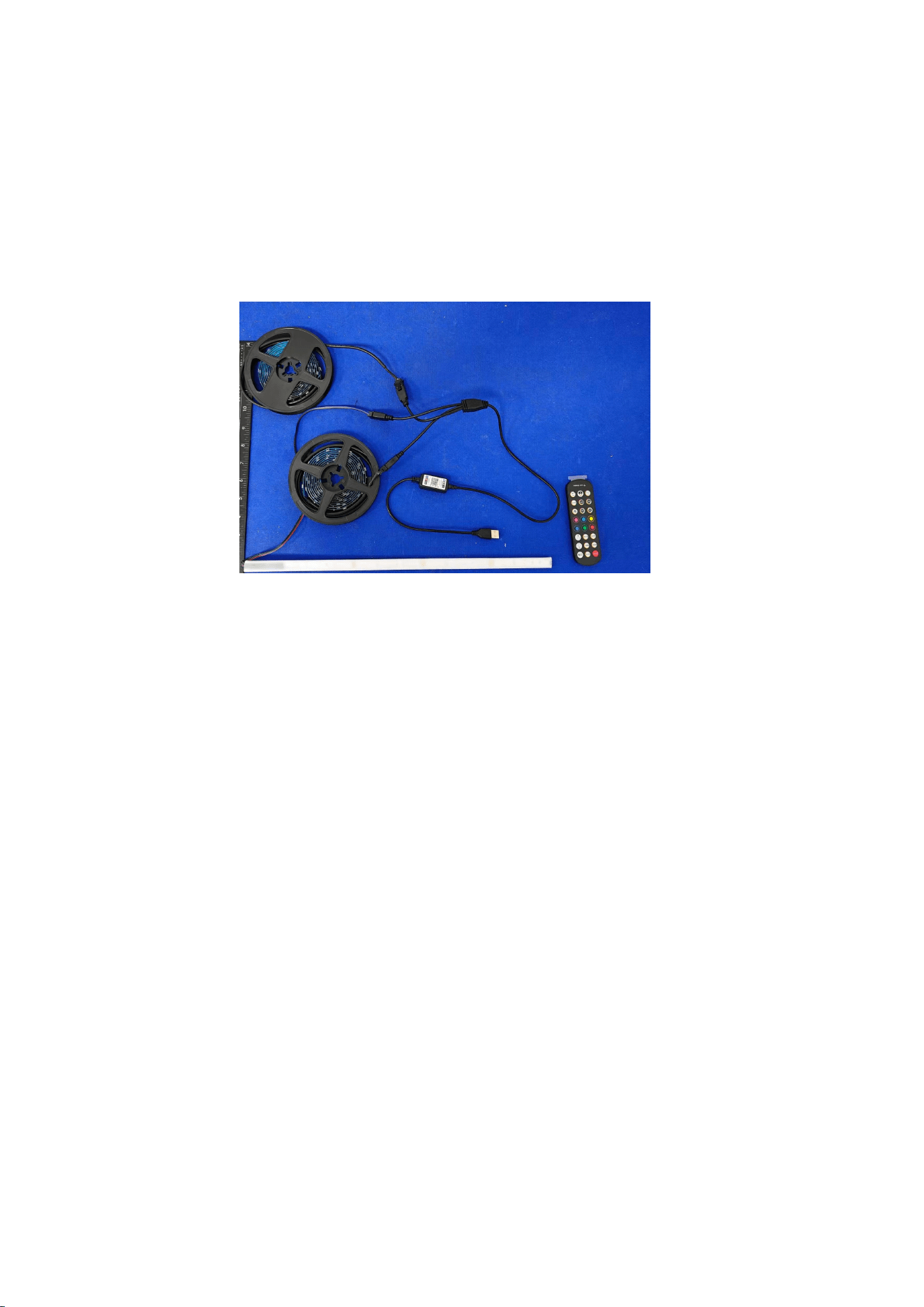
The LED RGB Controller requires the use of the LotusLantern APP for Bluetooth
connection. The following content provides instructions on how to successfully
connect using the software and the usage guidelines.
Model:MELD-LS-0530
1. Software Overview
1.1 Overview
LotusLantern is a mobile APP to control LED strip by both Apple and Android
phones.
The traditional control ways like infrared, 433MHz, 2.4GHz and others old wired
ways will be replaced by mobile phone control way with convenient, powerful and
scalable features.
Through this mobile APP,you can not only control the color, brightness and color
temperature of the LED strips but also set up all kinds of fancy flash mode;Also
this APP can change the light of the LED strip according to the rhythm of the music.
This APP can set and control several LED strips through Bluetooth and the
operation is very simple, easy to learn and easy to use.

1.2 Features
Adjust color LED strips with 60,000 colors to change color and brightness and
adjust monochrome LED stips to change brightness and color temperature
Play music or turn on a sound playback device, you can let the light change the
color and brightness with the rhythm of music, the music rhythm beautiful
Inside multiple setting mode for color change and control LED strips without
mobile
Long distance control with omni-directional antenna, and many-to-many group
control mode
Once the connection is successful, connect automatically next time
1.3 Performance
LotusLantern APP is easy for use as well as great compatible for all kinds of smart
phones; After the actual test of hundreds of mobile phones verification, the
compatibility is above 95% of mobile phones in the market. APP is small and
convenient, it consumes less system resources, so the requirements of the mobile
configuration are low. Control delay is small, the operation feel good, light control
is smooth with people’s visual sense.
2. Operating Environment
This APP program requires phones of system above Andriod 4.3 and iOS 8.0.
Mobile phone configuration is not limited.
3. Instuctions
Note: Android version and iOS version download and use the same method, here
in the Android version as an example.
3.1 APP Download
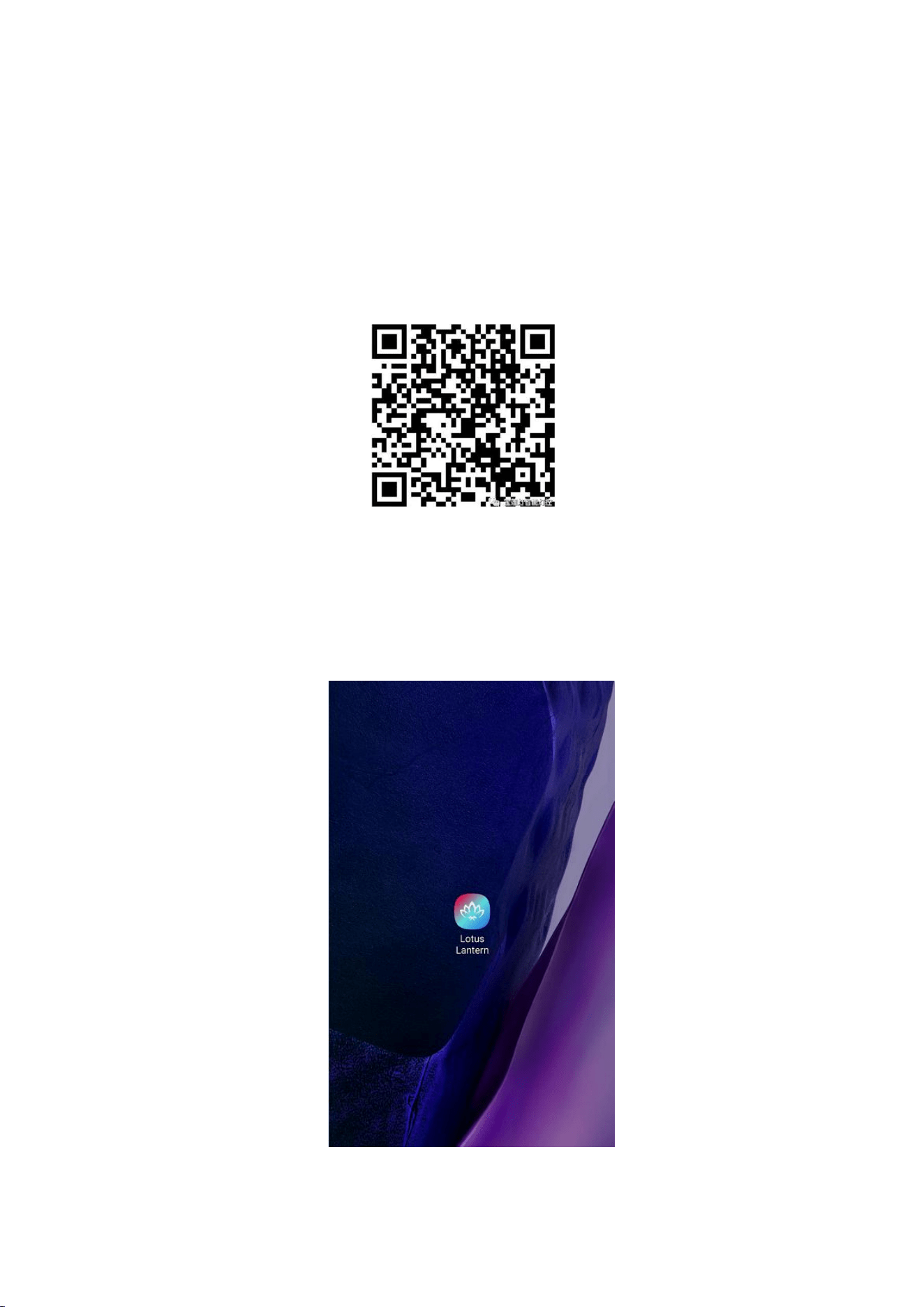
Scan the QR code
iOS and Android systems can download the "LotusLantern" APP by scanning the
QR code. Open the browser or other tools with "Scan QR code" function, scan the
"LotusLantern" QR code as below:
3.2 App Operation
(1) Click on the LotusLantern APP icon, enter the APP page:
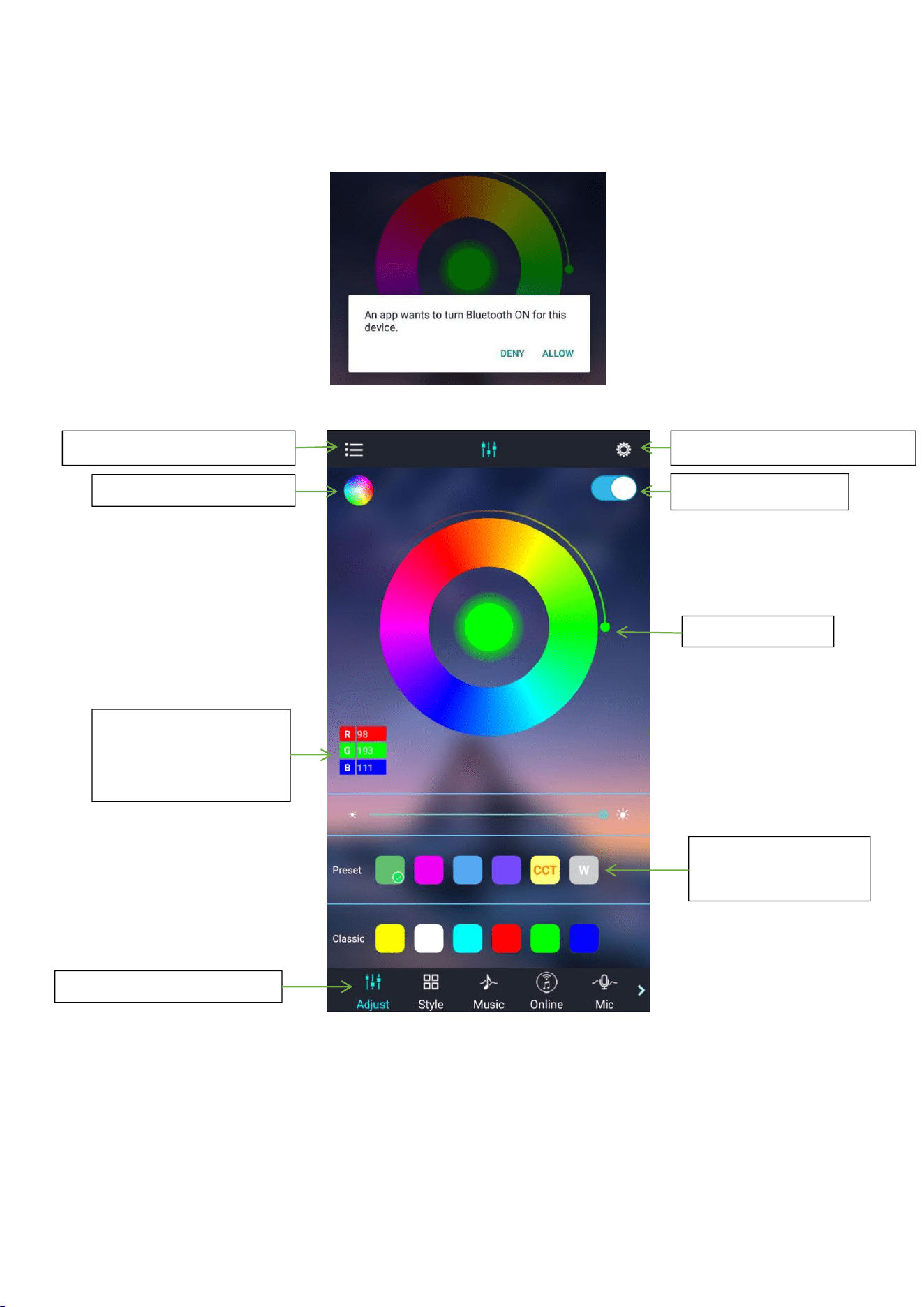
(2) After entering the APP interface, if Bluetooth is not enabled, "an application
wants to enable the Bluetooth function of this device." Click [Allow]
(3) switch to color and brightness interface:
Click to show the lamp list
Switch the color wheel
Click to display setting view
Lamp switch button
Adjust the color
Display the RGB value
Click to manual
adjustment view
Click square icon to
adjust the color
Click to shift the interface
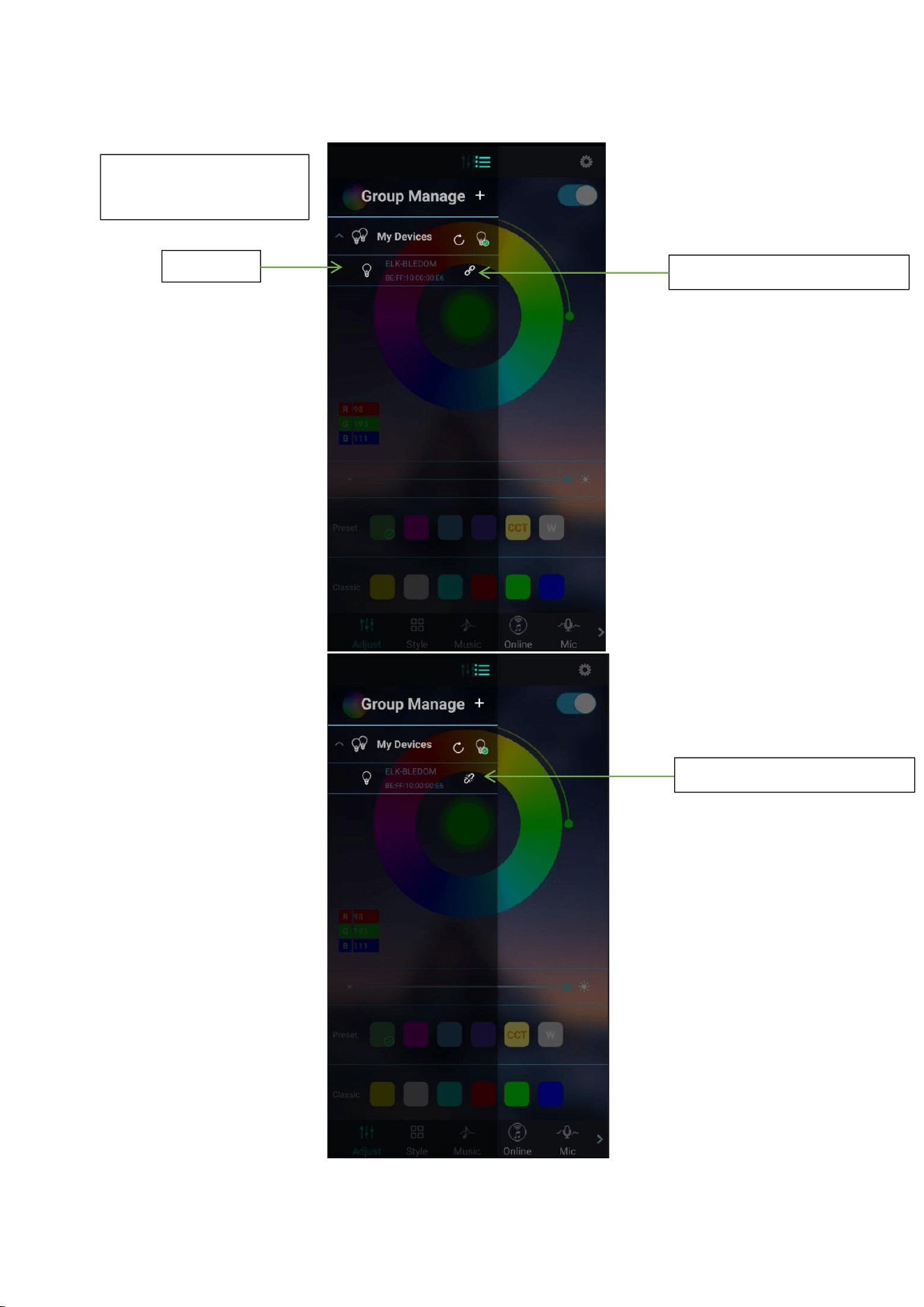
(4) click to show the lamp list, view lamp list:
Bluetooth auto connect
after search for devices
Lamp list
Status of device connection
Status of device connection
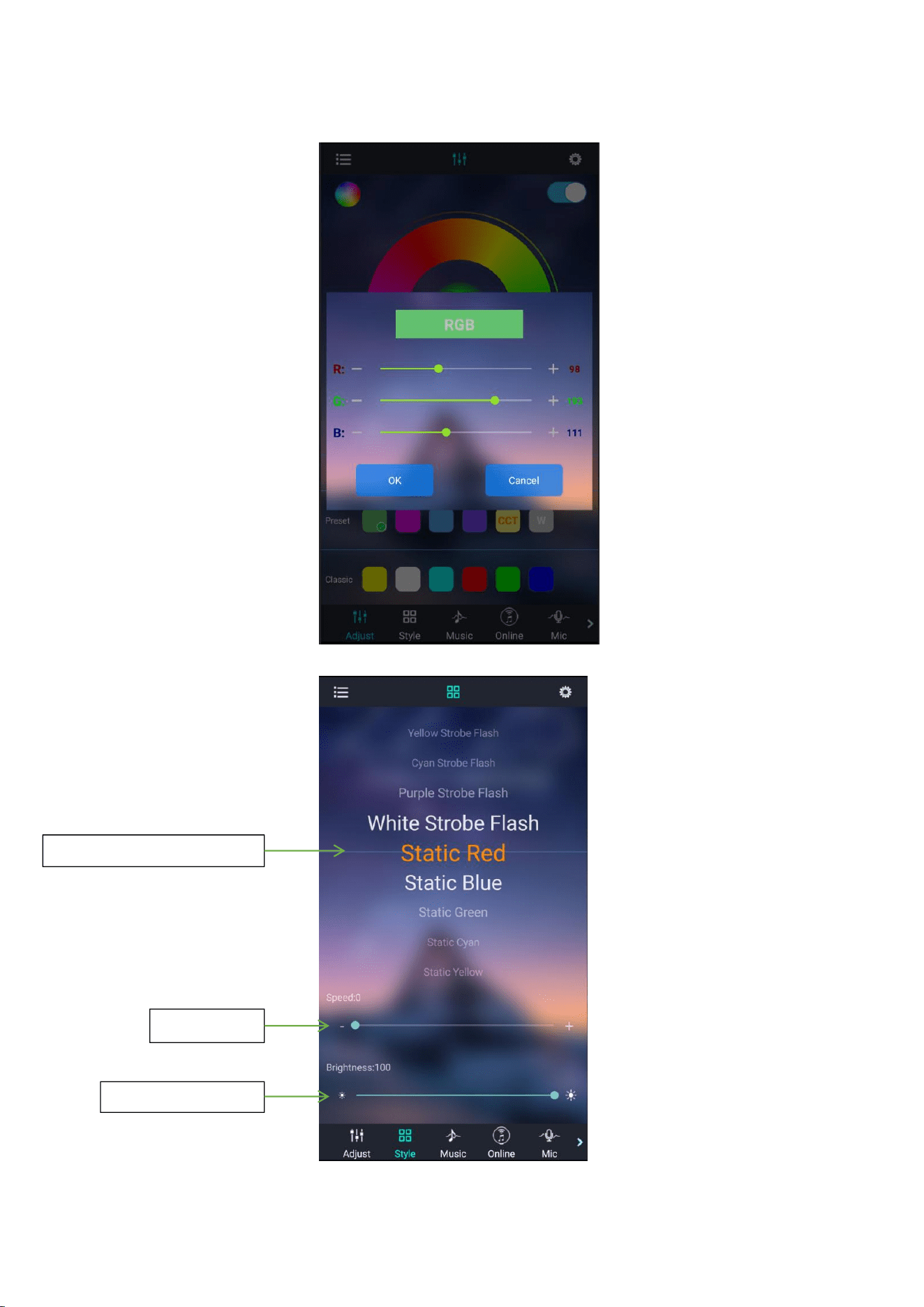
(5) Click to RGB manual adjustment view:
(6) switch to the mode interface:
Scroll the selection mode
Adjust seed
Adjust luminance
(7) switch to the music rhythm interface:
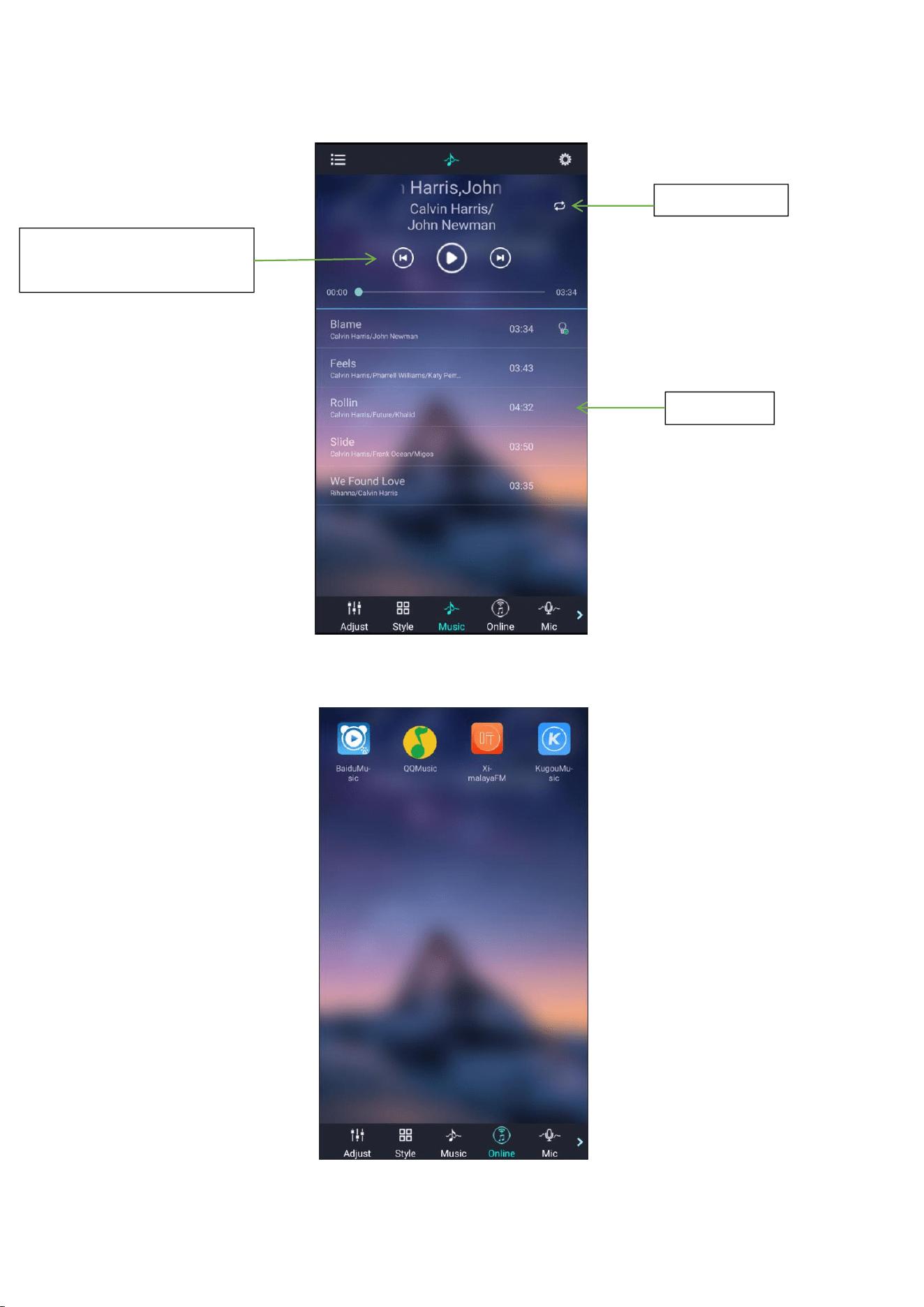
(8) Switch to the online music interface:
Recycle mode
Previous song, Pause/Play,
Next song
Music List
(9) Switch to the microphone rhythm interface:
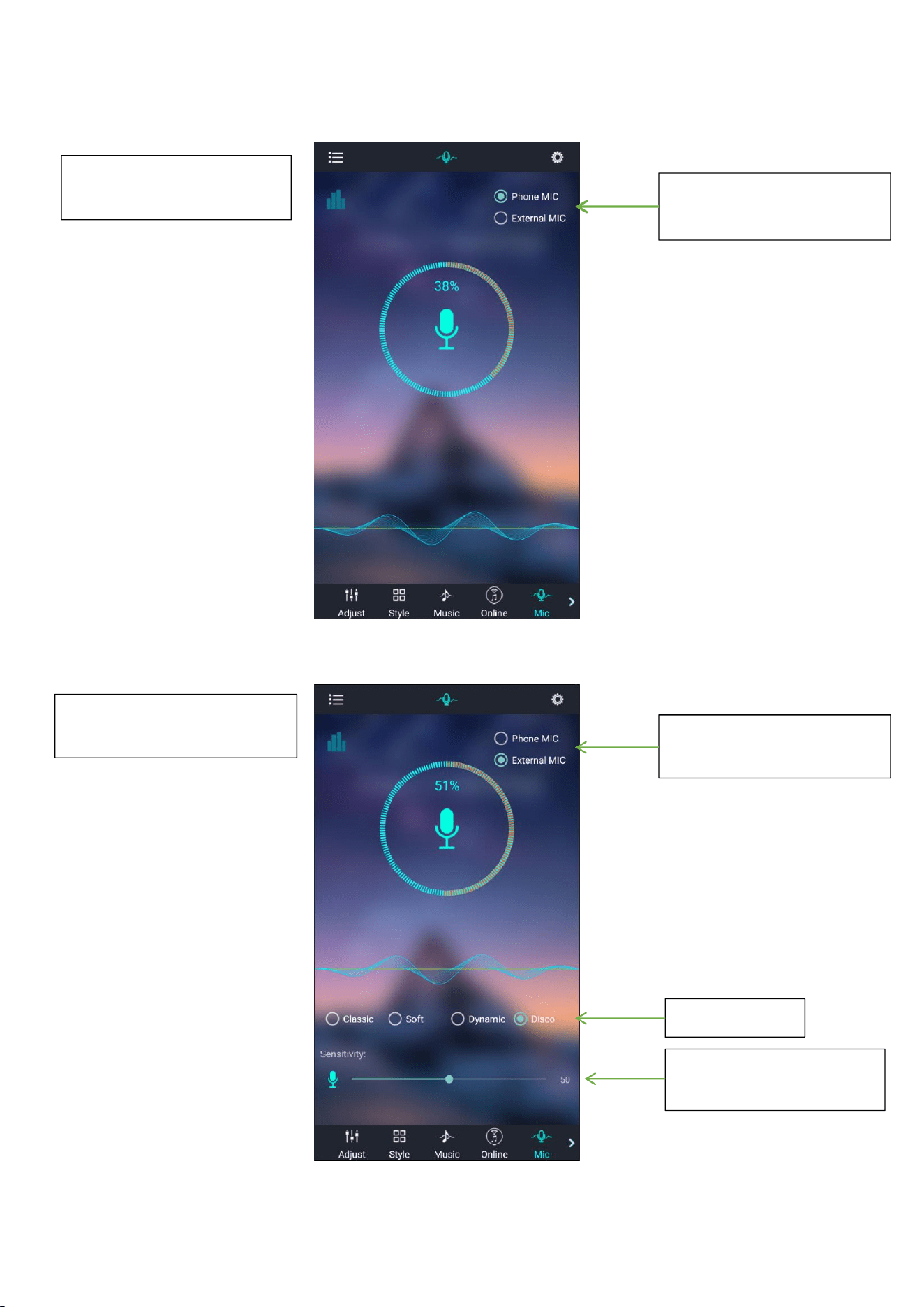
Music rhythm through cell
phone microphone
Switch phone microphone
and external microphone
Music rhythm through the
microphone on the product
Switch phone microphone
and external microphone
4-style rhythm
Change the sensitivity of
MIC to match the sound
(10) Switch to the schedule interface:
(11) Switch to the modify pin sequence interface:
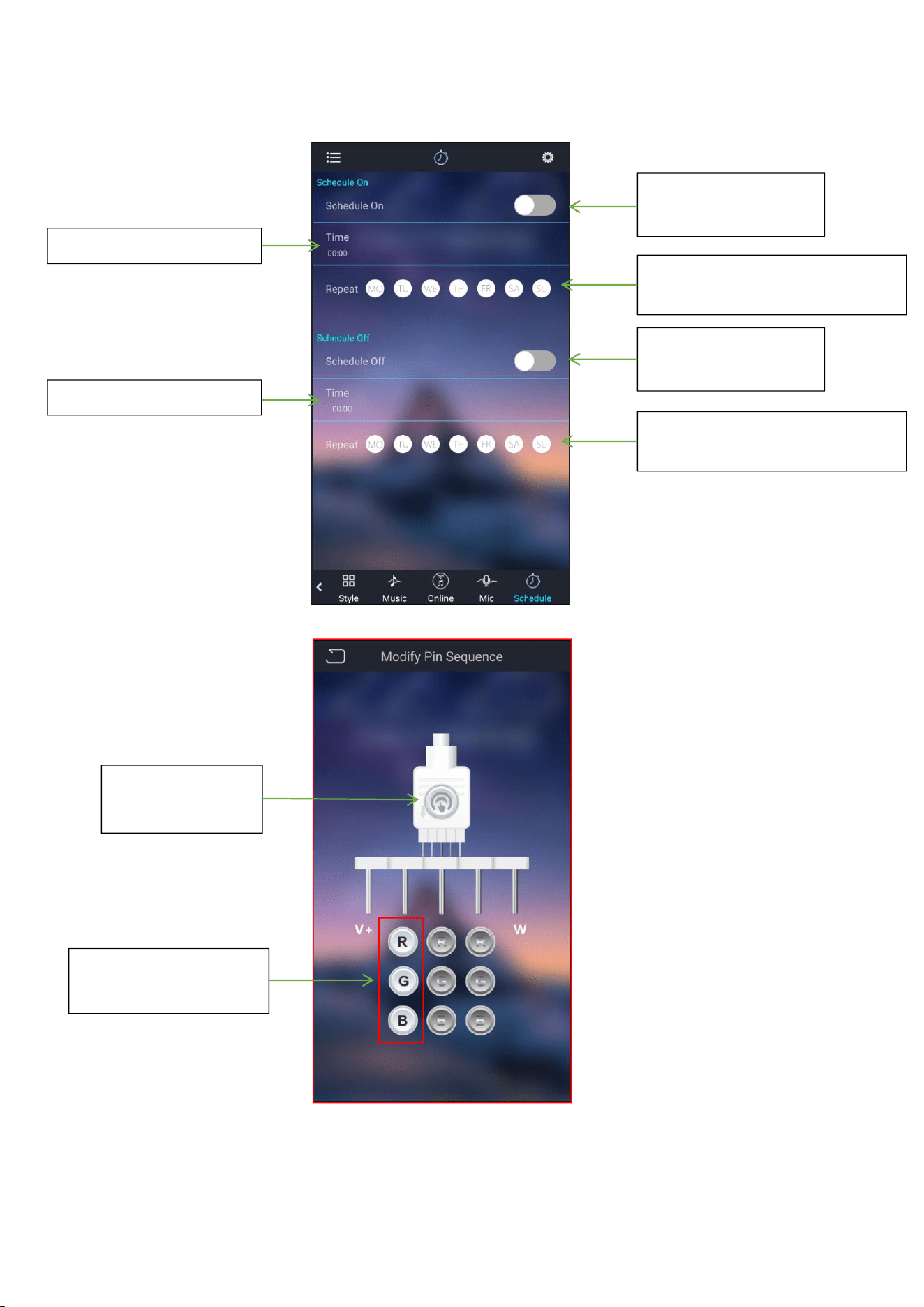
Enable or disable the
Light-On function
Repeat setting
No selection for once Light-On
Set the time of Light-On
Enable or disable the
Light-Off function
Repeat setting
No selection for once Light-Off
Set the time of Light-Off
Click to save the
new assignment
Change the real color
of this line

FCC Caution.
This device complies with part 15 of the FCC Rules. Operation is subject to the
following two conditions:
(1) This device may not cause harmful interference, and
(2) this device must accept any interference received, including interference that
may cause undesired operation.
Any Changes or modifications not expressly approved by the party responsible for
compliance could void the user's authority to operate the equipment.
Note: This equipment has been tested and found to comply with the limits for a
Class B digital device, pursuant to part 15 of the FCC Rules. These limits are
designed to provide reasonable protection against harmful interference in a
residential installation. This equipment generates uses and can radiate radio
frequency energy and, if not installed and used in accordance with the instructions,
may cause harmful interference to radio communications. However, there is no
guarantee that interference will not occur in a particular installation. If this
equipment does cause harmful interference to radio or television reception, which
can be determined by turning the equipment off and on, the user is encouraged to
try to correct the interference by one or more of the following measures:
-Reorient or relocate the receiving antenna.
-Increase the separation between the equipment and receiver.
-Connect the equipment into an outlet on a circuit different from that to which the
receiver is connected.
-Consult the dealer or an experienced radio/TV technician for help.