
Wireless paging system Manual
Introduction
Thank you for using our company's wireless paging system, it use the advanced wireless
radio frequency technology and learning to code. The call host with powerful microprocessor
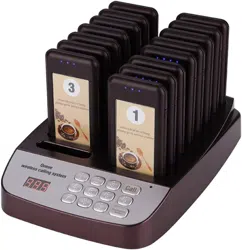
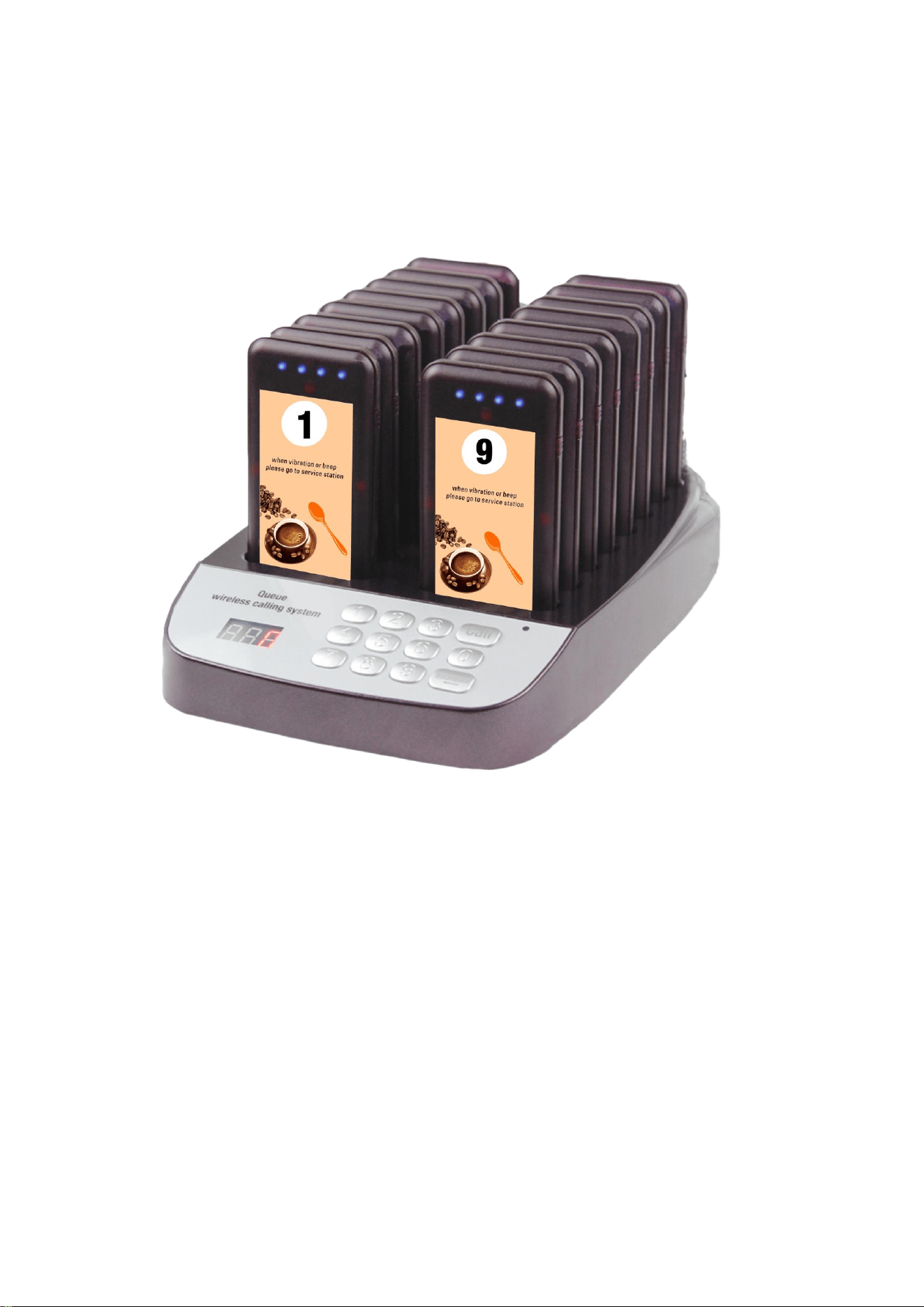
chip, stable and reliable performance. The paging system by the 999 groups keyboard call host
and 16 rechargeable receiver, call host has 16 charging slot, marking a number on each of the
receivers, inserted into the slot when standby, take a receiver to the customer if order, and write
down the corresponding number, after the completion of the order according to the keyboard to
call this number, the customer receiver received will be vibration or buzzer, customers complete
receiver to get dinner and put the number to the waiter.
This wireless paging system function is outstanding, widely used in restaurant, sweet shop
and auto 4 s shops need queuing service, let customers don't have to stand in long lines in front
of the restaurant, waiting to take food, service personnel don't have to shout the guest on a
buffet meal. It can help operators to save the human cost, create efficient service, also provide
consumers with a warm, comfortable leisure space. To promote the enterprise image, and
improve the operating profit, ensure the thoughtful and meticulous service.
Features
999 groups Keyboard Host
16 charging slot
Receiver humanized vibration/buzzer prompt mode
Receiver power indicator, low-battery alert
Support multiple keyboard call the same receiver
The host password protection to prevent error Settings
Super receiving sensitivity
call range 2000 m (open
space
)
One key calls all receivers
One-key turn on/off
Charge without heat, More save electricity and safer
Component
Operation
1. The Keyboard Host connect the adapter and plug in the outlet and perform self-check
program, power light began to flash.
2. Take out the receiver, long press [power] key for 3 seconds, receiver buzzer and vibration 5
times, red LED flash every 2 seconds, indicates that the receiver has been power on and
enter standby mode. Inserted the receiver to the charging slot, receiver red led flash 5 times,
blue charging indicator led scroll, indicates that the receiver in the charging state.
3. The waiter take a receiver to customer and Write down the number when customers order.
4. Waiter use keyboard host call customer (receiver) after the completion of orders. Receiver
will be vibration buzzer, flashing lights if receiving the call message, if you want to

immediately stop prompt, please press the [power] key to return to the standby state or plug
into the charging slot automatically enter charging state.
5. Customer give back the receiver to the waiter, service finish.
6. If you want to find some receivers when charging. Please press corresponding number by
keyboard, and press [Call] key, Receiver red LED indicator light will be flash 5 times to report
its location.
Power On/Off
1. Power On: Long Press [Power] Key 3 Seconds or directly insert the keyboard host charging
slot when the receiver in off state; the keyboard host connect the ac adapter and plug in the
outlet.
2. One Key Power On: After the keyboard host power on, insert the receiver into the charging
slot, enter "0" and press [Call] to start up all the receives with one key.
3. One Key Power Off: After the keyboard host power on, insert the receiver into the charging
slot, enter "00" and press [Call] to turn off all the receives with one key.
4. One Key Call All: After the keyboard host power on, enter "000" and press [Call] to call all
receivers with one key.
1. Receiver registration
Insert the receiver into charging slot, long press the [power] key for 3 seconds, three red LED light
will be keep on mean enter registration state. And then press the keyboard corresponding to the
number, receiver buzzer two times mean registration success, short press [power] return to
standby state.
2. Clear the registered transmitter
After entering the registration state, press [power] key for 3 seconds, and three red LED indicator
lights will flash to clear the learned number.
Note: The receiver must be inserted into the charging slot if you want to registration, and the
registration is automatically replaced with the last learned number.
Prompt Mode
1. Long press the [CALL] key at the keyboard host, enter the administrator password (default
password: 123) enter the setting state.
2. Select F01, press [CALL] key to enter the prompt mode selection.
3. Enter the corresponding number with the keyboard, press [CALL] to confirm, then press
[Backspace] button to return to standby state. (There are 4 modes, 1: ring + vibration + LED, 2:
vibration + LED, 3: LED only, 4: fade-in.)

Host ID
1. Long press the [CALL] key at the keyboard host, enter the administrator password (default
password: 123) enter the setting state.
2. Press the number "2" on the keyboard to select F02 and press [CALL] key to enter the
keyboard ID Settings.
3. Enter the corresponding number with the keyboard, press [CALL] to confirm, then press
[Backspace] button to return to standby state. (There are 001 -- 999 ID number, 000 is the
factory default ID).
Note: You need to reconfigure the receiver if change the ID. The ID number applies to multiple
keyboard hosts sharing the same set of receiver scenarios. The keyboard host with the same ID
can share receivers and just one need to pair with receivers.
Password
1. Long press the [CALL] key at the keyboard host, enter the administrator password (default
password: 123) enter the setting state.
2. Press the number "3" on the keyboard to select F03, press [CALL] key to enter the
administrator password Settings.
3. Enter the corresponding number with the keyboard, press [CALL] to confirm, then press
[Backspace] button to return to standby state. (Factory default password: 123).
Restore Default Settings
1. Long press the [CALL] key at the keyboard host, enter the administrator password (default
password: 123) enter the setting state.
2. Press the number "4" on the keyboard to select F04, press [CALL] key to enter the restore
default Settings.
3. Enter the number ‘0’ with the keyboard, press [CALL] to confirm, then the factory default
value will be restored. (Factory default password: 123).
Changing Number Sticker
Remove the transparent screen of the receiver and place the card with the number into the slot

and then install back the transparent screen.
Technical Characteristics
Receiver
Supply voltage
DC3.7V (Rechargeable battery)
Charge voltage
DC5V
Working frequency
433.92MHz
Standby current
<15mA
Working current
<100MA
Receive sensitivity
-110±2dBm
product size
105*51*10. 5mm
Keyboard call host
Supply voltage
Input: AC100-240V Output: DC5V/5A
Working frequency
433.92MHz
Standby current
<10mA
Transmit current
100±30mA
product size
234*157*33mm
Package List
Keyboard call host 1 pcs
Receiver 1 pcs
Adapter 1 pcs
Manual 1 pcs