S318
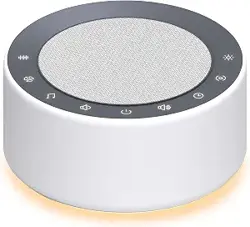
White Noise Machine
USER MANUAL
AUVODA
Technical Parameter
• Model Name: S318
• Output Power: 5W x 1
• Wireless Frequency: 2.4 GHz - 2.48GHz
• Transmission Distance: 10 m (32.8 ft)
• Frequency Response Range: 50 Hz - 20 kHz
• Total Signal-to-Noise Ratio (SNR): ≥ 75 dB
• Built-in Lithium Battery Voltage: 3.7 V
• Built-in Lithium Battery Capacity: 1000 mAh
• Charging Input: DC 5 V / 500 mA
• Product Dimension: Ø82 × H41 mm (Ø3.23 × H1.61in)
• Net Weight: 170 g (6.0 oz)
Package Contents
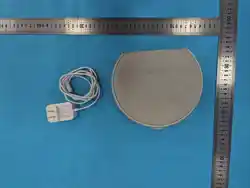
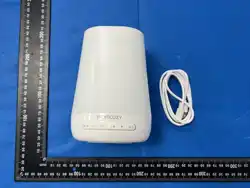
• 1 × White Noise Machine
• 1 × USB Charging Cable
• 1 × User Manual
Operating Instructions
1, Power On / Power Off
Long press Button 2 to power on or power off the device.
2, Pause / Play
Short press Button 2 to pause or play.
3, Volume + / Volume -
Short press Button 1 to increase the volume.
Short press Button 5 to decrease the volume.
4, Previous Track / Next Track
Long press Button 1 to skip to the next track.
Long press Button 5 to skip to the previous track.
5, Night Light
Long press Button 4 to turn on/off the night light.
Short press Button 4 to switch light modes.
Note: When the night light is turned off during light mode switching
by short-pressing Button 4, short-press Button 4 to turn it on
again.
6,Timer
Short press Button 3 to set the timer, with options of 30 mins / 60
mins / 90 mins / 120 mins. The timer is successfully set when the
corresponding indicator light illuminates, and the device will
automatically turn off once the set time has elapsed.
7,Natural Sounds
Short press Button 6 to turn on or switch between Natural Sounds.
8,White Noise
Short press Button 7 to turn on or switch between White Noise
types.
9,Lullabies
Short press Button 8 to turn on or switch between Lullabies types.
Functional Features
Valid for one year from the date of purchase, the warranty does not
cover the following malfunctions caused by user behavior:
1, Malfunctions resulting from unauthorized disassembly and
modification of the device.
1, Bluetooth Speaker Function
Long press Button 3 to enter Bluetooth speaker mode. Search for
and connect to the Bluetooth device S318 via your mobile phone
or other Bluetooth-enabled playback devices. The device can then
play all audio content through its built-in speaker.
2, Memory Function
The white noise machine retains your last audio and light settings.
Once the machine is turned on, it will automatically restore the last
used settings.
Note: Volume and timer settings are not retained.
3,Runtime
It can operate for approximately 4-6 hours at 50% volume when
fully charged.
4,Auto Shutdown Function
Once the timer elapses, the machine will automatically shut down.
Warranty and After-Sales Service
2, Malfunctions caused by accidental drops during use or
transportation.
3, Malfunctions due to failure to operate the device in accordance
with the correct instructions in the user manual.
Note: If there are any missing parts in the product upon receipt or
you have any questions regarding the operation of this product,
please contact the seller in a timely manner. We will provide you
with our most dedicated service.
Safety Instructions
1, Use a USB cable only.
2, Check adapter marked voltage matches local mains voltage
before power connection.
3, Keep away from water/humid environments (e.g., bathroom).
4, Turn off power when not in use.
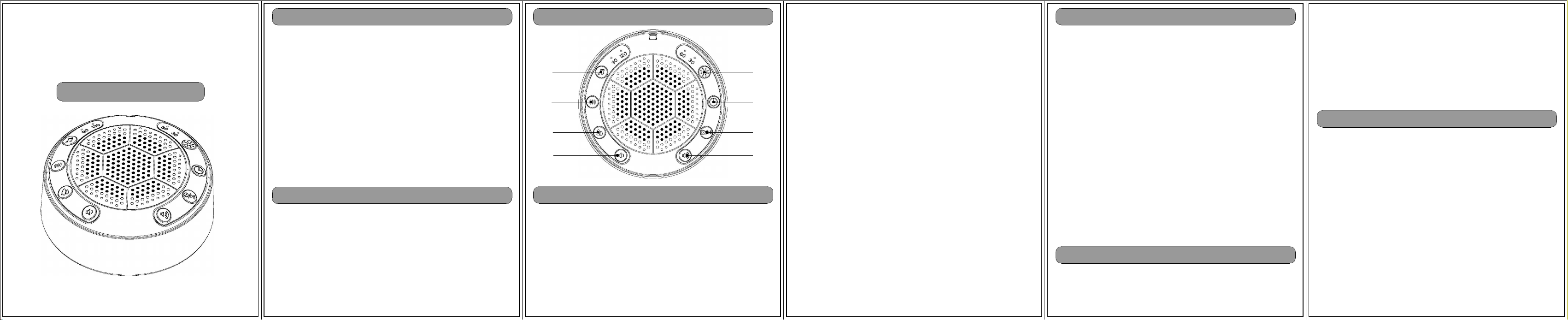
Product Diagrams
Button 1
Button 2
Button 3
Button 4
Button 5
Button 8
(Volume+)(Volume-)
(Natural Sounds)
(White Noise)
(Lullabies)
(Power On/Off / Pause)
(Toggle BT Speaker
(Night Light)
Mode / Timer)
Button 7
Button 6

FCC Statement
This device complies with Part 15 of the FCC rules. Operation i
s subject to the
following two conditions: 1) this device may not cause harmful
interference, and 2)
this device must accept any interference received, including in
terference that may
cause undesired operation.
Note: This equipment has been tested and found to comply with t
he limits for a Class
B digital device, pursuant to part 15 of the FCC Rules. These l
imits are designed to
provide reasonable protection against harmful interference in a
residential installation.
This equipment generates uses and can radiate radio frequency e
nergy and, if not
installed and used in accordance with the instructions, may cau
se harmful
interference to radio communications. However, there is no guar
antee that
interference will not occur in particular installation. If this
equipment does cause
harmful interference to radio or television reception, which ca
n be determined by
turning the equipment off and on, the user is encouraged to try
to correct the
interference by one or more of the following measures:
--Reorient or relocate the receiving antenna.
--Increase the separation between the equipment and receiver.
--Connect the equipment into an outlet on a circuit different f
rom that to which the
receiver is connected.
--Consult the dealer or an experienced radio/TV technician for
help.
Changes or modifications not expressly approved by the party re
sponsible for
compliance could void the user’s authority to operate the equip
ment.
Radiation Exposure Statement
This device complies with RF radiation exposure limits set fort
h for an
uncontrolled environment. The device can be used in
portable exposure
condition without restriction.