Red Light Therapy Device
USER MANUAL
11.2025

PRECAUTIONS AND WARNINGS
• Please read the instructions carefully before using the device.
• The device requires a 220V / 16A electric power. Use a dedicated power outlet for the cord.
• Do not use the device in wet or humid conditions. The indoor temperature should be main-
tained below 24°C and humidity below 50%.
• If the device is installed in a smaller room, make sure that there is enough distance between
the device and walls so that air can properly circulate. We recommend at least one meter of
free space around it.
• When cleaning or servicing the device, unplug the power wire.
• The user’s skin should be free of any makeup or lotions, unless the product is specifically
made for using in such environments.
• Close your eyes for the session and wear appropriate eye protection.
• Do not wear jewelry during teatments. Hard objects can damage the acrylic sheets.
• Do not wear contact lenses during treatment.
• Stop using the device in case of any uncomfort.
CONTRAINDICATIONS
Whenever unsure about any listed or other potential contraindications, please make sure that
the client consults their doctor or seeks medical advice from the treating medical professional
before administering any treatments.
Below are some of the possible contraindications:
• Maligant tumors
• Open cuts or wounds
• Pregnancy
• Intoxication
• Infectious diseases
• Sensitive skin
• Use of heavy medications
• Epilepsy
• Skin cancer
INTRODUCTION
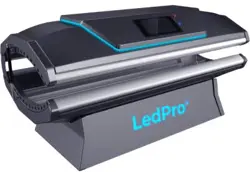
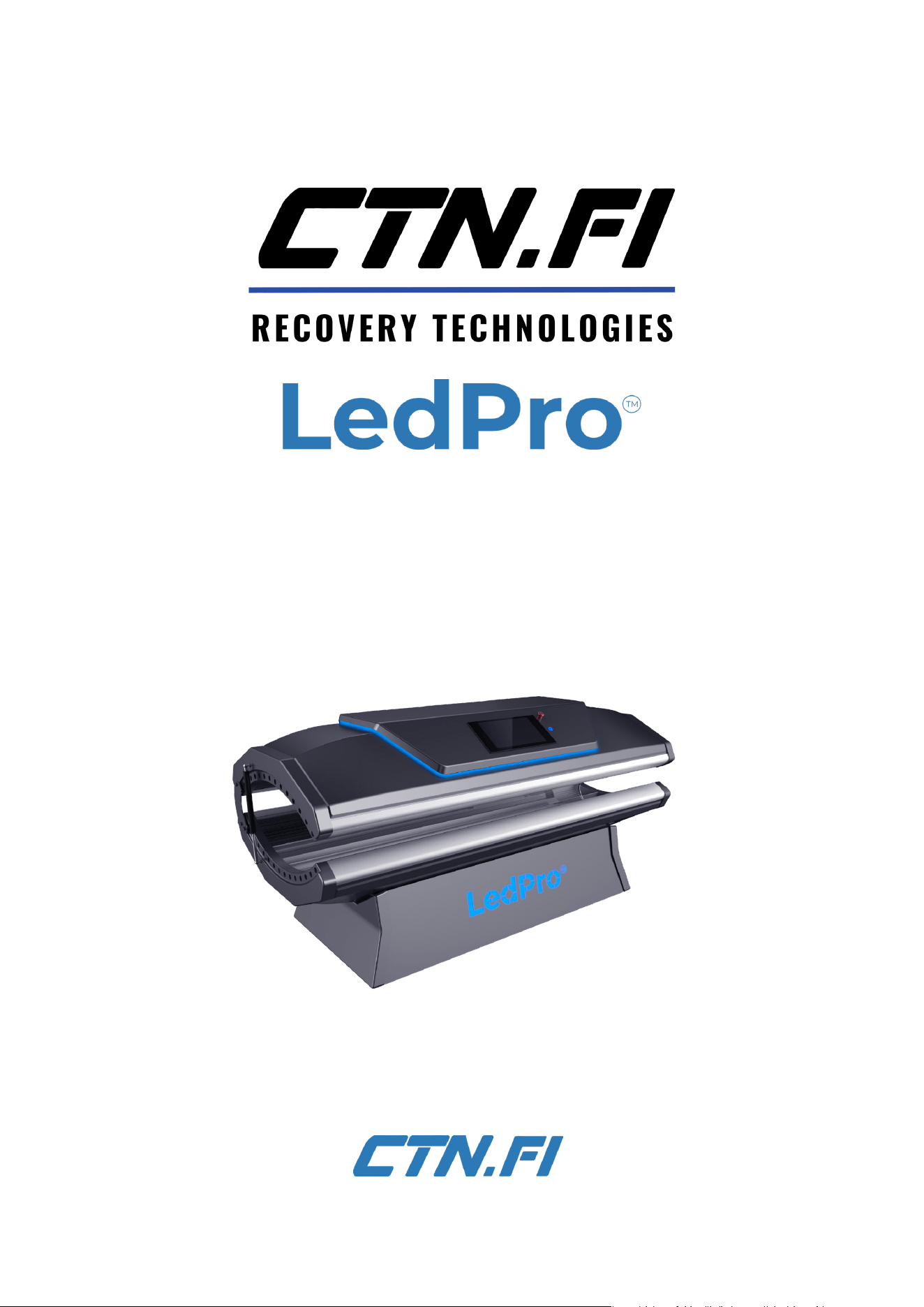
The CTN LedPro™ is a powerful, advanced
red light therapy device designed to enhance
recovery, improve skin health, and promote
overall well-being. Known medically as
photobiomodulation (PBM), red light therapy
is the most researched form of light-based
treatment and has been trusted for its
benefits since its discovery in the 1960s.
Safe, painless, and suitable for all skin types,
LedPro™ delivers targeted red and near-
infrared (NIR) light to stimulate natural
recovery processes. With no side effects
or downtime, sessions are quick, relaxing,
and effective, making it a favourite among
wellness professionals and individuals alike.
TABLE OF CONTENTS
INTRODUCTION .........................................................2
PRECAUTIONS AND WARNINGS ..................2
CONTRAINDICATIONS ...........................................2
TECHNICAL SPECIFICATIONS ..........................3
USER INTERFACE ......................................................3
INSTRUCTIONS FOR USE .....................................4
SETTINGS MENU ........................................................4
MAINTENANCE ........................................................... 5
WARRANTY INFORMATION...............................7
2
3
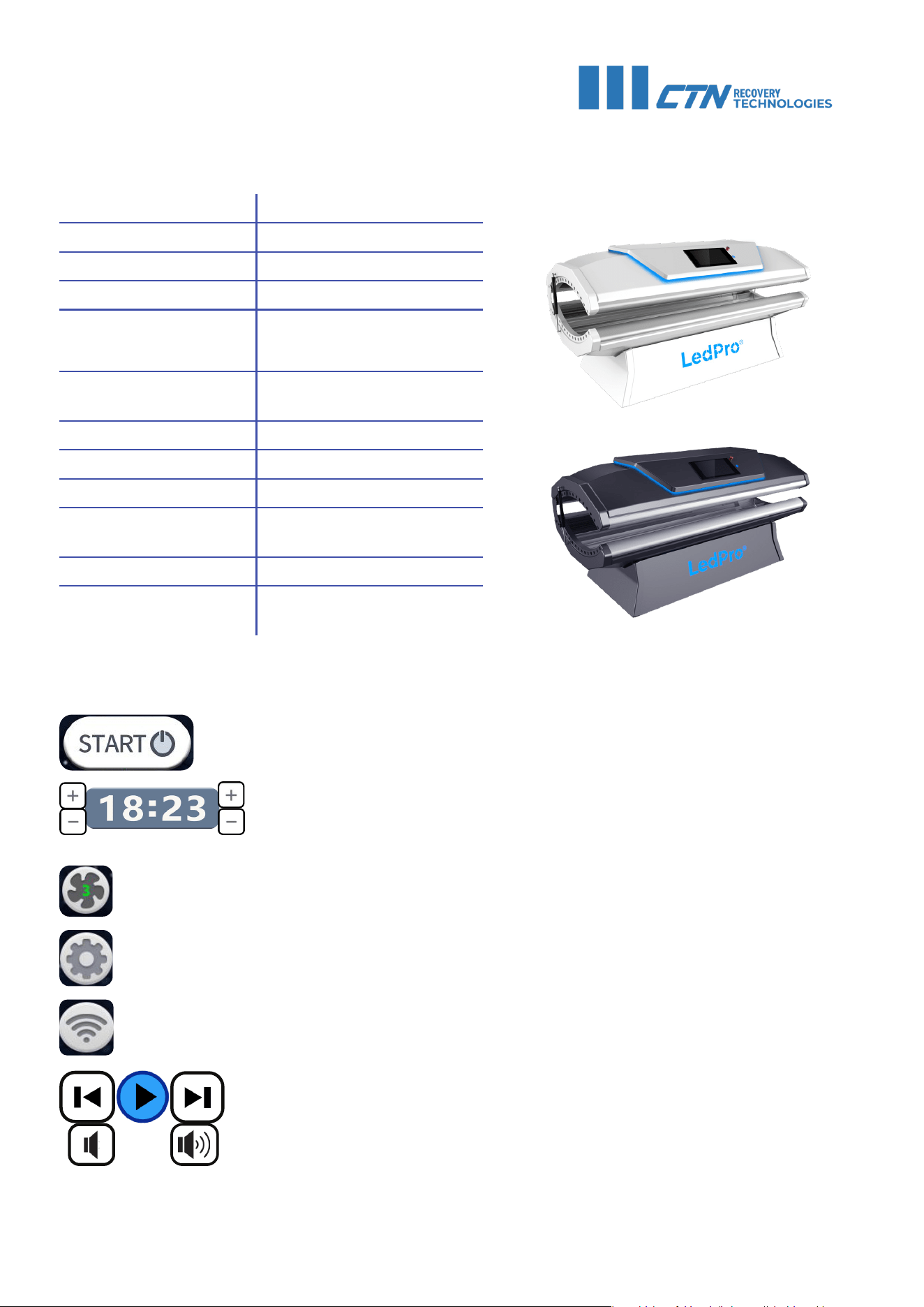
Product Name: LedPro™
Display: 11.5” touchscreen
LED Quantity: 28 512
LED Lifespan: 100 000 hours
Treatment Duration:
15 min/ session,
max 3x/ week
Power Supply (AC): 220 V / 50-60 Hz
Wavelengths: 633, 660, 850, 940 (nm)
Frequency: 1 - 10 000 Hz (adjustable)
Duty cycle 0 - 100%
Power
Consumption:
2900 W
Weight: 90kg/ 198lbs
Device Dimensions: 192 x 85 x 95 (cm)
76 x 34 x 12 (in)
TECHNICAL SPECIFICATIONS
USER INTERFACE
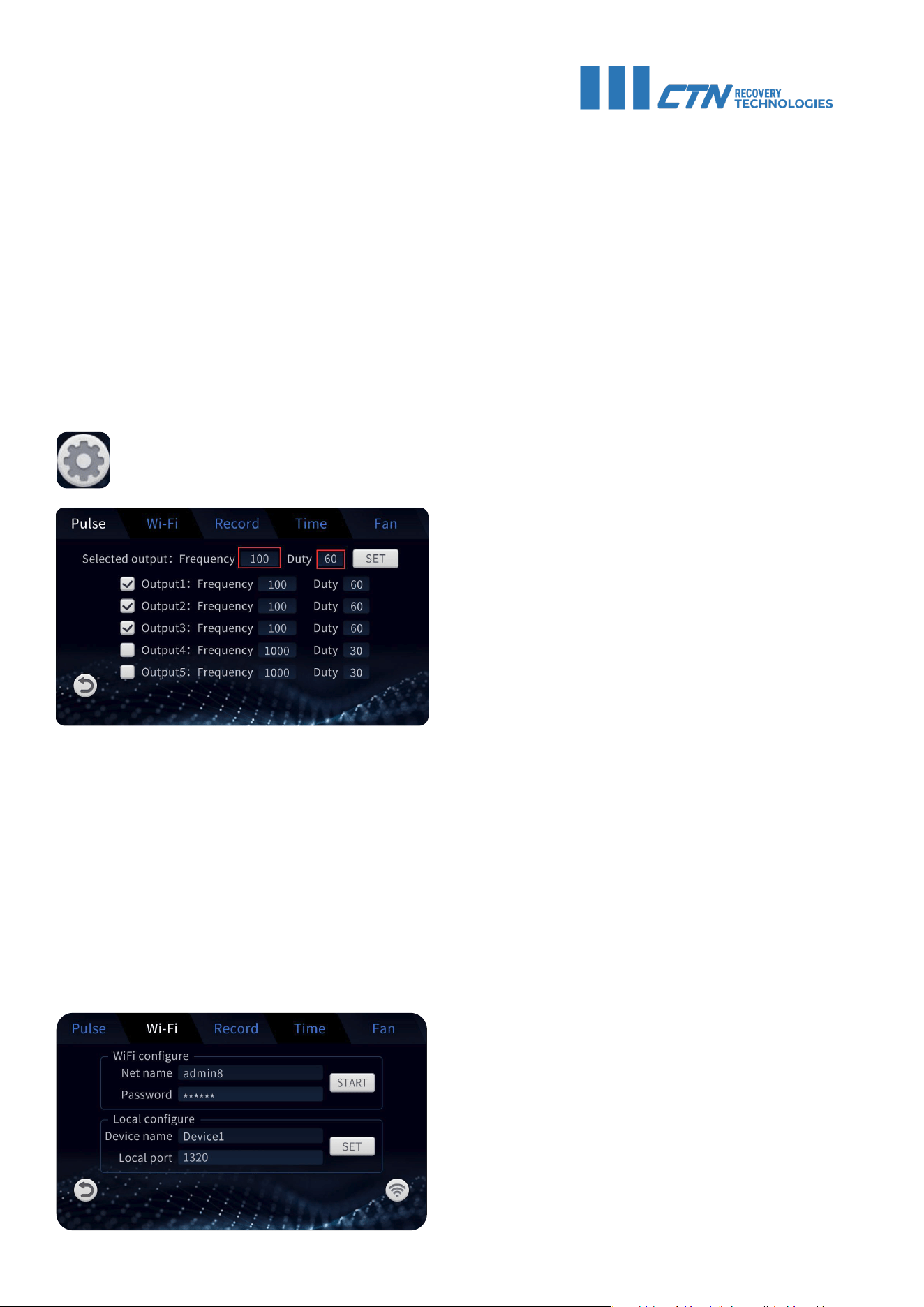
Start/ pause/ continue session button. To pause, hold the button for 2 secons.
Time display. Set a session time using the + and - buttons. When the
session has started, the time display will indicate the remaining
session time.
Fan speed indicator. Set a preferred fan speed for cooling. When no number is dis-
played, the fan is off. Multiple speed settings available.
Setting button. Tap once to enter the music setting page. Hold the button to open the
Settings menu. The icon will turn blue when Bluetooth is connected.
Wifi icon.
Music controls
INSTRUCTIONS FOR USE
• Remove makeup, body lotions, contact lenses and any jewelry. Shower before the session.
• Hydrate your skin with an appropriate essence.
• Wrap your hair if necessary. During the session, only underwear and eye protection should
be worn.
• The user interface of the LedPro™ red light therapy pod is straightforward. Open the lid,
then set the preferred session time and press start. Lie down in the pod, wear appropriate
eye protection and close the lid.
• The recommended session time is 15 minutes, max. 3 times a week.
• Shower again after use.
SETTINGS MENU
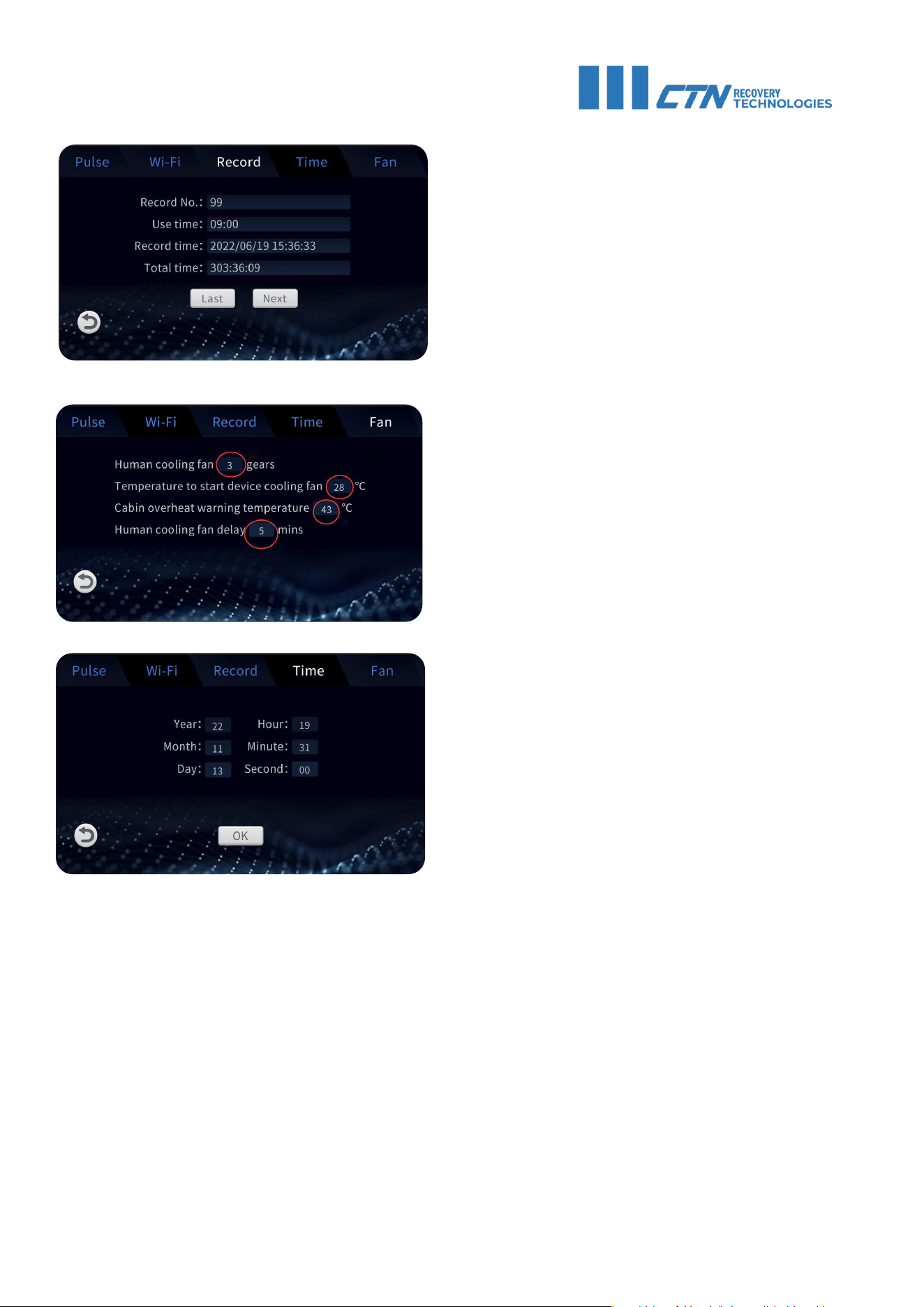
Hold the settings button to open the settings menu.
4
PULSE SETTING:
Frequency: 0 - 10 000 Hz
Duty Cycle: 0 - 100 %
PREDETERMINED WAVELENGTHS:
Output1: 633 nm
Output2: 660 nm
Output3: 850 nm
Output4: 940 nm
Output5: Empty
WIFI SETTING
Tap on the Net name field to choose a net-
work. Then enter the password and press
start.
To connect to the app, the port number must
be consistent with the port set on the app.
Pulse frequency (in Hz) refers to the rate at which the light pulses are emitted from the device.
In red light therapy, the pulse frequency determines how often the light is delivered to the
target area. Higher pulse frequencies mean that the light pulses are emitted more frequently,
while lower pulse frequencies indicate less frequent pulses. The choice of pulse frequency may
depend on factors such as the specific condition being treated and the desired therapeutic
effect.
The duty cycle (in %) refers to the ratio of time that the device actively emits light. When set to
100 %, light is emitted continuously without breaks, resulting in an irradiance of 35 mW/cm
2
.
When set to 50 %, light is emitted for half of the pulse cycle time, resulting in an irradiance of
about 17 mW/cm
2
.
5
MAINTENANCE
• Regularly disinfect and clean the bed area. Keep the power off while servicing or cleaning
the inside of the cabin. Do not use liquids to clean charged parts. Maintenance or repairs
not mentioned in this manual can only be performed by authorised or trained CTN
technicians.
• Check the mechanical integrity of the unit every 10 000 hours: ensure that the door is
aligned, adjust the hinges if necessary; check the fasteners.
• Check the condition of the power cords and connections.
• Check the condition of the plexiglass board. A damaged, cracked or scratched board must
be replaced immediately.
• The LedPro™ does not require any other maintenance procedures in addition to the ones
described above. If the device appears to function abnormally, do not attempt to open the
device and repair it. Please contact CTN support at service@ctn.fi.
RECORDS
Records of recent device use will be
available in this section.
FAN SETTINGS
1) The last used session fan setting
2) Temperature from which the device
will start cooling itself. Default: 28°C.
3) When the device reaches indicated
temperature, a warning sound will be
played. Allow the device to cool down
before the next session. Default: 60°C.
4) Fan delay setting
TIME SETTING
Adjust the time setting accordingly and
click OK to confirm.

6
WARRANTY INFORMATION
Void of factory warranty. A 36 months limited manufacturers factory warranty is applied to each
sold CTN device, and is valid from the date of delivery. The term is 36 months for materials and
manufacturing defects, and 12 months for computers and electronic components. Each device
has its own specific requirements for the ambient conditions of the space it will be installed
in or used. These include but are not limited to square meters, cubic meters, maximum ambi-
ent temperature and humidity, power feed etc. Non-compliance with the safety information,
installation and operating instructions or specifications and ambient conditions of the space
the device is used, can lead to danger for people, the environment, endanger the device and its
functions, and lead to the loss of claims for damages of any kind.

CTN CENTER - JAAKONKATU 2 - 01620 VANTAA - FINLAND
CTN GROUP - IRELAND - FINLAND - ESTONIA - SPAIN
WORLD’S #1 IN SPORTS RECOVERY
The original language of this manual is English. Other versions are translations.
User manual version: 26.11.2025