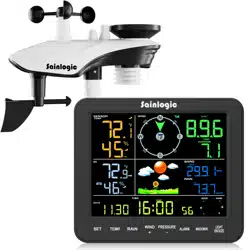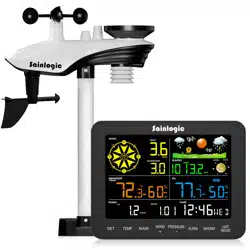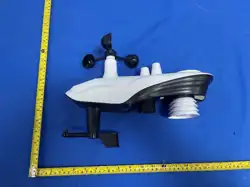

OUTDOOR SENSOR
USER MANUAL
Model:SA series
1
1. Important Safety Information
Install or service the sensor on a clear, dry day. Do not install or adjust it during a
thunderstorm.
Installation at height can cause serious injury. Complete as much preparation and testing as
possible at ground level.
Mount the sensor securely on a stable support. Check all fasteners periodically and after
severe weather.
Keep the battery compartment and its sealing gasket clean and correctly seated to help
protect against moisture.
Use only the battery type and configuration specified for the product. Do not mix old and new
batteries or different battery types.
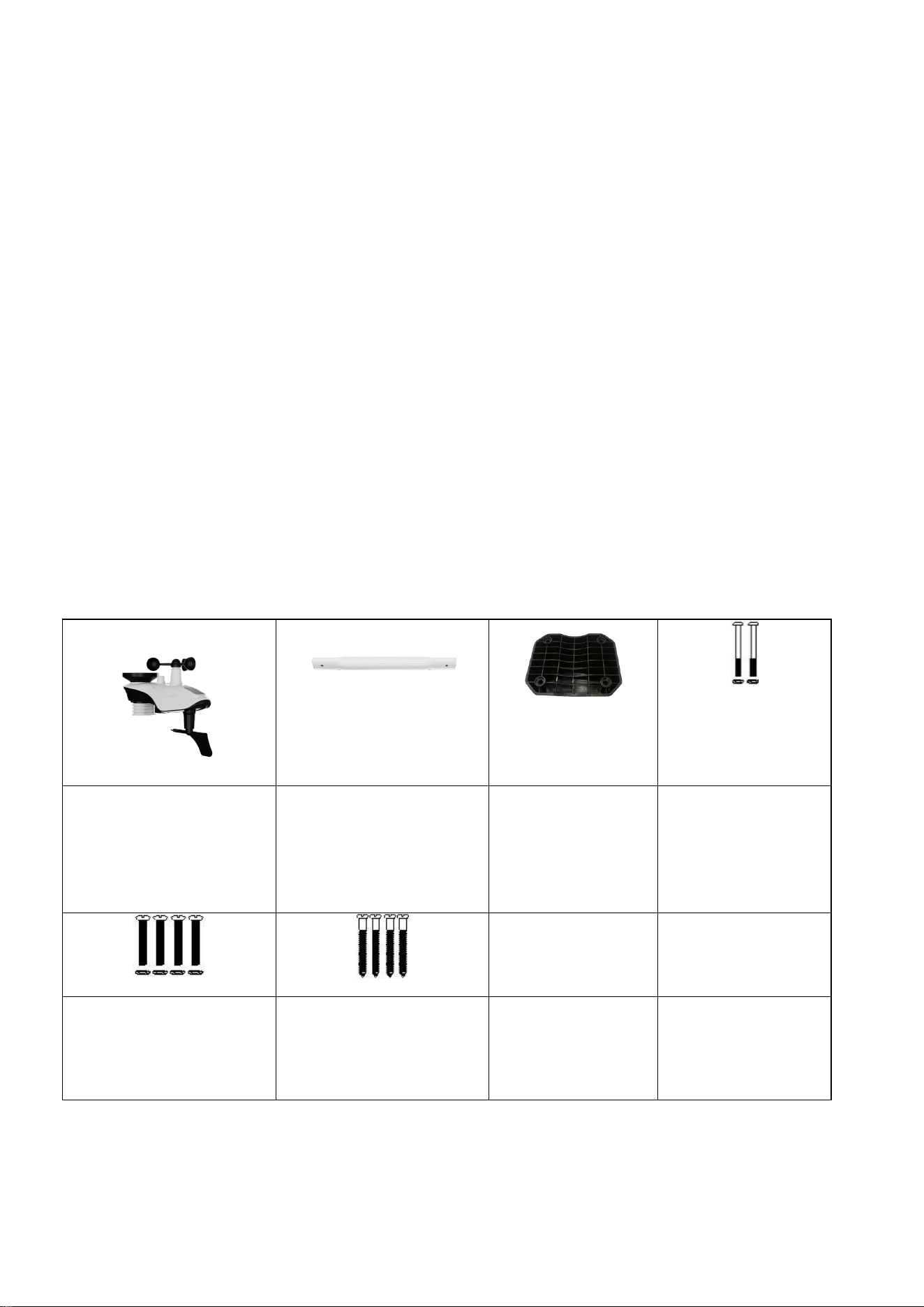
2. Package Contents
Confirm that the outdoor sensor and the required mounting hardware are present. The exact
supplied accessories may vary by package.
Outdoor Unit x 1 Mounting Pole x 1 Mounting Bracket
Back Plate (pole
mount) x 1
Pole Mounting
Nuts (M3) / Bolts
(Ø3) x 2
Pole Mounting Nuts
(M5) / Bolts ( Ø5) x 4
Pole Mounting Nuts
(M5) / Bolts ( Ø5) x 4
2
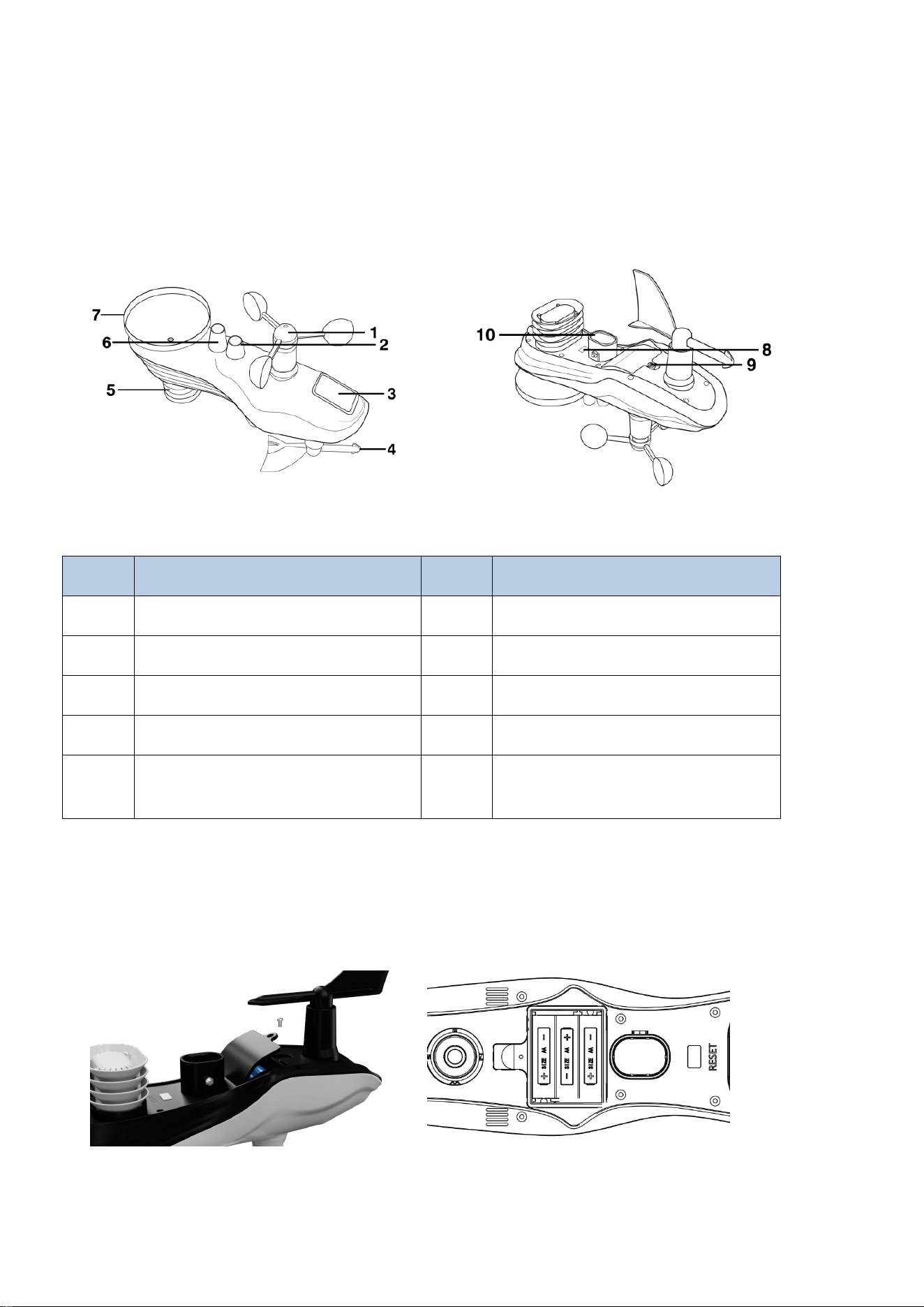
3. Sensor Overview
The outdoor sensor assembly may include the wind cups, wind vane, bubble level, solar panel,
temperature/humidity sensor, UV/light sensor, rain collector, RESET button/LED indicator, battery
compartment, and mounting socket. Refer to the product markings and supplied illustrations to
identify each component.
NO Description NO Description
1 Wind Cup 6 UV/Light Sensor
2 Bubble Level 7 Rain Collector
3 Solar Panel 8 Reset Button/LED Indicator
4 Wind Vane 9 Battery Door
5
Thermometer-Hygrometer
Sensor
10
Mounting Pole Socket
3. Power & Pair the Outdoor Sensor
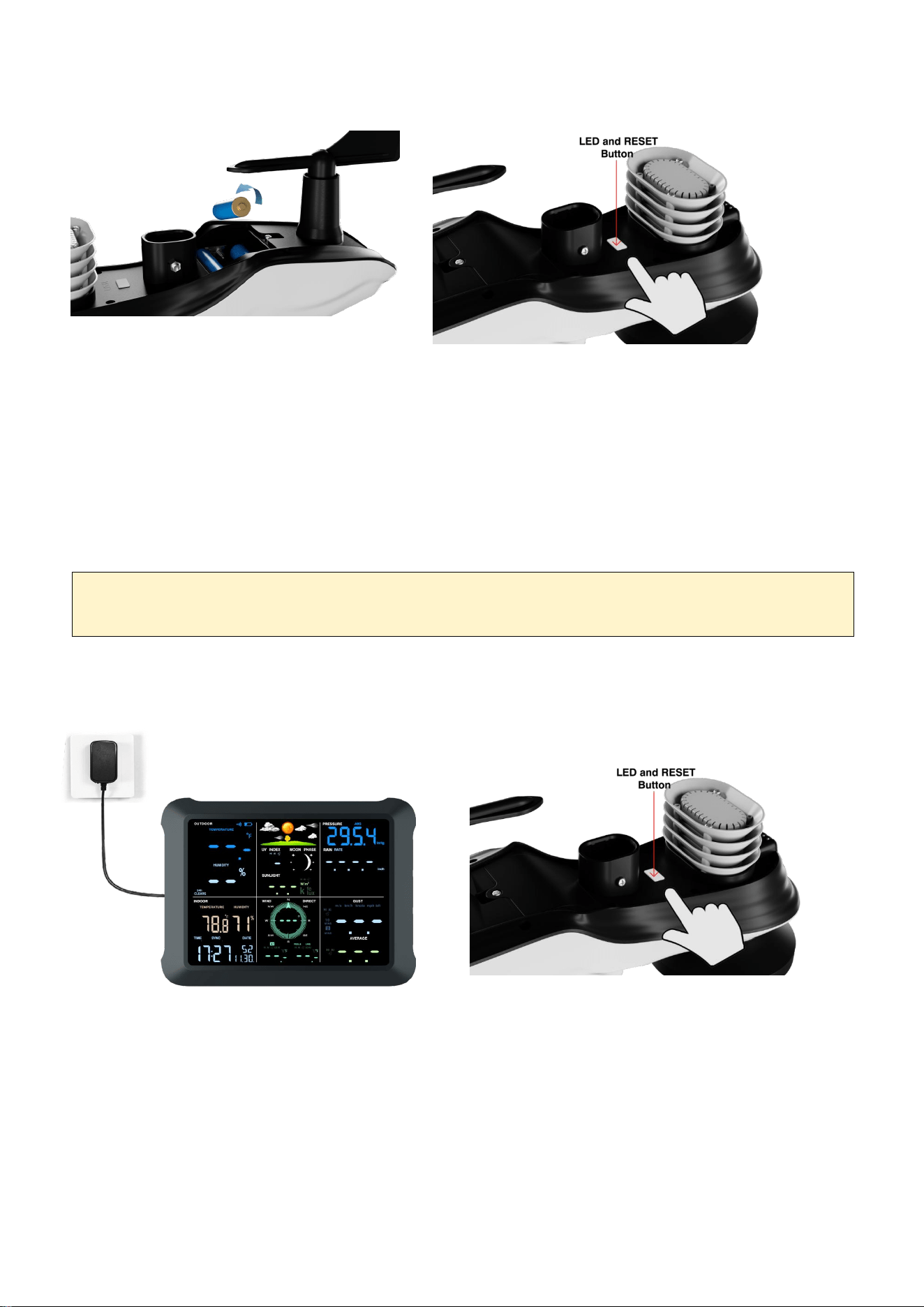
3.1. Install Outdoor Unit Batteries
3
Insert 3 fresh AA batteries matching polarity (+/-) markings.
Insert negative (flat) end against spring first for each battery.
Check rubber gasket around the battery door is clean and properly seated.
Close battery door and tighten the screws (do not over-tighten).
Press RESET button once (inside the battery compartment).
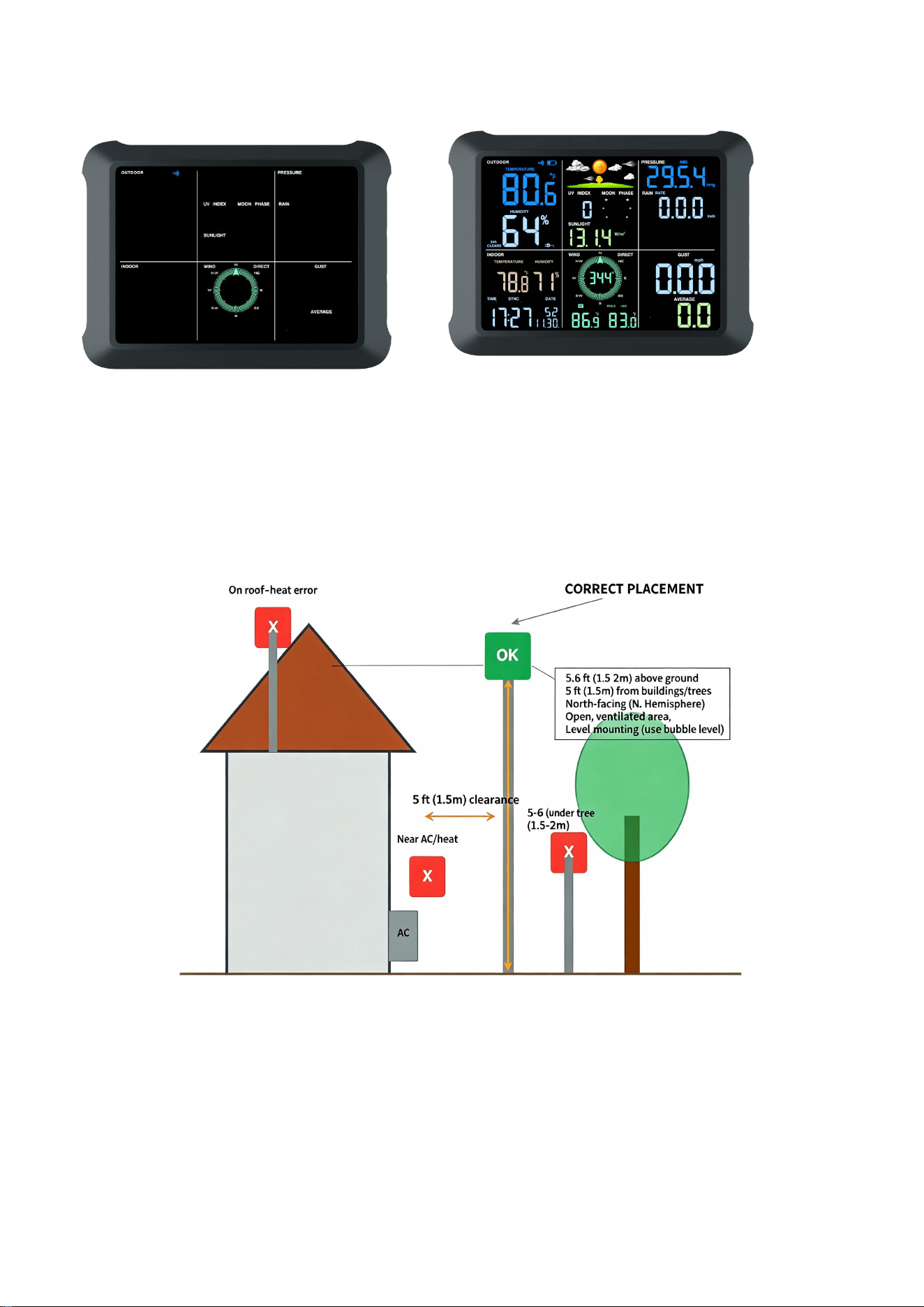
3.2 Pair Outdoor Unit to Console
1. Hold CHANNEL/+ for 3 seconds. 2. Press the RESET button once.
3. Wait while the search icon flashes. 4. Check Outdoor readings appear
COLD WEATHER
The supplied source manual recommends AA lithium batteries for cold-weather outdoor use.
4
NO DATA?
Check batteries, repeat the pairing sequence once, and wait for the signal. Avoid repeatedly
pressing buttons.
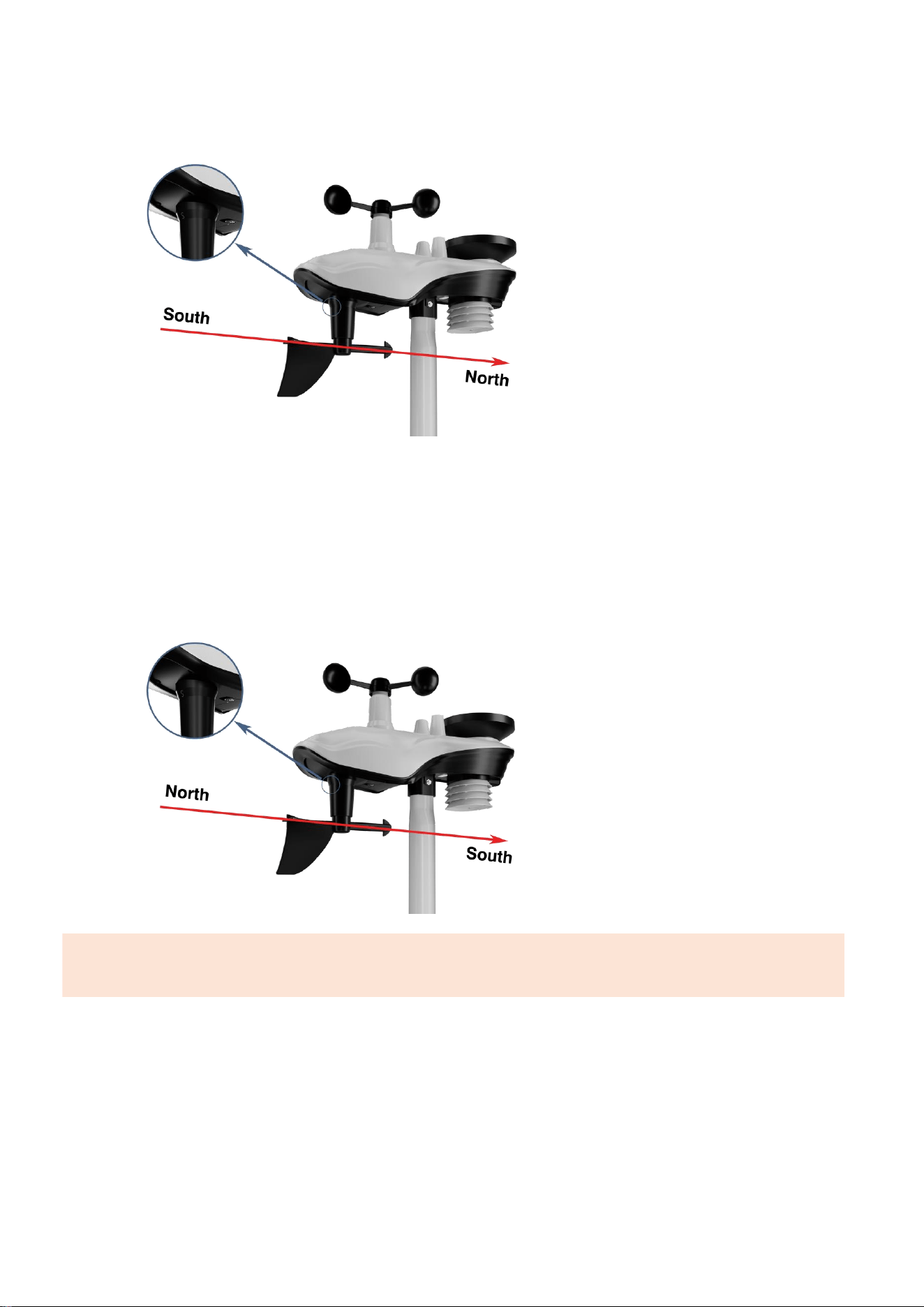
4. Choose the Site & Mount
Proper placement is CRITICAL for accurate readings. Incorrect placement is the #1 cause of
inaccurate measurements.
Choose an open location with good wind exposure.
Keep the rain collector clear of overhead obstructions.
Avoid abnormal airflow caused by walls, roofs, and trees.
Use a stable pole, bracket, or suitable mounting surface.

5
Finish pairing and testing before permanent mounting.
WARNING
AVOID THESE COMMON MISTAKES! Do NOT mount the sensor: directly on a roof
(heat radiation), above asphalt/concrete (heat radiation), near AC units/vents (artificial
heat), in direct all-day sun (high temp error), under tree cover (blocks rain/wind), or
closer than 5 feet to walls/structures.
5. Direction Alignment
Users located in the Northern Hemisphere, please use the Northern Hemisphere installation
method. If you are located in the Southern Hemisphere, please use the Southern Hemisphere
installation method.
Northern Hemisphere
Southern Hemisphere
5.1 Northern Hemisphere Reference
Use a compass to find SOUTH.
Find the "S" mark on the sensor.
Rotate the entire sensor assembly so "S" points SOUTH.
Set the console region to NOR (Northern Hemisphere).
6
5.2 Southern Hemisphere Reference
Use a compass to find NORTH.
Find the "S" mark on the sensor.
Rotate the entire sensor assembly so "S" points NORTH.
Set the console region to SOU (Southern Hemisphere).
COMMON MISTAKE
Do not rotate only the wind vane. The entire sensor assembly must be oriented correctly.
7
5.3 Level the Sensor
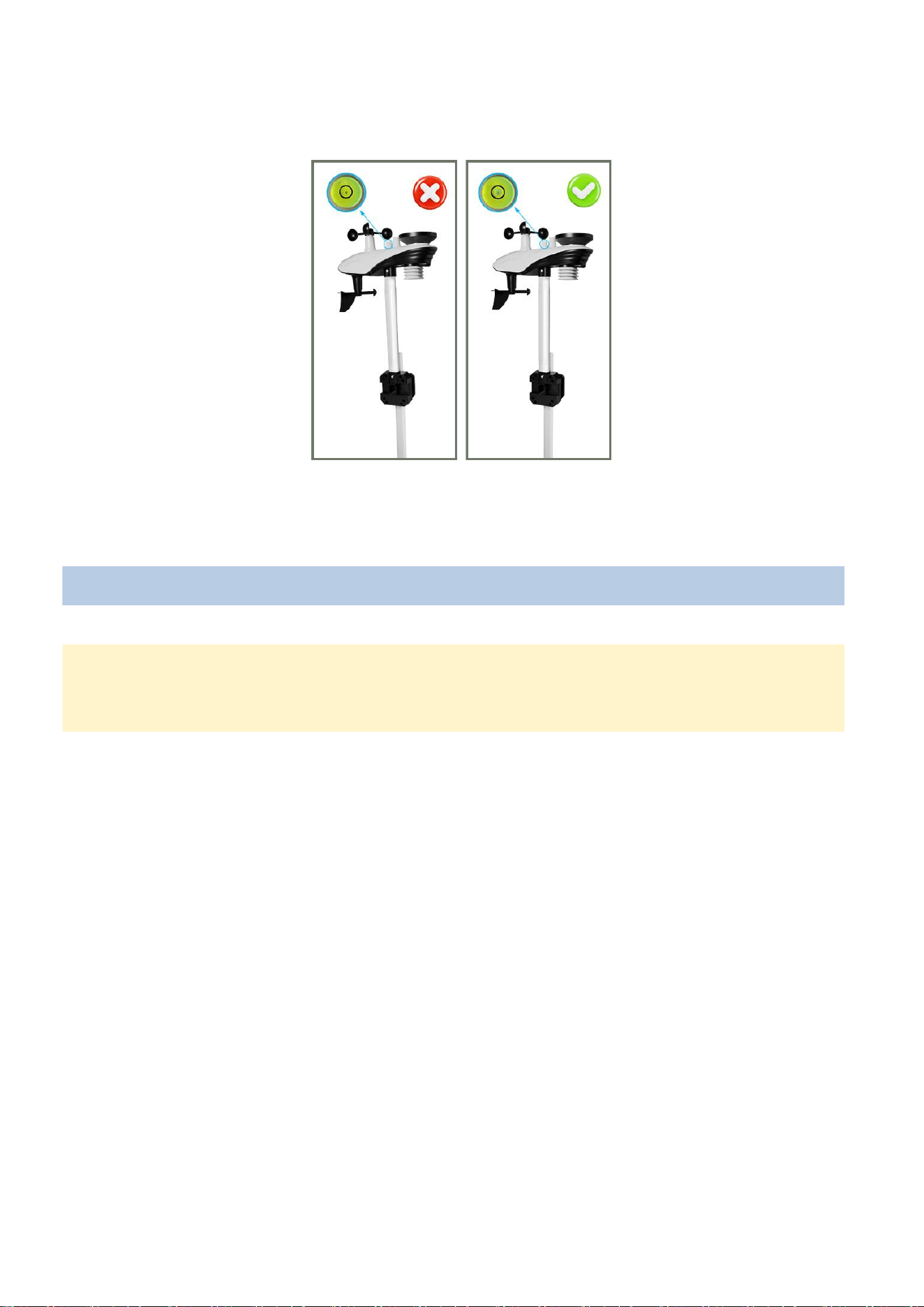
Observe the bubble level next to the rain gauge to ensure the bubble is stable within the circle,
keeping the sensor array completely level. If the sensor array is not level, the rain gauge will not
measure accurately.
✓ CORRECT ✕ INCORRECT
Bubble centered inside the center circle. Bubble outside the center circle / sensor tilted.
WHY IT MATTERS
The supplied manual states that the sensor array should be level for accurate rainfall
measurement.
8
5.4 Mounting
5.4.1 Horizontal Mounting
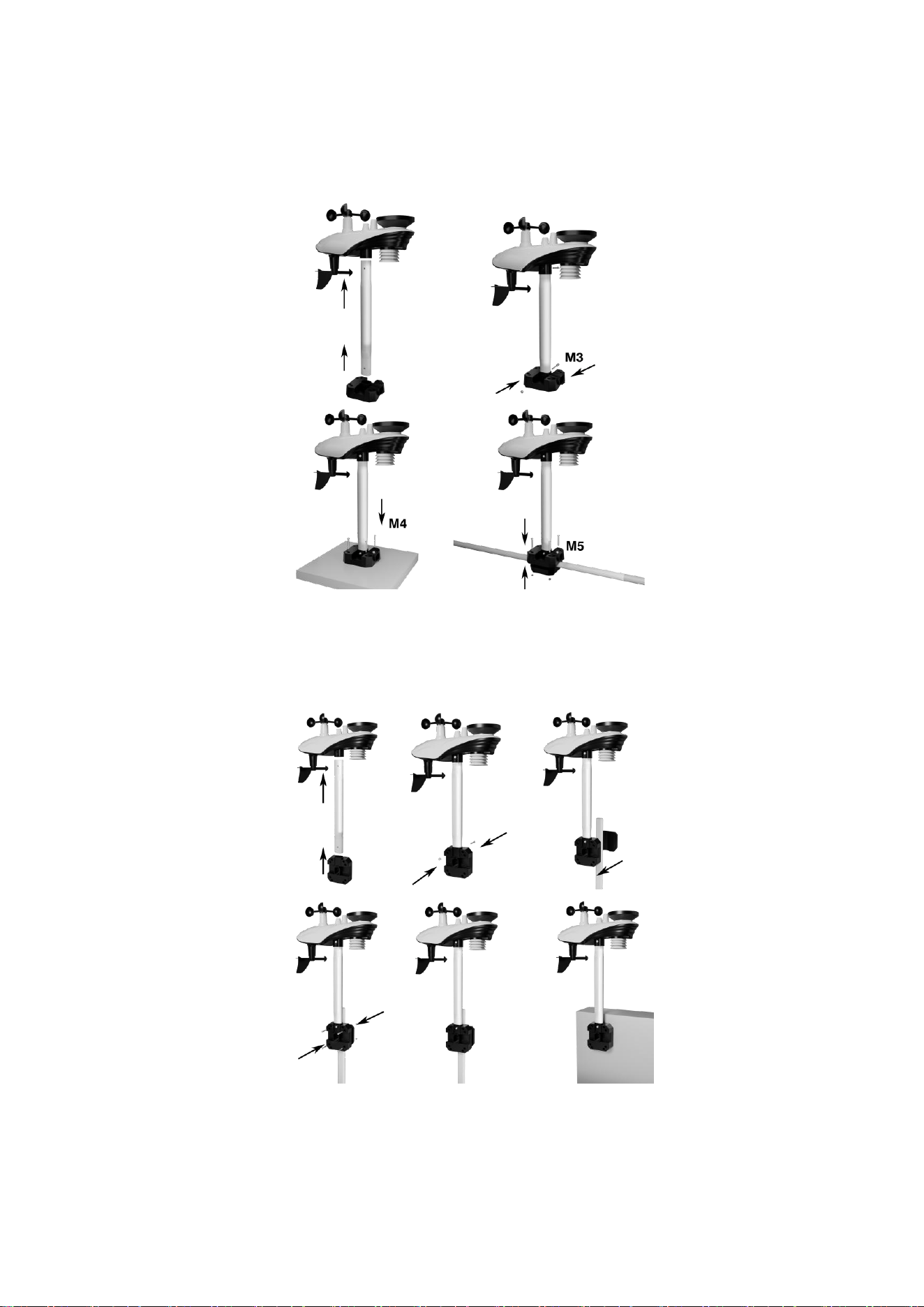
Secure the sensor to the mounting bar/bracket with the supplied hardware, then secure the bar to
a suitable support.
5.4.2 Vertical Mounting
Secure the sensor to the mounting bar/bracket and fasten the bar to the vertical support using the
supplied hardware.
9
FINAL MOUNTING CHECK
✓ Level ✓ Correct hemisphere ✓ “S” points South for NOR installation ✓ Battery door
closed ✓ Hardware tight ✓ Console receiving data
6.Specifications
6.1 Wireless Specifications
Wireless transmission Specifications
Outdoor sensor update frequency 60 sec
Outdoor Batteries 3 x AA size 1.5V batteries (not included)
(Non-rechargeable Lithium batteries
recommended)
Sensor array RF frequency 915 MHz (US)
RF transmission range 442 ft (135 m) in open field
6.2 Measurement Specifications
Measurement Range Accuracy
Outdoor temperature −40–60 °C (−40–140 °F) ±0.2 °C / ±0.36 °F
Outdoor humidity 10–99% RH ± 1.8% RH
Rainfall 0–9999 mm 0.3 mm / 1 mm; see source
manual for accuracy
Wind direction 0–360° 1°
Wind speed 0–50 m/s 0.1 m/s
7.Support
Email: inf[email protected]
Website: www.sainlogic.com
Phone: +1 (888) 513-9823
Support hours shown in the supplied manual: Monday–Friday, 10 a.m.–6 p.m. Eastern Time.

10
8.Warranty Information
We provide a 1-year limited warranty against manufacturing defects in materials and
workmanship on this product.
This limited warranty takes effect on the date of original purchase and is valid only for the product
purchased and only for the original purchaser of this product. To obtain warranty service, the
purchaser must contact us to determine the problem and service procedure.
Warranty service is provided solely by us. Please provide the original sales invoice (with the date
shown) as proof of purchase if required.
Our warranty covers all defects in materials and workmanship except:
(1) Damage caused by accident, unreasonable use, or neglect (lack of reasonable and necessary
maintenance);
(2) Damage caused by failure to follow the instructions in the user's manual;
(3) Damage caused by self-repair or alteration;
(4) Equipment not intended for personal use;
(5) Applications and uses of this product that do not correspond to the intended use;
(6) The product is unable to receive signals due to any source of interference or metal obstruction;
FCC Statement
1. This device complies with Part 15 of the FCC Rules. Operation is subject to the following two
conditions:
(1) This device may not cause harmful interference, and
(2) This device must accept any interference received, including interference that may cause
undesired operation.
2. Changes or modifications not expressly approved by the party responsible for compliance
could void the user’s authority to operate the equipment.
NOTE: This equipment has been tested and found to comply with the limits for a Class B digital
device, pursuant to Part 15 of the FCC Rules. These limits are designed to provide reasonable
protection against harmful interference in a residential installation.
This equipment generates, uses, and can radiate radio frequency energy and, if not installed and
used in accordance with the instructions, may cause harmful interference to radio
communications.
However, there is no guarantee that interference will not occur in a particular installation. If this
equipment does cause harmful interference to radio or television reception, which can be

11
determined by turning the equipment off and on, the user is encouraged to try to correct the
interference by one or more of the following measures:
Reorient or relocate the receiving antenna.
Increase the separation between the equipment and receiver.
Connect the equipment to an outlet on a circuit different from that to which the receiver is
connected.
Consult
the
dealer
or
an
experienced
radio/TV
technician
for
help.
This equipment complies with FCC radiation exposure limits set forth for an uncontrolled
environment. This equipment should be installed and operated with minimum distance 20cm
between the radiator and your body.