User
manual
User
manual
www.vacuactivus.com
www.cryonick.com
Top panel for
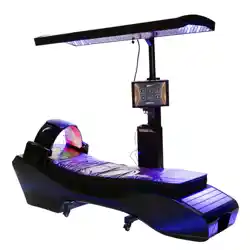
InfraCouch
Red Lights
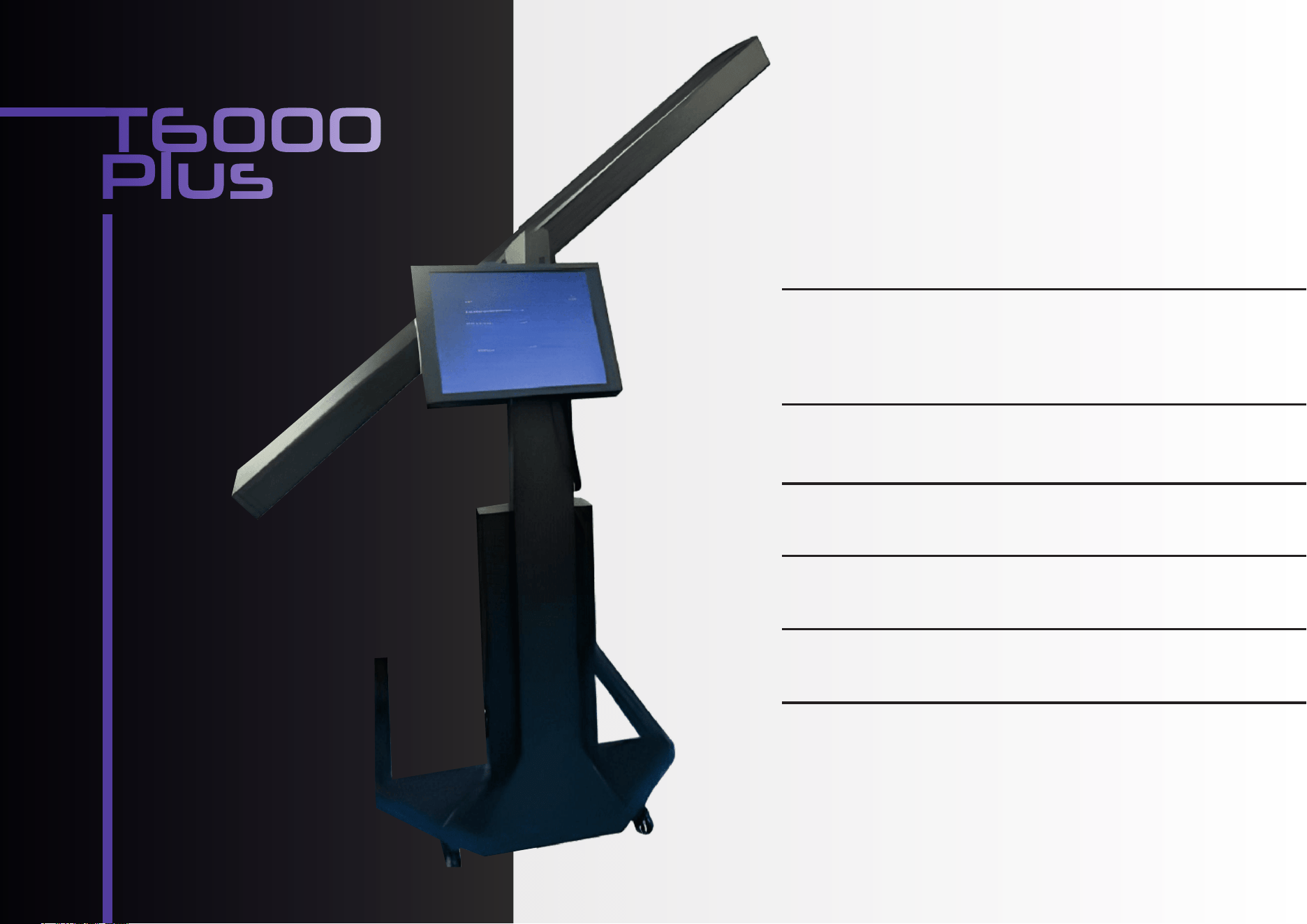
T6000
Plus
L(68.5)*W(41)*H(55)inch
630nm+660nm+810nm
+830nm+850nm
150mW/c
1200W
Touch Control Screen
15’’
One Year
www.vacuactivus.com
www.cryonick.com
www.vacuactivus.com
www.cryonick.com
Series Panels Are
Available in Black
and White Color Options
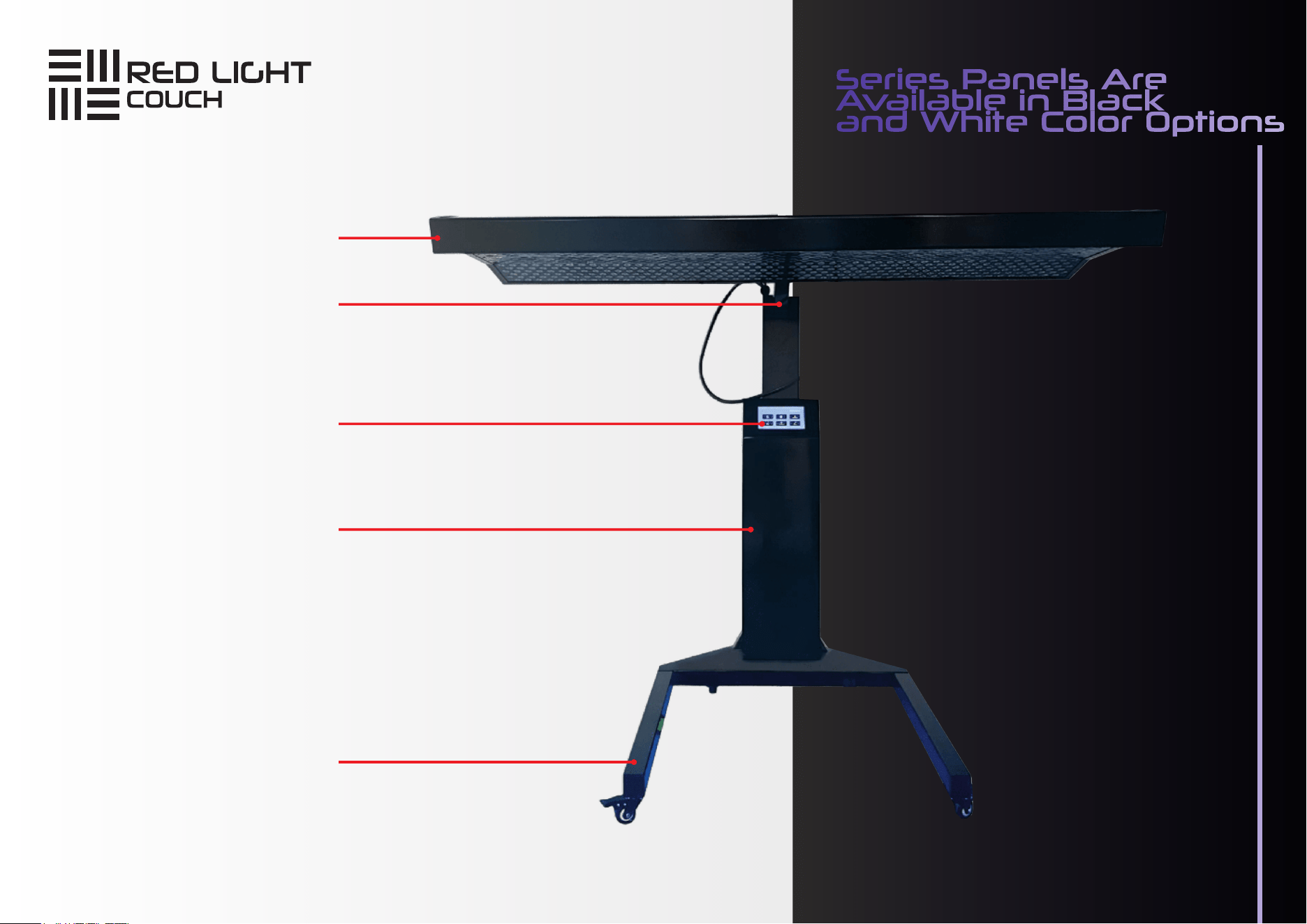
Panel
Electrical
Column
Center
Control Box
Base
Control
Screen
Pro Red light Therapy Accessories
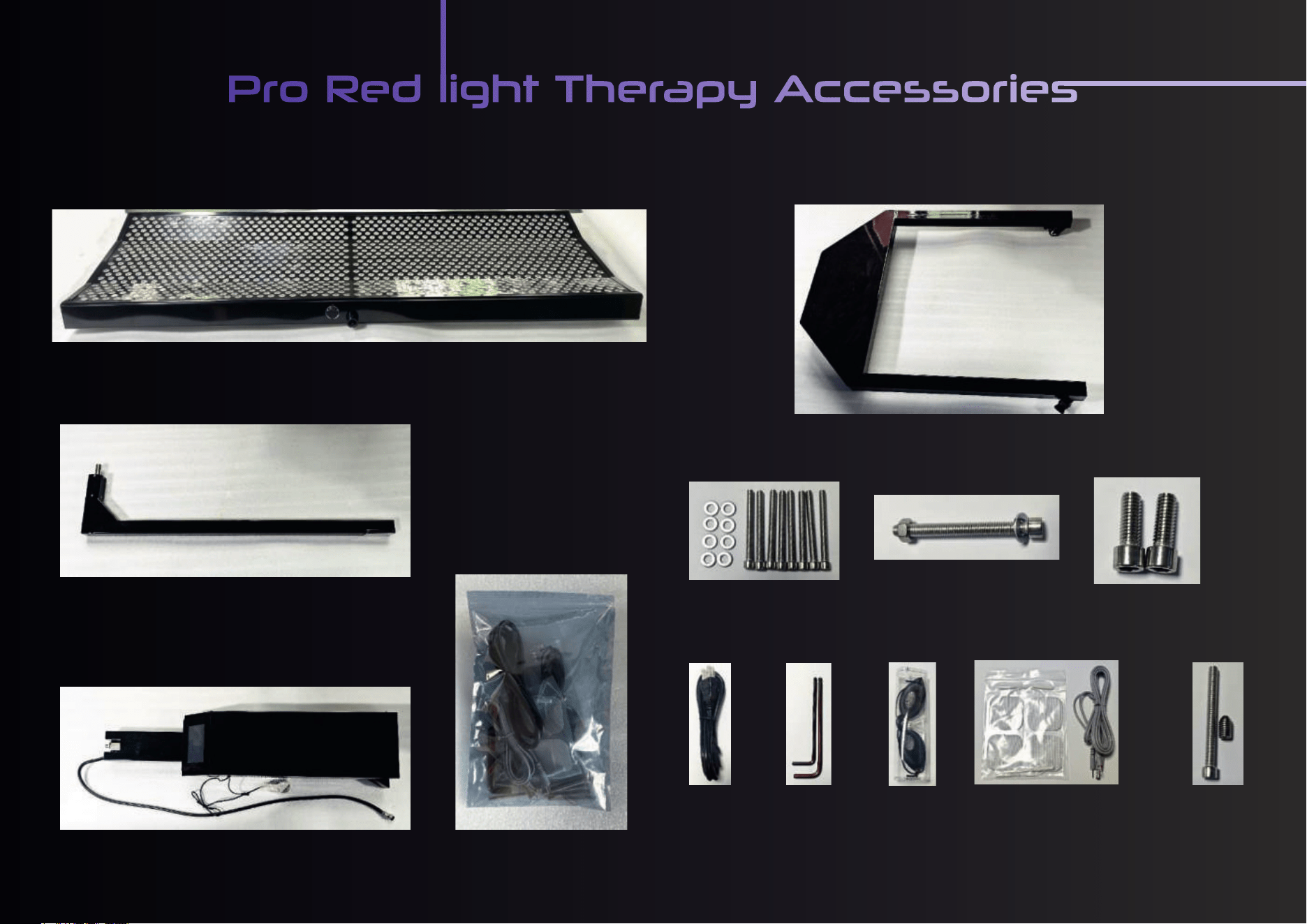
4.Base
1.Red light Therapy panel
2. Electrical Column
3.Center Control Box
Base and center box
connecting bolts
Electronical column and
Center box connecting bolts
Limiting Bolts
Power
cord
Allen
wrench
Goggles
TENS Pad and
connecting wire
Spare
parts
5. Accessories Bag
www.vacuactivus.com
www.cryonick.com
Panel
Installing
Steps
Silver
column
Center
Control
Box
Electrical
Column
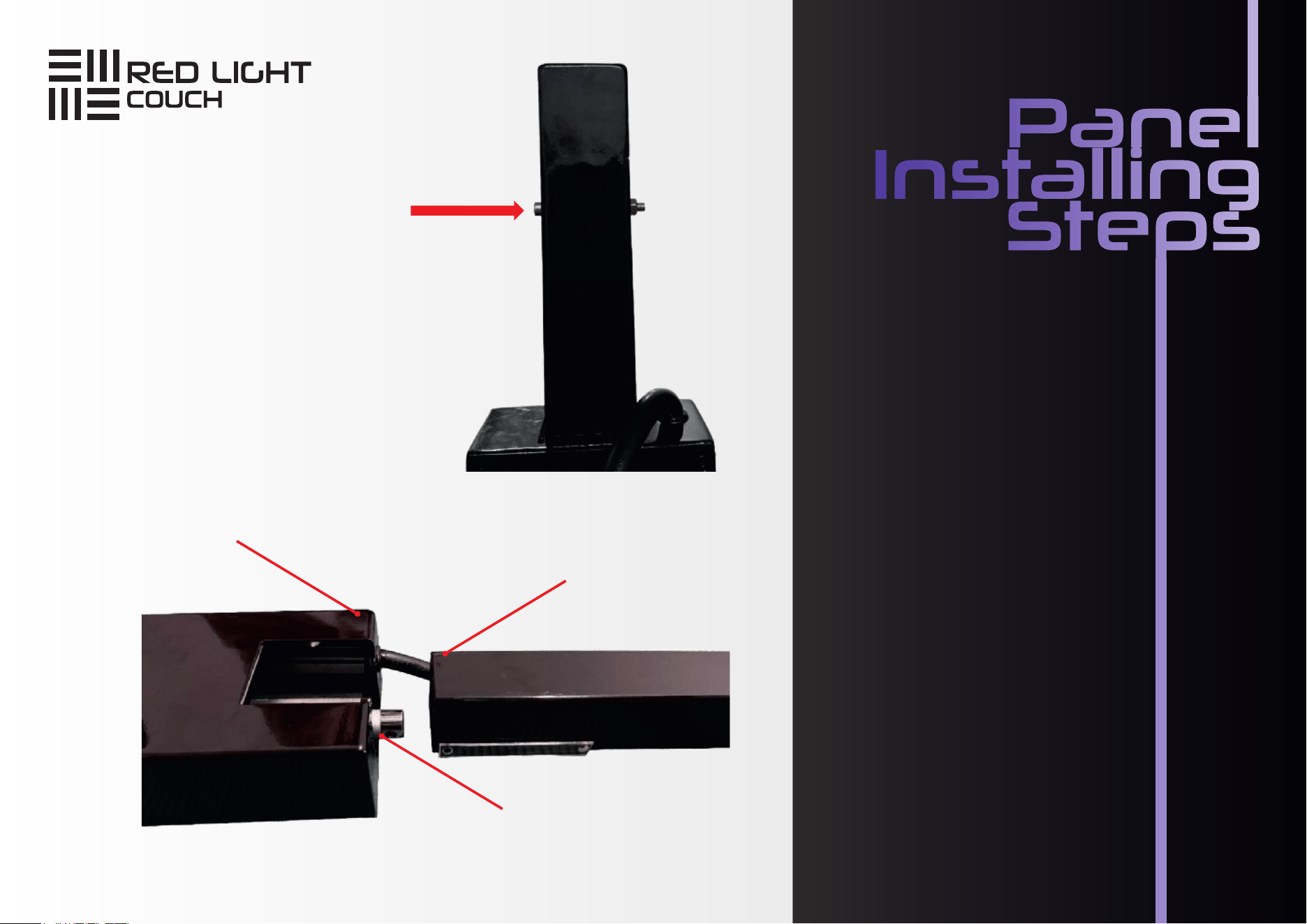
2.Adjust the electoral
column and the silver
column hole at the same
Horizontal Line. To use the
Bolts and Nuts to lock the
electrical column and the
silver column
1.To insert the Electrical
column into control box,
The silver column need into
the electrical column
www.vacuactivus.com
www.cryonick.com
Installing
Steps
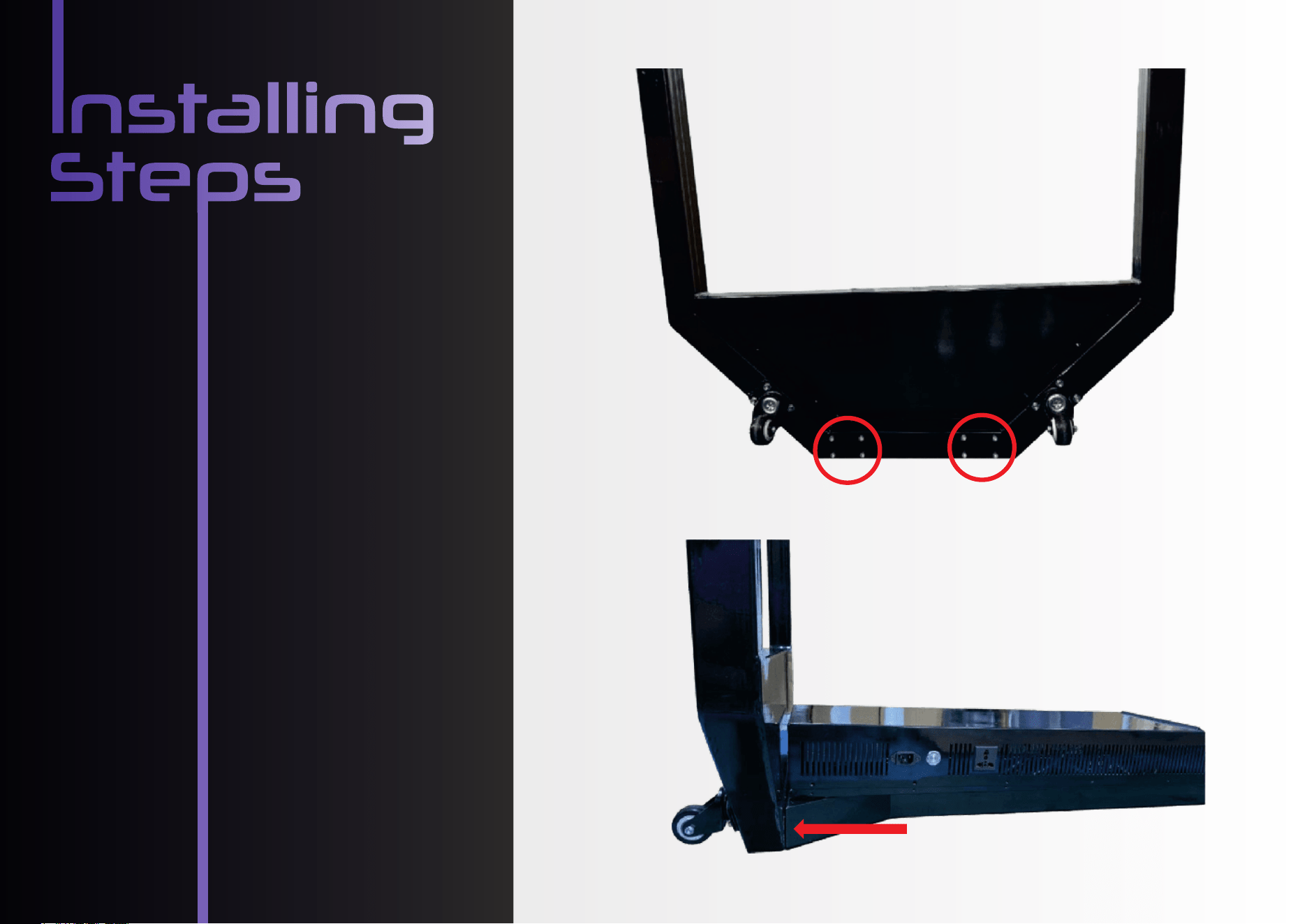
3. Place the central control
box horizontally, and
put the base vertically, as
below.
4. Align hole position, To
use the 8 Bolts to lock the
center Control box and the
base together.
www.vacuactivus.com
www.cryonick.com
Installing
Steps
Limiting
hole
Limiting
hole
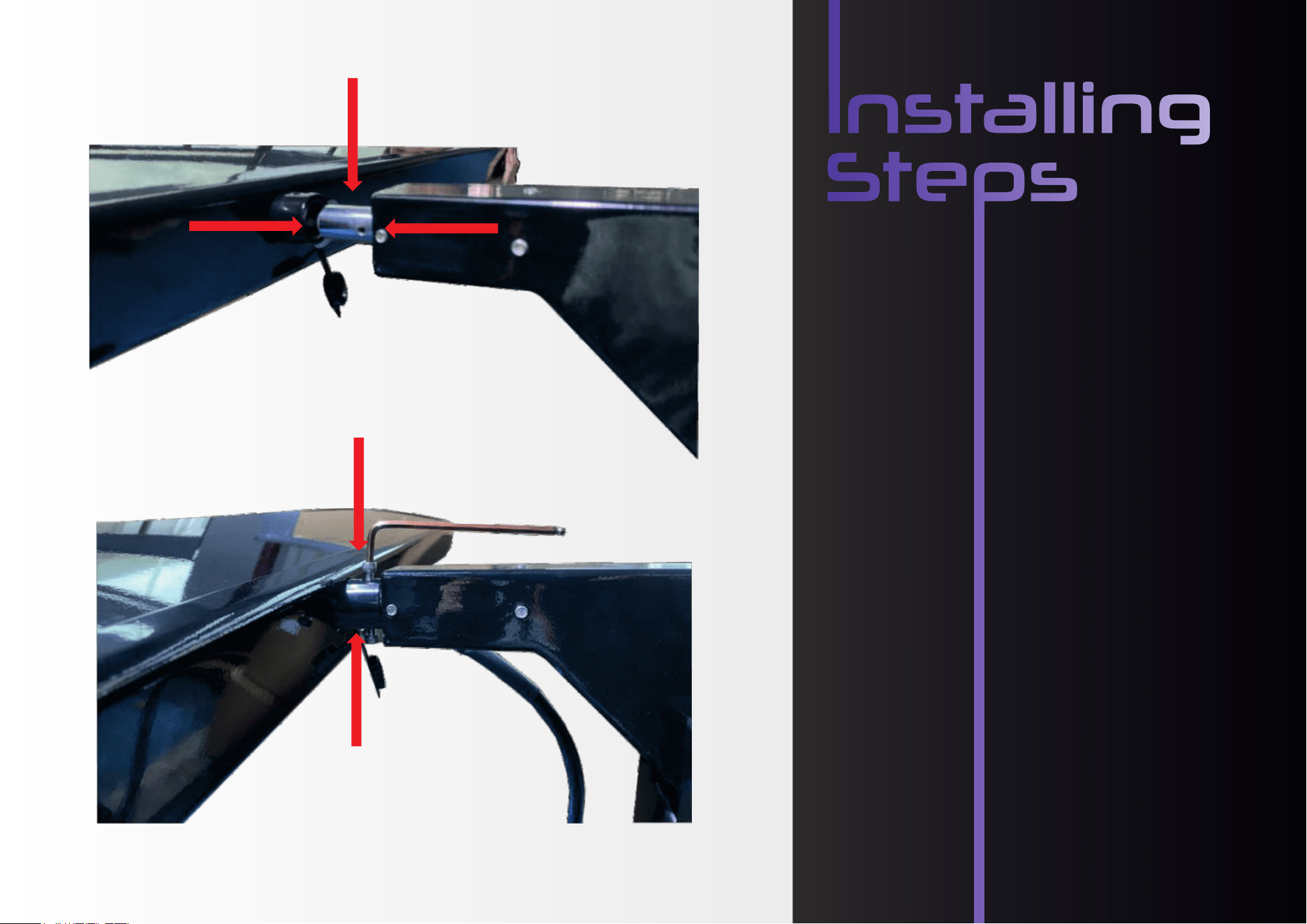
5. Two men lift the panel,
Align the middle hole with
the silver
column, Insert into it.
6. Insert the two Bolts into
Limiting holes, Tighten the
bolts
www.vacuactivus.com
www.cryonick.com
Installing
Steps
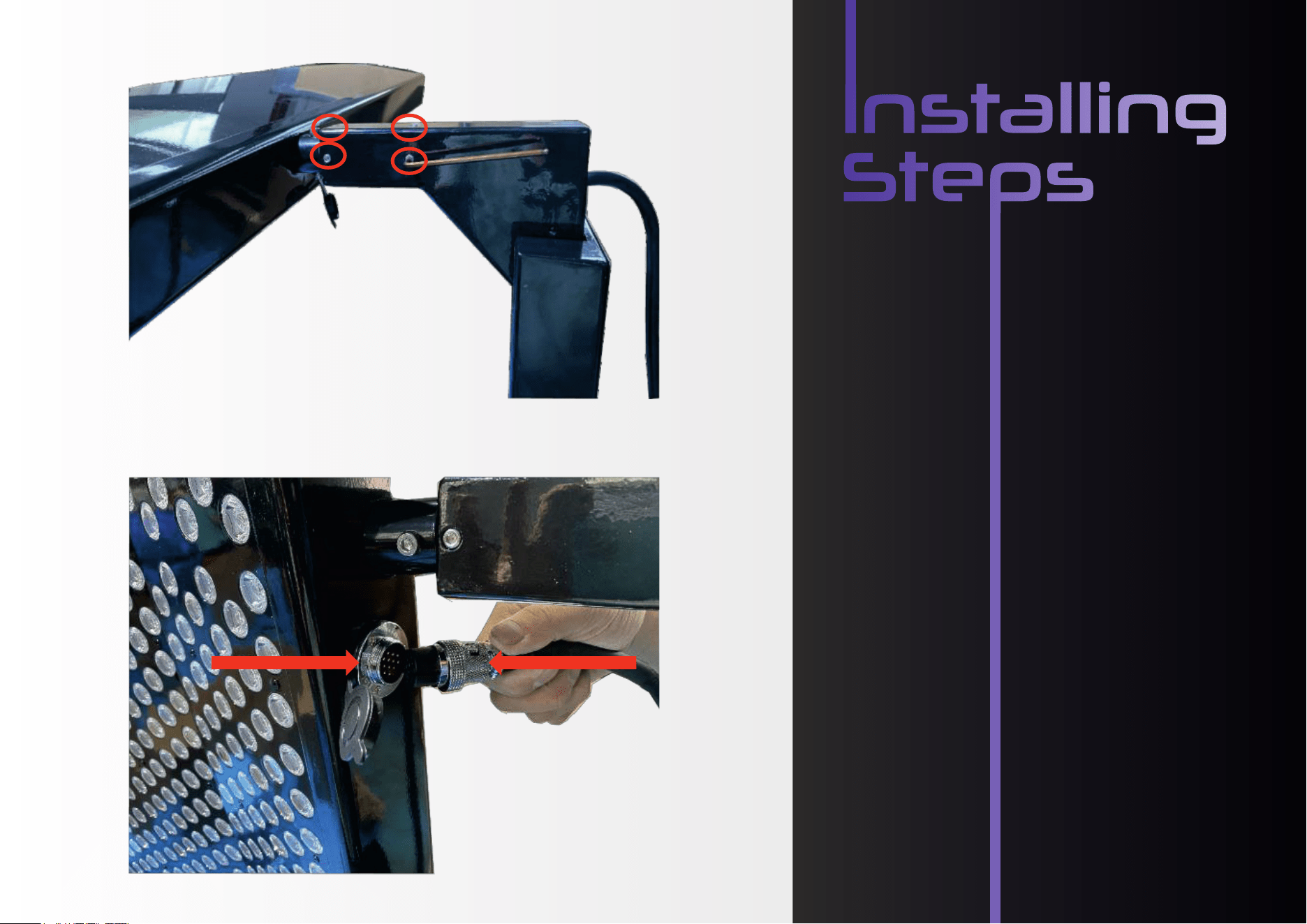
7. When you rotate the
panel, if it is difficult to
rotate, You can use Allen
wrench to loosen the 8
bolts. If it is too easy to
rotate, you can tighten the
8 bolts
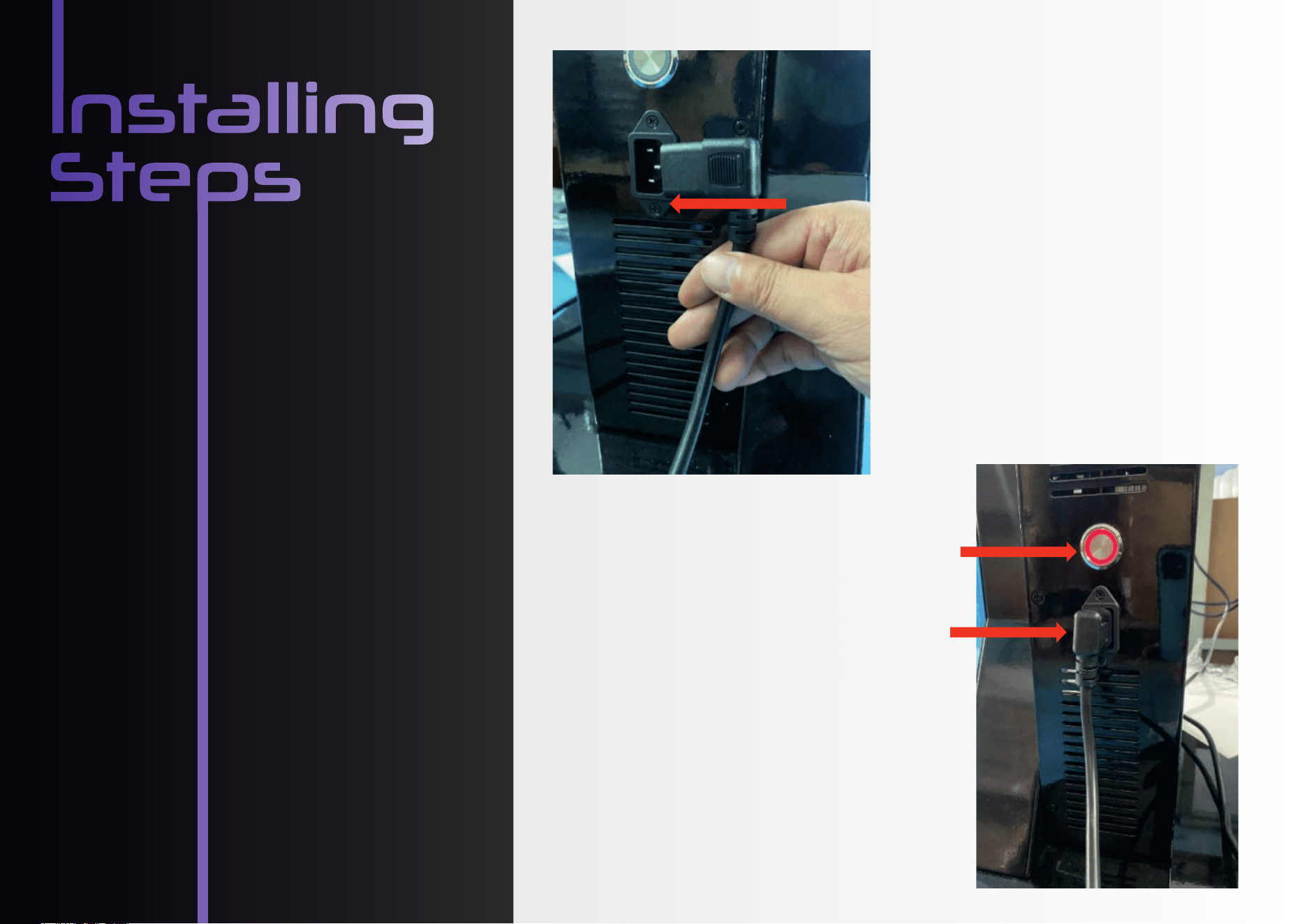
8. Insert the power
cord(from center control
box) to the panel’s port, and
lock it.
www.vacuactivus.com
www.cryonick.com
Installing
Steps
9. To insert the power cord
one side into center control
box power port, another side
into wall outlet
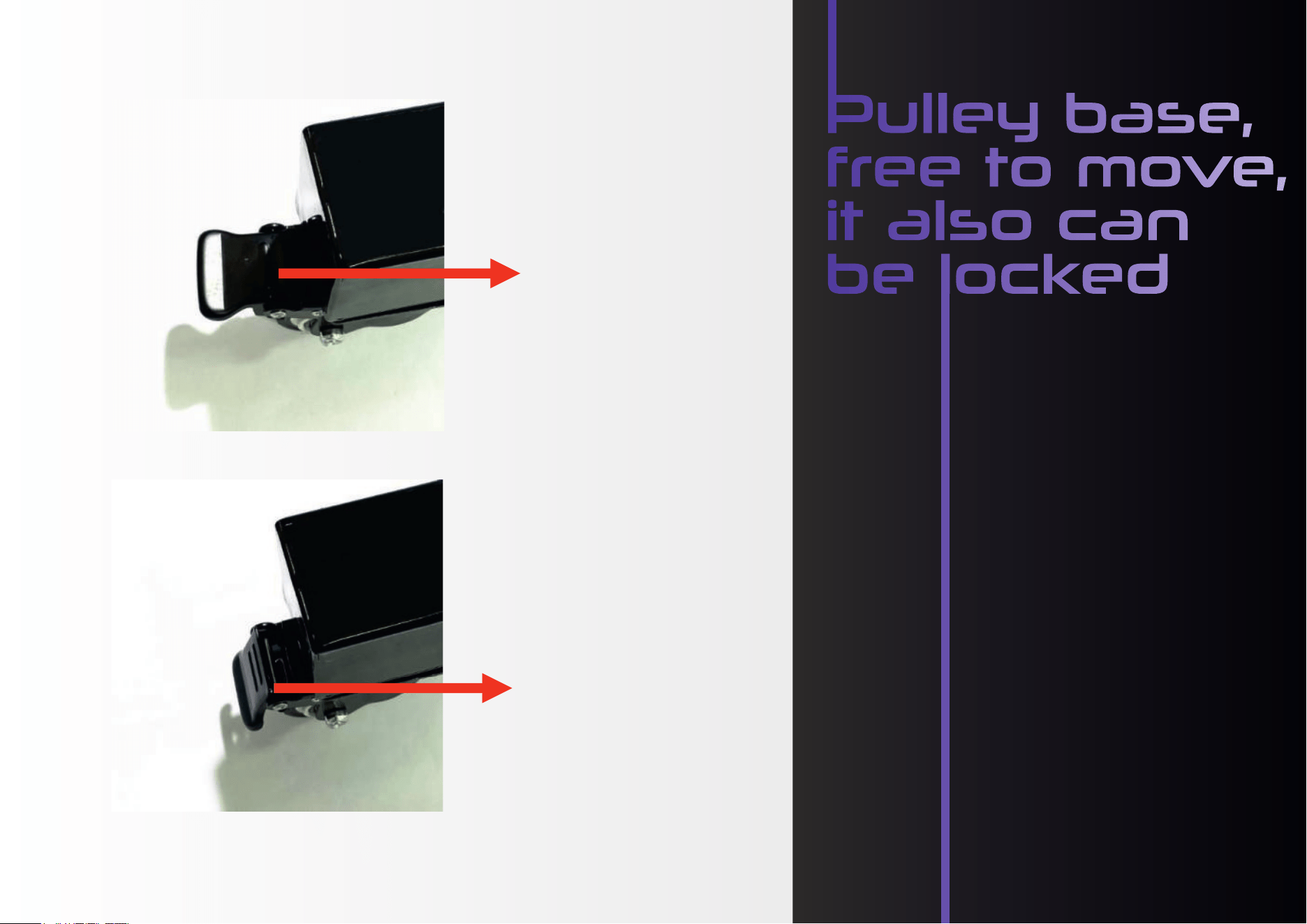
10. Connect the power plug
to the wall outlet and
center control box power
port. Press on main power
key on the center control
box, the device powered on
Main Power Key
Power port
After treatment finished, if you want to
completely turn off the device you
need press on the main power key to
turn off.
www.vacuactivus.com
www.cryonick.com
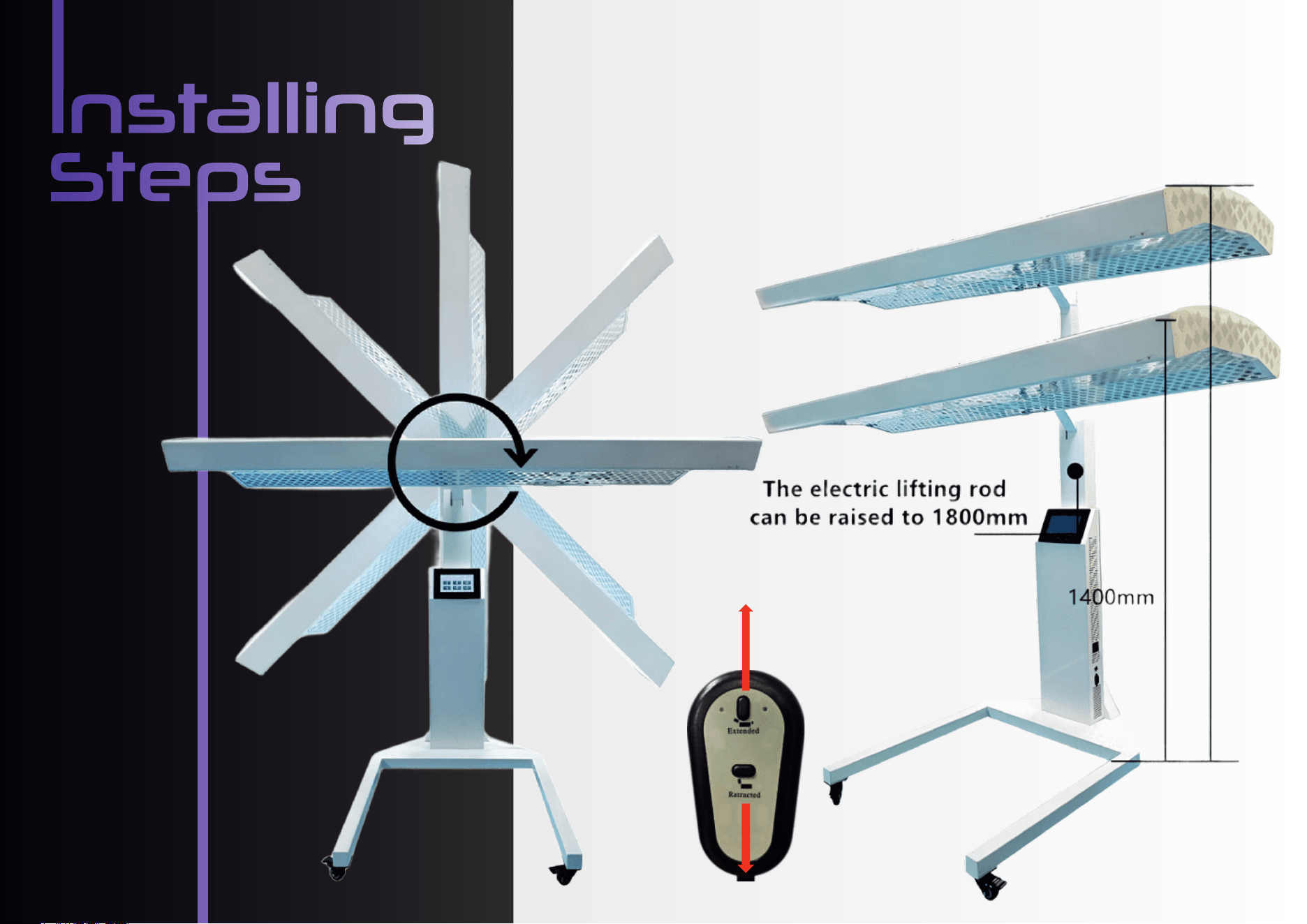
Pulley base,
free to move,
it also can
be locked
Free
move
Press down
Lock it, can’t move.
Installing
Steps
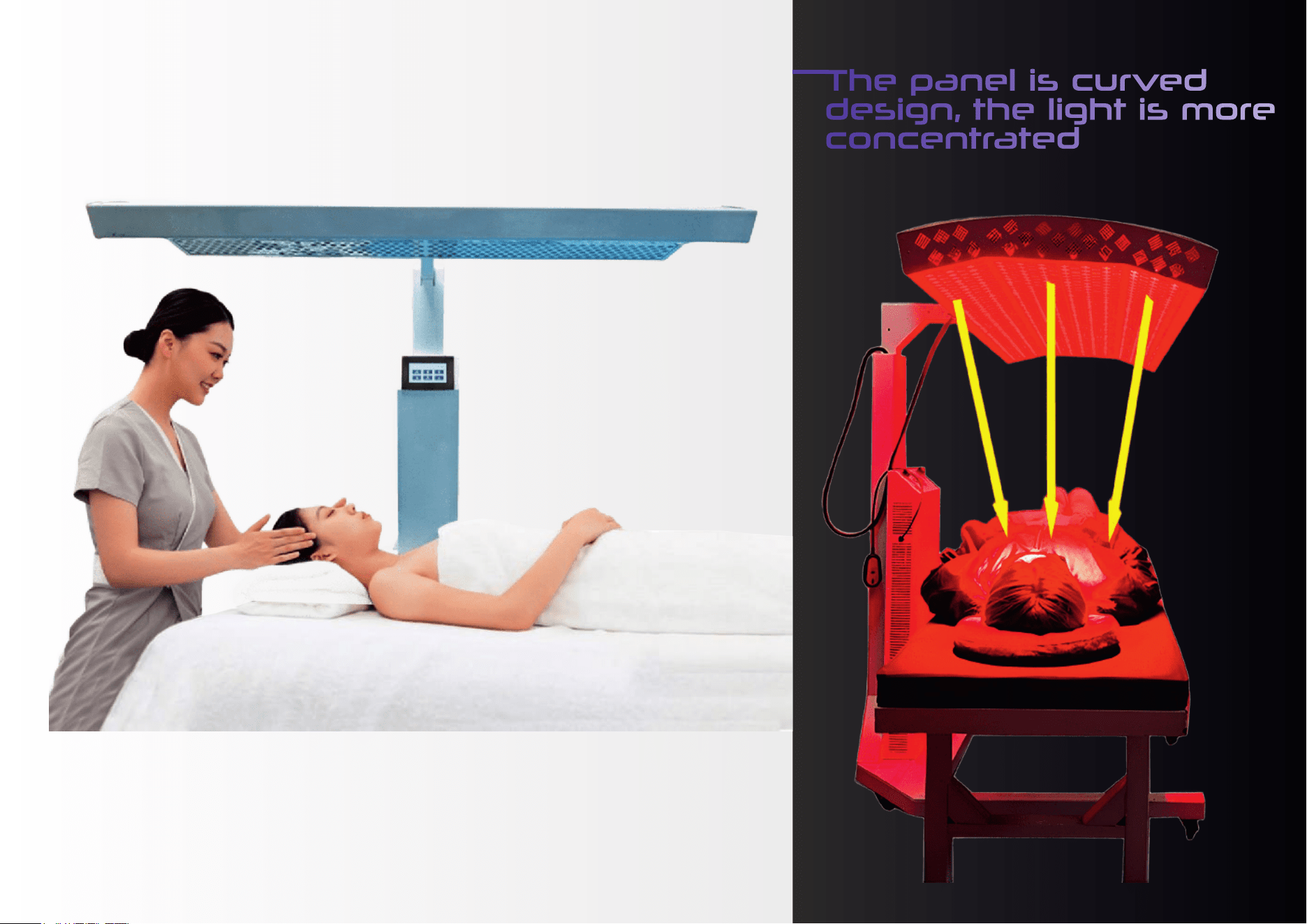
The LED Panel can 360° free rotating
to any angle according to your
requirement.
1800mm
The panel is curved
design, the light is more
concentrated
To adjust the panel height, when the distance between Panel
and human body is 70cm, the irradiance is highest.
The treatment effect is the best.
Plus Red Light Therapy Panel
DIY Touch Control System Instructions
Timer Mode Drimming
Pulse Tens pad Music
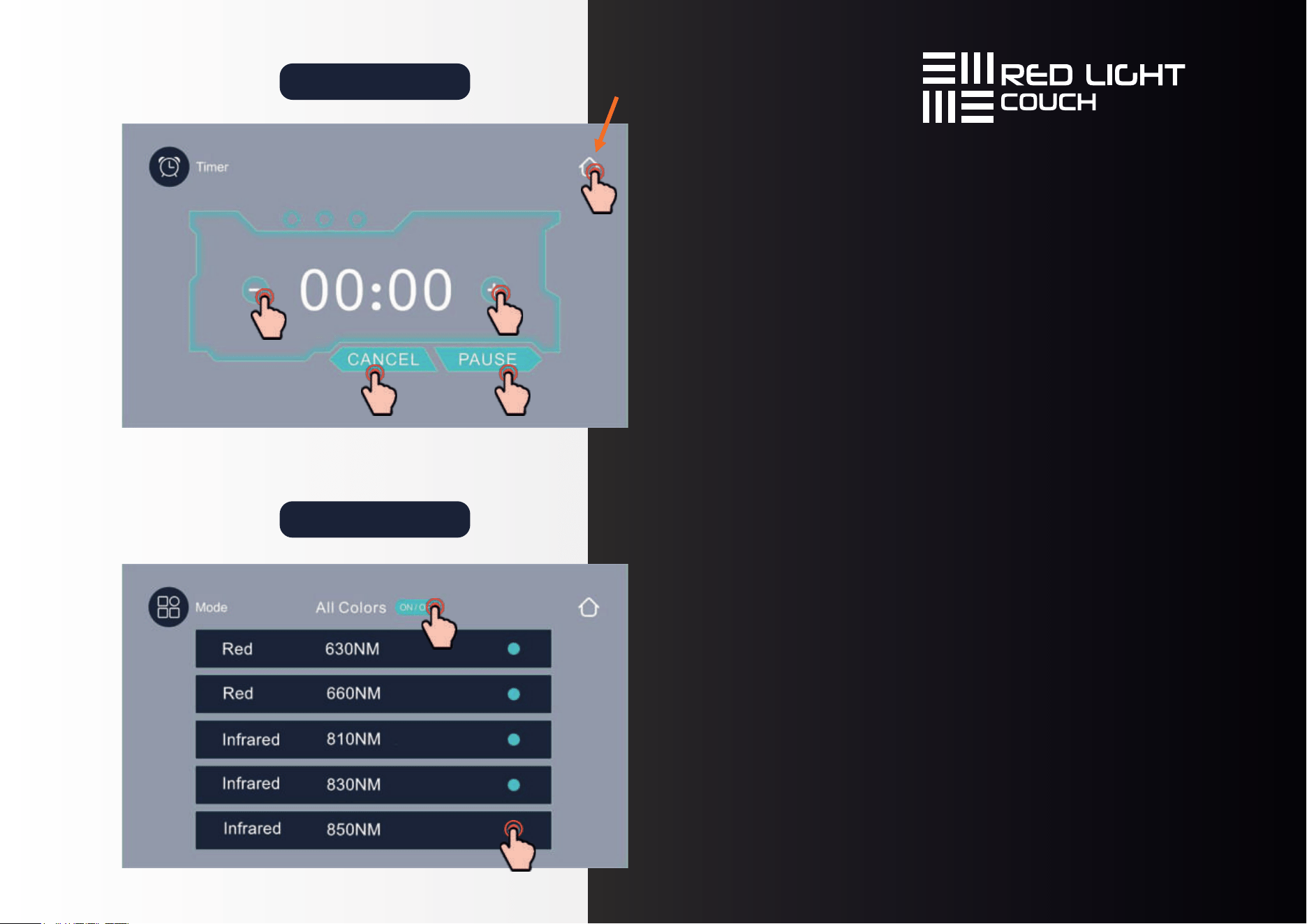
You can touch on ‘+’‘-’to set per session
treatment time 0-30 minutes. Touch on
‘CANCEL’ to cancel the timer setting. To touch
on the ‘PAUSE’ when you want to leave, touch
on ‘PAUSE’ again, it will continue timer.
Timer
Touch on home key,
back to home page
You can DIY to select the wavelength you
need. Touch on the ‘ON/OFF’ can turn on/off
all the wavelength lights. Note: The
wavelength displayed on the screen is subject
to the actual object you receive.
Mode
The LED Panel can 360° free rotating
to any angle according to your
requirement.
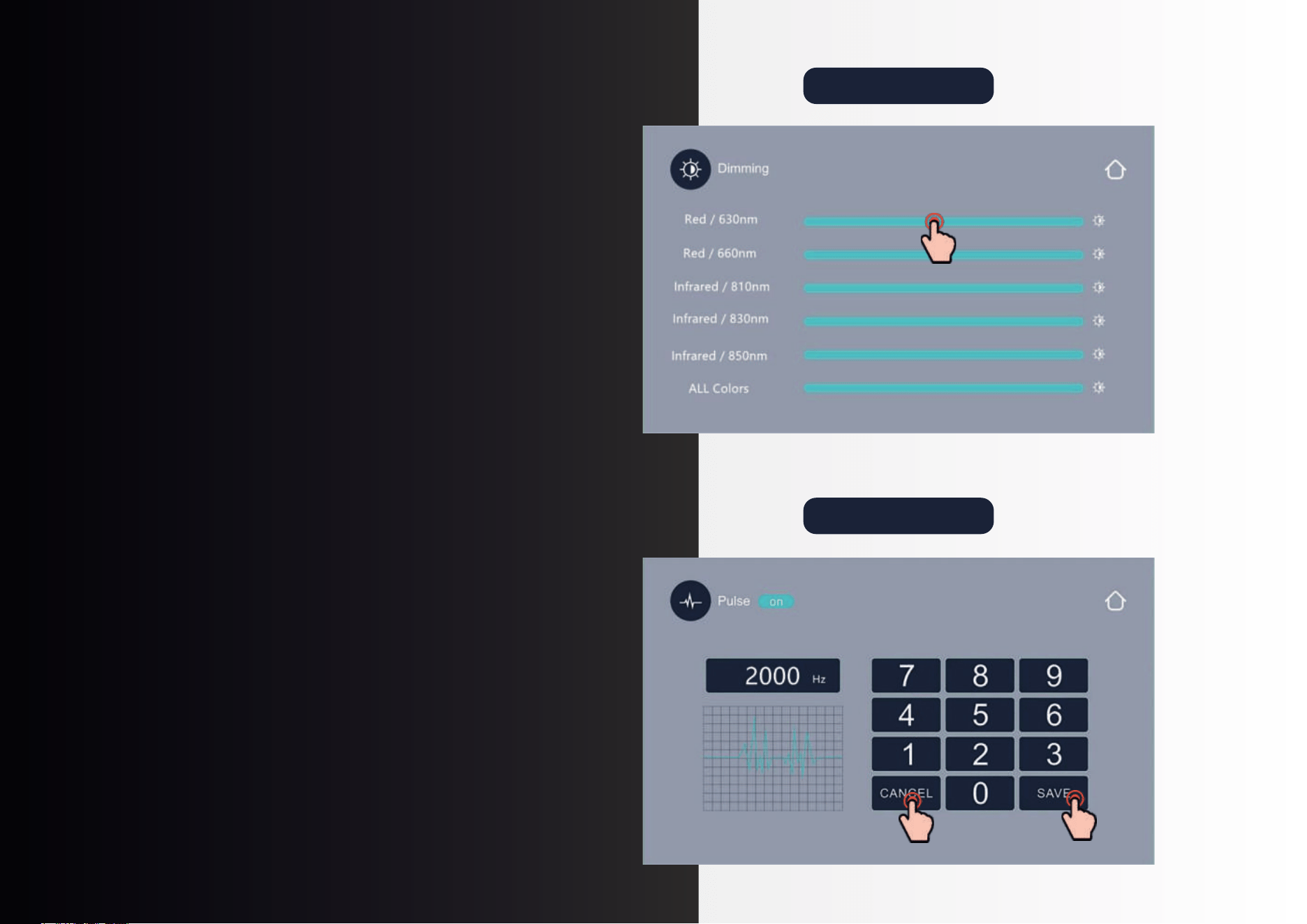
You can slide your finger across the brightness bar to
individually set each wavelength brightness. Note: The
wavelength displayed on the screen is subject to the
actual object you receive.
You can set 1Hz-2000Hz frequency pulse mode. Touch on
‘CANCEL’ to cancel default pulse mode frequency. Enter
the pulse frequency value you want to set and touch on
‘SAVE’ , device will work on new frequency pulse mode.
Commonly used frequencies are 10Hz and 40Hz
Pulse Mode
Dimming
The LED Panel can 360° free rotating
to any angle according to your
requirement.
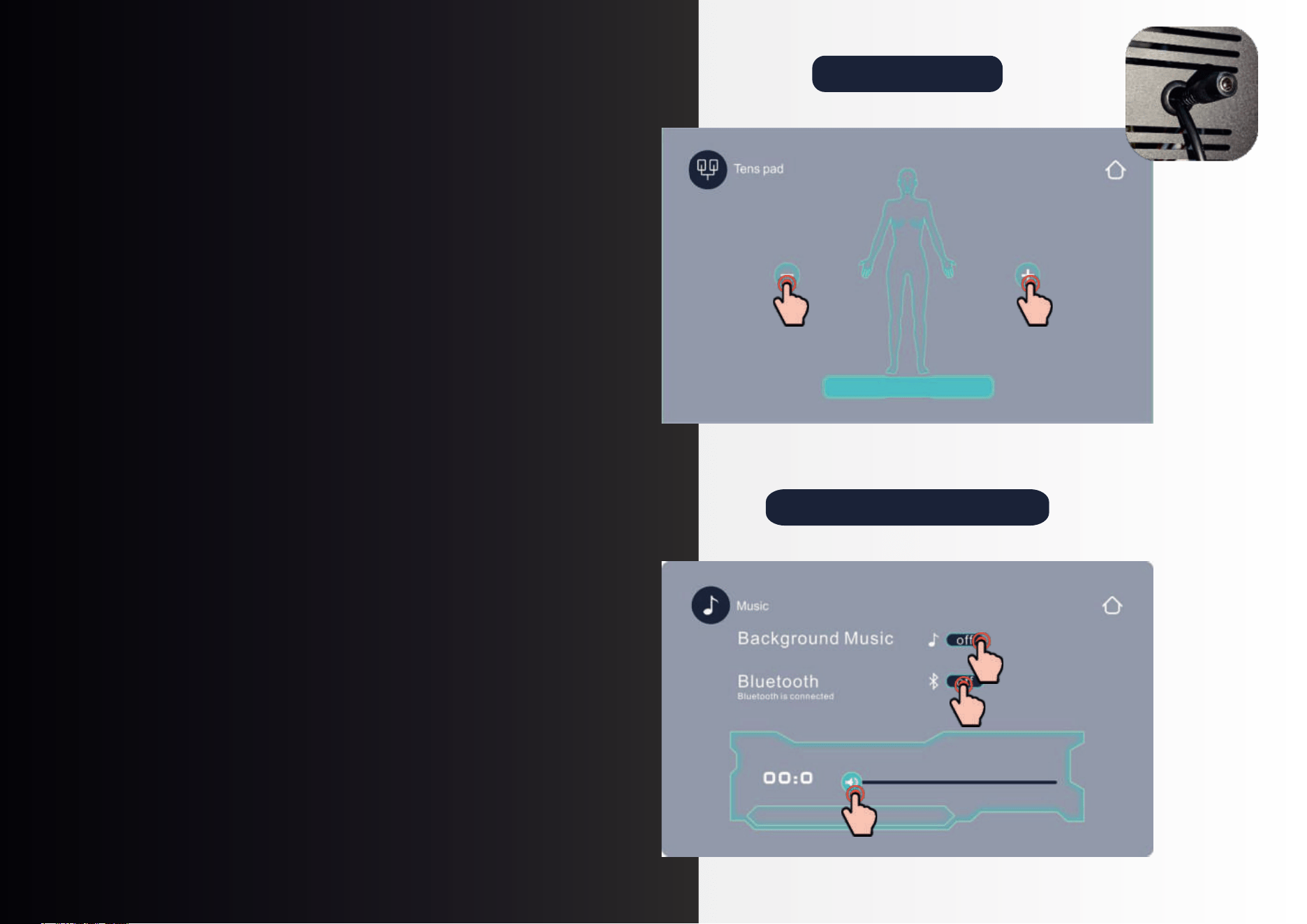
By using the grey TENS pad connecting wire to connect
the TENS pad to TENS port. TENS port is place at the
center control box side.
You can touch on ‘+’‘-’ increase or decrease the TENS pad
treatment intensity 1-10 level.
You can use your Phone/PAD to connect to the Red Light
Therapy Panel’s Bluetooth music speaker to play your
favorite music, Slide your finger to adjust the volume.
TENS PAD
Bluetooth Music Speaker
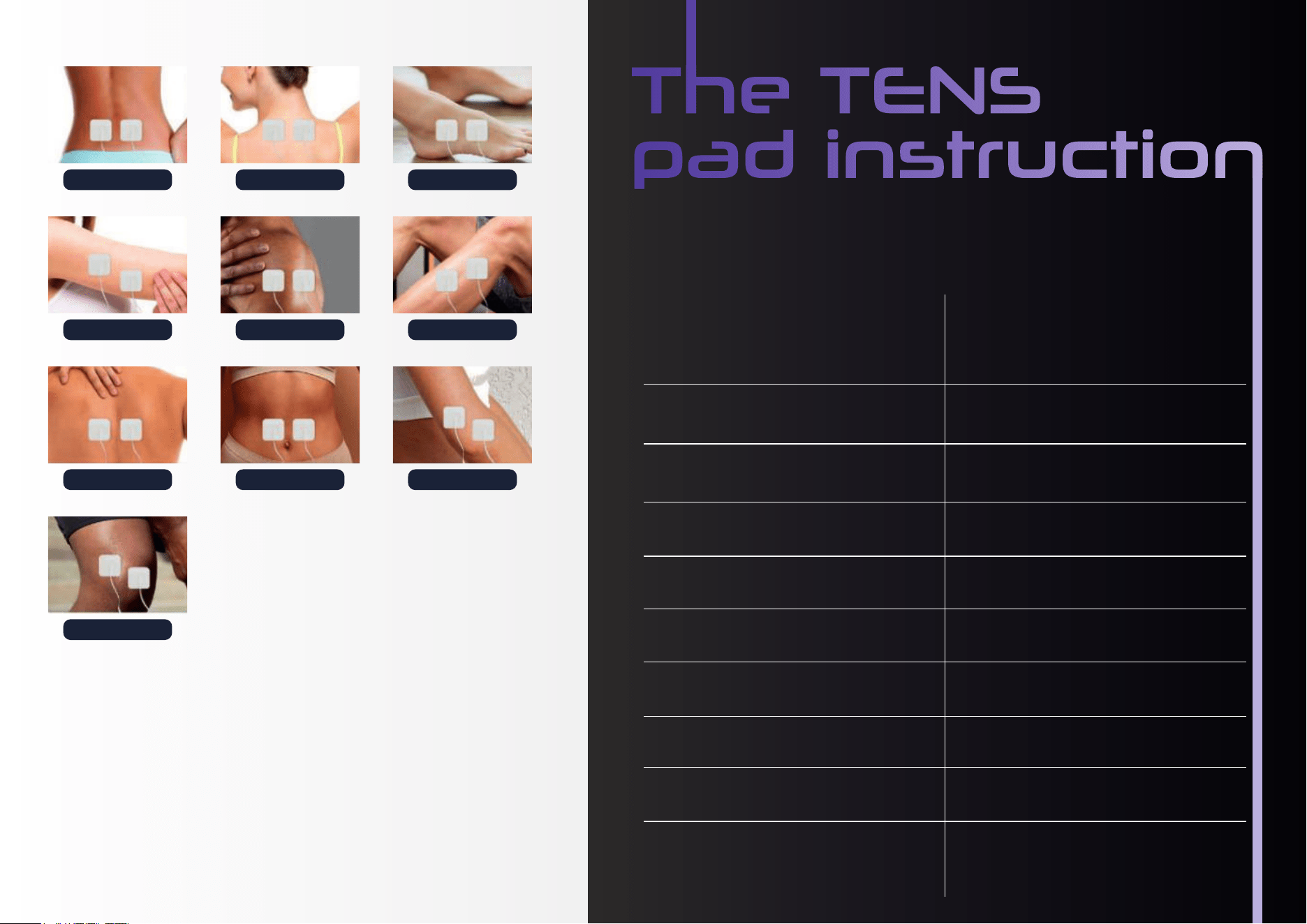
BLACK WAIST NECK FOOT
ARM SHOULDER LEG
BACK ABDOMEN ELBOW
KNEE
The TENS
pad instruction
Paste theTENS PAD on the
muscular area of body.
Don't Paste TENS PAD on the
bones.
The TENS pad is not suitable for people with heart
disease, Pacemaker installed, high blood pressure,
and other neurological diseases, especially
children and the elderly who need special
attention.
If you experience any discomfort, turn it off
immediately.
The human skin resistance is referenced to 1 megohm, and
the TENS pad current is as follows
TENS PAD Intensity TENS PAD Current
R01 3uA
R02 5uA
R03 8uA
R04 12uA
R05 15uA
R06 18uA
R07 22uA
R08 26uA
R09 30uA
R10 35uA
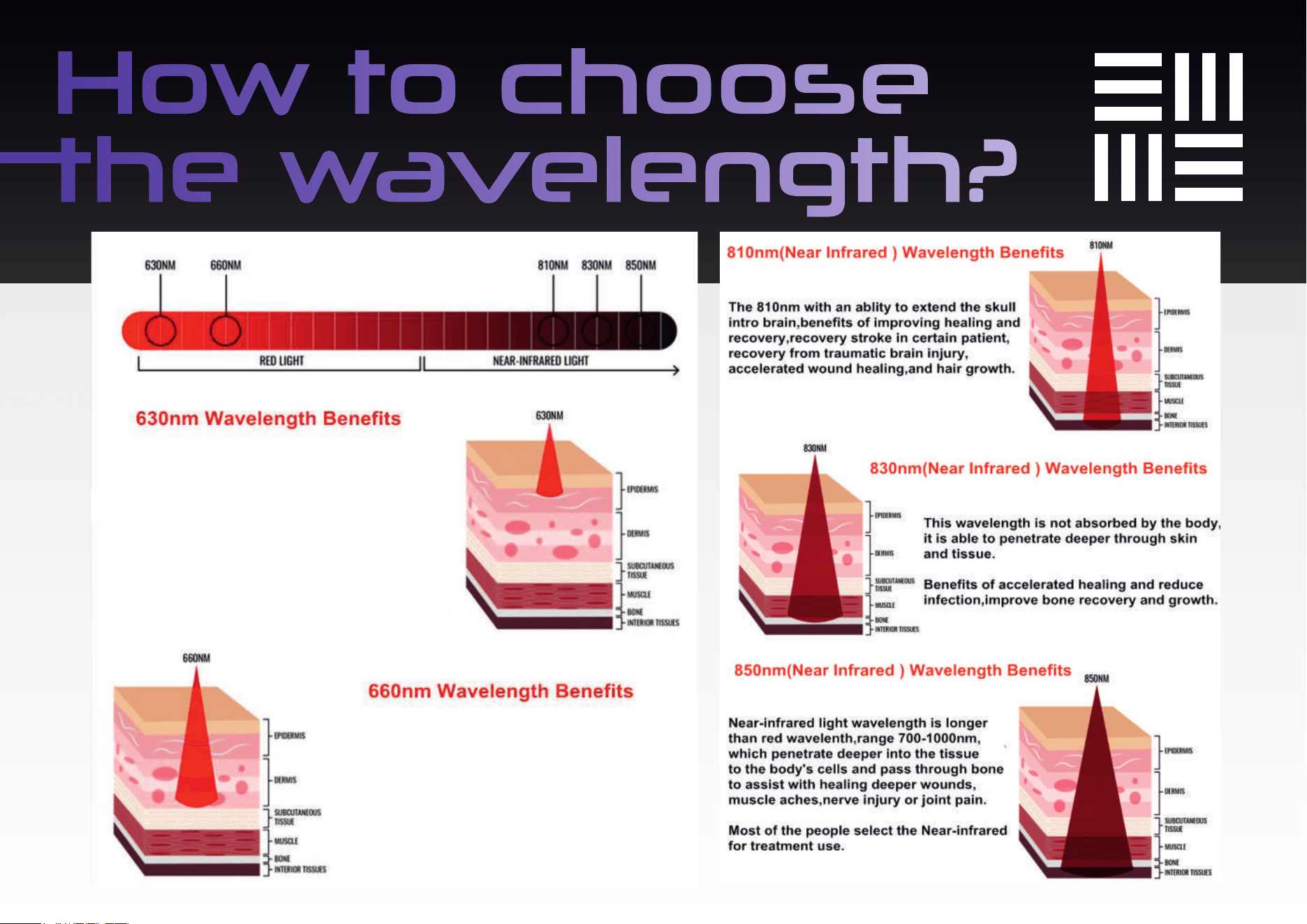
How to choose
the wavelength?
Using
Guide
1. For new customer, set 50% brightness, one session 10-15 minutes. After 2-3 session, when the
customer get used to the panel, you increase the brightness to 100%, one session 30 minutes.
2. Different customer, the body condition is different, you can also set brightness according to
customer’s requirement.
3. For skin improves, you can choose only 630nm, or only 660nm, or 630+660 both.
4. For pain relief, enhance healing, health care, you can choose 810+830+850 combination.
5. If not have Specific purpose, you can choose 630+660+810+830+850 combination.
6. One treatment session should not exceed 30 minutes. You body can not absorb so many energy
per day.
7. Do not advise to using the device on pregnant or children.
8. If the customer has other concerns, please consult their doctor first.
Frequently
Asked
Questions:
Is red light therapy safe? Are there any side effects?
This Red Light Therapy device uses only the red and near-infrared wavelengths that are clinically
prevent to be effective and safe. However, we always recommend consulting with your healthcare
provider for specific questions about any concerns or health conditions.
Will light therapy treatments cause detox symptoms?
It is possible that red light treatment can cause some detox-related symptoms while your body
acclimates. If you experience these types of issues, we recommend stopping until the symptoms
go away. Always start out with a lower time (10-15 mins) and intensity (10%-20% brightness) setting
at first and increasing it over time.
Are the near infrared (NIR) lights not working?
NIR is just beyond the visible spectrum and is invisible to the naked eye. You will only actually be
able to see a pink dot or a subtle pink glow emanating from the LEDs when they are on. Please be
rest assured that there is significant amount of light energy from those LEDs and that your device
is working correctly.
What is TENS massage therapy good for?
TENS is a noninvasive method for relieving pain by delivering small electrical impulses through
electrodes with adhesive pads to attach them to a person' s skin.
Who is TENS not good for?
Pregnant women should avoid using TENS in the abdominal and pelvic regions, people with
epilepsy who may have seizures and people with heart problems like a pacemaker or another type
of electrical or metal implant should avoid using TENS.
sale@vacuactivus.com