User Guide
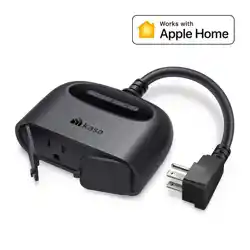
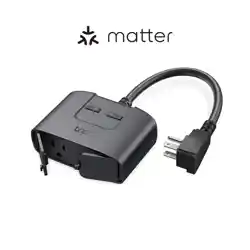
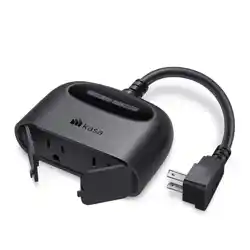
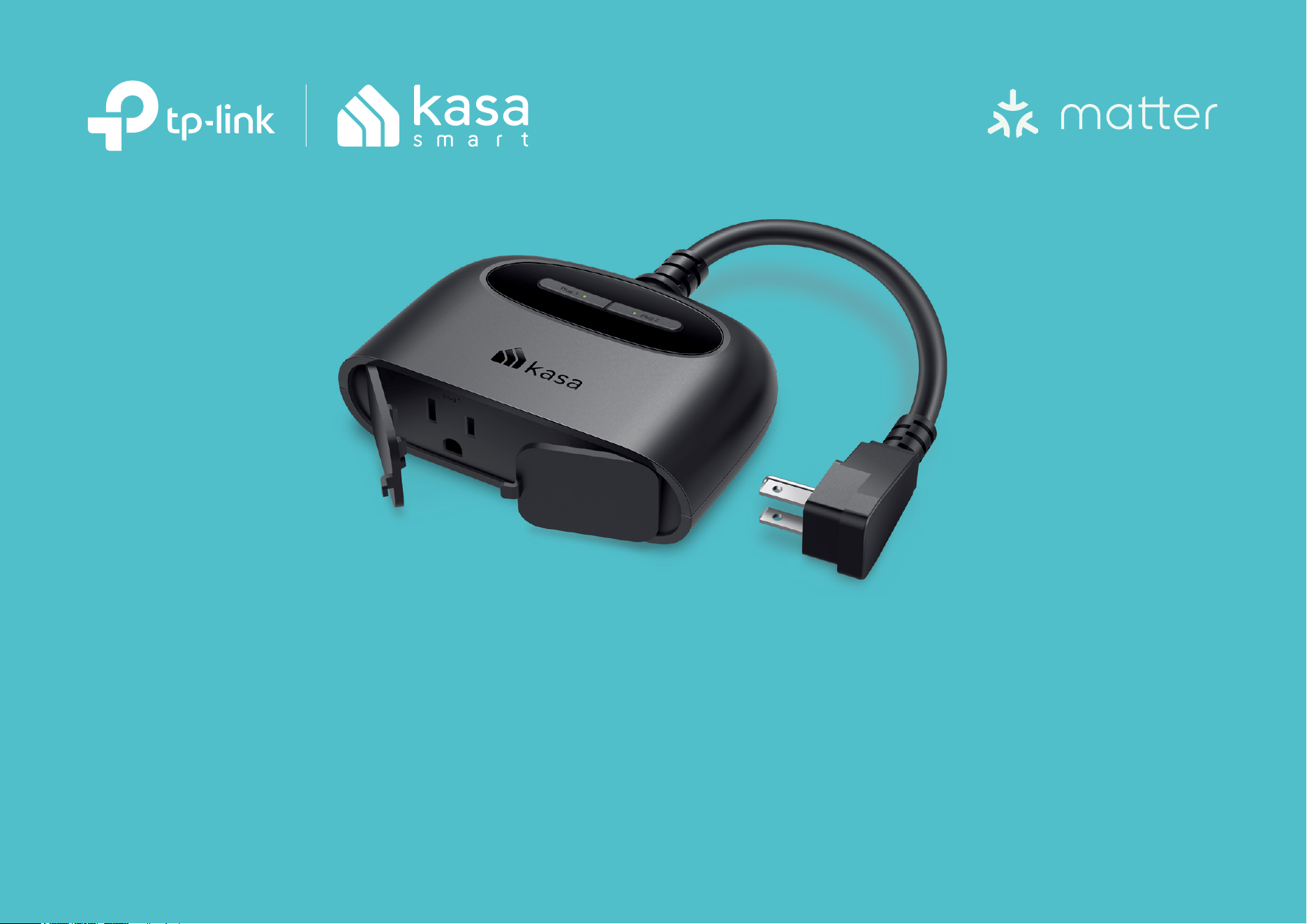
Kasa Smart Wi-Fi Outdoor Plug
EP40M
© 2024 TP-Link 1910013630 REV1.0.0

Contents
About This Guide ···········································································································1
Introduction ······················································································································2
Appearance ······················································································································3
Waterproof Your Smart Outdoor Plug ································································4
Set Up Your Smart Outdoor Plug via Kasa ·······················································5
Set Up Your Device via Matter ·············································································10
Authentication ··············································································································13
1
About This Guide
This guide provides a brief introduction to smart outdoor plug and the Kasa Smart app, as well as regulatory information.
Features available of this product and in Kasa Smart may vary by model and software version. Smart outdoor plug and Kasa Smart availability may also
vary by region or ISP. All images, steps, and descriptions in this guide are only examples and may not reect your actual experience.
Conventions
In this guide, the following convention is used:
Convention Description
Teal
Key information appears in teal, including management page text such as menus, items, buttons and so on.
Underline
Hyperlinks are in teal and underlined. You can click to redirect to a website.
More Info
• Specications can be found on the product page at https://www.tp-link.com.
• Our Technical Support and troubleshooting information can be found at https://www.tp-link.com/support.
• The setup video can be found at https://www.tp-link.com/support/setup-video/.
• A Technical Community is provided for you to discuss our products at https://community.tp-link.com.

2
Introduction
Extend your smart home to the outdoors with the weather-resistant smart outdoor plug. Power on your patio lights, holiday decorations, and more
from the convenience of your smartphone. Control your plug from anywhere, set schedules, even use simple voice commands with Alexa or Google
Assistant to control the devices connected to the plug.
• Double Outlets - Access and use two outdoor devices from anywhere, together or individually—all with one smart plug.
• Strong Wi-Fi Coverage - The dual-antenna outdoor smart plug extends signal coverage and gives you full control of your outlets over longer
distances.
• Weather-resistant - The IP64 rating and weather-resistant cover ensure protection against dust intrusion and splashes of water.*
*To prevent water from entering, always keep the outdoor plug's socket face down and keep the socket covered with the weatherproof cover when not in use.
• Control from Anywhere - Turn your connected device on and o anywhere using your Kasa Smart app.
• Voice Control - Use simple voice commands with Alexa or Google Assistant to control your connected devices.
• Set Schedules - Switch your connected device on and o automatically to save you energy and eort.
3
Appearance
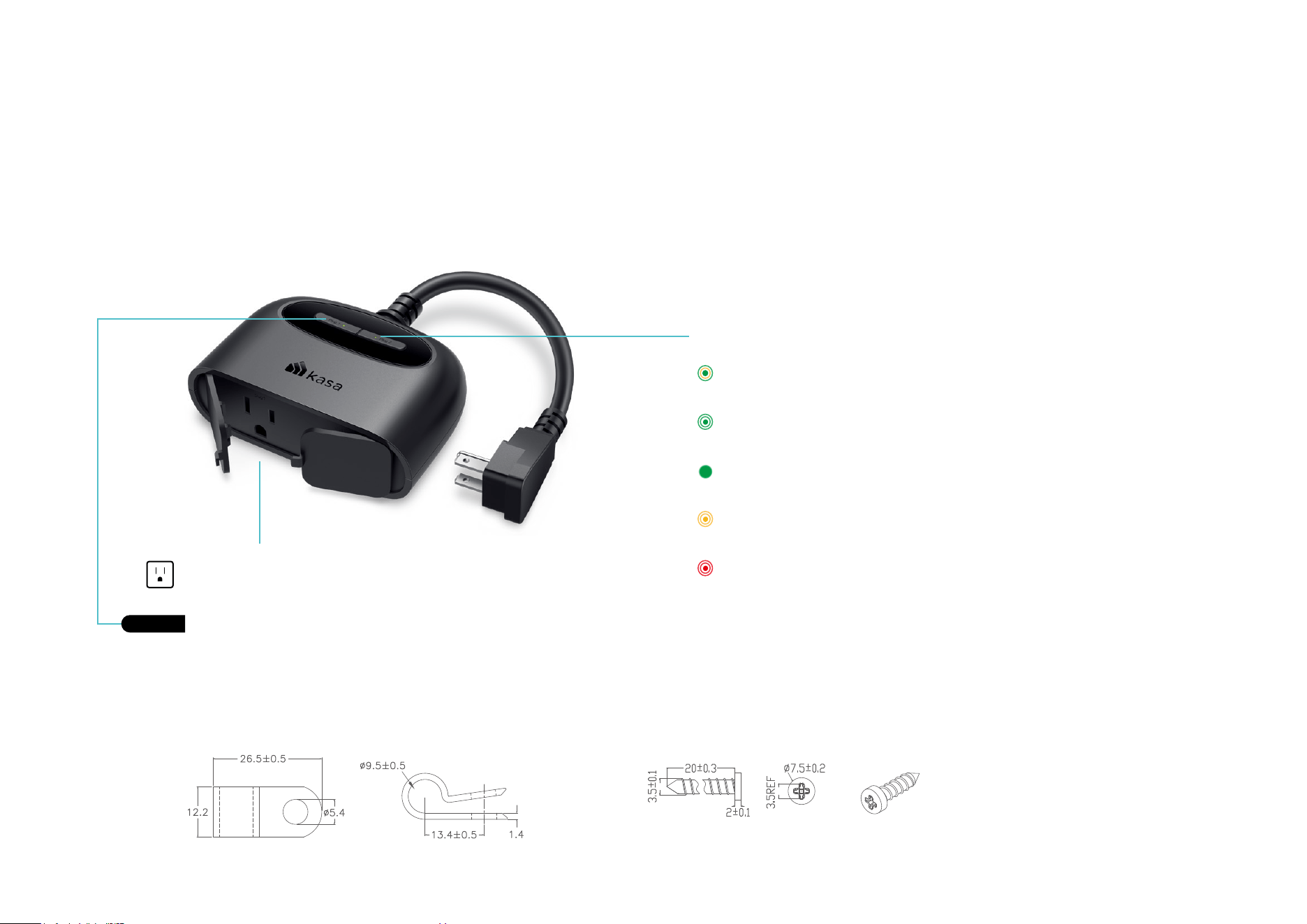
This smart outdoor plug has two control buttons to turn on or o the plug-in devices and two LEDs to show you the current status. The LED changes
color according to dierent status. See the explanation below:
Provided clamp:
Blinking Orange
Resetting.
Blinking Green
Connecting to Wi-Fi; upgrading.
Red
No Wi-Fi connection; oine.
Blinking Orange and Green
Ready for Setup; resetting.
System LED
Connected to Wi-Fi and working properly.
Green
Smart Outlet
Plug in your device and control it from your smartphone.
Power Button
Press to turn on or o the plug.
Press for 5s to reset Wi-Fi connection.
Press for 10s to factory reset your plug.
Provided screw:
Unit: mm
Unit: mm
4
Waterproof Your Smart Outdoor Plug
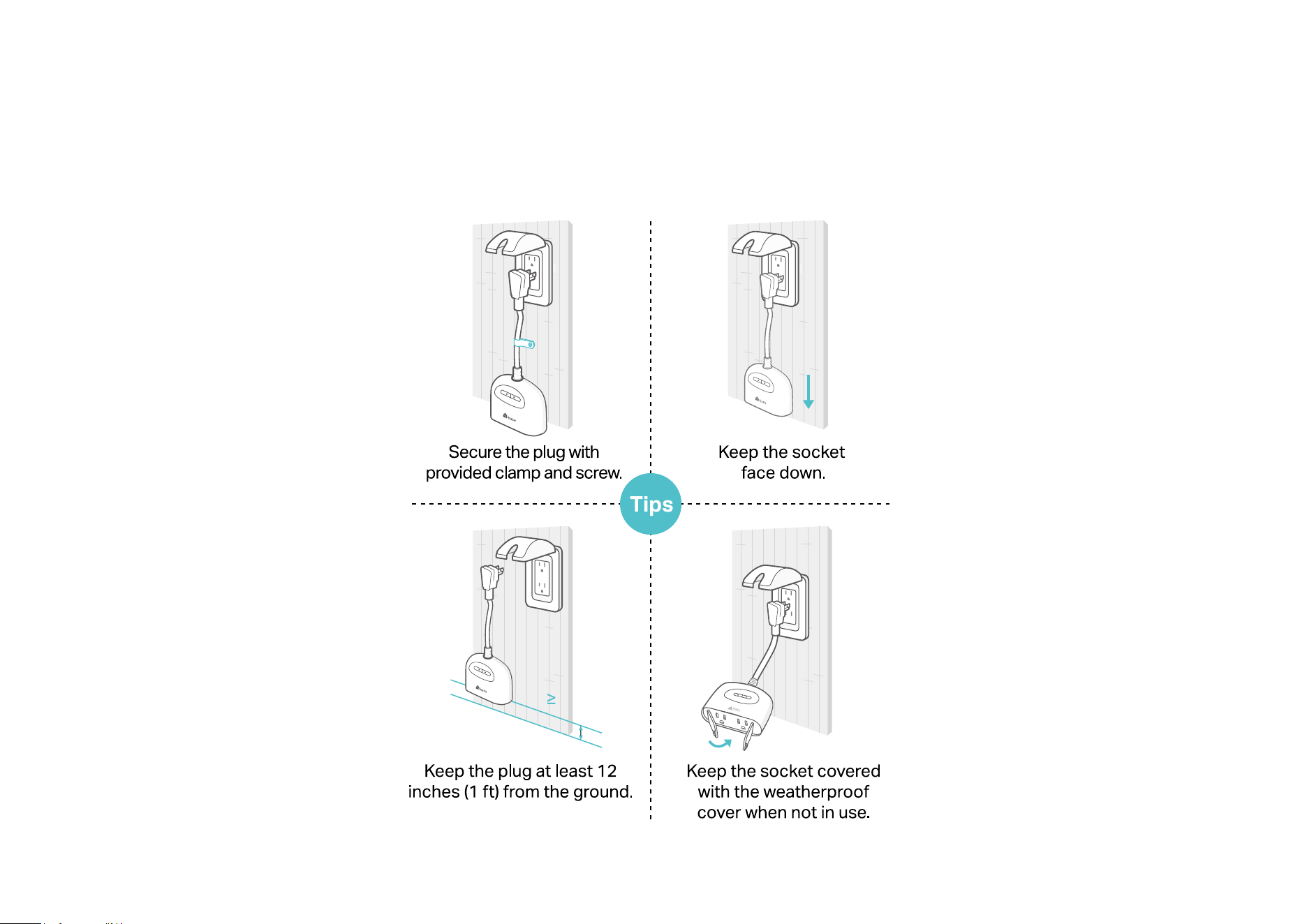
Following are some tips to waterproof you Smart Outdoor Plug when used outdoors.
12 inches
5
Set Up Your Smart Outdoor Plug via Kasa
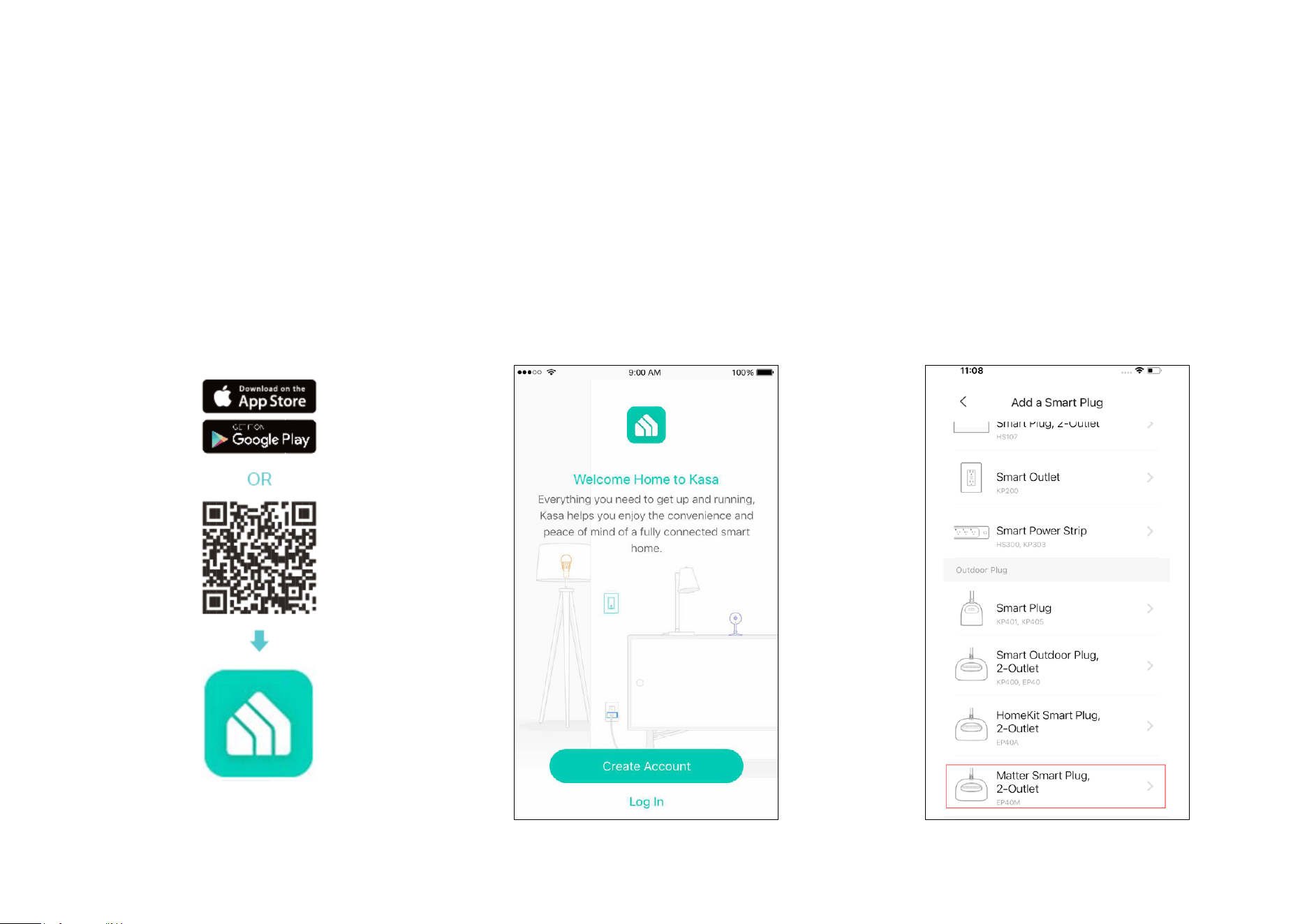
Follow the steps below to set up your plug via Kasa Smart app, or you can follow the setup video at https://www.tp-link.com/support/setup-video/.
1. Download and install Kasa app
Get the Kasa Smart app from the Apple App
Store or Google Play, or by scanning the QR
code below.
2. Log in or sign up with TP-Link ID
Open the app, and log in with your TP-Link ID.
If you don't have an account, create one rst.
3. Add Device
Tap the + button in the Kasa app, go to Smart
Plugs > Outdoor Plug and find your product
model. Then follow app instructions to
complete the setup.
6
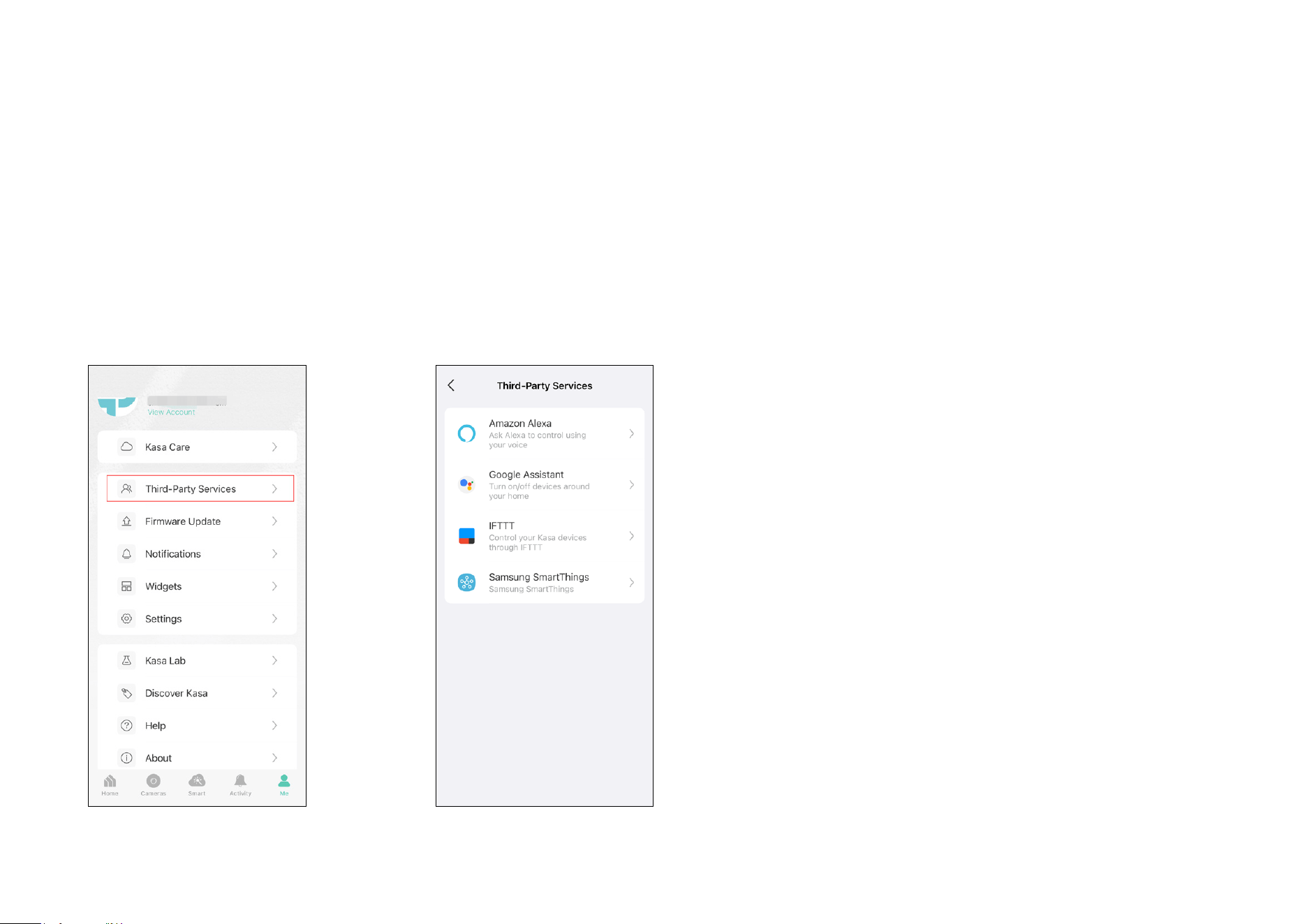
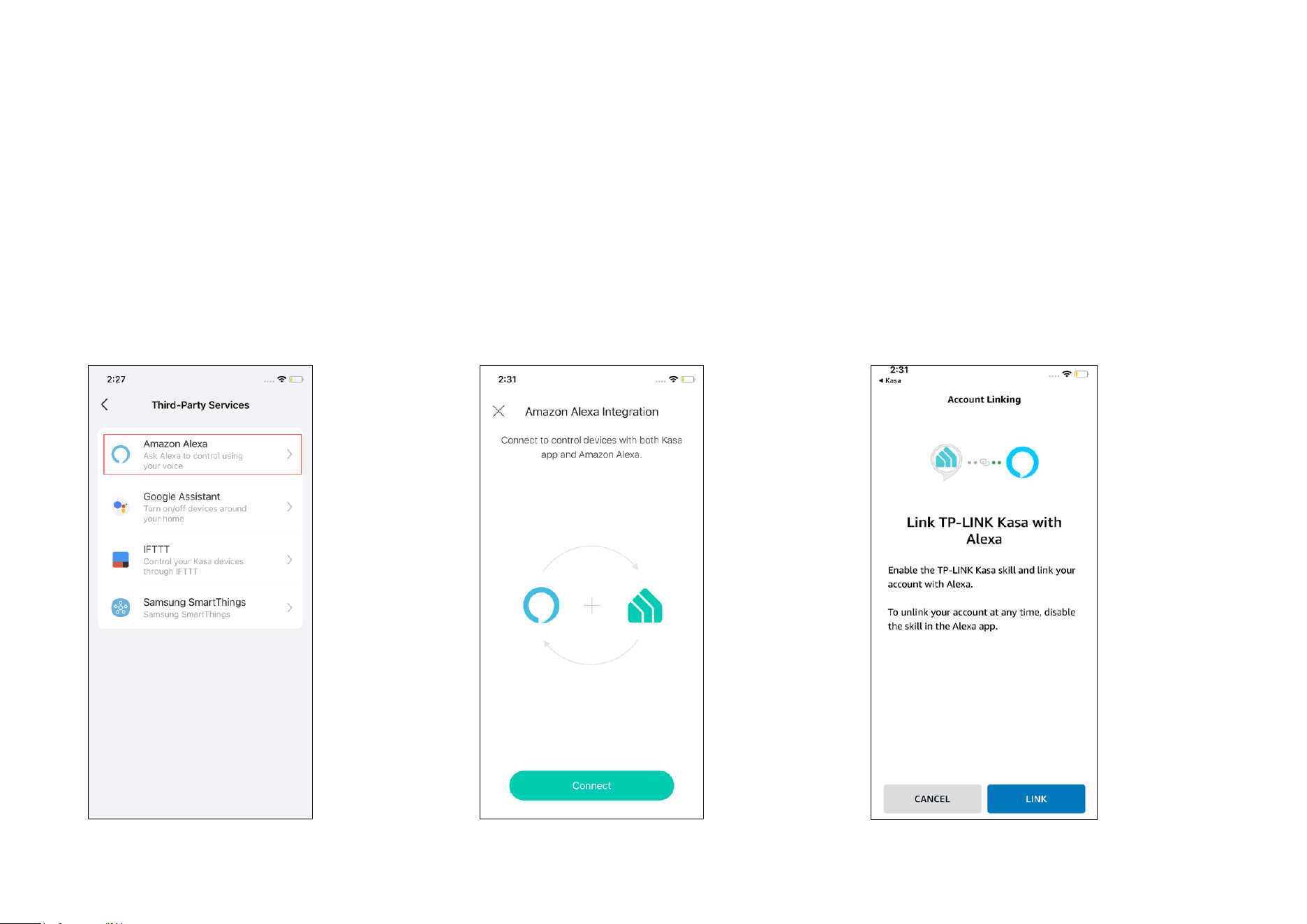
4. Link Third-Party Services
Tap Third-Party Services on the Me page to pair your smart plug with Amazon Alexa or Google Assistant, and enjoy a full hands-free experience using
simple voice commands. Or, you can refer to the next chapter to enable third-party voice services via Matter.
7
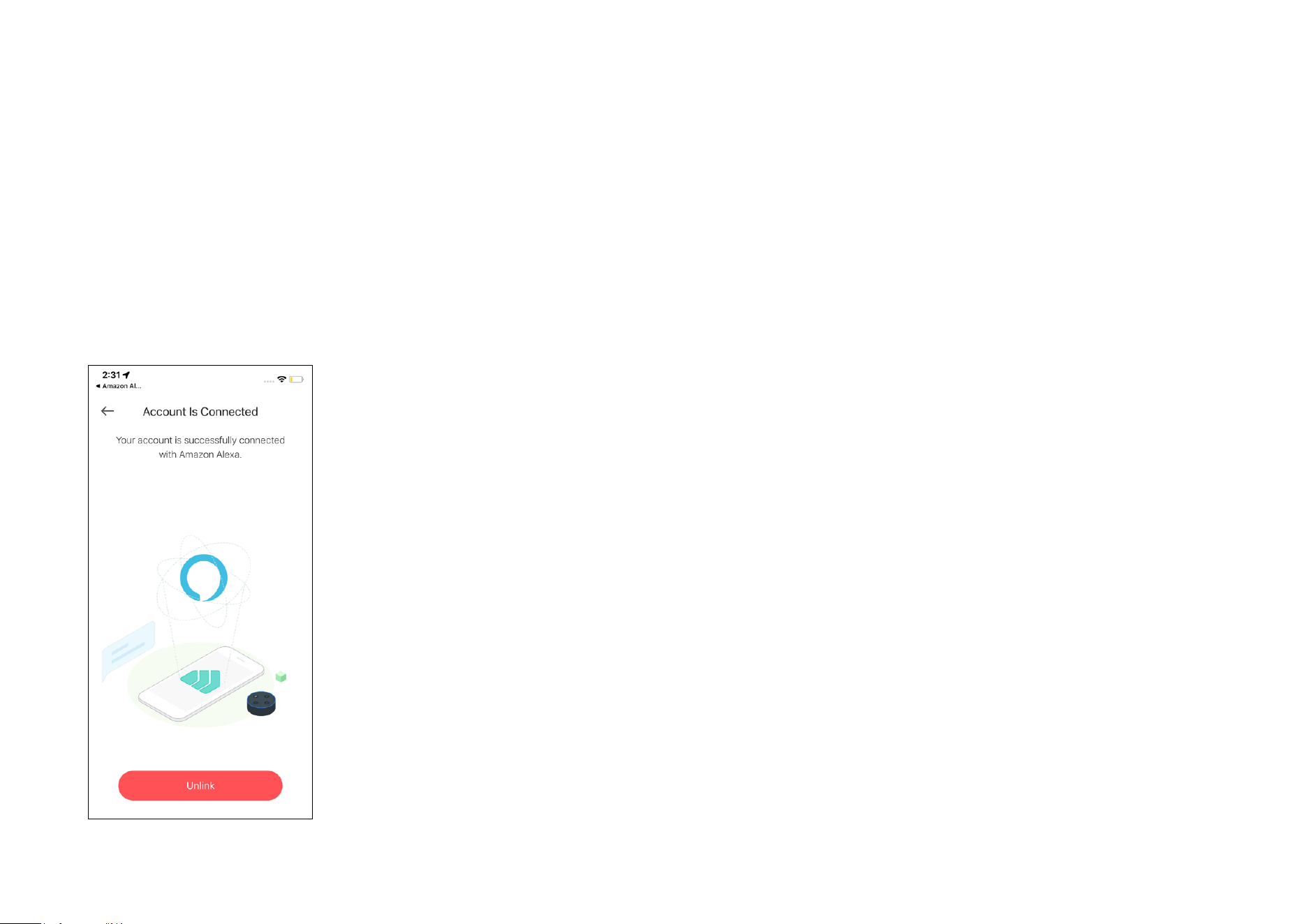
For Amazon Alexa Setup
1. Tap Amazon Alexa.
2. Tap Connect. 3. Sign in with your amazon account and tap
Link.
8
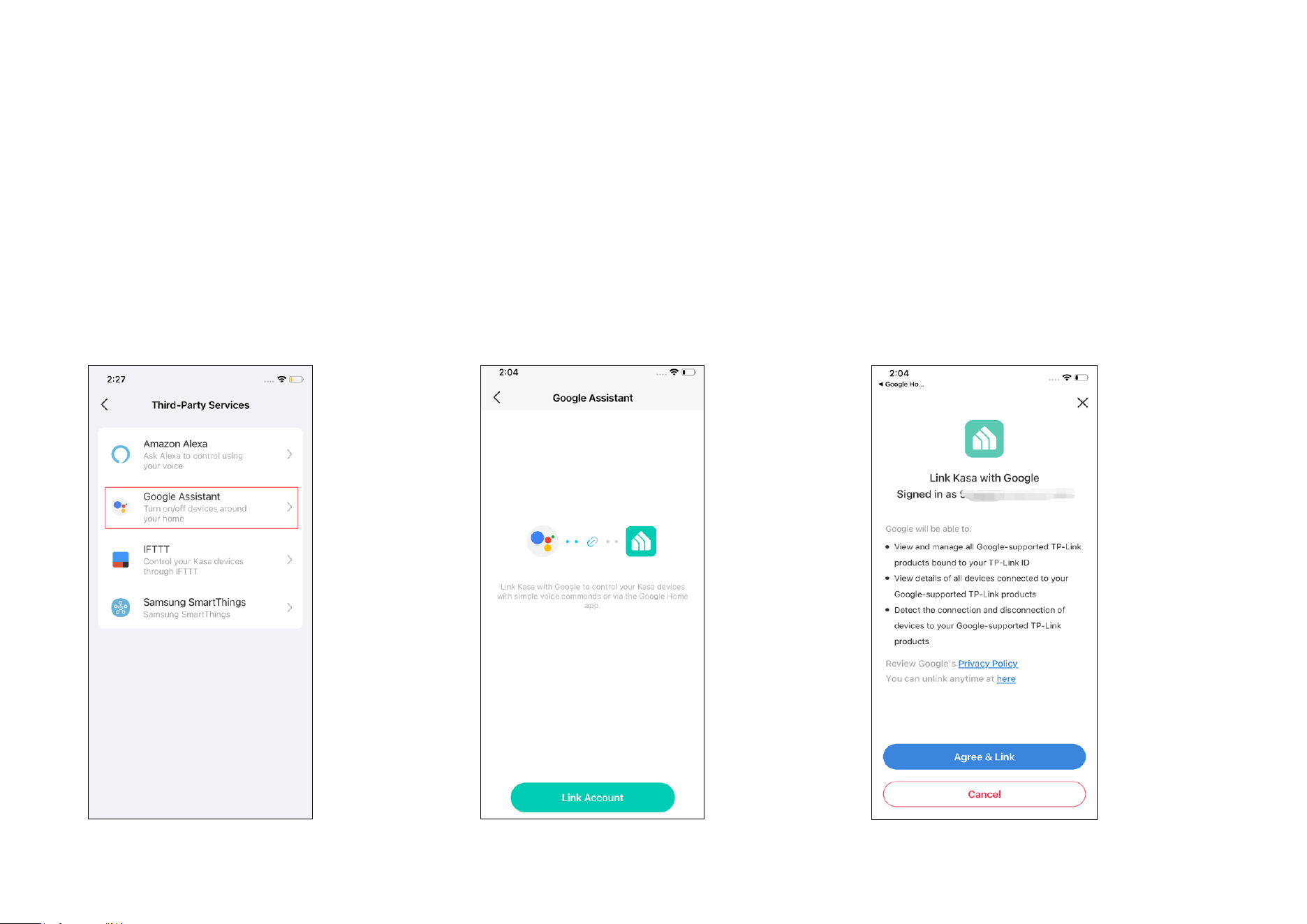
4. After your TP-Link ID has been successfully
linked with your amazon account, you can use
Alexa voice commands to control your Smart
Plug.
9
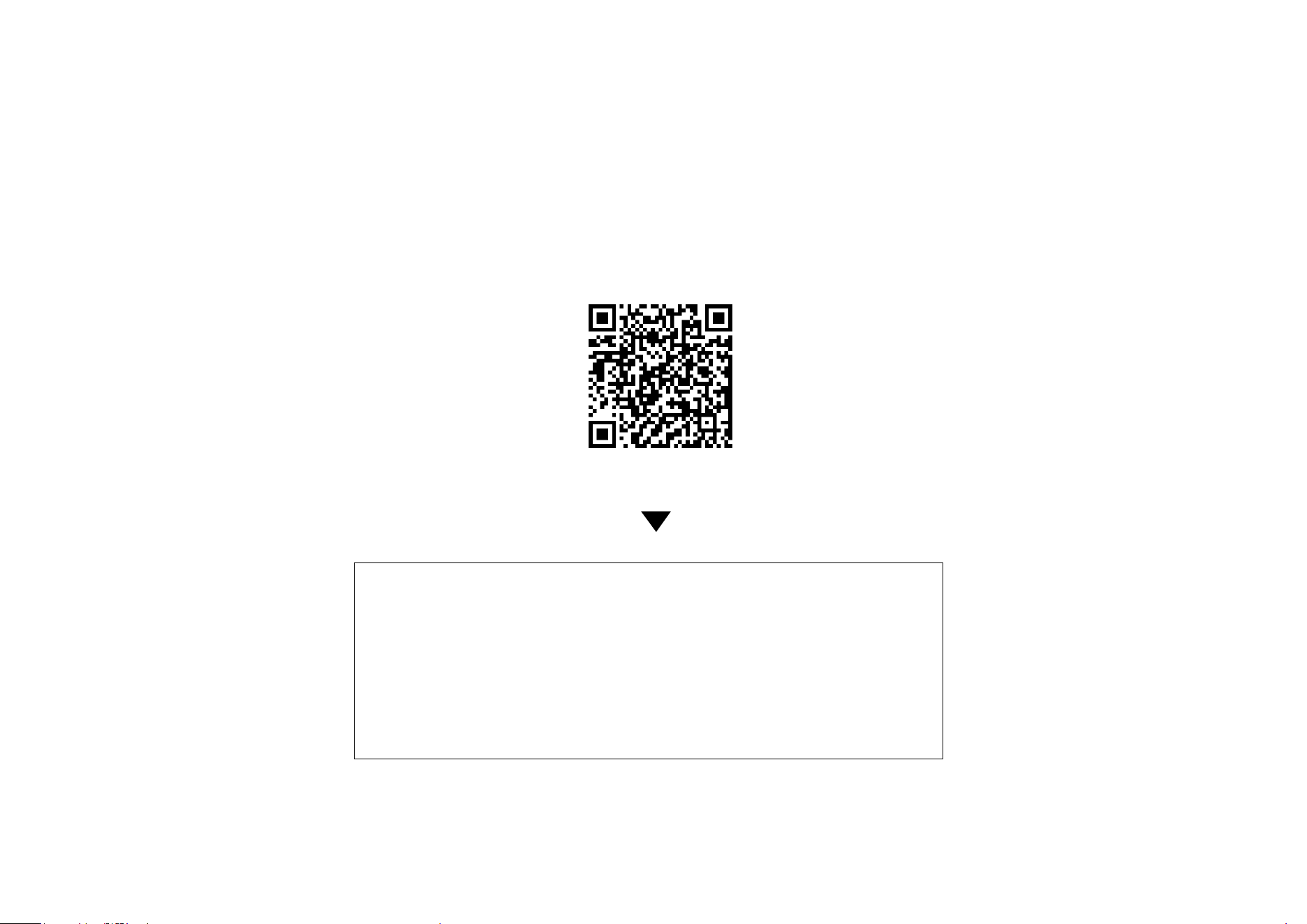
For Google Assistant Setup
1. Tap Google Assistant.
2. Tap Connect. 3. Tap Agree & Link and follow the instructions
to complete the setup.
10
Set Up Your Device via Matter
Scan QR Code
Visit
https://www.tp-link.com/support/faq/3520/
• Matter setup in dierent ecosystems
• Multi-admin setup and videos
• Features supported in dierent ecosystems
• Troubleshooting & Help

11
Set Up via Matter
This is a Matter-certied device. You can integrate it into any Matter ecosystem you prefer for easy control.
Before You Start
• Get a Matter Controller: This is needed to connect and manage Matter devices on your home network. For instance, Apple TV and
HomePod are examples of Matter controllers.
• Reset Your Device: It's important to start with a fresh device. For most devices: Press and hold the 'Reset' button for 10 seconds. For
smart bulbs: Turn the light switch o and on ve times, with a 1-second pause between each action.
• Access Matter Setup Mode: This mode turns o 15 minutes after the device is powered up. To return to setup, simply turn your device
o and then back on.
• Locate Your Matter Code: Look for a QR code or a numeric code on your device or in its packaging. Snap a picture of it for future
reference.
How to Set Up
*Setup processes may vary between ecosystems.
1. Turn on Bluetooth on your phone.
2. Open the smart home app, and either scan the Matter QR code or input the given numeric code.
3. Connect your device to the same network as your controller.
4. Follow the instructions in the app to complete setup.
Failed to Set Up?
• Restart: Try turning o and then turning back on your device, controller, or phone.
• Check IPv6: Ensure that IPv6 is activated on your router. Visit our FAQ for step-by-step guidance:
12
The development of Matter is ongoing, with progress varying across platforms. Device performance and bugs can occur unrelated to the
device itself. TP-Link, along with other CSA members, is committed to enhancing user experiences and service quality.
Our expert Technical Support team is ready to assist you. Please don't hesitate to reach out with any questions. Your feedback is vital to us!
Contact us at
www.tp-link.com/support
for Technical Support, FAQs & more
https://www.tp-link.com/support/faq/1525/
• Regarding the Matter Code: The original Matter code can only be used for setup in one app (you can reuse it after a device reset). If you
wish to set it up in multiple apps, generate a new code using the rst app for all subsequent ones.

13
Authentication
FCC Compliance Information Statement
Product Name: Kasa Smart Wi-Fi Outdoor Plug
Model Number: EP40M
Responsible party:
TP-Link USA Corporation
Address: Address: 10 Mauchly, Irvine, CA 92618
Website: https://www.tp-link.com/us/
Tel: +1 626 333 0234
Fax: +1 909 527 6804
E-mail: [email protected]om
This equipment has been tested and found to comply with the limits for a Class B digital device, pursuant to part 15 of the FCC Rules. These limits are
designed to provide reasonable protection against harmful interference in a residential installation. This equipment generates, uses and can radiate
radio frequency energy and, if not installed and used in accordance with the instructions, may cause harmful interference to radio communications.
However, there is no guarantee that interference will not occur in a particular installation. If this equipment does cause harmful interference to radio
or television reception, which can be determined by turning the equipment off and on, the user is encouraged to try to correct the interference by
one or more of the following measures:
• Reorient or relocate the receiving antenna.
• Increase the separation between the equipment and receiver.
• Connect the equipment into an outlet on a circuit different from that to which the receiver is connected.
• Consult the dealer or an experienced radio/ TV technician for help.
This device complies with part 15 of the FCC Rules. Operation is subject to the following two conditions:

14
1. This device may not cause harmful interference.
2. This device must accept any interference received, including interference that may cause undesired operation.
Any changes or modifications not expressly approved by the party responsible for compliance could void the user’s authority to operate the
equipment.
Note: The manufacturer is not responsible for any radio or TV interference caused by unauthorized modifications to this equipment. Such modifications
could void the user’s authority to operate the equipment.
FCC RF Radiation Exposure Statement
This equipment complies with FCC RF radiation exposure limits set forth for an uncontrolled environment. This device and its antenna must not be
co-located or operating in conjunction with any other antenna or transmitter.
“To comply with FCC RF exposure compliance requirements, this grant is applicable to only Mobile Configurations. The antennas used for this
transmitter must be installed to provide a separation distance of at least 20 cm from all persons and must not be co-located or operating in conjunction
with any other antenna or transmitter.”
We, TP-Link USA Corporation, has determined that the equipment shown as above has been shown to comply with the applicable technical standards,
FCC part 15. There is no unauthorized change is made in the equipment and the equipment is properly maintained and operated.
Issue Date: 2024-02-20

15
Canadian Compliance Statement
This device contains licence-exempt transmitter(s)/receiver(s) that comply with Innovation, Science and Economic Development Canada’s licence-
exempt RSS(s). Operation is subject to the following two conditions:
(1) This device may not cause interference.
(2) This device must accept any interference, including interference that may cause undesired operation of the device.
L’émetteur/récepteur exempt de licence contenu dans le présent appareil est conforme aux CNR d’Innovation, Sciences et Développement
économique Canada applicables aux appareils radio exempts de licence. L’exploitation est autorisée aux deux conditions suivantes :
1) L’appareil ne doit pas produire de brouillage;
2) L’appareil doit accepter tout brouillage radioélectrique subi, même si le brouillage est susceptible d’en compromettre le fonctionnement.
Radiation Exposure Statement:
This equipment complies with IC radiation exposure limits set forth for an uncontrolled environment. This equipment should be installed and operated
with minimum distance 20cm between the radiator & your body.
Déclaration d’exposition aux radiations:
Cet équipement est conforme aux limites d’exposition aux rayonnements IC établies pour un environnement non contrôlé. Cet équipement doit être
installé et utilisé avec un minimum de 20 cm de distance entre la source de rayonnement et votre corps.
Industry Canada Statement
CAN ICES-3 (B)/NMB-3(B)
NCC Notice
注意!
取得審驗證明之低功率射頻器材,非經核准,公司、商號或使用者均不得擅自變更頻率、加大功率或變更原設計之特性及功能。
低功率射頻器材之使用不得影響飛航安全及干擾合法通信;經發現有干擾現象時,應立即停用,並改善至無干擾時方得繼續使

16
用。
前述合法通信,指依電信管理法規定作業之無線電通信。
低功率射頻器材須忍受合法通信或工業、科學及醫療用電波輻射性電機設備之干擾。
BSMI Notice
安全諮詢及注意事項
• 請使用原裝電源供應器或只能按照本產品注明的電源類型使用本產品。
• 清潔本產品之前請先拔掉電源線。請勿使用液體、噴霧清潔劑或濕布進行清潔。
• 注意防潮,請勿將水或其他液體潑灑到本產品上。
• 插槽與開口供通風使用,以確保本產品的操作可靠並防止過熱,請勿堵塞或覆蓋開口。
• 請勿將本產品置放於靠近熱源的地方。除非有正常的通風,否則不可放在密閉位置中。
• 不要私自拆開機殼或自行維修,如產品有故障請與原廠或代理商聯繫。
17
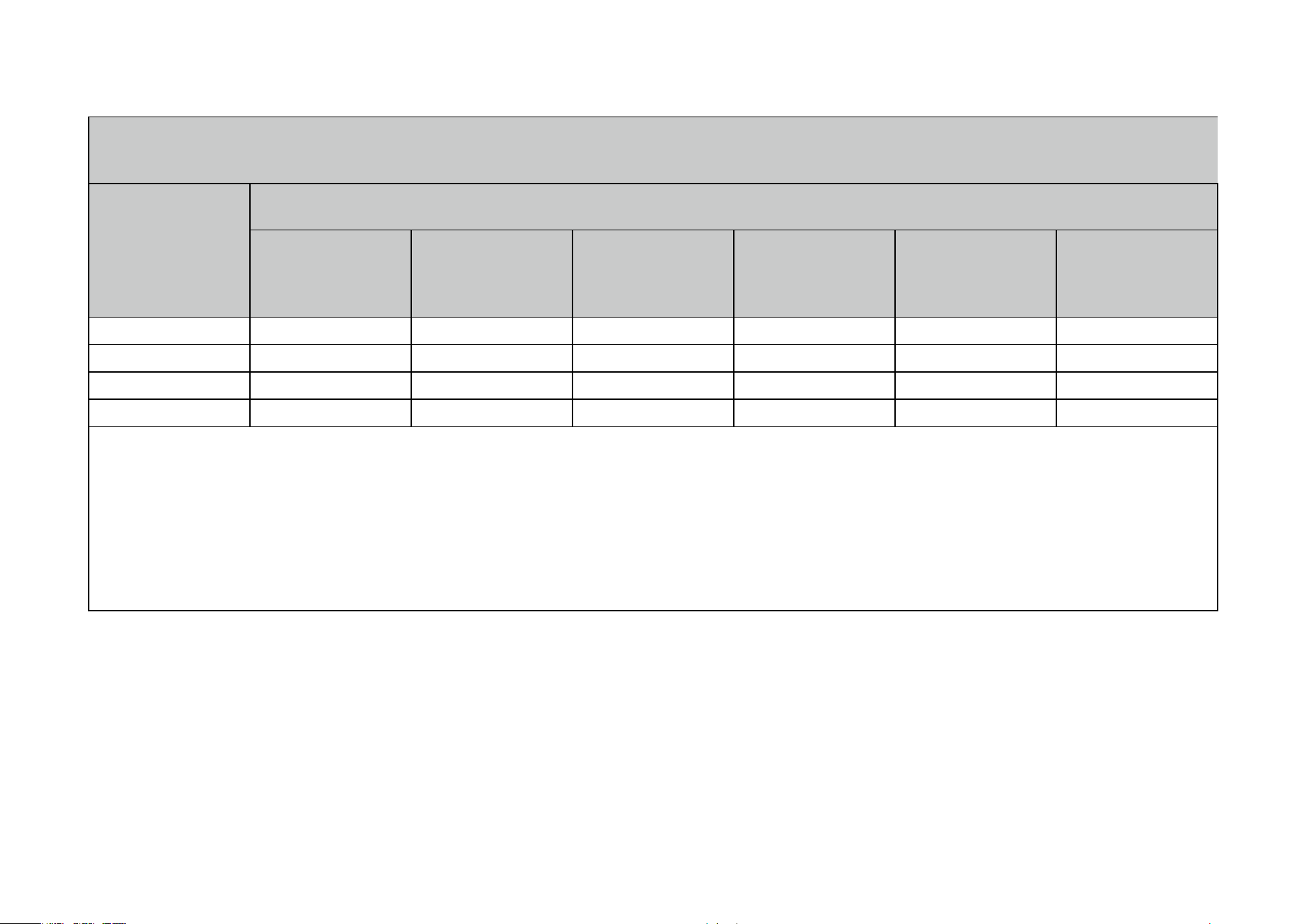
限用物質含有情況標示聲明書
設備名稱:
Equipment name
Kasa Smart Wi-Fi Outdoor Plug
型號(型式):
Type designation (Type)
EP40M
單元
Unit
限用物質及其化學符號
Restricted substances and its chemical symbols
鉛
Lead
(Pb)
汞
Mercury
(Hg)
鎘
Cadmium
(Cd)
六價鉻
Hexavalent
chromium
(Cr+6)
多溴聯苯
Polybrominated
biphenyls
(PBB)
多溴二苯醚
Polybrominated
diphenyl ethers
(PBDE)
PCB ○ ○ ○ ○ ○ ○
外殼 ○ ○ ○ ○ ○ ○
電源供應板 — ○ ○ ○ ○ ○
其他及其配件 − ○ ○ ○ ○ ○
備考 1.〝超出 0.1 wt %〞及〝超出 0.01 wt %〞係指限用物質之百分比含量超出百分比含量基準值
Note 1:“Exceeding 0.1 wt %” and “exceeding 0.01 wt %” indicate that the percentage content of the restricted substance exceeds
the reference percentage value of presence condition.
備考 2.〝○〞係指該項限用物質之百分比含量未超出百分比含量基準值。
Note 2:“○” indicates that the percentage content of the restricted substance does not exceed the percentage of reference value of
presence.
備考 3.〝−〞係指該項限用物質為排除項目。
Note 3:The “−” indicates that the restricted substance corresponds to the exemption.
Safety Information
• Do not attempt to disassemble, repair, or modify the device.
• Do not use the device where wireless devices are not allowed.
• Operating Temperature: 0℃~40℃
• Operating Humidity: 10%~90%RH, Non-condensing
• Storage Humidity: 5%~90%RH, Non-condensing
• For outdoor usage, use this product with ground fault circuit interrupter (GFCI) outlet.
18
• Risk of electric shock. Do not open. No user serviceable parts inside.
• Refer servicing to qualified service personnel.
• Keep the device away from fire or hot environments. DO NOT immerse in water or any other liquid.
• For passthrough devices, plug the power strips into the integrated electrical sockets of the devices, but devices of the same or another type not
be stacked in normal use.
Please read and follow the above safety information when operating the device. We cannot guarantee that no accidents or damage will occur due to
improper use of the device. Please use this product with care and operate at your own risk.
WARNING
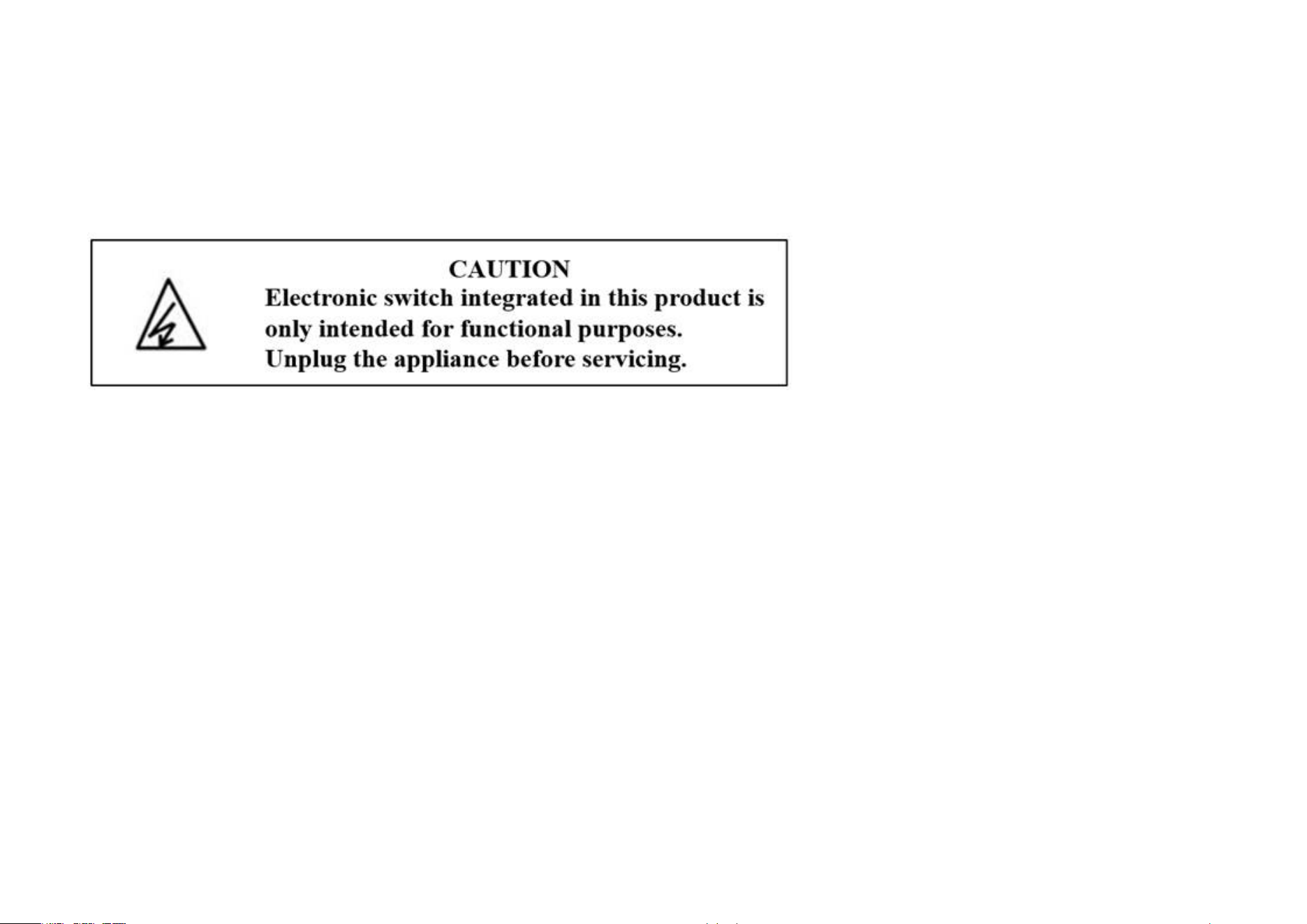
• Timer could turn-on unexpectedly without the user being present. To Reduce the Hazardous Condition – Unplug the appliance that is plugged into
the receptacle(s) controlled by the timer before servicing.
• Risk of Electric Shock. Do not plug into another relocatable power tap or an extension cord.
• When plugged into grounded 3-prong outlet , always ensure that the housing is facing downward and is at least 2 feet off the ground . Use the plug’s
mounting tag to hang from a screw to ensure correct orientation.
• DO NOT expose to heavy rain or immerse in water or any other liquid.
• DO NOT remove ground pin ( middle pin ) or use with 3-to 2-prong adapter.
• DO NOT use with devices that should not be operated unattended , such as power tools.
• DO NOT use in precision timing applications where inaccurate timing could be dangerous(sunlamps , Saunas , etc).
• Keep children away from smart plug and outlet.
• No Serviceable parts inside. DO NOT open or tamper with unit.
• Do not discard the stopper, the plug should be covered when the socket is not in use.
19
• Remove smart plug from outlet before cleaning.
• DO NOT clean with liquid.
• DO NOT exceed the recommended electrical ratings.
• Refer servicing to qualified service personnel.
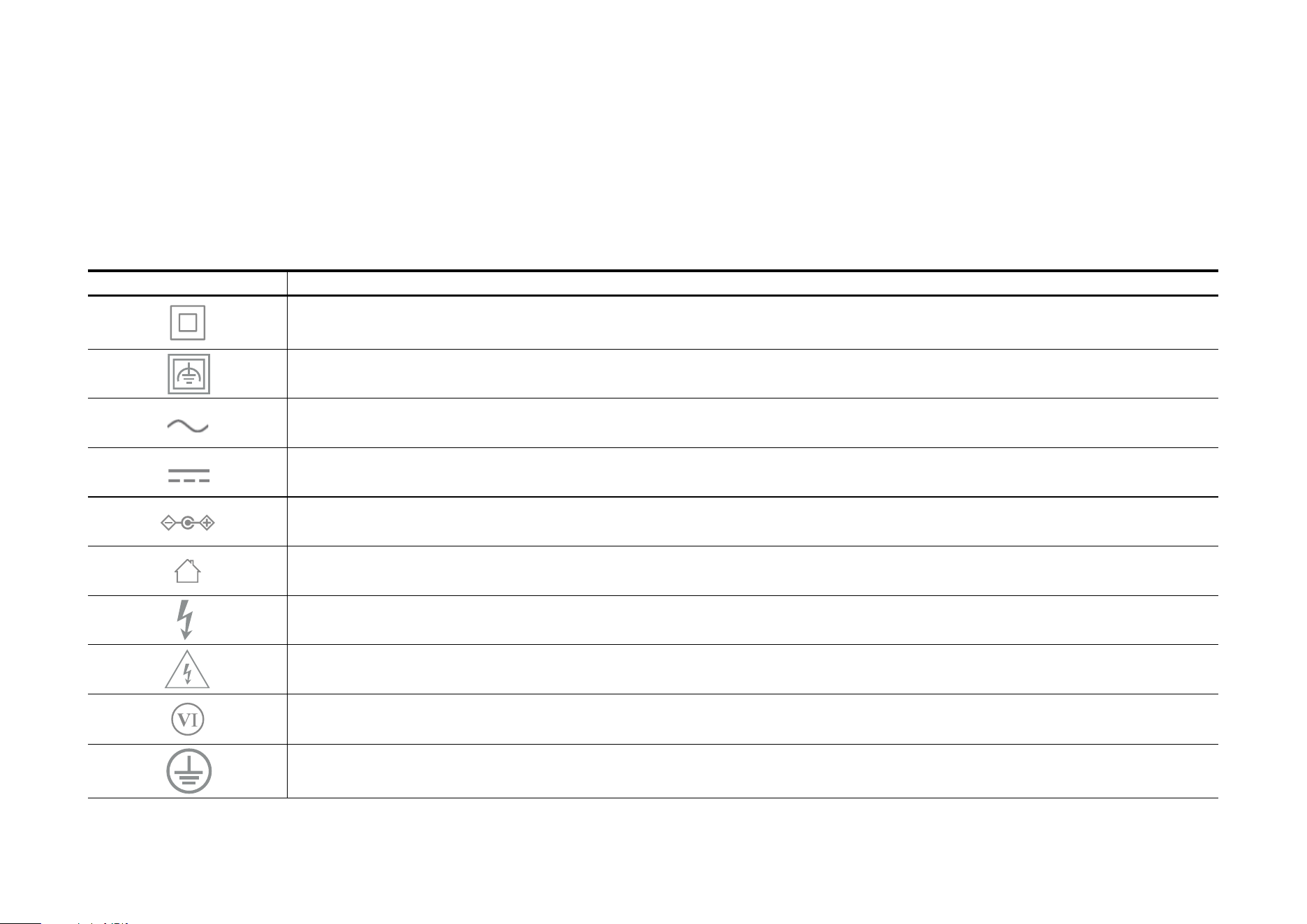
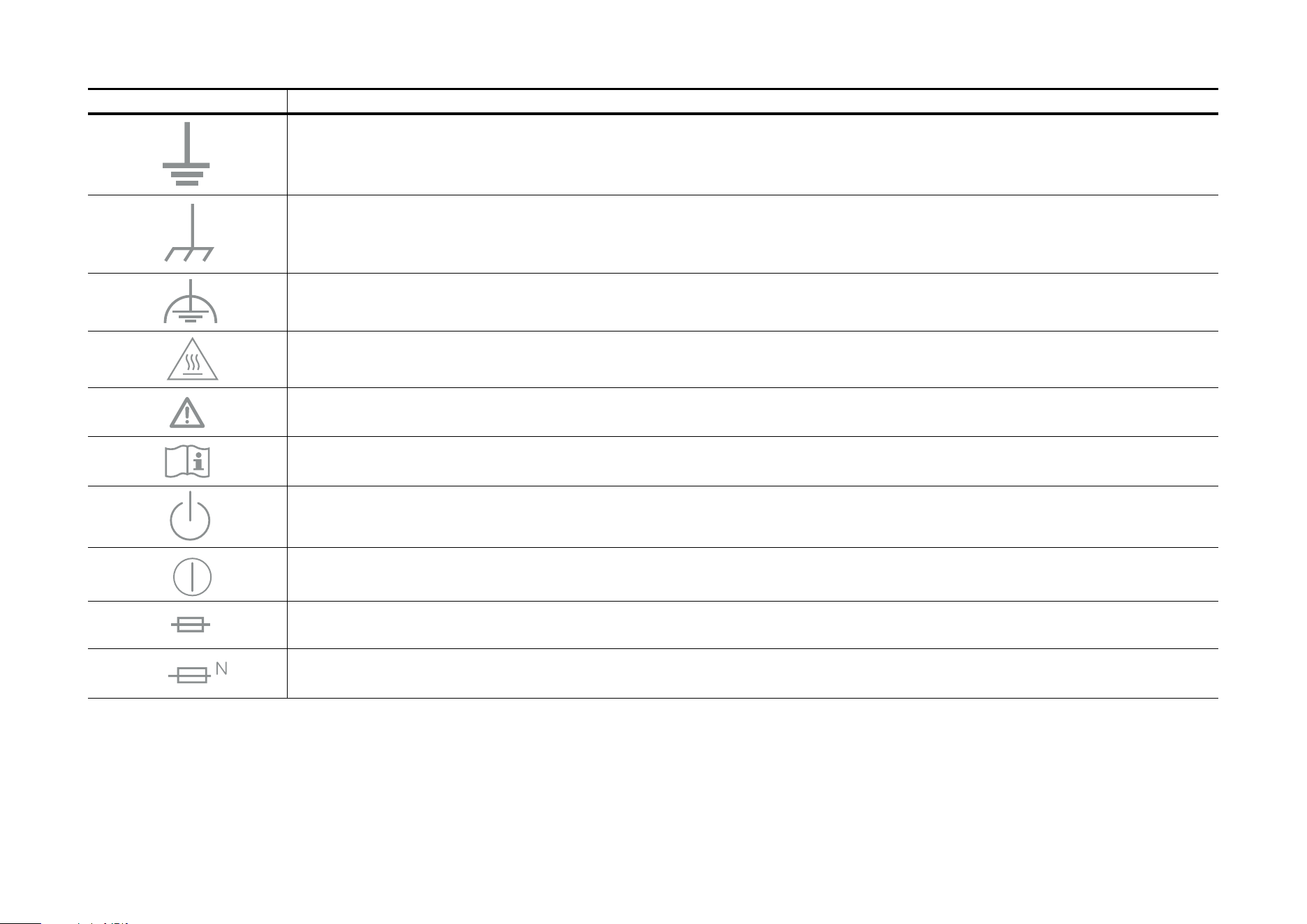
Explanation of the symbols on the product label
Note: The product label is on the bottom of the product and its power supply. Symbols may vary from products.
Symbol Explanation
Class II equipment
Class II equipment with functional earthing
Alternating current
DC voltage
Polarity of output terminals
Indoor use only
Dangerous voltage
Caution, risk of electric shock
Energy efficiency Marking
Protective earth
20
Symbol Explanation
Earth
Frame or chassis
Functional earthing
Caution, hot surface
Caution
Operator’s manual
Stand-by
“ON”/”OFF” (push-push)
Fuse
Fuse is used in neutral N
21
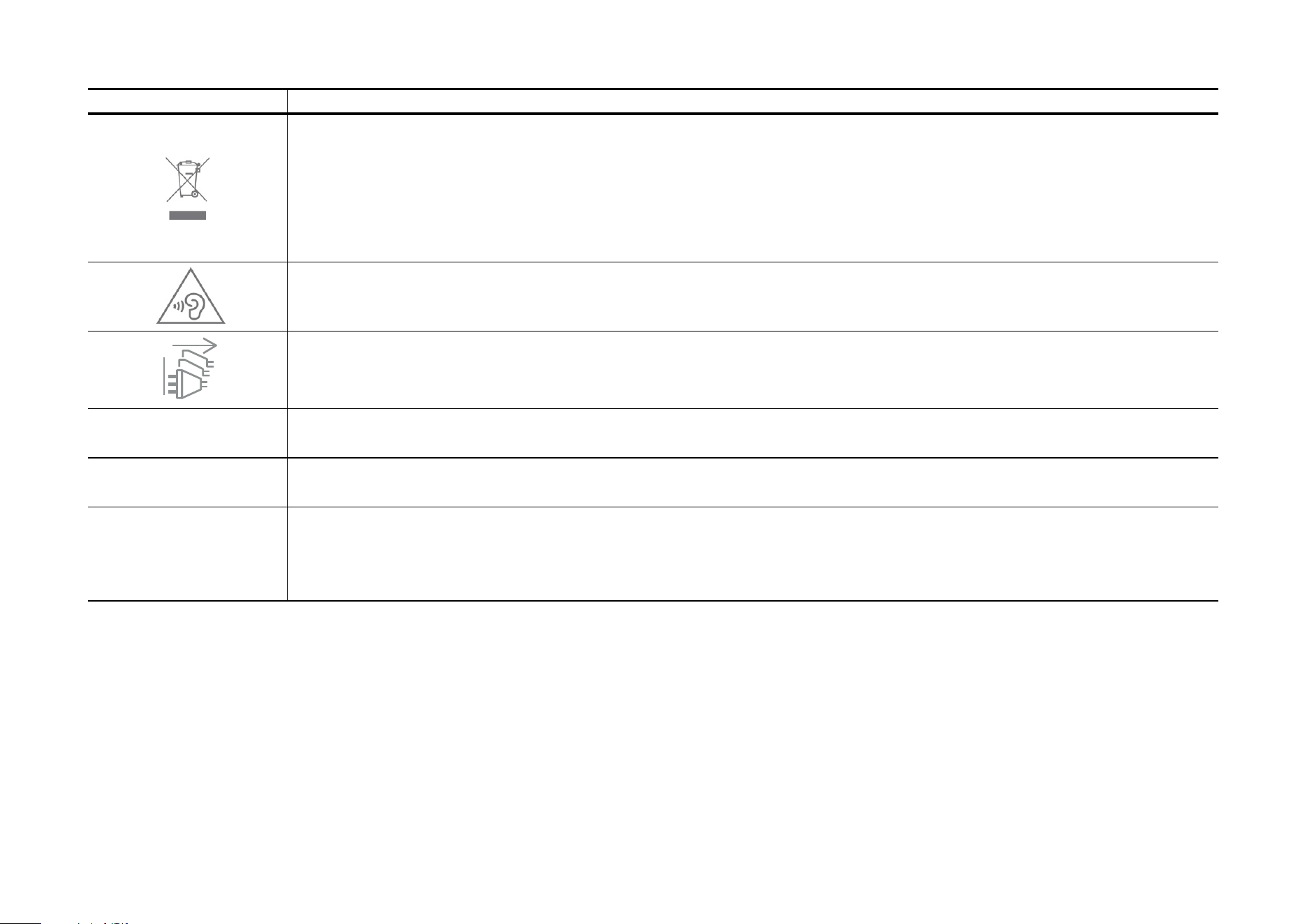
Symbol Explanation
RECYCLING
This product bears the selective sorting symbol for Waste electrical and electronic equipment (WEEE). This means
that this product must be handled pursuant to European directive 2012/19/EU in order to be recycled or dismantled to
minimize its impact on the environment.
User has the choice to give his product to a competent recycling organization or to the retailer when he buys a new
electrical or electronic equipment.
Caution, avoid listening at high volume levels for long periods
Disconnection, all power plugs
m Switch of mini-gap construction
µ
Switch of micro-gap construction (for US version)
Switch of micro-gap / micro-disconnection construction (for other versions except US)
ε Switch without contact gap (Semiconductor switching device)