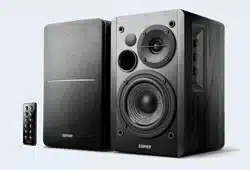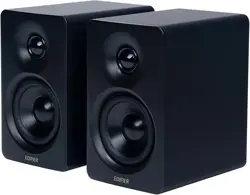

2. What’s in the box?
Note:
•Images are for illustrative purpose only and may dier from the actual product.
•The bundled USB connecting cable is for audio streaming only. Do not use it
for device charging.
•For the need of technical improvement and system upgrade, information and
specications contained herein may be slightly dierent from actual product.
If any dierence is found, the actual product prevails.
Quick start guide
Important safety instructions
Manual
Active speakerPassive speaker
With this app, you can
•Switch input modes,
•Control play,
•Select or customize EQs,
•Upgrade the rmware, and
•More functions.
Download EDIFIER ConneX app
1. With your sma device, scan the QR code on the quick sta guide or the
packaging.
•You can also search for "EDIFIER ConneX" in Apple App Store (iOS devices) or
Google Play (Android devices).
2. Download and install the app.
How to use this app
1. Connect your sma device with the speaker via Bluetooth.
2. In Bluetooth mode, open EDIFIER ConneX App on your sma device.
3. Tap the menu for settings and playback control.
Note: The BLE connection between your sma device and the speaker remains
active even if the speaker is switched to non-Bluetooth input modes.
EDIFIER ConneX app
EN
1. EDIFIER ConneX app
Speaker stands
3.5mm to RCA audio cable
USB-C to USB-C cable
3.5mm to 3.5mm audio cable
Speaker connecting cable
Power cable
6. Bluetooth connection
5. Source selection
7. USB connection
Note:
* Power input: 100-240V~ 50/60Hz 400mA
* This plug type is meant for illustration purpose only.
Note:
The following operating systems suppo USB audio streaming: Windows 11,
Windows 10, Windows 8, and Windows 7.
Note:
•Pin code for connection is "0000" if needed.
•To enjoy all Bluetooth functions of this product, make sure that your audio
source device suppos A2DP and AVRCP proles.
•If no device is connected in 10 minutes, the speaker will switch to Bluetooth
hidden mode. The " " button backlight will be in a breathing pattern. In this
mode, (1) new devices cannot nd the speaker, but (2) for a device that exists
in the pairing record of this speaker, you can select "EDIFIER M60" from its
Bluetooth device list to reconnect. To exit from Bluetooth hidden mode, tap
the " " button on the speaker.
•To disconnect from the current Bluetooth device, tap and hold the " " and
"-" buttons on the speaker for 1.5 seconds.
4. Standby & wake-up
Note:
To switch the speaker to standby mode or work mode, tap and hold the " "
button on the speaker.
9. Specications
Total output power (RMS): L/R (Treble): 15W+15W
L/R (Mid-range and bass): 18W+18W
Frequency response: 58Hz-40kHz
Declaration for EU
Frequency Band: 2.402GHz ~ 2.480GHz
RF Power Output: ≤ 10 dBm (EIRP)
There is no restriction of use.
10. Troubleshooting
Cannot connect to your Bluetooth device
•
Make sure that the distance between this product and your Bluetooth device
is less than 10 meters and there are no obstacles between them.
•
Make sure that no device is connected to this product via Bluetooth.
•
Make sure that this product is in Bluetooth pairing mode. If not, manually
switch it to this mode.
•
Resta this product, enable Bluetooth function on your Bluetooth device,
and then t again.
No power
•
Make sure that the power cable is properly connected.
•
Make sure that the power supply is not disconnected.
No sound
•
Make sure that this product is powered on.
•
Make sure that this product and your device is properly connected.
•
Make sure that the playback is not paused.
•
Make sure that this product and your device are not muted.
•
Increase the volume of this product and your device.
Noise coming from speakers
•
EDIFIER speakers generate little noise, while the background noise of some
audio devices are too high. Please unplug audio cables and turn the volume
up. If no sound can be heard at 1 meter away from the speaker, there is no
problem with this product.
To learn more about EDIFIER, please visit www.edier.com
For EDIFIER warranty queries, please visit the relevant count page on
www.edier.com and review the section titled Warranty Terms.
USA and Canada: seice@edier.ca
South America: Please visit www.edier.com (English) or
www.edierla.com (Spanish/Pouguese) for local contact information.
Note:
In AUX and USB modes, volume sync is not suppoed. To adjust the volume,
adjust on the speaker and your device separately.
Multimedia Speaker
M60
3. Cable connection
Bluetooth
Settings
EDIFIER M60
DEVICES
Bluetooth
2:12
1.5s
1.5s
x1
USB IN
AUX IN
EDIFIER M60
8. Play control
/ USB IN /
AUX IN
/ USB IN
AUX IN
x1
AUX IN
x1
x1
/ USB IN
x1

Avec cette application, vous pouvez
•Passer d'un mode d'entrée à
un autre,
•Contrôler la lecture,
•Sélectionner ou personnaliser
les égaliseurs,
•Mettre à jour le micrologiciel,
et Plus de fonctions.
Télécharger l’application EDIFIER ConneX
1. Grâce à votre appareil intelligent, scannez le code QR qui se trouve sur le
guide de démarrage rapide ou sur l’emballage.
•Vous pouvez également rechercher « EDIFIER ConneX » dans l’App Store
d’Apple (appareils iOS) ou Google Play (appareils Android).
2. Téléchargez et installez l’application.
Comment utiliser cette application
1. Connectez votre appareil intelligent au haut-parleur via Bluetooth.
2. En mode Bluetooth, ouvrez l’application EDIFIER ConneX sur votre appareil
intelligent.
3. Appuyez sur le menu pour voir les paramètres et le contrôle de la lecture.
Remarque: La connexion BLE entre votre appareil intelligent et le haut-parleur
reste active même si le haut-parleur passe en mode d'entrée non Bluetooth.
EDIFIER ConneX app
FR
1. Application EDIFIER ConneX
2. Contenu de la boîte
Remarque :
•Les images utilisées seent de référence uniquement, et peuvent ne pas
correspondre au produit.
•Le câble de raccordement USB fourni se uniquement à la diusion audio. Ne
pas l'utiliser pour charger l'appareil.
•Les informations et spécications contenues dans ce document peuvent varier
légèrement par rappo au produit réel, car nous appoons constamment des
améliorations techniques et système à nos produits. En cas de diérence, le
produit réel prévaut.
Guide de démarrage rapide
Consignes de securite
importantes
Haut-parleur actifHaut-parleur passif
Socles de haut-parleur
Câble audio 3,5mm vers RCA
Câble USB-C vers USB-C
Câble audio 3,5 mm à 3,5 mm
Câble de raccordement de haut-parleur
Câble d'alimentation
6. Connexion Bluetooth
5. Sélection de la source
7. Connexion USB
3. Connexion par câble
Remarque :
* Alimentation secteur: 100-240 V~ 50/60 Hz 400 mA
* Le type de prise illustré fait oce d'illustration seulement.
Remarque :
Les systèmes d'exploitation suivants prennent en charge la diusion audio via
USB : Windows 11, Windows 10, Windows 8 et Windows 7.
Remarque :
•Le code PIN de connexion par défaut est « 0000 », si demandé.
•Pour proter pleinement des fonctions Bluetooth de ce produit, vériez que
votre dispositif mobile prenne en charge le protocole A2DP et AVRCP.
•Si aucun appareil n'est connecté dans un délai de 10 minutes, le haut-parleur
passera en mode masqué Bluetooth. Le rétroéclairage du bouton « »
clignotera lentement. Dans ce mode, (1) les nouveaux appareils ne peuvent
pas trouver le haut-parleur, mais (2) pour un appareil déjà enregistré dans la
mémoire d'association de ce haut-parleur, vous pouvez sélectionner
«EDIFIER M60» dans la liste d'appareils Bluetooth pour établir une nouvelle
connexion. Pour quitter le mode masqué Bluetooth, appuyez sur le bouton
« » du haut-parleur.
•Pour vous déconnecter de l'appareil Bluetooth actuel, maintenez les boutons
« » et « - » du haut-parleur enfoncés pendant 1,5 s.
4. Veille et réactivation
Remarque :
Pour faire passer le haut-parleur en mode veille ou en mode travail, maintenez
le bouton « » du haut-parleur enfoncé.
9. Caractéristiques techniques
Puissance totale de soie (RMS) : G/D (Aigus) : 15 W+15 W
G/D (Moyens et basses) : 18 W+18 W
Réponse en fréquence : 58 Hz-40 kHz
Déclaration pour l'UE
Bande de Fréquence : 2,402 GHz ~ 2,480 GHz
Puissance de Soie RF : ≤10 dBm (EIRP)
Il n'y a aucune restriction d'utilisation.
10. Dépannage
Impossible de connecter à votre appareil Bluetooth
•
Assurez-vous que la distance entre ce produit et votre appareil Bluetooth est
inférieure à 10 m, et qu’il n’y a aucun obstacle entre eux.
•
Assurez-vous qu'aucun appareil n'est connecté à ce produit via Bluetooth.
•
Assurez-vous que ce produit est en mode d'association Bluetooth. Sinon,
basculez-le manuellement sur ce mode.
•
Redémarrez ce produit, activez la fonction Bluetooth sur votre appareil
Bluetooth, puis essayez à nouveau.
Pas d'alimentation
•
Assurez-vous que le cordon d'alimentation est correctement connecté.
•
Assurez-vous que l'alimentation secteur n'est pas interrompue.
Pas de son
•
Assurez-vous que ce produit est allumé.
•
Assurez-vous que ce produit et votre appareil sont correctement connectés.
•
Assurez-vous que la lecture n'est pas en pause.
•
Assurez-vous que le son de ce produit et de votre appareil n'est pas coupé.
•
Augmentez le volume de ce produit et de votre appareil.
Bruit provenant des hauts-parleurs
•
Les hauts-parleurs d'EDIFIER émettent peu de bruit, tandis que le bruit de
fond de ceains dispositifs audio est trop élevé. Veuillez débrancher les
câbles audios et augmentez le volume. Si vous ne pouvez pas entendre les
hauts-parleurs en vous tenant à 1 mètre d'eux, alors il y a un problème avec
ce produit.
Pour en savoir plus sur EDIFIER, visitez www.edier.com
Pour des demandes relatives à la garantie d'EDIFIER, visitez la page pour votre
pays sur www.edier.com et lisez la section intitulée Modalités de garantie.
États-Unis et Canada: seice@edier.ca
Amérique du Sud: Visitez www.edier.com (anglais) ou www.edierla.com
(espagnol/pougais) pour les coordonnées locales.
Remarque :
Dans les modes AUX et USB, la synchronisation du volume n'est pas prise en
charge. Réglez le volume sur le haut-parleur et votre appareil séparément.
Bluetooth
Settings
EDIFIER M60
DEVICES
Bluetooth
2:12
1.5s
1.5s
x1
USB IN
AUX IN
EDIFIER M60
8. Contrôle de lecture
/ USB IN /
AUX IN
/ USB IN
AUX IN
x1
AUX IN
x1
x1
/ USB IN
x1

Con esta app puede
•Cambiar modos de entrada,
•Controlar la reproducción,
•Seleccionar o personalizar
EQ,
•Actualizar el rmware, y
•Más funciones.
Descargar la app EDIFIER ConneX
1. Escanee el código QR en la guía de inicio rápido o en el embalaje con su
dispositivo inteligente.
•
También puede buscar "EDIFIER ConneX" en Apple App Store (dispositivos iOS)
o Google Play (dispositivos Android).
2. Descargue e instale la app.
Cómo usar la app
1. Conecte su dispositivo inteligente con el altavoz por Bluetooth.
2. En modo Bluetooth, abra la app EDIFIER ConneX en su dispositivo inteligente.
3. Toque el menú para ir a ajustes y control de reproducción.
Nota: La conexión BLE entre su dispositivo inteligente y el altavoz se mantiene
activa si el altavoz está en el modos de entrada que no sean Bluetooth.
EDIFIER ConneX app
ES
1. App EDIFIER ConneX
2. Contenido de la caja
Nota:
•Las imágenes aparecen con un n meramente ilustrativo y pueden variar del
producto nal.
•El cable de conexión USB incluido es solamente para emisión de audio. No lo
use para cargar el dispositivo.
•Por motivos de mejora técnica y actualización del sistema, la información y
especicaciones aquí contenidas pueden ser ligeramente distintas al producto
real. Si se encuentra alguna diferencia, prevalece el producto real.
Guía de inicio rápido
Instrucciones de seguridad
importantes
Altavoz activoAltavoz pasivo
Sopoes de altavoz
Cable de audio 3,5mm a RCA
Cable USB-C a USB-C
Cable de audio 3,5mm a 3,5mm
Cable para la conexión de los altavoces
Cable de alimentación
6. Conexión Bluetooth
5. Selección de fuente
7. Conexión USB
3. Conexión de cable
Nota:
* Alimentación: 100-240 V~ 50/60 Hz 400 mA
* Este tipo de conector solamente tiene una nalidad ilustrativa.
Nota:
Lo siguientes sistemas operativos sopoan emisión de audio USB: Windows 11,
Windows 10, Windows 8, y Windows 7.
Nota:
•Si necesita el código PIN para conectarse, introduzca "0000".
•Para disfrutar de todas las funciones Bluetooth de este producto, asegúrese
de que el dispositivo de audio admite los peiles A2DP y AVRCP.
•Si no se conecta ningún dispositivo en 10 minutos, el altavoz pasará a modo
Bluetooth oculto. La retroiluminación del botón " " pasará a un patrón de
respiración. En este modo, (1) los nuevos dispositivos no pueden encontrar el
altavoz, pero (2) para un dispositivo existente en el registro de emparejamiento
del altavoz, puede seleccionar "EDIFIER M60" en su lista de dispositivos
Bluetooth para volver a conectar. Para salir del modo Bluetooth oculto, toque
el botón " " en el altavoz.
•Para desconectarse del dispositivo Bluetooth actual, mantenga pulsado los
botones " " y "-"en el altavoz durante 1,5 segundos.
4. Espera y activación
Nota:
Para poner el altavoz en modo espera o modo de funcionamiento, mantenga
pulsado el botón " " en el altavoz.
9. Especicaciones
Potencia total de salida (RMS): I/D (Agudos): 15 W+15 W
I/D (Medios y bajos): 18 W+18 W
Respuesta de frecuencia: 58 Hz-40 kHz
Declaración para la UE
Banda de Frecuencia: 2,402 GHz ~ 2,480 GHz
RF Potencia de Salida: ≤10 dBm (EIRP)
No hay restricciones de uso.
10. Resolución de problemas
No se puede conectar a su dispositivo Bluetooth
•
Asegúrese de que la distancia entre este producto y su dispositivo Bluetooth
sea inferior a 10 metros y que no existan obstáculos entre ellos.
•
Asegúrese de que ningún dispositivo se conecte con este producto por
Bluetooth.
•
Asegúrese de que este producto esté en modo de emparejamiento Bluetooth.
Si no, cambie manualmente a este modo.
•
Reinicie este producto, active la función Bluetooth en su dispositivo Bluetooth,
e inténtelo de nuevo.
No se enciende
•
Asegúrese de que el cable de alimentación esté correctamente conectado.
•
Asegúrese de que la alimentación no se haya interrumpido.
Sin sonido
•
Asegúrese de que el producto esté encendido.
•
Asegúrese de que este producto y su dispositivo estén correctamente
conectados.
•
Asegúrese de que la reproducción no esté pausada.
•
Asegúrese de que este producto y su dispositivo no estén silenciados.
•
Aumente el volumen de este producto y su dispositivo.
Ruido procedente de los altavoces
•
Los altavoces EDIFIER generan el menor ruido posible, mientras que otros
dispositivos de audio emiten demasiado ruido de fondo. Desconecte los cables
de audio y suba el volumen, si no se oye ningún sonido a un metro de distancia
del altavoz, el aparato funciona correctamente.
Si quiere saber más sobre EDIFIER, visite www.edier.com.
Para consultas sobre la garantía EDIFIER, por favor, seleccione la página del país
correspondiente en www.edier.com y revise la sección Condiciones de la
garantía.
EE.UU. y Canadá: seice@edier.ca
América del Sur: por favor, visite www.edier.com (inglés) o www.edierla.com
(español/pougués) para obtener informaciónde contacto local.
Nota:
En los modos AUX y USB, la sincronización de volumen no está sopoada. Para
ajustar el volumen, ajuste en el altavoz y su dispositivo por separado.
Bluetooth
Settings
EDIFIER M60
DEVICES
Bluetooth
2:12
1.5s
1.5s
x1
USB IN
AUX IN
EDIFIER M60
8. Control de reproducción
/ USB IN /
AUX IN
/ USB IN
AUX IN
x1
AUX IN
x1
x1
/ USB IN
x1

Mit dieser App können Sie
•Eingangsmodus wechseln,
•Steuerung spielen,
•EQs auswählen oder anpassen,
•die Firmware aktualisieren,
und
•weitere Funktionen.
EDIFIER ConneX-App herunterladen
1. Scannen Sie mit Ihrem Sma-Gerät den QR-Code auf der Kurzanleitung oder
der Verpackung.
•Sie können auch im Apple App Store (iOS-Geräte) oder in Google Play
(Android-Geräte) nach „EDIFIER ConneX“ suchen.
2. Laden Sie die App herunter und installieren Sie sie.
So verwenden Sie diese App
1. Verbinden Sie Ihr Sma-Gerät über Bluetooth mit dem Lautsprecher.
2. Önen Sie im Bluetooth-Modus die EDIFIER ConneX App auf Ihrem
Smaphone.
3. Tippen Sie auf das Menü für Einstellungen und Wiedergabesteuerung.
Hinweis: Die BLE-Verbindung zwischen Ihrem Sma-Gerät und dem Lautsprecher
bleibt aktiv, auch wenn der Lautsprecher in nicht-Bluetooth-Eingangsmodi
geschaltet wird.
EDIFIER ConneX app
DE
1. EDIFIER ConneX-App
2. Lieferumfang
Hinweis:
•Die Abbildungen dienen ausschließlich zur Veranschaulichung und können vom
tatsächlichen Produkt abweichen.
•Das mitgeliefee USB-Verbindungskabel ist nur für Audio-Streaming
vorgesehen. Verwenden Sie es nicht zum Auaden des Geräts.
•
Aufgrund notwendiger technischer Verbesserungen und Systemaktualisierungen
können die hierin enthaltenen Informationen und Spezikationen sich jederzeit
vom tatsächlichen Produkt unterscheiden. Bei vorhandenem Unterschied ist
das tatsächliche Produkt maßgeblich.
Schnellstartanleitung
Wichtige sicherheitshinweise
Aktiv-LautsprecherPassiv-Lautsprecher
Lautsprecher-Stative
3,5-mm-RCA-Audiokabel
USB-C-zu-USB-C-Kabel
3,5mm auf 3,5mm Audiokabel
Lautsprecher-Verbindungskabel
Netzkabel
3. Kabelverbindung
Hinweis:
* Netzeingang: 100-240 V~ 50/60 Hz 400 mA
* Dieser Steckeyp dient nur zur Veranschaulichung.
4. Standby & Wecken
Hinweis:
Um den Lautsprecher in den Standby- oder Arbeitsmodus zu versetzen, halten
Sie die Taste „ “ am Lautsprecher gedrückt.
6. Bluetooth-Kopplung
5. Quellenauswahl
7. USB-Anschluss
Hinweis:
Die folgenden Betriebssysteme unterstützen USB-Audiostreaming: Windows 11,
Windows 10, Windows 8 und Windows 7.
Hinweis:
•Der PIN-Code zur Verbindung, falls eorderlich, ist „0000“.
•Um den vollen Bluetooth-Funktionsumfang des Produkts zu genießen, stellen
Sie bitte sicher, dass Ihr mobiles Gerät ein A2DP- und AVRCP-Prol unterstützt.
•Wenn innerhalb von 10 Minuten kein Gerät angeschlossen wird, wechselt der
Lautsprecher in den ausgeblendeten Bluetooth-Modus. Die
Hintergrundleuchtung der Taste „ “ wird in einem Atemmuster dargestellt.
In diesem Modus können (1) neue Geräte den Lautsprecher nicht nden,
jedoch (2) für ein Gerät, das im Kopplungsdatensatz dieses Lautsprechers
vorhanden ist, können Sie den „EDIFIER M60“ aus seiner Bluetooth-Geräteliste
auswählen, um die Verbindung wieder herzustellen. Um den versteckten
Bluetooth-Modus zu verlassen, tippen Sie auf die Taste „ “ am Lautsprecher.
•Um die Verbindung zum aktuellen Bluetooth-Gerät zu trennen, halten Sie die
Tasten „ “ und „-“ am Lautsprecher 1,5 Sekunden lang gedrückt.
9. Technische Daten
Gesamt-Ausgangsleistung (RMS): L/R (Hochtöne): 15 W+15 W
L/R (Mittel-und Tieftonbereich): 18 W+18 W
Frequenzgang: 58 Hz-40 kHz
EU-Konformitätserklärung
Frequenzband: 2,402 GHz ~ 2,480 GHz
RF Ausgangsleistung: ≤10 dBm (EIRP)
Keine Nutzungseinschränkungen vorhanden.
10. Fehlerbehebung
Verbindung mit Ihrem Bluetooth-Gerät ist nicht möglich
•
Stellen Sie sicher, dass der Abstand zwischen diesem Produkt und Ihrem
Bluetooth-Gerät weniger als 10 Meter beträgt und dass sich keine Hindernisse
zwischen ihnen benden.
•
Stellen Sie sicher, dass kein Gerät über Bluetooth mit diesem Produkt
verbunden ist.
•
Stellen Sie sicher, dass sich das Produkt im Bluetooth-Kopplungsmodus
bendet. Ist dies nicht der Fall, schalten Sie manuell in diesen Modus um.
•
Staen Sie dieses Produkt neu, aktivieren Sie die Bluetooth-Funktion auf
Ihrem Bluetooth-Gerät, und versuchen Sie es dann erneut.
Keine Stromversorgung
•
Stellen Sie sicher, dass das Netzkabel korrekt angeschlossen ist.
•
Stellen Sie sicher, dass die Stromversorgung nicht unterbrochen ist.
Kein Ton
•
Stellen Sie sicher, dass das Produkt eingeschaltet ist.
•
Stellen Sie sicher, dass dieses Produkt und Ihr Gerät ordnungsgemäß
angeschlossen sind.
•
Stellen Sie sicher, dass die Wiedergabe nicht pausie ist.
•
Stellen Sie sicher, dass dieses Produkt und Ihr Gerät nicht stummgeschaltet
sind.
•
Erhöhen Sie die Lautstärke auf diesem Produkt und auf Ihrem Gerät.
Aus den Lautsprechern wird ein Rauschen ausgesendet
•
Lautsprecher von EDIFIER erzeugen ein geringes Rauschen, wenn das
Grundrauschen eines der anderen Audiogeräte zu groß ist. Trennen Sie die
Audiokabel und drehen Sie die Lautstärke auf. Sollte in einem Abstand von
einem Meter zum Lautsprecher kein Geräusch zu vernehmen sein, dann liegt
bei diesem Produkt kein Problem vor.
Um mehr über EDIFIER zu eahren, besuchen Sie bitte www.edier.com
Bei Fragen zu Garantieleistungen unserer Produkte gehen Sie bitte auf die
entsprechende Webseite Ihres Landes unter www.edier.com und schauen Sie
im Abschnitt Garantiebestimmungen nach.
Hinweis:
Im AUX und USB Modus wird die Lautstärken-Synchronisierung nicht unterstützt.
Um die Lautstärke einzustellen, stellen Sie sie am Lautsprecher und am Gerät
separat ein.
Bluetooth
Settings
EDIFIER M60
DEVICES
Bluetooth
2:12
1.5s
1.5s
x1
USB IN
AUX IN
EDIFIER M60
8. Abspielsteuerung
/ USB IN /
AUX IN
/ USB IN
AUX IN
x1
AUX IN
x1
x1
/ USB IN
x1

Con questa applicazione è possibile
•Commutare le modalità di
ingresso,
•Controllo riproduzione,
•Selezionare o personalizzare
gli EQ,
•Aggiornare il rmware, e
•Altre funzioni.
Scaricare l'App EDIFIER ConneX
1. Con il proprio dispositivo sma, scansionare il codice QR sulla guida rapida o
sulla confezione.
•È anche possibile ricercare "EDIFIER ConneX" nell'App Store di Apple
(dispositivi iOS) o in Google Play (dispositivi Android).
2. Scaricare e installare l'App.
Come utilizzare l'App
1. Collegare il dispositivo sma all'altoparlante tramite Bluetooth.
2. In modalità Bluetooth, aprire l'app EDIFIER ConneX sul tuo dispositivo sma.
3. Toccare il menu per le impostazioni e il controllo della riproduzione.
Nota: La connessione BLE tra il dispositivo sma e l'altoparlante rimane attiva
anche se l'altoparlante viene commutato in modalità di ingresso non Bluetooth.
EDIFIER ConneX app
IT
1. App EDIFIER ConneX
2. Contenuto della confezione
Nota:
•Le immagini sono solo a scopo illustrativo e possono dierire dal prodotto reale.
•Il cavo di collegamento USB in dotazione è destinato esclusivamente allo
streaming audio. Non utilizzarlo per eettuare la ricarica del dispositivo.
•Per via di miglioramenti tecnici e di aggiornamenti del sistema, le informazioni
e le speciche contenute nel presente documento potrebbero dierire
leggermente dal prodotto. In caso di eventuali dierenze, prevale il prodotto
reale.
Guida rapida
Istruzioni importanti per
la sicurezza
Altoparlante attivoAltoparlante passivo
Suppoi per altoparlanti
Da 3,5 mm a cavo audio RCA
Cavo da USB-C a USB-C
Da 3,5 mm a cavo audio 3,5 mm
Cavo di collegamento altoparlanti
Cavo di alimentazione
6. Connessione Bluetooth
5. Selezione sorgente
7. Collegamento USB
3. Collegamento cavo
Nota:
* Ingresso di alimentazione: 100-240 V~ 50/60 Hz 400 mA
* Questo tipo di spina è inteso solo a scopo esemplicativo.
Nota:
I seguenti sistemi operativi suppoano l'streaming audio USB: Windows 11,
Windows 10, Windows 8, e Windows 7.
Nota:
•Il codice PIN per il collegamento è "0000" se necessario.
•Per godere delle funzioni Bluetooth complete di questo prodotto, assicurarsi
che il dispositivo mobile suppoi i proli A2DP e AVRCP.
•Se non si collega alcun dispositivo entro 10 minuti, l'altoparlante si commuterà
in modalità Bluetooth nascosta. La retroilluminazione del pulsante " " inizerà
a lampeggiare. In questa modalità, (1) i nuovi dispositivi non riescono a trovare
l'altoparlante, ma (2) per un dispositivo esistente nel registro di accoppiamento
di questo altoparlante, è possibile selezionare "EDIFIER M60" dall'elenco dei
dispositivi Bluetooth per riconnettersi. Se si vuole uscire dalla modalità
nascosta Bluetooth, premere il tasto " " sull'altoparlante.
•Per disconnettersi dal dispositivo Bluetooth corrente, tenere premuti i tasti
" " e "-" sull'altoparlante per 1.5 secondi.
4. Standby e riattivazione
Nota:
Per passare l'altoparlante alla modalità standby o alla modalità lavoro, tenere
premuto il pulsante " " sull'altoparlante.
9. Speciche
Potenza di uscita totale (RMS): S/D (Alti): 15 W+15 W
S/D (Gamma media e bassi): 18 W+18 W
Risposta in frequenza: 58 Hz-40 kHz
Dichiarazione per l'Unione Europea
Frequenza di Banda: 2,402 GHz ~ 2,480 GHz
Potenza di Uscita RF: ≤10 dBm (EIRP)
Non vi sono restrizioni d'uso.
10. Risoluzione dei problemi
Impossibile connettersi al dispositivo Bluetooth
•
Assicurarsi che la distanza tra questo prodotto e il dispositivo Bluetooth sia
inferiore a 10 metri e che non vi siano ostacoli tra di loro.
•
Assicurarsi che nessun dispositivo si connetta a questo prodotto tramite
Bluetooth.
•
Assicurarsi che questo prodotto sia in modalità di accoppiamento Bluetooth.
In caso contrario, passare manualmente a questa modalità.
•
Riavviare il prodotto, attivare la funzione Bluetooth sul dispositivo Bluetooth
e quindi riprovare.
Nessuna alimentazione
•
Assicurarsi che il cavo di alimentazione sia collegato correttamente.
•
Assicurarsi che l'alimentazione non sia interrotta.
Nessuna emissione audio
•
Assicurarsi che il prodotto sia acceso.
•
Assicurarsi che il prodotto e il dispositivo siano collegati correttamente.
•
Assicurarsi che la riproduzione non sia in pausa.
•
Assicurarsi che questo prodotto e il dispositivo non siano silenziati.
•
Aumentare il volume di questo prodotto e del dispositivo.
Rumore proveniente dagli altoparlanti
•
Gli altoparlanti EDIFIER generano pochissimo rumore, mentre il rumore di
background di alcuni dispositivi audio è decisamente troppo alto. Scollegare
i cavi audio e alzare il volume, se non si avvee alcun rumore a 1 metro di
distanza dall'altoparlante, non sussiste alcun problema con questo prodotto.
Per sapere di più su EDIFIER, visitare il sito www.edier.com
Per domande sulla garanzia EDIFIER, visitare la relativa pagina del paese sul
sito www.edier.com e consultare la sezione intitolata Condizioni di garanzia.
Nota:
In modalità AUX e USB, la sincronizzazione del volume non è suppoata. Per la
regolazione del volume, regolare indipendentemente l'altoparlante e il dispositivo.
Bluetooth
Settings
EDIFIER M60
DEVICES
Bluetooth
2:12
1.5s
1.5s
x1
USB IN
AUX IN
EDIFIER M60
8. Controllo riproduzione
/ USB IN /
AUX IN
/ USB IN
AUX IN
x1
AUX IN
x1
x1
/ USB IN
x1

Com este aplicativo, você pode
•Alternar modos de entrada,
•Controlar a reprodução,
•Selecionar ou personalizar
EQs,
•Atualizar o rmware, e
•Mais funções.
Baixar o Aplicativo EDIFIER ConneX
1. Em seu dispositivo inteligente, digitalize o código QR no guia de início rápido
ou na embalagem.
•Você também pode pesquisar por "EDIFIER ConneX" na Apple App Store
(dispositivos iOS) ou Google Play (dispositivos Android).
2. Baixe e instale o aplicativo.
Como usar este aplicativo
1. Conecte seu dispositivo inteligente ao alto-falante via Bluetooth.
2. No modo Bluetooth, abra o aplicativo EDIFIER ConneX em seu dispositivo
inteligente.
3. Toque no menu para acessar as congurações e controlar a reprodução.
Nota: A conexão BLE entre seu dispositivo inteligente e o alto-falante
permanece ativa mesmo quando o alto-falante é alternado para um modo de
entrada que não seja Bluetooth.
EDIFIER ConneX app
PT
1. Aplicativo EDIFIER ConneX
2. Conteúdo da caixa
Nota:
•As imagens são apenas ilustrativas e podem diferir do produto real.
•O cabo de conexão USB incluído funciona apenas para reprodução de áudio.
Não o utilize para carregar o dispositivo.
•Para a necessidade de melhoramento técnico e atualização do sistema, as
informações e especicações aqui contidas podem ser ligeiramente diferentes
do produto real. Se for encontrada qualquer diferença, prevalece o produto
real.
Guia de início rápido
Instruções importantes
de segurança
Altifalante ativoAltifalante passivo
Supoes para alto falante
Cabo de áudio de 3,5 mm para RCA
Cabo USB-C para USB-C
Cabo de áudio de 3,5 mm para 3,5mm
Cabo de ligação do altifalante
Cabo de alimentação
6. Ligação Bluetooth
5. Seleção de fonte
7. Conexão USB
3. Conexão via cabo
Nota:
* Entrada de energia: 100-240 V~ 50/60 Hz 400 mA
* Este tipo de conector é utilizado somente para ns de ilustração.
Nota:
Os seguintes sistemas operacionais são compatíveis com transmissão de áudio
USB: Windows 11, Windows 10, Windows 8, e Windows 7.
Nota:
•Se for necessário, o código PIN para ligação é "0000".
•Para desfrutar de todas as funções Bluetooth, ceique-se que o seu
dispositivo de fonte áudio tem os peis A2DP e AVRCP.
•Se não houver nenhum dispositivo conectado em 10 minutos, o alto-falante irá
alternar para o modo de Bluetooth oculto. A contraluz do botão " " piscará.
Neste modo, (1) novos dispositivos não podem localizar o alto-falante, mas (2)
em um dispositivo já existente no registro de pareamento deste alto-falante,
você pode selecionar "EDIFIER M60" da sua lista de dispositivos Bluetooth
para reconectar. Para sair do modo de Bluetooth oculto, toque no botão " "
do alto-falante.
•Para desconectar-se do dispositivo Bluetooth atual, toque e mantenha
pressionados os botões " " e "-" do alto-falante por 1,5 segundo.
4. Em espera e despear
Nota:
Para alternar o modo do alto-falante para espera ou operação, toque e mantenha
pressionado o botão " " no dispositivo.
9. Especicações
Potência de saída total (RMS): E/D (Agudos): 15 W+15 W
E/D (Médio alcance e graves): 18 W+18 W
Resposta de frequência: 58 Hz-40 kHz
Declaração para UE
Banda de Frequência: 2,402 GHz ~ 2,480 GHz
RF Potência de Saída: ≤10 dBm (EIRP)
Não existem restrições à utilização.
10. Resolução de problemas
Não é possível conectar a um dispositivo Bluetooth
•
Ceique-se que a distância entre este produto e seu dispositivo Bluetooth
seja menor que 10 metros e não haja nenhum obstáculo entre eles.
•
Ceique-se que nenhum dispositivo está conectado a este produto através
do Bluetooth.
•
Ceique-se que este produto está no modo de pareamento de Bluetooth.
Caso contrário, mude-o manualmente para esse modo.
•
Reinicie este produto, habilite a função Bluetooth em seu dispositivo
Bluetooth, depois tente novamente.
Sem energia
•
Ceique-se que o cabo de energia está corretamente conectado.
•
Ceique-se que a alimentação de energia não foi interrompida.
Sem som
•
Ceique-se que este produto está ligado.
•
Ceique-se que o produto e seu dispositivo estão corretamente conectados.
•
Ceique-se que a reprodução não está pausada.
•
Ceique-se que o produto e seu dispositivos não estão no mudo.
•
Aumente o volume deste produto e do seu dispositivo.
Ruído proveniente das colunas
•
As colunas EDIFIER geram pouco ruído, ao passo que o ruído de fundo de
alguns dispositivos de áudio é bastante alto. Desligue os cabos de áudio e
aumente o volume, se não escutar nenhum som a 1 metro de distância da
coluna, signica que existe um problema com este produto.
Para mais informações sobre a EDIFIER, consulte o site www.edier.com
Para obter informações sobre a garantia da EDIFIER, aceda à página relevante
do país em www.edier.com e consulte a secção dos Termos da Garantia.
EUA e Canadá: seice@edier.ca
América do Sul: Visite o site www.edier.com (Inglês) ou www.edierla.com
(Espanhol/Pouguês) para obter informações sobre o contacto local
Nota:
Nos modos AUX e USB, a sincronização de volume não é um recurso supoado.
É necessário ajustar o volume no dispositivo e no alto-falante separadamente.
Bluetooth
Settings
EDIFIER M60
DEVICES
Bluetooth
2:12
1.5s
1.5s
x1
USB IN
AUX IN
EDIFIER M60
8. Controle de reprodução
/ USB IN /
AUX IN
/ USB IN
AUX IN
x1
AUX IN
x1
x1
/ USB IN
x1

アプリを使って次のことができます
•入力モードを切り替える。
•再生をコントロールする。
•EQsを選択またはカスタマ
イズする。
•ファームウェアを更新する。
•その他機能。
EDIFIER ConneXアプリのダウンロード
1. クイックスタートガイドまたはパッケージにあるQRコードを、スマートデバイ
スでスキャンします。
•または、Apple App Store(iOSデバイス)またはGoogle Playストア(Android
デバイス)で「EDIFIER ConneX」を検索してください。
2. アプリをダウンロードしてインストールします。
本アプリの使用法
1. スマートデバイスとスピーカーをBluetooth経由で接続します。
2. Bluetoothモードにして、スマートデバイスでEDIFIER ConneXアプリを開きま
す。
3. メニューをタップして設定と再生のコントロールを行います。
注意:スピーカーがBluetooth以外の入力モードに切り替わっても、スマートデバ
イスとスピーカーの間のBLE接続は解除されません。
EDIFIER ConneX app
JP
1. EDIFIER ConneXアプリ
注意:
• 画像はイメージです。実際の製品とは異なる場合があります。
• 同梱のUSB接続ケーブルはオーディオストリーミング専用です。デバイスの充電
に使用しないでください。
• 技術的改善とシステムのアップグレードにより、ここに記載されている情報や仕
様は実際の製品と若干異なる場合があります。差異があった場合は実際の製品を
優先することとします。
クイックスタ ートガ イド
安全上の重要事項
アクティブスピーカー(R)パッシブスピーカー(L)
スピー カ ースタンド
3.5mm - RCAオーディオケーブル
USB-C - USB-Cケーブル
3.5mm-3.5mmオーディオケーブル
スピーカー接続用ケーブル
電源ケーブル
9. 仕様
総出力パワー (RMS):L/R (ツイーター):15W+15W、
L/R (ミッドレンジ、バス):18W+18W
再生周波数帯域:58Hz-40kHz
EUための宣言
周波数帯域:2.402GHz ~ 2.480GHz
RF 出力:≤10dBm (EIRP)
使用制限はありません。
10. トラブルシューティング
Bluetoothデバイスに接続できません
•本製品とBluetoothデバイスとの距離が10mより短く、それらの間に障害物が
ないことを確認します。
•Bluetoothで本製品に他のデバイスが接続されていないことを確認します。
•本製品がBluetoothペアリングモードになっていることを確認します。そうで
ない場合には、手動でこのモードに切り替えてください。
•本製品を再起動し、 BluetoothデバイスでBluetooth機能を有効にしてから、
再試行してください。
電源が入らない
•電源ケーブルが適切に接続されていることを確認します。
•電源供給が遮断されていないことを確認します。
音が出ない
•本製品の電源が入っていることを確認してください。
•本製品とデバイスが適切に接続されていることを確認してください。
•再生が一時停止になっていないことを確認します。
•本製品とデバイスがミュートになっていないことを確認します。
•本製品とデバイスの音量を上げます。
スピーカーからノイズが出る
•EDIFIERスピーカーは、オーディオデバイスのバックグラウンドノイズが大き
すぎる時、ノイズが少し発生します。オーディオケーブルを外し、ボリューム
を上げてください。スピーカーから1メートル離れて音が聞こえない場合、本
製品には問題ありません。
EDIFIERについて詳しくはwww.edif ier.comをご覧ください
EDIFIERの保証については、www.edif ier.comの関連ページを参照し、
保証条件 (Warranty Terms)というセクションをご覧ください。
6. Bluetooth接続
3. ケーブル接続
注意:
* 電源入力:100-240V~ 50/60Hz 400mA
* このプラグタイプは、説明のみを目的としています。
注意:
以下のオペレーティングシステムはUSBオーディオストリーミングをサポートして
います:Windows 11、Windows 10、Windows 8、および Windows 7。
注意:
• パスキーの要求があった場合「0000」を入力します。
• 本製品のBluetooth機能をフルに活用するため、 ユーザーのモバイルデバイスが
A2DP、AVRCPプロファイルをサポートするか確認してください。
• デバイスが10分間接続されないと、スピーカーはBluetooth隠しモードに切り替
わります。「 」ボタンのバックライトが呼吸パターンで点滅します。このモー
ドでは、 新しいデバイスはスピーカーを見つけられませんが、このスピーカーの
ペアリング履歴に残っているデバイスについては、Bluetoothデバイスリストか
ら「EDIFIER M60」を選択すると、再接続できます。Bluetooth隠しモードを終
了するには、スピーカーの「 」ボタンをタップします。
• 現在のBluetoothデバイスから切断するには、スピーカーの「 」ボタンと「-」
ボタンをタップして1.5秒間長押しします。
注意:
スピーカーのスタンバイモードとワークモードを切り替えるには、スピーカーの
「 」ボタンをタップして押し続けます。
注意:
AUXモードとUSBモードで、スピーカーとデバイスで音量の同期はできません。
音量を調整するには、スピーカーとデバイスでそれぞれ調整してください。
2. 箱の中身
4. スタンバイとウェイクアップ
1.5s
1.5s
5. ソース選択
x1
USB IN
AUX IN
Bluetooth
Settings
EDIFIER M60
DEVICES
Bluetooth
2:12
7. USB接続
EDIFIER M60
8. 再生コントロール
/ USB IN /
AUX IN
/ USB IN
AUX IN
x1
AUX IN
x1
x1
/ USB IN
x1