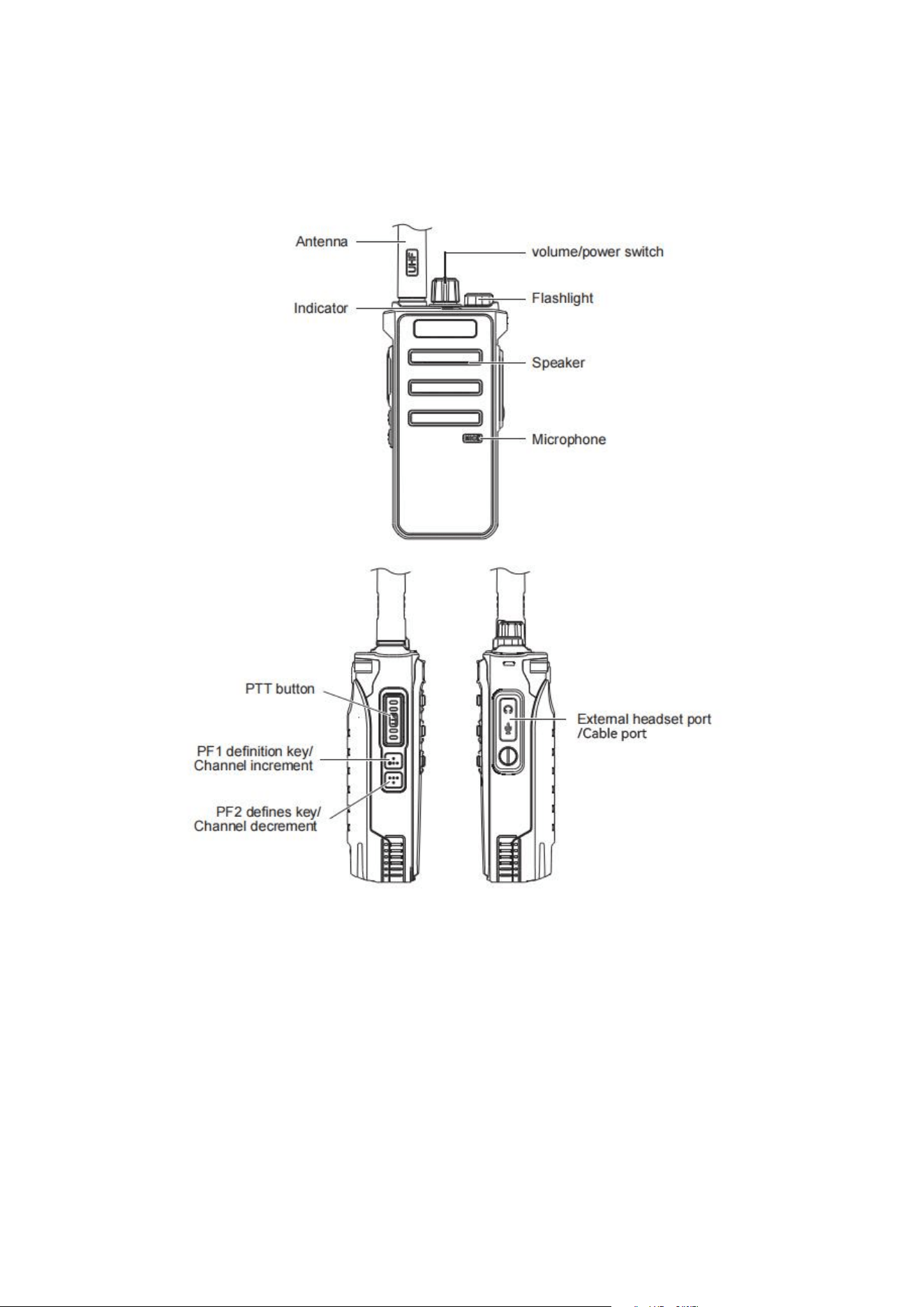
RT86 Quick Function Side Key Overview
1. VOX:
Press and hold the PF1/PF2 side key function definition button with VOX for 2 seconds to turn on
VOX function, and repeat the operation to adjust the VOX level. The higher the level, the lower
the voice when activating VOX. Turn off the VOX function by hearing a beep.
2. Flashlight:
Press and hold the definition key set with the flashlight function for 2 seconds to turn on the
flashlight function, repeat the operation to turn off the flashlight.
3. Alarm:
Press and hold the definition key with the alarm function set for 2 seconds to turn on the alarm
function, press the PTT button to cancel the alarm.Press the PF1/chann.
4. Channel lock:
Press and hold the definition key set with the channel lock function for 2 seconds, the radio will
emit a beep to indicate that the channel lock function is enabled, and the channel adjustment
cannot be performed at this time. Repeat the operation to turn off the channel lock Features.
5. Wireless Duplicate:
1. Press and hold the PF2 button, at the same time power on and keeps pressing the PF2 button
for about 1 second. After seeing the green light flashing and hearing three beeps, it enters the
wireless duplicate and receiving mode.
2. Press and hold the PF1 button, at the same time power on and keeps pressing the PF2 button
for about 1 second, see the red light flashing and hear three beeps, and then enter the wireless
duplicate transmission mode.
(1) Press the PTT button, the red light is flashing and data is being transmitted at this time, and
it will automatically exit this mode after rebooting.
(2) When the red and green lights of the receiving radio are flashing crosswise, data is being
received. When the receiver finished receiving the data, the power will restart.
Note: The wireless duplicate frequency and ID code of the transmitter and receiver must be the
same when transmitting data. The wireless duplicate frequency and ID code can be changed by
software.
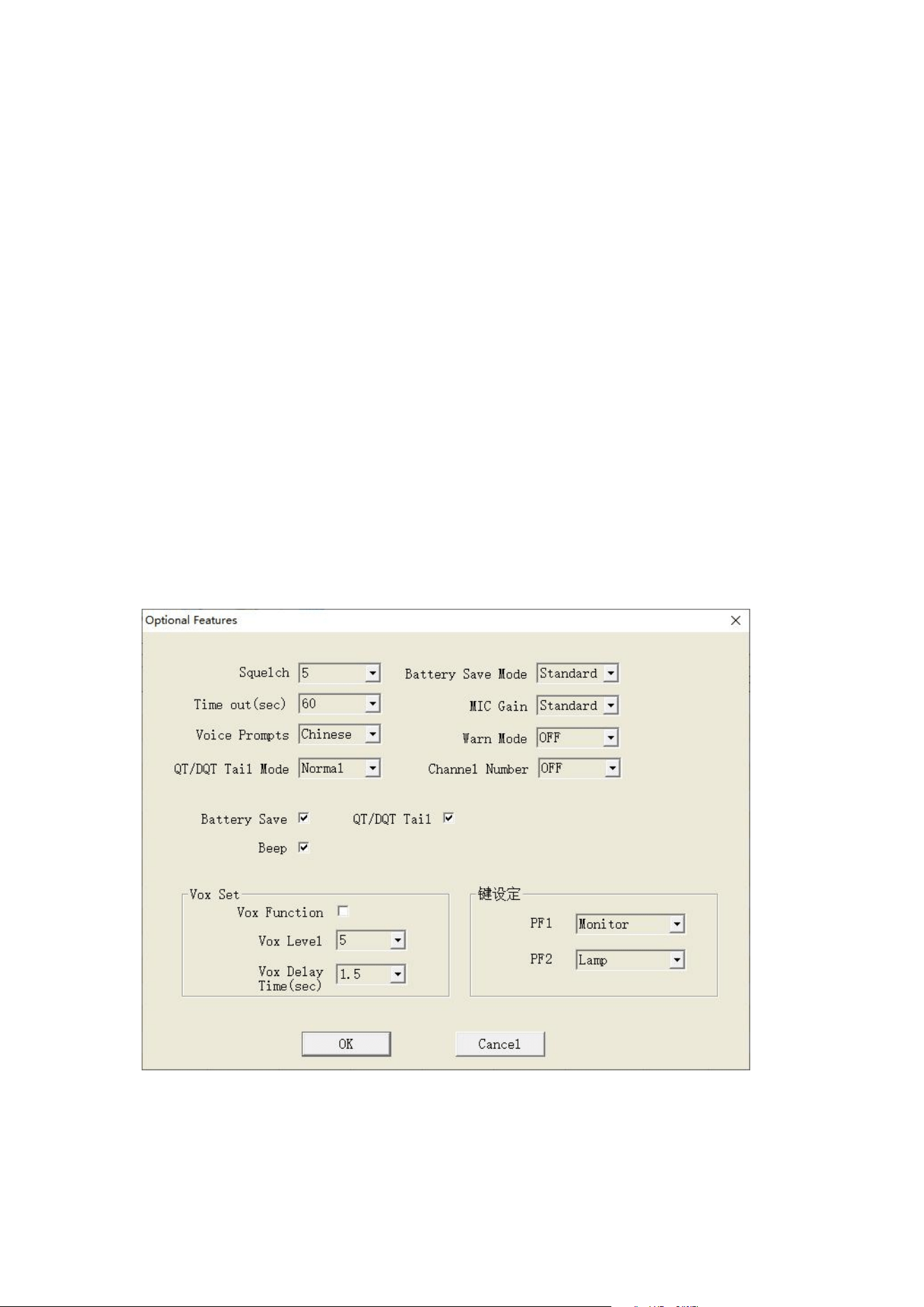
Please note that all of the above functions require software configuration of the RT86 side
buttons.