EN
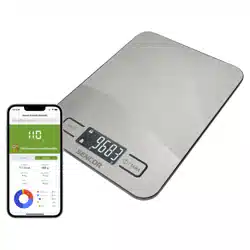
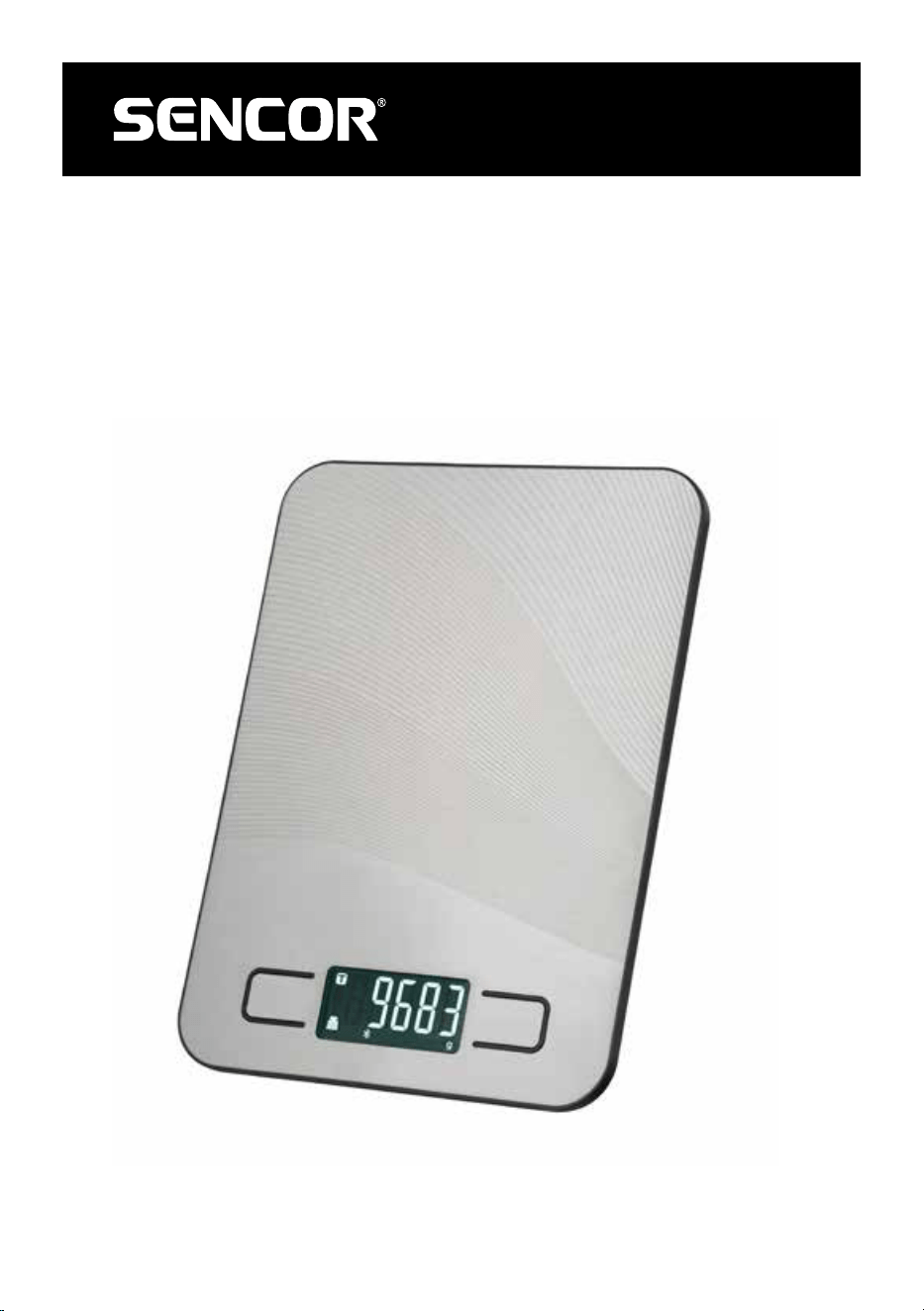
SMART BLUETOOTH KITCHEN SCALE
10 KG
Translation of the original manual
SKS 8080
SKS 8080
A
Model: SENCOR SKS 8080
1
2
3
4
5
B
3
5 6 7
4
2
1

- 1 -
07/2023
2023, .
EN Smart Bluetooth Kitchen Scale 10 kg
Safety Instructions andImportant Notices
READ CAREFULLY AND STORE FOR FUTURE USE.
• This appliance is designed for household use. Do not use it for commercial purposes, forweighing animals or forother purposes for which it is not
intended.
• This appliance may be used by children 8 years of age and older and by persons with physical, sensory or mental impairments or by inexperienced
persons, if they are properly supervised.
• Children must be supervised to ensure that they do not play with the appliance.
• Do not use the appliance outdoors, place it on unstable surfaces, on an electric or gas stove, in the vicinity of an open flame or other sources of heat.
• Do not expose the appliance to direct sunlight or high humidity and do not use it in excessively dusty environments.
• In use, it must be ensured that the appliance is placed on an even, smooth, hard andstable surface. Otherwise, inaccuracies in weighing may occur.
• If the maximum weighing capacity is exceeded, remove the ingredient or object ofexcessive weight from the weighing area to avoid possible
damage to the appliance.
• Do not use the appliance to support various items. When storing, it must be ensured that no objects are placed on the appliance.
• Always use new batteries of the same type. Never combine old andnew batteries or batteries of various types. Never put batteries in afire, short-
circuit or damage them in any way. Dispose of them in an environmentally friendly manner at the end of their useful life. Never dispose of batteries
in municipal waste.
• If you will not be using the appliance for an extended period of time, remove the batteries If the battery were to leak into the interior of the appliance,
the appliance could be damaged.
• Keep batteries out of the reach of children, because they may present adanger intheir presence. If the child swallows the battery, immediately seek
medical help.
• Keep the appliance clean. When cleaning, follow the instructions in the chapter "Cleaning and maintenance". Do not immerse the appliance in water
or other liquids or rinse it under running water.
• Do not repair or modify the appliance yourself. Have all repairs or adjustments performed at an authorised service centre. By tampering with the
appliance, you expose yourself to the risk of losing your legal rights regarding faulty performance or warranty for quality.
- 2 -
07/2023
2023, .
•
Thank you for purchasing our SENCOR product; we hope you
will be satisfied with it.
• Before using this appliance, please familiarise yourself with the
user’smanual, even if you are already familiar with using similar
types of appliances. Use the appliance only as described in this
user'smanual. Keep the manual for future reference.
• We recommend to keep the original packaging, packaging
materials, receipt, and proof of the seller'sliability or warranty
certificate for aminimum of the duration of statutory right of
faulty performance or warranty of quality. When transporting the
appliance, we recommend packaging it again in the original box
provided by the manufacturer.
. . . . . . . . . . . . . . . . . . . . . . . . . . . . . . . . . . . . . . . . . . . . . . . . . . . . . . . . . . . . . . . . . . . .
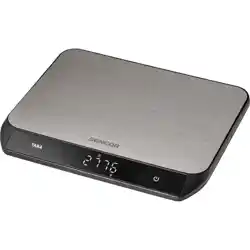
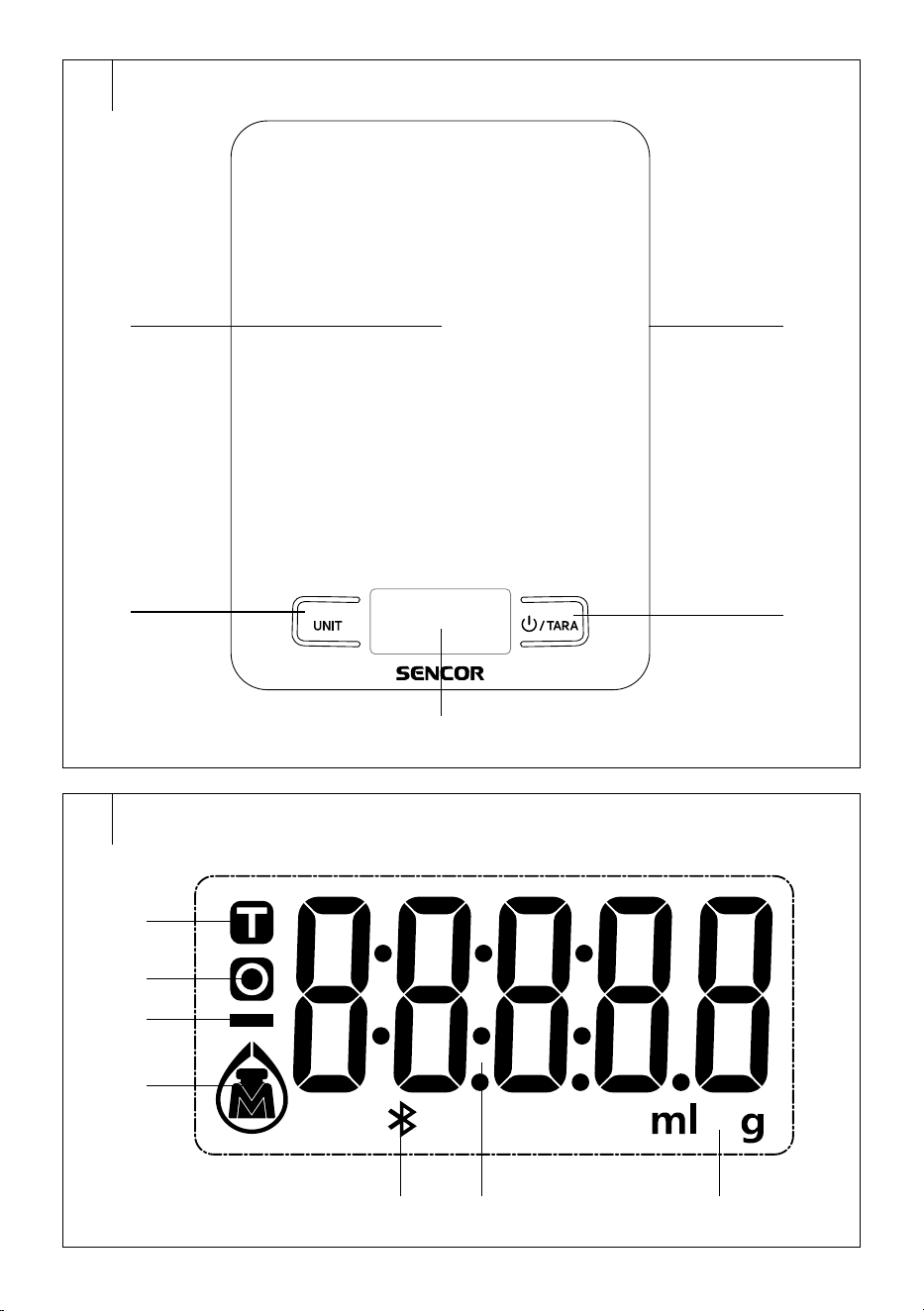
DESCRIPTION OF THE SCALE
A1 Weighing andmeasuring area
A2 UNIT button for switching
weighing andmeasuring units
A3 Display
A4 /TARA button for power on
/ reset
A5 Battery compartment (located
in the lower part of the scale)
. . . . . . . . . . . . . . . . . . . . . . . . . . . . . . . . . . . . . . . . . . . . . . . . . . . . . . . . . . . . . . . . . . . .
DESCRIPTION OF THE DISPLAY
B1 Tara function icon
B2 Weight reset function icon
B3 Negative sign
B4 Weighing mode icon, water/
milk volume measurement
mode icon
B5 Bluetooth icon
B6 Indication ofweight or volume
B7 Metric unit of volume (ml)
andweight (kg)
. . . . . . . . . . . . . . . . . . . . . . . . . . . . . . . . . . . . . . . . . . . . . . . . . . . . . . . . . . . . . . . . . . . .
POWER SOURCE
• Included in the package of this scale are 2x 1.5 Valkaline batteries,
type AAA. The batteries are already installed in the battery
compartment located at the bottom of the scale, however, they are
protected by insulating tape during transport to prevent them from
discharging before delivery to the end consumer and damaging the
appliance. To use the scale, remove the insulation tape.
• As soon as the LCD display shows “LO”, both batteries need to be
replaced with new ones.
• Remove the battery compartment cover andremove the discharged
batteries. Insert new batteries of the same type. Observe the correct
polarity, which is shown on the bottom of the battery compartment,
and fit the cover.
. . . . . . . . . . . . . . . . . . . . . . . . . . . . . . . . . . . . . . . . . . . . . . . . . . . . . . . . . . . . . . . . . . . .
SELECTION OF MODE AND UNITS OF WEIGHT AND VOLUME
• Press the UNIT button repeatedly to select the desired weighing
mode (in grams)/water volume measurement (in ml)/milk volume
measurement (in ml). The setting of the mode and the selection of the
unit are indicated by the display of the corresponding icons.
. . . . . . . . . . . . . . . . . . . . . . . . . . . . . . . . . . . . . . . . . . . . . . . . . . . . . . . . . . . . . . . . . . . .
USING THE SCALE
• Place the scale on aflat and stable surface.
• Press the button briefly to switch the scale on. Wait until “0” is
shown on the display.
• Place the ingredients to be weighed / volume measured in the centre
of the area. The weight/volume of the weighed ingredient will be
displayed on the display.
Note:
If you will be weighing ingredients in abowl, press the /
TARA button to reset the weight of the bowl/pot on the scale.
. . . . . . . . . . . . . . . . . . . . . . . . . . . . . . . . . . . . . . . . . . . . . . . . . . . . . . . . . . . . . . . . . . . .
TARA FUNCTION
• The TARA function is used when you want to gradually weigh several
foods in one container without removing the container from the scale.
This function will automatically subtract the weight of the container
from the total weight of the food.
• Place the empty container on the scale. Its weight and
symbol are
shown on the display. Pressing /TARA will reset the value to zero.
The
symbol remains lit.
• Put the first food into the container. The display will show its weight.
Pressing the /TARA button will reset the value and the
symbol
lights up. The weight of the first food is stored in the memory and the
scale is ready forfurther weighing.
• Put the second food in the container. The display will show its weight.
Press the /TARA to display the sum of the weight of the first and
second food. Pressing /TARA again saves the sum to memory and
resets the display to zero. The
symbol remains lit.
• Add more food in the same way up to the maximum weight capacity
(10 000 g).
• Once you remove thefood container from thescale, anegative value
will appear on the display.
. . . . . . . . . . . . . . . . . . . . . . . . . . . . . . . . . . . . . . . . . . . . . . . . . . . . . . . . . . . . . . . . . . . .
TURNING OFF
• If the scale remains idle for several minutes, it will automatically
switch off.
. . . . . . . . . . . . . . . . . . . . . . . . . . . . . . . . . . . . . . . . . . . . . . . . . . . . . . . . . . . . . . . . . . . .
ERROR MESSAGES
Display What to do
Lo Batteries are flat. Replace the batteries. For more informa-
tion, see the chapter “Power source”.
Err You have exceeded the maximum weighing capacity of
the scale. Remove the ingredients from thearea of the
scale so as not to damage it.
. . . . . . . . . . . . . . . . . . . . . . . . . . . . . . . . . . . . . . . . . . . . . . . . . . . . . . . . . . . . . . . . . . . .
LINKING THE SCALE AND THE SMART DEVICE
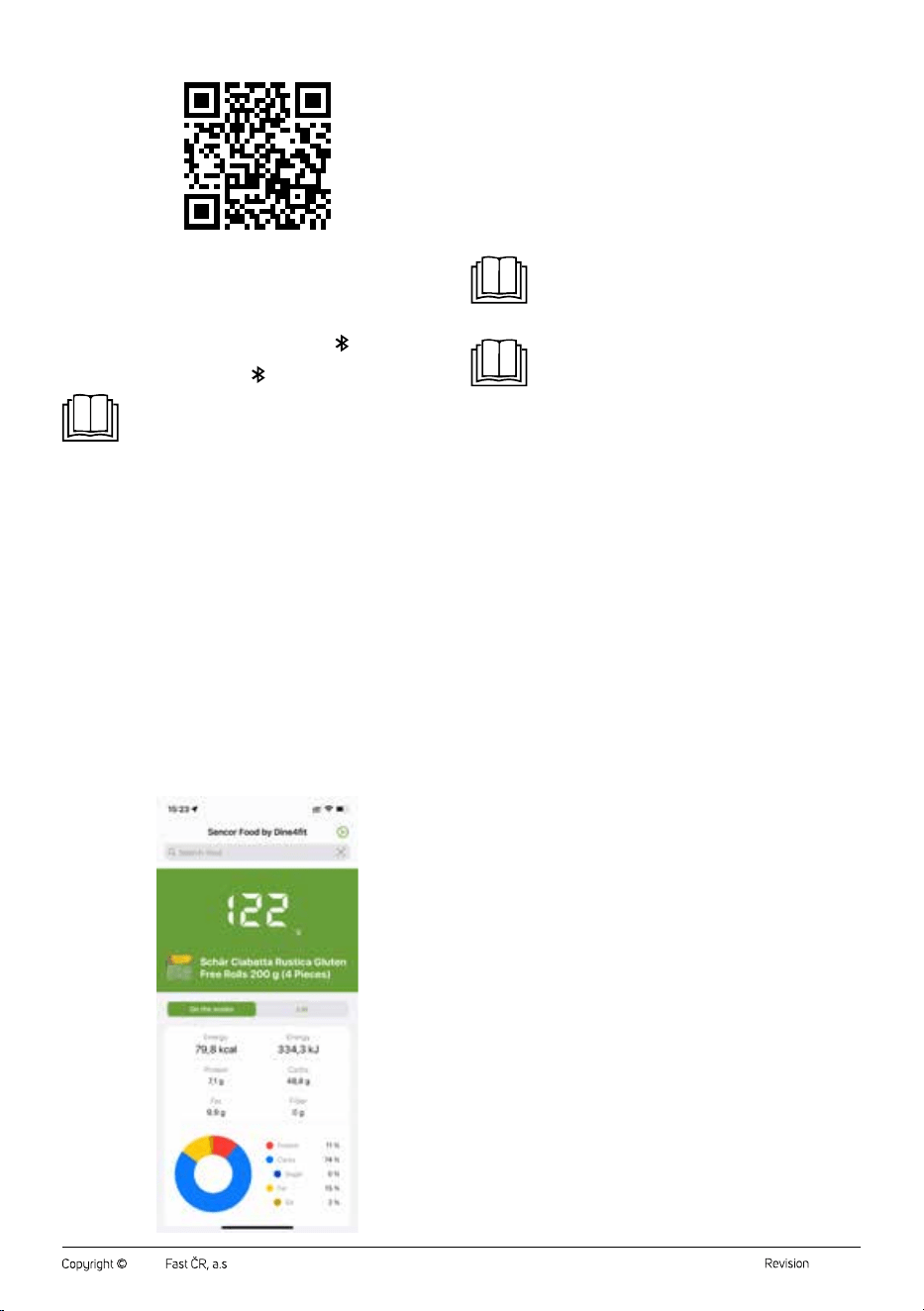
• The scale is equipped with Bluetooth wireless technology, which in
conjunction with the free Sencor FOOD app installed on your smart
device offers direct access to arich and regularly updated database of
foods and their nutritional values.
• The Sencor FOOD app was developed in collaboration with the
creators of the Calorie Tables / Dine4Fit app and is designed for
smartphones running iOS (version 13 and above) or Android (version
5 and above). When using the app, the phone must be connected to
theinternet.
EN
Smart Bluetooth Kitchen Scale 10 kg
User’sManual
- 3 -
07/2023
2023, .
• The connection of the scale to thephone takes place automatically
after starting the application. To pair, it is sufficient for the Bluetooth
function to be turned on on the smart device. If the app does not find
the scale, it will actively prompt you to try to reconnect the scale.
• When the scale is paired with the application, the
Bluetooth icon
is lit on the display. When the scale is not paired with the app or the
connection has been broken, the Bluetooth icon will be extinguished.
Note:
The scale can only connect toone mobile device at atime.
If you have problems with pairing, make sure that there
is no other device withinreach that is actually actively
connected to thescale.
The app offers two weighing modes:
1. “On the Scale” Mode
Displays the weight of the currently weighed item. After you tell
the scale what food you weigh using the “Search Food” field, it will
display the nutritional values of the food in relation to the current
weight.
2. “List” Mode
It allows you to determine the aggregate nutritional value of more
food. This mode is useful, for example, when preparing adish
according to arecipe. Gradually add the food to the scale, using
the “Search Food” field to enter what food it is. Once you have
determined the weight andtype of food, use the “+ Add food to list”
button to add it to the total nutritional sum. Use the /TARA button
on the scale for adding to weight as needed during weighing. The
scale continuously shows the total weight of the ingredients and
calculates the weights of the individual nutritional components (for
example, how many grams of carbohydrates the weighed food
contains in total) throughout the weighing in the “List” mode.
Entering/Searching for aWeighed Food
You can find asummary of the nutritional values of aweighed food by
entering the name of the food in the “Search Food” status bar. Click on the
status bar and the cursor andkeyboard will appear. Enter the name of the
food or akeyword, the application will search for the relevant food or alist
of foods withakeyword, andselecting afood will display its nutritional
values.
You can find the nutritional summary more quickly, practically
andaccurately by scanning aunique EAN barcode from the food
packaging. Click on the barcode icon to the right of the “Search Food”
status bar and scan the barcode. Asummary of nutritional values is
displayed.
Note:
If you didn't allow the app to use the camera and video
recording feature when you installed the app (or when
adjusting the settings), enable the feature. Otherwise it will
not be possible to scan the barcodes.
Note:
The SENCOR FOOD app is linked tothe Calorie Tables
app. At the end of the weighing, you can enter your food
into your diet in the Calorie Tables with one click and keep
along-term overview of your food intake (ATTENTION:
Some advanced features of the Calorie Tables app may be
subject to afee).
Possible Problems with theApp andTheir Solutions
The data from the scale cannot be displayed in the application.
• Check that you have enabled the Bluetooth feature on your phone/
tablet.
• Check that you are within therange of the Bluetooth signal.
• Check that the batteries in the scale are not dead. Replace the
batteries with new ones.
• Restart the app.
• Reset the operating system and the Bluetooth connection.
• The app does not search for the weighted food item.
• Please check your current internet connection.
• Bluetooth connection failed.
• Check that only one device is connected to the scale.
• Check that the Bluetooth version on your device is 4.0 andlater.
• If you are near other devices transmitting in the same frequency band
as Bluetooth (Wi-Fi router, DAB radio, microwave oven, other smart
phone, etc.), interference may occur. Try moving the scale or smart
device to adifferent location.
. . . . . . . . . . . . . . . . . . . . . . . . . . . . . . . . . . . . . . . . . . . . . . . . . . . . . . . . . . . . . . . . . . . .
CLEANING AND MAINTENANCE
• Use asoft sponge slightly dampened in warm water to clean the
scale. Wipe dry with aclean cloth.
• Do not use wire cloths, abrasive cleaners, thinners, etc. for cleaning.
Otherwise the surface may be damaged.
• Do not immerse the scale in water or other liquid or rinse it under
running water.
. . . . . . . . . . . . . . . . . . . . . . . . . . . . . . . . . . . . . . . . . . . . . . . . . . . . . . . . . . . . . . . . . . . .
TECHNICAL SPECIFICATIONS
Power source ........................................................................ 2x 1.5 VAAA batteries
Weight capacity ....................................................................................................10 kg
Weighing accuracy ...................................................................................................1 g
Unit selection .......................................................................................................... g/ml
We reserve the right to change the text and technical specifications.
SENCOR hereby declares that the radio device type SKS 8080 con-
forms to the 2014/53/EU directive. The full text of the EU Declaration of
Conformity is available at: www.sencor.eu.
. . . . . . . . . . . . . . . . . . . . . . . . . . . . . . . . . . . . . . . . . . . . . . . . . . . . . . . . . . . . . . . . . . . .
- 4 -
07/2023
2023, .
INSTRUCTIONS AND INFORMATION ON DISPOSAL OF USED
PACKAGING MATERIAL
Dispose of used packaging material at asite designated for waste in your
municipality.
DISPOSING OF USED ELECTRICAL AND ELECTRONIC EQUIPMENT
This symbol on the products or accompanying documents
indicates that used electrical and electronic products
should not be disposed of with regular municipal waste.
For proper disposal and recycling, take these products to
designated collection points. Or in some European Union
states or other European countries the products can be
returned to the local retailer when buying an equivalent
new product. Disposing of this product correctly helps save
valuable natural resources and prevents damage to the environment by
improper waste disposal. Ask your local authorities or collection facility for
more details. In accordance with national regulations penalties may be
imposed for the incorrect disposal of this type of waste.
For Business Entities in European Union States
If you want to dispose of electric or electronic devices, ask your retailer or
supplier for the necessary information.
Disposal in Other Countries Outside the European Union
This symbol is valid in the European Union. If you wish to dispose of this
product elsewhere, request the necessary information about the correct
disposal method from the local council or from your retailer.
This product complies with all the essential requirements of
the EU directives that apply to it.
DISPOSAL OF USED BATTERIES
Batteries contain environmentally damaging compounds
and therefore do not belong in standard municipal waste.
Take used batteries for proper disposal at adesignated
battery collection point.

FAST ČR, a.s.
U Sanitasu 1621
CZ-251 01 Říčany
www.sencor.eu