PSU
10 lighting modes:
Rainbow steady
Rainbow breathing
Rainbow flow: clockwise
Rainbow flow: anti-clockwise
Single color scroll: clockwise
Single color scroll: anti-clockwise
1
2
3
4
5
6
7
8
9
10
Single color gradient
Single color breathing
Single color steady
Lighting OFF(After connecting the LED
button of the chassis to the
controller, long press on this button
to turn off lighting mode.)
Restart lighting: After connecting the LED button of the chassis to the controller,
long press or click once on the LED button to restart lighting.
Motherboard lighting control or control through RGB controller: After connecting the
LED button of the chassis to the controller, double click on the LED button to
switch between lighting control functions.
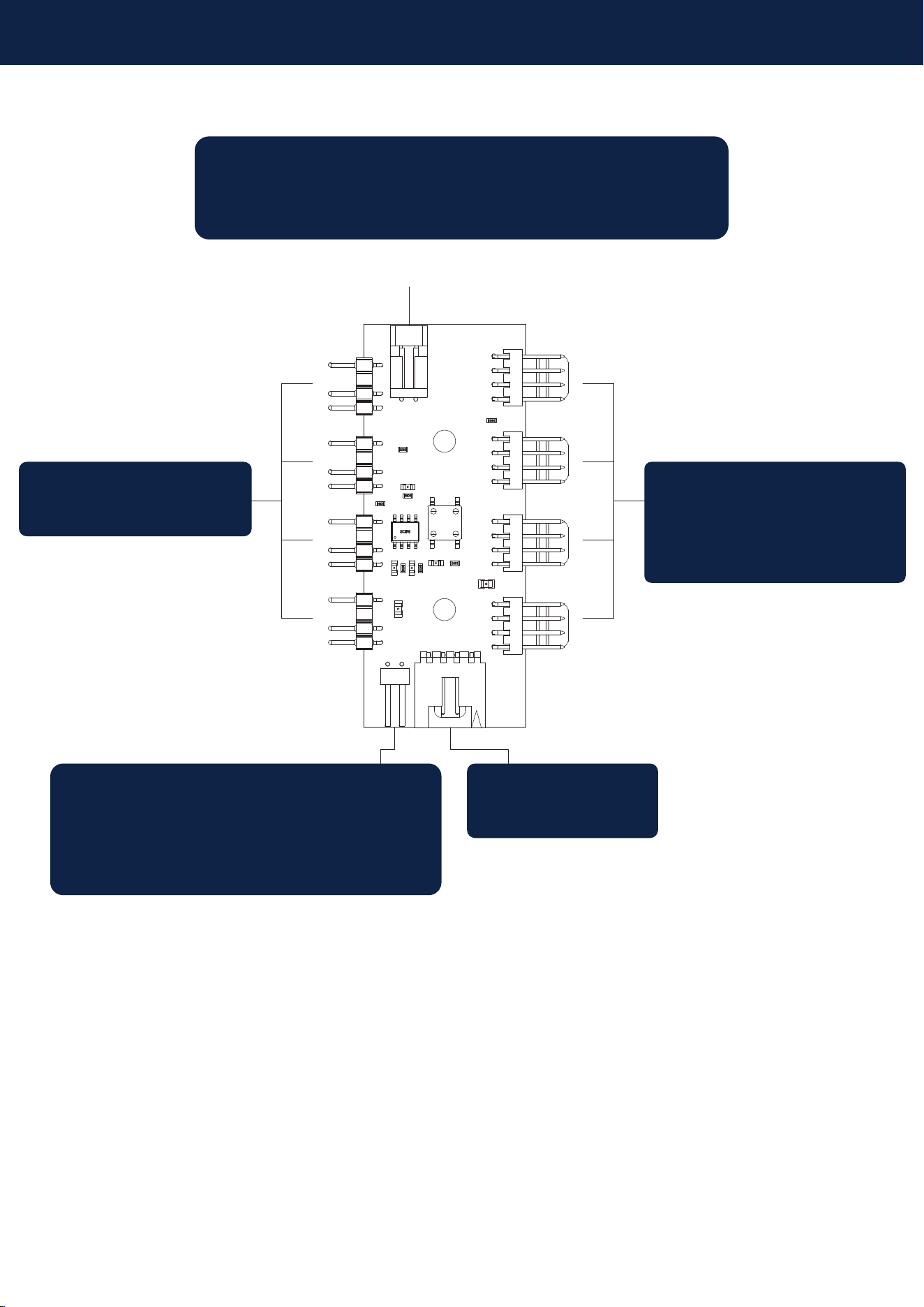
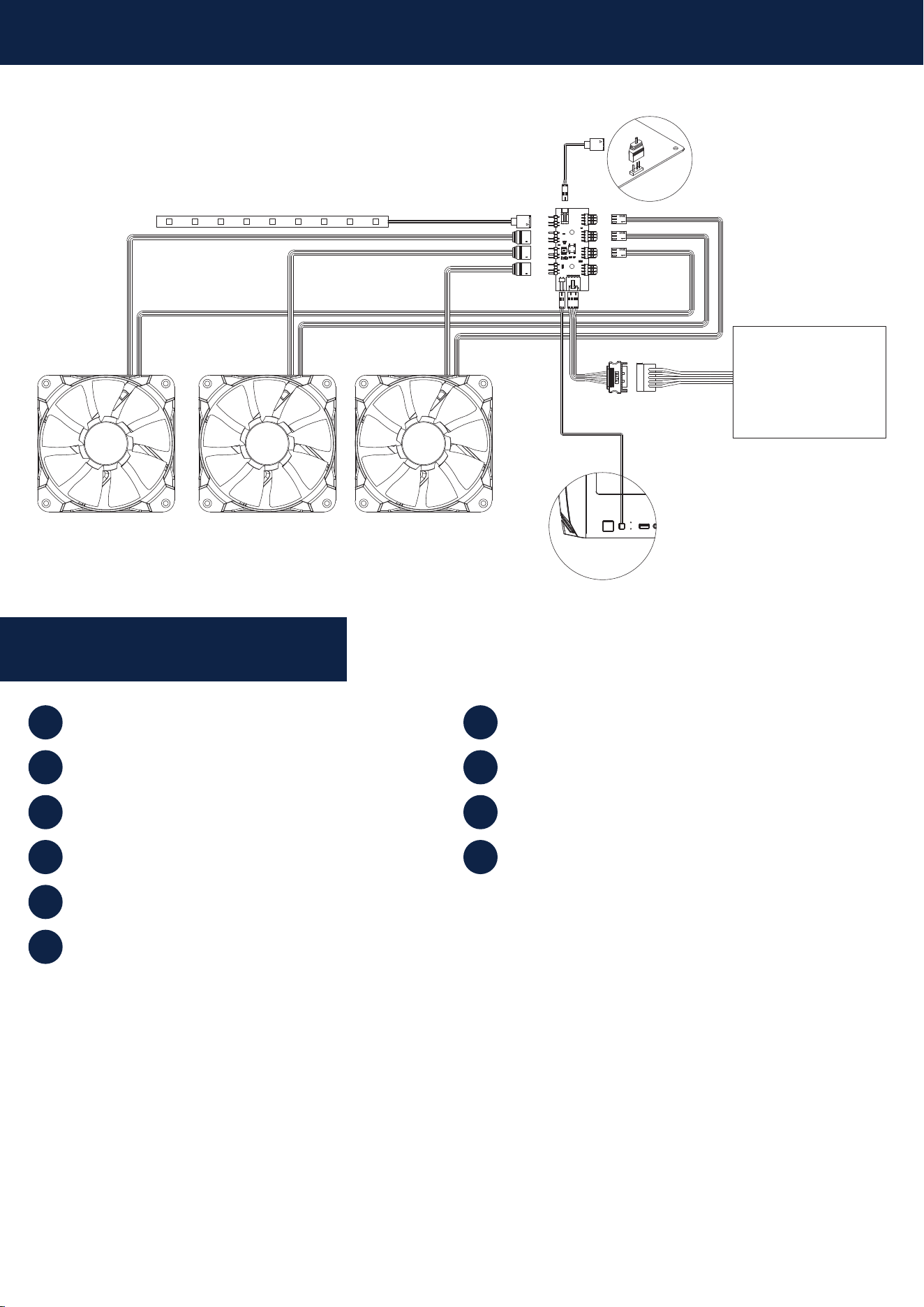
Connects to the motherboard ARGB header,
to synchronize ARGB lighting effects with the
motherboard (support 4-1 pin)
4 x ARGB headers
4 x 3pin / 4 pin
fan headers
(only supports fans
rotating at full speed)
Connects to the 2pin LED button
on the front IO to easily change
lighting effects by pressing the
LED button
SATA Power