Quick Start Guide - CHU200TL
Included in the Box
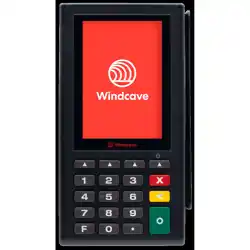
• CHU200TL Payment Terminal
• Cables/Accessories
• Quick Start Guide
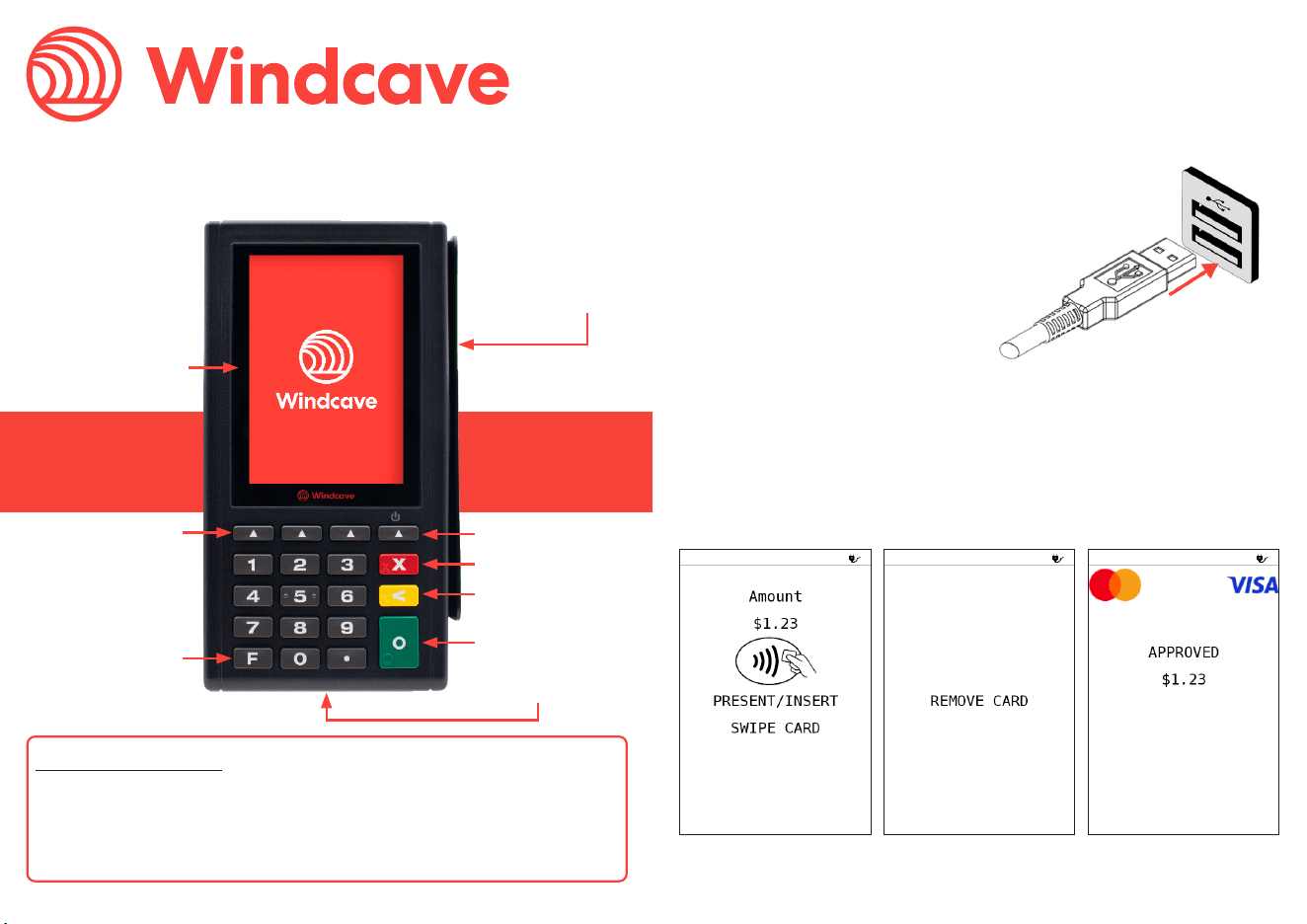
EMV Reader
(Insert Here)
Magstripe Reader
(Swipe Here)
Enter
Cancel
Clear
Function
Contactless/
NFC Reader
(Tap Here)
Wake-Up
Soft Keys
Get Connected
You can power on your CHU200TL by connecting the supplied cable
to a external power source:
Turning on the Device
1. Your Windcave CHU200TL
payment terminal is shipped
with its cable already tted.
2. Connect the opposite end of
the cable to a powered USB or
RS232 serial port.
3. If power is being supplied the
CHU200TL screen will light up.
Start Transacting
Performing a Transaction
Please refer to your Point of Sale systems user guide regarding how
to initiate a payment, once initiated the CHU200TL will prompt the
cardholder through the payment process.
Contact Information
Please see https://www.windcave.com/contact for a full list of
contact details or use one of the below contact methods:
Email: [email protected]
New Zealand: 0800-729-6368
Australia: 1-800-006-254
United States: 1-213-378-1190
United Kingdom: 0800-088-6040
The external face of the EFTPOS terminal should be carefully cleaned
on a regular basis. This is to ensure that the front plate is free of
dirt and solvents which could damage the device or prevent users
from using the device as intended. Windcave recommend cleaning
the device with a damp cloth or mild soap solution. Do not use any
solvents as this may damage the device surface.
Do not attempt to open or modify the unit, this will cause the unit to
be TAMPERED and render it inoperable. If repairs are required, or the
device is no longer needed; the device must be returned to Windcave.
Maintenance
© 2025 Windcave Limited. All rights reserved.
All information in this document is subject to change without notice, and the contents of this document do not
constitute an offer or warranty of any kind. Reproduction or publishing this document without Windcave approval
is prohibited.
This device complies with Industry Canada’s license-exempt RSSs. Operation is subject to the following
two conditions:
1. This device may not cause interference;
2. This device must accept any interference, including interference that may cause undesired operation
of the device.
Le présent appareil est conforme aux CNR d’Industrie Canada applicables aux appareils radio exempts
de licence. L’exploitation est autorisée aux deux conditions suivantes:
1. l’appareil ne doit pas produire de brouillage;
2. l’utilisateur de l’appareil doit accepter tout brouillage radioélectrique subi, même si le brouillage est
susceptible d’en compromettre le fonctionnement.
This device complies with Part 15 of the FCC Rules. Operation is subject to the following two conditions:
1. This device may not cause harmful interference, and
2. This device must accept any interference received, including interference that may cause undesired
operation.
Changes or modications not expressly approved by the party responsible for compliance could void the
user’s authority to operate the equipment.
Note: This equipment has been tested and found to comply with the limits for a Class A digital device,
pursuant to part 15 of the FCC Rules. These limits are designed to provide reasonable protection against
harmful interference when the equipment is operated in a commercial environment. This equipment
generates, uses, and can radiate radio frequency energy and, if not installed and used in accordance
with the instruction manual, may cause harmful interference to radio communications. Operation of
this equipment in a residential area is likely to cause harmful interference in which case the user will be
required to correct the interference at his own expense.
IC: 26550-CHU200TLRC
FCC ID: 2AC2O-CHU200TLRC
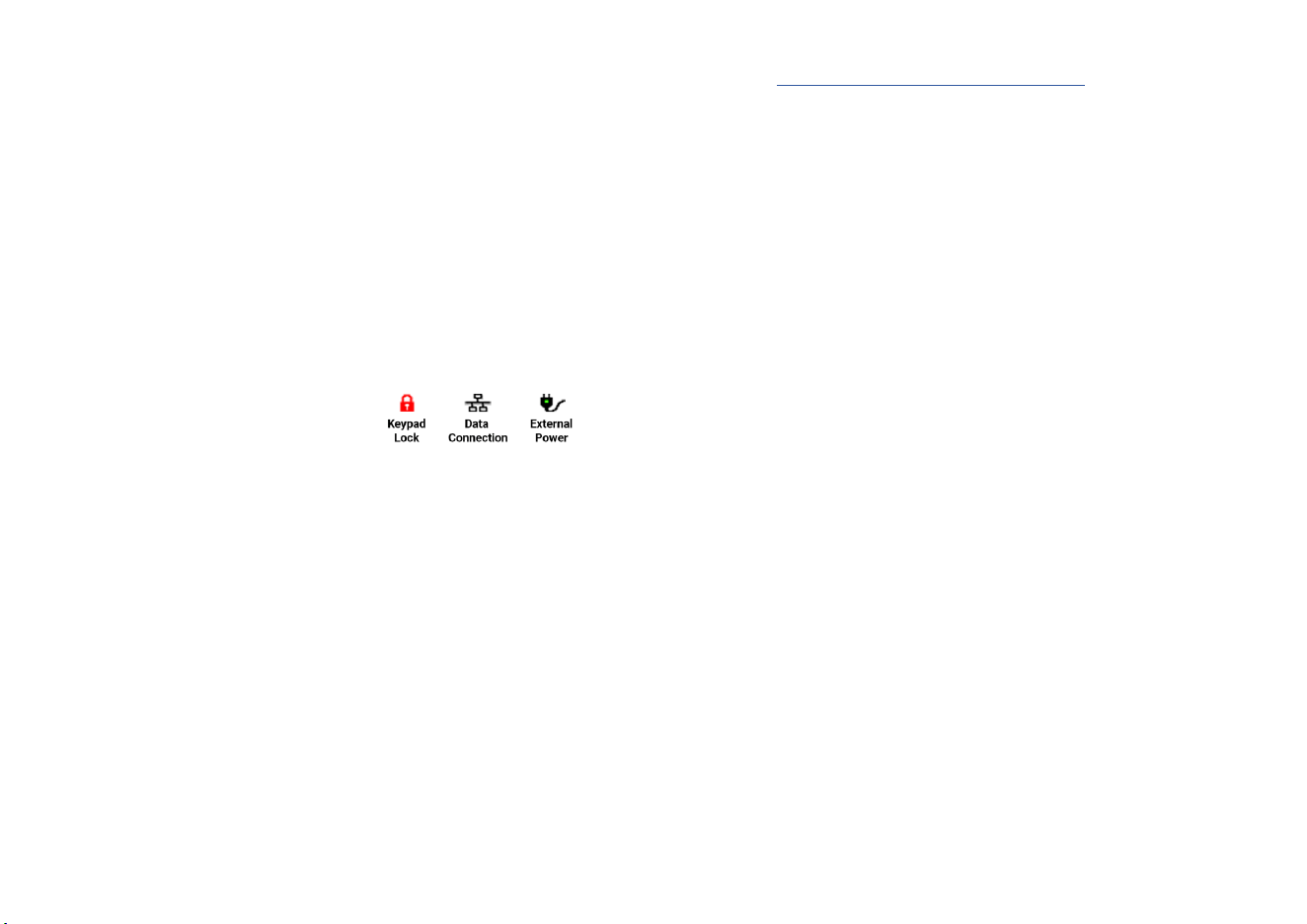
Checking Device Status
The icons at the top of the screen
indicate the current status of the
CHU200TL.
Troubleshooting
Timeout
If the CHU200TL displays a timeout error, this indicates that the unit
is having diculties connecting to the Windcave Host to process
transactions. The below steps can be taken to test the network
connectivity of the unit:
1. Ensure the CHU200TL is connected to the Internet
a. Check you can browse to the Windcave home page
(www.windcave.com) using another device connected to the
same network i.e. a PC or laptop
2. Perform a logon via POS to test connectivity to the Windcave Host