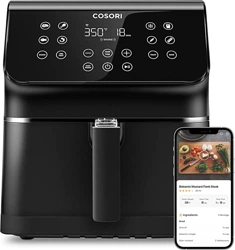
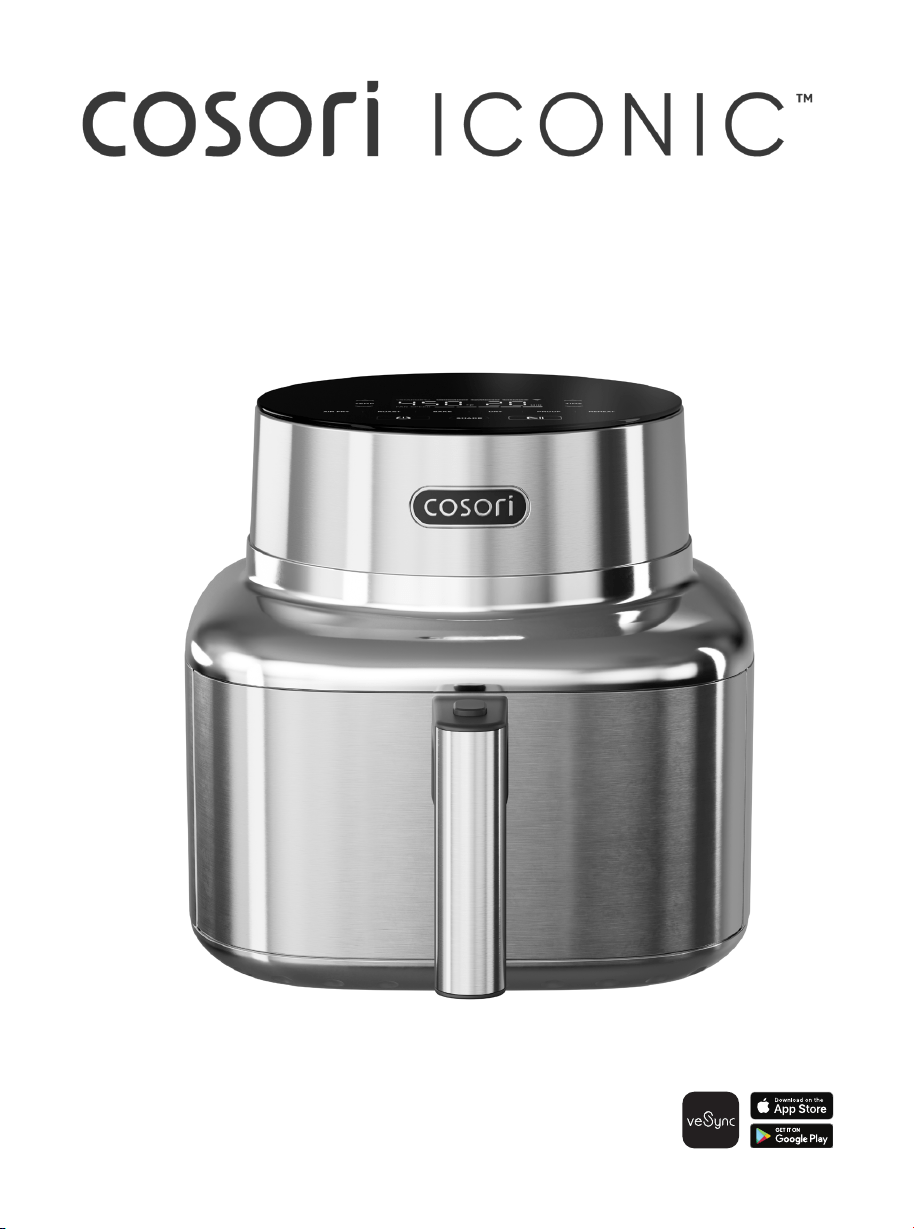
THE STAINLESS STEEL 6.5-QUART SMART AIR FRYER
User Manual
3
Your culinary masterpiece awaits.
Thank you for your purchase!
Customize Your Experience
Download and connect your smart air fryer to
the VeSync app to enjoy smart features, recipe
inspiration, and more.
Contact Our Chefs
For recipes that need a touch of magic, reach
out to our chefs at:
Email: recipes@cosori.com
Toll-free: 1-888-402-1684
Mon–Fri, 9:00 am–5:00 pm PST/PDT
Elevate your menu with our recipe gallery
at cosori.com
Enjoy weekly, featured recipes handcrafted
by our chefs in the Cosori kitchen
Table of Contents
3
3
4
7
8
11
13
19
21
23
Package Contents
Specifications
Model CAF-SE601S-CUS
Power Supply 120V, 60Hz
Rated Power 1,725W
Capacity
6.5 qt / 6.2 L
(serves 3–5 people)
Temperature
Range
90°–450°F /
30°–230°C
Time Range 1 min–24 hr
Dimensions
(including
handle,
L x W x H)
14.8 x 11.8 x 11.6 in /
37.7 x 30.0 x 29.5 cm
Dimensions
(not including
handle)
11.8 x 11.8 x 11.6 in /
30.0 x 30.0 x 29.5 cm
Weight 14.1 lb / 6.4 kg
Package Contents
Specifications
Important Safeguards & Warnings
VeSync App Setup
Getting To Know Your Smart Air Fryer
Before First Use
Using Your Smart Air Fryer
Troubleshooting
Limited Warranty Information
Customer Support
1 × Cosori Iconic™
6.5-Quart Smart Air Fryer
1 × Crisper Plate
1 × User Manual
1 × Quick Start Guide
1 × Recipe Book

4 5
Follow basic safety precautions when using your air fryer. Read all instructions.
READ AND SAVE THESE
INSTRUCTIONS
Important Safeguards & Warnings
KEY SAFETY POINTS
GENERAL SAFETY
• Do not touch hot surfaces.
Use handle.
• Use caution when turning the
basket over after cooking, as the
hot crisper plate may fall out and
create a safety hazard.
• Firmly insert the crisper plate into
the basket to reduce the chance
of it falling out.
• Do not block any ventilation
openings. Hot steam is released
through openings. Keep your
hands and face clear of openings.
• Always use tongs to carefully
remove hot food.
• To protect against electric shock,
do not immerse the air fryer
housing, cord, or plug in water or
other liquids.
• Close supervision is necessary
when any appliance is used by or
near children. Unplug when not in
use, and before cleaning. Allow to
cool before putting on or taking
o parts.
• Do not operate any appliance
with a damaged cord or plug, or
after the appliance malfunctions
or has been damaged in any
manner. Return appliance to
the nearest authorized service
facility for examination, repair, or
adjustment. Contact Customer
Support (page 23).
• Do not use your air fryer if it is
damaged, not working, or if the
cord or plug is damaged. Contact
Customer Support (page 23).
• The use of accessory attachments
is not recommended by Cosori
and may cause injuries.
• Do not use outdoors.
• Do not place the air fryer or any
of its parts on a stove, near gas
or electric burners, or in a heated
oven.
• Use extreme caution when
removing the basket and crisper
plate or disposing of hot grease.
• Always place the crisper plate and
basket on a heat-resistant surface
after removing from the air fryer.
• Do not clean with metal scouring
pads. Metal fragments can break
o the scouring pad and touch
electrical parts, creating a risk of
electric shock.
• Do not place anything on top of
your air fryer. Do not store anything
inside your air fryer.
• This air fryer is not intended for
use by persons (including children)
with reduced physical, sensory,
Safety Information (cont.)
WHILE AIR FRYING
• An air fryer works with hot air only.
Never fill the basket with oil or fat.
• Never use your air fryer without
the basket in place.
• Do not place oversized foods or
metal utensils into your air fryer
as they may create a fire or risk of
electric shock.
• Do not overfill the basket. Heaping
amounts of food may touch the
heating coils and cause a fire
hazard.
or mental capabilities, or lack of
experience and knowledge, unless
they have been given supervision
or instruction concerning use of the
air fryer by a person responsible for
their safety.
• Cleaning and user maintenance
shall not be done by children
without supervision.
• Children should be supervised to
ensure that they do not play with
the air fryer.
• This air fryer is not intended to be
operated by means of an external
timer or separate remote-control
system.
• To disconnect, turn any control to
“o”, then remove plug from wall
outlet.
• Do not use the air fryer for
anything other than intended use.
• Any servicing should be performed
by an authorized service
representative, contact Customer
Support (page 23).
• For instructions on cleaning
the accessories, see Care &
Maintenance (page 17).
• Not for commercial use. Household
use only.
• Do not touch accessories
(including the crisper plate) during
or immediately after air frying.
• Do not place paper, cardboard,
non-heat-resistant plastic, or
similar materials into your air fryer.
• Never put baking or parchment
paper into the air fryer without
food on top. Air circulation can
cause paper to lift and touch
heating coils.
• If lining the basket with foil, make
sure it does not contact the
heating elements, which can
cause overheating and risk of fire.
• Always use heat-safe containers.
Be extremely cautious if using
containers that aren’t metal or
glass.
• To reduce the risk of fire, keep your
air fryer away from flammable
materials (curtains, tablecloths,
etc.). Use on a flat, stable, heat-
resistant surface away from heat
sources or liquids.
• Immediately turn o and unplug
your air fryer if you see dark
smoke coming out. White smoke
is normal, caused by heating fat
or food splashing, but dark smoke
means that food is burning or
there is a circuit problem. Wait
for smoke to clear before pulling
the basket out. If the cause was
not burnt food, contact Customer
Support (page 23).
• To turn the air fryer o, tap
once. The air fryer will beep, and
all buttons will shut o except the
button, which will turn orange.
• Do not leave your air fryer
unattended while in use.
• Do not use AIR FRY or ROAST
cooking functions for thin,
lightweight food. Air circulation
may cause food to lift and touch
the heating coils.
CAUTION HOT: After cooking is
complete, do not touch the outer
surface of the air fryer for 30 minutes
as it may be hot.
6 7
EXTENSION CORDS
• Longer extension cords are
available and may be used if care
is exercised in their use. If a longer
extension cord is used:
• The marked electrical rating
of the extension cord should
be at least as great as the
electrical rating of the air fryer.
• The cord should be arranged
so that it will not drape over the
countertop or tabletop where it
can be pulled on by children or
tripped over unintentionally.
• If the appliance is of the
grounded type, the cord set
or extension cord should be a
grounding-type 3-wire cord.
Safety Information (cont.)
1. To download the VeSync app, scan
the QR code or search “VeSync” in the
Apple App Store
®
or Google Play Store.
Note: For Android™ users,
choose “Allow” to use VeSync.
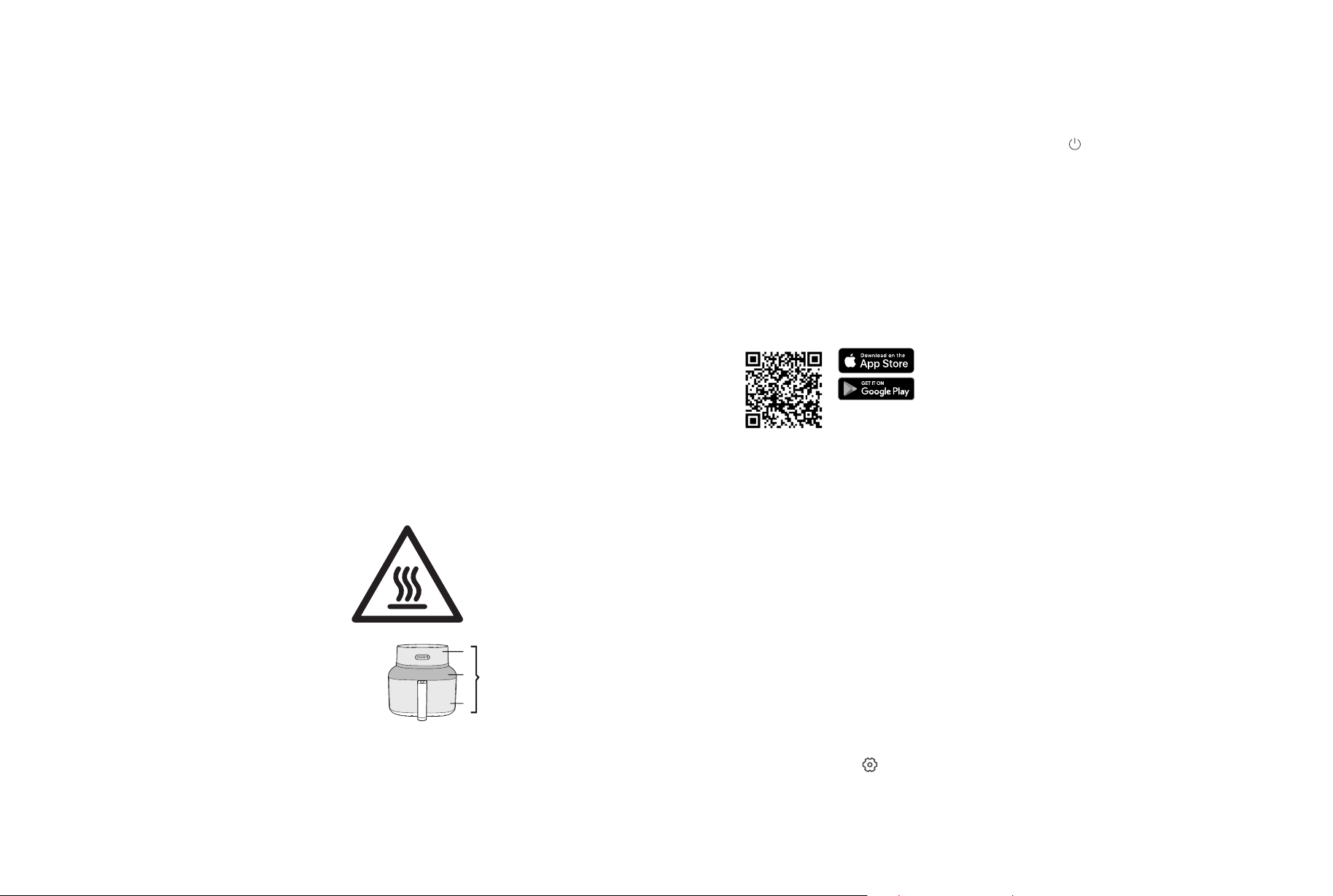
WARNING: Items marked with
the following symbol may reach
high temperatures and should be
handled carefully.
SAVE THESE INSTRUCTIONS
Note:
• The VeSync app is continually being
improved and may change over time.
If there are any dierences, follow the
in-app instructions.
• Requires device to run app, Wi-Fi or
mobile data, and iOS version 15 or
Android version 8 (or above). Standard
data and messaging rates may apply.
Registration is required.
VeSync App Setup
2. Open the VeSync app. If you already
have an account, tap Log In. To
create a new account, tap Sign Up.
WARNING: Any other servicing
should be performed by an
authorized service representative.
The VeSync app allows you to access
additional smart air fryer functions,
including those listed below.
DISCONNECTING FROM
WI-FI
®
REMOTE CONTROL
IN-APP RECIPES
THIRD-PARTY
VOICE CONTROL
• To disconnect Wi-Fi, press and hold
the for 15 seconds until the Wi-Fi
indicator turns o. This will restore the
smart air fryer’s default settings and
disconnect it from the VeSync app.
• To reconnect, please follow the
instructions in the VeSync app for
adding a device.
• All smart air fryer functions can
be controlled remotely, except for
starting the cooking process (to
comply with UL safety regulations).
• Cooking progress can be
monitored from a distance.
• Recipes made by Cosori’s in-house chefs
are available on the app. These recipes
automatically set the recommended
time and temperature on your air fryer.
• Create and save custom recipes.
• Compatible with Amazon Alexa and
Google Assistant™ for voice commands.
Note:
• You can change the name and icon at
any time by going to the smart air fryer
screen and tapping .
• You can use the VeSync app to connect
your smart air fryer to Amazon Alexa or
Google Assistant™.
Note: The VeSync app is continually updated
and app features will expand.
Note: You must create your own VeSync account
to use third-party services and products. These
will not work with a guest account. With a
VeSync account, you can also allow your family
and friends to control your smart air fryer.
VeSync App Features
3. Plug in your smart air fryer to enter
pairing mode.
4. Tap + and select your smart air fryer.
5. Follow the in-app instructions to set
up your smart air fryer.
POWER & CORD
• Turn o the air fryer before
removing the plug from the outlet.
• To unplug, grab the plug and pull
from the outlet. Never pull from the
power cord.
• Do not let the power cord (or any
extension cord) hang over the
edge of a table or counter or
touch hot surfaces.
• Always plug in to a grounded
electrical outlet. Do not modify
the plug in any way. Never use an
outlet below the counter when
plugging in your air fryer.
• Never use an outlet below the
counter when plugging in your air
fryer.
• Your air fryer has a 3-prong
grounding plug, and should only
be used with 120V, 60Hz electrical
systems in North America. Always
plug in to a grounded electrical
outlet. Do not modify the plug in
any way.
• Your air fryer should only be
used with 120V, 60Hz electrical
systems. Do not plug into another
type of outlet.
• Keep the air fryer and its cord out
of reach of children.
• A short power-supply cord
is provided to reduce the
risk resulting from becoming
entangled in or tripping over a
longer cord.
• If the power-supply cord is
damaged, it must be replaced
by Arovast or similarly qualified
persons in order to avoid an
electric or fire hazard. Please
contact Customer Support
(page 23).
CAUTION:
Hot surface.
Avoid touching the air fryer’s metal
surfaces, especially hot areas, during
operation and 30 minutes after cooking
has completed to prevent burns.
Hot Metal
Surface Areas
8 9
Getting to Know Your Smart Air Fryer
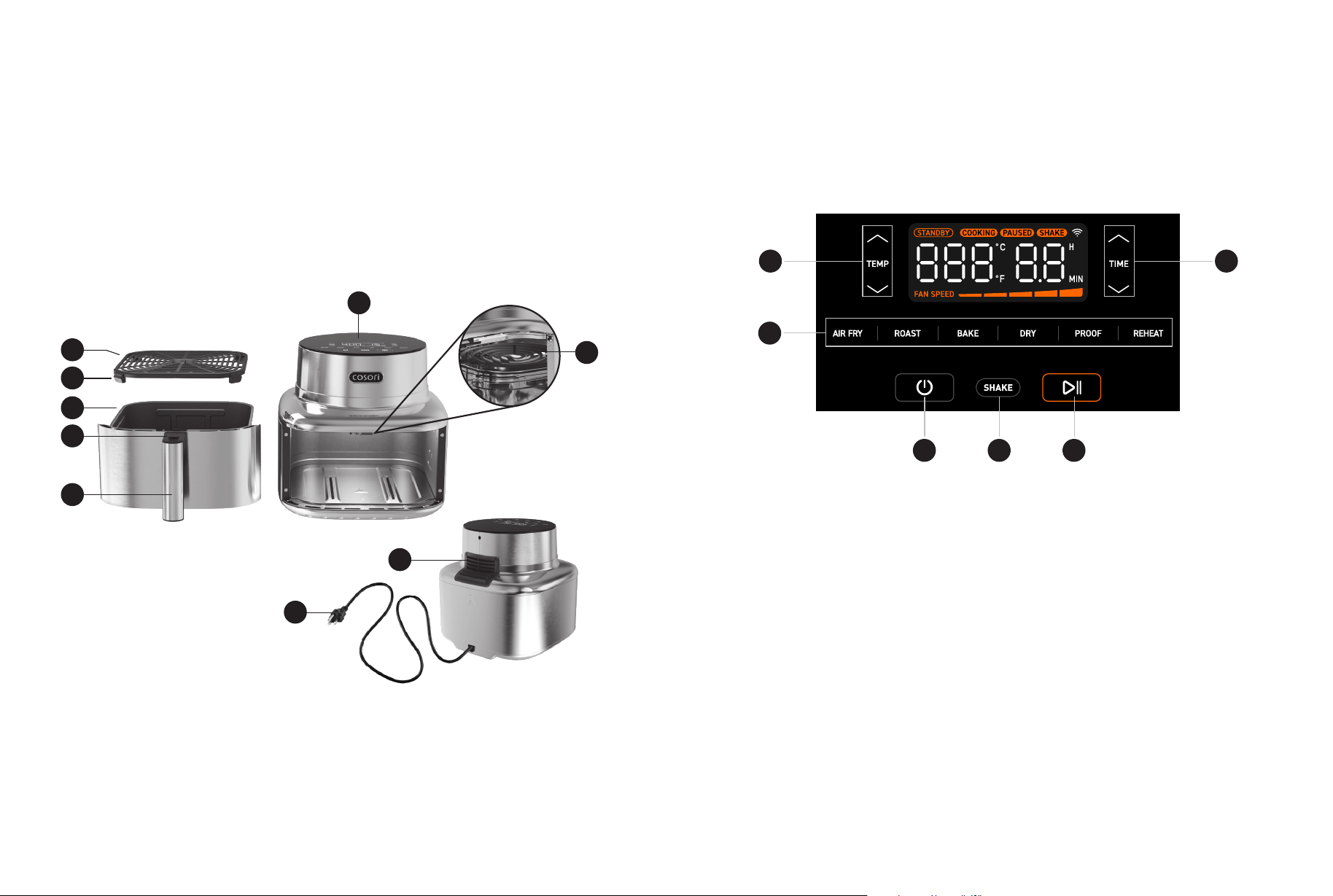
A. Crisper Plate
B. Silicone Stoppers
C. Basket
D. Basket Release Button
E. Basket Handle
F. Control Panel
G. Heating Elements
H. Air Outlet
I. Power Cord
AIR FRYER DIAGRAM
Note:
• Do not try to open the top of the air fryer. This is not a lid.
• The basket is made of stainless steel with nonstick, ceramic coating.
Your smart air fryer uses a DC motor which heats up the air fryer quicker and allows for
precise air flow and variable fan speed, so your food cooks exactly the way you want it.
Front
Back
D
E
C
B
A
F
G
I
H
Display Diagram
a. Increase/Decrease
Temperature
b. Cooking Functions
c. On/O
d. Shake Reminder
e. Start/Pause
f. Increase/
Decrease Time
CONTROL PANEL
Note: When you tap a button to use a function, it will turn orange to show that it is selected.
c d e
a
b
f
10 11
5 in / 13 cm
5 in / 13 cm
a
b f
e
d
c
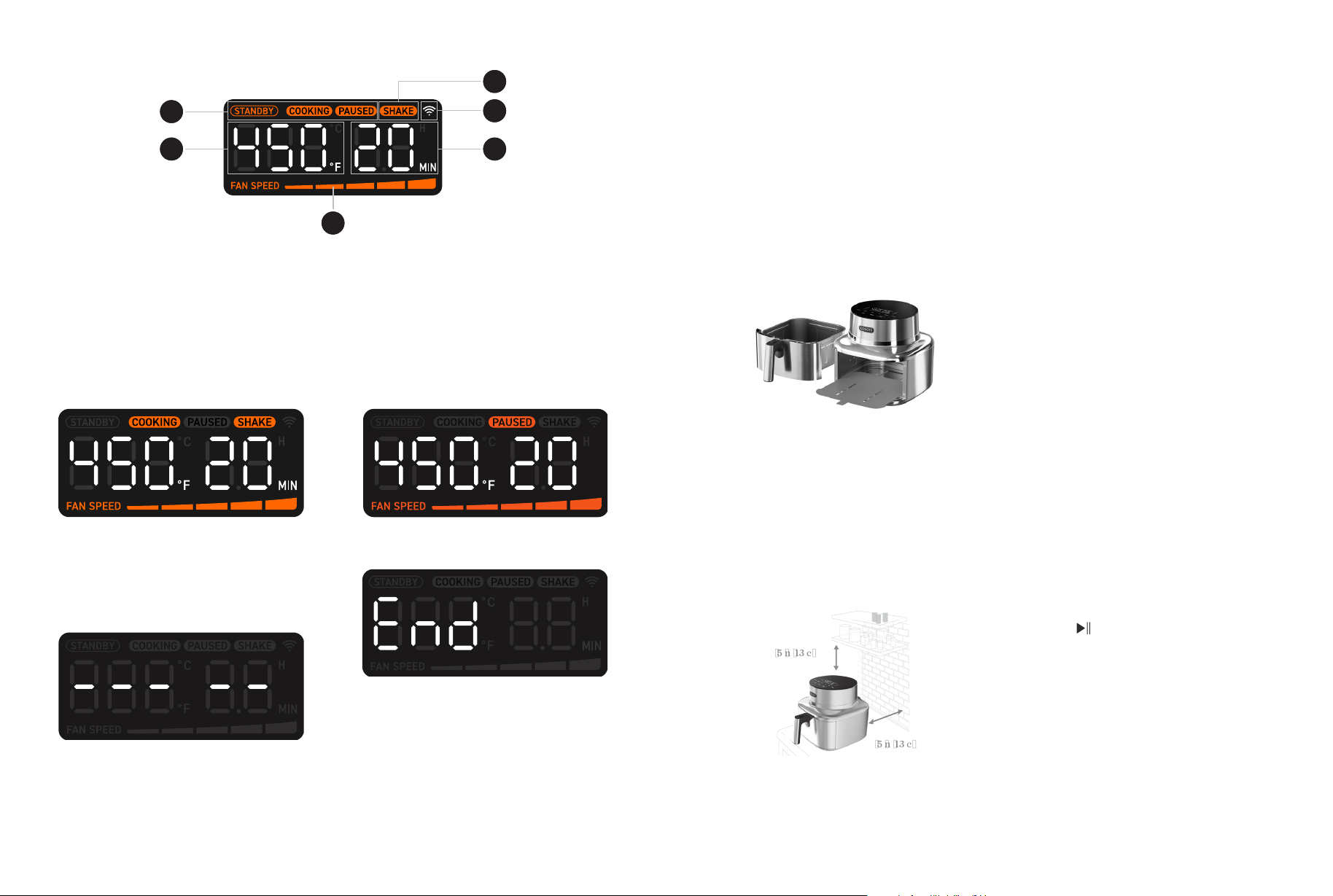
The Shake Indicator blinks when you
need to check the basket. The indicator
will turn o when the basket is removed.
a. Cooking Status
b. Temperature
c. Fan Speed (1–5)
d. Shake Indicator
e. Wi-Fi Indicator
f. Time
DISPLAY
DISPLAY MESSAGES
a
b f
e
d
c
Cooking
Basket Removed
Before First Use
1. Make sure the air fryer basket is
empty, then plug in the air fryer.
2. Tap AIR FRY. The display will show
“385°F” and “10 MIN”. Adjust the time
to 5 minutes.
3. Tap to begin.
4. When finished, the air fryer will beep
and the display will show “End”.
5. Press the basket release button and
remove the basket. Let the basket
cool completely for 10–30 minutes.
A test run will help you become familiar
with your air fryer, make sure it’s working
correctly, and clean it of possible
residues in the process.
1. Before you get started, remove
the air fryer from the product bag
and discard all packaging from the
air fryer, including any temporary
stickers.
Important: Remove the basket and discard
all packaging material inside. [Figure 1.1]
Setting Up
Test Run
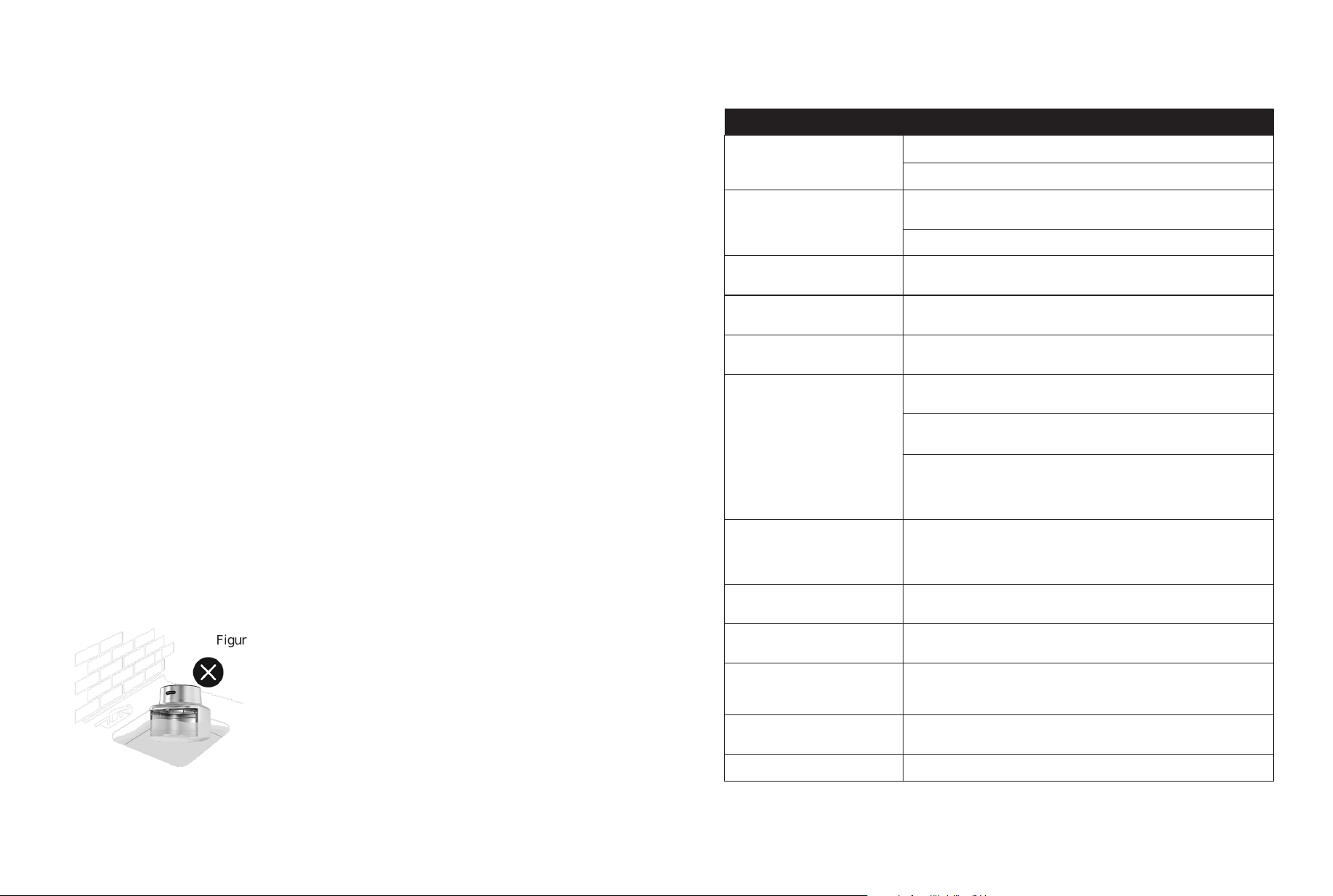
Note: Leave at least ≥ 5 in / 13 cm of space
behind and above the air fryer.
[Figure 1.2]
Leave enough room in front of the air fryer to
remove the basket.
3. Wash both the basket and crisper
plate thoroughly using either a
dishwasher or a non-abrasive sponge.
Figure 1.2
Figure 1.1
CAUTION: Gentle handwashing is
recommended to prolong the life of the
ceramic coating on the crisper plate and
inside the basket.
4. Wipe the interior and exterior of the
air fryer with a slightly moist cloth.
Dry with a towel.
5. Place the crisper plate back into the
basket. Tilt the crisper plate to insert
one side first, then press down on the
other side.
6. Place the basket inside the air fryer.
• Avoid using abrasive cleaning materials
on the basket and crisper plate. These
will scratch or damage their surfaces.
• If you notice any cracking or peeling in
the coating of the crisper plate or basket,
we recommend replacing them to
maintain cooking performance.
Paused
Ready
2. Place the air fryer on a stable, level,
heat-resistant surface. Keep away
from areas that can be damaged by
steam (such as walls or cupboards).
Note:
•
Use caution when turning the basket
over after cooking, as the hot crisper
plate may fall out and create a safety
hazard.
•
Do not unscrew the basket handle from
the basket.
12 13
Note: Forcing the crisper plate into the basket
incorrectly may cause damage.
SILICONE STOPPERS
• The crisper plate contains four silicone
stoppers made of food-safe material.
These stoppers keep the plate fitted
to the bottom of the basket.
• When placing the crisper plate into
the basket, tilt the crisper plate to
insert one side first, then press down
on the other side. [Figure 2.1]
• Make sure children do not play with
the silicone stoppers or swallow them.
Figure 2.1
Using Your Smart Air Fryer
Note:
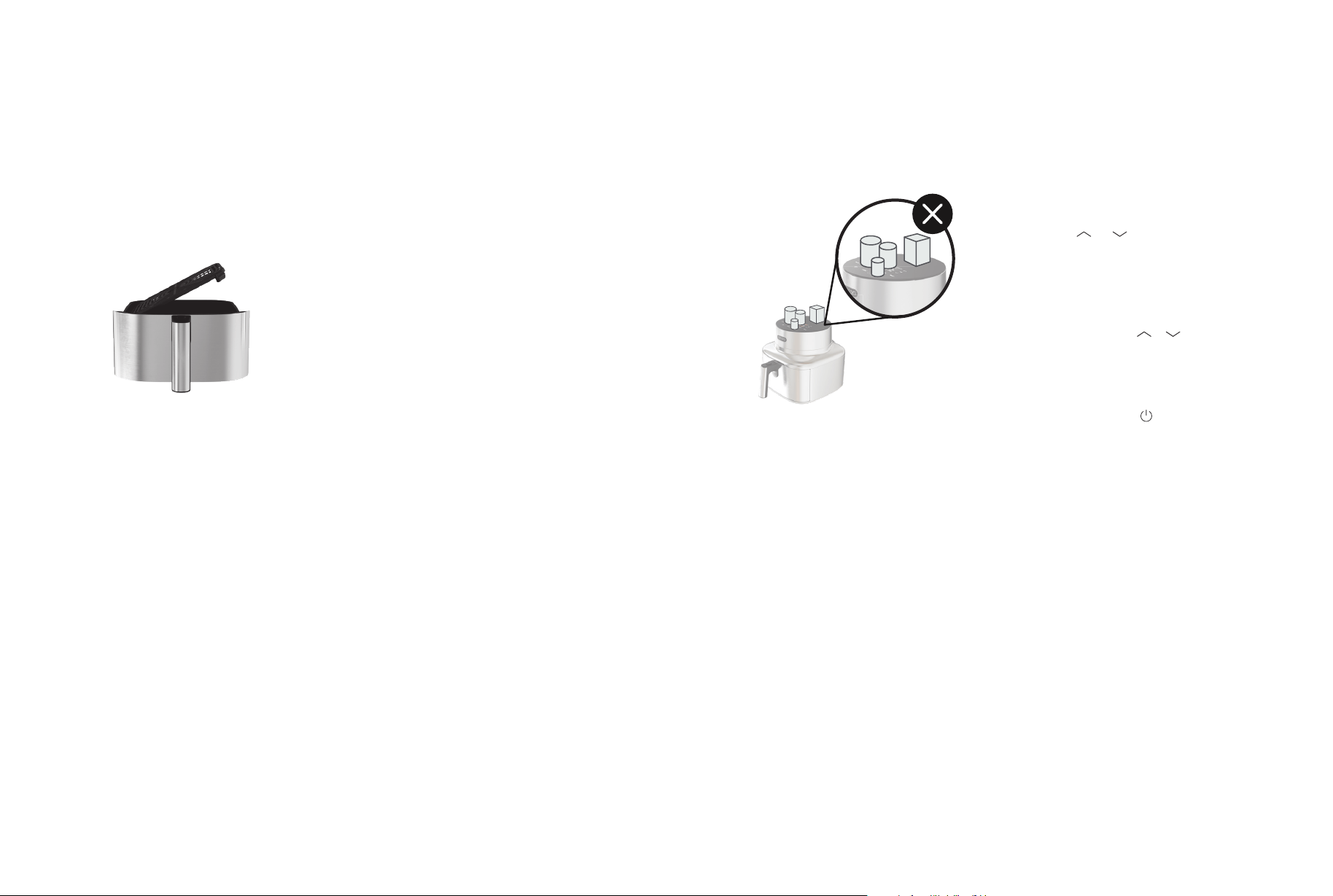
• Do not place anything on top of your
air fryer to avoid damaging the glass
control panel. [Figure 3.1].
To customize a cooking function:
Using a cooking function is the easiest
way to cook. Functions are programmed
with an ideal time, temperature, and fan
speed for cooking certain foods. See
Cooking Chart (page 14).
To reset all cooking functions:
• Press and hold for 15 seconds.
Note: Press and hold or to rapidly increase
or decrease the time or temperature.
COOKING FUNCTIONS
1. Select the function’s button you
want to customize.
2. Tap or to change the
function’s time or temperature.
3. To save, press and hold the function’s
button for 3 seconds until you hear
a beep.
Figure 3.1
• An air fryer is not a deep fryer. Do not fill
the basket with oil, frying fat, or any liquid.
• When taking the basket out of the air
fryer, be careful of hot steam.
Time and temperature for all cooking
functions can be adjusted.

14 15
Function
Default
Temperature
Default
Time
Temperature
Range
Time Range Fan Speed
AIR FRY 385°F / 195°C 10 min
195°- 450°F /
90°–230°C
1–60 min 5
ROAST 400°F / 205°C 12 min
350°–450°F /
175°–230°C
1–60 min 5
BAKE 330°F / 165°C 20 min
260°–400°F /
125°–205°C
1–60 min 3
Dehydrate
(DRY)
135°F / 55°C 6 hr
100°–200°F /
35°–95°C
15 min–24 hr 2
PROOF
90°F / 30°C 60 min
90°–110°F /
30°–45°C
15 min–12 hr 1
REHEAT 390°F / 200°C 5 min
300°–425°F /
150°–220°C
1–60 min 4
Note: Results may vary. Time and temperature for all cooking functions can be adjusted. To go back to
default settings, press and hold the cooking function’s button on the display.
COOKING CHART
1. Place the crisper plate into the basket.
The crisper plate allows excess oil to
drip down to the bottom of the basket.
Note: The crisper plate may not be used for
certain recipes, such as muns and breads.
AIR FRYING
2. To preheat, tap AIR FRY, adjust
temperature to 450°F and time to
4 minutes, then tap .
3. When the air fryer beeps and the
display shows “End”, add food to
the basket.
4. Select a cooking function
(page 14).
5. Change the temperature and time
by tapping or . You can do this
anytime during cooking.
6. Tap to begin cooking.
7. The air fryer will beep when finished.
The display will show End.
8. Take the basket out of the air fryer,
being careful of hot steam. Use tongs
or heat-safe utensils to remove the
food from the basket.
9. Allow to cool before cleaning.
Note: Cooking functions are programmed with
an ideal time, temperature, and fan speed for
cooking certain foods. The air fryer will default to
the Air Fry function if no other function is selected.
SHAKE REMINDER
• Small foods that are stacked will
usually need shaking, such as roasted
potatoes, fries, or chicken tenders.
• Larger pieces of meat like steaks
and ribs benefit from flipping to
ensure even browning.
• Checking baked goods like cakes
and muns at the halfway point can
help avoid over and underbaking.
FOODS TO CHECK
The Shake Reminder oers a convenient
progress check mid-cook, giving you
the chance to flip, shake, or adjust your
dish for the desired texture and flavor.
1. Tap AIR FRY.
Note: The Shake Reminder only works with
AIR FRY.
2. If necessary, adjust the time
and temperature.
3. Tap to turn Shake Reminder on.
4. Tap to begin cooking. At the halfway
point, the air fryer will beep 5 times and
will blink on the display.
5. Remove the basket to shake, flip,
or check on your food. The Shake
Indicator will stop blinking once you
remove the basket.
Note:
• You can turn the Shake Reminder o
anytime during the cooking process by
tapping .
• Shake Reminder can also be turned
on/o in the VeSync app.
• Do not shake if there is a risk of hot
liquids splashing.
• If you do not remove the basket, the air
fryer will beep again after 1 minute.
• When you remove the basket, the air
fryer will pause cooking automatically,
and the display will show [- - - -] until
the basket is replaced.
• When you replace the basket, cooking
will automatically resume.
• Avoid having the basket open for longer
than 30 seconds, as the air fryer may
start to cool down.

16 17
• If the basket is overfilled, food will
cook unevenly.
• Adding a small amount of oil to your
food will make it crispier. Use no
more than 2 US tbsp / 30 mL of oil.
• Oil sprays are excellent for applying
small amounts of oil evenly to all
food items.
• You can air fry any frozen foods or
goods that can be baked in an oven.
• To make cakes, hand pies, or any
food with filling or batter, place
food in a heat-safe container
before placing in the basket.
• Air frying high-fat foods will cause
fat to collect underneath the
crisper plate. To avoid excess
smoke while cooking, pour out fat
drippings after cooking.
• Liquid-marinated foods create
splatter and excess smoke. Pat
these foods dry before air frying.
• Refer to the Cooking Chart to
select the ideal cooking function
for your recipe (page 14).
Note: For more tips and recipes, check out
the VeSync app and Cosori website.
OVERFILLING
USING OIL
• Add ½–1 US tbsp / 8–15 mL oil
for crispiness.
• When making fries from raw
potatoes, soak uncooked fries in
water for 15 minutes to remove
starch prior to frying. Pat dry with a
towel before adding oil.
• Cut uncooked fries smaller for
crispier results. Try cutting fries into
¼ x 3-in / 0.6 x 7.6-cm strips.
FRENCH FRIES
FOOD TIPS
Cooking Tips
Note:
Always clean the air fryer basket and
crisper plate after every use.
Care & Maintenance
1. Turn o and unplug the air fryer.
Allow it to cool completely before
cleaning. Pull out the basket for
faster cooling.
2. The basket and crisper plate are
dishwasher-safe. You can also wash
the basket and crisper plate using a
non-abrasive sponge with hot water
and a mild detergent.
Soak if necessary.
3. For the stainless steel housing:
Note: Do not use appliance wax, polish,
bleach, steel wool, abrasive sponges and
chemicals, or commercial oven cleaners on
the air fryer.
a. Wipe the exterior of the air fryer
with a microfiber cloth or stainless
steel polishing cloth to remove
any fingerprints or marks.
b. For blemishes or tarnishing, use a
stainless steel cleaner with a soft,
damp cloth, gently rubbing with
the metal grain for best results.
CAUTION: Gentle handwashing is
recommended to prolong the life of the
ceramic coating on the crisper plate and
inside the basket
• Avoid using metal utensils and
abrasive cleaning materials on the
basket and crisper plate. These will
scratch or damage their surfaces.
• Avoid dropping the basket and
crisper plate, as well as hitting
or bumping them with other hard
• If you pull out the basket, the
air fryer will pause cooking
automatically. The display will show
[- - - -].
• When you return the basket,
the air fryer will automatically
resume cooking based on your
previous settings.
• If the air fryer has no active cooking
functions, it will clear all settings
and turn to standby after 10
minutes of inactivity.
• If the basket is removed, the air fryer
will clear all settings and turn to
standby after 10 minutes of inactivity.
AUTOMATICALLY RESUME
COOKING
AUTOMATIC STANDBY
• Press and hold TEMP, , and for
3 seconds.
• The temperature unit will change
from Fahrenheit to Celsius.
• Repeat to switch back to
Fahrenheit.
• Tap to pause cooking. The air
fryer will stop heating, and will
blink until you tap again to
resume cooking.
• After 10 minutes of inactivity, the air
fryer will go into standby.
• This function allows you to pause
cooking without removing the
basket from the air fryer.
SWITCHING TEMPERATURE UNITS
PAUSING
More Functions
18 19
Accessories
Note: Make sure the heating coil is completely
dry before turning on the air fryer.
6. Dry before using.
Additional and replacement accessories
are available for your air fryer. For more
information, contact Customer Support
(page 23).
4. For stubborn grease:
5. Clean the cavity of the air fryer with
a slightly moist, non-abrasive sponge
or cloth. Do not immerse in water. If
needed, clean the heating coil to
remove food debris. [Figure 4.1]
a. In a small bowl, mix 2 US tbsp /
30 g of baking soda and
1 US tbsp / 15 mL tbsp of water to
form a spreadable paste.
b. Use a sponge to spread the paste
on the basket and crisper plate,
then scrub. Let the basket and
crisper plate sit for 15 minutes
before rinsing.
c. Wash the basket and crisper plate
with soap and water before using.
objects. This may cause damage to
the coating.
• If you notice any cracking or peeling
in the nonstick coating of the crisper
plate or basket, we recommend
replacing them to maintain cooking
performance.
Figure 4.1
Problem Possible Solution
The air fryer will not turn on.
Make sure the air fryer is plugged in.
Push the basket securely into the air fryer.
Food is not completely cooked.
Place smaller batches of food items into the basket. If the basket
is overstued, then food will be undercooked.
Increase cooking temperature or time.
Food is not crispy after
air frying.
Spraying or brushing a small amount of oil on food can increase
crispiness. See Cooking Tips (page 16).
French fries are not
cooked correctly.
See French Fries (page 16).
Basket will not slide into
the air fryer securely.
Make sure the basket is not overfilled with food.
White smoke or steam is
coming out of the air fryer.
The air fryer may produce some white smoke or steam when you use it
for the first time or during cooking. This is normal.
Make sure the basket and the inside of the air fryer are cleaned properly
and not greasy.
Cooking greasy foods will cause oil to collect beneath the crisper plate.
This oil will produce white smoke, and the basket may be hotter than
usual. This is normal and should not aect cooking. Handle the basket
with care.
Dark smoke is coming out
of the air fryer.
Immediately unplug your air fryer. Dark smoke means that food is burn-
ing or there is a circuit problem. Wait for smoke to clear before pulling
the basket out. If the cause was not burnt food, contact
Customer Support (page 23).
Display shows Error Code “E01”
There is an open circuit in the temperature monitor. Contact Customer
Support (page 23).
Display shows Error Code “E02”
There is a short circuit in the temperature monitor. Contact Customer
Support (page 23).
Display shows Error Code “E03”
The air fryer’s overheat protection has activated. Turn o and unplug
the air fryer, then allow it to cool completely. If the display continues to
show “E03”, contact Customer Support (page 23).
Display shows Error Code “E04”
The air fryer has been plugged into a 220–240V outlet. Turn o and
unplug the air fryer. Only use the air fryer with 120V, 60Hz outlets.
Display shows Error Code “E12” The DC motor has failed. Contact Customer Support (page 23).
Troubleshooting
If your problem is not listed, please contact Customer Support (page 23).
Care & Maintenance (cont.)

20 21
Federal Communication Commission Interference
Statement – Part 15
This device complies with Part 15 of the FCC Rules. Operation is subject to the following two conditions:
1. This device may not cause harmful interference, and
2. This device must accept any interference received, including interference that may cause
undesired operation.
NOTE: This equipment has been tested and found to comply with the limits for a Class B digital device,
pursuant to Part 15 of the FCC Rules. These limits are designed to provide reasonable protection against
harmful interference in a residential installation. This equipment generates, uses and can radiate radio
frequency energy and, if not installed and used in accordance with the instructions, may cause harmful
interference to radio communications. However, there is no guarantee that interference will not occur in a
particular installation. If this equipment does cause harmful interference to radio or television reception,
which can be determined by turning the equipment o and on, the user is encouraged to try to correct
the interference by one or more of the following measures:
• Reorient or relocate the receiving antenna.
• Increase the separation between the equipment and receiver.
• Connect the equipment into an outlet on a circuit dierent from that to which the receiver is
connected.
• Consult the dealer or an experienced radio/TV technician for help.
FCC Caution: Any changes or modifications not expressly approved by the party responsible for
compliance could void the user’s authority to operate this equipment.
FCC Radiation Exposure Statement
FCC SDOC Supplier’s Declaration of Conformity
This equipment complies with FCC radiation exposure limits set forth for an uncontrolled environment.
End users must follow the specific operating instructions for satisfying RF exposure compliance.
To maintain compliance with FCC RF exposure compliance requirements, please follow operation
instructions as documented in this manual. This transmitter must not be co-located or operating in
conjunction with any other antenna or transmitter. This equipment should be installed and operated
with a minimum distance of 20 cm between the radiator and your body. The availability of some specific
channels and/or operational frequency bands are country dependent and are firmware programmed at
the factory to match the intended destination. The firmware setting is not accessible by the end user.
Arovast Corporation hereby declares that this equipment is in compliance with FCC requirements.
The declaration of conformity can be found at https://www.vesync.com/legal/compliance/fcc
Limited Warranty
Information
Product Name
Cosori Iconic™
6.5-Quart Smart
Air Fryer
Model CAF-SE601S-CUS
For your own reference, we strongly
recommend that you record your order ID
and date of purchase.
Order ID
Date of Purchase
Five (5) Year* Limited Consumer Product Warranty
For COSORI ICONIC Air Fryer
“VESYNC” is a trade name used herein for the
warranty providers. For products directly sold in the
United States, the warranty is provided by AROVAST
CORPORATION. For products directly sold in EU
Member States, the warranty is provided by ETEKCITY
GMBH. “VESYNC” is used for reference purpose only
and do not alter or expand the territorial warranty
obligations of either entity.
FIVE (5) YEAR* LIMITED CONSUMER PRODUCT
WARRANTY FOR ICONIC AIR FRYER
VESYNC guarantees that the Base Unit of your air fryer
will be free from material and workmanship defects
for five (5) years from the original purchase date. The
Base Unit does not include the basket, crisper plate &
silicone feet. This warranty applies only in the region
of original purchase and only if the product is used
properly, following the instructions provided.
*This warranty does not aect any statutory rights
under applicable consumer protection laws in your
region, and where required, the warranty period will
be extended in accordance with such laws.
YOUR LIMITED WARRANTY BENEFITS
During the above-mentioned warranty period,
VESYNC may, at its sole discretion, (i) issue a refund,
(ii) repair defects in materials or workmanship, or (iii)
replace the product with one of equal or greater
value.
WHO IS COVERED?
This warranty applies only to the original purchaser
and cannot be transferred to later owners, even if the
product is resold during the warranty period. To claim
warranty benefits, the original purchaser must provide
proof of the defect and the purchase date.
BE AWARE OF UNAUTHORIZED DEALERS OR SELLERS.
This warranty does not cover products bought from
unauthorized sellers. It only applies to purchases
from authorized dealers who follow VESYNC’s quality
standards. Products from unauthorized sellers may
be counterfeit, used, defective, or not suited for
your country. To ensure authenticity and warranty
coverage, buy only from VESYNC or its authorized
dealers.
If you’re unsure about a seller or think you purchased
from an unauthorized source, please contact Regional
Customer Support.
WHAT’S NOT COVERED?
- The basket, crisper plate & silicone feet are eligible
for a one (1) year limited consumer product warranty
from the original purchase date of the ICONIC air
fryer.
- Normal wear and tear, including parts that naturally
wear out over time.
- Altered or unreadable proof of purchase.
- Altered, removed, or unreadable model numbers,
serial numbers, or production date codes.
- Products that have been modified from their original
condition.
- Damage from not following the user manual’s
instructions.
- Damage caused by using unapproved accessories
or peripherals.
- Damage from accidents, misuse, abuse, or improper
maintenance.
- Repairs or services done by unauthorized providers
or anyone other than VESYNC.
- Damage from commercial, rental, or unintended
uses.
- Damage caused by animals, lightning, abnormal
voltage, fire, natural disasters, transport or overly
excessive usage of dishwasher.
- Any incidental or consequential damages, including
indirect damage, temporary loss of use, or related
out-of-pocket expenses.
- Damage or defects exceeding the product’s original
cost.
Claiming Your Limited Warranty Service in 5 Simple
Steps:
1. Confirm that your product is still within the warranty
period.
2. Have a copy of your invoice, order ID, or proof of
purchase.
3. Keep your product—do not dispose of it before
contacting us.

22 23
4. Reach out to Regional Customer Support based on
the region of original purchase.
5. If your request is approved, return the product along
with a copy of your invoice and order ID. Warranty
service is available only in the region of original
purchase and may vary by location.
SOLE AND EXCLUSIVE REMEDY.
THIS LIMITED WARRANTY IS VESYNC’S ONLY
RESPONSIBILITY AND YOUR ONLY SOLUTION FOR ANY
PRODUCT ISSUES OR WARRANTY CLAIMS. IT REPLACES
ALL OTHER WARRANTIES. NO VESYNC EMPLOYEE
OR ANY OTHER PARTY IS AUTHORIZED TO OFFER
ADDITIONAL WARRANTIES BEYOND WHAT IS STATED
HERE.
DISCLAIMER OF LIMITED WARRANTIES.
TO THE FULLEST EXTENT ALLOWED BY LAW, EXCEPT
FOR THE WARRANTIES PROVIDED IN THIS POLICY,
VESYNC PRODUCTS ARE SOLD “AS IS.” VESYNC
DISCLAIMS ALL OTHER WARRANTIES, WHETHER
EXPRESS OR IMPLIED, INCLUDING BUT NOT LIMITED
TO WARRANTIES OF MERCHANTABILITY, NON-
INFRINGEMENT, AND FITNESS FOR A PARTICULAR
PURPOSE.
LIMITATIONS OF LIABILITY.
TO THE FULLEST EXTENT ALLOWED BY LAW, VESYNC,
ITS AFFILIATES, AND THEIR EMPLOYEES, AGENTS, OR
DIRECTORS ARE NOT LIABLE FOR:
(A) DAMAGES EXCEEDING THE PURCHASE PRICE OF
THE PRODUCT, OR
(B) INDIRECT, SPECIAL, INCIDENTAL, CONSEQUENTIAL,
OR PUNITIVE DAMAGES, EVEN IF VESYNC WAS AWARE
OF THE POSSIBILITY OF SUCH DAMAGES.
VESYNC’S LIABILITY WILL NEVER EXCEED THE AMOUNT
YOU PAID FOR THE DEFECTIVE PRODUCT, AND VESYNC
IS NOT RESPONSIBLE FOR ANY CONSEQUENTIAL,
INCIDENTAL, SPECIAL, OR PUNITIVE DAMAGES,
WHETHER DIRECT OR INDIRECT.
EXCEPT AS STATED IN THIS WARRANTY, VESYNC
IS NOT RESPONSIBLE FOR ANY COSTS RELATED
TO THE REPLACEMENT OR REPAIR OF PRODUCTS,
INCLUDING LABOR, INSTALLATION, OR REMOVAL OF
THE PRODUCT.
OTHER RIGHTS YOU MAY HAVE
SOME JURISDICTIONS DO NOT ALLOW (1) THE
EXCLUSION OF IMPLIED WARRANTIES, (2) LIMITATIONS
ON THE DURATION OF IMPLIED WARRANTIES, OR (3)
THE EXCLUSION OR LIMITATION OF INCIDENTAL OR
CONSEQUENTIAL DAMAGES. IN THOSE CASES, THE
DISCLAIMERS IN THIS POLICY MAY NOT APPLY TO
YOU. YOU WILL ONLY HAVE THE IMPLIED WARRANTIES
REQUIRED BY APPLICABLE LAW.
THE LIMITATIONS ON WARRANTIES, LIABILITY, AND
REMEDIES APPLY TO THE FULLEST EXTENT ALLOWED
BY LAW.
THIS LIMITED WARRANTY PROVIDES SPECIFIC LEGAL
RIGHTS, BUT YOU MAY HAVE ADDITIONAL RIGHTS
DEPENDING ON YOUR JURISDICTION. PLEASE REVIEW
LOCAL LAWS TO FULLY UNDERSTAND YOUR RIGHTS.
U.S. CALIFORNIA RESIDENTS ONLY:
The Warranty Period begins on the original date of
delivery or pick-up.
CHANGES TO THIS POLICY
The terms and availability of this warranty may be
updated at any time, but any changes will not apply
to past claims.
REGIONAL CUSTOMER SUPPORT
Region Email*
United States support@cosori.com
United Kingdom support.uk@cosori.com
France support.fr@cosori.com
Deutschland support.de@cosori.com
Italia support.it@cosori.com
España support.es@cosori.com
*Please have your order invoice PDF or screenshot(s)
ready so Customer Support can help you more
eciently.
Amazon, Alexa, and all related logos are
trademarks of Amazon.com, Inc. or its
aliates.
Google, Android, and Google Play are
trademarks of Google LLC.
App Store
®
is a trademark of Apple Inc.
Wi-Fi
®
is a registered trademark of
Wi-Fi Alliance
®
.
iOS is a registered trademark of Cisco
Systems, Inc. and/or its aliates in the United
States and certain other countries.
The Bluetooth
®
word mark and logos are
registered trademarks owned by Bluetooth
SIG, Inc. and any use of such marks by
Arovast Corporation is under license. Other
trademarks and trade names are those of
their respective owners.
Attributions
Customer Support
If you have any questions or concerns
about your new product, please contact
our Customer Support Team.
*Please have your order invoice PDF or
screenshot(s) ready before contacting
Customer Support.
Arovast Corporation
1775 Flight Way, Suite 150
Tustin, CA 92782
USA
Support Hours
Mon–Fri, 9:00 am–5:00 pm PST/PDT
Email: support@cosori.com
Toll-Free: 1-888-402-1684

BL121824AC-M1_CAF-XXX
Questions or Concerns?
support@cosori.com