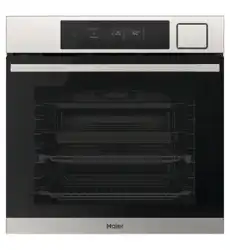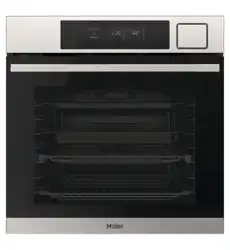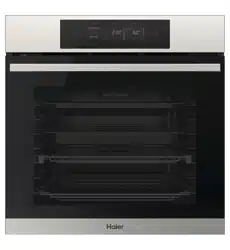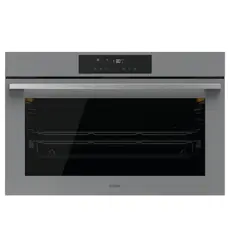

HWO90S16TB3, HWO90S16TG3
90cm 16-Function
Convection Oven
USER GUIDE NZ AU


3
CONTENTS
Safety and warnings ................................................................................5
Overview................................................................................................9
Control panel ........................................................................................ 10
Using the oven . . . . . . . . . . . . . . . . . . . . . . . . . . . . . . . . . . . . . . . . . . . . . . . . . . . . . . . . . . . . . . . . . . . . . . . . . . . . . . . . . . . . . . 11
Cooking functions................................................................................. 14
Auto menu............................................................................................ 16
Wi-fi and Remote mode . . . . . . . . . . . . . . . . . . . . . . . . . . . . . . . . . . . . . . . . . . . . . . . . . . . . . . . . . . . . . . . . . . . . . . . . . 17
Care and cleaning.................................................................................. 18
Cleaning the oven door.......................................................................... 19
Hydro clean .......................................................................................... 20
Troubleshooting.................................................................................... 21
Manufacturer's Warranty ....................................................................... 22
Customer service.................................................................................. 24

4
5
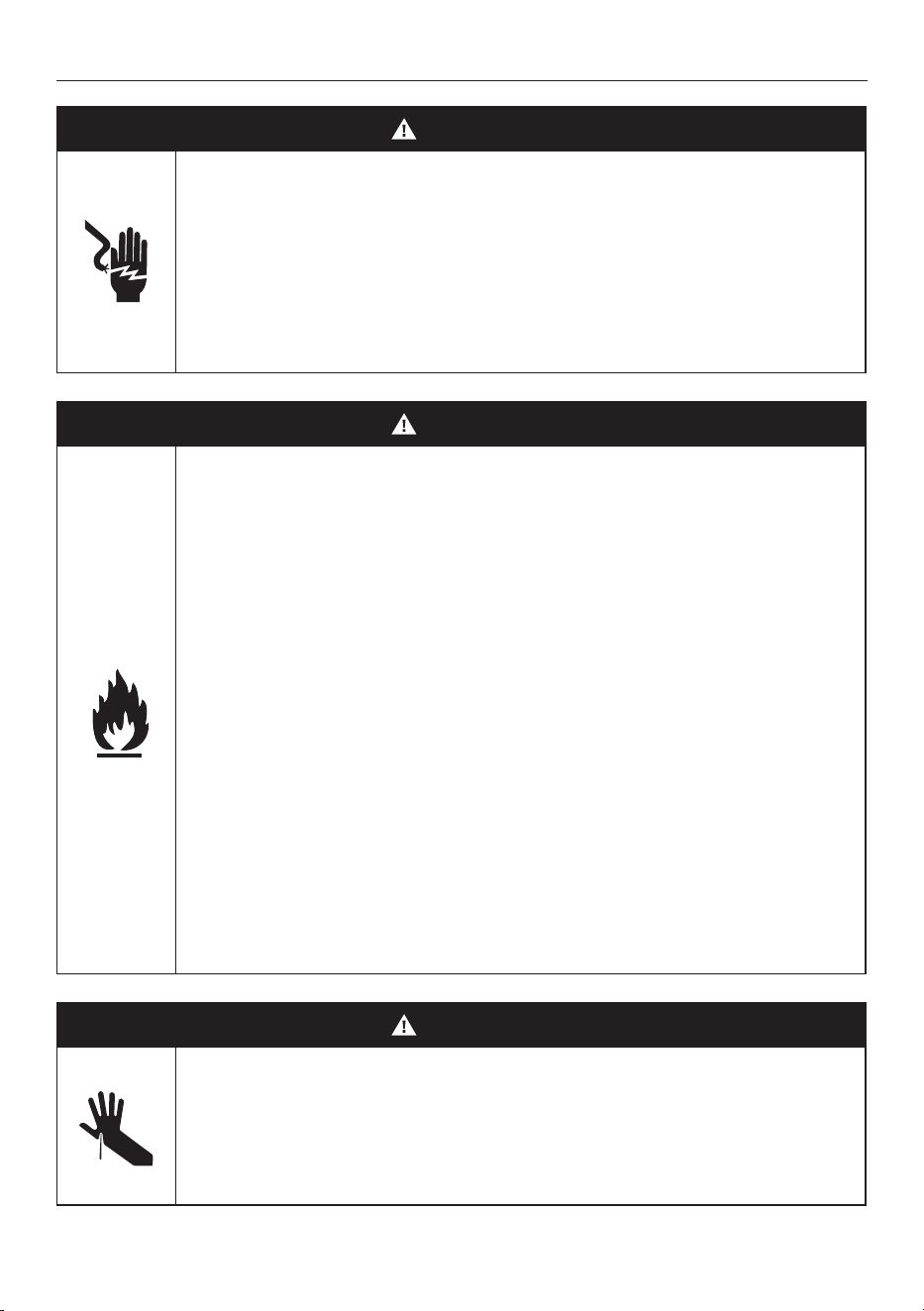
WARNING!
Electric Shock Hazard
Turn the oven off at the wall before replacing the
oven lamp or before carrying out any work or
maintenance on it.
Failure to follow this advice may result in electrical
shock or death.
WARNING!
Fire Hazard
Failure to follow this advice may result in serious
burns or death.
Do not place aluminium foil, dishes, trays, water or
ice on the oven floor during cooking, as doing so will
irreversibly damage the enamel; lining the oven with
aluminium foil or single use protection available from
stores may cause fire.
Never use your appliance for warming or heating the
room. Persons could be burned or injured or a fire
could start.
Storage in or on appliance: flammable materials
should not be stored in an oven or near its surface.
Failure to follow this advice may result in
overheating, burning, and injury.
WARNING!
Cut Hazard
Take care during installation of the oven - some
edges are sharp.
Failure to use caution could result in injury or cuts.
SAFETY AND WARNINGS
6
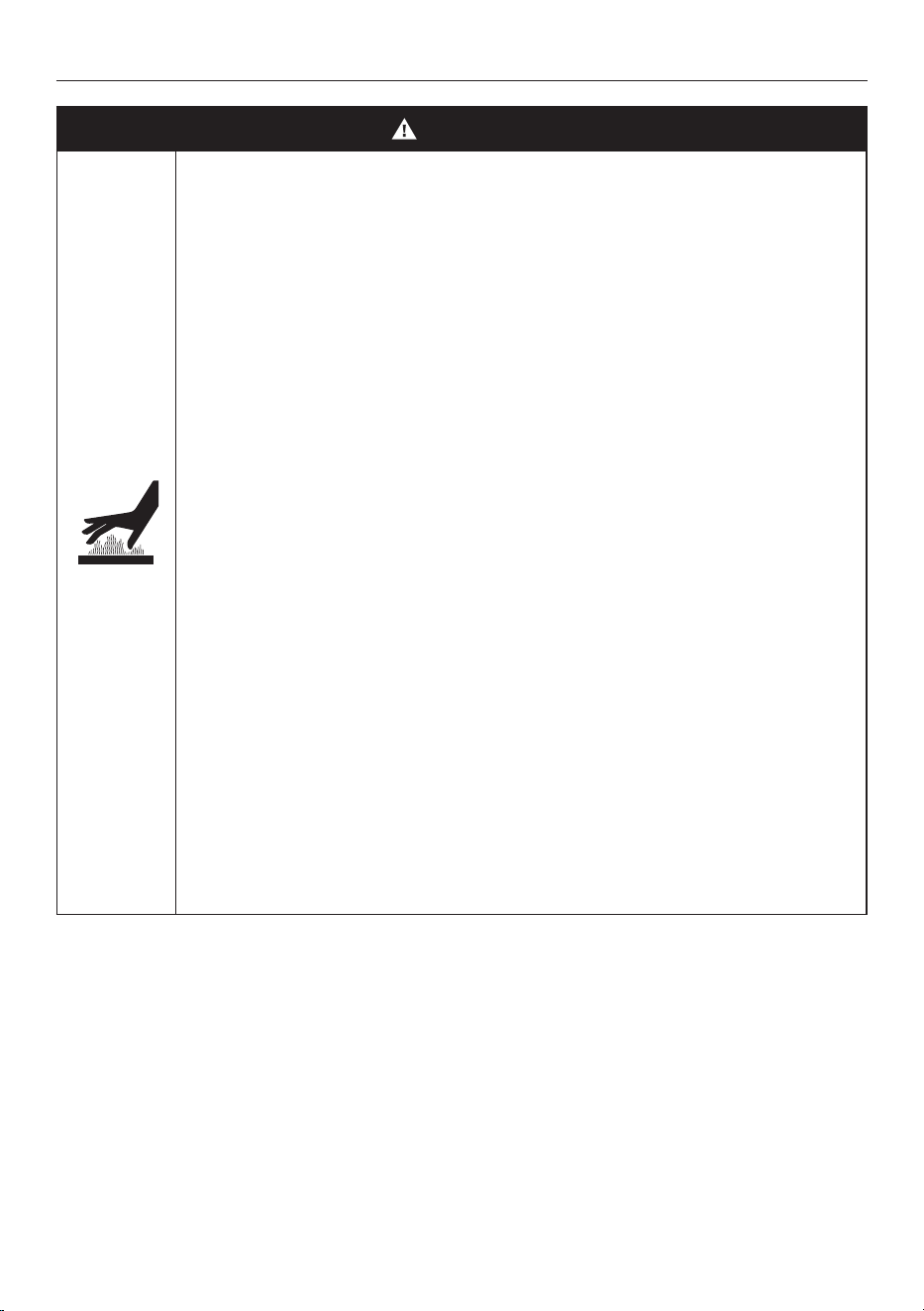
WARNING!
Hot Surface Hazard
Accessible parts may become hot when in use. To
avoid burns and scalds, be careful not to touch any
hot part and keep children away.
Use oven mitts or other protection when handling
hot surfaces such as oven shelves or dishes.
Use care when opening the oven door. Let hot air or
steam escape before removing or replacing food.
Do not touch heating elements or interior surfaces
of the oven. Heating elements may be hot even
though they are dark in colour.
Interior surfaces of an oven become hot enough to
cause burns.
During and after use, do not touch, or let clothing or
other flammable materials contact heating elements
or interior surfaces of the oven until they have
had sufficient time to cool. Other surfaces of the
appliance may become hot enough to cause burns -
among these surfaces are the oven vent, the surface
near the oven vent, and the oven door.
Failure to follow this advice could result in burns and
scalds.
SAFETY AND WARNINGS

7
SAFETY AND WARNINGS
READ AND SAVE THIS GUIDE
IMPORTANT SAFETY INSTRUCTIONS
To reduce the risk of fire, electrical shock, injury to persons or damage when using the oven, follow the
important safety instructions listed below. Read all the instructions before using the oven. Use the
oven only for its intended purpose as described in these instructions. General
General
• Be sure your appliance is properly installed and earthed by a qualified technician.
• Isolating switch: make sure this oven is connected to a circuit which incorporates an isolating switch
providing full disconnection from the power supply.
• Household appliances are not intended to be played with by children.
• Do not leave children alone. Children should not be left alone or unattended in the area where the
appliance is in use. They should never be allowed to sit or stand on any part of the appliance.
• Only use utensils that are suitable for use in microwave ovens.
• When heating food in plastic or paper containers, keep an eye on the oven due to the possibility of
ignition.
• Children of less than 8 years old must be kept away from the appliance unless continuously
supervised.
• This appliance can be used by children aged from 8 years and above, and persons with reduced
physical, sensory or mental capabilities or lack of experience and knowledge, if they have been given
supervision or instruction concerning the use of the appliance in a safe way and they understand the
hazards involved.
• The contents of feeding bottles and baby food jars shall be stirred or shaken and the temperature
checked before consumption, in order to avoid burns.
• Do not store things children might want above the oven. Children could be burned or injured while
climbing on the oven to retrieve items.
• Cleaning and user maintenance shall not be done by children without supervision.
• Always position shelves in the desired location while the oven is cool (before preheating). If a shelf
must be removed while the oven is hot, do not let the oven mitts or potholder contact hot heating
elements in the oven or the base of the oven.
• Do not place heavy objects on the oven door.
• Do not heat unopened food containers. They can build up pressure that may cause the container to
burst and result in injury.
• Do not operate microwave oven while empty.
• The cooking chamber must only be cooled with the door closed. Check that nothing is stuck on the
door of the appliance. Even if the door is only ajar, nearby cabinets can be damaged over time.
• Do not rest or lean on the open door of the appliance and do not put dishware or accessories on it.
• This appliance is intended to be used in household and similar applications such as:
• Staff kitchen areas in shops, offices and other working environments;
• Farm houses;
• By clients in hotels, motels and other residential environments;
• Bed and breakfast type environments.
• Always keep oven vents unobstructed.
• Do not use the oven if the door or the seals of the door are damaged. The oven may not be used until
it is repaired by a qualified service technician.
• Do not operate your appliance by means of an external timer or separate remote control system.

8
SAFETY AND WARNINGS
• Do not use harsh abrasive cleaners or sharp metal scrapers to clean the oven door glass, since they
can scratch the surface, which may result in shattering of the glass.
• CAUTION: Hot air can blow from the vent at the base of the oven as part of the oven’s cooling system.
Installation
• Ensure your appliance is properly installed and earthed by a qualified technician.
• Ensure this oven is connected to a circuit which incorporates an isolating switch providing full
disconnection from the power supply.
• Do not install or operate the appliance if it is damaged or not working properly. If you receive a
damaged product, contact your dealer or installer immediately.
• Please make this information available to the person installing the appliance—doing so could reduce
your installation costs.
• This appliance must be installed and connected to the mains power supply only by a suitably qualified
person according to these installation instructions and in compliance with any applicable local building
and electricity regulations. Failure to install the appliance correctly could invalidate any warranty or
liability claims.
• If the power supply cable is damaged, it must be replaced by the manufacturer, its service agent or
similarly qualified person in order to avoid a hazard.
• Isolating switch: make sure this oven is connected to a circuit which incorporates an isolating switch
providing full disconnection from the power supply in accordance with the wiring rules.
• The oven must be earthed.
• Do not use adaptors, reducers or branching devices to connect the oven to the mains electricity
supply, as they can cause overheating and burning.
• The appliance must not be installed behind a decorative door in order to avoid overheating.
• Please take extra care not to damage the lower trim of the oven during installation. The trim is
important for correct air circulation and allows the door to open and close without obstruction. The
manufacturer does not accept any responsibility for damage resulting from incorrect installation.
Food safety
• Leave food in the oven for as short a time as possible before and after cooking. This is to avoid
contamination by organisms which may cause food poisoning. Take particular care during warm
weather.
Servicing
• Do not repair or replace any part of the appliance unless specifically recommended in the user
guide. All other servicing should be undertaken by a Fisher & Paykel trained and supported service
technician or qualified person.
Fire Hazard
• Do not use water on grease fires. Smother the fire or flame or use a dry chemical or foam type
extinguisher.
• Use only dry oven mitts or potholders. Moist or damp potholders on hot surfaces could result in
burns from steam. Do not let potholders touch hot areas or heating elements. Do not use a towel
or a bulky cloth for a potholder. It could catch fire.
• Do not heat unopened food containers. They can build up pressure that may cause the container
to burst and result in injury.
9
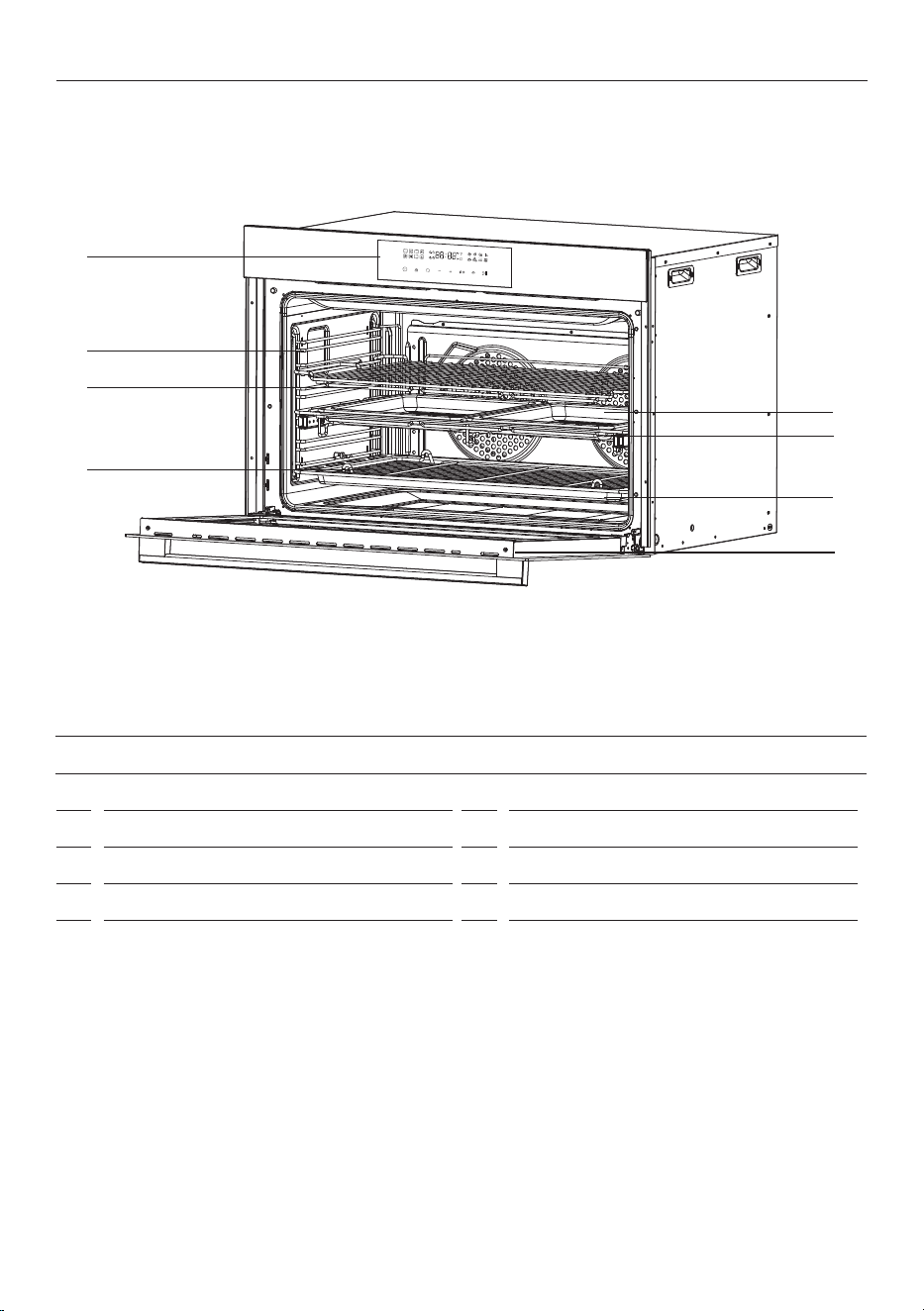
FEATURES AND ACCESSORIES
1 Control panel
2 Side rack
3 Wire shelf
4 Grill rack
5 Air frying baking tray
6 Air frying baking tray rack
7 Baking tray
8 Oven door
OVERVIEW
1
2
3
4
8
5
7
6
10
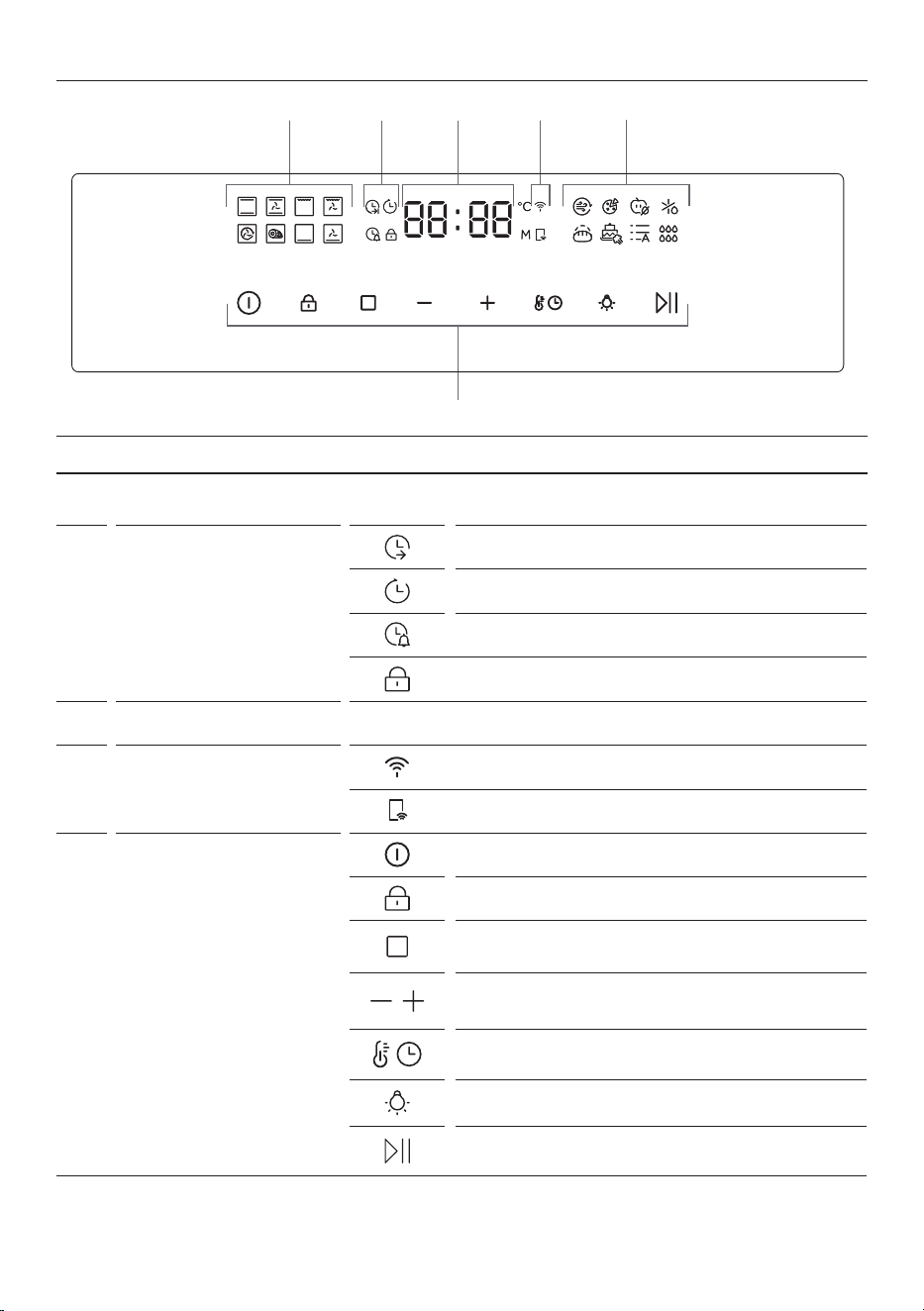
CONTROL PANEL
CONTROL PANEL
2
4
5
1
1
3
1
Cooking functions
Displays ovens different cooling functions. Refer to pages 13-14
for list of functions.
2
Timer functions
Cook duration
Delay start
Timer
Child lock
3
Time/ Temperature display
Displays clock, cook duration, delay start, timer and temperature.
4
Wi-Fi and remote mode
Wi-Fi
Remote mode
5
Selector buttons
Press to turn oven on/off and to cancel a cook.
Press to turn lock on/off.
Press to select cook function.
Press to increase or decrease temperature, time, or
select auto menu number.
Press to select time or temperature setting.
Press to turn light on/off.
Press to start/ pause cooking.
11
USING THE OVEN
Preparing your oven
Before using your oven for the first time, remove and wash all accessories, and clean the inside of the oven
with a damp, soft cloth and mild detergent. Wipe the outside with a damp, soft cloth. Dry with a clean cloth.
Run the empty oven at maximum temperature for 60 minutes to remove the newness smell. The oven
may smoke slightly during this process. This is normal. Opening a window is recommended to allow air flow
during the prep burn.
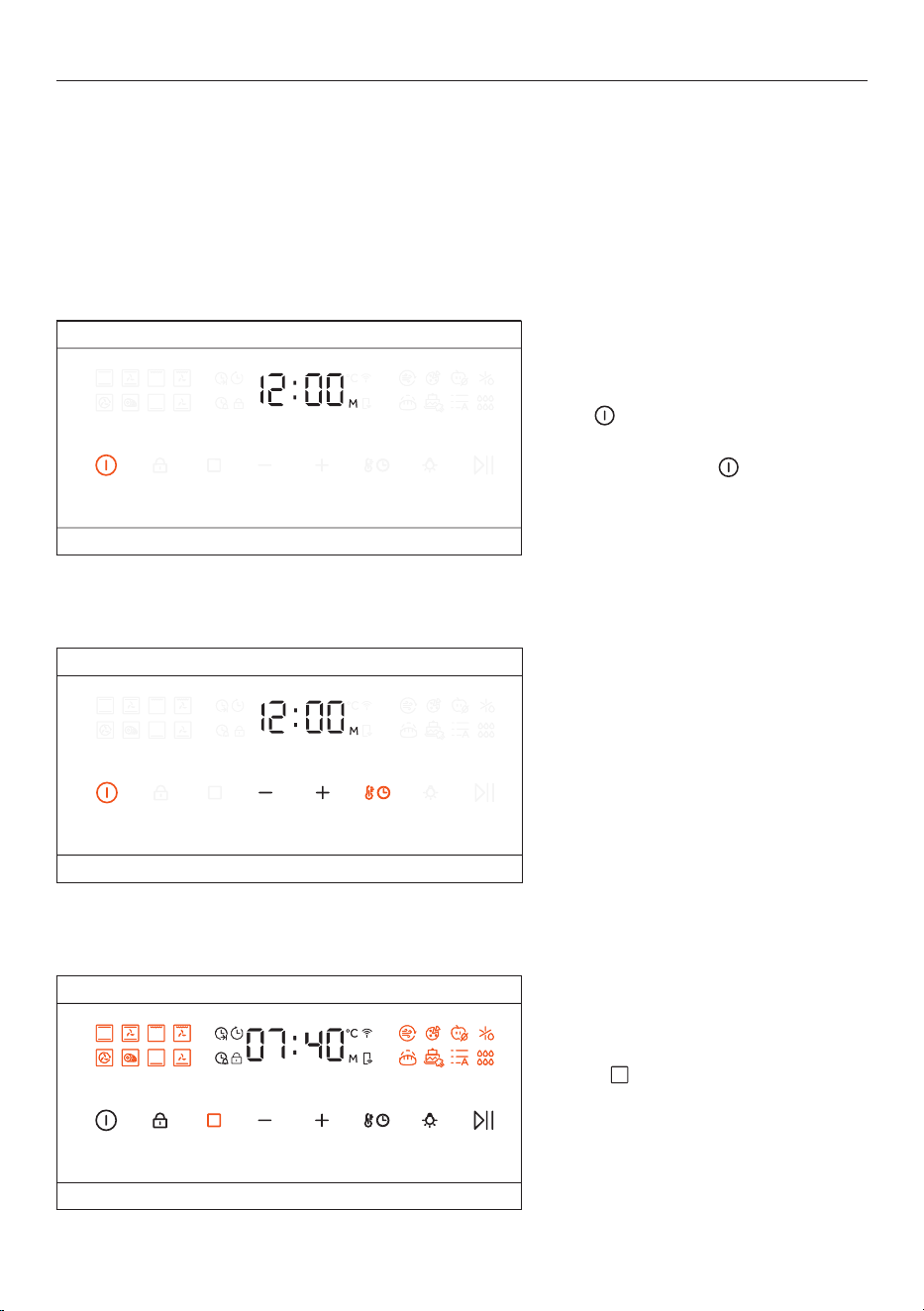
Setting a function
Select to scroll through cooking
functions. See 'Cooking functions' for
details. Display will illuminate chosen
function.
Setting the clock
Following installation or a power reset,
the display will flash and show 12:00 for
5 sec for setting. If the time is not set
during this time, press the power button
for 3 seconds while on this stand-by
screen. -/+ And temperature/time icons
will be visible. Press - or + to set time,
and press the temperature/timer button
to confirm the clock.
Turning the oven on/off.
Hold for one second and then release
to turn oven on.
To turn oven off, hold
for one second
and release to turn off.
12
USING THE OVEN
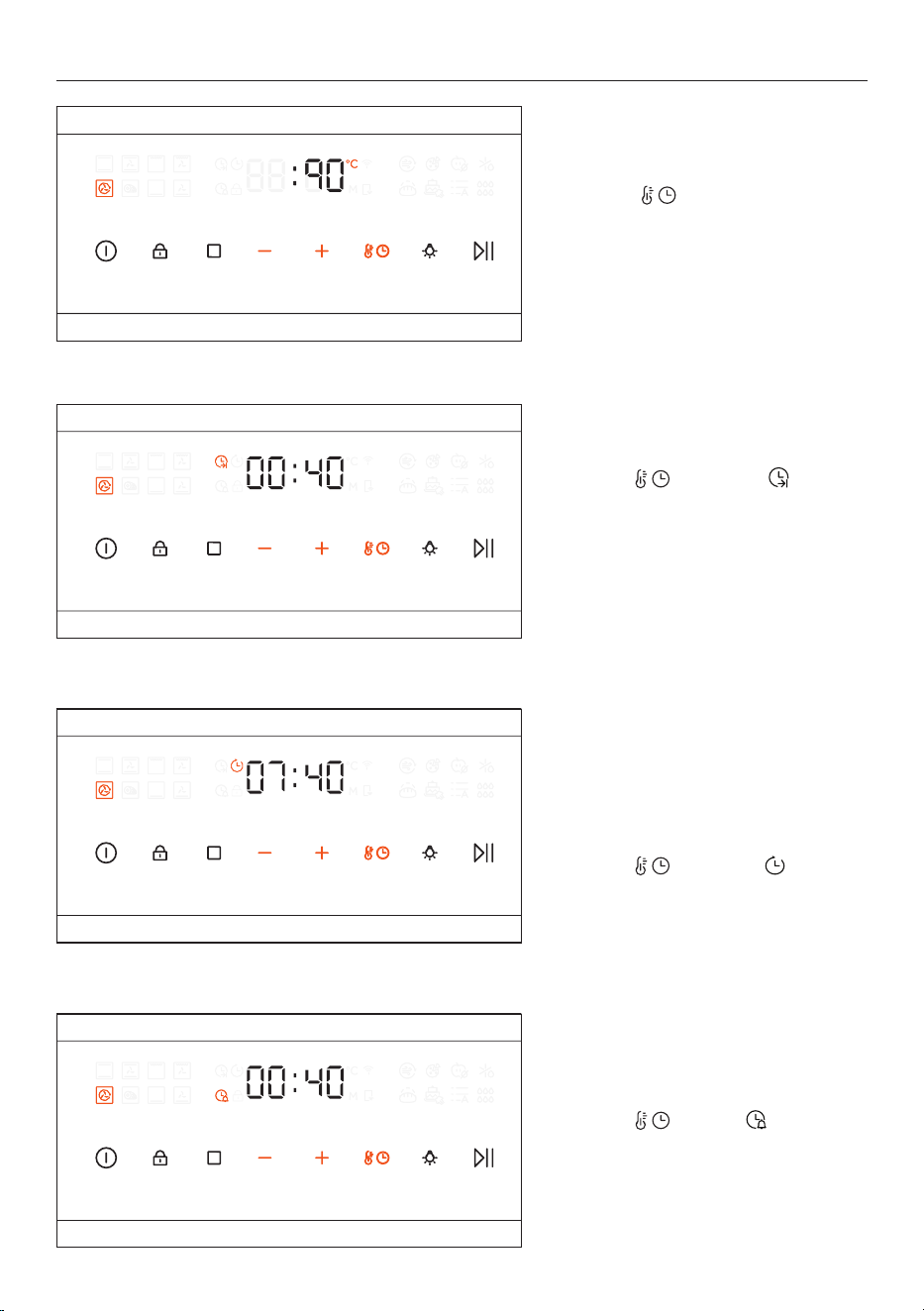
Setting delay start
Delay cook allows you to schedule
a cook up to 24 hours in advance by
setting a function, cooking duration
and desired cooking start time.
Press
then select , then
press - or + to set the cooking end
time.
Setting cook duration
Press then select , then
press - or + to set the cook duration.
The cooking function will turn off
automatically when the set time has
elapsed, and an alarm will sound.
Press any key to stop the alarm.
Setting the timer
Press to select , then press -
or + to set the timer.
Press any key to stop the alarm.
Setting the temperature
Select to scroll through,
timer functions, or temperature.
Once temperature is selected,
press - or + to increase or decrease
temperature.

13
USING THE OVEN
Changing the displayed time
Press the power button for 3
seconds. -/+ And temperature/time
icons will be visible. Press - or + to
set time, and press the temperature/
timer button to confirm the clock.
14
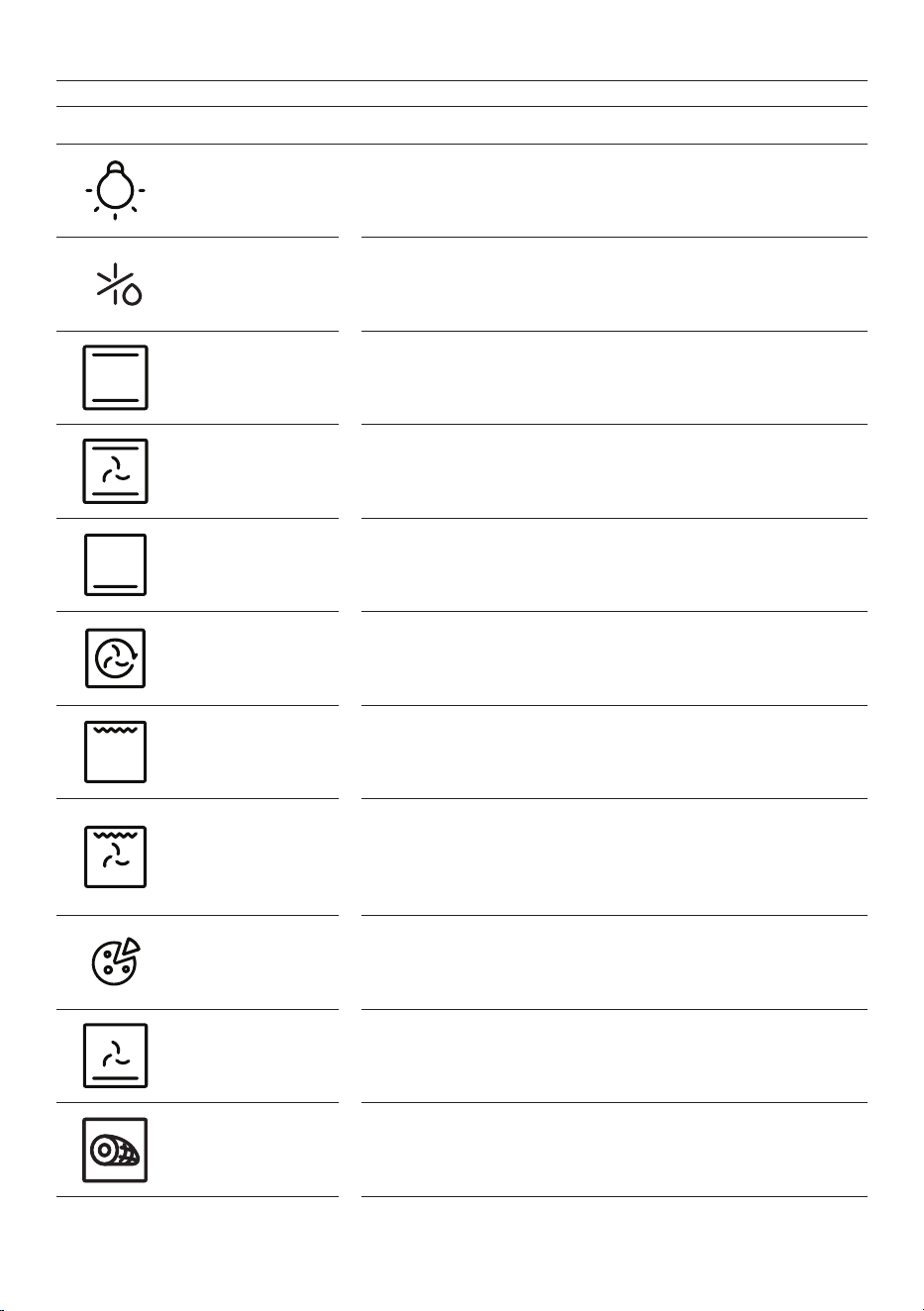
FUNCTION DESCRIPTION
LIGHT Turns the oven light ON/OFF.
DEFROST
Fan circulates air at room temperature around the frozen food to
speed up the defrosting process.
BAKE
Ideal for cakes, breads, biscuits and quiches on one level. Uses
both upper and lower heating elements.
FAN BAKE
Ideal for roasts, casseroles, vegetables and pies on one level and
for achieving surface browning.
TRADITIONAL BAKE
Ideal for traditional recipes and foods that have a pastry base and
require delicate baking or minimal surface browning.
FAN FORCED
Ideal for multilevel cooking. Uses the rear element in conjunction
with the fan. Recommended for most applications, including
poultry, pastries and vegetables.
MAXI GRILL
Ideal for sausages, steaks and toast. The entire area below the grill
element becomes hot. Use with the door closed. Turn food halfway
through cooking (If necessary).
MAXI GRILL+ FAN
Ideal for larger cuts of meat that require longer cooking with
surface browning. Use with the door closed. Slide a tray under
the shelf to collect juices. Turn food halfway through cooking (If
necessary).
PIZZA
Ideal for achieving a crispy base on all kinds of pizzas without
preheating the oven. We recommend using lower shelf positions
and a pizza stone. Set a cook duration time manually.
PASTRY
Ideal for fruit flans, tarts, quiches and pastries. Prevents food from
drying and encourages rising in cakes, bread dough and other
bottom-cooked food.
ROAST
Ideal for meats, poultry and vegetables. Provides even cooking
and develops a desirable, crispy exterior while remaining juicy on
the inside.
COOKING FUNCTIONS
15
COOKING FUNCTIONS
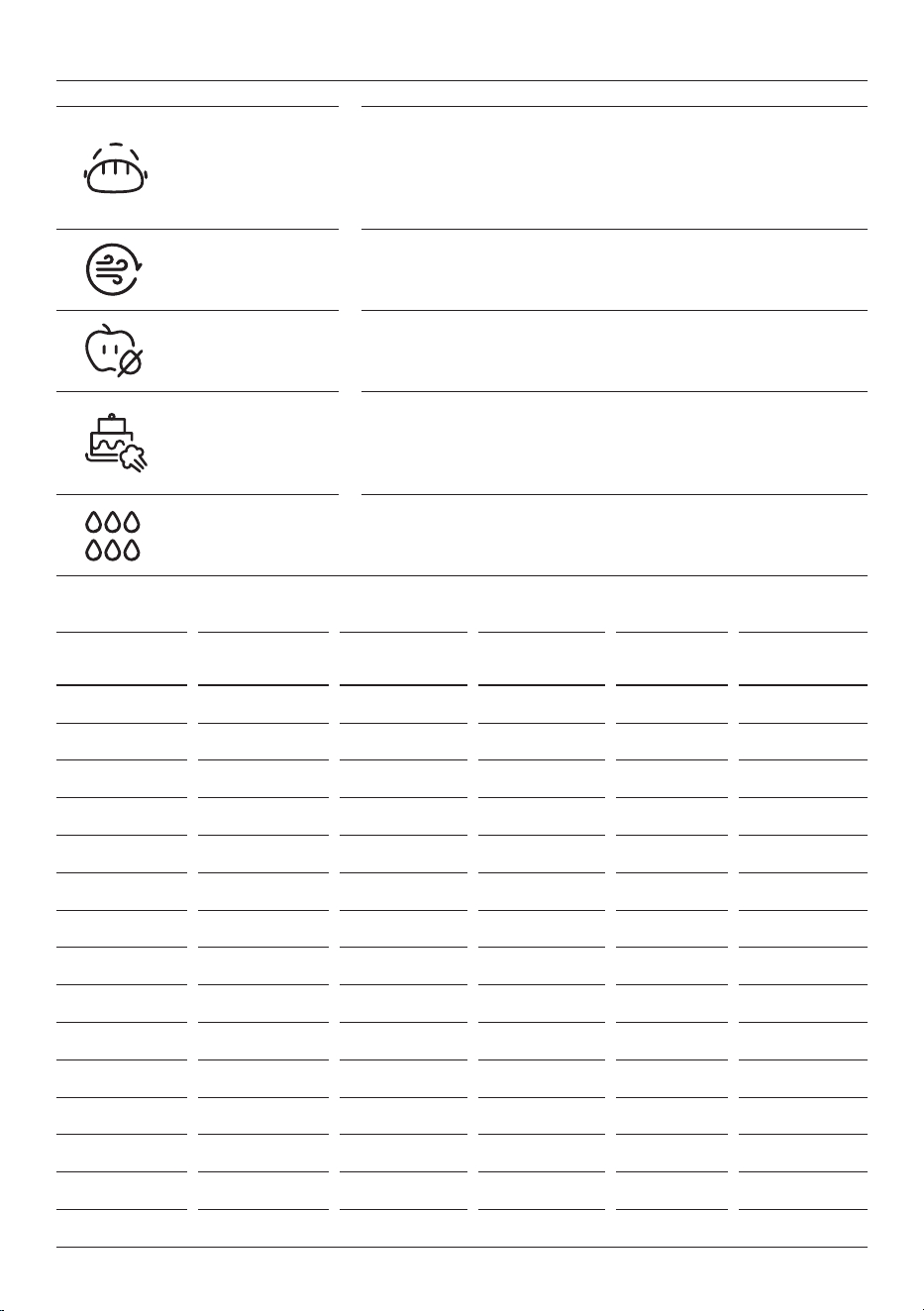
PROOF
Ideal for Proofing dough. Provides the optimal environment for
dough to rise evenly and efficiently. Please note that in order to
select the proof function, the oven temperature must be lower
than the proof set temperature. Otherwise, the function will not
start.
AIR FRY
Ideal for healthier cooking, the Air Fry function allows you to
achieve the crispiness and texture of fried foods using significantly
less oil than traditional frying methods.
DEHYDRATE
Ideal for making dried fruits, vegetable chips and jerky. Dehydrate
function removes moisture in the food to preserve and enhance
the flavour of it.
BAKERY + STEAM
Ideal for bread, pastries, and cakes, it combines traditional baking
withsteam to deliver professional bakery results at home. To use
Bakery + steam pour 300mL of water into the base of the oven
cavity when the oven is cold, then preheat oven.
HYDRO CLEAN
Uses steam to loosen food residue and grease. After cycle is
complete wipe away the loosened residue with a soft cloth.
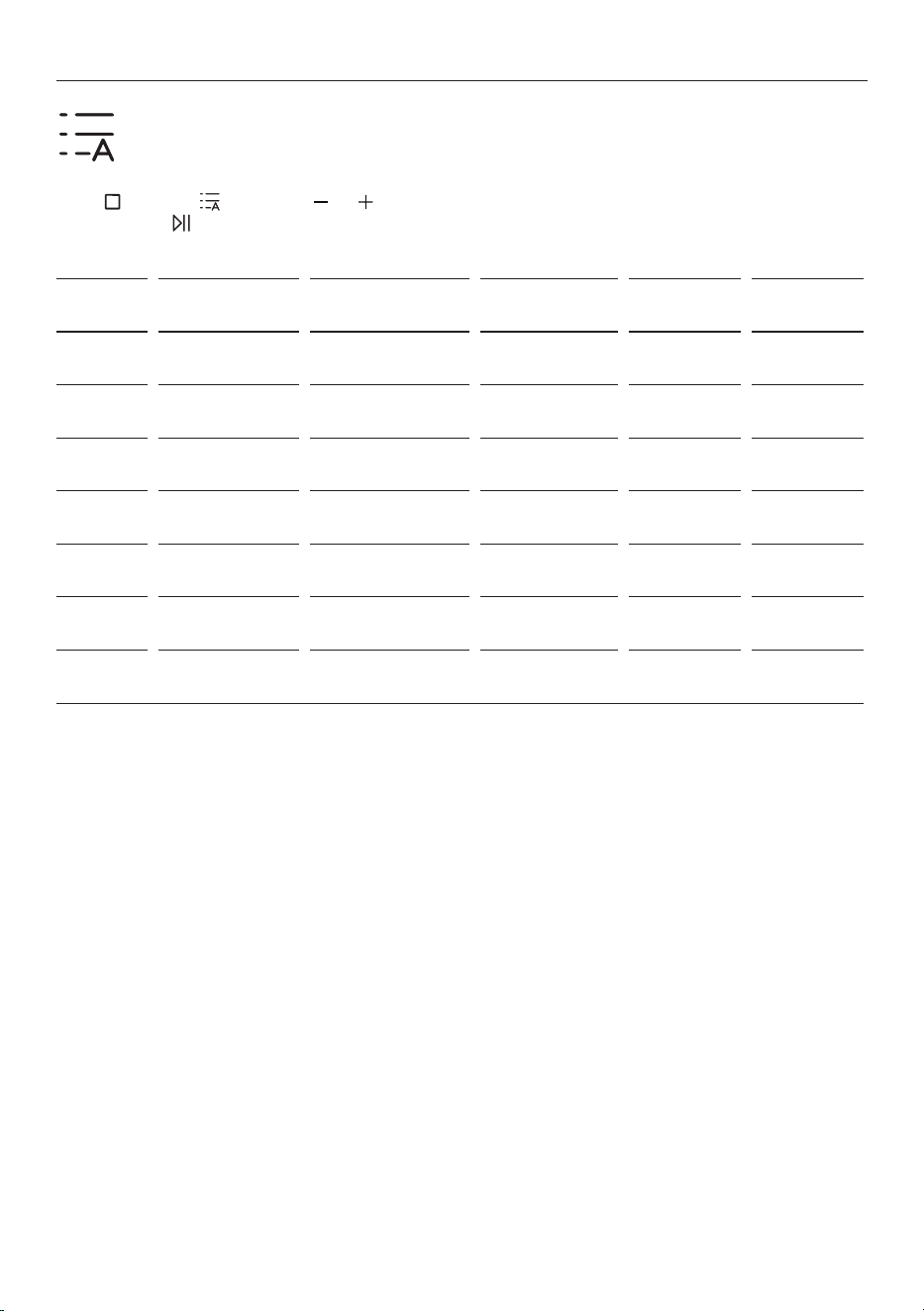
FPA function
name
Temperature
default (°C)
Temperature
range (°C)
Temperature
step size (°C)
Time range
(min)
Time default
(min)
Bake 180 50-250 +/-5 0-10 hours 0
Fan bake 180 50-250 +/-5 0-10 hours 0
Maxi grill 180 50-250 +/-5 0-10 hours 0
Maxi grill fan 180 50-250 +/-5 0-10 hours 0
Fan forced 180 50-250 +/-5 0-10 hours 0
Roast 180 50-250 +/-5 0-10 hours 0
Traditional Bake 180 50-250 +/-5 0-10 hours 0
Pastry 180 50-250 +/-5 0-10 hours 0
Air-fry 200 100-250 +/-5 0-10 hours 0
Pizza 250 180-250 (300) +/-5 0-10 hours 0
Dehydrate 50 50-130 +/-5 0-24 hours 0
Defrost - 0 - 0-10 hours 0
Proof 35 30-40 +/-5 0-10 hours 0
Bakery + Steam 180 50-250 +/-5 0-10 hours 0
Hyrdo clean 100 100 - - 20min
Function list and set values.
16
AUTO MENU
The Auto Menu is designed to make cooking easier by oering pre-set programs tailored to
specic types of dishes. These programs automatically adjust the cooking time and temperature,
delivering optimal results without the need for manual settings.
Press
to select then press or to cycle through the menu options. Once desired setting is
selected press . Auto menu options are below.
NUMBER AUTO MENU MODE TEMPERATURE
COOKING
TIME
WEIGHT
1
Roast Chicken Roast 180°C 75 min 1.5kg
2
Roast potato Fan bake 200°C 45 min 2kg
3
Cupcakes Bake 180°C 25 min 24pcs
4
Cookies Fan bake 180°C 15 min 24pcs
5
Bread Fan forced 190°C 30 min 1 dish
6
Lasagne Fan bake 175°C 45 min 1 dish
7
Chicken wings
and fried chips
Air fry 200°C 20 min 1.2kg

17
WI-FI AND REMOTE MODE
Wi-Fi Connection
Download the SmartHQ app from the Apple App Store or Google Play. Open the app on your phone.
• Turn the oven on.
• Press and hold the power button for 5 seconds to enter pairing mode. The Wi-Fi icon will start
blinking.
• Follow instructions on SmartHQ to pair.
• When the phone has been successfully paired with the oven, the Wi-Fi icon will stop blinking and
remain illuminated.
To unpair the oven from your phone, press and hold the power button for 5 seconds or follow the
instructions in SmartHQ.
Remote Mode
To enable remote operation of the oven via the app, after successful Wi-Fi connection, press and hold the
time/temperature setting button for 2 seconds.
When remote operation has successfully been enabled, the Remote mode icon will illuminate. Now the
oven can be controlled remotely via your phone.
If Remote mode is not active, the oven cannot be remotely controlled from the App. This mode will turn o
when mains power is cycled o and on.
18
CARE AND CLEANING
The life of your product can be extended through regular cleaning. Wait for the oven to cool before carrying
out manual cleaning operations. Never use abrasive detergents, steel wool or sharp objects for cleaning as
these may damage enamelled parts. Use only water, soap, or bleach-based detergents (ammonia).
Oven window seal
Clean the seals with a slightly damp sponge. Abrasive detergents should not be used for these parts.
Baking tray
Allow to cool, then wash the tray in hot, soapy water or in the dishwasher.
Racks
The wire racks can be cleaned in the dishwasher or using a wet sponge, ensuring that they are dried
afterwards. Remove the wire racks by pulling them away from the oven walls.
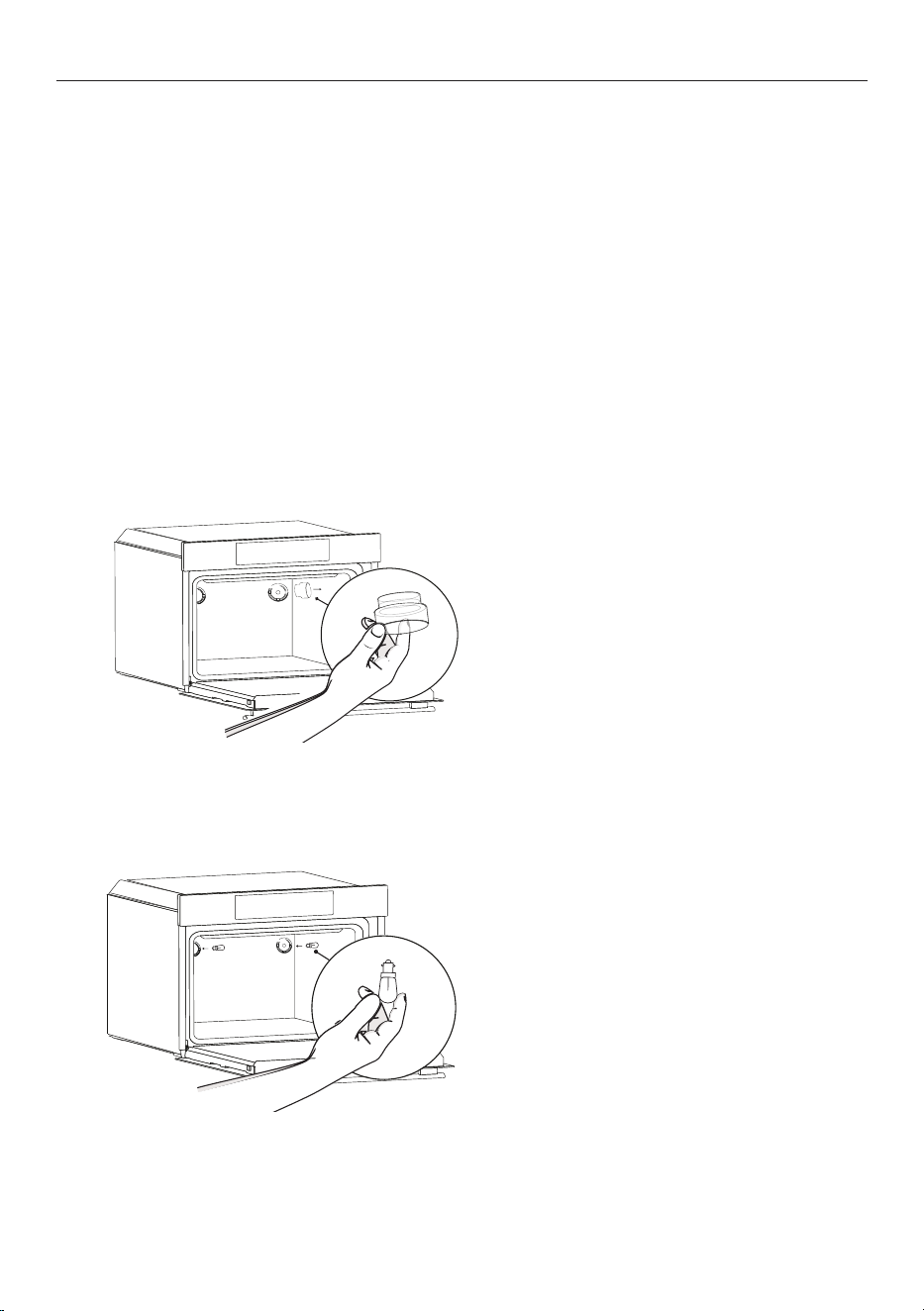
Changing the light bulbs
1. Disconnect the oven from the
power supply, then remove the glass
light cover.
2. Unscrew the light bulb and replace
with a new bulb of the same type.
Refit the glass cover.
19
CLEANING THE OVEN DOOR
Everyday cleaning
It is advisable to clean the glass window with an absorbent kitchen towel after every use of the oven. To
remove more stubborn stains, you can use a detergent-soaked sponge, well wrung out, and then rinse with
water.
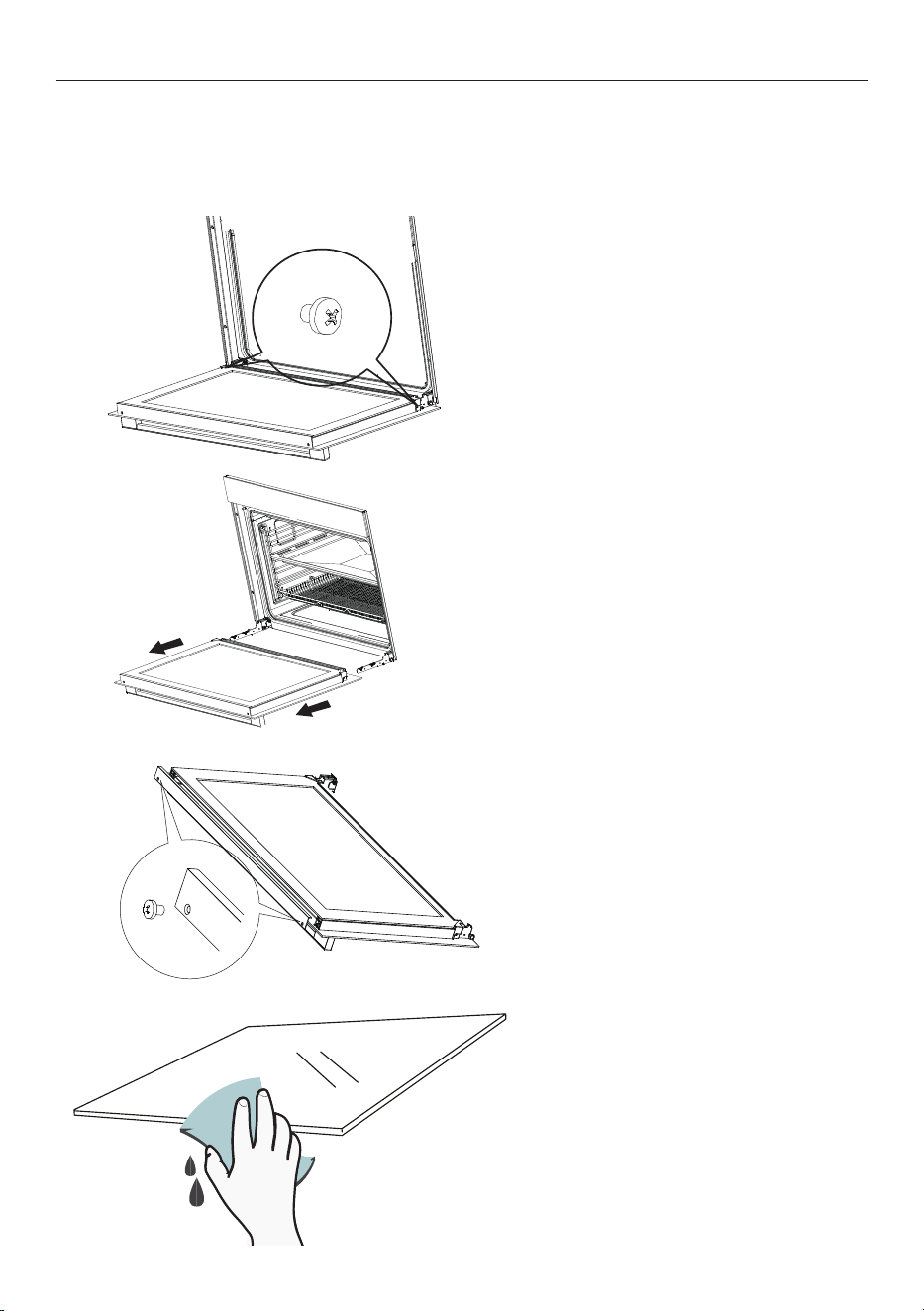
Removal and cleaning of the
door glass
1. Open the oven door fully, then
remove the screws that secure the
hinges to the body of the oven.
2. Pull the door out towards you and
place it on a flat, protected surface.
3. Remove the screws at the top
corners of the door, then lift the
edge of the inner pane and carefully
slide it out.
4. Remove the screws at the top
corners of the door, then lift the
edge of the inner pane and carefully
slide it out.
20
HYDRO CLEAN
Hydro clean
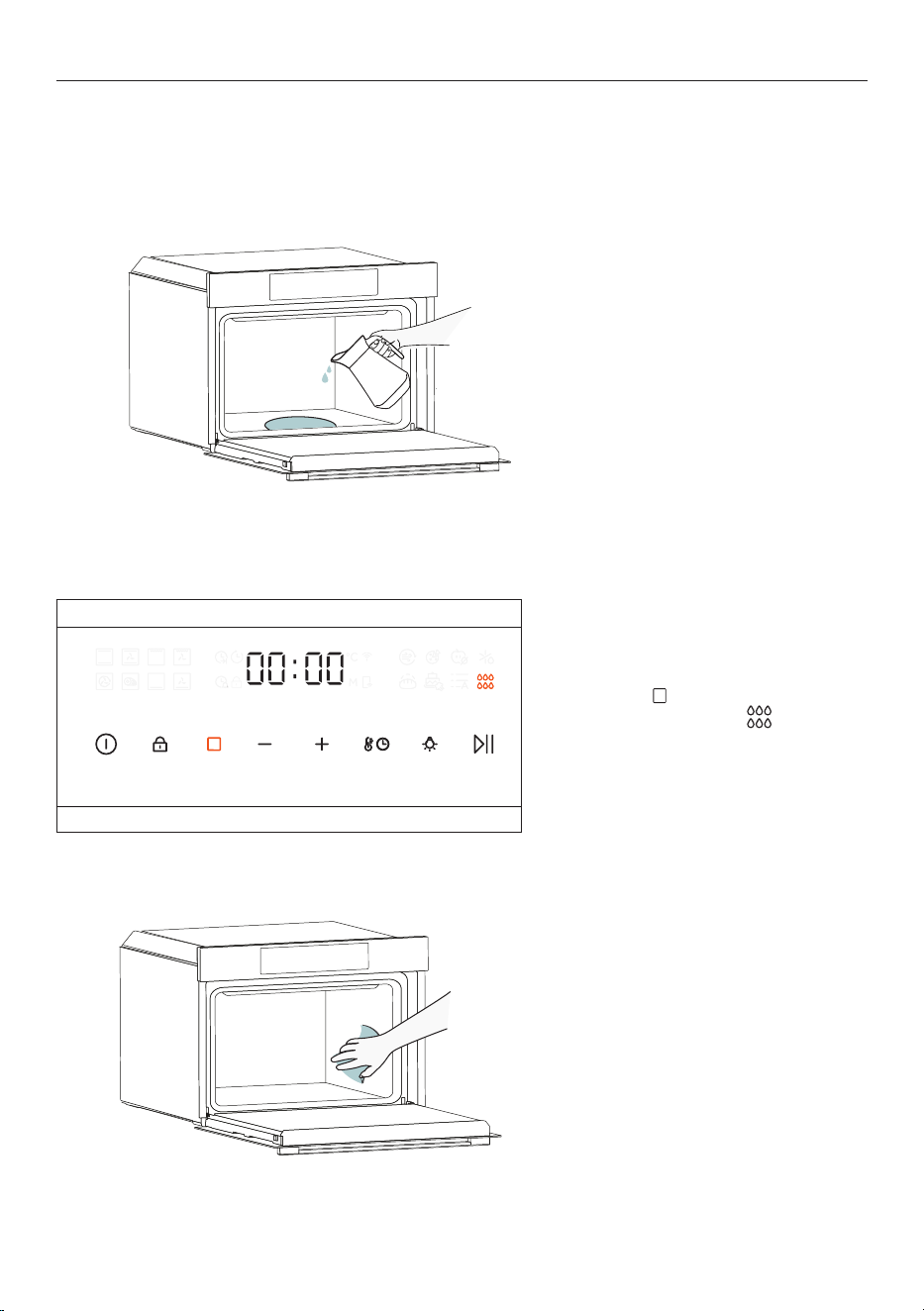
This function uses steam to clean light levels of residue from the oven interior in a quick and eco-friendly
way. Always use distilled or drinkable water and for the best performance begin the function when oven is
cool.
2. Press
to cycle through cooking
functions and select Press play
to start the cleaning process.
1. Remove all racks, trays and side
racks from the oven. Wipe away
as much dirt as possible then pour
300ml of water into the base of the
oven.
3. Allow the function to operate
for the pre-set duration. Wait for
the oven to cool completely before
wiping the interior clean with soft,
damp cloth.

21
PROBLEM POSSIBLE CAUSES WHAT TO DO
The oven does not
work
No power. Check that the mains power supply (wall switch) is
turned on, the fuse has not tripped and there is no
power outage in your area.
No function has been set. Ensure a function has been selected and temperature
set.
The lights are not
operating when I
open the oven door
The oven lights have blown. Replace the lights. See 'Changing the light bulbs' on
page 17.
The oven is not
heating
The door is not fully closed. Make sure the door is properly closed.
The door has been opened too
often during cooking.
Avoid opening the door too often during cooking.
A glass pane in the
door has cracked,
chipped or shattered
The glass has been knocked or
cleaned incorrectly.
You must NOT use the oven. Call your Authorised
Repairer or Customer Service.
Hot air is coming out
of the vents when
the oven is off
The cooling fan is running. This is normal. You do not need to do anything.
The fan comes
on when I select a
function that does
not use a fan
The fan starts automatically
while preheating.
This is normal. The fan will turn o when the oven
reaches temperature.
00:00 is flashing on
the display
The oven was disconnected
from the mains or there was a
power cut.
The clock needs to be reset. See 'Setting the clock' on
page 11.
TROUBLESHOOTING

22
MANUFACTURER'S WARRANTY
Please read this warranty card carefully. Attach your purchase receipt to this warranty card and keep in a
safe place. You must produce both warranty card and proof of purchase in the event of a warranty repair
being required.
When you purchase any new Haier Product you automatically receive a two year Manufacturer's Warranty
covering parts and labour for servicing.
The Manufacturer undertakes to:
Repair or, at its option, replace without cost to the owner either for material or labour any part of the
Product, the serial number of which appears on the Product, which is found to be defective within TWO
YEARS from the date of purchase.
This warranty DOES NOT cover:
A Service calls which are not related to any defect in the Product. The cost of a service call will be charged
if the problem is not found to be a Product related fault. For example:
1 Correct the installation of the product.
2 Provide Instruction on use of the product or change the setup of the product.
3 Replace house fuses or correct house wiring.
4 Correcting fault(s) caused by the user.
5 Noise or vibration that is considered normal.
6 Water on the floor due to incorrect loading or excessive suds.
7 Blocked pumps, removal of foreign objects/substances from the machine, including the pump and
inlet house filters.
8 Correcting damage caused by pests, eg. rats, cockroaches etc.
9 Correct corrosion or discolouration due to chemical attack.
!0 Power outages or surges.
B Defects caused by factors other than:
1 Normal domestic use or
2 Use in accordance with the Product's User Guide.
C Defects to the Product caused by accident, neglect, misuse or 'Act of God'.
D The cost of repairs carried out by non-authorised repairers or the cost of correcting such
unauthorised repairs.
E Normal recommended maintenance as set out in the Product's User Guide.
F Repairs when the appliance has been dismantled, repaired or serviced by other than an AUTHORISED
CUSTOMER SERVICE CENTRE or the selling dealer.
G Pick up and delivery.
H Transportation or travelling costs involved in the repair when the product is installed outside the
AUTHORISED CUSTOMER SERVICE CENTRE'S normal service area.
This product has been designed for use in a normal domestic environment. It is not intended for
commercial use. Doing so may affect product warranty.
Service under this warranty must be provided by an Authorised Service Repairer (refer to the Customer
Care section for contact details). Such service shall be provided during normal business hours. This
warranty certificate should be shown when making any claim.

23
Note:
This Warranty is an extra benefit and does not affect your legal rights and applies only to product
purchased in New Zealand and Australia. Please keep this Warranty Card in a safe place.
For Australian customers:
Our goods come with guarantees that cannot be excluded under the Australian Consumer Law. You are
entitled to a replacement or refund for a major failure and for compensation for any other reasonably
foreseeable loss or damage. You are also entitled to have the goods repaired or replaced if the goods fail to
be of acceptable quality and the failure does not amount to a major failure.
MANUFACTURER'S WARRANTY

24
CUSTOMER SERVICE
If you have a problem with your appliance you can contact:
z
Your local dealer.
z
Service & Support
From New Zealand Online www.haier.co.nz
Toll free phone 0800 242 437
Fax (09) 273 0656
Email customer.care@haier.co.nz
Postal address P.O. Box 58732, Botany, Manukau 2163
From Australia Online www.haier.com.au
Toll free phone 1300 729 948
Fax (07) 3826 9298
Email customer[email protected]
Postal address P.O. Box 798, Cleveland QLD 4163
When calling or writing, please provide your name, address, the model number of your appliance, the serial
number, the date of purchase and a description of the problem.
Complete and keep for safe reference:
Model
Serial No.
Purchase Date
Purchaser
Dealer
Suburb
To w n
Country