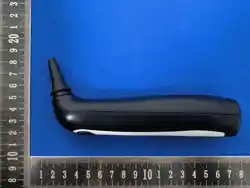
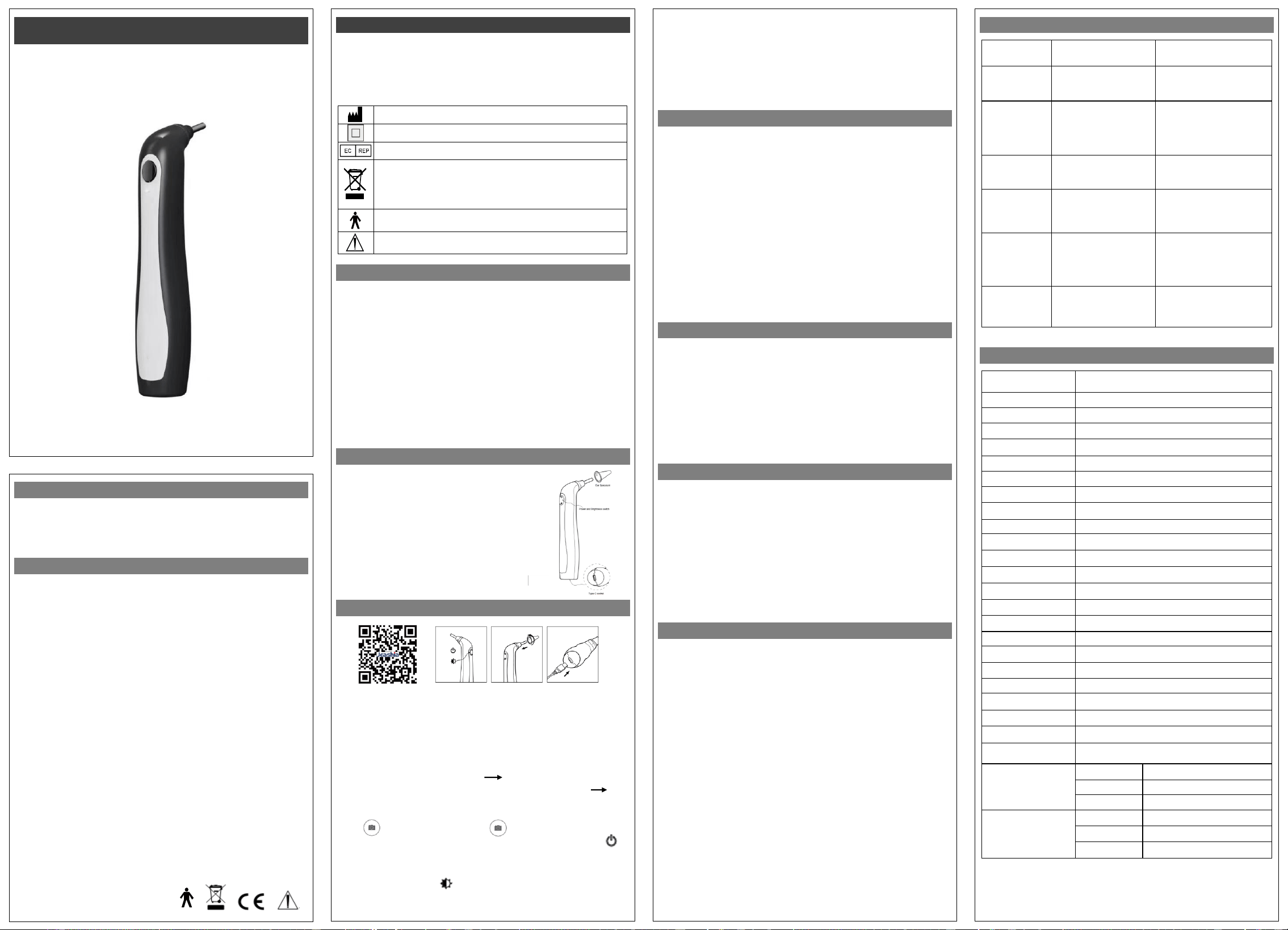
Wi-Fi Otoscope
Video Otoscope
Please read this manual before use the device to ensure proper action during use of
these medical grade instruments. Only trained practitioners of these devices can use
this product. After reading, please keep this manual in a safe place in case you need to
consult it. With stable performance and plug and play, this product is the best
instrument for diagnosis, teaching and remote consultation in ENT.
Symbols:
Manufacturer
Electric shock protection Class II equipment
Authorized Representative in Europe
Symbol for the marking of electrical and electronics devices according
to 2002/96/EC. The device, accessories and the packaging have to be
disposed of waste correctly at the end of the usage, please follow Local
Ordinances or Regulations for disposal.
Type B Applied Part
Attention, consult relative documents
SAFETY INFORMATION
Basic safety measures should always be followed including the warnings and cautions
listed in this instruction manual.
Warnings & Cautions:
● Please don’t use the device exposed to flammable gas.
● Protect all device parts from water, moisture, impact, dropping, direct sunlight, heat
and fire, freezing, wind, dust, fumes, oils, perfumes, leaking batteries/corrosive
substances and animals.
● Please don’t touch the camera lens directly, or touch it with a sharp object.
● This device has no spare light bulb to replace.
● Do not use corrosive or polishing solution to clean the instrument.
● Please do not share with humans and animals, and place the instrument out of reach
of children and animals.
● Please don’t disassemble or repair the device or components. The warranty will be
invalid if this has been attempted. Routine maintenance per this manual is accepted.
● Store the instruments in box in a dry room at normal room temperature.
GENERAL FEATURES
● Lightweight and compact, easy-to-operate form factor.
● Professional optical lens, clear image with little distortion.
● Professional upper computer operation software.
● Key switch can take pictures and adjust the brightness in
as fig.1.
● 2000mAh battery for extended battery life.
● High display LED cold white light source.
● Ear speculum screw-in type for easy replacement.
● Automatic white balance.
● Type-c port compatibility.
● Support Android, IOS applications.
HOW TO USE THIS DEVICE
fig.2 fig.3 fig.4 fig.5
● Scan the QR code with your phone or tablet to download and install the app as fig.2
or search for "Video Otoscope" in App Store to download and install.
● Take out the instrument from the storage box, and press the power button for 3sec to
turn on the power as fig.3. Then the white light illuminates, it signals the waiting for the
online state.
● Go to the Wi-Fi settings on your phone or tablet and turn on Wi-Fi (WLAN) interface
and tap "HS-E02-xxxxxx" connect device "HS-E02-xxxxxx" connected, at this
time the indicator on the instrument indicates that the green light is long on Exit
the WI-FI setting or return to the "Video Otoscope" APP interface to display the image
in front of the instrument lens.
● Click take photo, long press to hold start recording video, release your
finger to end the recording video. Or lightly press the instrument's power button to
take photo, in as fig.3.
● Click "file" to photos and videos preview, when previewing an image, clicking the
"Share" in the top-right corner allows you to send the image to a specified location.
● Press the instrument button repeatedly to adjust the lens illumination brightness.
● Insert the appropriate ear speculum in the upper front end of the otoscope as fig.4
and tighten them clockwise.
DEVICE OVERVIEW
Video Otoscope are used for the direct examination of the auditory canal and tympanic
membrane. Any use other than that described here is not in accordance of the intended
use of the product, we are not liable for any resulting damages. Only a trained
practitioner in these skills is allowed to use these devices.
PACKAGE LIST
Common accessories for the otoscope such as ear specula are available from us.
● The body of otoscope 1pc
● USB cable 1pc
● Ear Speculum tips 4mm,5mm 6pcs in all
● Instruction manual 1pc
4050165 Rev.B02, Jan.2026
● Place the tip of the ear cover of the otoscope gently into the external ear canal along
the axis of the external ear canal of the subject. The examiner observes the ear canal
and eardrum through a mobile phone or flat screen.
● Press and hold the power button for 3sec to turn off the power after use.
● The instrument charging as fig.5, the instrument is charged with a 5v adapter or
computer USB port that meets the safety requirements. The blue indicator lights up
when charging, and the blue light is extinguished when full.
● When the battery is low, it takes approximately 4 hours to fully charge.
ATTENTION FOR USES
● Instruments in operation will automatically switch off after one minute if no action is
taken.
● When the instrument is switched off or no image is displayed on the app interface,
you must re-enable Wi-Fi on your mobile phone or tablet and connect to the
"HS-E02-xxxxxx" device.
● The otoscope should only be used to examine an ear when a speculum is fitted.
● When using, access the speculum end softly from the external ear canal.
● When using the product temperature will rise slightly (maximum 40°C), no impact on
the human body, please rest assured to use.
● When cleaning the lens, it is recommended to use alcohol swab carefully and gently
wipe.
● Observe the surroundings before and during use. Do not use the product in an
environment with people running or obvious seismic sensation.
● It is recommended for children over 1 year old to use this product. Minors are
prohibited to use this product alone, so as to avoid injury.
● It is forbidden to use parts other than the metal rod of the host in the liquid to avoid
circuit damage.
● Product built-in li-ion battery, if not often used, please charge once every two months.
MAINTENANCE
● Please wipe the lens with a lens brush or soft cloth.
● Clean the surface of the device with 75% alcohol solution at least once a week.
● The attched ear speculum can be disinfected with high pressure steam at 134℃ for
10 minutes.
● Please do not sterilize the instrument in the autoclave
● If liquid entered, immediately turn off power, please send to service center for repair,
please don’t use blow dryer.
● Corrosive or polishing detergents are prohibited and never immerse the instrument in
water or other cleaning liquids.
● Please keep the lens dustproof or put it back in the box for storage for long term
nonuse.
SAFETY & ELECTRICAL CLASSIFICATION
The following safety check should be performed at least every 12 months by a qualified
person who has adequate training, knowledge, and practical experience to perform
these tests.
● Inspect the equipment and accessories for mechanical and functional damage.
● Inspect the safety relevant labels for legibility.
● Verify that the device functions properly as described in the instructions for use.
Equipment Classification with respect to protection from electric shock:
Class II Internally powered equipment.
Degree of protection from electric shock: TYPE B.
Mode of operation: continuous operation.
Lens injection protection class: IP65
Equipment is not suitable for use in the presence of flammable mixture: Yes.
WARRANTY INFORMATION
The instrument has 1 year warranty. Devices must be registered within 1 month after
purchase to gain access to an extended 2 year warranty.
Sales Agent will work with the device manufacturer with any claims arising during the
warranty period. The scope of the warranty covers defects in workmanship and
materials only. The warranty period begins from the date of purchase. If the product is
defective due to workmanship or materials then our company will either repair or
replace the part of the device concerned, whichever our company believes to be
appropriate under the circumstances. Manufacturer is not responsible for removal or
shipping the product to a service centre or delivery back to the customer. We are not
responsible for any incidental or consequential damages resulting from the defect or
from shipping/postal services. Problems from improper maintenance, incorrect usage,
use of non-designated accessories/replacement parts are not due to defects of
workmanship or materials. If Sales Agent or Manufacturer determines that the problem
is not due to defects in workmanship or materials within the warranty period, customer
will be responsible for the cost of any necessary repairs or replacement.
Defects arising from wear and tear such as scratches, dents, cosmetic blemishes are
not covered. Defects arising from dropping, water, moisture, impact, direct sunlight,
heat and fire, freezing, wind, dust, fumes, oils, perfumes, leaking batteries/corrosive
substances, children and animals are not covered. Accessories and ear specula are
not covered under warranty. Manufacturer assure the repair charge will not exceed the
sales price.
Our company reserves the right to void any warranty claim, they believe to involve
misconduct, violation of the warranty or liability or damage towards the company.
Please contact Sales Agent or Manufacturer before returning any product for warranty
inspection, for return details. Failure to do so may result in your device being destroyed
and no liability will be held with our company.
TROUBLE SHOOTING
Trouble
Vision
Possible Reason
Solution
Blank screen
Lens LED off;
Wi-Fi abnormal connection;
No suitable devices.
Turn on the LED light;
Reconnect Wi-Fi;
Choose suitable devices.
Vague picture,
Discoloration,
Slow speed
Dirty lens;
Incorrect distance;
Display terminal out of
memory
Dip a cotton swab in water or
alcohol and wipe the lens;
Adjust distance;
Cleaning up garbage to free up
memory.
Picture
distortion
Unstable Wi-Fi signal;
Trouble inside of camera.
Reconnect to Wi-Fi and be
away from interference;
Contact to repair.
Lens LED is
dim or does
not light up
Improper choice of
brightness ;
Run out of battery power;
LED light goes bad.
Adjust the appropriate
brightness;
Fully charged before use;
Contact to repair.
Application is
crash/quit
unexpectedly
APP compatibility with
display terminal is abnormal;
Display terminal multiple
APP running conflict.
Upgrade your phone's system or
replace your phone;
Clean up the running
background of the phone and
restart the APP.
No response to
boot or Cannot
recognized
Run out of battery power;
Wi-Fi abnormal connection;
Internal camera
malfunction.
Connect USB again;
Contact to repair.
TECHNICAL SPECIFICATIONS
Item
Parameters
Name
Video Otoscope
Model
HS-OT10M
Standard
IEEE802.11b/g/n
Operating Frequency
2.4GHz
Image sensor
0.3 Megapixel HD Lens
Depth of field
15~25mm
Field of view
100° (sensor diagonal FOV)
Image resolution
720×480p
Data Format
JPGE,BMP
Frame rate
Max. 30fps
White Balance
Auto
TV Distortion
<25%
Min-illumination
1.0lux
Light sources
LED illumination
Illuminance of source
Max. 500lux (30mm distance)
Interface Mode
Type-C
Power Input
5.0Vdc from USB port
Battery
Li-ion 3.7V 2000mAh
Charging time
4h
(
approximately
)
Working current
250mA (include LED illumination)
Endurance
6h
Operating system
Android, IOS
OSD language
(application)
English, Chinese
Operating ambient
Temperature
-10℃~40℃
Humidity
30%~80%
Air pressure
700hPa~1060hPa
Storage&Transport
Temperature
-20℃~70℃
Humidity
10%~90%(without condensation)
Air pressure
500hPa~1060hPa
The manufacturer reserves the right to make technical changes without notice in the
interest of progress. Prior notices will not be given in case of any amendments within
this manual.
HS-OT10M
fig.1

FCC Warning
This device complies with Part 15 of the FCC Rules. Operation is subject to the following two conditions:
(1) This device may not cause harmful interference, and (2) this device must accept any interference received, including
interference that may cause undesired operation.
NOTE 1: This equipment has been tested and found to comply with the limits for a Class B digital device, pursuant to part 15 of
the FCC Rules. These limits are designed to provide reasonable protection against harmful interference in a residential
installation. This equipment generates, uses and can radiate radio frequency energy and, if not installed and used in accordance
with the instructions, may cause harmful interference to radio communications. However, there is no guarantee that
interference will not occur in a particular installation. If this equipment does cause harmful interference to radio or television
reception, which can be determined by turning the equipment off and on, the user is encouraged to try to correct the
interference by one or more of the following measures:
- Reorient or relocate the receiving antenna.
- Increase the separation between the equipment and receiver.
-Connect the equipment into an outlet on a circuit different from that to which the receiver is connected.
-Consult the dealer or an experienced radio/TV technician for help.
NOTE 2: Any changes or modifications to this unit not expressly approved by the party responsible for compliance could void the
user's authority to operate the equipment.
The device has been evaluated to meet general RF exposure requirement. The device can be used in portable exposure
condition without restriction.

